10 Technical Writing Tools for Faster Documentation
The popular advice is to pick the “best” technical writing tool and standardize everything around it. That approach usually fails. A voice-drafting app, a structured authoring suite, a Git-based documentation site, and an API portal solve different problems, and forcing one platform to handle all of them creates unnecessary work.
Choose the workflow first. Consider content complexity, publishing targets, collaboration habits, governance, localization, and how quickly contributors need to turn ideas into usable drafts. A regulated manual needs different controls than an API reference. A developer team may prefer pull requests, while a distributed support organization may need visual reviews and hosted workflows. The right stack might combine several tools rather than crown one winner.
This roundup organizes technical writing tools around those realities. Use the recommendations to identify the tool that fits your bottleneck, then test it with representative content, not a marketing demo. If your broader publishing system also needs scalable content management, compare this decision with guidance on how to choose a CMS for SEO at scale.
Table of Contents
- 1. AIDictation
- 2. MadCap Flare
- 3. Paligo
- 4. Adobe FrameMaker
- 5. Oxygen XML
- 6. Docusaurus
- 7. MkDocs and Material for MkDocs
- 8. GitBook
- 9. ReadMe
- 10. Redocly
- Top 10 Technical Writing Tools: Feature Comparison
- Build a Stack That Matches Your Documentation Reality
1. AIDictation
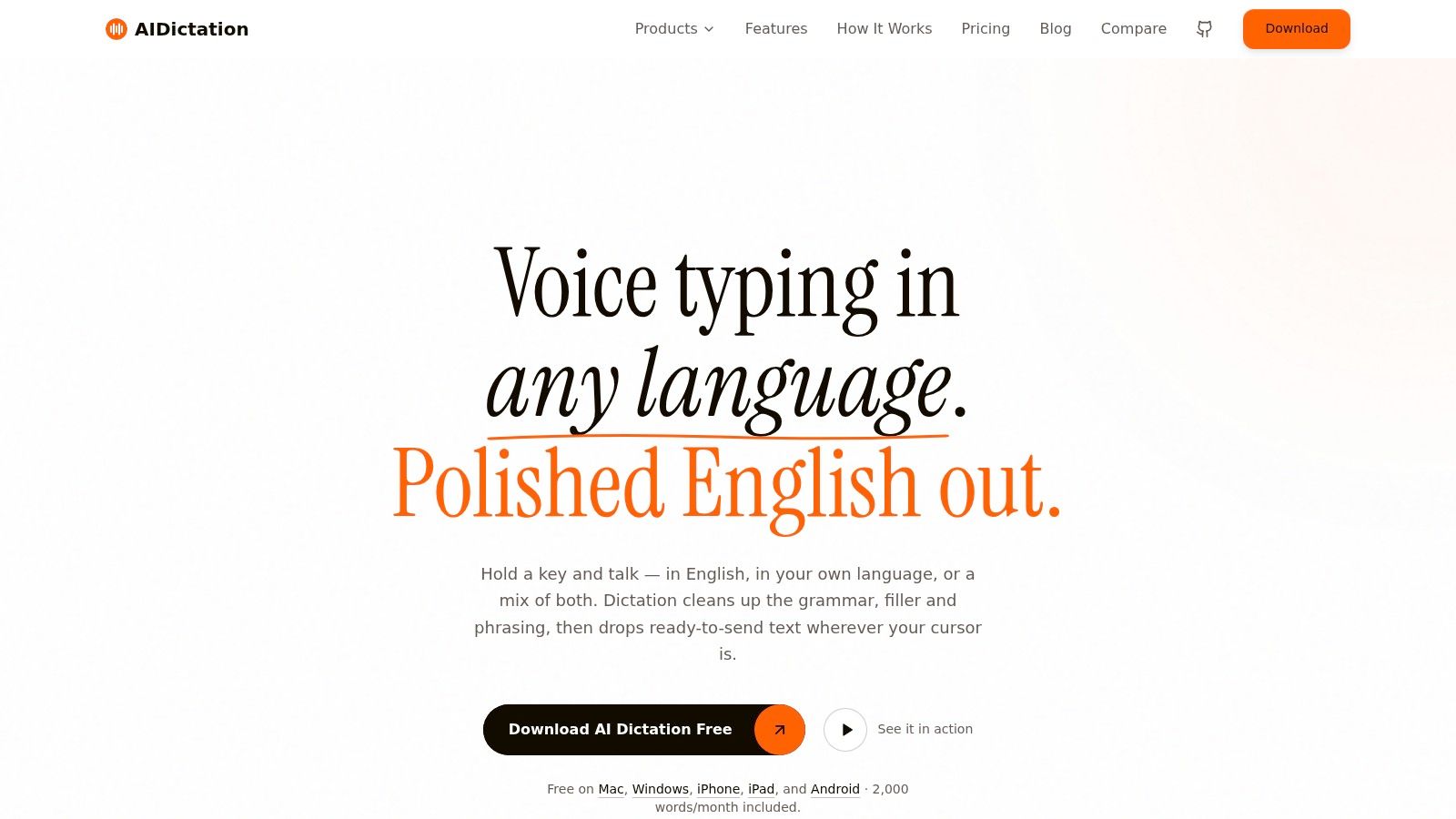
AIDictation handles the stage many documentation teams overlook: capturing technical knowledge before it reaches a formal authoring system. Writers can turn spoken ideas, meeting notes, product requirements, and rough explanations into usable text across macOS, Windows, iPhone, iPad, and Android. That makes it practical for drafting wherever the information emerges, rather than waiting to open a document editor.
Its main distinction is Auto Mode, which switches between local recognition and cloud processing. Local Mode runs Parakeet v3 on Apple Silicon, supporting offline dictation while keeping audio and data on the device. Cloud Mode adds context-aware formatting, filler-word removal, self-correction handling, translation, grammar cleanup, and punctuation. The output is more useful than a raw transcript when a developer explains an endpoint or a product manager outlines a PRD aloud.

Where it fits in a documentation workflow
Use AIDictation as the drafting and capture layer, not the publication system of record. A writer can dictate a troubleshooting procedure, add API names and technical terms to a custom vocabulary, then move the edited draft into MadCap Flare, GitBook, Docusaurus, or a repository. Per-app rules can adjust tone and formatting for formal email, casual chat, or technical editor content.
The app supports 99+ languages, mixed-language speech, accents, mumbles, and background noise. Meeting, audio, and video transcription also help when source material is spread across calls, interviews, and product demonstrations.
Practical rule: Use dictation to accelerate thinking, then complete technical review, source validation, and approval in the workflow that controls publication.
The free tier provides 2,000 words per month with no account required. Pro plans start at $8.49 per month or $84.99 per year, adding unlimited cloud and local models, translation to English, and priority support. A limited-time lifetime option is offered at around $199.99. These prices come from the product brief and should be checked before procurement.
Pros
- Hybrid recognition: Auto Mode balances local privacy, immediate response, and cloud editing.
- Technical vocabulary support: A custom dictionary helps preserve names, product terminology, and specialized language.
- Cross-platform capture: Writers can dictate in almost any app across desktop and mobile platforms.
- Privacy options: Local Apple Silicon processing keeps offline audio on the device, while data in transit uses 256-bit SSL.
- Flexible entry point: The free tier supports testing with real documentation tasks before purchase.
Cons
- Compliance verification remains necessary: SOC 2 certification is listed as pending, so regulated teams should confirm enterprise terms and required agreements.
- Local parity varies by device: The strongest offline experience depends on Apple Silicon.
Best for: Developers, product managers, multilingual professionals, and documentation teams whose main constraint is drafting speed.
2. MadCap Flare
MadCap Flare is a strong choice when documentation has to serve several audiences and publication channels without becoming a collection of duplicated files. Its topic-based authoring model supports reuse through variables, conditions, and snippets, allowing teams to maintain related product variants or audience-specific outputs from shared source content.
That reuse matters for organizations producing help sites, manuals, knowledge bases, and downloadable documents at the same time. Flare supports publishing to HTML5, PDF, CHM, and knowledge-base outputs, so the team can retain a governed authoring environment while adapting delivery to different users.

The trade-off is control versus simplicity
Flare's depth is its advantage for large, structured doc sets, but it also creates an onboarding burden. New authors need to understand topics, conditions, variables, snippets, targets, and project organization. A team coming directly from Word or a lightweight wiki shouldn't assume that importing content will create a maintainable information model.
Flare Online adds cloud collaboration and AI-assisted authoring, which can help distributed teams review and develop content. Still, governance depends on more than having a feature available. Teams need naming conventions, ownership rules, review gates, and a plan for retiring outdated topics.
The platform is widely used for large, regulated, and highly structured documentation, with an established ecosystem of templates, training, and professional services. That maturity can reduce implementation risk for enterprises, although the licensing and learning investment is generally higher than with many docs-as-code options.
Best for: Enterprises that need deep single-sourcing, controlled publishing, versioning, and repeatable governance across complex product documentation.
3. Paligo
Paligo is a SaaS component content management system for teams that need structured authoring without maintaining a desktop-centered publishing environment. It organizes content as reusable topics and components, with reuse extending down to smaller fragments. That model is useful when the same warning, procedure, feature description, or product phrase appears across multiple deliverables.
The platform combines authoring with workflows, review, project planning, translation, and enterprise publishing. It can publish to HTML5, PDF, and eLearning or SCORM outputs, while hosting options and integrations support organizations that need content in several operational systems.

A migration platform, not just a writing editor
Paligo fits teams moving away from Word documents, disconnected files, or wikis that have become difficult to govern. Its integrations include Zendesk, Salesforce, Git, translation management systems, and SSO, giving documentation a route into support, engineering, and localization workflows.
The hard part is cultural. Component content requires writers to think about reusable meaning rather than page appearance. Contributors must learn how to structure topics, identify legitimate reuse, manage variants, and avoid creating fragments that are technically reusable but difficult to understand in context. A team should define its content model before importing a large legacy library.
Teams also need a maintenance policy. Structured reuse can reduce duplication, but it doesn't automatically keep product claims, screenshots, examples, and API behavior current. Pair Paligo with release review and ownership rules, and use a clear content structure for technical documentation before scaling the repository.
Best for: Documentation organizations that need centralized structured content, translation workflows, multi-channel publishing, and enterprise integrations.
4. Adobe FrameMaker
Adobe FrameMaker remains relevant where long documents, precise layout, and print-quality PDF output matter more than lightweight collaboration. It supports both structured and unstructured authoring, including DITA workflows, and handles large manuals and book-length technical content with the control expected from a mature publishing tool.
FrameMaker is particularly useful when a deliverable must look consistent across chapters, contain complex front matter, manage references, or meet strict PDF and print requirements. Its connection to the Adobe Technical Communication Suite also gives organizations a path into broader publishing and enterprise deployment options.
Choose it for output demands
FrameMaker's strengths become less decisive when the main destination is a frequently changing developer portal. Its interface and workflows can feel heavy beside Markdown, Git, and continuous deployment. Writers who need fast branch-based collaboration may spend more time managing the authoring environment than they would in a docs-as-code stack.
That doesn't make FrameMaker outdated. It makes it specialized. A regulated manufacturer, engineering organization, or publisher producing substantial manuals may value stable long-document performance and precise PDF fidelity more than a modern web workflow.
Procurement can also be less direct than with many SaaS tools. Pricing and deployment are often handled through resellers or enterprise channels, so teams should evaluate licensing, integrations, templates, and publishing requirements together rather than judging the editor in isolation.
Best for: Large manuals, DITA-based content, print-first documentation, and organizations where PDF fidelity is a primary requirement.
5. Oxygen XML
Oxygen XML is designed for teams that treat documentation as structured XML content rather than formatted pages. Its desktop Editor and Author products support DITA and XML authoring, validation, reuse, transformation, and publishing, while Web Author and Content Fusion add browser-based review and collaboration paths.
Validation is the practical advantage. A structured authoring environment can catch invalid markup and enforce content rules before publication, which reduces the risk of producing files that look acceptable but fail downstream transformations. Oxygen also supports WebHelp and PDF publishing pipelines, including PDF Chemistry, for teams that need multiple outputs from shared source content.

Plan licensing around roles
Oxygen provides licensing choices mapped to different roles, including Author, Editor, and Developer. That can help organizations avoid giving every contributor the same full toolset. However, Web Author, collaboration features, and publishing modules may require separate licensing, so the apparent cost of the desktop editor isn't the complete implementation picture.
DITA also changes how writers work. Contributors need training in topic types, relationships, metadata, reuse, and transformation behavior. Teams that introduce XML without defining templates, examples, and review responsibilities often create technically valid content that remains difficult to maintain.
Structured authoring pays off when the organization is prepared to govern structure, not merely purchase an XML editor.
Oxygen has a strong ecosystem and is widely adopted by DITA-focused organizations. It's a good fit when content reuse, validation, and transformation pipelines outweigh the convenience of a simpler Markdown editor.
Best for: DITA teams, XML specialists, and enterprises that need validated structured content with controlled publishing workflows.
6. Docusaurus
Docusaurus is a React and MDX-based open-source static site generator built for product and developer documentation. It fits engineering-led teams that already use Git, code review, continuous integration, and hosted deployment. Writers work in Markdown with the option to add React components through MDX, which gives developers a way to build interactive examples and custom documentation experiences.
The platform includes documentation versioning and internationalization, and it integrates with tools such as Algolia DocSearch for search. Teams can deploy through services including GitHub Pages, Netlify, and Vercel, keeping the publishing path close to the codebase.

Docs-as-code needs engineering capacity
Docusaurus is easy to start when the team understands Git and Markdown. It becomes more demanding when the organization wants substantial custom behavior, complex navigation, bespoke components, or integrations that aren't covered by the existing ecosystem. At that point, front-end and React knowledge becomes part of the documentation operating model.
Review also happens through Git workflows rather than a purpose-built editorial system. Pull requests are powerful for technical review, but they may be unfamiliar to subject-matter experts who only need to approve prose. Teams should define who reviews content, how preview builds work, and how non-engineers can contribute without bypassing quality controls.
A static site also shifts maintenance responsibility toward the repository. That can be an advantage because documentation changes can sit beside code changes, but it won't solve stale content unless release processes require authors to update affected pages. Use a defined documentation quality process to make review part of delivery rather than an afterthought.
Best for: Developer-first organizations that want flexible, Git-based docs with versioning, localization, and CI/CD deployment.
7. MkDocs and Material for MkDocs
MkDocs offers a straightforward Python-based path from Markdown files to a documentation website. Material for MkDocs adds the polished navigation, search, customization, and user-interface features that make the combination attractive to engineering and tooling teams. The result is a practical docs-as-code stack with a short route from local editing to a deployed site.
The workflow is familiar. Authors edit Markdown, preview changes locally, commit them to Git, and deploy through a continuous integration pipeline. Teams can host on GitHub Pages, Netlify, Cloudflare, or another static hosting service, depending on their infrastructure and access requirements.

The simple path still has edges
The basic setup is easy, but advanced requirements may introduce YAML, JavaScript, CSS, and plugin configuration. Search behavior, authentication, version handling, analytics, and content automation can all require additional work. A team should distinguish between a site that needs attractive documentation and one that needs a fully governed content platform.
Collaboration is another dividing line. MkDocs doesn't provide the same built-in SaaS review experience as hosted platforms. Teams typically rely on GitHub or another Git service for comments, approvals, and change history. That works well for developers and technical writers comfortable with pull requests, but it can create friction for occasional contributors.
MkDocs and Material are a good choice when speed, performance, ownership, and Markdown simplicity matter. They're less suitable when a documentation department needs built-in workflow management, component-level reuse, or extensive business-user collaboration without engineering support.
Best for: Small to mid-sized engineering-led teams that want a fast, attractive, maintainable docs-as-code site.
8. GitBook
GitBook is a hosted documentation platform for teams that want a polished collaborative environment without building and maintaining the publishing infrastructure themselves. Its block-based editor supports visual authoring, while Markdown and Git synchronization give technical contributors a route into the same content system.
The platform includes collaborative reviews, reusable content blocks, access controls, and higher-tier SAML or SSO options. AI features include Assistant, Agent, AI search, and AI translations. Those capabilities can help users find information or accelerate content operations, but teams still need a human review process for product claims, procedures, and security-sensitive material.

Hosted convenience has a migration cost
GitBook is attractive when the priority is getting public or private documentation online quickly. The hosted model reduces infrastructure work, and the editor is more approachable for contributors who don't want to manage a local build or pull request.
The compromise is platform dependency. Teams should understand export capabilities, content ownership, Git synchronization behavior, custom-domain options, and what happens if they later move to another system. Higher-tier controls, including SSO and enterprise features, also affect the total cost and procurement path.
GitBook works particularly well for product documentation, internal knowledge, and teams that need both nontechnical editing and technical synchronization. It may be less appropriate when an organization requires deep DITA governance, highly customized publishing pipelines, or complete control over the rendering stack.
Best for: Teams that prioritize hosted collaboration, fast deployment, access control, and a professional documentation experience.
9. ReadMe
ReadMe is purpose-built for developer hubs where API references, tutorials, changelogs, and onboarding need to work together. Its interactive API reference includes a Try-It console, allowing developers to test requests from the documentation experience rather than copying examples into a separate client.
The platform supports project and version management, private documentation, MDX components, custom theming, and a Developer Dashboard with logs and metrics. AI features include Ask AI and AI Linter, which can assist discovery and review. These are useful when the documentation team wants insight into how developers interact with the portal, not just a page editor.

API onboarding is the center of gravity
ReadMe reduces the effort required to assemble an API developer experience compared with building a custom portal. The value comes from combining reference content, tutorials, changelogs, interactive requests, and user-facing workflows in one hosted destination.
The platform is less compelling for broad non-API documentation unless the team is comfortable customizing the experience. Hosted pricing can also exceed a self-managed docs-as-code stack as audience size and enterprise requirements grow. SSO and audit-oriented capabilities are typically associated with Enterprise plans, so security and procurement reviews should happen early.
API content also needs a reliable source of truth. If OpenAPI definitions, examples, SDK behavior, and narrative tutorials drift apart, an attractive portal can still mislead users. Establish a specification writing workflow that connects technical requirements to the published developer experience.
Best for: API companies and developer-relations teams that need interactive references, onboarding content, analytics, and a hosted portal.
10. Redocly
Redocly is centered on OpenAPI-based API documentation and offers a path from the open-source Redoc renderer to hosted Redocly Cloud. Its rendered documentation uses a polished three-panel layout, and the platform supports a Try-It console, Git workflows, previews, analytics, mock servers, and enterprise governance features.
That range makes Redocly useful for teams that want to begin with an API definition and expand toward a managed developer portal. Hosted options include global CDN delivery, branding controls, analytics integrations, and multiple custom domains. Enterprise capabilities can include multiple identity providers, on-premises keys, and premium support.

Start with the contract, then design the experience
Redocly is strongest when the OpenAPI document is actively maintained and treated as a product asset. Git-based workflows and previews help reviewers see how specification changes affect the published reference before release. That makes it a natural fit for API teams already working through repositories and automated validation.
It isn't a general-purpose technical writing platform. Non-API guides, conceptual documentation, and support content may require customization or a companion system. Advanced features can also be metered or rate-limited at higher tiers, so teams should evaluate expected usage, authentication needs, branding, analytics, and governance before committing.
The open-source-to-enterprise progression is useful for experimentation. A team can validate its information architecture and API presentation before deciding whether hosted collaboration and governance justify a paid deployment.
Best for: API-centric teams that want attractive OpenAPI rendering, Git workflows, interactive references, and an upgrade path to enterprise controls.
Top 10 Technical Writing Tools: Feature Comparison
| Product | Core Features ✨ | UX / Quality ★ | Target Audience 👥 | Value / Pricing 💰 |
|---|---|---|---|---|
| AIDictation 🏆 | ✨ Auto Mode (on-device ↔ cloud), Parakeet v3 local, AI cleanup, custom vocab, meeting & AV transcription | ★★★★★ Instant offline speed + cloud polish; high accuracy in noise/accents | 👥 Doctors, devs, PMs, students, multilingual & enterprise teams | 💰 2,000 words/mo free; Pro $8.49/mo or $84.99/yr; lifetime ≈ $199.99 |
| MadCap Flare | ✨ Single-sourcing, topics/conditions, variables/snippets, multi‑channel publish, Flare Online | ★★★★☆ Enterprise-grade stability; steep learning curve | 👥 Large regulated docs teams, enterprises | 💰 Enterprise pricing, higher cost vs docs-as-code |
| Paligo | ✨ CCMS: topic/component reuse, workflows, translation, integrations (TMS, Zendesk) | ★★★★☆ Enterprise-ready UX; onboarding required | 👥 Teams migrating from Word/wikis; localization-heavy teams | 💰 SaaS, team-focused pricing (enterprise tiers) |
| Adobe FrameMaker | ✨ DITA & long‑document authoring, advanced PDF/print controls, enterprise publishing | ★★★★☆ Battle-tested for long manuals; heavier UI/workflow | 👥 Publishers, technical authors, print-first/regulatory docs | 💰 Licensed / enterprise procurement; premium pricing |
| Oxygen XML | ✨ DITA/XML editor, validation, transformation & publishing pipelines, add‑ons | ★★★★☆ Robust DITA toolchain; learning curve for novices | 👥 DITA/XML-focused organizations, technical authors | 💰 Flexible licensing (subs & perpetual per role) |
| Docusaurus | ✨ MDX (Markdown + React), versioning, i18n, plugin ecosystem, DocSearch | ★★★★☆ Dev-first, flexible theming; needs React/engineering | 👥 Developer teams, OSS projects, product docs | 💰 Open-source (free); hosting/CI costs vary |
| MkDocs + Material | ✨ Fast Markdown→site, Material theme UX, search & navigation, CI-friendly | ★★★★☆ Simple, performant; minimal setup for docs-as-code | 👥 Engineering/tooling teams, small-medium docs teams | 💰 OSS core; optional plugins/hosting costs |
| GitBook | ✨ Block WYSIWYG + Markdown, Git sync, collaborative reviews, AI features, SSO | ★★★★☆ Polished hosted UX; built-in collaboration & compliance | 👥 Teams wanting hosted, collaborative documentation | 💰 Freemium → paid team/enterprise tiers with SSO |
| ReadMe | ✨ Interactive API reference (Try‑It), MDX, versioning, analytics, AI add‑ons | ★★★★☆ Purpose-built API UX; good analytics & onboarding tools | 👥 API teams, developer portals, SDK docs | 💰 Hosted SaaS; mid→enterprise pricing |
| Redocly | ✨ OpenAPI-first portals, Redoc renderer, Try‑It, CDN, previews, governance | ★★★★☆ Excellent API consumer UX; scalable to enterprise | 👥 API providers using OpenAPI/Swagger | 💰 OSS → Cloud tiers; enterprise features may be metered |
Build a Stack That Matches Your Documentation Reality
The best technical writing tools aren't interchangeable. They represent different operating models, and the right choice depends on where content comes from, who reviews it, how it must be published, and what happens after release.
Choose structured authoring when your team manages governed, reusable content across products, formats, or locales. MadCap Flare, Paligo, Adobe FrameMaker, and Oxygen XML suit organizations that need topic models, controlled reuse, DITA or XML support, reliable PDF output, and formal publishing processes. The cost isn't only licensing. Authors need training, information architects need to define the content model, and managers need ownership rules for shared components.
Choose docs-as-code when engineers and technical writers already collaborate through Git. Docusaurus offers React and MDX flexibility, while MkDocs with Material provides a simpler Markdown-first route. These tools work well with pull requests, previews, automated builds, and code-adjacent updates. They don't automatically provide editorial workflows for every contributor, so teams should make review responsibilities explicit.
Choose a hosted platform when speed, collaboration, access control, and reduced infrastructure work matter most. GitBook provides a flexible hosted documentation environment, while ReadMe and Redocly focus more tightly on developer and API experiences. Hosted tools can shorten implementation, but buyers should examine migration options, authentication tiers, data handling, analytics, and long-term platform dependence.
Choose an API hub when developers need more than static reference pages. ReadMe and Redocly support interactive API workflows, versioning, OpenAPI-driven content, and features that help teams understand developer usage. They're not substitutes for a complete enterprise content strategy, especially when manuals, training content, support articles, and localized product documentation sit outside the API surface.
Use AIDictation when drafting speed, transcription, or the gap between spoken expertise and publishable text is slowing the team down. It can sit before any of the other tools. A product manager can dictate a specification outline, an engineer can capture an explanation of a code path, and a writer can turn a meeting recording into an initial source document before applying formal review and publication controls.
The broader industry context supports this stack-based view. Technical communication has moved from print-centric authoring toward structured, digital-first workflows, with Scribe identified as a major milestone in 1980 because it enabled editing and formatting in a markup environment. Current tool use is diverse, including word processing, Acrobat, spreadsheets, presentation graphics, and graphics tools, while authoring environments range from Word or Google Docs to help-authoring tools, FrameMaker or InDesign, CCMSs, and DITA, as documented by the Society for Technical Communication's history of editing tools.
Teams also shouldn't mistake adoption of modern platforms for maintenance maturity. One industry survey reported Microsoft Word as the primary authoring tool for 47% of teams, Adobe Acrobat on 68% of technical writers' desktops, PDF production at 87% of teams, Confluence usage at 39%, and GitHub adoption rising from 7% in 2016 to 29% in the survey period, according to technical writing workflow data from Converzation. Those figures describe a mixed ecosystem, not a universal replacement of legacy tools.
Before purchase, run a representative pilot. Include drafting, technical review, approval, publishing, localization, access control, privacy review, analytics, and migration. Test a difficult document, a frequently changing page, an API reference, and content with screenshots or reusable components. A tool earns its place when the entire workflow remains maintainable after release, not merely when the first draft looks fast.
AIDictation adds a fast drafting and transcription layer to technical writing workflows, with custom vocabulary, app-specific formatting, and local or cloud processing for different privacy needs. Try it on a real specification, API explanation, or meeting recording, then visit AIDictation to compare how quickly rough speech becomes review-ready documentation.
Frequently Asked Questions
What does 10 Technical Writing Tools for Faster Documentation cover?
The popular advice is to pick the “best” technical writing tool and standardize everything around it. That approach usually fails.
Who should read 10 Technical Writing Tools for Faster Documentation?
10 Technical Writing Tools for Faster Documentation is most useful for readers who want clear, practical guidance and a faster path to the main takeaways without guessing what matters most.
What are the main takeaways from 10 Technical Writing Tools for Faster Documentation?
Key topics include Table of Contents, 1. AIDictation, Where it fits in a documentation workflow.
Ready to try AI Dictation?
Experience fast voice-to-text on your device. Free to download.
Download FreeRelated Posts
8 Best Bilingual Dictation Apps: 5 Tested + 3 Baselines
We tested five bilingual dictation apps on Russian-English code-switching, plus three common baselines. Compare WER, language recall, script, and workflow.
AI Dictation vs Diktuy: Russian-English Accuracy Test
We tested AI Dictation vs Diktuy on the same Russian-English recording. Compare WER, English-word preservation, full transcripts, and errors.
AI Dictation vs Oravo: Bilingual Accuracy Test
We tested AI Dictation vs Oravo on the same Russian-English clip. Compare WER, English-word preservation, AI enhancement, and transcript fidelity.