AI Dictation vs OpenWhispr: Polished Workflows vs Open-Source Tinkering in 2026
OpenWhispr is a free, MIT-licensed dictation app you configure yourself: pick a local Whisper or Parakeet model, bring your own API keys, write your own cleanup prompts. AI Dictation is the finished product: install, hold a key, and get formatted text on Mac, Windows, iPhone, iPad, and Android.
This guide compares setup friction, transcription quality, editing controls, pricing, and how each product performs in real day-to-day workflows, not just feature checklists.
Read the breakdown below if you care about accuracy, usable formatting, and whether the tool actually saves time once you start using it across docs, chats, tickets, and product work.
Updated September 2026
Or jump to the full comparison table.
Which tool fits better?
OpenWhispr is the better choice if you want free, unlimited local dictation, run Linux, or like owning the whole stack: model, API keys, and cleanup prompts. AIDictation is the better buy if you want text that arrives already formatted for docs and tickets with zero setup, and you need the same workflow on Android or iPhone.
This page is written to answer the actual buying question, not just list features. The criteria that usually change the final decision: price, setup effort, formatting depth, offline privacy, mobile access.
Choose AIDictation if...
AIDictation wins when you want a finished dictation workflow and care about what happens after the transcript, not how it was produced.
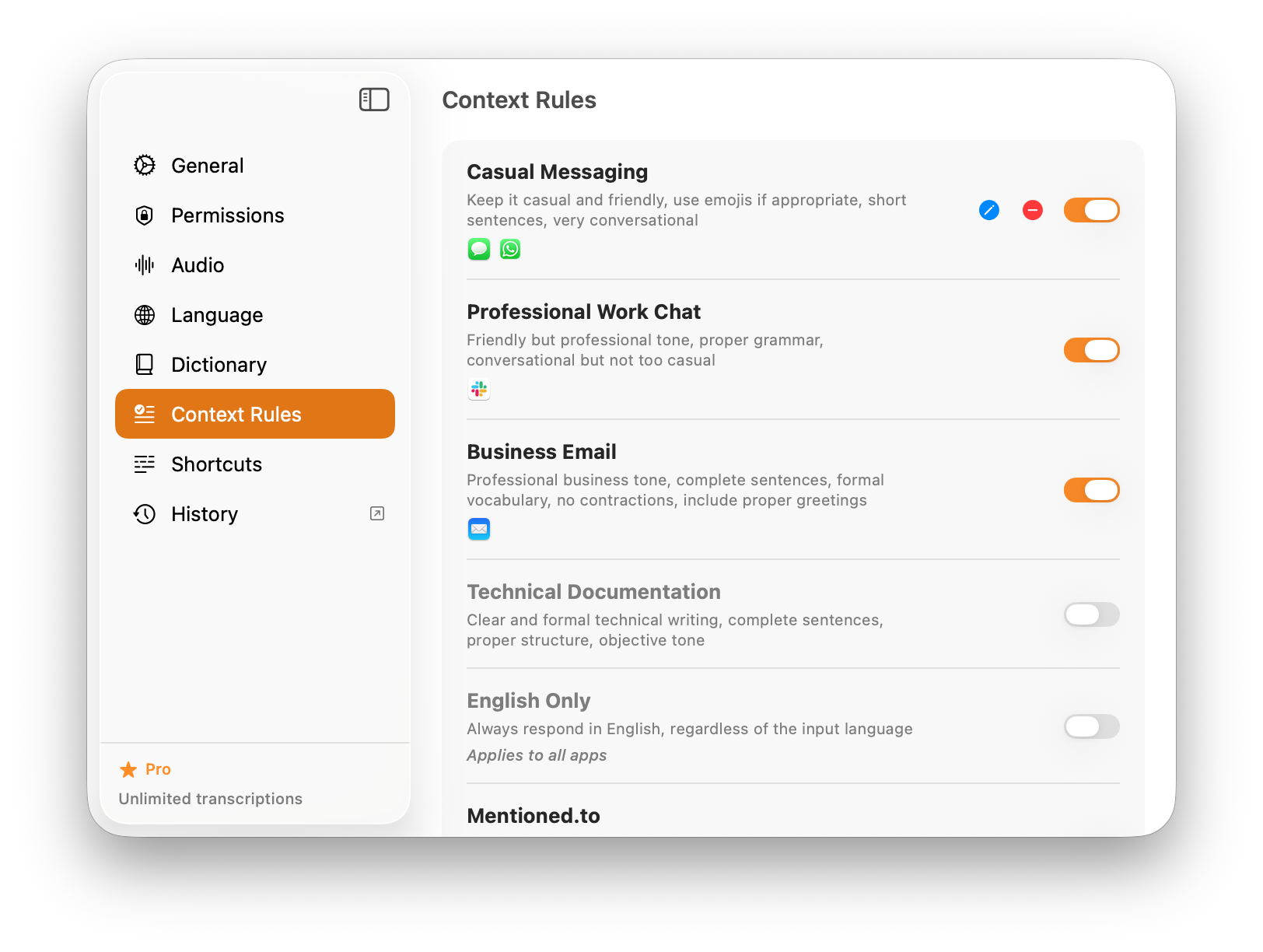
- You want AI formatting and per-app context rules built in, not a system prompt you maintain yourself.
- You want one subscription that covers cleanup instead of BYOK API bills that vary with usage.
- You dictate on an Android phone or tablet, which OpenWhispr does not support.
- You want local mode for offline work plus optional cloud polish when a draft needs to be clean.
Choose OpenWhispr if...
OpenWhispr wins when cost, openness, and control over the pipeline matter more than polish or mobile reach.
- You want unlimited local dictation at no cost, with no word caps.
- You use Linux, or you want to read and fork the source under an MIT license.
- You already pay for OpenAI, Claude, Groq, or a self-hosted model and want to route dictation through it.
- You enjoy choosing Whisper sizes or Parakeet and tuning your own cleanup prompts.
Official Product Previews
OpenWhispr is open source, so its public repository and homepage are the best preview of what you are actually installing. Those sit next to AIDictation’s workflow screenshots here.
AI Dictation
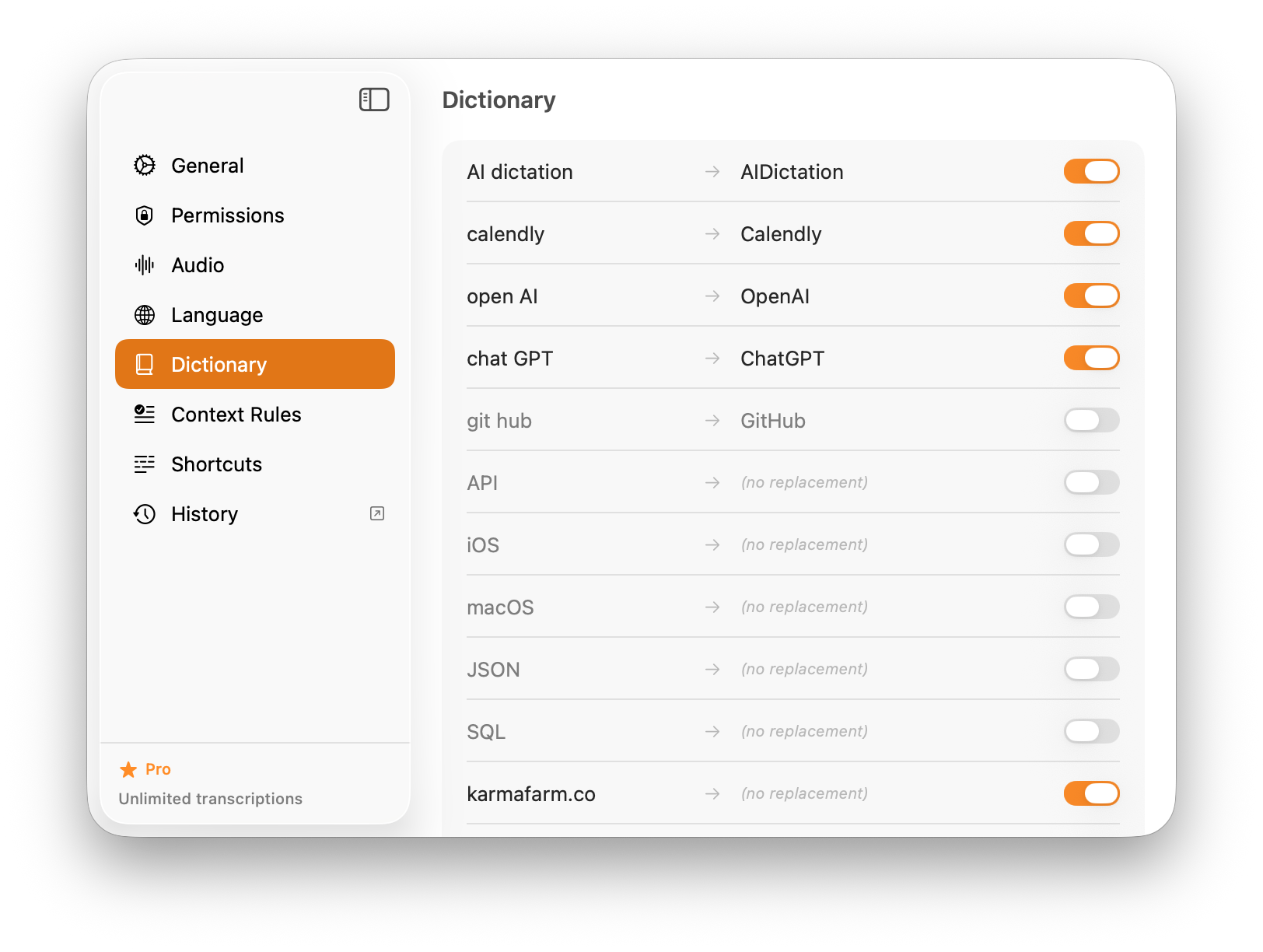
These official AIDictation assets show what buyers usually care about most: how fast spoken thoughts become usable writing, and how much control you get over the output. Visit the official site.
OpenWhispr
OpenWhispr's public assets answer one question well: do you want a configurable open-source toolkit, or a finished dictation workflow that also runs on your phone? Visit the official site.
Feature-by-feature comparison
| Feature | AIDictation | OpenWhispr |
|---|---|---|
| Pricing | $8.49/mo | Free core, Pro $6.67/mo annual |
| Free Tier | 5,000-word one-time trial | Unlimited local, 2,000 cloud words/week |
| Platforms | Mac, Windows, iPhone, iPad, Android | Mac, Windows, Linux, iPhone on Pro (no Android) |
| Android App | Yes | No |
| Setup | Install and dictate | Choose models, add API keys, write prompts |
| AI Formatting | Built-in Claude formatting and context rules | AI cleanup via your own system prompts and keys |
| Offline Mode | Local mode + optional cloud AI | Full offline with local Whisper or Parakeet |
| Open Source | No | MIT license |
| Linux Support | No | Yes |
| Technical Vocabulary | Built-in PM/SWE vocabulary and dictionary | Custom dictionary with auto-learning |
The verdict
Choose AIDictation
Choose AI Dictation if you want formatted, work-ready text without configuring models or keys, or if you need the same dictation on Android and iPhone. The price buys a finished workflow rather than a toolkit.
Best for:
- Users who want clean, formatted output without configuring anything
- Android users, since OpenWhispr has no Android app
- PMs and engineers dictating structured docs and tickets
- Teams that want one predictable bill instead of BYOK API usage
- People who want the same workflow on desktop and phone
Choose OpenWhispr
Choose OpenWhispr if you want free unlimited local dictation, run Linux, or prefer an open-source app where you control every model, key, and prompt.
Best for:
- Linux users
- Developers who want to inspect, fork, or self-host the stack
- Users who already pay for OpenAI, Claude, or Groq keys and want BYOK
- Tinkerers who enjoy choosing models and writing cleanup prompts
- Anyone who needs free unlimited local dictation with no word cap
Common questions about AI Dictation vs OpenWhispr
Is OpenWhispr really free?
Yes for local dictation. OpenWhispr's local Whisper and Parakeet transcription is unlimited on the free plan. Cloud transcription is capped at 2,000 words per week unless you upgrade to Pro at $6.67/month billed annually, and any AI cleanup through OpenAI, Claude, or Groq uses your own API keys and billing.
Does OpenWhispr have an Android app?
No. OpenWhispr runs on Mac, Windows, and Linux, with an iPhone and iPad app on the Pro plan. There is no OpenWhispr Android app. AI Dictation has a public Android app on Google Play, alongside Mac, Windows, iPhone, and iPad, so you can keep the same dictation workflow on an Android phone or tablet.
Which is better for formatted, work-ready text?
AI Dictation. Its Claude-powered formatting and per-app context rules are built in and tuned for docs, tickets, and technical writing. OpenWhispr can do AI cleanup, but you supply the model, the API key, and the system prompt yourself.
Does AI Dictation work offline like OpenWhispr?
Yes. AI Dictation has a local mode for offline dictation. OpenWhispr goes further on model choice, letting you pick any Whisper size or NVIDIA Parakeet, but AI Dictation adds optional cloud cleanup on top when you want a polished draft.
Can I use OpenWhispr on Linux?
Yes. OpenWhispr ships Linux builds alongside Mac and Windows. AI Dictation does not support Linux, so OpenWhispr is the better pick if Linux is your daily desktop.
Try AI Dictation free with a 5,000-word trial. No credit card required. See pricing for details.