AI Voice Keyboard for Android

    Your Voice, Perfected

    The AI-powered keyboard that turns speech into polished text instantly.

    Speak now
    1
    2
    3
    4
    5
    6
    7
    8
    9
    0
    Q-
    W\
    E'
    R=
    T[
    Y]
    U<
    I>
    O{
    P}
    A@
    S#
    D$
    F%
    G&
    H-
    J+
    K(
    L)
    Z*
    X"
    C'
    V:
    B;
    N!
    M?
    ?123
    ,
    English
    .

    Why AI Dictation vs Regular Voice Typing

    See the difference AI makes in your voice typing experience

    FeatureFiller words (um, uh, like)
    Regular Voice TypingStay in your text
    AIDictationAutomatically removed
    FeaturePunctuation
    Regular Voice TypingNone or random
    AIDictationAutomatic periods, commas, question marks
    FeatureWord predictions
    Regular Voice TypingBasic suggestions
    AIDictationSmart AI-powered suggestions
    FeatureSpeech recognition
    Regular Voice TypingBasic recognition
    AIDictationWhisper + OpenAI models

    Works With Your Favorite Apps

    Use AI Dictation in any app that accepts text input

    WhatsApp
    Gmail
    ChatGPT
    VS Code

    Core Features

    Everything you need for perfect voice-to-text on Android

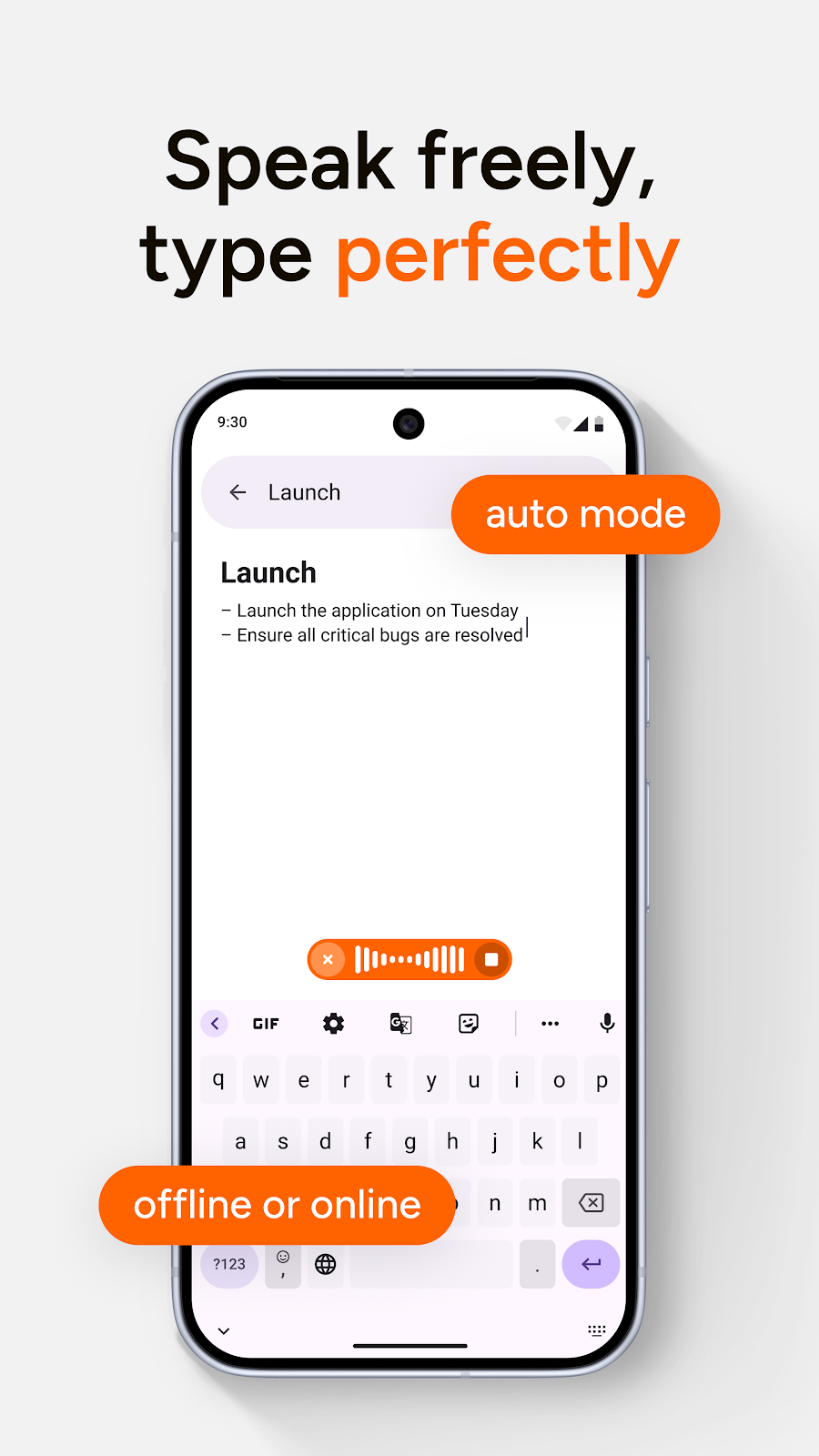
    Clean Transcription

    Speak naturally, get clean text

    • Automatically removes filler words (um, uh, like, you know)
    • Adds punctuation as you speak
    • Proper capitalization
    • No more editing raw voice dumps
    The quick brown fox...
    1
    2
    3
    4
    5
    6
    7
    8
    9
    0
    Q-
    W\
    E'
    R=
    T[
    Y]
    U<
    I>
    O{
    P}
    A@
    S#
    D$
    F%
    G&
    H-
    J+
    K(
    L)
    Z*
    X"
    C'
    V:
    B;
    N!
    M?
    ?123
    ,
    English
    .

    Smart Word Suggestions

    Predictions that make sense

    • Context-aware completions
    • Learns your vocabulary
    • One tap to insert
    jumpsrunssits
    1
    2
    3
    4
    5
    6
    7
    8
    9
    0
    q-
    w\
    e'
    r=
    t[
    y]
    u<
    i>
    o{
    p}

    Fix - One-Tap Polish

    Clean up any text instantly

    • Grammar and spelling fixes
    • Improves clarity
    • Keeps your voice
    1
    2
    3
    4
    5
    6
    7
    8
    9
    0

    Rewrite - Voice Commands

    Just tell it what you want

    • "Make it formal" / "Make it casual"
    • "Translate to Spanish"
    • "Make it shorter"
    • Any instruction, in plain English
    Make it formal
    1
    2
    3
    4
    5
    6
    7
    8
    9
    0
    Q-
    W\
    E'
    R=
    T[
    Y]
    U<
    I>
    O{
    P}
    A@
    S#
    D$
    F%
    G&
    H-
    J+
    K(
    L)
    Z*
    X"
    C'
    V:
    B;
    N!
    M?
    ?123
    ,
    English
    .

    Undo

    Always in control

    • One tap to revert any change
    Oops, undo that
    1
    2
    3
    4
    5
    6
    7
    8
    9
    0
    Q-
    W\
    E'
    R=
    T[
    Y]
    U<
    I>
    O{
    P}
    A@
    S#
    D$
    F%
    G&
    H-
    J+
    K(
    L)
    Z*
    X"
    C'
    V:
    B;
    N!
    M?
    ?123
    ,
    English
    .
    Powered By The Best

    State-of-the-art AI, in your keyboard

    We use the most advanced AI models available to deliver the best voice typing experience on Android.

    Whisper

    OpenAI's speech recognition

    OpenAI models

    LLMs for text refinement

    Real-time

    Works in any app

    How It Works

    Three simple steps to transform your voice into perfect text

    01

    Tap Mic

    Pulsing animation shows it's listening

    02

    Speak

    See "Speak now", auto-stops when you pause

    03

    Done

    Clean, punctuated text appears. Tap Fix or Rewrite to polish further.

    Use Cases

    Perfect for every situation

    Emails while commuting

    Long messages without thumb fatigue

    Quick replies that sound professional

    Notes and drafts on the go

    Privacy First

    Audio processed securely via API • No recordings stored • Your data stays yours

    Frequently Asked Questions

    Is Wispr Flow available on Android?

    Wispr Flow is currently only available for macOS. If you're looking for a similar AI-powered voice typing experience on Android, AI Dictation offers comparable features including clean transcription, filler word removal, and AI-powered text refinement.

    What's the best voice keyboard for Android?

    AI Dictation is one of the best AI-powered voice keyboards for Android. It uses OpenAI's Whisper for speech recognition and includes features like automatic filler word removal, punctuation, and one-tap text polishing with Fix and Rewrite functions.

    Is my voice data private with AI Dictation?

    Yes. Audio is processed securely via API, no recordings are stored, and your data stays yours.

    Stop Typing. Start Talking.

    Transform your Android typing experience with AI-powered voice dictation.

    Free to download • 66 MB