AIDictation vs Wispr Flow: Which Fits Real Work Better in 2026?
Both products now cover desktop and mobile through public downloads. AIDictation is the better fit if local mode, structured writing, and technical workflows matter more than general-purpose breadth.
This guide compares setup friction, transcription quality, editing controls, pricing, and how each product performs in real day-to-day workflows, not just feature checklists.
Read the breakdown below if you care about accuracy, usable formatting, and whether the tool actually saves time once you start using it across docs, chats, tickets, and product work.
Updated July 2026
Or jump to the full comparison table.
Which tool fits better?
Choose AIDictation if you care more about local mode, structured writing, and cleaner drafts. Both products now offer public desktop and mobile apps; Wispr Flow remains the more general-purpose option.
This page is written to answer the actual buying question, not just list features. The criteria that usually change the final decision: output quality, device coverage, offline flexibility, technical workflow fit, pricing shape.
Choose AIDictation if...
AIDictation is better when the transcript needs to be useful immediately, not just accurate enough to edit later.
- You dictate PRDs, tickets, specs, docs, or technical notes that need structure.
- You want local mode for offline work but still want optional cloud cleanup when the draft matters.
- You care about a cleaner final draft across desktop and mobile.
- You want a Mac-first dictation workflow tuned for deeper writing, not just general voice typing.
Choose Wispr Flow if...
Wispr Flow is the better choice when general-purpose dictation matters more than local/offline control or structure-heavy writing workflows.
- You prefer Wispr Flow's general-purpose dictation experience across Mac, Windows, iPhone, and Android.
- You mostly want general dictation rather than structure-heavy PM or engineering workflows.
- You care more about cross-platform convenience than local-mode flexibility.
- You want a larger free allowance for testing on desktop before paying.
Need broader options?
Read the ranked Wispr Flow alternatives guide
This page answers the head-to-head choice. The alternatives article ranks the wider field, including AIDictation, Superwhisper, Voibe, Willow Voice, SpeakMac, MacWhisper, and Apple Dictation.
See the full alternatives listOfficial Product Previews
See the actual product surfaces that buyers compare: public demos, screenshots, and official site visuals from both apps.
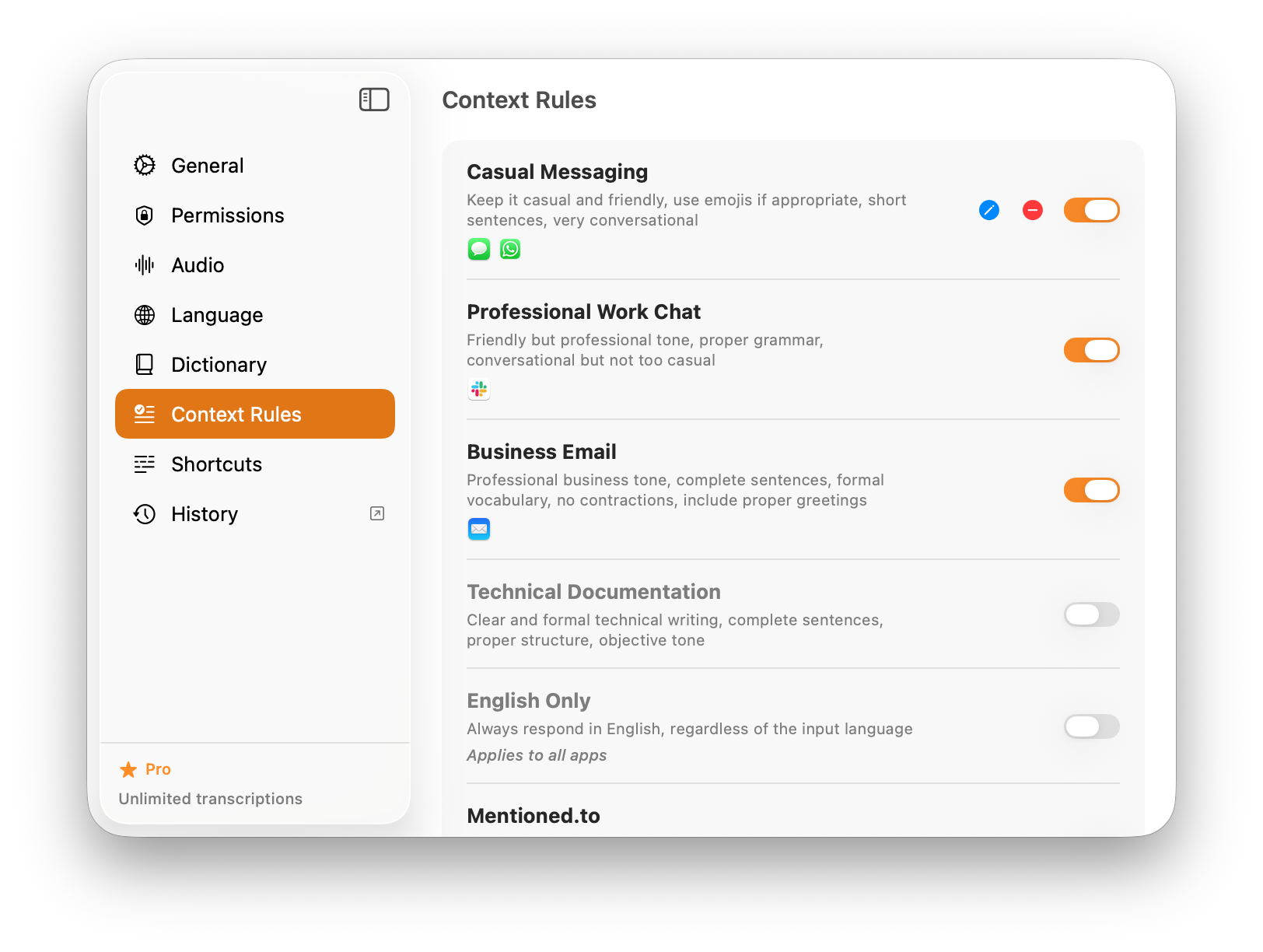
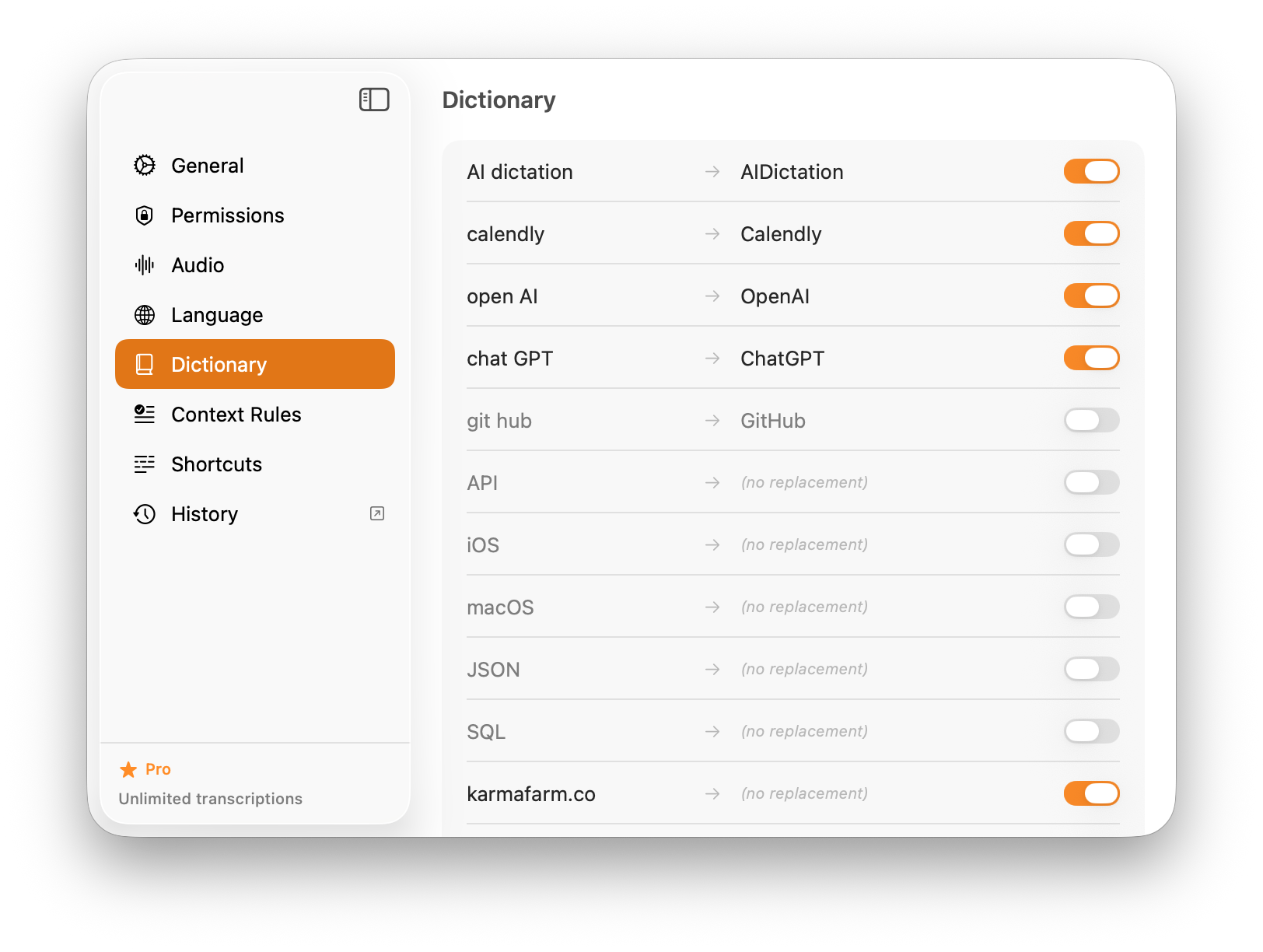
AI Dictation
These official AIDictation assets show what buyers usually care about most: how fast spoken thoughts become usable writing, and how much control you get over the output. Visit the official site.
Wispr Flow
These public Wispr Flow assets are most useful for understanding its core promise: lightweight, everyday voice typing rather than deeper technical workflow automation. Visit the official site.
Feature-by-feature comparison
| Feature | AIDictation | Wispr Flow |
|---|---|---|
| Pricing | $8.49/mo | $15/mo or $12/mo annual |
| Free Tier | 5,000-word one-time trial | 2,000 words/week desktop, 1,000/week iPhone |
| Platforms | Mac, Windows, iPhone, iPad, Android | Mac, Windows, iPhone, Android |
| Technical Vocabulary | Yes | General-purpose |
| AI Integration | Structured cleanup and formatting | Auto-edits and grammar |
| Local Offline Mode | Yes | Privacy mode, not local-first |
| Writing Workflow Depth | PRDs, specs, tickets, docs | General-purpose dictation |
| Privacy Controls | Local mode available | Zero-retention privacy mode |
Real-world scenarios
Writing a Product Requirements Document
How each tool handles creating a detailed PRD with technical specs
AIDictation: Better when you want the dictated draft to come out cleaner, more structured, and closer to something you can paste into Notion, Linear, or a spec doc immediately.
Wispr Flow: Strong for broad everyday dictation across desktop and mobile. Better for general writing than structure-heavy product docs.
Documenting Code and APIs
Creating technical documentation for a REST API
AIDictation: The stronger fit if the output needs to preserve technical wording and arrive in a more usable draft shape with less cleanup.
Wispr Flow: Capable for technical users, but positioned more around broad dictation and auto-edits than a deliberate technical-writing workflow.
Daily Standup Notes
Quickly capturing standup updates and blockers
AIDictation: Better if you want the note to already feel organized for async updates, tickets, or follow-up documentation.
Wispr Flow: Better if you prefer the same general-purpose dictation experience across Mac, Windows, phone, and tablet.
The verdict
Choose AIDictation
Choose AIDictation if you care more about cleaner drafts, local mode, and structured technical writing across desktop and mobile.
Best for:
- Software engineers writing docs, tickets, and technical notes
- Product managers creating PRDs, specs, and meeting summaries
- Mac users who want local mode for offline dictation
- People who care about cleaner output with less cleanup
- Users who want local capture plus optional cloud formatting
Choose Wispr Flow
Choose Wispr Flow if general-purpose AI dictation and a larger desktop free allowance are your top priorities.
Best for:
- People who prefer Wispr Flow's general-purpose dictation experience
- General productivity users who prefer AI auto-editing everywhere
- Teams that need Windows availability today
Common questions about AI Dictation vs Wispr Flow
Can I switch from Wispr Flow to AI Dictation?
Yes. The easiest way to evaluate the switch is to use AIDictation for the writing-heavy parts of your workflow first: specs, tickets, technical notes, or longer drafts. That lets you compare output quality, not just transcription speed.
Is AI Dictation cheaper than Wispr Flow?
AIDictation's monthly price is $8.49. Wispr Flow currently lists $15/month or $12/month billed annually, plus a more generous weekly free allowance. The better value depends on whether you care more about that allowance or local-mode workflow depth.
Does AI Dictation work offline better than Wispr Flow?
Yes. AIDictation supports local mode for offline dictation. Wispr Flow's current messaging emphasizes privacy mode and zero data retention, but not the same local-first offline positioning.
Which one is better for structured technical writing?
AIDictation is the better fit when your dictated text needs to turn into PRDs, tickets, specs, or technical notes that are usable immediately. Wispr Flow is the broader general-purpose dictation product.
Which one works on more devices today?
Both products now cover Mac, Windows, iPhone, and Android. AIDictation is available publicly on Google Play and the App Store, with iPad support as well.
Try AI Dictation free with a 5,000-word trial. No credit card required. See pricing for details.