Real Time Editing Explained: Architecture, Latency
Two people are editing the same note while a third person dictates the next paragraph. One clinician corrects a medication name, another adds an assessment, and the voice-to-text system is still revising the sentence that appeared a moment ago. If the editor waits for the network, inserts text in the wrong place, or produces a transcript that needs heavy cleanup, the workflow feels broken even when the underlying recognition model is technically accurate.
That distinction defines practical real time editing. The product isn't successful merely because words or cursors appear quickly. It must preserve document state, reconcile competing changes, keep local interaction responsive, and turn spoken language into text that people can send, sign, or build on. Raw transcription accuracy matters, but editing burden is often the metric users feel most directly.
Table of Contents
- What Real Time Editing Means
- The Three Technical Approaches Behind Real Time Editing
- Latency Layers and Why Local Speed Matters Most
- Conflict Resolution and Privacy Considerations
- Voice-to-Text Integration Patterns for Real Time Editing
- The Hidden Cost of Transcription Accuracy Metrics
- Adoption Guidance and Testing Approaches for Product Teams
What Real Time Editing Means
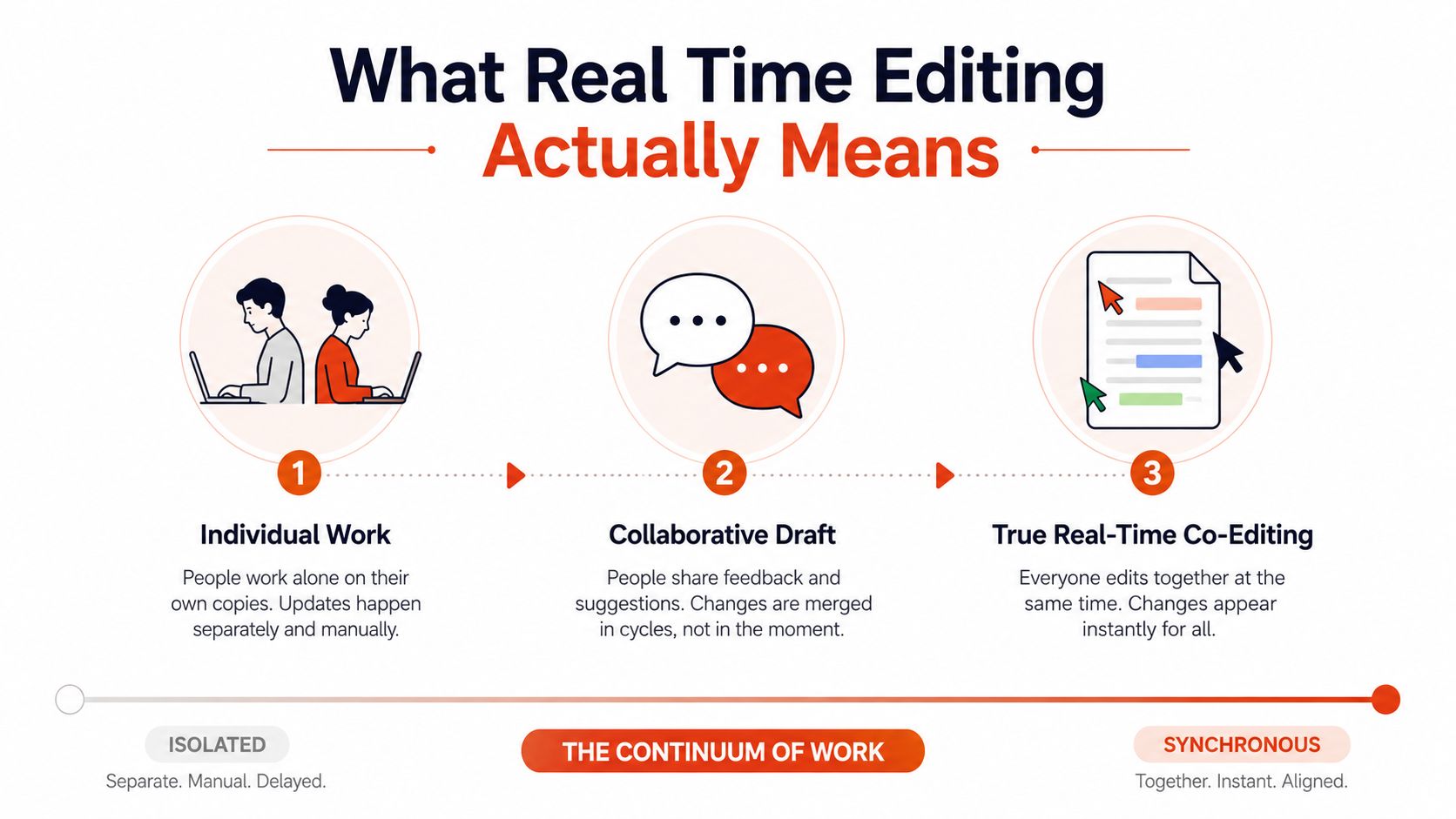
A developer and product manager revise a specification at the same time. The developer changes an API example while the product manager rewrites the acceptance criteria. Neither waits for a file lock or refreshes the page. Their cursors and edits appear as they work, and both clients converge on the same document.
That is real time collaborative editing. The system accepts changes from multiple participants, renders local input immediately, distributes operations or state, and handles overlapping edits without forcing users to merge every revision by hand. The interface should feel continuous while the underlying system coordinates document state, ordering, identity, and recovery.
Browser capabilities such as Ajax and contenteditable made this model practical around 2005. Writely, an early widely used online co-editing tool, was acquired by Google in March 2006, helping establish the foundation for Google Docs and later Google Workspace. Early editors could display simultaneous changes, although some still relied on server polling roughly every 30 seconds. The shift from polling to streamed updates changed user expectations for document collaboration. (The history of collaborative real-time editors)

The editor is a coordination system
A production editor manages several forms of state simultaneously:
- Local document state: The text on screen, including unsaved changes and cursor position.
- Remote document state: Changes received from other users or services.
- Operation history: The sequence required for undo, redo, replay, auditing, or recovery.
- Input interpretation: Keyboard events, pasted content, selections, formatting commands, and speech hypotheses.
Voice input adds uncertainty. A microphone does not deliver a finished paragraph in one transaction. It produces partial interpretations, revisions, punctuation decisions, and corrections to words already displayed. The editor must track provisional content separately from committed content, then update the right range without disrupting the user's cursor or another participant's edit.
That distinction matters more than recognition accuracy alone. A transcript can contain plausible words and still impose heavy cleanup if the editor inserts hypotheses at the wrong location, rewrites stable text, or makes corrections difficult to review. Teams building voice workflows should therefore separate recognition from document interaction. A practical primer on artificial intelligence in speech recognition explains why an ASR engine may produce credible output while the surrounding editor creates costly work.
By 2025, collaborative editing had become operational infrastructure rather than a novelty. CKEditor's 2025 State of Collaborative Editing report surveyed more than 500 developers, engineering managers, and product owners. The report also cited an industry finding that 71% of organizations had implemented or planned to implement collaboration tools within a year. (CKEditor's 2025 State of Collaborative Editing report) For product teams, collaboration belongs in the data model and interaction design from the start, not as a visual layer added after a single-user editor ships.
The Three Technical Approaches Behind Real Time Editing
Text collaboration usually starts with Operational Transformation, Conflict-free Replicated Data Types, or a simpler server-authoritative model built for a narrow workflow. Voice-driven editing adds a third concern, live ASR streaming, because speech arrives as an uncertain sequence rather than a set of intentional text operations.
Operational Transformation, or OT, resembles air traffic control. Clients submit operations to a coordinating service, and the service transforms concurrent operations so they can be applied safely in a shared order. If one user inserts text before a character while another deletes that character, transformation logic adjusts the operations before they reach each client.
OT can work well when a central service already owns authorization, ordering, persistence, and presence. Its difficult part is the transformation function. Every supported operation, range edit, formatting action, and undo behavior adds cases that need careful testing. A server-centric design can also simplify moderation and audit controls, but it makes the coordination service a critical dependency.
CRDTs take a different route. They assign structure and identity to changes so replicas can merge them according to rules that produce the same result regardless of delivery order. The analogy is closer to self-driving cars following shared traffic rules. Each participant can make progress locally, then exchange state or operations without depending on one central transformation step.
That independence is valuable for offline work, intermittent connectivity, and peer-oriented systems. The trade-off is complexity in the data structure, metadata management, storage growth, garbage collection, and access control. A CRDT can guarantee convergence while still producing a result that feels surprising to a human, so product-level intent, undo semantics, and sensible conflict presentation remain important.

Live ASR is not ordinary collaboration
Streaming ASR behaves like a participant that repeatedly proposes edits. It may first emit an unstable partial phrase, then replace it when the acoustic context becomes clearer. It also has to handle filler words, spoken punctuation, self-corrections, and pauses without turning every interim hypothesis into permanent document history.
A production design normally separates:
- Interim text, which can be rendered quickly but remains replaceable.
- Stable text, which can enter the document's durable operation stream.
- Cleanup or formatting suggestions, which may arrive later and should be applied as targeted edits.
This boundary prevents a recognition engine from flooding the collaboration layer with revisions that other users never needed to see. It also makes undo more intelligible, because users can undo a committed dictation unit instead of dozens of hidden hypothesis changes.
The transport and storage choices deserve the same discipline as the editor itself. Teams moving audio, transcripts, metadata, and document events through multiple services should document ownership, retries, ordering, and retention in a clear pipeline architecture for enterprises. For privacy-sensitive products, the pipeline is part of the feature contract, not merely an infrastructure diagram.
A practical guide to on-device speech recognition is useful when deciding whether recognition should happen locally, remotely, or through a fallback strategy. The right choice depends on whether the workflow prioritizes offline operation, centralized processing, advanced cleanup, or shared transcript access.
Latency Layers and Why Local Speed Matters Most
A user can finish a sentence before a collaborator sees its first word. That experience reflects two separate delays. User latency measures the time from a local action to its appearance on the local screen. End-to-end latency measures how long the same change takes to travel through the system and reach another participant.
A CRDT performance model treats these as different constraints. Datastore computation covers the work required to prepare and apply an operation. Network delay varies with payload size and available bandwidth. A local editor can therefore remain responsive while a remote cursor or text update arrives later. The CRDT latency and performance analysis describes this separation in more detail.
The local path should stay short. Interactive text guidance targets roughly 16 milliseconds per keystroke, the frame budget associated with 60 frames per second, and recommends applying changes optimistically rather than waiting for a server round trip. The collaborative editor system design guidance also emphasizes keeping input responsive while synchronization runs separately.

Keep the typing path local
Render the local operation immediately, enqueue synchronization asynchronously, and reconcile the server response afterward. A remote service should not prevent someone from typing while it validates a change already visible in the local view.
A production implementation usually needs:
- Local-first rendering: Update the document model and DOM from the local event before network confirmation.
- Asynchronous reconciliation: Send a compact operation or delta in the background.
- Stable identity: Track text positions or identities so remote edits do not invalidate every local selection.
- Backpressure: Coalesce or throttle nonessential updates when the system is under load.
- Clear provisional states: Mark speech hypotheses as tentative rather than presenting them as final text.
End-to-end delay still affects collaboration. It determines whether participants see changes in time, whether a shared meeting transcript feels live, and whether one person edits text another has already replaced. A delayed remote cursor usually causes less frustration than a keystroke that appears late or a dictated word that blocks the next sentence.
Scale makes the distinction measurable in practice. One benchmark reported about 1.3 seconds of collaborative latency with 200 concurrent editors on a standard server, while another analysis found that mainstream real-time editors become unsuitable for large-scale collaboration as user counts and typing speeds rise. Those findings do not establish a universal limit. Document structure, operation size, network conditions, and implementation quality all change the result. They do establish a testing rule: evaluate concurrency as an interaction problem, not only as a server throughput problem.
Practical rule: If the local cursor stutters, users blame the editor immediately. If a remote change arrives later, users can often tolerate it when the system preserves their work and makes the state clear.
Voice input makes local speed even more important. Initial interim words should appear without waiting for a polished transcript, while later cleanup should modify only the intended region. Raw transcription accuracy does not determine dictation productivity by itself. A system that makes users wait, reselect text, or recover from provisional replacements can create more editing work than its accuracy score suggests.
Conflict Resolution and Privacy Considerations
Two people can edit the same character without either action being technically invalid. One might replace a drug name while another inserts a dosage. The system needs a deterministic way to order or merge those operations, but deterministic doesn't automatically mean semantically correct.
OT resolves concurrency through server-side transformation. The coordinator receives operations, transforms one against another, and distributes the resulting sequence. CRDTs rely on data structures and merge rules designed to converge even when replicas receive operations in different orders. Both approaches can preserve consistency, but teams still need product decisions for ambiguous intent, such as whether a replacement should survive an insertion inside the replaced range.
Make conflicts visible at the right level
A plain text editor can often resolve character-level collisions invisibly. A clinical note, contract, or technical specification may need more context. A useful implementation records authorship and operation provenance, keeps undo scoped to the initiating user where possible, and gives users a reviewable change when automatic merging might alter meaning.
For streaming dictation, don't broadcast every unstable ASR hypothesis as if it were a deliberate human edit. Keep provisional text in a session layer, commit stable segments, and let cleanup operate on a bounded range. That design reduces conflicts between a speaker, a collaborator, and a formatting service.
Privacy changes the architecture, especially in healthcare. Cloud collaboration sends document content, audio, or transcript fragments to external infrastructure, which creates obligations around access, retention, vendor contracts, encryption, and auditability. Local-first systems reduce exposure by keeping processing and primary content on the device, though they still require careful handling of backups, exports, device security, and any later synchronization.
A product such as AIDictation illustrates the trade-off between Local Mode, which runs on Apple Silicon without an internet connection, and Cloud Mode, which provides AI cleanup while requiring data transmission. Teams evaluating any vendor should read the provider's actual documentation, including a detailed StreamGen privacy policy, rather than inferring handling practices from a marketing label.
A regulated-workflow checklist
Before enabling shared voice editing for clinical staff, verify:
- Data boundaries: Identify whether raw audio, interim transcripts, final text, or telemetry leaves the device.
- Retention rules: Confirm how long each data type remains available and whether administrators can delete it.
- Access controls: Separate document permissions from transcript-session permissions.
- Audit behavior: Record meaningful edits without storing more sensitive content than necessary.
- Failure handling: Define what happens when the network drops during dictation or synchronization.
- Human review: Require review before AI cleanup changes a signed, coded, or legally significant note.
Teams building meeting workflows should make the same distinctions between a live draft and a finalized record. Guidance on AI transcription for meetings can help frame the product questions around speakers, review, and delivery rather than treating transcription as a finished artifact.
Voice-to-Text Integration Patterns for Real Time Editing
Voice input works best when the architecture acknowledges that speech is uncertain. A keyboard event usually represents a deliberate insertion or deletion. A streaming recognizer emits a sequence of hypotheses that can be revised as it receives more audio.
Auto Mode is appropriate when conditions change during a session. It can choose between on-device recognition and a cloud service based on connectivity and the workflow's accuracy or cleanup requirements. The important engineering detail isn't the label. It's the transition behavior. Switching engines must preserve the insertion point, avoid duplicated words, and keep provisional text from being committed twice.
Local Mode prioritizes privacy and immediate interaction. A model such as Parakeet v3 can run on Apple Silicon for dictation without an internet connection or transmission of the captured content. This suits a clinician working with sensitive notes, a developer documenting code while traveling, or anyone who needs speech input to continue through an outage.
Cloud Mode accepts additional network dependency in exchange for processing that can improve the final shape of the writing. Context-aware formatting, filler-word removal, grammar cleanup, and handling of self-corrections can turn a rough stream into a paragraph, list, or email. The system should still show users what is provisional and what has been cleaned, rather than automatically rewriting a shared document.

Match the mode to the workflow
A healthcare professional may want local insertion during an examination, followed by a controlled review step before a note enters a record. A developer may prefer immediate local text in an editor, then use cloud cleanup for prose while protecting code blocks from linguistic rewriting. A multilingual writer may accept cloud processing when translation or language normalization matters, but still need a clear boundary between the original speech and the polished output.
The strongest pattern is often a two-lane document model:
| Lane | Purpose | Recommended behavior |
|---|---|---|
| Live lane | Immediate speech feedback | Render interim words locally and allow replacement |
| Commit lane | Durable collaboration state | Commit stable segments as structured operations |
| Refinement lane | Formatting and cleanup | Apply bounded, reviewable patches |
| Final lane | Ready-to-send content | Preserve user control and document provenance |
This model maps directly to the latency layers. Local recognition and insertion optimize user latency. Cloud refinement may increase end-to-end delay, but it can reduce the time a person spends correcting punctuation, formatting, or self-corrections. Auto Mode becomes useful when it can move between these paths without making the transition visible as duplicated or missing text.
The system also needs cursor semantics. Dictated text should enter the active field at the cursor, replace selected text only when the user has explicitly selected it, and avoid moving a collaborator's cursor when cleanup updates a nearby range. These interaction details determine whether voice-to-text feels like editing or like repeatedly pasting uncertain output.
The Hidden Cost of Transcription Accuracy Metrics
Word Error Rate is useful, but it isn't a complete product metric. It counts word substitutions, deletions, and insertions against a reference transcript. That evaluation can miss the work required to turn speech into a usable document.
A transcript may contain the right words while still using poor punctuation, inconsistent capitalization, incorrect speaker labels, broken formatting, or visible self-corrections. Those defects matter to a clinician preparing a note, a product manager sending an update, and a writer trying to publish clean prose.
Field conditions make the gap visible. One recent summary places real-world WER at 15% to 50%, diarization error in multi-speaker settings at roughly 13% to 15%, and punctuation or capitalization errors as a separate 10% to 25% problem. (Real-time video processing and AI transcription practices) These figures describe different failure dimensions, so teams shouldn't add them together or treat them as interchangeable. They show why a single accuracy score can underrepresent the work after recognition.
Measure the work after recognition
The better question is not only, “How many words were recognized?” It is, “How much intervention is required before this content is ready?”
Track measures such as:
- Time to ready text: How long users spend correcting a dictated segment before sending or signing it.
- Correction categories: Separate vocabulary errors from punctuation, capitalization, formatting, and speaker attribution.
- Rework frequency: Count how often users replay audio or re-dictate a sentence.
- Acceptance behavior: Observe whether users accept, reject, or manually rewrite automated cleanup.
- Semantic risk: Identify errors that change meaning, especially names, medications, dosages, requirements, or code identifiers.
A recognizer with a lower WER can still reduce productivity if it mishandles speaker boundaries or leaves every spoken correction visible. Conversely, a system with imperfect raw recognition may be more useful when it understands context, formats the result, and gives users a fast way to correct the remaining errors.
The practical KPI is not transcript purity. It's the amount of human editing left between speech and a trustworthy document.
Real-time architecture directly affects that burden. Provisional hypotheses let users keep speaking without waiting, while bounded cleanup can remove filler words and repair self-corrections after enough context arrives. If cleanup rewrites the wrong range or collides with another editor's work, it creates more review than it removes. Accuracy and collaboration therefore have to be evaluated together, using the finished workflow as the test unit.
Adoption Guidance and Testing Approaches for Product Teams
Choose architecture from workflow constraints, not familiarity with a library. OT fits when a central service already controls ordering, permissions, persistence, and audit behavior. CRDTs suit products that must keep working across offline sessions, independent replicas, or intermittent connections. A local-first design becomes the stronger option when sensitive content or unreliable connectivity outweighs the benefits of centralized processing.
Start the decision review with four questions:
- Who edits concurrently? A small group working in one document has different coordination needs from a large event transcript.
- What does a conflict mean? Character-level convergence may work for notes. Regulated records also need provenance, review, and a clear recovery path.
- Which latency is critical? Keep local interaction within roughly 16 milliseconds for a 60 fps editing experience. Remote propagation can follow a separate budget.
- What content may leave the device? Set this boundary before choosing a cloud ASR or collaboration provider.
The answer should also specify which text is provisional, which text is committed, and who can revise committed content. Those rules affect undo behavior, audit trails, and the cost of correcting an automated change.
Test the experience, not just the service
Build a test matrix around concurrent editing, speech revisions, and degraded networks. Simulate users typing in one paragraph, replacing overlapping selections, joining late, reconnecting after an interruption, and undoing changes while remote operations arrive. Include cleanup that changes a provisional transcript after another user has edited the same range.
Track user latency, propagation delay, conflict outcomes, dropped or duplicated speech segments, and editing burden. Define an acceptable propagation budget for the team's document size and collaboration pattern instead of choosing an end-to-end target without workflow measurements. For voice, compare ready-to-send time with raw recognition scores. Test accents, background noise, domain terminology, self-corrections, and multi-speaker sessions.
Raw transcription accuracy is only one input. A transcript with fewer recognition errors can still slow users if it exposes every spoken correction, misplaces punctuation, or forces repeated review. A system with imperfect recognition may produce a better document when it preserves context, formats text, and makes residual errors quick to fix. Test the completed speech-to-document workflow, not the recognizer in isolation.
Pilot the narrowest useful workflow first. Define the document model, choose the conflict strategy, separate provisional ASR from committed text, instrument correction time, and run failure tests before broad adoption. If building is not justified, evaluate tools against the same requirements, especially local responsiveness, privacy controls, structured cleanup, and reviewability before changes enter the shared record.
AIDictation provides real-time dictation with Auto, Local, and Cloud modes. Users can insert speech into the active editing field while choosing between on-device processing and cloud-based cleanup. Visit AIDictation to test a voice-to-text workflow focused on usable writing, not only raw transcription output.
Frequently Asked Questions
What does Real Time Editing Explained: Architecture, Latency cover?
Two people are editing the same note while a third person dictates the next paragraph. One clinician corrects a medication name, another adds an assessment, and the voice-to-text system is still revising the sentence that appeared a moment ago.
Who should read Real Time Editing Explained: Architecture, Latency?
Real Time Editing Explained: Architecture, Latency is most useful for readers who want clear, practical guidance and a faster path to the main takeaways without guessing what matters most.
What are the main takeaways from Real Time Editing Explained: Architecture, Latency?
Key topics include Table of Contents, What Real Time Editing Means, The editor is a coordination system.
Ready to try AI Dictation?
Experience fast voice-to-text on your device. Free to download.
Download FreeRelated Posts
8 Best Bilingual Dictation Apps: 5 Tested + 3 Baselines
We tested five bilingual dictation apps on Russian-English code-switching, plus three common baselines. Compare WER, language recall, script, and workflow.
AI Dictation vs Diktuy: Russian-English Accuracy Test
We tested AI Dictation vs Diktuy on the same Russian-English recording. Compare WER, English-word preservation, full transcripts, and errors.
AI Dictation vs Oravo: Bilingual Accuracy Test
We tested AI Dictation vs Oravo on the same Russian-English clip. Compare WER, English-word preservation, AI enhancement, and transcript fidelity.