On Device Speech Recognition: The Complete 2026 Guide
You're probably already in the situation that makes on device speech recognition matter.
You need to capture a product idea before it disappears. Or draft a sensitive stakeholder update on a train with weak reception. Or dictate clinical notes where sending raw audio to a remote server feels like the wrong trade. In all of those moments, typing is slow, cloud dictation is uncertain, and waiting on a network round trip breaks your flow.
That's where on device speech recognition changes the experience. Your phone, laptop, or dedicated device listens, converts speech to text locally, and gives you words back without shipping audio away first. It feels less like “using AI” and more like using a keyboard that happens to understand speech.
The business momentum behind this shift is real. The global speech and voice recognition market was estimated at USD 9.66 billion in 2025 and is projected to reach USD 23.11 billion by 2030, with a 19.1% CAGR from 2025 to 2030, according to MarketsandMarkets' speech and voice recognition market forecast. That growth tells you this isn't a niche convenience feature anymore. It's becoming core product infrastructure.
If you're working on a Mac and want a practical baseline before going deeper, these Mac voice typing tips are a useful starting point for understanding everyday dictation workflows.
Table of Contents
- The Rise of Private and Instantaneous Dictation
- What Is On-Device Speech Recognition
- How On-Device ASR Models Actually Work
- On-Device vs Cloud Recognition A Head-to-Head Comparison
- The Hardware That Makes It All Possible
- Deployment Considerations Beyond The Basics
- Hybrid Solutions The Best of Both Worlds with AIDictation
The Rise of Private and Instantaneous Dictation
A few years ago, dictation often meant compromise. You could get convenience, but only if you were online. You could get stronger server-side processing, but only by sending speech off the device. For a lot of work, that was fine. For sensitive work, patchy Wi-Fi, or time-critical capture, it wasn't.
The appeal of on device speech recognition starts with ordinary moments. A product manager records acceptance criteria in a hallway between meetings. A doctor wants notes captured immediately, not after a sync. A developer speaks through a bug reproduction while screensharing over an unstable connection. In each case, the value isn't abstract. It's speed, privacy, and reliability at the exact moment the words matter.
Why local dictation feels different
Cloud recognition behaves like a remote assistant you must call every time you speak. On-device recognition behaves like a trained assistant sitting beside you, already listening, already familiar with the environment, and not needing permission from the network to start working.
That changes the user experience in three important ways:
- Privacy by default: Speech can stay on the user's hardware.
- Immediate response: There's no internet trip before text appears.
- Offline use: Dictation still works when connectivity doesn't.
Practical rule: If the cost of delay is high, local speech recognition usually feels better than cloud speech recognition, even before you measure anything.
Why it matters now
The category is growing because modern products need voice input that works in practical settings, not only in clean demo conditions. Teams aren't just adding a microphone icon anymore. They're building note capture, accessibility tools, field workflows, and hands-free text entry into everyday software.
What's changed is that users now expect dictation to be available anywhere. Elevator. Airplane mode. Hospital corridor. Shared office. That expectation is pushing speech systems away from “server feature” and toward “device capability.”
What Is On-Device Speech Recognition
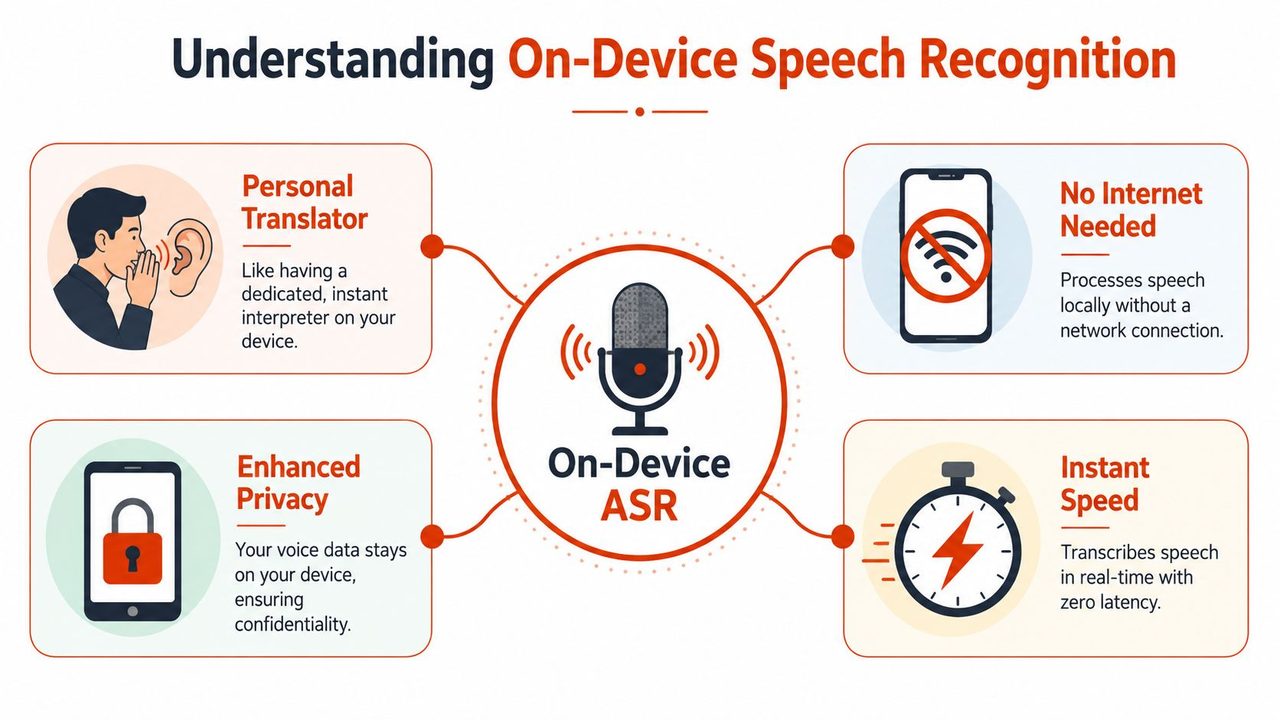
On-device speech recognition means the speech-to-text system runs on your device itself. The audio is captured, interpreted, and turned into text locally on a phone, laptop, tablet, or embedded device.
The simplest analogy is this: cloud speech recognition is like calling a translation service and reading your sentence over the phone. On-device recognition is like having a translator sitting in your pocket. One requires a connection and a handoff. The other can work immediately and unobtrusively.
What “on device” really means
People often hear “local” and assume it only means the audio file gets stored on the machine. That's not the important part. The important part is where the recognition pipeline runs.
With cloud dictation, the device usually sends speech elsewhere for recognition. With on device speech recognition, the heavy lifting happens on the user's hardware. That difference affects:
- Data path: Audio doesn't need to leave the device first.
- Latency: Results can appear faster because the system skips network travel.
- Resilience: The feature can still work without internet access.
Why Apple's 2019 milestone mattered
A major mainstream shift happened at WWDC 2019, when Apple announced that its Speech Recognizer could run locally on iOS or macOS devices with no network connection, specifically for privacy-sensitive applications and to remove the limitations of server-based processing. Apple also said the API supported over 50 languages and included analytics such as speaking rate, pause duration, and voice quality, as shown in Apple's WWDC 2019 session on advances in speech recognition.
That mattered because it showed local recognition had moved past being a novelty. It was becoming deployable across mainstream consumer devices and real product categories.
Think of that moment as the shift from “speech recognition as a remote service” to “speech recognition as a built-in capability.”
For non-engineers, that's the key idea to keep in mind: on-device recognition isn't just a privacy checkbox. It changes what kinds of products you can build, where they can work, and how dependable they feel.
How On-Device ASR Models Actually Work
Automatic speech recognition, or ASR, sounds magical until you break it into steps. Then it starts to look more like a well-organized assembly line. Each stage has a job, and all of them run locally in an on-device setup.
If you want a broader primer on the field before diving deeper, this overview of automatic speech recognition is a useful companion.
From waveform to useful text
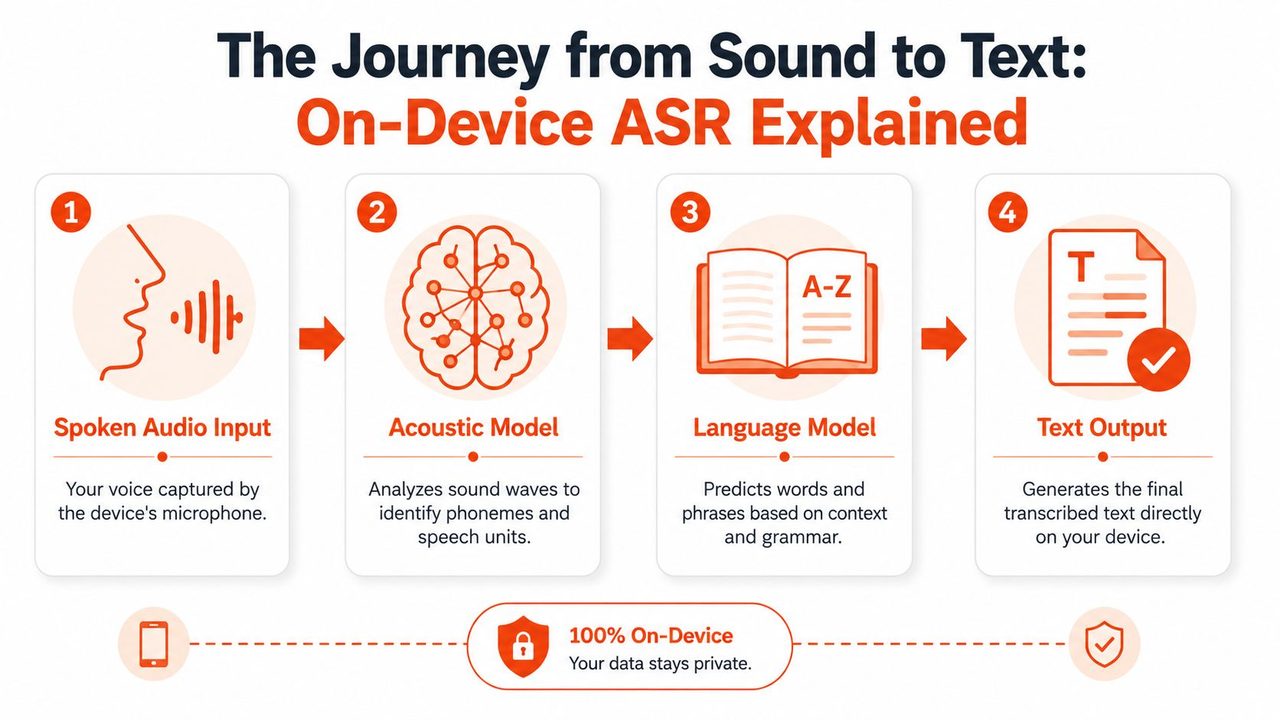
A complete on-device ASR pipeline involves converting audio into features, passing them through an acoustic model to predict phonetic units, decoding those with a language model to form words, and applying post-processing for punctuation and capitalization, all running locally on the device, according to NVIDIA's guide to automatic speech recognition technology.
That sentence is dense, so let's unpack it in plain language.
-
The microphone captures raw sound
The device records pressure changes in the air. At this point, it's just audio, not language. -
The system extracts features
Instead of treating the recording like one giant blob, the model turns it into a more useful representation. You can think of this as reducing a song into notes and timing, so the system can focus on patterns that matter. -
The acoustic model interprets speech sounds
This part asks, “What speech units do these sounds most likely represent?” It doesn't yet care much about full sentence meaning. It's focused on mapping sound patterns to likely speech pieces. -
The language model helps choose words
Speech is messy. Many sounds can be confused, especially in noisy conditions. The language model adds context. If the acoustic model is unsure between similar sounding options, the language model helps decide what fits the sentence best.
Why post-processing matters
A lot of people assume transcription ends once the system identifies words. In practice, usable text needs another pass.
Post-processing handles things like:
- Punctuation: Turning a flat stream of words into readable sentences.
- Capitalization: Making names, sentence starts, and titles look normal.
- Formatting: Producing text that people can send, paste, or store.
A transcript without post-processing is like raw OCR output from a scanned page. The information may be there, but the reading experience is rough.
That last part matters more than teams expect. Users don't judge dictation only by whether the words are technically correct. They judge it by whether the result is ready to use. If the output needs constant cleanup, the product feels inaccurate even when the core recognition is decent.
IBM describes speech recognition as a system that turns speech into written text and notes that it's mainly evaluated through word error rate and speed. IBM also notes that accuracy is heavily affected by pronunciation, accent, pitch, volume, and background noise. That's a useful reminder that the pipeline isn't just software logic. It is a constant attempt to interpret imperfect real-world input.
On-Device vs Cloud Recognition A Head-to-Head Comparison
The wrong way to compare these approaches is to ask which one is “better.” The right question is better for whom, under what conditions, and with what operational constraints.
A legal team dictating confidential notes has a different requirement than a consumer app transcribing voice messages. A field technician without dependable connectivity needs something different from a support platform that can tolerate server-side processing. The trade-offs are real.
A practical comparison table
| Factor | On-Device Recognition | Cloud Recognition |
|---|---|---|
| Latency | Usually feels immediate because processing happens on the device | Often depends on upload time, server response, and connection quality |
| Privacy | Keeps speech processing local, which is useful for sensitive workflows | Usually requires sending audio or derived data to remote infrastructure |
| Offline use | Works without internet when the model is present on the device | Usually limited or unavailable without connectivity |
| Vocabulary breadth | Can be constrained by model size and local adaptation limits | Often easier to expand centrally across large server-side systems |
| Customization | Strong for device-specific adaptation when the platform supports it | Strong when central services can update models and dictionaries globally |
| Operational burden | Requires planning for device compatibility, updates, and storage | Requires backend operations, network reliability, and data handling controls |
| Failure modes | Sensitive to device hardware, local noise, and stale vocabularies | Sensitive to network conditions, service outages, and remote processing policies |
Where teams usually get the decision wrong
The common oversimplification is this: local is private, cloud is accurate. That framing hides the underlying issue. Accuracy depends on input quality, speaker variability, environment, vocabulary, and how well the system matches the task.
Research on silent speech recognition showed that reducing sensor input from 8 sensors to 4 sensors increased word error rate by 32%, as discussed in this study on silent speech interfaces. That specific setup is not the same as everyday dictation, but the lesson carries over well: speech systems can degrade quickly when the input becomes less rich or less clean.
So if a buyer asks, “Is cloud more accurate?” the honest answer is, “Sometimes, but that's not the whole story.”
A better checklist looks like this:
- Check the environment: Quiet office, car cabin, hospital floor, shared workspace, and warehouse all create different acoustic conditions.
- Check the speaker population: A system that works for one accent or speech pattern may struggle with another.
- Check the language domain: General dictation differs from medical names, code symbols, or internal product terms.
- Check the recovery plan: Decide what happens when recognition confidence drops. Retry, fallback, user correction, or handoff to another mode.
Private and offline does not automatically mean equally accurate for everyone.
The cost discussion also needs nuance. On-device recognition can reduce dependence on cloud processing, but it shifts responsibility toward device performance, local model packaging, and update logistics. Cloud systems centralize many of those concerns, but they add ongoing infrastructure dependency and data handling obligations.
For many teams, the comparison isn't which model is theoretically strongest. It's which failure mode is easier to live with.
The Hardware That Makes It All Possible
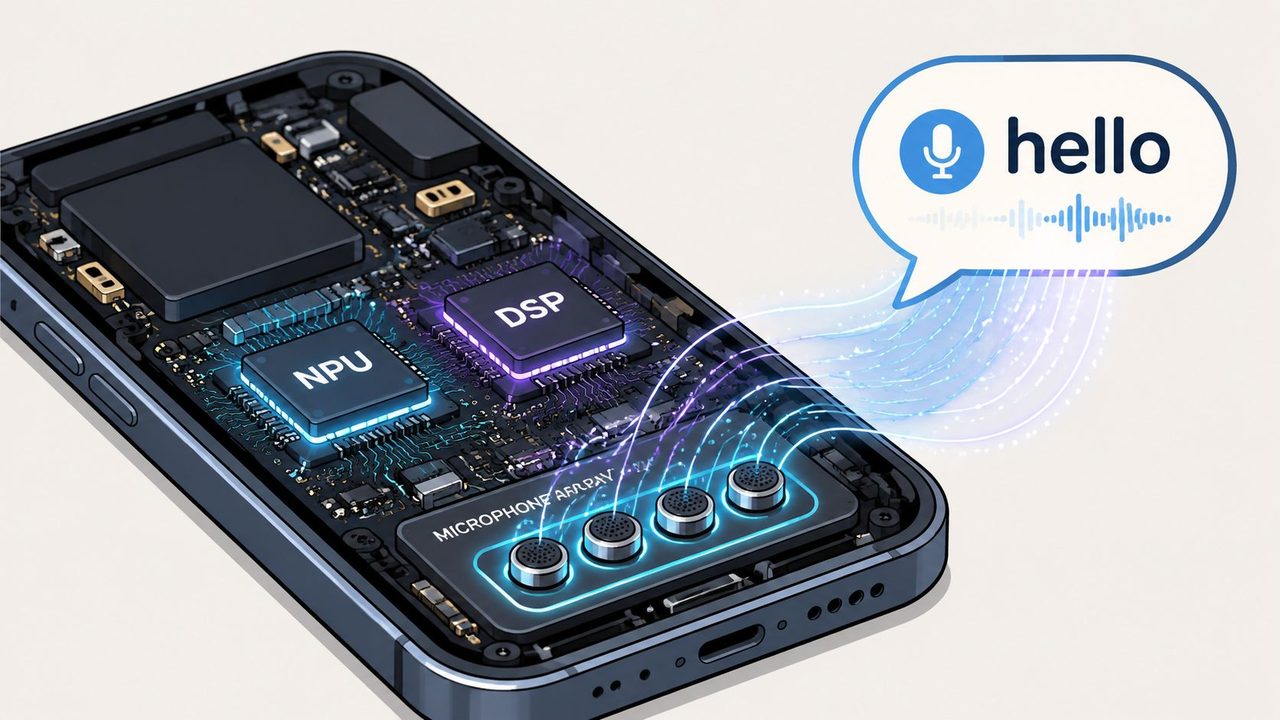
Software gets the attention, but hardware is the reason on device speech recognition became practical at all. A modern dictation feature works because several parts of the device cooperate: microphones capture sound, signal processors clean it up, and machine learning hardware accelerates inference without crushing battery life.
Why local ASR became practical
The breakthrough wasn't just “models got smarter.” Devices got better at running them.
If you've ever shopped for a better microphone for speech, you already know audio quality starts before any model sees the signal. Cleaner input gives the entire stack a better chance.
What changed over time is that consumer devices started shipping with enough efficient compute to run recognition locally. That made speech features feel less like a premium cloud add-on and more like a native system capability.
What hardware is really doing during dictation
Think of the device as a small team, not one chip.
- Microphone array: Captures your voice and helps separate it from surrounding sound.
- Signal processing components: Clean and prepare audio before it reaches the model.
- Machine learning hardware: Runs recognition models efficiently enough for real-time use.
Apple's 2019 announcement marked a major public signal of that shift. Its Speech Recognizer could run entirely on device, support over 50 languages, and go beyond basic transcription with analytics like speaking rate and pause duration. That milestone showed that local recognition was mature enough for privacy-first, offline-capable mainstream use.
When dictation works smoothly, users think the model is smart. Usually the hardware deserves some of that credit.
This also explains why performance varies from one device class to another. Two apps can use similar recognition logic and still feel different because microphones, thermal limits, memory, and dedicated acceleration differ. Engineers sometimes blame the model first when the bottleneck is really the hardware budget the model must live inside.
For product teams, the lesson is practical: don't evaluate on-device speech recognition as “software only.” Evaluate the whole stack the user holds in their hand.
Deployment Considerations Beyond The Basics
Shipping a working demo is easy compared with keeping on-device speech recognition accurate over time.
Most early discussions stop at privacy, latency, and offline use. Those are important, but they aren't the day-two problem. The harder question is what happens after launch, when your vocabulary changes, your users speak in domain-specific shorthand, and yesterday's clean dictionary no longer matches today's work.
Vocabulary drift is the real maintenance problem
This problem shows up fast in specialized environments. A healthcare team adds new medication names. A software company releases new product terms and acronyms. A support operation inherits brand names from acquired tools. The model might still recognize everyday English well, but stumble exactly where the workflow becomes valuable.
Apple's WWDC23 material explicitly notes that apps can customize on-device recognition with training data, phrase counts, and pronunciations, while also noting that only a limited amount of data can be accepted, as described in Apple's WWDC23 session on customizing on-device speech recognition. That's a powerful capability, but it also reveals the operational constraint. You can't just dump an ever-growing glossary into the model and hope for the best.
A good maintenance plan usually includes:
- Term triage: Separate must-recognize terms from nice-to-have terms.
- Pronunciation management: Add spoken variants for names, acronyms, and unusual spellings.
- Review cycles: Revisit the custom vocabulary regularly instead of treating it as a one-time setup.
- Domain boundaries: Keep app-specific terms scoped to the workflows that need them.
Model updates need an operating plan
Teams also miss the distribution problem. Even when you know what to update, you still need a practical way to update local models across devices.
Apple has said customized requests are serviced strictly on device and that the generated training data stays on device. That's good for privacy. But local adaptation also means you need discipline around what gets updated, when it gets updated, and how much local storage or processing budget you consume.
Amazon has reported a technique called neural diffing for edge speech models that reduces model-update bandwidth by as much as 98% with negligible impact on model accuracy, according to Amazon Science's write-up on practical on-device speech recognition. The engineering lesson is bigger than the number. Speech systems don't only need recognition logic. They need a sustainable update mechanism.
If your product operates across regions and languages, the language maintenance issue gets even broader. A vocabulary update process often overlaps with the same translation and adaptation concerns covered in a solid mobile app localization guide, especially when product terms, UI language, and spoken forms diverge.
Treat the custom dictionary like product configuration, not like a static asset.
That mindset helps teams avoid two common failures. First, the model grows stale and misses the exact terms users care about. Second, the model gets overloaded with too many low-value additions and becomes harder to manage.
The operational truth is simple: choosing on-device ASR is not the finish line. It's the start of a maintenance discipline.
Hybrid Solutions The Best of Both Worlds with AIDictation
The longer you work with speech systems, the more obvious this becomes. The best design often isn't on-device or cloud. It's a controlled mix of both.
A practical hybrid tool can use local recognition when privacy, speed, or connectivity matter most, then use cloud processing when users want heavier cleanup, formatting, or transformation. That's less a compromise and more a routing strategy.
Why hybrid often wins
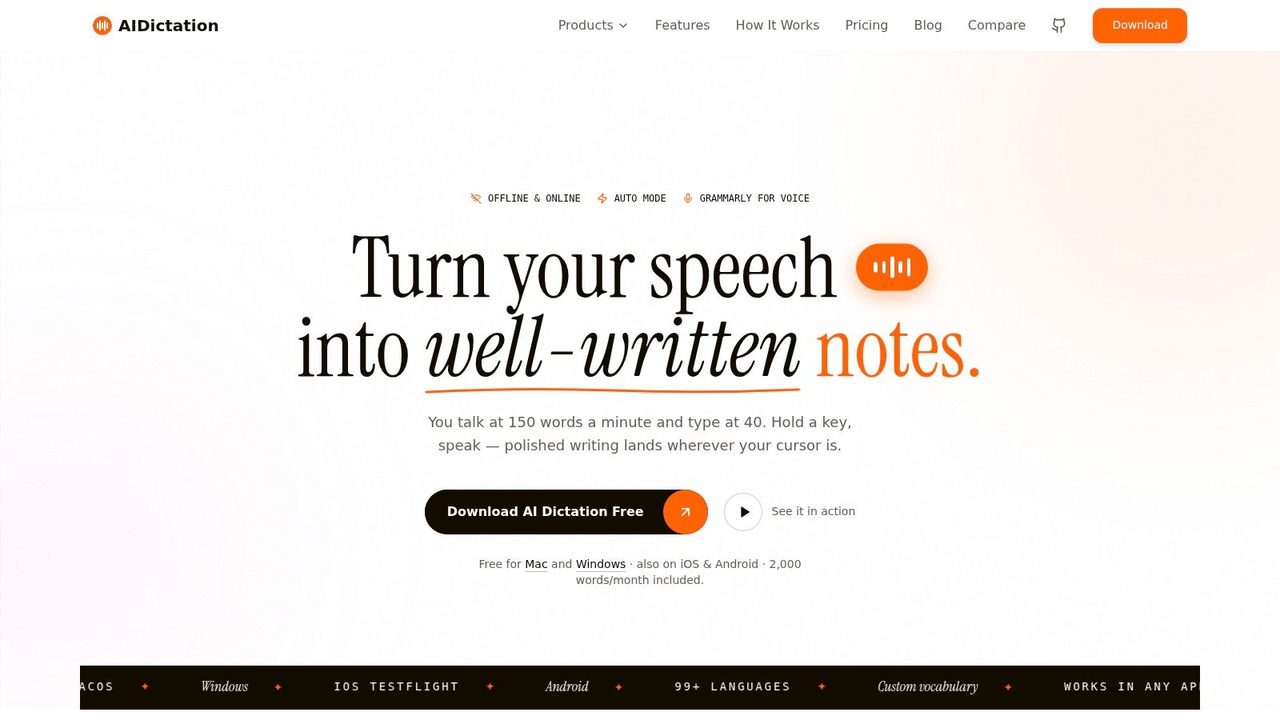
AIDictation is a good example of that approach. Its AIDictation app uses an Auto Mode that chooses between local and cloud processing based on the situation. For work that needs privacy and instant response, its Local Mode runs on Apple Silicon for offline dictation without sending data away first. When users want more polish, Cloud Mode adds cleanup and formatting.
That architecture matches how people work.
A doctor might want local capture first, then polished structured text later. A product manager might dictate rough meeting notes offline, then turn them into a cleaner stakeholder update when connected. A developer might want immediate capture while coding, but better formatting before pasting into documentation.
What that looks like in daily work
The hybrid pattern helps in a few specific situations:
- Sensitive capture first: Record the words locally when privacy matters most.
- Cleanup second: Apply grammar, formatting, or filler-word removal later when it's appropriate.
- Context-based switching: Use different behavior depending on whether the user is in email, chat, notes, or a documentation tool.
Here's a quick product view of that workflow in action:
The most practical speech products don't force one philosophy. They route work to the mode that best fits the moment.
That's the bigger takeaway for buyers and builders. Pure local is great for some moments. Pure cloud is great for others. Hybrid systems acknowledge that real work shifts between privacy-sensitive capture, rough drafting, and polished output. A well-designed tool should shift with it, instead of making the user choose a side every time they press the microphone button.
If you want dictation that can stay local when privacy matters and still polish text when cloud help makes sense, AIDictation is worth trying. It's built for macOS users who need fast voice-to-text for notes, emails, technical writing, and professional workflows without being locked into a single processing mode.
Frequently Asked Questions
What does On Device Speech Recognition: The Complete 2026 Guide cover?
You're probably already in the situation that makes on device speech recognition matter. You need to capture a product idea before it disappears.
Who should read On Device Speech Recognition: The Complete 2026 Guide?
On Device Speech Recognition: The Complete 2026 Guide is most useful for readers who want clear, practical guidance and a faster path to the main takeaways without guessing what matters most.
What are the main takeaways from On Device Speech Recognition: The Complete 2026 Guide?
Key topics include Table of Contents, The Rise of Private and Instantaneous Dictation, Why local dictation feels different.
Ready to try AI Dictation?
Experience fast voice-to-text on your device. Free to download.
Download FreeRelated Posts
Email Dictation Software: What It Is and How to Choose
Learn what email dictation software is, how it works, and how to pick the right one. Covers accuracy, privacy, HIPAA, accents, and real buyer checklists.
Choosing a Medical Dictation App for Clinical Work
Compare medical dictation apps on HIPAA compliance, on-device vs cloud, medical vocabulary accuracy, EHR integration, and pricing to find the right fit.
Free Audio to Text Tools: 10 Options Compared for 2026
Compare 10 free audio to text tools: built-in recorders, free apps, offline models, and cloud APIs, with privacy and accuracy trade-offs.