How Artificial Intelligence in Speech Recognition Works
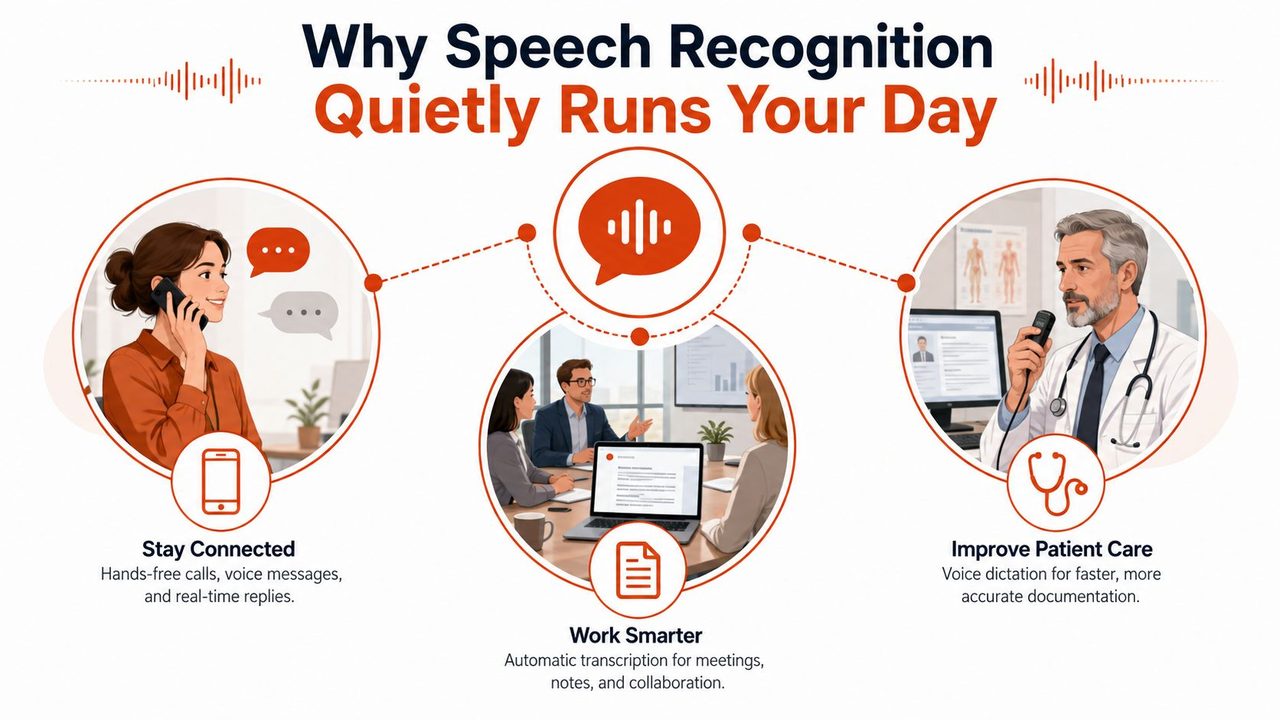
You're probably already using artificial intelligence in speech recognition without thinking about it. You speak into your phone, a meeting transcript lands before the call ends, or a clinician dictates notes and watches them appear in a chart with punctuation already in place. That quiet convenience hides a serious product decision, because the same technology has to serve very different needs when it runs on a Mac, a hospital laptop, or a cloud service.
What looks like one feature is really a stack of choices. Some teams need instant response and offline privacy. Others need broader language coverage, stronger cleanup, or easier server-side updates. The rest of this guide builds a mental map around four questions, how the technology got here, how audio turns into text, where the processing should happen, and what still breaks in real use.
Table of Contents
- Why Speech Recognition Quietly Runs Your Day
- How the Models Evolved From Phonemes to Transformers
- From Sound Wave to Written Sentence
- On-Device Recognition vs Cloud Recognition
- Measuring Accuracy and Choosing Benchmarks
- Real Workflows for Product Managers, Developers, and Clinicians
- Practical Best Practices for Shipping Speech Features
- Where Speech Recognition Is Headed Next
Why Speech Recognition Quietly Runs Your Day
You notice speech recognition most when it fails. A loud café turns one sentence into nonsense, or a medical note needs a second pass because the system missed a drug name. You notice it less when it works well, which is why it has become part of the background layer of modern software.
The technical milestone matters because it changed the product conversation. Open-source systems reached 1.7 to 2.0% word error rate on clean U.S. English audio by 2024, while the same source places professional human transcribers at roughly 4% WER on that benchmark, and it also cites Whisper as supporting 99 languages. Those numbers come from the benchmark source, not from marketing, and they explain why speech recognition moved from a demo feature into production infrastructure for dictation, captioning, and voice interfaces. The benchmark source is the clearest signal that the field crossed a useful threshold.
Practical rule: if your team is debating whether speech is “good enough,” stop looking at demos and start asking what audio conditions the system actually has to survive.
The decision is rarely about speech alone
A product team usually needs a different answer than a research team. A consumer app may care most about immediate feedback. A clinical workflow may care more about privacy and formatting than about raw benchmark performance. A developer tool may care about custom vocabulary, while a meeting app may care about long-form cleanup and speaker changes.
The rest of the article keeps coming back to one product question. Should the audio be processed locally, in the cloud, or split between both? Once you frame the problem that way, the model details stop feeling abstract and start mapping to a deployment choice your team has to make.
How the Models Evolved From Phonemes to Transformers
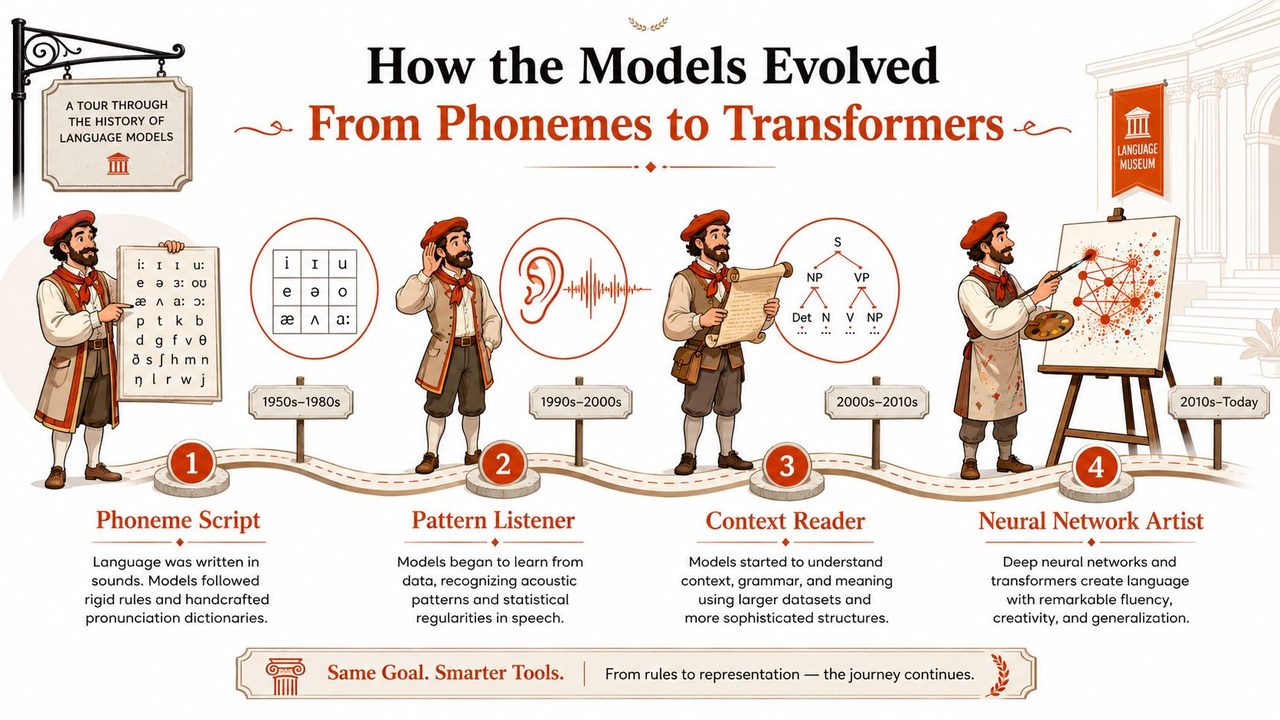
Think of the old systems like a museum guide reading from a rigid script. Every word had to fit the script, every deviation caused trouble, and the guide needed a lot of hand-crafted support to stay on track. Modern artificial intelligence in speech recognition works differently, because the model learns patterns from data instead of waiting for a human to specify every rule.
From scripted pipelines to learned features
Older HMM/GMM systems depended on modular stages and a lot of feature engineering. They handled speech by breaking it into pieces, then matching those pieces against assumptions about sound and language. That approach worked, but it was brittle, especially when speakers drifted from the training conditions.
Deep neural networks changed the middle of the pipeline first. Instead of depending so heavily on handcrafted acoustic features, the model learned richer representations directly from audio. The IEEE survey on modern ASR describes this shift clearly, from HMM/GMM pipelines toward end-to-end deep learning, especially transformer-based architectures with attention, because those models learn acoustic and linguistic features directly from raw audio and improve performance in noisy, multilingual, and code-switching conditions. IEEE survey on modern ASR
Why each generation removed one more hand-built step
RNN-era systems, often paired with CTC, made alignment easier because the model no longer needed frame-level labels for every moment of audio. That helped streaming dictation become practical, since the recognizer could keep decoding while the person was still talking. Transformers went further by letting the system pay attention across the whole sequence, which is why they fit messy real speech better than older rigid pipelines.
A useful way to think about the history is simple, each generation removed one hand-engineered stage and pushed more of the work into the model itself.
That's why modern dictation feels less like a transcription machine and more like a writing assistant. The model is not just hearing sounds, it's learning how speech maps to words, context, punctuation, and formatting in one place. For a product manager, that means the question is no longer “can we recognize speech,” but “which model shape best matches our latency, privacy, and language goals.”
From Sound Wave to Written Sentence
A recognizer still does three jobs, even when those jobs live inside one neural network. First, it cleans and converts raw audio into useful features. Then it infers the sound units that are likely present. Finally, it chooses the most plausible word sequence from the competing possibilities.
The three jobs that every recognizer still has
The easiest way to see this is with one spoken sentence, say, “recognize speech.” The audio lands as a waveform, which is too messy to use directly. Preprocessing turns that waveform into a representation the model can work with, often after noise suppression or voice activity detection trims away junk. The acoustic model then decides what sound pattern each moment resembles. The language stage, whether explicit or folded into the same network, ranks the word sequence so the model doesn't pick “wreck a nice beach” just because the sounds are similar.
| Stage | Input | Output | Typical Modern Technique |
|---|---|---|---|
| Preprocessing | Raw audio waveform | Cleaned features | Noise suppression, voice activity detection, learned front ends |
| Acoustic modeling | Audio features | Probabilities over sounds or subwords | Neural encoders, CTC, attention |
| Language modeling | Candidate text sequences | Final transcript | Transformer decoders, contextual rescoring |
The exact boundary between these stages has blurred in end-to-end systems, but the logic hasn't disappeared. Engineers still reason about them separately because each one can fail differently. Audio quality can collapse. The acoustic model can mishear an accent. The language layer can choose the wrong phrase even when the sounds were close.
Why streaming changes the user experience
If you care about live dictation, the model also has to work incrementally. Streaming recognition with low-latency decoding, often combining CTC and attention, plus optimizations like quantization and hardware acceleration, is what makes near-real-time transcription possible on constrained devices or privacy-preserving local deployments. Milvus on streaming ASR
That matters because the user experience changes the moment the system waits too long. A dictation tool that pauses for final cleanup feels clunky, while one that shows text as you speak feels responsive, even if it later revises punctuation or capitalization. If you're building for phones or laptops, this stage is where model design becomes a product decision.
For audio cleanup and preprocessing ideas that product teams often overlook, AIDictation's audio cleanup guide is a useful complement to the model view.
On-Device Recognition vs Cloud Recognition
This is the choice most product teams face. Local processing gives you speed and privacy. Cloud processing gives you more compute headroom and easier updates. Neither one is universally better, because the right answer depends on what your users will forgive and what your system can't afford to lose.
The trade-offs that matter in practice
On-device recognition runs close to the user, so response can feel immediate and work can continue without network access. It also keeps audio on the machine, which is a major advantage in privacy-sensitive workflows. The trade-off is that the model has to live within device constraints, so size, battery, and supported languages become real limits.
Cloud recognition can use larger models and push more frequent improvements without shipping a new app binary. It also tends to fit better when you need broad language coverage, formatting cleanup, or richer post-processing. The cost is obvious, though, because you now depend on connectivity, add transmission delay, and take on more data-residency questions.
| Dimension | On-Device | Cloud |
|---|---|---|
| Latency | Usually lower | Depends on network |
| Privacy | Stronger local control | Audio leaves the device |
| Model size | Constrained by hardware | Can be much larger |
| Updates | Ship with app releases | Update server-side |
| Offline behavior | Works without internet | Usually fails without a connection |
The hybrid pattern is often the real answer
Most practical products don't pick one side forever. They use a small local model to capture speech instantly, then hand off to a cloud service for cleanup, formatting, or translation when that's available. That pattern is why some dictation tools expose both modes instead of forcing a single engine on every user.
Production systems have also become good enough that the decision is no longer about “can cloud speech work at all.” Industry reporting puts production English speech recognition above 97% accuracy and most European languages above 94%, while also noting that clean-speech ASR can still fall to 12 to 18% WER in heavily accented or noisy conditions without domain fine-tuning. Fortune Business Insights on the market shows why product teams still invest in tuning rather than assuming one generic model solves every environment.
For a deeper look at offline behavior and why it changes product design, AIDictation's offline speech recognition guide is directly relevant.
Measuring Accuracy and Choosing Benchmarks
A speech metric is only useful if it shows where the system breaks. A polished benchmark score can hide problems that show up as soon as real users speak into a noisy room, use a different accent, or switch to a domain the model did not see during training. Product teams get into trouble when they treat a clean test score as a proxy for shipping quality.
The metrics that actually help
Word error rate, or WER, is the standard way to measure transcription quality. It counts substitutions, insertions, and deletions against a reference transcript, so lower is better. That makes it useful for English and other languages with clear word boundaries, especially when you want to compare models on the same test set.
Character error rate, or CER, matters more when word boundaries are less clear or when the writing system makes segmentation harder. It gives a more granular view of mistakes, which can help in languages where tokenization becomes part of the disagreement. Real-time factor, or RTF, compares the model's compute cost with audio length, which is the practical check for whether a model can run comfortably on a laptop or keep up in a streaming workflow.
These metrics answer different product questions. WER helps you compare transcript quality, CER helps you see finer-grained mistakes, and RTF tells you whether the architecture fits on-device deployment or needs cloud resources.
Benchmarks are only honest if the audio is honest
Public datasets shape the field, but they also shape expectations. Read speech is easier than messy real-world audio, and benchmark conditions often flatter models more than product reality does. That is why clean-benchmark headlines should be treated as starting points, not promises.
The multilingual story matters here too. Whisper is cited as supporting 99 languages, which shows how coverage became a core capability alongside accuracy. A benchmark summary from The benchmark source makes that clear, but the number only helps if the model also survives the audio your users produce.
Practical rule: test on the same microphones, room noise, accents, and domain vocabulary your users will bring. A benchmark transcript from clean read audio is a rough hint, not a shipping criterion.
For teams working in healthcare, the benchmark question gets even stricter because transcript quality, structure, and privacy all affect the workflow. A practical overview of those trade-offs is in Patient Talker's medical speech guide, and AIDictation's speech recognition in healthcare guide also covers why local processing and chart-ready formatting change what “good” looks like.
Real Workflows for Product Managers, Developers, and Clinicians
Speech lands differently depending on who's using it. A product manager wants polished prose fast. A developer wants technical terms preserved. A clinician wants structure, privacy, and a transcript that fits the chart without extra cleanup. The same underlying engine can serve all three, but the workflow needs to change.
Three users, three different expectations
A product manager usually starts by talking through a spec or stakeholder update. The useful feature is not just transcription, it's cleanup that strips filler words, fixes punctuation, and turns spoken fragments into a readable draft. In that setting, a cloud path can make sense because the user wants formatting and rewriting, not just raw text.
A developer has different pain points. Package names, API endpoints, and abbreviations break generic models fast, so a custom dictionary matters more than fancy prose cleanup. A context rule that shifts tone toward technical writing can also help keep comments and documentation consistent. For this audience, a speech tool only feels trustworthy when it respects jargon.
A clinician cares about structure and policy. Notes need section headers, punctuation, and a steady format that fits charting habits. In some environments, the audio also has to stay local, which pushes the choice toward on-device processing or a tightly controlled hybrid. For a practical overview of that space, Patient Talker's medical speech guide is a useful external reference, and AIDictation's healthcare speech recognition page sits in the same workflow category.
The hidden product decisions underneath those workflows
- Route by task, not by ideology: capture speech locally when latency or privacy matters, then use cloud cleanup only when the user wants it.
- Tune the vocabulary early: names, drugs, frameworks, and acronyms are the words that make users trust or abandon the tool.
- Respect workflow context: a note in a clinical app, a comment in an IDE, and a message in email should not look identical.
For teams building developer-facing products, Appjet.ai's overview of AI coding tools and security is a helpful adjacent read because speech tools often end up in the same documentation and assistant workflows.
Practical Best Practices for Shipping Speech Features
The strongest speech products usually look boring on a checklist. They capture clean audio, support the languages their users speak, and recover gracefully when the network drops. The details matter more than the brand of model.
A shipping checklist that product teams can argue with
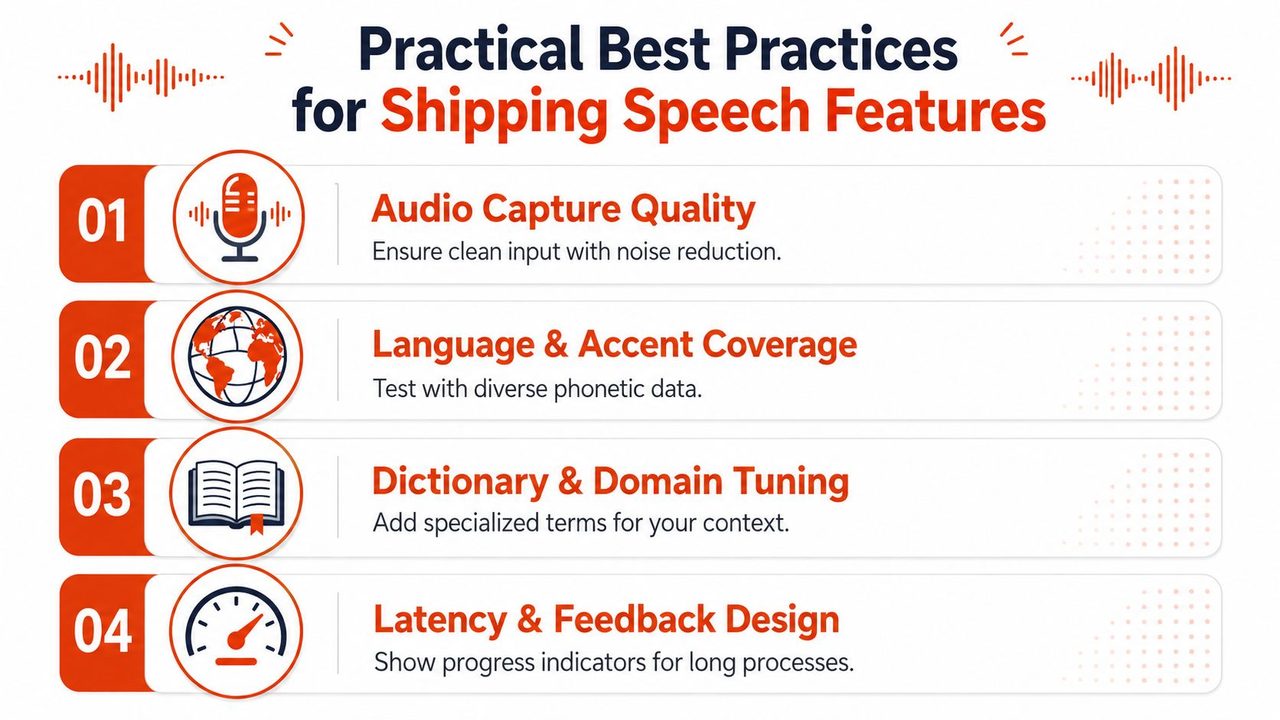
- Audio Capture Quality: design for clean input first, because poor capture makes every downstream model look worse.
- Language and Accent Coverage: test with the people who will use the feature, not just the clearest speakers in the room.
- Dictionary and Domain Tuning: add names, technical terms, and domain vocabulary early, because generic decoding misses the words users care about most.
- Latency and Feedback Design: show progress and partial results, because silence feels broken even when the model is still working.
The most expensive mistakes are usually avoidable
A team that only tests on pristine audio usually ships a fragile product. A team that ignores accent coverage builds bias into the user experience. A team that never defines a latency budget ends up with a feature that works technically but feels slow enough to be abandoned.
If you're choosing a tool for your own stack, keep the decision tied to the user's environment. AIDictation, for example, offers both local and cloud modes for voice-to-text dictation on macOS, plus formatting cleanup and custom dictionary support, so it sits in the same design space as the choices described above. The important point is not the vendor logo, it's whether the product matches the audio conditions, privacy rules, and workflow you need.
Where Speech Recognition Is Headed Next
The biggest misconception about speech recognition is that accuracy alone will settle the market. It won't. Fairness, privacy, deployment control, and domain fit now matter just as much as raw transcription quality.
Fairness is still a product issue, not just a research issue
Harvard's Computational Policy Lab found that five commercial ASR systems misunderstood Black speakers twice as often as White speakers, and the gap persisted even for identical phrases, which points to a model-level problem rather than random speaker variation. Related evaluations also show larger error gaps for underrepresented groups such as Sylheti and Haitian Creole, which means low-resource language support is still uneven in practice. Harvard's fairness project is hard to ignore if your product serves a broad audience.
That's not just an ethics conversation. It's a shipping conversation. A system that works well for one population and badly for another creates support burden, adoption friction, and trust loss.
Privacy and capability are converging
On-device models keep getting more useful because hardware and inference tricks keep improving. That makes local speech attractive for sensitive workflows, especially where audio should never leave the machine. At the same time, streaming, multimodal inputs, and translation are starting to blur into single endpoints, which pushes vendors toward more integrated platforms rather than standalone transcribers.
Low-resource languages remain a separate challenge. Research on underserved communities notes that many of the roughly 700 million illiterate people worldwide speak languages with scarce speech datasets, and reviews still point to data scarcity, acoustic variability, and privacy concerns as core blockers. AAAI low-resource language research makes the scale of that gap plain, even without turning it into a simple product metric.
The right vendor questions are now broader than “how accurate is your model.” Ask who the model works for, where the audio is stored, whether offline use is real, and how the system behaves on accents, code-switching, and noisy rooms. Those answers tell you far more about the future of the feature than a single benchmark number ever will.
If you're choosing speech for a product, AIDictation gives you a concrete way to compare local and cloud workflows in one macOS app, with voice-to-text dictation, custom dictionaries, and context-aware cleanup. Visit AIDictation to see how those choices look in a real product, then map them against your own latency, privacy, and formatting requirements.
Frequently Asked Questions
What does How Artificial Intelligence in Speech Recognition Works cover?
You're probably already using artificial intelligence in speech recognition without thinking about it. You speak into your phone, a meeting transcript lands before the call ends, or a clinician dictates notes and watches them appear in a chart with punctuation already in place.
Who should read How Artificial Intelligence in Speech Recognition Works?
How Artificial Intelligence in Speech Recognition Works is most useful for readers who want clear, practical guidance and a faster path to the main takeaways without guessing what matters most.
What are the main takeaways from How Artificial Intelligence in Speech Recognition Works?
Key topics include Table of Contents, Why Speech Recognition Quietly Runs Your Day, The decision is rarely about speech alone.
Ready to try AI Dictation?
Experience fast voice-to-text on your device. Free to download.
Download FreeRelated Posts
Cloud vs Local Dictation: Which Mode to Use
Compare cloud vs local speech recognition for dictation: accuracy, latency, privacy, cost, cleanup, and which mode still works offline.
Custom Dictionary for Word: Set Up AIDictation Vocabulary
Learn how to build a custom dictionary for word in AIDictation: add names, technical terms and acronyms, import in bulk and fix errors.
Email Dictation Software: What It Is and How to Choose
Learn what email dictation software is, how it works, and how to pick the right one. Covers accuracy, privacy, HIPAA, accents, and real buyer checklists.