Free Audio to Text Tools: 10 Options Compared for 2026
You've got a recording on your phone, laptop, or meeting platform, and you need usable text without committing to another subscription. The phrase free audio to text hides several very different workflows. A phone recorder may transcribe on the device, a meeting assistant may upload your call to the cloud, a local model may keep everything on your laptop, and a cloud API may stop being free after a small allowance.
This comparison sorts the options by where processing happens and what the free access actually includes. That matters more than a generic feature checklist. Match each tool to your privacy rules, recording length, language mix, and technical comfort, then test the finalists on audio that resembles your real work.
Table of Contents
- 1. Apple Voice Memos and Notes
- 2. Google Recorder
- 3. Otter.ai
- 4. AIDictation
- 5. OpenAI Whisper
- 6. Vosk
- 7. IBM Watson Speech to Text
- 8. Google Cloud Speech-to-Text
- 9. Amazon Transcribe
- 10. Microsoft Azure Speech to Text
- Top 10 Free Audio-to-Text Tools Comparison
- Pick Your Setup, Then Test With Your Own Audio
1. Apple Voice Memos and Notes
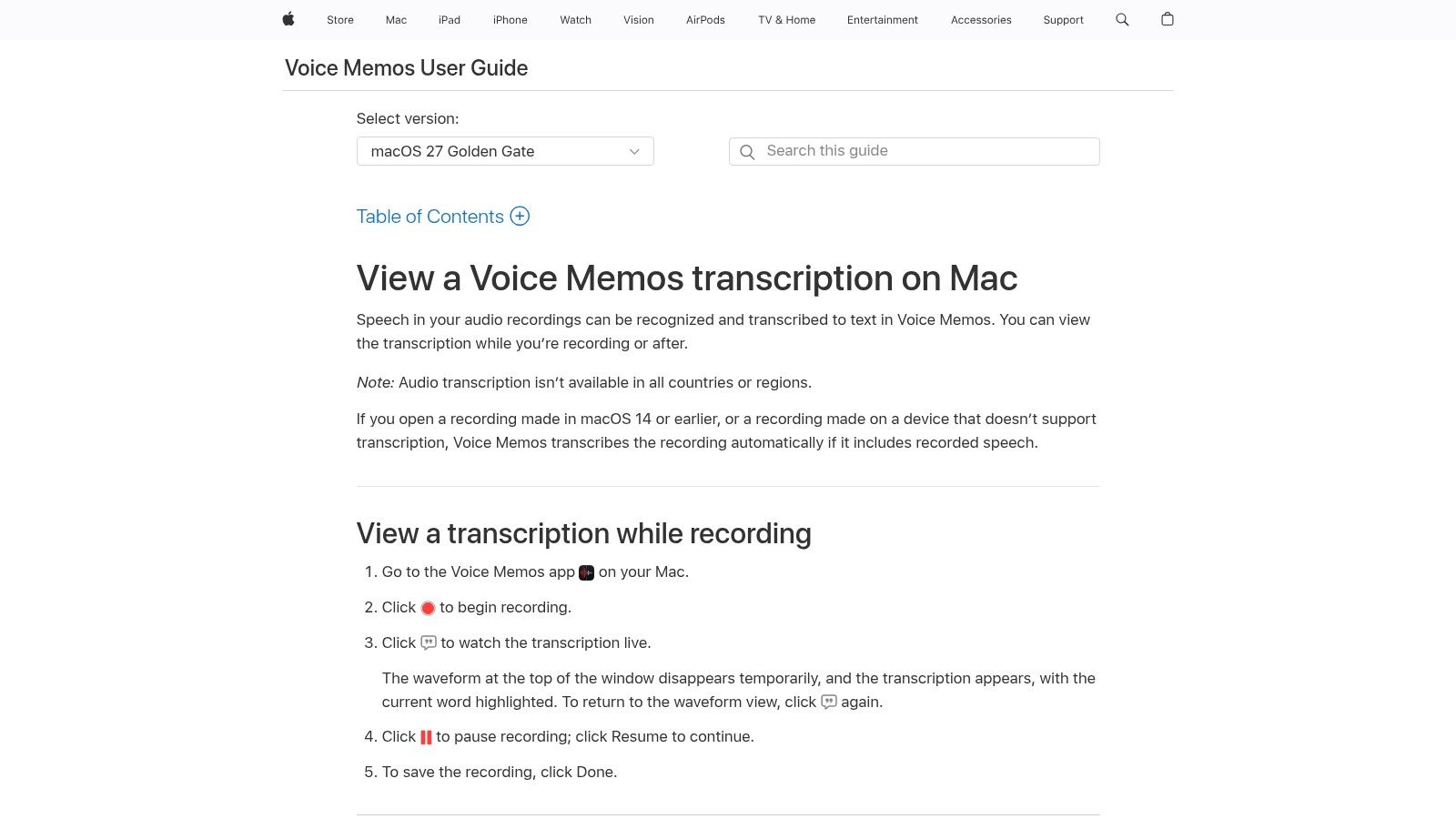
Apple's built-in transcription is the easiest starting point if you already work on a supported iPhone, iPad, or Mac. Voice Memos can produce live or post-recording transcripts, while Notes can record and transcribe directly inside a note. You can then search, copy, and paste the text without moving between services.
The important distinction is processing location. On supported hardware and operating-system versions, Apple performs transcription on the device, making this an attractive option for quick dictation, interviews, lectures, and other recordings that shouldn't leave your hardware. It's also useful when you're offline or want to avoid creating an account with a separate transcription provider.
Practical rule: Check device, operating-system, language, and regional availability before relying on Apple transcription for an important recording.
The main limitation is scale. Voice Memos and Notes are convenient capture tools, not a batch-transcription workbench for a large archive. You'll also need recent Apple hardware and software for the relevant features, and support can vary by region and language. Review names, specialist vocabulary, and speaker changes manually, especially when the recording includes room noise or overlapping voices.
For supported Apple users, this is the best fit when privacy and convenience matter more than bulk processing. See Apple's Voice Memos transcription guidance for current compatibility details.
2. Google Recorder
Google Recorder takes a similar on-device approach, but its strongest use case is the Pixel ecosystem. On eligible Pixel phones and some Chromebooks, it automatically transcribes recordings and lets you search the resulting text. That makes it particularly practical for voice memos, classes, interviews, and field notes where you want a transcript without paying per minute.
The mobile experience is the reason to choose it. Start recording, let the device create the transcript, and search for a phrase later rather than scrubbing through the audio. For eligible users, there's no separate per-minute charge, and local processing improves speed and reduces the need to upload audio for the initial transcription.
The privacy story has a boundary. Recorder can sync recordings and provide access through recorder.google.com, so the moment you use backup or web access, your workflow involves Google's cloud services. Keep that distinction clear if your recordings contain confidential interviews, clinical information, or internal business discussions.
- Best match: Pixel users who want a frictionless recorder with searchable transcripts.
- Less suitable: iPhone users, mixed-device teams, and anyone who needs a universal Android workflow.
- Review point: Accented speech, specialist terms, and overlapping speakers still need human checking.
Google Recorder isn't a flexible transcription platform, and it doesn't offer the developer controls of an API or the model choice of a local toolkit. It wins by being built into the device you already carry.
3. Otter.ai
Otter.ai is built for people who want a hosted meeting workflow rather than a local transcription project. It records and transcribes live conversations, supports uploads, identifies speakers, and connects with calendars and meeting platforms including Zoom, Google Meet, and Microsoft Teams. You can use it on the web, iOS, and Android, so it's easier to share across a mixed-device team than an operating-system feature.
The free plan is useful for trying the product, but its restrictions shape what you can realistically do. It includes 300 minutes per month, with a 30-minute limit per conversation, and permits only 3 lifetime file imports on the free plan, according to Otter's product site. Those limits make it better for short meetings and occasional tests than for a podcast archive or regular interview work.
Cloud processing is the central trade-off. You get a polished interface, searchable transcripts, speaker labels, and a low-friction collaboration flow, but recordings leave your device. Before uploading sensitive material, check your organization's retention and access requirements rather than assuming that a free account is appropriate.
- Use it for: Live meetings, short interviews, and collaborative review.
- Avoid it for: Long recordings, repeated file imports, or strict offline workflows.
- Read next: This meeting transcription software comparison helps separate meeting features from general audio transcription.
Otter can save setup time, but the free limits arrive quickly if you transcribe frequently. It's a convenient cloud assistant, not an unlimited free archive.
4. AIDictation
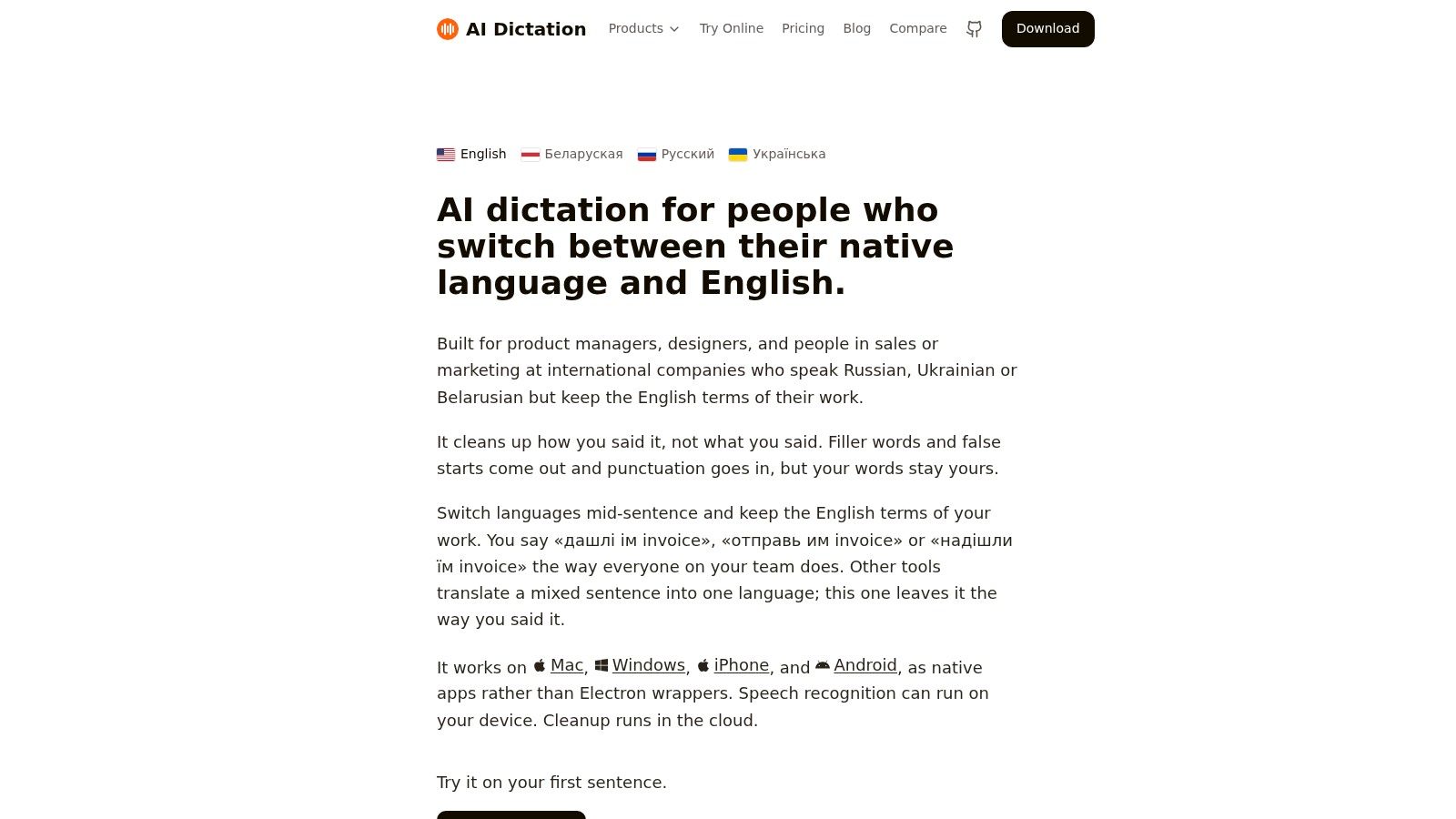
AIDictation is a hybrid option for people who want fast dictation, app-aware formatting, and a choice between local recognition and cloud cleanup. Its Auto Mode selects an engine for the situation. On Apple Silicon, Local Mode uses Parakeet v3 on the device, while Cloud Mode can clean up punctuation, fillers, self-corrections, and formatting into a paragraph, list, or email.
That distinction matters in practical use. Local recognition keeps data on your Mac and works without an internet connection, but the result is rougher than cloud cleanup. Connected processing can produce more polished writing, yet some text leaves the machine. Encryption in transit doesn't prove deletion or zero retention, so sensitive workflows still require a policy review.
AIDictation is especially useful when ordinary dictation tools damage language or terminology. It preserves mixed-language phrasing, including English technical terms embedded in Russian, Ukrainian, or Belarusian speech, instead of automatically translating or “correcting” those terms away. A custom dictionary helps with names and specialist vocabulary, while context rules can format speech differently for Gmail, Slack, Notion, VS Code, Figma, and other apps.
What the free access is good for
The product offers 2,000 words per month free without an account, according to the publisher information supplied for this comparison. A browser-based transcription workflow also supports uploaded or recorded audio without sign-in, with MP3, WAV, M4A, WebM, OGG, and MP4 support for files up to 25 MB, as described in the product research supplied here.
AIDictation's team publishes testing notes, including an 11.6% word-error rate on a dense Russian-English clip where it retained 26 of 27 English words, on the AIDictation website. Treat that as a product-specific test example, not a guarantee for your audio. The broader quality question is whether names, medical terms, code identifiers, accents, and background noise survive your own recording conditions.
It's a strong fit for multilingual professionals, developers, product managers, journalists, students, and clinicians who want dictated text to arrive ready for editing. It's less suitable for teams that require strict administrative controls or cannot send any text to a cloud service. Verify HIPAA and other regulatory requirements before using it with protected or regulated data.
5. OpenAI Whisper
Whisper is the practical choice when unlimited local transcription matters more than convenience. It's an open-source automatic speech-recognition model that can run through Python, whisper.cpp, and other ports. With local execution, your audio stays on your own hardware, and you don't pay a per-minute fee or depend on a hosted dashboard.
The model supports multilingual transcription and optional translation into English. You can choose among model sizes, trading speed and hardware requirements against recognition quality. Ports such as whisper.cpp make it possible to use CPU, GPU, and Apple Silicon acceleration, although the setup experience still assumes some technical confidence.
Whisper handles many noisy and long-form recordings well, but it isn't a magic privacy button. You're responsible for installing dependencies, securing local files, choosing a model, and checking the output. You'll also need to build or add the interface features that hosted products provide, such as speaker labels, collaboration, search, export, and review workflows.
- Best for: Developers, researchers, and privacy-sensitive users who can run local software.
- Strength: No hosted usage ceiling when your own hardware does the work.
- Weakness: Setup, maintenance, and compute are your responsibility.
For a more practical desktop route, compare the local workflow in this guide to running Whisper on a Mac. Whisper is the right foundation when control matters more than a polished first-run experience.
6. Vosk
Vosk is a lightweight offline toolkit for teams that need speech recognition on modest hardware, mobile devices, or embedded systems. It has bindings for Python, Java, C#, Node, Android, and iOS, and it can run on devices such as a Raspberry Pi. That makes it more flexible for embedded and air-gapped projects than a hosted meeting application.
Its free status comes from the open-source toolkit model, not from a ready-made consumer service. You download language models, connect the library to your application, and design the capture, transcript display, storage, and review experience yourself. Developers can keep audio local and avoid sending recordings to an external provider.
Where Vosk makes sense
Vosk is a sensible choice when resource requirements, offline operation, or deployment control outweigh headline accuracy. It can support a private workflow on hardware that may not handle larger neural speech models comfortably. It's also useful when a team needs to embed recognition into a device or application rather than ask users to upload files to a website.
The trade-off is hands-on engineering. Accuracy and latency can lag Whisper on some tasks and languages, particularly when recordings contain accents, noise, code-switching, or specialized terminology. You'll need representative tests instead of assuming that a model's general language support means it will understand your domain.
Choose Vosk when deployment constraints are the problem. Choose a hosted tool when building the transcription interface is the problem.
Before adoption, test speaker separation, punctuation, names, and technical terms on real recordings. Vosk's low-resource profile is its main advantage, but it won't remove the need for quality assurance. Visit the Vosk toolkit for supported platforms and models.
7. IBM Watson Speech to Text
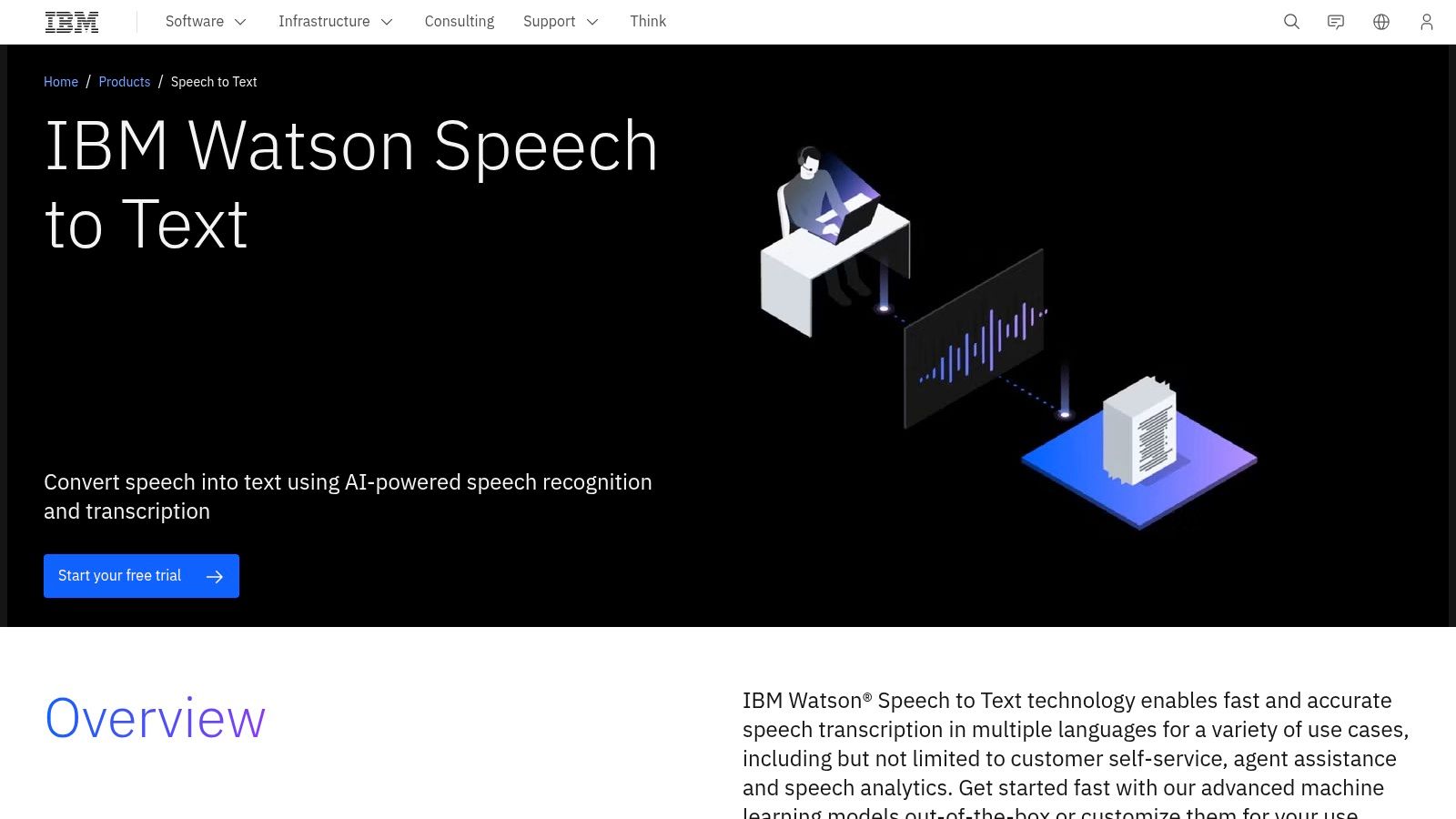
IBM Watson Speech to Text is a cloud API for developers and teams that need documented integration rather than a consumer recording app. It supports streaming and batch transcription, multiple language and acoustic models, and SDK-based development. The perpetual Lite plan includes 500 free minutes per month, as listed in the supplied product brief and IBM's Speech to Text service information.
That allowance is useful for prototypes, internal tools, and low-volume applications. You can send audio through an API, receive text in your application, and build your own workflow around timestamps, review, storage, or downstream processing. IBM's documentation and enterprise orientation may also suit teams already using IBM Cloud.
The setup cost is higher than opening a mobile app. You'll need an IBM Cloud account, credentials, and code or an integration layer. Customization and advanced capabilities may require paid plans, and cloud processing means this isn't the right fit for a deployment that must remain entirely on-premise.
- Good fit: Developers who value API documentation and a persistent free allowance.
- Not a good fit: Casual users who only need to transcribe one recording.
- Privacy question: Confirm processing, storage, retention, and regional requirements before sending sensitive audio.
IBM works best when transcription is one component in a larger application. If you need editing, collaboration, or a finished meeting workspace, you'll have to supply that layer yourself.
8. Google Cloud Speech-to-Text
Google Cloud Speech-to-Text v2 is aimed at developers who need streaming or batch transcription inside a Google Cloud project. It offers broad language support and an ongoing free allowance of 60 minutes per month for the v2 API, according to Google Cloud's Speech-to-Text pricing page. That makes it appropriate for prototypes, low-volume internal tools, and controlled evaluation.
The advantage is infrastructure. You get a mature cloud platform, API access, and a clear path beyond the free allowance if the application grows. Streaming suits live applications, while batch processing works for uploaded recordings. Teams already using Google Cloud may prefer keeping authentication, monitoring, and deployment in one ecosystem.
The free tier isn't a complete consumer workflow. You'll need to create a Google Cloud setup and billing account, then handle authentication, requests, errors, output storage, and transcript review. The free minutes are also modest, so long recordings or recurring production use can exceed the allowance quickly.
Use it when your technical team wants an API and your organization accepts cloud processing. Don't choose it just because the word “free” appears in the pricing page. Calculate how many minutes your actual workflow generates, then account for retries, testing, and review.
9. Amazon Transcribe
Amazon Transcribe suits teams already operating inside AWS or building transcription into an AWS application. It supports batch and streaming modes, speaker diarization, vocabulary filtering, and a Transcribe Medical variant. Those capabilities are more relevant to a production workflow than a simple voice memo app, particularly when an application needs structured output.
AWS provides 60 free minutes per month for the first 12 months, according to Amazon Transcribe pricing. The time limit is the key detail. This isn't an indefinite free allowance, so you need to track when the introductory period ends and what happens to requests afterward.
The broader AWS ecosystem is both an advantage and a burden. Integration with SDKs, storage, permissions, and other services can reduce friction for an AWS team. For everyone else, IAM configuration, regions, credentials, and billing controls can make a small transcription project feel disproportionately complex.
The medical option needs careful handling
A Transcribe Medical variant doesn't automatically make every workflow compliant. You still need to confirm the relevant AWS configuration, region, access controls, retention, contractual terms, and organizational policies. Don't upload clinical audio merely because a service name includes “Medical.”
Amazon is strongest for engineers who already understand AWS and want diarization or vocabulary controls. It's overkill for a student transcribing an occasional interview.
10. Microsoft Azure Speech to Text
Azure Speech to Text provides real-time and batch APIs, language support, and customization on paid tiers. Its F0 tier includes 5 hours per month for real-time speech-to-text, according to Azure Speech pricing. That makes it one of the more useful cloud options for testing live transcription when the allowance matches your use case.
The service is a better fit for Azure teams than for casual users. You'll create a resource, select the right SKU, manage credentials, and work within documented quotas. Azure also limits free-resource availability by region and subscription, and not every feature available on paid tiers is included in F0.
Real-time allowance doesn't equal unlimited file transcription. If your workflow involves long uploaded recordings, confirm which API mode and quota apply before building around the headline free amount. A tool can look generous for live dictation but be less suitable for a batch archive.
- Choose Azure for: Prototypes and applications already using Azure enterprise controls.
- Check first: Resource availability, SKU restrictions, language support, and billing settings.
- Keep reviewing: Technical terms, names, accented speech, and noisy audio.
Azure gives developers a credible cloud foundation, but it doesn't remove the privacy and accuracy decisions. Treat the free tier as a testing allocation, not a promise that every production feature remains free.
Top 10 Free Audio-to-Text Tools Comparison
| Product | Core features | Quality (★) | Price / Value (💰) | Target audience (👥) | Unique selling point (✨) |
|---|---|---|---|---|---|
| Apple Voice Memos / Notes | On‑device recording & transcription; search & copy transcripts | ★★★★☆ | 💰 Free, built into Apple devices | 👥 Casual users, students, quick dictation | ✨ Native offline processing & seamless Notes integration |
| Google Recorder | On‑device transcription, searchable transcripts, web sync | ★★★★★ | 💰 Free for Pixel/Chromebook users | 👥 Pixel users, students, mobile note-takers | ✨ Real‑time searchable transcripts with offline speed |
| Otter.ai | Live meeting transcription, speaker ID, calendar integrations | ★★★★☆ | 💰 Freemium (≈300 min/mo free); paid tiers for more | 👥 Meeting attendees, teams, journalists | ✨ Strong collaboration & meeting workflows |
| 🏆 AIDictation | Auto Mode hybrid (on‑device Parakeet v3 ↔ cloud cleanup), context rules, custom dictionary, wide integrations, meeting recording | ★★★★★ | 💰 Free tier (2k–5k words/mo); Pro from $8.49/mo; lifetime option | 👥 Multilingual pros, developers, healthcare, journalists | ✨ Best mixed‑language fidelity + context‑aware formatting; local privacy option |
| OpenAI Whisper | Open‑source multilingual ASR; whisper.cpp ports for local inference | ★★★★☆ | 💰 Free (self‑host); compute costs apply | 👥 Developers, privacy‑focused users | ✨ Runs fully offline with strong noise robustness |
| Vosk | Lightweight offline toolkit, multi‑language models, many bindings | ★★★☆☆ | 💰 Free, open‑source | 👥 Embedded/mobile developers, privacy deployments | ✨ Low‑resource footprint for embedded & mobile |
| IBM Watson STT | Cloud API, streaming & batch, multiple acoustic models | ★★★★☆ | 💰 Lite plan (500 min/mo); paid plans for scale | 👥 Enterprises, developers needing SDKs | ✨ Enterprise‑grade docs, SDKs, and predictable SLAs |
| Google Cloud STT (v2) | Streaming & batch transcription, wide language support | ★★★★★ | 💰 60 min/mo free on v2 → pay‑per‑minute | 👥 Developers building scalable apps | ✨ High‑quality models + Google infra & tooling |
| Amazon Transcribe | Batch/streaming, diarization, vocab filtering, Medical variant | ★★★★☆ | 💰 12‑month free tier (60 min/mo) → standard billing | 👥 AWS customers, healthcare teams | ✨ Deep AWS integration & Transcribe Medical (HIPAA‑eligible regions) |
| Microsoft Azure Speech to Text | Real‑time & batch APIs, customization, F0 free tier | ★★★★☆ | 💰 F0 free (≈5 hrs/mo realtime) → paid SKUs | 👥 Azure enterprise customers, developers | ✨ Enterprise controls and Azure ecosystem integration |
Pick Your Setup, Then Test With Your Own Audio
Start with the constraint that can't be negotiated. If audio must stay on the device, begin with Apple Voice Memos, Google Recorder, Whisper, Vosk, or AIDictation's local mode, depending on your hardware and technical comfort. If you need a collaborative meeting workspace, Otter.ai is easier to use than a local model. If you're building an application, compare IBM Watson, Google Cloud, Amazon Transcribe, and Azure based on your existing cloud environment rather than choosing by allowance alone.
Recording length changes the answer quickly. Short voice notes can work well in a built-in mobile recorder. Repeated long-form uploads expose the limits of Otter's free plan and push you toward local processing, a hybrid desktop workflow, or an API that fits your expected volume. A free allowance only helps if it covers the way you record, not an idealized test.
Language mix and audio conditions deserve equal attention. Technical terminology, accents, code-switching, mumbling, overlapping speakers, and background noise can turn a fluent-looking transcript into a dangerous one. Research on automatic speech recognition recommends evaluating Word Error Rate, or WER, based on substitutions, deletions, and insertions, while segmenting results by accent, noise, microphone quality, and terminology density. Recent technical analysis places state-of-the-art systems around 5.8% to 6.8% WER, compared with about 5.1% for human transcription, but those figures come from controlled evaluation and don't predict your exact recording. The technical WER analysis also describes an air-traffic-control benchmark with an average 7.75% WER across four accent databases, illustrating why cross-accent testing matters.
A practical evaluation pass
Take one recording that represents your real work. Don't use a clean microphone sample if you normally dictate in a noisy office, conduct multilingual interviews, or record clinical conversations with specialist vocabulary.
- Sample errors: Count mistakes in names, numbers, product terms, medications, code identifiers, and quotations.
- Check speaker labels: Confirm that the tool separates voices correctly when people interrupt or speak close together.
- Review fluent rewrites: Polished grammar can conceal an incorrect word, so compare rewritten output against the audio.
- Inspect privacy controls: Find out where audio and text are processed, whether recordings are retained, and whether cloud cleanup can be disabled.
- Confirm the allowance: Recheck the current free-tier limits before moving an important workflow into production.
Free doesn't mean consequence-free. A local model may require more setup but give you stronger control. A cloud service may save engineering time but introduce retention and billing questions. A hybrid tool may give you private offline recognition and better connected cleanup, but you'll need to decide whether sending text to the cloud is acceptable.
Pick two or three finalists and transcribe the same representative clip. Compare the corrected transcript, not just the first draft. The winner is the tool that creates the least total work while meeting your privacy requirements.
AIDictation gives you a practical middle ground for free audio to text, with local recognition for private offline dictation and cloud cleanup when you need polished paragraphs, lists, or emails. Its custom dictionary, context rules, multilingual handling, meeting transcription, and free monthly allowance make it worth testing against the recordings you use. Visit AIDictation and compare its output with two finalists before committing to a workflow.
Frequently Asked Questions
What does Free Audio to Text Tools: 10 Options Compared for 2026 cover?
You've got a recording on your phone, laptop, or meeting platform, and you need usable text without committing to another subscription. The phrase free audio to text hides several very different workflows.
Who should read Free Audio to Text Tools: 10 Options Compared for 2026?
Free Audio to Text Tools: 10 Options Compared for 2026 is most useful for readers who want clear, practical guidance and a faster path to the main takeaways without guessing what matters most.
What are the main takeaways from Free Audio to Text Tools: 10 Options Compared for 2026?
Key topics include Table of Contents, 1. Apple Voice Memos and Notes, 2. Google Recorder.
Ready to try AI Dictation?
Experience fast voice-to-text on your device. Free to download.
Download FreeRelated Posts
Verbal Ink Transcription Workflows Today
Explore verbal ink transcription workflows, accuracy benchmarks, and how modern AI dictation tools compare to traditional human transcription services.
8 Best Bilingual Dictation Apps: 5 Tested + 3 Baselines
We tested five bilingual dictation apps on Russian-English code-switching, plus three common baselines. Compare WER, language recall, script, and workflow.
Audio & Video Transcription Powered by AI: A Practical Guide
Learn how audio & video transcription powered by AI works, what affects accuracy, and how to pick the right workflow for interviews, lectures, and meetings.