Audio Transcription Tool: How It Works and What to Choose
If a vendor advertises a 4% word error rate, what does that tell you about the way you talk? On its own, very little. An accuracy score describes a system's performance on a fixed set of recordings, usually clean, close-mic'd, and spoken by people whose accents were well represented when the model was trained. Your clinic corridor, your café interview and your code walkthrough full of identifiers aren't in that set.
Two decisions in this guide matter more than any headline number. Accuracy is something you test on your own audio before you rely on it. Privacy is a question about where the audio travels, how long it stays and who checks the text afterward. Neither one can be settled by a badge or a benchmark.
Table of Contents
- Common Uses for an Audio Transcription Tool
- How an Audio Transcription Tool Turns Speech Into Text
- Word Error Rate and What Accuracy Numbers Mean
- Testing Accuracy for Accents, Languages and Noise
- Privacy Choices Between On-Device and Cloud Processing
- Editing Features That Make a Transcript Usable
- Choosing the Right Tool for Your Risk Level
Common Uses for an Audio Transcription Tool
The audio you'd hand to a transcription tool rarely looks like a test corpus. It's a clinician summarizing an encounter with a door closing behind her, a developer narrating a refactor, a founder drafting a spec out loud on a walk. Six groups generate most of that traffic, and each depends on a different feature.
| User | Typical audio | Feature that matters most |
|---|---|---|
| Clinical staff | Doctor's notes and patient encounters | Medical vocabulary and privacy controls |
| Software developers | Code walkthroughs and spoken comments | Correct technical terms and identifiers |
| Product managers | Stakeholder calls and voice drafts | Clean formatting for specs and updates |
| Multilingual writers | Non-native English speech | Grammar cleanup and accent tolerance |
| Researchers and journalists | Interviews, lectures and podcasts | Speaker separation, timestamps and long-file support |
| Students and teams | Lectures and team meetings | Speaker labels and searchable text |
The shared job is basic. An audio transcription tool listens to a file or to live speech and returns text. Everything that makes the result usable happens afterward: punctuation, capitalization, filler removal, paragraph breaks and a vocabulary that spells your product names the way your team spells them.
Recognition is the floor. A raw transcript reads like a reporter's notebook, with every um intact and no paragraphs. Cleanup closes the gap to something you can send, and for ESL writers it also carries grammar repair, so the sentence you spoke becomes the sentence you meant.
Interviews and panel recordings add one more requirement. When two people talk over each other, no recognition model can attribute that overlap reliably, so you can browse audio separation tools that split a single recording into separate voice tracks before it reaches the transcriber. Cleaner tracks mean better speaker labels and fewer dropped clauses.
Meeting and lecture transcription has also stopped being a bonus feature. A 2025 Nylas survey of 1,000 SaaS users found that 68% considered meeting-recording and transcription features valuable enough to influence their decision to leave a product.
Two questions run through the rest of this guide. How reliable is the text on audio like yours, and where does the audio go while it's being processed? The scope covers recorded files such as MP3, WAV and M4A as well as live dictation, because the same engine handles both and the same weaknesses show up in both.
How an Audio Transcription Tool Turns Speech Into Text
Think of the engine as a stenographer who has heard an enormous amount of speech and never asks you to repeat yourself. The work happens in five stages, always in the same order.
- Capture the sound. A file or a microphone gives the tool a waveform, which is nothing more than air pressure plotted over time.
- Slice it into features. The waveform is cut into short segments, a few hundredths of a second each, and converted into numbers describing energy and frequency. This numerical description, not the sound itself, is what the model sees.
- Match the sounds. A neural network compares each segment with the phonemes the language uses, the small set of sounds that separate one word from another.
- Choose the words. A language model weighs which word sequence is probable, and context does the deciding. That's why "recognize speech" and "wreck a nice beach" can sound identical and come out differently.
- Format the output. Punctuation, capitalization, paragraph breaks, timestamps and speaker turns get added, because a wall of unpunctuated words is technically correct and practically useless.
The five stages look like this end to end.
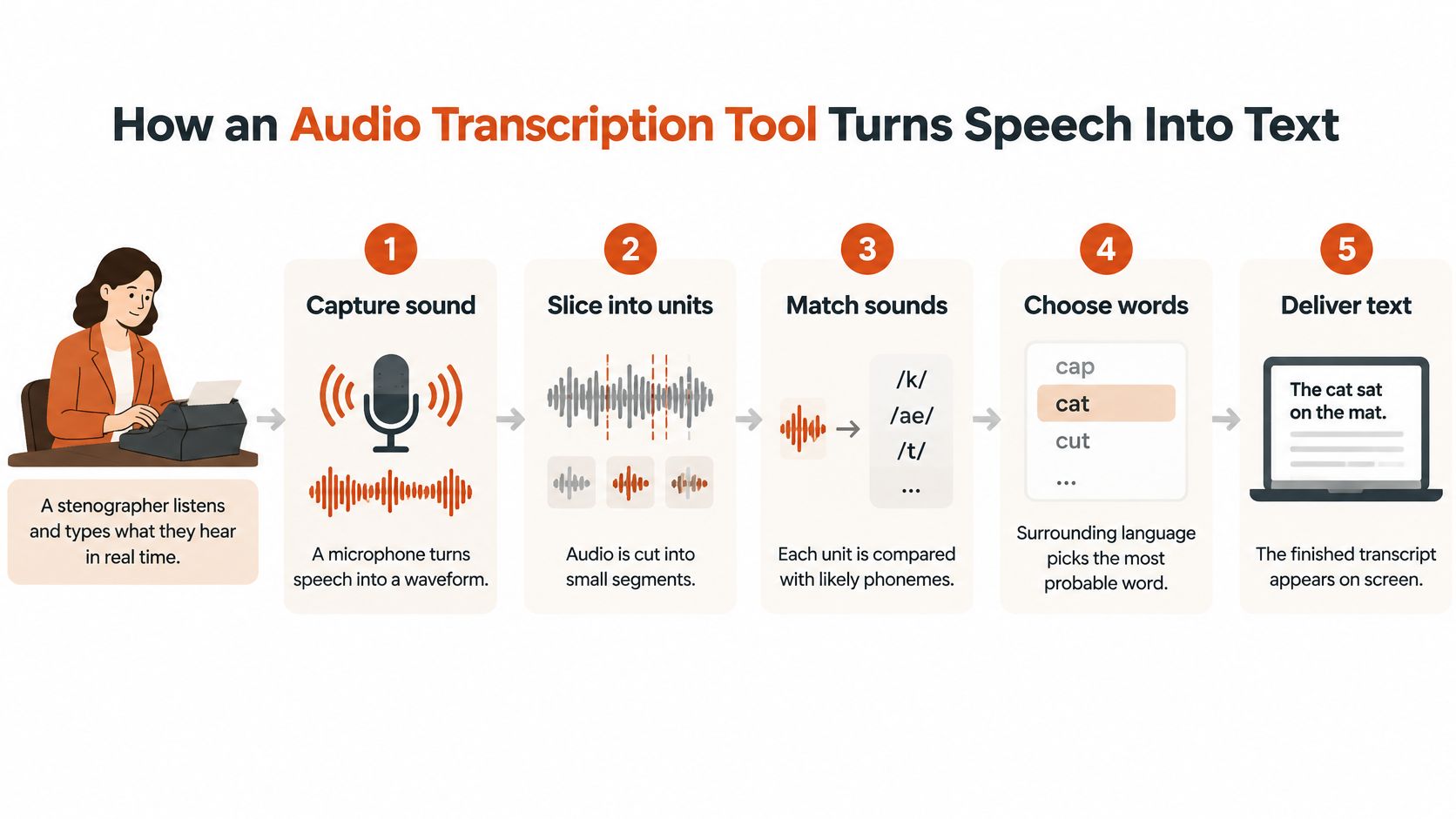
Each layer catches errors the others miss. Feature extraction absorbs differences in recording quality, the language model repairs a garbled phoneme using the words around it, and formatting turns the surviving text into something a reader can scan.
That layering didn't arrive in one step. A record of automatic speech recognition milestones traces machine-based speech analysis back to 1930, then through linear predictive coding and cepstral analysis in the 1960s and 1970s, to statistical modeling and larger vocabularies in the 1980s. Modern engines combine acoustic feature extraction, language modeling, statistical inference and neural speech understanding, which is why long-form speech now works where isolated commands once did.
Choosing among engines used to be your job. Our Auto mode picks the best speech recognition engine for each situation, whether that means offline recognition or a cloud model.
Before you read further into a finished transcript, check three things:
- Sentences that read naturally. If you have to re-read a line to parse it, the language model lost the thread.
- Names and terms spelled consistently. The same product name spelled two ways in one document signals a vocabulary gap.
- Timestamps that land where the speech does. Drift here usually means the audio and the text came from different processes.
If the output is headed for video captions rather than a document, timing rules matter as much as wording, and this guide to subtitle accuracy on video covers where captions usually drift.
Word Error Rate and What Accuracy Numbers Mean
Ten percent word error rate sounds abstract until you count words in a sentence. Take this dictation: "we shipped the wrong invoice to three clients." If the tool returns "we shipped the wrong in voice to three clients," it substituted one word out of nine, which is roughly an 11% error rate on that sentence. Now put the same substitution on a drug name.
Word error rate (WER) is the share of reference words a system gets wrong, counting substitutions, deletions and insertions against a human-written reference, as the ACM evaluation of transcription quality defines it. It's a useful measure and a narrow one.
The improvement on clean English speech has been steep. When the LibriSpeech corpus was released in 2015, leading reported systems reached a WER of 13.25%. Within about six years, the best reported systems reached 2.5%, according to the same study.
| Measure | Value |
|---|---|
| Leading reported WER when LibriSpeech was released (2015) | 13.25% |
| Best reported WER within about six years | 2.5% |
| Absolute improvement | 10.75 percentage points |
| Relative reduction in word errors | approximately 81% |
| Whisper average multilingual WER compared with English | about 3 times higher |
The trap sits in how those numbers get read. The same study found that Whisper's average multilingual WER was about three times its English WER. A tool that looks near-perfect in an English demo can behave very differently on a bilingual call, and the demo never tells you which case you're buying.
Three questions to ask about any accuracy claim
- What audio was it measured on? Clean studio speech, read aloud from a script, is the easiest case that exists. Laptop-mic meeting audio is not.
- Which language and accent? A single English figure says nothing about accented English, let alone a second language.
- What else does the vendor report? WER alone misses names, numbers and identifiers, and those are the tokens that break a clinical note or a spec.
A low error rate still hides the errors that cost the most. One wrong drug name, one misheard product code, one flipped negation in a legal paragraph, and the transcript is worse than useless because it looks authoritative. That's why high-stakes domains pair recognition with vocabulary customization and human review.
The only score that counts is the error rate on recordings that resemble yours, measured by you, on the sentences you actually dictate.
The practical move is to stop reading scores and start asking for samples on audio like your own: your room, your accent, your jargon. Any provider can produce one.
Testing Accuracy for Accents, Languages and Noise
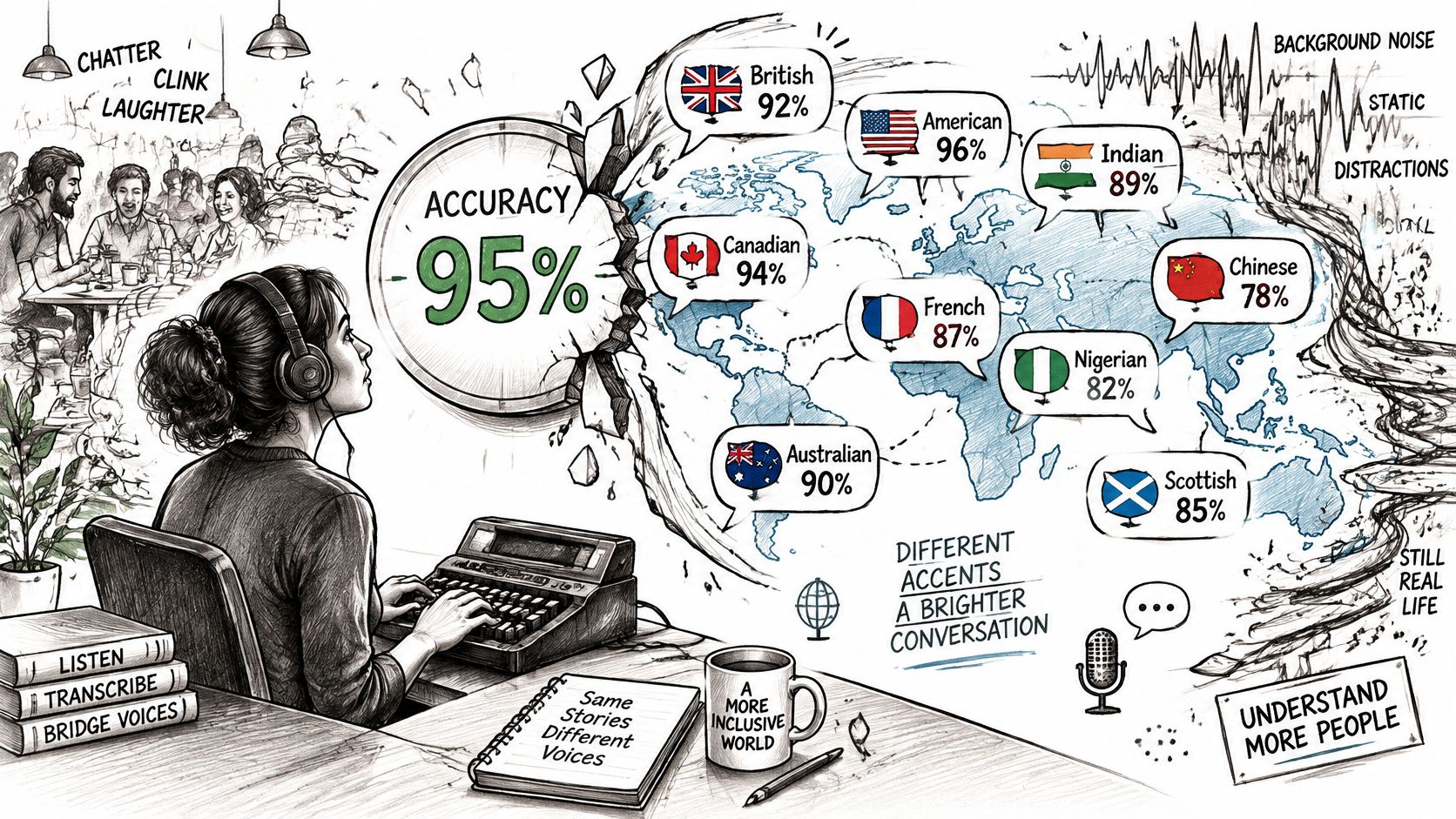
A Scottish clinician, a Lagos journalist and a Javanese lecturer can all dictate the same sentence into an audio transcription tool. The transcript may still split into three very different results. Benchmarks help, but they work like weather maps, not guarantees. They show where conditions tend to get rough.
Accents and dialects are where headline scores stop predicting your results.
What the benchmarks actually show
A 2025 evaluation of African-accented English found that proprietary systems varied substantially by country and domain. They handled clean speech well and did not consistently manage non-native, noisy dialogue or domain-specific names. That is the ordinary failure shape: fine in the demo, unreliable in the ward.
The useful lesson is narrow. A system that handles one accent, one room and one topic has not proved it can handle yours. Accent, recording quality and subject matter move together, so a clean read-aloud sample can hide the exact errors that appear in a meeting, clinic visit or field interview. Treat any single score as a starting question, not a finish line.
Code-switching adds another layer. The AfriSwitch benchmark covers 61.36 hours of naturally occurring speech across 16 African languages and language varieties, and the average best-system WER across its evaluation was 35.93%, with no system below 24% on any language. Spontaneous African-accented English degraded performance by more than 10% relative to native-accent speech. Those figures are a reminder that real speech is messy. People borrow words, change languages mid-sentence, repeat themselves and say names the model has never heard.
Some of that gap is measurement rather than recognition. A code-switching evaluation of ASR scoring documents a case where conventional WER came out at 78.6% and fell to 46.2% when scored against minimal-edit human annotations. The system had not improved. The scoring had stopped counting a correct transliteration as a mistake. Judge output on whether names, technical terms and meaning survive, not on whether every character matches a script.
Noise makes the same problem harder because the model has to decide what belongs to speech and what belongs to the room. That decision affects word boundaries, punctuation and confidence. A explanation of speech recognition in noisy environments is worth reading before you blame your microphone, because the error may come from how the system handles overlapping sound.
A test plan for your own audio
Run each condition below on a five-minute sample before you trust a tool with a full day of work.
| Audio condition | What to test | Warning sign |
|---|---|---|
| Accented English | Read a passage in your own accent | Names or verbs swapped in a consistent pattern |
| Background noise | Record in a café-level noise setting | Missing words in quiet passages |
| Code-switching | Mix two languages in one sentence | Translated words replacing technical terms |
| Technical terms | Dictate 20 product or drug names | Misspelled identifiers that look plausible |
| Soft or mumbled speech | Speak at low volume | Truncated sentences without any marker |
| Long recordings | Dictate a 30-minute session with names and numbers throughout | Drift in accuracy after the first ten minutes |
Read the results in two stages. First ask whether the content and the language identity survived. Then ask whether the cleanup layer helped or invented things. A tool that rewrites an uncertain drug name into a confident wrong one has failed harder than a tool that leaves a blank.
Here's a short walkthrough of the accent and noise problem in practice.
Language coverage deserves the same skepticism. AI Dictation supports transcription in Spanish, French, Chinese, Japanese, Arabic and German. In a bilingual meeting, transcription and translation do different jobs. Transcription preserves what was said, while translation replaces it with another language. Check which one the tool is doing before you rely on the output.
That check matters most when the transcript will be reused. A note that preserves a name in the wrong language can still be repaired. A note that changes the name into a smoother word may send the reader down the wrong path. Accuracy testing should therefore include the words you cannot afford to lose.
For daily work, make the test ordinary rather than dramatic. Use your usual microphone, your usual room, your usual speed and a short list of terms from your own field. A tool that survives that small test has earned a larger one. A tool that fails there will not become dependable because its demo sounds clean.
Privacy Choices Between On-Device and Cloud Processing
Privacy isn't a checkbox at the bottom of a feature list. It's a set of decisions about where the audio goes, how long it stays and who verifies the text afterward.
A 2025 JAMA Network Open quality-improvement study on ambient documentation involving 121 users, 18 clinicians and 103 patients, found that comfort depended on trust, understanding of the technology and perceived benefits and risks. Participants raised security, legal liability, cognitive impact and equity concerns. Ethics commentary around that discussion adds a sharper point: inaccurate notes may fall hardest on patients with non-native English accents, and HIPAA protections apply to identifiable health information handled by covered entities and business associates.
Auto mode is convenient and it's the wrong default for a confidential file. In Auto mode the app picks the best engine for the situation, which may mean the cloud. For a patient encounter or a legal draft, set Local Mode explicitly, so transcription runs on-device, works offline and keeps the audio on your Mac.
Where each mode sends your audio
| Processing mode | Where the audio goes | Fit for sensitive work |
|---|---|---|
| Local Mode (on-device) | Stays on the Mac and works offline | Strongest default for clinical, legal or confidential drafts |
| Cloud Mode | Sent to a cloud service over 256-bit SSL | Suitable when policy allows external processing and terms are reviewed |
| Browser speech-to-text | Handled under the browser vendor's terms | Low-stakes drafts only |
Here's the part that gets skipped in comparisons. On-device processing reduces exposure. It does not make a workflow HIPAA-compliant by itself. Consent procedures, access controls, retention rules, business-associate agreements and human review are organizational decisions, and no app setting substitutes for them.
On-device processing lowers exposure. It does not create consent, retention rules, or a second pair of eyes.
We limit access to audio and transcript data to what is needed to provide the requested feature, and our SOC 2 report is still pending. Both statements are worth checking against your own obligations rather than treating as a clearance.
Before you record anyone, answer five questions:
- Is recording opt-in, or assumed? A patient or colleague should be able to decline without derailing the visit or the meeting.
- Is everyone informed? That includes the second person in the room who isn't speaking.
- Is the audio retained, and for how long? Retention is a policy choice you can make deliberately.
- Where is it processed? Confirm which mode handled each recording, especially if you left Auto mode on.
- Who verifies the final text? A named reviewer, not "the process".
If you're weighing the two paths for a specific workflow, this comparison of cloud and local processing sets out the trade-offs in more detail.
Editing Features That Make a Transcript Usable
A transcript can be accurate and still unusable. Accuracy tells you the words were heard. Editing decides whether a colleague can read them without stopping to decode anything.
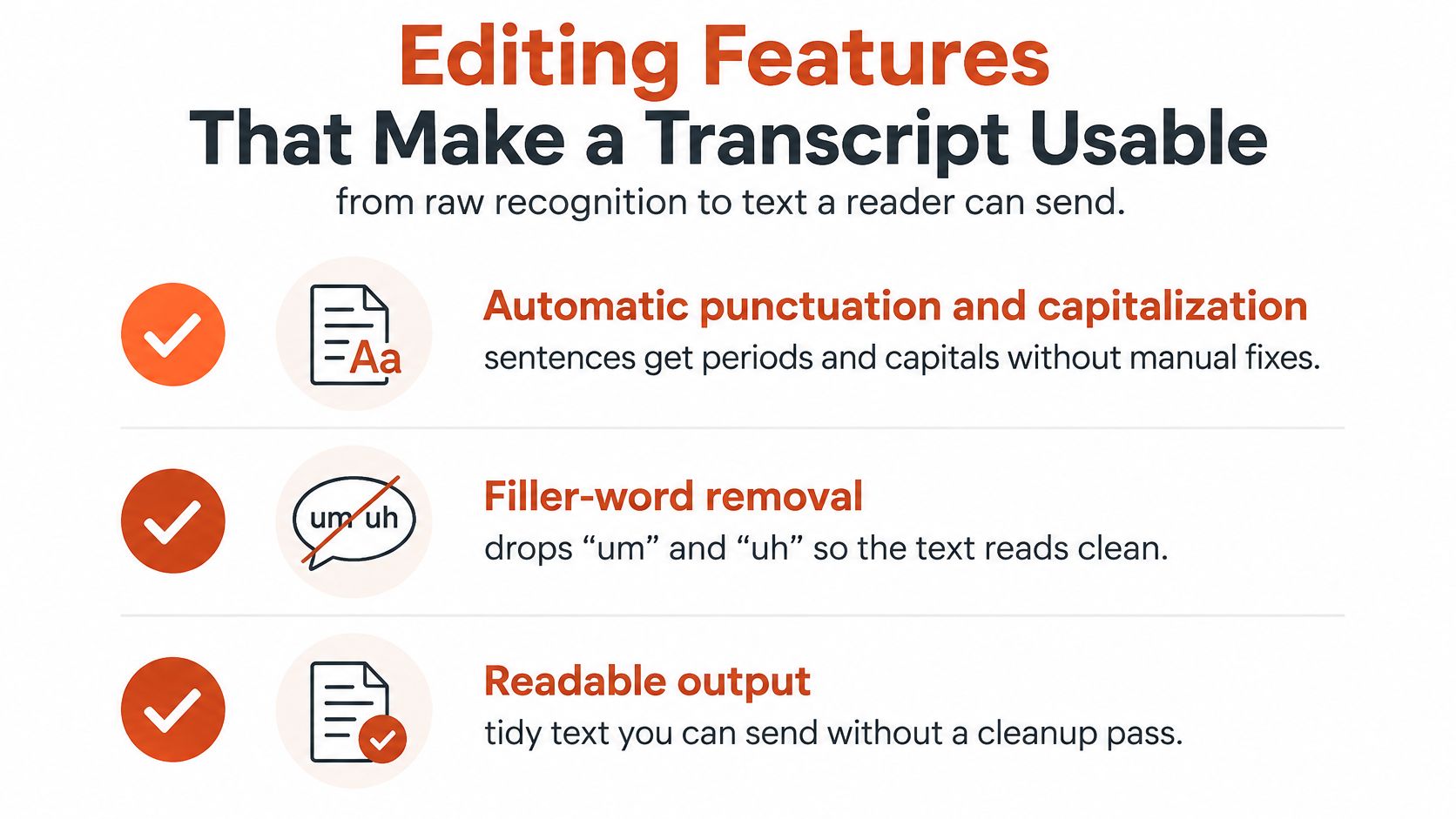
Four groups of features do that work. Punctuation and capitalization turn a word stream into sentences, which matters most in long dictation where you speak in clauses. Filler removal drops the ums, uhs and abandoned half-phrases without deleting the words that carry meaning. Self-correction handling resolves spoken repairs, so "let's meet Tuesday, no, Wednesday" becomes "Wednesday" and the wrong day never reaches the invite. Formatting and structure turns a rambling paragraph into a list when you dictate three items in a row.
Two more features decide whether the file stays useful a month later. Speaker labels separate two voices in an interview, and timestamps let you jump back to the moment a claim was made. Both depend on clean tracks, which is why separating overlapping speakers before transcription saves rework.
The practical effect of those features is a shorter path from speech to something sendable.
Custom dictionaries handle the vocabulary no general model can guess: colleague names, drug names, product codes, the internal shorthand your team uses in Jira tickets. Context rules then adapt the output per app, professional phrasing for email, casual for Slack, technical for an editor or a terminal. The last step is delivery. When dictation finishes, the transcript is copied to your clipboard automatically so you can paste it with Ctrl+V into the app where the work already lives.
Six checks to run on a trial file
- Punctuation on a sample paragraph. Read ten sentences aloud and count how many need manual repairs. Two or more is a warning.
- Filler removal without deleted meaning. Confirm the ums are gone and no noun went with them.
- Self-corrections resolved correctly. Say a wrong date, correct it, and check which one survived.
- Custom terms preserved. Load five names and five technical terms, then verify all ten.
- Speaker labels on a two-person recording. Swap who speaks first and see if the labels follow.
- Timestamps on a 30-minute file. Spot-check three timestamps at the start, middle and end.
One rule survives all six checks: cleanup should preserve uncertain technical tokens rather than rewriting them without review.
A confident, wrong identifier is worse than a visible blank. When the audio is unclear, keep the uncertain token and flag it.
A full transcription editing workflow is worth building once, because the settings you choose here get reused every session.
Choosing the Right Tool for Your Risk Level
Match the tool to the cost of a wrong word. That single rule sorts every option faster than a feature comparison, because the same error that costs a first-draft writer two seconds can cost a clinician or a researcher far more.
Clinical notes are the clearest case for that rule.
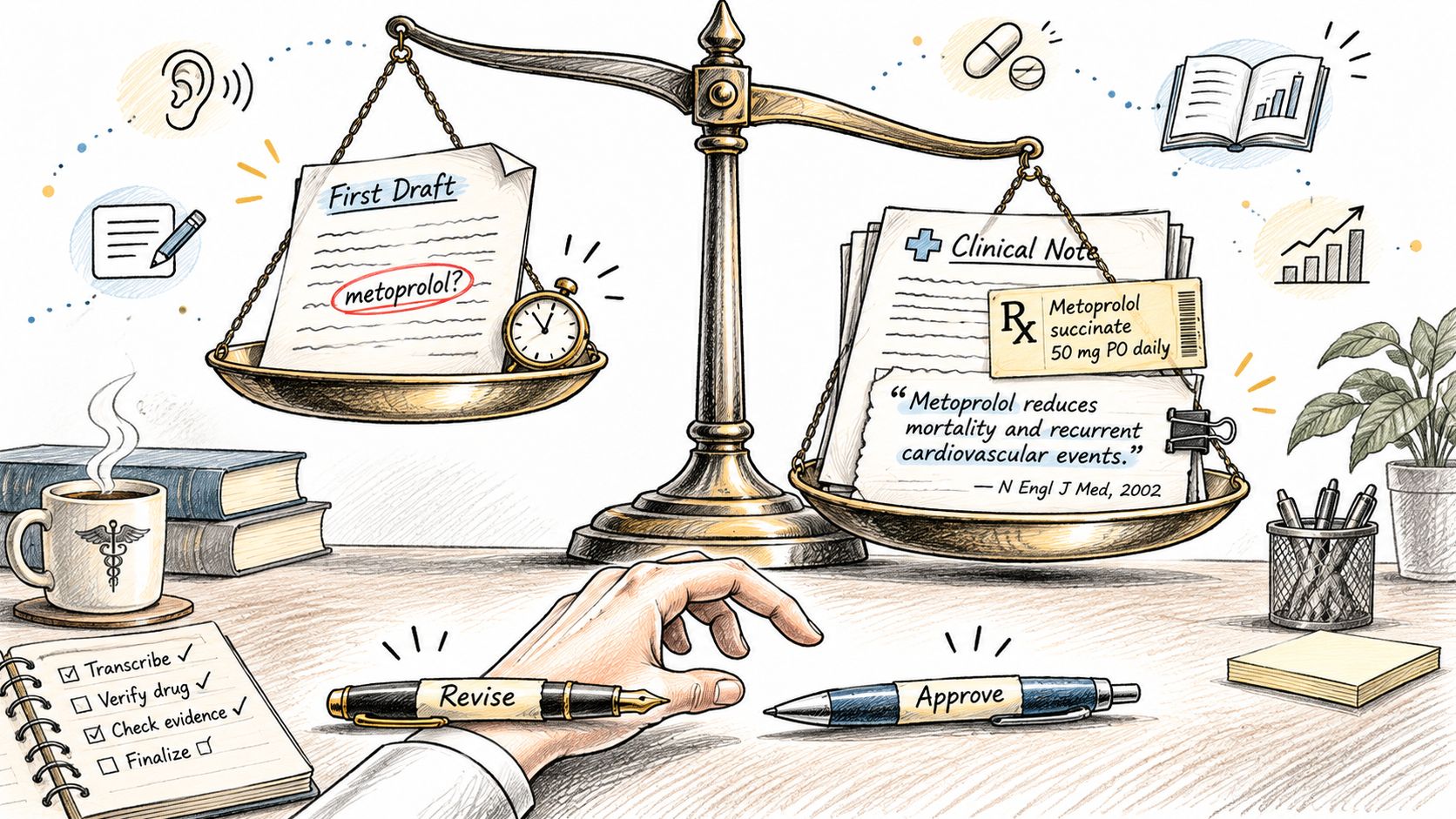
Low-stakes writing tolerates a lighter setup. A first draft, a brainstorm, a quick note to yourself can go through a cloud model with no ceremony, and speed is the whole point. High-stakes material wants on-device processing where that option exists, a dictionary that already contains your terms, and a person reading the output before anyone acts on it.
A product manager dictating a spec
Paragraph and list formatting matter more than raw WER here, because a spec gets skimmed. Load product and feature names into the dictionary first, then run the technical-terms and self-correction checks before you dictate anything a team will build from. A tool that mangles a feature name across forty lines costs more time than it saves.
A clinician who needs privacy-first dictation
Set Local Mode explicitly instead of trusting Auto, confirm consent and retention rules with your organization, and run the technical-terms test on twenty drug names before the first real encounter. If the output produces plausible-looking wrong names, stop and fix the dictionary, because "close enough" is the failure mode that hurts patients.
A researcher transcribing interviews
Prioritize speaker labels, timestamps and long-file support, and run the long-recording test from the accuracy table on a real interview rather than a sample clip. Drift after ten minutes is normal in weaker engines and invisible in short tests.
AIDictation is one option built for this pattern: a Mac voice-to-text app with Auto mode, Local Mode on Apple Silicon, cloud cleanup and a custom dictionary. You can download the free version and test it on your own audio. The free trial includes meeting recording and transcription, unlimited use of the small voice models, custom prompt control, and email support from a person within 24 hours, and the Pro plans add unlimited models, translation to English, and audio or video transcription.
Whatever you pick, the action this week is the same. Take one of your own recordings, run the accuracy tests and the editing checks against it, and count the errors that would matter in your work. Choose the tool that fails least where failure is expensive.
Testing on your own audio is the whole method, and it takes one afternoon. AIDictation gives you a free Mac app that switches between an on-device engine and cloud cleanup, holds a custom dictionary for your names and terms, and pastes the finished text at your cursor in the app you're already working in. Download the free version, dictate a real recording from your week, and see which errors remain before you trust it with anything that matters.
Frequently Asked Questions
What does Audio Transcription Tool: How It Works and What to Choose cover?
If a vendor advertises a 4% word error rate, what does that tell you about the way you talk? On its own, very little.
Who should read Audio Transcription Tool: How It Works and What to Choose?
Audio Transcription Tool: How It Works and What to Choose is most useful for readers who want clear, practical guidance and a faster path to the main takeaways without guessing what matters most.
What are the main takeaways from Audio Transcription Tool: How It Works and What to Choose?
Key topics include Table of Contents, Common Uses for an Audio Transcription Tool, How an Audio Transcription Tool Turns Speech Into Text.
Ready to try AI Dictation?
Experience fast voice-to-text on your device. Free to download.
Download FreeRelated Posts
Speech to Text for Dyslexia: What Works and What Doesn't
Speech to text for dyslexia can speed up drafting and cut spelling errors, but accuracy, editing and literacy limits matter. See how to get better results.
Transcribe MP4 to Text: A Practical Guide for 2026
Learn to transcribe MP4 to text with AIDictation, covering Local and Cloud modes, timestamps, speakers, accuracy checks and privacy.
Audio Transcription App Free Guide for 2026
An audio transcription app free comparison for 2026: limits, privacy, offline use, accuracy tests, and which tier fits your work.