Audio Transcription App Free Guide for 2026
Most “best free transcription app” lists still tell you to sort logos by a 99 percent accuracy badge and a monthly minute number. That advice falls apart the first time a clinic note, a noisy standup, or a client interview hits the tool. A price of zero does not pick the app. Where the audio is processed, and how long you spend fixing the text, decide whether the transcript is usable.
An audio transcription app free tier is an access tool. It is not a promise that the words are safe to file, quote, or send. Match the file in front of you to one starting row. Then check the cap, the privacy path, and the correction time only for that row.
Table of Contents
- Free Audio Transcription Apps Worth Starting With
- Limits Formats and Integrations on Free Tiers
- Cloud Versus On-Device Privacy
- Why Free Accuracy Claims Miss Real Audio
- Free Transcription for Real Workloads
- When a Paid or Local Workflow Wins
- Run a Ten-Minute Test Then Keep One App
Free Audio Transcription Apps Worth Starting With
Stop shopping for a universal winner. The useful split is the job of the audio, not a ranked list of logos. Someone typing this query wants a transcript without paying. The next file already tells you which free starting point is worth installing.
A 2024 Pollfish survey commissioned by TELUS Digital found that 81% of U.S. adults familiar with voice technology used it daily or weekly, while 68% said their usage had increased during the previous year. That habit is why a free cap that feels fine for one memo is empty by Friday. Daily use is the workload. A demo allowance is not.
| Situation | Start here | Processing | Main limit |
|---|---|---|---|
| Private notes or client audio on a computer | AIDictation Local Mode or a Whisper-class local app | On device | Local models need a capable computer; cloud cleanup spends the free word allowance |
| Weekly meetings that need speaker names | Otter or a similar meeting app | Vendor cloud | Free plans meter minutes and usually require an account |
| Live captions and voice notes on Android | Live Transcribe or Pixel Recorder | Often on device | Export and speaker separation are limited |
| Drafts inside a Microsoft 365 account you already pay for | Word Transcribe | Microsoft cloud | No second login, but the audio still leaves the PC |
| A voice memo, podcast, or YouTube link | A free upload or link transcript tool | Usually cloud | File length, language, and retention vary by tool |
Pick the row for this week's file
Confidential computer work starts on the machine. Our free tool turns audio into text, and Local Mode runs recognition on the device, so you can dictate offline and keep sensitive audio there. The free trial is 5,000 words with no credit card. Cloud cleanup, if you turn it on, spends that word allowance. A Whisper-class local app is the same idea when you want a separate window and no account.
Recurring meetings that need speaker labels start in a cloud meeting app such as Otter, but only if the free minute pool covers a normal week. If it covers one call and then locks, it is a sample, not a workflow.
Live Android notes start with Live Transcribe or Pixel Recorder. Recognition often stays on the phone. Export and speaker separation are the weak points, so treat the result as a capture, not a finished document.
People who already have Microsoft 365 should try Word Transcribe before creating another account. The transcript lands in Word. You still have to know the audio went to Microsoft's cloud.
One-off voice memos, podcasts, and YouTube links fit an upload or link tool. We offer free tools for voice memos, voice messages, meetings, and podcasts, plus a YouTube transcript generator, when the clip is short and not confidential.
Clinicians who need a documentation path built for notes, rather than a general meeting recorder, can start with free AI documentation for clinicians and still keep patient audio off a random upload form.
Pick the row that matches your next file. Use the rest of this guide only to check limits, privacy, and accuracy for that row.
Limits Formats and Integrations on Free Tiers
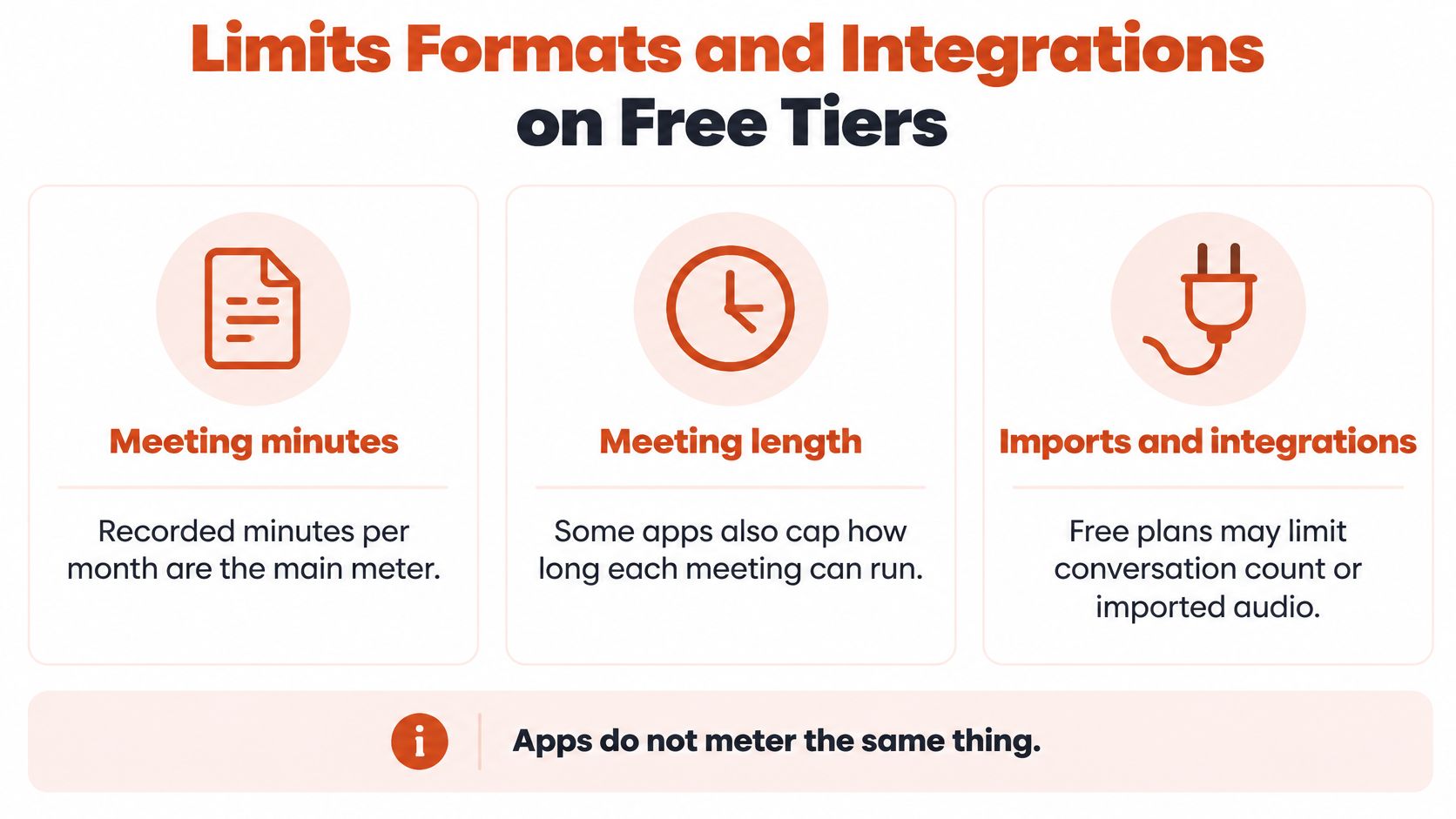
Free tiers do not meter the same thing. Comparing a minute cap with a word cap is how people pick the wrong product and then blame “accuracy.”
What the unpaid plan actually counts
Meeting products usually count recorded minutes per month. Some also cap how long one meeting can run, how many conversations you may store, or whether you can import a file you already recorded. Dictation products often count words. Our trial is 5,000 words, no card, and then unlimited dictation is paid. Whisper-class local apps have no vendor word cap. A long file on a modest laptop can take about as long as the audio, and you may need to split it.
File support is the second cut. Some free tools hear only a live microphone. Some take mp3, m4a, wav, or mp4. Some accept a YouTube link and refuse a private recording. Export is the third cut. Plain text and copy-paste are common. SRT or VTT captions, DOCX, and speaker-labeled transcripts are often paid or missing.
| App | Offline | Free ceiling | Formats out | Works in other apps |
|---|---|---|---|---|
| AIDictation | Yes in Local Mode | 5,000-word trial, no card, then paid | Clipboard text; Pro adds audio and video files | Yes, hotkey into the app already in use |
| Whisper-class local apps | Yes | No vendor word cap; speed depends on the machine | TXT, SRT, VTT in many builds | Rarely; usually a separate window |
| Otter | No | Metered free minutes; confirm the current cap | Text copy, often DOCX | Meeting links and some calendars |
| Android Live Transcribe or Recorder | Yes for live recognition on supported phones | No minute subscription; device and language limits | Shared text; weak file workflow | System level, not a document editor |
| Word Transcribe | No | Included with the Microsoft 365 license you already have | Word document | Inside Word |
| Notta or Fireflies free tier | No | Metered minutes | TXT, SRT, DOCX on many plans | Calendar and meeting bots |
Where the text has to land
Integrations matter more than a pretty export if you write inside Slack, Notion, Google Docs, or an IDE. A hotkey that drops punctuated text at the cursor removes a paste step. When dictation finishes, we also copy the transcript to the clipboard so you can paste with Ctrl+V. A meeting bot that joins Zoom or Google Meet removes a recording step, and it also puts a third party in the room.
Practical rule: If the free ceiling cannot cover one typical week, the app is a demo, not a workflow.
Do not add a second free account to “stretch” two half-caps. You will split minutes, split logins, and still retype Thursday's meeting.
Cloud Versus On-Device Privacy
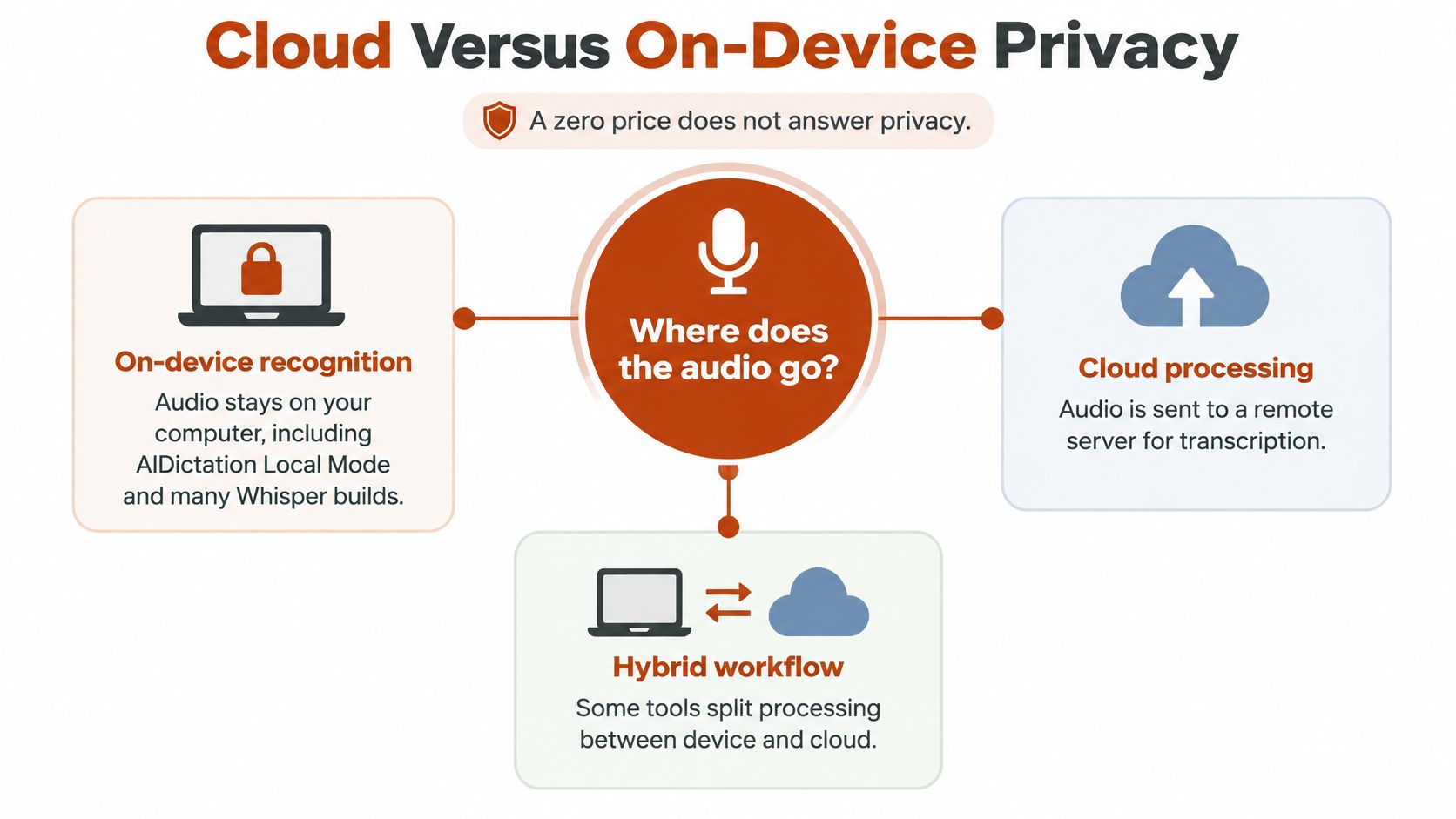
A zero price does not answer where the audio goes. Price, word limits, and export formats are the criteria most comparison posts stop on. If the recording names a patient, a client, a student, or unreleased business, those criteria are the wrong first questions.
Three places the audio can sit
On-device recognition, including our Local Mode and many Whisper builds, keeps the audio on the machine and works without internet. The leftover risks are the recording itself, backups, and the document you paste into chat or email. Read how cloud and local processing differ before you assume “offline” means “done.”
Cloud recognition sends audio or text to the vendor. That vendor may retain files, use them to train models, or store them in a region you did not choose. Read the retention and training setting before you upload a client file.
A hybrid app can do both. The mode for that recording has to be obvious. If a toggle can upload in the background, treat the file as cloud until you prove otherwise.
U.S. HHS guidance states that protected health information includes verbal information, and that electronic recordings or transcripts from telehealth can be accessed by unauthorized third parties. Encryption and access limits matter even when the app costs nothing.
Local processing is not the same as HIPAA or GDPR compliance. A transcript that never left the laptop still leaves the device the moment you paste it into chat or email.
| Audio | Default | Check first | Still not automatic |
|---|---|---|---|
| Public or disposable audio | A cloud free tier is acceptable | Retention and model-training settings | Delete the sample if the vendor stored it |
| Patient, client, student, or unreleased business audio | On device, such as Local Mode or a Whisper-class app | Device lock, backups, and where the transcript is pasted | Local processing is not HIPAA or GDPR compliance |
| Telehealth or other verbal health information | On device unless a real compliance agreement exists | Encryption and who can open the recording or transcript | HHS treats verbal information as protected health information, whether or not the app is free |
| Hybrid app | The mode for that file must be obvious | Confirm the file is not silently uploaded | Pasting a local transcript into chat or email still leaves the device |
Public or disposable audio can use a cloud free tier. Audio that names patients, clients, students, or unreleased work should default to on-device, and you still review storage. A compliance claim needs the agreement, not the marketing line. A free cloud app can be the worse choice next to a paid local workflow.
Why Free Accuracy Claims Miss Real Audio
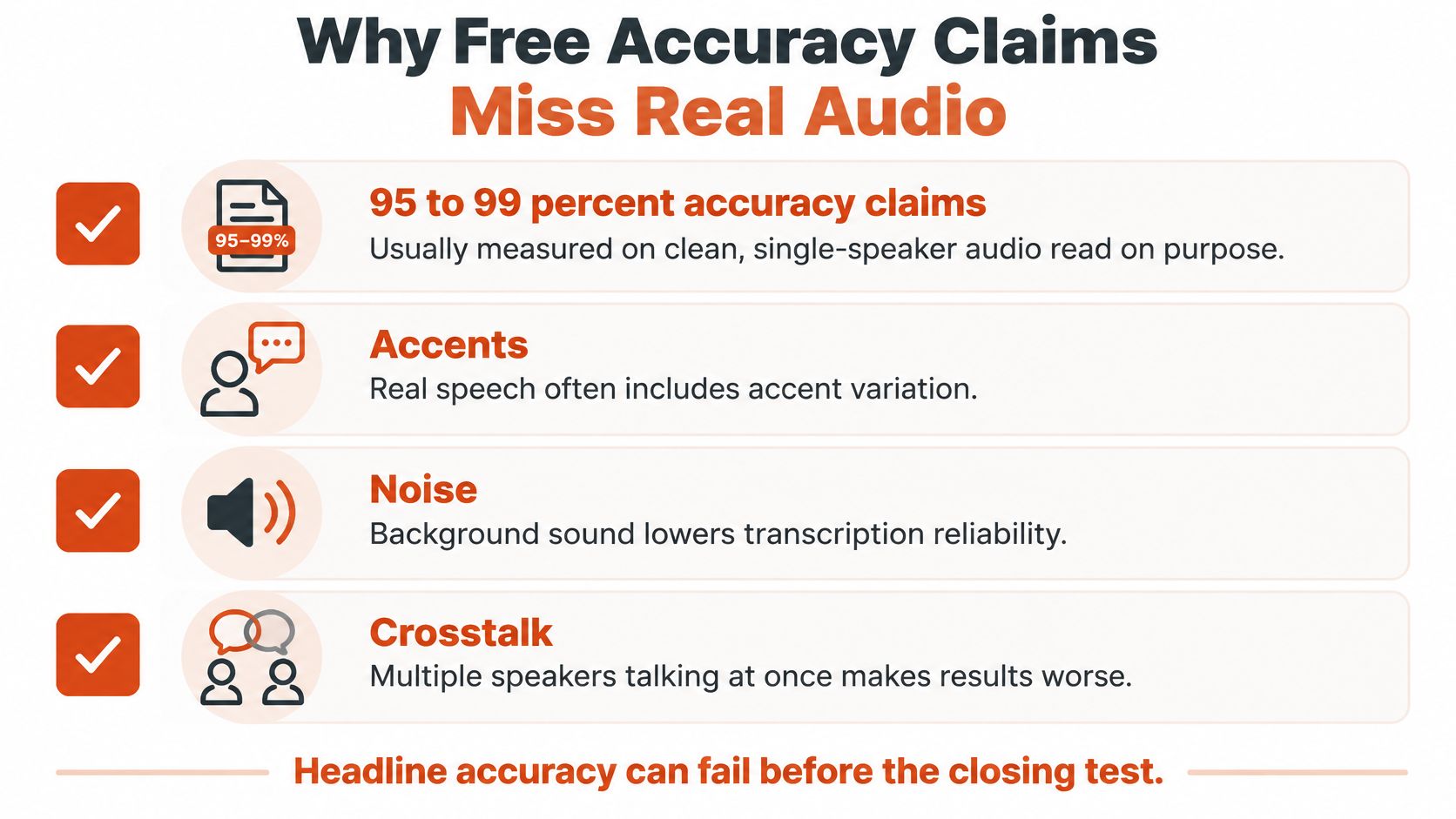
“95–99% accurate” usually describes clean, single-speaker audio read on purpose. Your files are not that audio. Accents, spontaneous speech, background noise, overlapping speakers, pauses, and unfinished sentences are the normal case, not the exception.
What the headline number hides
Research on British dialects found that fine-tuning reduced word-error rates from 16.8 to 1.0 in a specific controlled evaluation. The same study reported that quiet pauses could cause gibberish and repeated output, with word-error rates reaching 185.5. A model can look nearly perfect on a tidy test and then invent a paragraph out of silence.
Separate research on low-resource African-language settings, covered in that same paper's discussion of real conditions, names background noise, overlapping speech, informal speech, and regional dialect variation as major barriers. Those are meeting-room conditions, not edge cases. If you record in a noisy room, start with speech recognition in noisy rooms and expect to measure repair time, not a percent.
Score the repair, not the badge
The number worth noting is minutes spent correcting a 5 to 10 minute clip that reflects the actual job. A guessed percent from the vendor's landing page does not indicate whether Thursday's standup is faster to retype.
While you correct, flag four items for a second pass:
- Drug and product names: A near-miss here changes the meaning, not the style.
- People: A swapped surname is a quote you cannot publish.
- Code identifiers and paths: One wrong character breaks the note for a developer.
- Figures and dates: Doses, prices, and deadlines do not survive a “close enough” pass.
A free transcript can be a solid draft and still be unsafe to quote, file, or send. The human edit is the product. The percentage on the website is the ad.
Free Transcription for Real Workloads
Match the free tier to the cost of a mistake. Feature grids hide that cost. Short scenes do not.
A student recording a lecture can leave fillers and a few ordinary words rough, as long as names, dates, and formulas get a pass. Cloud minutes or an on-device app both fit. The lecture is not a legal record.
A journalist can draft from an interview in a free tool, then must re-listen to every quotation and every name. Confidential sources do not belong on a trainer-by-default cloud. Local recognition, or a cloud tool that does not train on the file, is the line.
A developer dictating comments or a spec cares less about elegant prose than about file paths, function names, and numbers. A hotkey into the editor beats a separate transcript box. Informal phrasing can stay. A wrong identifier cannot. We built dictation for the app where the writing already happens, including editors, issue trackers, and docs, rather than a blank transcript page.
A product manager can live with light cleanup if owners, decisions, and dates survive. A meeting app is a real workflow only when the free minutes last the month. If they do not, you are taking notes by hand on the calls that mattered.
A clinician cannot leave the draft rough. A scoping review of clinical speech-recognition research found that raw ASR transcripts can contain a 7.4% error rate in general dictated notes, roughly seven errors per 100 words, even with a leading medical system. Reported error rates reached about 25% in mental-health settings, 71% in emergency-department notes, and 97%–98% in some nursing documentation. Those figures are not a score for every app. They show why vocabulary, speaking style, noise, and specialty terms move the result, and why a free medical transcript is a draft plus a required read-back.
We do offer medical dictation, and free tools for meetings, podcasts, voice memos, and voice messages. Medical dictation is a fit only with that human check, and patient audio stays on device unless a real compliance agreement exists. The review also notes that these systems can capture more spoken detail and still miss or distort clinically important utterances, including systematic bias. Read how to edit a transcript without losing the point before you file anything clinical.
| User | Can leave rough | Must review by hand | Free tier fit |
|---|---|---|---|
| Student lecture notes | Fillers and a few ordinary words | Names, dates, formulas | Cloud or on-device is fine |
| Journalist interview | Casual wording around quotes | Every quotation and name | Local, or a cloud tool that does not train on the file |
| Developer documentation | Informal phrasing | Code identifiers, paths, numbers | Hotkey dictation into the editor |
| Product manager meeting | Light cleanup | Decisions, owners, dates | A meeting app if the free minutes last the month |
| Clinician or clinical staff | Almost nothing | Drug names, doses, negations | On-device plus human validation; free cloud is the wrong default |
When a Paid or Local Workflow Wins
A free transcript can cost more in corrections than a paid tool. Decide by the time you spend fixing text, where audio is processed, and whether the free cap covers a normal week.
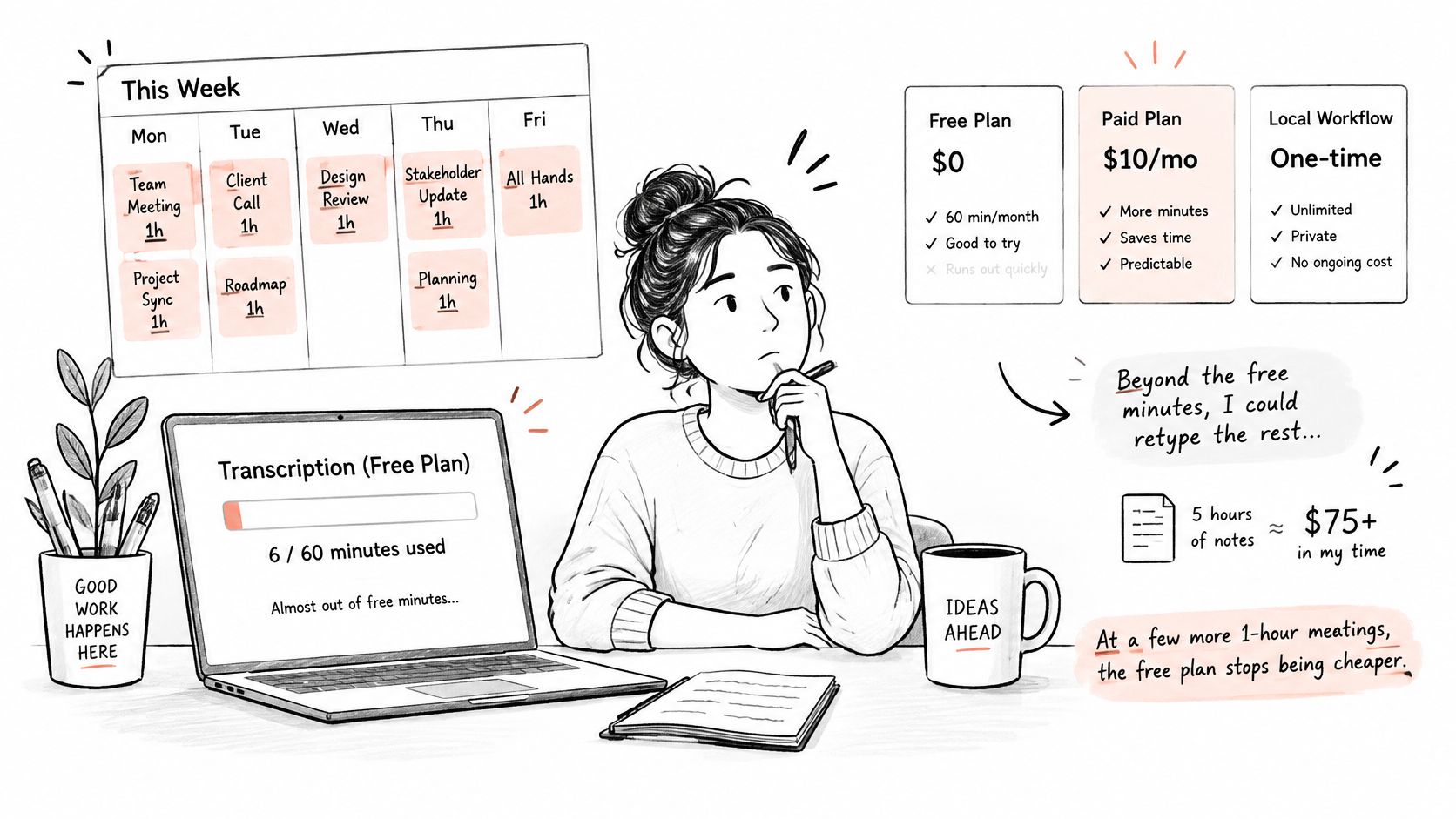
The cap runs out before the week does. A few long meetings can use up a metered plan's minutes. Then you either stop transcribing or spend time retyping. Compare minute limits against a typical workweek, not a short sample. The headline price matters less than whether you can finish the work without switching tools.
The missing feature is the core job. Speaker labels, caption files, or transcription of saved audio and video require more than live dictation. AI Dictation's Pro plan includes audio and video file transcription and translation to English when requested. Its free trial includes 5,000 words; after the trial, unlimited dictation costs $8.49 a month or $84.99 a year.
Sensitive audio changes the calculation. A free upload is still an upload. If the recording contains private information, choose a local workflow that keeps transcription on the device. For other recordings, cloud processing may be a reasonable trade if it saves enough correction time.
Set a local option beside a paid cloud plan. Local transcription avoids uploading the audio, but setup and long files can take time, and formatting may be plain. A hybrid workflow keeps routine dictation on device and sends only non-sensitive audio for cloud cleanup.
Pay when correction time, a weekly cap, or privacy risk costs more than the subscription. Otherwise, keep the free tier and avoid splitting your work across extra accounts.
A paid option should earn its place by reducing correction time or covering a job your free tool cannot handle. If the workflow already fits, stay with the free tool instead of subscribing because a pricing page makes the upgrade look simple. You can compare LunaBloom AI plans, but judge any plan by its limits and fit for your actual workload.
Run a Ten-Minute Test Then Keep One App
One afternoon beats another shortlist. Two finalists, one real clip, one keeper.
- Choose the two finalists from the opening table. One must be able to run on device. Add a cloud or meeting app only if the sample audio is safe to upload.
- Record or reuse a 5 to 10 minute clip from the everyday workflow. Do not read a studio sentence into a quiet room. Use the accent, the room, and the vocabulary you have.
- Transcribe it in both tools and write down correction time. Do not invent an accuracy percent. The clock is the score you will feel next month.
- Check retention or training on anything that left the device. Delete the sample if the vendor stored it.
- Keep the single app whose correction time and privacy fit the next month. Cancel the other account so free caps are not split across products.
For Mac or Windows dictation into the apps where the writing already happens, install our app today as the on-device candidate. Download it, pick a hotkey, hold the hotkey while talking in any text field, and punctuated text appears at the cursor. Use Local Mode for confidential audio. Use cloud cleanup only for drafts that can leave the machine.
If the ten-minute test is slower than typing, stop and type. Do not add a third free app to avoid that result.
We offer a free on-device dictation path and a 5,000-word trial so you can turn speech into text without uploading confidential audio by default. If your next file is a meeting, a memo, or a draft that has to land in the app you already use, start with one real clip and keep the tool that costs less time to correct. Visit AIDictation and run that test before you open another free account.
Frequently Asked Questions
What does Audio Transcription App Free Guide for 2026 cover?
Most “best free transcription app” lists still tell you to sort logos by a 99 percent accuracy badge and a monthly minute number. That advice falls apart the first time a clinic note, a noisy standup, or a client interview hits the tool.
Who should read Audio Transcription App Free Guide for 2026?
Audio Transcription App Free Guide for 2026 is most useful for readers who want clear, practical guidance and a faster path to the main takeaways without guessing what matters most.
What are the main takeaways from Audio Transcription App Free Guide for 2026?
Key topics include Table of Contents, Free Audio Transcription Apps Worth Starting With, Pick the row for this week's file.
Ready to try AI Dictation?
Experience fast voice-to-text on your device. Free to download.
Download FreeRelated Posts
Don't Type: How to Start Dictating Step by Step
Don't Type anymore: learn mic setup, voice training, punctuation commands, common fixes, and private dictation options that can keep your text on your device.
10 Best Ways to Transcribe Audio to Text Free in 2026
Compare 10 free ways to transcribe audio to text free, with privacy, accuracy, and limit trade-offs for each option in 2026.
Email Dictation Software: What It Is and How to Choose
Learn what email dictation software is, how it works, and how to pick the right one. Covers accuracy, privacy, HIPAA, accents, and real buyer checklists.