Speech Recognition in Noisy Environments: A Practical Guide
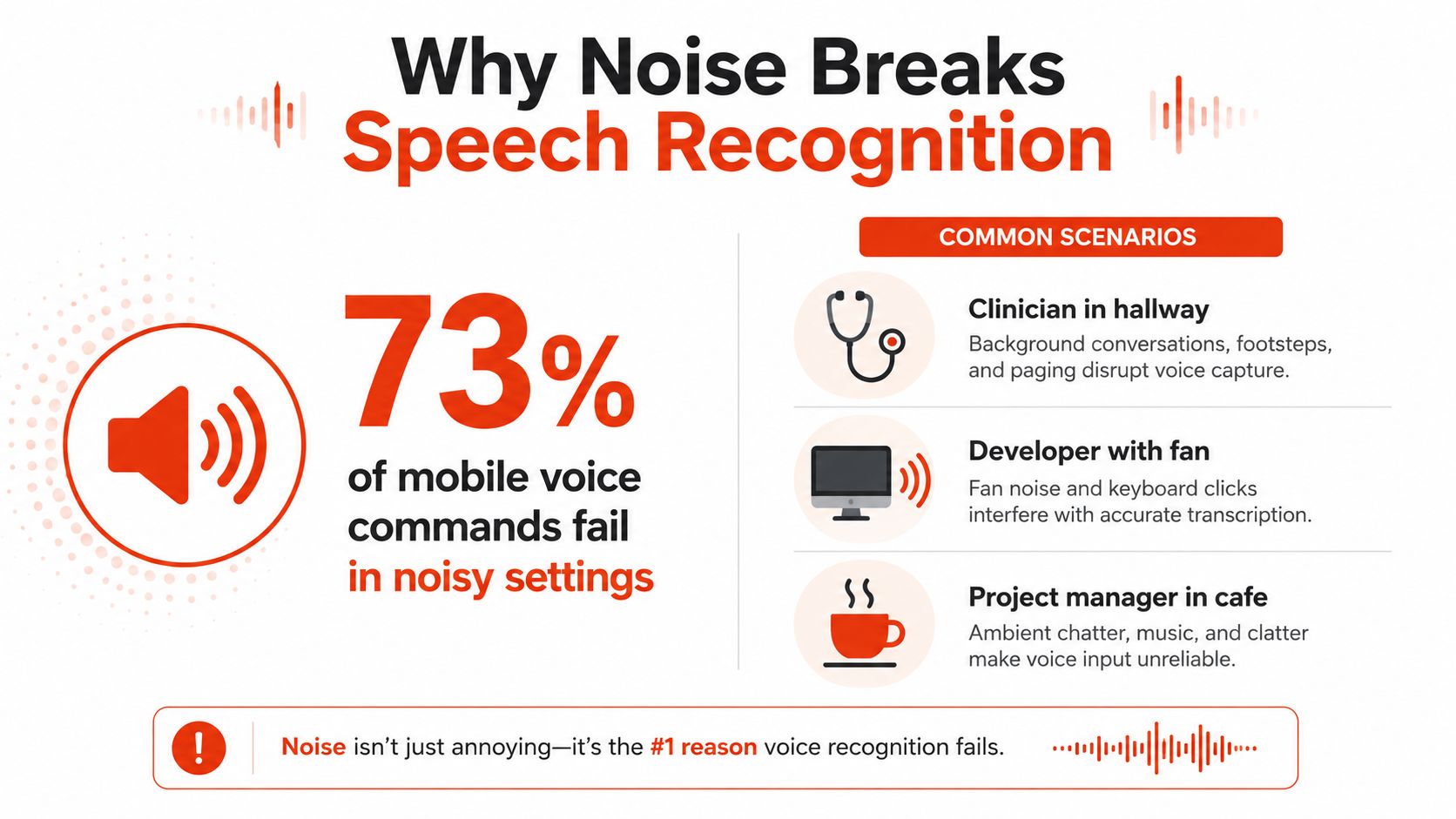
A recognizer trained on clean speech could fall from 100% accuracy to 30% accuracy inside a car traveling at 90 km/h, according to a 1993 Canadian government report summarized in a later survey of speech recognition research (arXiv reference). That finding still captures the central problem with speech recognition in noisy environments: a system that looks excellent in a quiet demo may become unreliable as soon as engines, hallway conversations, fans, reverberation, or music enter the microphone.
Noise robustness isn't a single “turn on denoising” feature. It's a layered system decision involving the room, microphone, preprocessing pipeline, acoustic model, deployment location, vocabulary, and evaluation method. The practical question isn't whether noise exists. It's which layer should handle it, and how you'll prove that the chosen layer helps rather than damages the speech signal.
Table of Contents
- Why Noise Breaks Speech Recognition
- How Noise Actually Affects Audio and Models
- The Three Families of Noise-Robust Techniques
- Edge Versus Cloud in Real-World Noise
- Practical Setup and Tuning for Real Users
- Evaluation Metrics and Benchmarking Workflows
- When Denoising Actually Hurts Accuracy
- A 90-Second Self-Test and Privacy Checklist
Why Noise Breaks Speech Recognition
A clinician finishes dictating notes in a hospital hallway. A developer records documentation beside a cooling fan. A product manager captures meeting actions in an open office while several people speak nearby. In each case, the speaker may be clear to a human listener, yet the transcription system receives a mixture of speech and competing sound.
The microphone doesn't understand intent. It records pressure changes, and the recognizer must decide which parts represent words. Background sound often occupies the same frequency ranges as speech, so a simple filter can't remove the noise without also removing consonants, vowels, or timing cues that identify the words.
The historical example is deliberately severe because it shows the scale of the challenge. A conventional recognizer trained on clean speech and reaching 100% accuracy could typically fall to 30% accuracy in a car traveling at 90 km/h, as reported in the Canadian government work summarized by the foundational survey of noise-robust speech recognition. Noise resistance therefore became a core design requirement for vehicles, public spaces, and other uncontrolled environments, not a minor refinement for unusual edge cases.

Speech and noise share the channel
Accents and unfamiliar vocabulary usually challenge the model's interpretation of an intelligible signal. Noise can damage the signal before interpretation begins. A keyboard strike may mask a consonant. Reverberation may smear the end of one word into the beginning of the next. A nearby speaker may create a second, speech-like signal that competes directly with the target voice.
The distinction matters in product planning. A larger language model may help choose between plausible words, but it can't reliably recover information that the microphone never captured. The system needs acoustic protection before, during, and after recognition.
Practical rule: Treat the microphone and room as part of the ASR system. A quiet demo tests only one layer of the product.
For clinical teams, a speech-in-noise assessment can also help separate a user's hearing difficulty from an application's capture problem. A resource such as hearing in noise evaluation provides useful context for thinking about how people perceive speech when competing sound is present. The engineering response is different depending on whether the listener can hear the speaker but the software can't, or whether the speech is difficult for both.
A recognizer can work well on a quiet recording and still fail in production because deployment changes the acoustic conditions. That gap is why handling noise effectively belongs in architecture reviews, microphone decisions, and acceptance testing from the start.
How Noise Actually Affects Audio and Models
Start with a simple analogy. Imagine a person speaking across a room while a fan runs beside your ear. The speaker's voice is the signal. The fan is the noise. Signal-to-noise ratio, or SNR, describes how dominant the speech is relative to the competing sound. Higher SNR generally gives the recognizer clearer evidence. Lower SNR makes the model decide from weaker and more ambiguous evidence.
A useful sequence for diagnosing an audio problem is:
- Find the source. Is the sound a fan, road rumble, another speaker, music, or room echo?
- Check whether it overlaps speech. A steady low hum and an overlapping conversation stress different parts of the pipeline.
- Inspect the capture path. Distance, microphone direction, room reflections, Bluetooth processing, and compression can change the signal before ASR receives it.
- Test at representative SNR levels. A clean sample can't predict performance in a busy room.
A 2023 noisy-speech study found that word error rate rose as SNR decreased, reaching 32.5% at 0 dB SNR, a 29.8% increase compared with clean conditions (Sensors study). At 0 dB SNR, speech and noise are closely matched in the measured signal conditions, so the result gives teams a concrete warning: low-SNR behavior deserves its own quality target.

Different noise creates different failures
Stationary noise includes HVAC, fan hum, and engine rumble. Because it changes slowly, spectral methods and noise profiles may help, provided the system doesn't remove low-energy speech components with it.
Transient noise includes keyboard clicks, door slams, dropped objects, and alerts. These short events can hide a small but important part of a word. A recognizer may then produce an unrelated word because the missing sound changes the sequence of likely tokens.
Reverberation is not merely added background noise. Room surfaces reflect speech, creating delayed copies that blur phoneme boundaries. This is a form of convolutional distortion, and it can remain difficult even when the room doesn't sound loud.
Competing speech is especially challenging because it shares the structure of the target signal. Voice activity detection may detect speech correctly while failing to identify which speaker should be transcribed. Readers who want broader context on the full media pipeline can review how automated video transcription works.
These categories point to an operational conclusion. Microphone placement and room choice often deliver the largest improvement because they raise the target voice before software has to separate overlapping signals. For a broader overview of the recognition pipeline, see artificial intelligence in speech recognition.
The Three Families of Noise-Robust Techniques
Noise-resistant systems usually combine three families of techniques. They act at different points, so one can't fully substitute for another.
Front-end preprocessing
The front end receives microphone audio before the recognizer. Traditional approaches include spectral subtraction, filtering, and beamforming. Neural denoisers attempt to estimate and suppress unwanted sound while preserving speech.
Preprocessing is valuable because it can improve the input for an existing model without retraining that model. A 2020 study reported that single-channel, time-domain denoising produced more than a 30% relative WER reduction over a strong ASR backend on the CHiME-4 real evaluation set (noise-robust end-to-end ASR research). That result supports keeping preprocessing in the design toolbox, especially when teams can't change the recognition model.
The limitation is signal distortion. A denoiser must guess which acoustic details belong to speech. If it guesses incorrectly, it can remove information the recognizer needs.
Model-side robustness
The acoustic model can learn to recognize speech under varied conditions through multi-condition training, controlled noise augmentation, effective objectives, and domain adaptation. Instead of requiring every deployment to produce clean audio, the model learns that the same word can arrive with different distortions.
Noise-augmented training has also been reported to improve both noisy-speech performance and adversarial resilience across four ASR architectures in a 2024 analysis (research summary and source). This matters for teams comparing models. Model size alone isn't a reliable proxy for resilience. Training distribution and acoustic coverage matter.
Joint or end-to-end approaches
End-to-end architectures can learn enhancement and transcription together. Rather than optimizing a denoised waveform for human listening, the system can optimize the representation for recognition. That may avoid some of the mismatch created when a speech-enhancement model is trained for audio quality while ASR is judged by word accuracy.
The tradeoff is complexity. Joint systems can be harder to debug because the boundary between enhancement and recognition is less visible. They may also be less portable across engines and more difficult to replace incrementally.

Engineering decision: Add a layer only when you can measure its effect on the audio and task you actually ship.
The right stack depends on the failure. A headset may solve distance. Augmentation may solve variation across rooms. Keyterm handling may solve drug names or product codes. Denoising may help one microphone and hurt another, so the pipeline needs an evaluation loop rather than a permanent assumption.
For practical audio cleanup concepts that sit alongside these ASR decisions, see AI audio cleanup.
Edge Versus Cloud in Real-World Noise
The edge-versus-cloud decision has two parts. First, where does the audio go? Second, what does that location allow the system to do?
Edge recognition keeps processing on the device. It can reduce exposure of sensitive audio, continue without a network, and respond quickly when the local model is capable enough. The constraint is compute. A local deployment may use a smaller or more specialized model, and very difficult low-SNR audio can expose that limitation.
Cloud recognition can provide access to larger models, centralized updates, and richer post-processing. It also introduces network dependency, transmission latency, and data-governance questions. A cloud fallback may improve difficult utterances, but it shouldn't be treated as free. Teams need to define what happens when connectivity drops or the user is handling protected information.
A practical decision matrix
| Situation | Prefer edge | Prefer cloud |
|---|---|---|
| Sensitive clinical or business audio | Local processing can reduce transmission exposure | Use only with appropriate contractual and security controls |
| Unreliable connectivity | Offline recognition remains available | Cloud becomes a fallback when service returns |
| Difficult, messy acoustic conditions | Useful for immediate capture and privacy | Larger or specialized remote models may provide more capacity |
| Instant dictation | Avoids round-trip network delay | Streaming can work when latency is acceptable |
| Polished output | Local output may need local post-processing | Cloud can add cleanup, formatting, and context handling |
AIDictation illustrates this type of mode split. Its Auto Mode selects an engine per utterance, Local Mode runs Parakeet v3 on Apple Silicon for private offline dictation, and Cloud Mode can add cleanup, filler-word removal, and context-aware formatting when a connection is available. The important product pattern isn't the brand. It's the fallback architecture: local capture and recognition can preserve continuity, while cloud processing can provide additional capacity when policy and connectivity allow.
For teams exploring offline design in more depth, offline speech recognition frames the privacy and availability tradeoffs that come with keeping recognition on the device.
A sensible deployment policy should state which audio is allowed to leave the device, what the user sees during fallback, and whether the system retries raw or processed audio. Healthcare teams should involve privacy and compliance owners before enabling cloud escalation, not after the first sensitive recording reaches a remote service.
Practical Setup and Tuning for Real Users
Software can't fully repair a microphone that hears the room more clearly than the speaker. Start with the physical setup, then tune vocabulary and formatting.
Improve the captured signal
- Move the microphone closer. A headset, boom microphone, or near-field microphone usually gives the target voice more separation from room noise than a distant laptop microphone.
- Choose direction intentionally. A directional microphone can reduce sound arriving from unwanted angles, while an omnidirectional conference microphone may capture more of the room.
- Reduce the noise source where possible. Closing a door, moving away from a fan, or facing the speaker toward the microphone may help more than changing models.
- Test device processing. Operating-system and headset noise suppression can be useful, but stacked processing may distort speech. Compare the path with and without upstream enhancement.
A clinician dictating into a headset in a hallway has a different problem from a developer using a laptop microphone beside a fan. The clinician may need proximity and a directional pattern. The developer may need a closer microphone and a short custom vocabulary for API names, libraries, or code symbols.
Teach the system what matters
A custom dictionary helps the recognizer handle names, medications, internal product terms, and technical vocabulary. It doesn't remove acoustic noise, but it reduces the chance that a partially masked word becomes an implausible general-language substitute.
Context rules solve a different problem. A professional email, a code comment, a clinical note, and a chat message may all use the same voice input but require different punctuation, tone, and formatting. Per-app rules can make the output useful without asking the recognizer to infer every formatting preference from noisy audio.
Smallest useful experiment: Record the same sentence with your normal microphone, then with a near-field or headset microphone. If the second recording is clearer to a human, test it before changing the ASR model.
For teams recording calls, microphone and transcription choices also intersect with consent, retention, and operational policy. A guide to SMB call recording compliance can help frame the governance questions, although legal requirements still depend on the jurisdiction and use case.
Microphone placement, maintenance of key terms, and contextual awareness become habitual when users know where to position the mic, teams keep important terms updated, and each application provides the right context. These actions are low-cost compared with redesigning a recognition pipeline after launch.
Evaluation Metrics and Benchmarking Workflows
A vendor's clean-audio score can't answer whether your clinical notes, meeting captions, or field recordings will work. You need measurements that preserve the conditions causing failure.
Word error rate, or WER, counts word-level substitutions, insertions, and deletions. It's useful for tracking transcription quality, but it treats every word as equally important. A system that misses a filler word and a system that changes a medication name may receive similar aggregate treatment even though the risks differ.
Semantic WER, or semWER, focuses more directly on meaning. It can help a clinical or operational team identify whether a transcript remains safe and useful when wording changes. Pair it with keyterm recall, especially when names, dosages, product identifiers, or technical terms matter.
The Speech Robust Bench benchmark reflects the breadth required for modern testing. It introduced 114 perturbations spanning environmental noise, music, crosstalk, equipment effects, and adversarial conditions, with environmental-noise test points at 30 dB, 20 dB, 10 dB, and 0 dB (Speech Robust Bench). A benchmark built this way tests resilience instead of rewarding systems that perform only on clean recordings.
A repeatable internal workflow
- Create a representative set. Include your speakers, microphones, rooms, vocabulary, and the noise sources users encounter.
- Preserve matched references. Use accurate human transcripts so each engine receives comparable audio and scoring.
- Test multiple SNR conditions. Keep the speech content constant where possible, then vary the acoustic difficulty.
- Log more than WER. Record semWER, critical-term errors, latency, confidence, endpointing behavior, and fallback events.
- Repeat after every pipeline change. A denoiser, model update, microphone firmware change, or formatting rule can alter results.
| SNR | Expected noise type | Target WER | What to investigate if missed |
|---|---|---|---|
| 30 dB | Mild environmental noise | Set from your clean baseline | Microphone placement, clipping, endpointing |
| 20 dB | Noticeable room or office noise | Set from your production quality bar | Acoustic model coverage, stationary-noise handling |
| 10 dB | Strong competing environmental sound | Set from your risk tolerance | Denoising artifacts, beamforming, model robustness |
| 0 dB | Speech and noise closely matched | Set separately for critical tasks | Raw versus enhanced audio, speaker overlap, fallback policy |
The table deliberately uses team-defined targets rather than invented universal thresholds. A target for casual meeting notes shouldn't govern a medication-record workflow. The important practice is to define the target before comparing systems, then investigate the specific failure mode when a system misses it.
A short self-test can be useful, but a single score isn't enough. Listen to the audio, inspect the transcript, and identify whether the failure came from capture, segmentation, acoustics, vocabulary, or formatting.
When Denoising Actually Hurts Accuracy
“Clean the audio first” sounds sensible because humans often prefer listening to cleaned audio. ASR doesn't necessarily share that preference. A speech enhancer may make a recording sound quieter while also deleting or reshaping cues that the recognizer uses.
A 2026 systematic study in a noisy clinical setting found that original noisy audio outperformed enhanced audio in all 40 tested configurations for one widely used enhancement method. Absolute semWER worsened by 1.1% to 46.6% after enhancement (clinical study). The result doesn't prove that denoising is always harmful. It proves that enhancement must be evaluated as part of the recognition pipeline, not judged only by human listening quality.

Why the result can change by user and environment
A 2025 study of Apple Dictation tested white noise, speech-shaped noise, and three industrial noises at 64 to 79 dB. Word recognition accuracy fell significantly as loudness increased, while performance also varied by speaker characteristics and phoneme type. The study reported better performance for female speakers than male speakers at higher noise levels, and greater resistance for sibilant phonemes (industrial-noise evaluation).
Those findings matter because “noise” isn't one test condition. A steady fan, machinery, speech babble, and a door slam produce different distortions. The same enhancer can help one source and damage another, and the same model can respond differently to different speakers or pronunciation features.
A safer decision rubric
- Start with raw audio if the recognizer has been trained on noisy speech or if enhancement is an unknown component.
- Add enhancement as an experiment, not a default. Compare raw and processed audio on your own speakers, devices, and rooms.
- Use task-specific scoring. Check WER, semWER, and critical terms rather than relying on audio pleasantness.
- Re-test after changing the microphone or room. Enhancement behavior depends on the signal entering the pipeline.
- Keep a fallback path. If processed audio fails, retain the option to send raw audio to a model that handles noise more effectively.
Decision rule: Denoising is successful only when the recognizer performs better on the resulting signal.
For clinicians, this caution has an additional safety implication. If a cleaned transcript looks more polished but changes clinically meaningful words, visual quality can hide acoustic damage. Preserve the original recording where policy allows, document the processing path, and keep human review for high-consequence notes.
A 90-Second Self-Test and Privacy Checklist
Record the same sentence three times: once in a quiet room, once in your normal office or clinic environment, and once with the strongest realistic background noise you expect. Compare the transcripts from local and cloud modes, then mark substitutions, missing words, critical-term errors, latency, and whether the system cuts off the beginning or end.
Use the result to answer four questions:
- Capture: Does moving the microphone closer help more than changing engines?
- Processing: Does enhancement improve WER and semWER, or only make the audio sound cleaner?
- Deployment: Does local recognition remain usable when the network is unavailable?
- Risk: Which errors require human review before the transcript enters a record or workflow?
Before deploying sensitive audio, ask whether recordings leave the device, whether transcripts are retained, where processing occurs, and how deletion works. Clinical teams should also confirm whether the vendor can provide the contractual safeguards their organization requires, including a business associate agreement where applicable, and whether the security program includes an independently assessed framework such as SOC 2 or an equivalent control set.
AIDictation offers a low-friction way to compare local and cloud dictation, with Local Mode for offline processing, Cloud Mode for additional cleanup and formatting, and a free allowance of 2,000 words per month with no account required (AIDictation).
Test your own worst audio before choosing a speech pipeline, then compare AIDictation's local and cloud modes against the conditions your team faces. Visit AIDictation to try private on-device dictation alongside cloud cleanup and context-aware formatting.
Frequently Asked Questions
What does Speech Recognition in Noisy Environments: A Practical Guide cover?
A recognizer trained on clean speech could fall from 100% accuracy to 30% accuracy inside a car traveling at 90 km/h, according to a 1993 Canadian government report summarized in a later survey of speech recognition research (arXiv reference). That finding still captures the central problem with speech recognition in noisy environments: a system that looks excellent in a quiet demo may become unreliable as soon as engines, hallway conversations, fans, reverberation, or music enter the microphone.
Who should read Speech Recognition in Noisy Environments: A Practical Guide?
Speech Recognition in Noisy Environments: A Practical Guide is most useful for readers who want clear, practical guidance and a faster path to the main takeaways without guessing what matters most.
What are the main takeaways from Speech Recognition in Noisy Environments: A Practical Guide?
Key topics include Table of Contents, Why Noise Breaks Speech Recognition, Speech and noise share the channel.
Ready to try AI Dictation?
Experience fast voice-to-text on your device. Free to download.
Download FreeRelated Posts
Dictation Software for Medical Professionals Compared
Compare dictation software for medical professionals. Evaluate accuracy, HIPAA privacy, ambient AI tradeoffs, and on-device tools like AIDictation.
How to Use Voice Dictation on Mac
Use Voice Dictation on Mac. Master voice dictation on your Mac — from built-in Apple features to third-party tools like AIDictation
8 Best Bilingual Dictation Apps: 5 Tested + 3 Baselines
We tested five bilingual dictation apps on Russian-English code-switching, plus three common baselines. Compare WER, language recall, script, and workflow.