Transcription Editing: A Professional's Workflow Guide
You've got the transcript open, the audio queued, and a deadline close enough to feel annoying. The text looks almost right. Speaker names are inconsistent. Half the punctuation is missing. The AI removed some filler words, but it also flattened the way people spoke. That's the moment where transcription editing stops being clerical work and becomes judgment.
Good editors don't just fix words. They decide what kind of truth the transcript needs to preserve. A board meeting summary needs clarity. A legal interview needs fidelity. A clinical note may need hesitations and self-corrections left intact because those details can matter later. If you skip that decision and “clean everything up,” you can make a transcript look polished while making it less useful.
Table of Contents
- Define Your Editing Goal Verbatim vs Clean Read
- The Core Editing Workflow From Raw to Polished
- Leveraging AI and Knowing When to Intervene
- Mastering Grammar Punctuation and Timestamps
- Industry-Specific Transcription Editing Tips
- Final QA Privacy and Your Reusable Checklist
Define Your Editing Goal Verbatim vs Clean Read
Start with purpose, not polish
Before you edit a line, ask one question: what will this transcript be used for? That answer decides almost every choice that follows.
If the transcript will support legal review, research analysis, compliance documentation, or any setting where wording itself matters, you need a verbatim approach. That means preserving filler words, restarts, interruptions, and sometimes even unfinished thoughts. It may feel messy, but the mess is part of the record.
If the transcript will become meeting notes, a content draft, internal documentation, or customer-facing copy, a clean read usually works better. In that version, you remove obvious verbal clutter, smooth grammar, and format speech so a reader can move through it quickly without tripping on every hesitation.
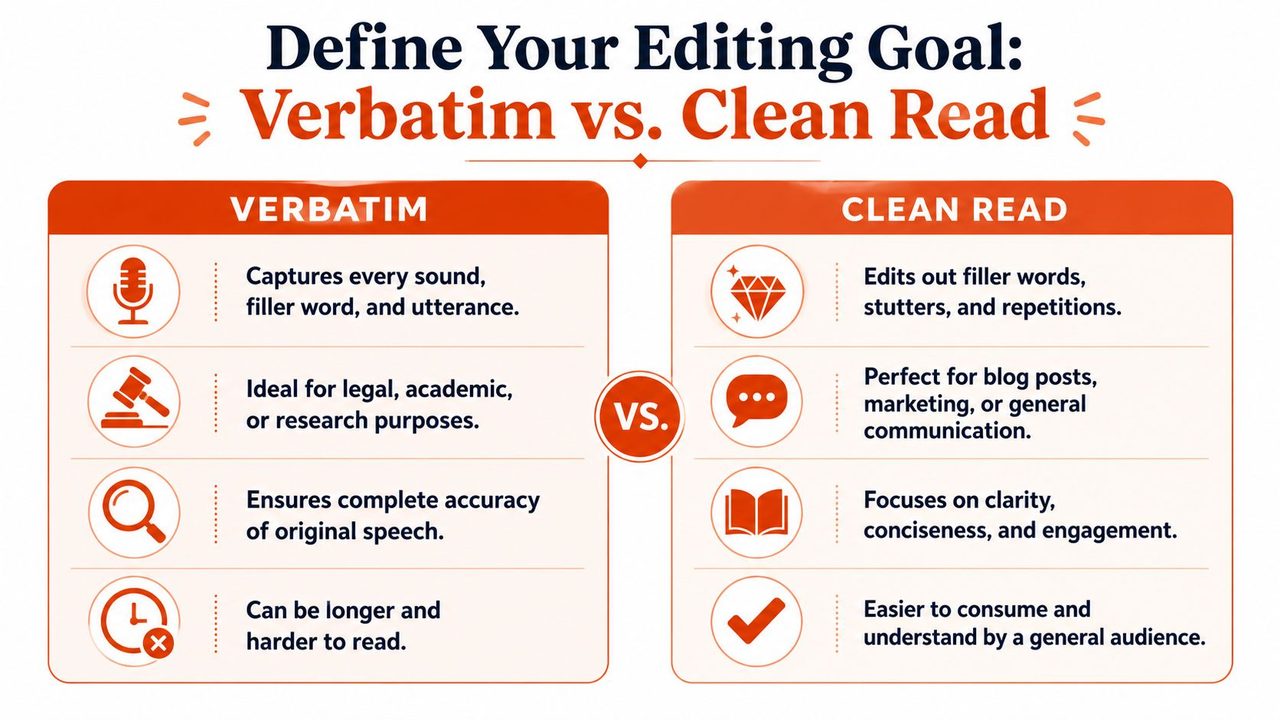
One mistake new editors make is assuming clean read is always “better writing.” It isn't. It's only better when readability matters more than evidentiary precision.
Practical rule: If someone might later ask, “Did the speaker actually say it that way?” default toward fidelity, not elegance.
For teams working from dictated notes or spoken drafts, it helps to understand the source material first. A quick primer on what dictation means in practice can sharpen that judgment, especially when spoken language is being turned into something more formal.
A side by side editing choice
| Attribute | Verbatim Transcription | Clean Read (or Intelligent Verbatim) |
|---|---|---|
| Primary goal | Preserve exact speech | Improve readability |
| Filler words | Kept if spoken | Removed when not meaningful |
| False starts and repetitions | Preserved | Reduced or removed |
| Grammar cleanup | Minimal | Applied carefully |
| Best for | Legal, research, interviews, sensitive review | Meetings, blogs, summaries, business communication |
| Main risk | Harder to read | Can alter intent if over-edited |
A legal transcript gives the clearest warning about choosing the wrong style. A 2024 NIST study found that 28% of AI-generated transcripts in legal settings contained context-altering edits that were not flagged, leading to misinterpretations in 12% of reviewed cases, according to this summary of common transcription mistakes. If an editor cleans up a witness statement the way they'd clean up a product meeting, they can distort the record without noticing it.
The unwritten rule
The best editors set an editing policy before opening the text. I usually reduce it to three questions:
- Who will read it: A judge, a clinician, a manager, or a content team won't need the same thing.
- What decisions depend on it: If wording affects interpretation, preserve more.
- How visible should the speaker's style remain: Sometimes tone and hesitation are noise. Sometimes they are the signal.
That last point separates decent transcription editing from reliable transcription editing. Editing isn't about making all speech look tidy. It's about deciding how much untidiness the transcript must keep to remain honest.
The Core Editing Workflow From Raw to Polished
A messy transcript becomes manageable when you stop treating it like one giant proofreading task. Use passes. Each pass has a job. If you mix them together, you miss things and waste time.
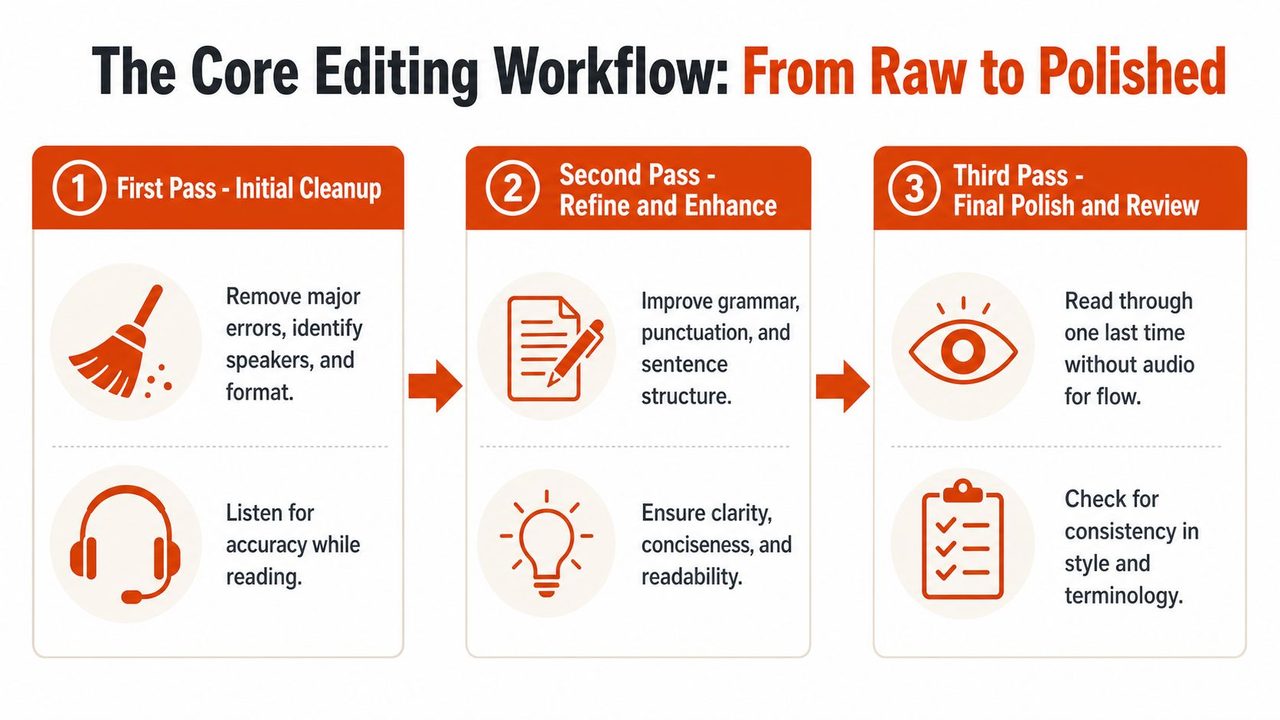
Pass one audit before you edit
Start with the audio, not the text. Check whether the recording is clean, whether speakers overlap often, whether accents are heavy, and whether there are terms the system probably mishandled. This first minute of diagnosis saves much more time later.
Then run a fast sync pass with audio and transcript together. Don't worry about elegant punctuation yet. Fix the obvious failures first.
That usually includes:
- Speaker separation: Mark who is talking before you finesse their sentences.
- Major recognition errors: Correct names, brands, product terms, and place names.
- Dropped chunks: Watch for places where the transcript skipped a sentence after crosstalk or noise.
- Structural cleanup: Break giant text blocks into readable paragraphs.
If you're starting from an AI draft, use a dedicated tool that lets you align text with audio efficiently. A simple audio transcription workspace helps most when you need to jump back through low-confidence sections without losing your place.
Professionals who work this way keep the process realistic. Post-editing for AI transcripts requires a domain expert 15–20 minutes per hour of audio to achieve professional standards, with the total workflow time averaging 20–40 minutes per hour compared to 4–6 hours for pure human transcription, based on AI vs manual transcription workflow statistics.
Pass two shape the transcript
Once the transcript is factually stable, edit for the chosen style. Many people start here, but it works better as the second pass because you already know where the text is weak.
In this pass, make decisions that affect readability:
- Apply the project style. Verbatim, clean read, or something in between.
- Correct punctuation. Add sentence boundaries where speech naturally resolves.
- Handle filler words selectively. Keep meaningful hesitation. Remove empty repetition.
- Normalize formatting. Speaker labels, timestamps, headings, and notation should all follow one pattern.
- Protect terminology. If the speaker says a product name five times, spell it the same way five times.
Don't edit every sentence from left to right with equal effort. Spend your attention where confidence drops, where meaning pivots, and where readers are likely to quote the transcript later.
Pass three QA without excuses
The final pass happens without the distraction of constant audio scrubbing. Read it as a reader would. You're checking whether the transcript now behaves like a finished document.
Look for the problems that survive earlier passes:
- Consistency drift: Speaker 2 becomes “John,” then “Jon,” then “Speaker B.”
- Formatting friction: Timestamps appear in some sections but not others.
- Hidden audio errors: A sentence is grammatical but doesn't match what was said.
- Over-editing: The transcript sounds cleaner than the speaker was.
That three-pass system keeps the work fast without making it careless. Good transcription editing isn't frantic correction. It's controlled sequencing.
Leveraging AI and Knowing When to Intervene
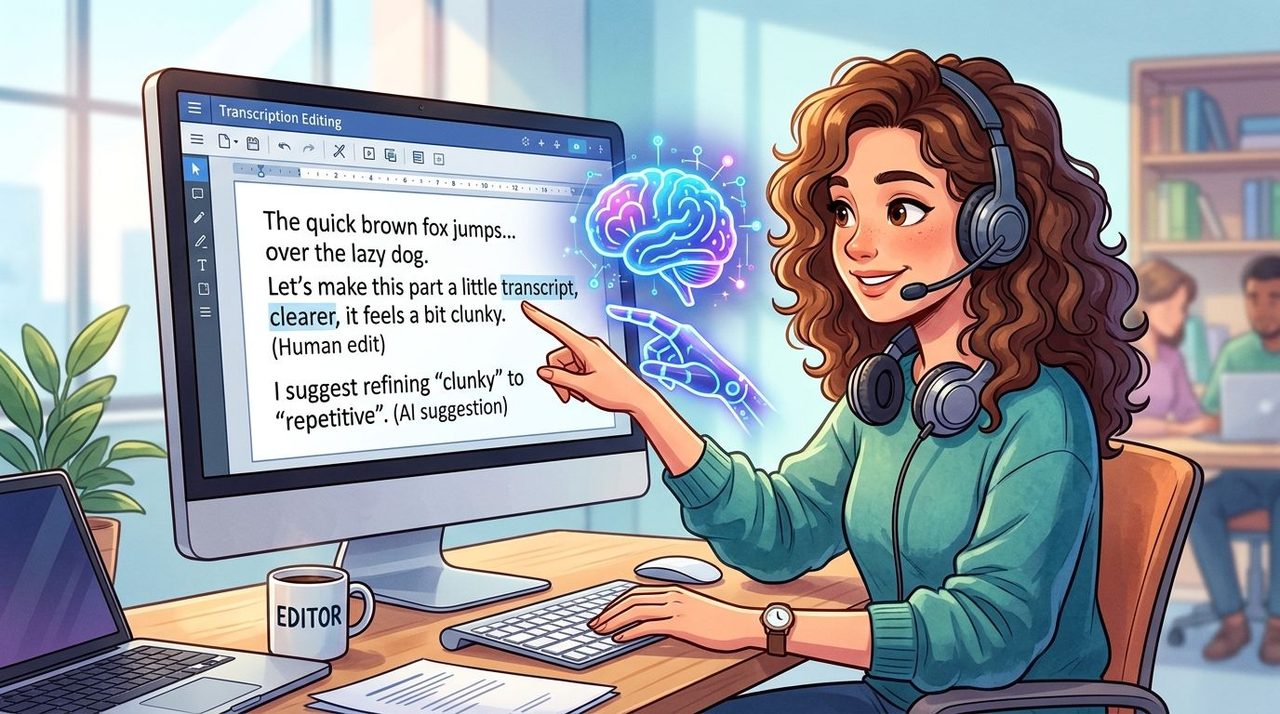
Editors who fight AI usually waste time. Editors who trust it blindly create different problems. The productive position sits in the middle. Let the machine do the repetitive cleanup, then step in where judgment matters.
Use automation where it deserves trust
AI is strong at first-draft work. It can segment speakers, insert baseline punctuation, remove obvious fillers, and make rough text readable enough to edit instead of transcribe from scratch. That's a real workflow gain, especially for internal meetings, brainstorms, and spoken content that will be repurposed later.
It's also useful after the transcript is cleaned. Once you have accurate text, you can turn transcripts into carousels for content repurposing. That's practical when meeting takeaways, webinar clips, or interview excerpts need to move into social formats without retyping everything by hand.
Intervene where context breaks
The trap is assuming AI quality stays constant. It doesn't. While AI transcription can achieve 99% accuracy in optimal conditions, real-world business scenarios with background noise and multiple speakers see average AI accuracy drop to about 62%, requiring human editors to correct the remaining errors or advanced AI models to refine the output, according to automated transcription market and accuracy statistics.
That gap explains why strong editors don't just “review everything lightly.” They hunt for failure patterns.
Low-confidence zones usually include:
- Overlapping speech: The system may merge two people into one coherent but false sentence.
- Accent and jargon collisions: A technical term can get replaced by a common word that still looks plausible.
- Self-corrections: AI often picks one version and deletes the speaker's change of mind.
- Ambient noise: Door sounds, keyboard clicks, or conference room echo can produce clean-looking nonsense.
The modern editor's job is triage. Let automation carry the routine load, then put human attention on nuance, ambiguity, and consequence.
A useful habit is to flag uncertainty instead of forcing confidence. If a phrase is unclear, mark it for review. If a section has dense crosstalk, keep the notation visible. False certainty is worse than visible uncertainty in transcription editing because readers trust a polished transcript more than they should.
Mastering Grammar Punctuation and Timestamps
A transcript can be accurate and still feel amateurish. That usually comes down to mechanics. Grammar, punctuation, labels, and timestamps tell the reader whether they can trust the document.
Punctuation should clarify speech, not rewrite it
Spoken language arrives in fragments. Your job isn't to convert every speaker into a formal essay. Your job is to make the meaning easy to follow while keeping the cadence recognizable.
Use punctuation to reveal structure:
- Periods when a thought clearly ends.
- Commas for natural pauses, not every breath.
- Question marks only when the speaker is asking.
- Ellipses sparingly, usually for trailing off or interrupted thought if your style guide allows them.
Here's the practical difference.
Before
well I think we should probably push it to Friday if dev signs off and if not maybe Monday
After
Well, I think we should probably push it to Friday, if dev signs off. If not, maybe Monday.
If you want a stronger handle on how spoken language maps to written marks, this guide to punctuation in speech is useful because it focuses on spoken rhythm rather than textbook grammar alone.
Timestamps and labels need rules
Pick a format once and keep it. Inconsistent formatting makes the transcript harder to scan than minor grammatical flaws.
A clean baseline looks like this:
- Speaker labels: Use one convention, such as
Speaker 1:orMaria: - Timestamps: Use bracketed format like
[00:15:32] - Unclear audio tags: Use consistent notes such as
[inaudible]or[crosstalk] - Non-speech events: Mark only when relevant, such as
[laughter]or[long pause]
A few style choices matter more than people think:
| Item | Weak practice | Better practice |
|---|---|---|
| Speaker names | Switching between names and numbers | Choose one system and keep it |
| Timestamps | Adding them randomly | Add them at fixed intervals or event points |
| Unclear sections | Guessing silently | Mark uncertainty visibly |
| Interruptions | Smoothing them away | Note overlap when it affects meaning |
Handle uncertainty visibly
New editors often “solve” messy audio by guessing what the speaker meant. Don't. If context strongly supports a correction, make it. If not, mark it.
If you can't verify a phrase from the audio, your transcript should show that limit instead of hiding it.
Examples help:
Too confident
We launched the parser in May and deprecated the old service.
Safer when unclear
We launched the [inaudible] in May and deprecated the old service.
Or, if overlap caused the problem:
Safer with overlap note
We launched the parser in May [crosstalk] deprecated the old service.
That visible honesty is part of professional transcription editing. It protects the reader, and it protects you.
Industry-Specific Transcription Editing Tips
The same editing instincts don't travel well across industries. A transcript of a patient interaction, a sprint review, and a leadership meeting can all be “accurate” while needing completely different treatment.
Medical editing keeps meaningful hesitation
A clinician dictating a note may restart a phrase because they're refining a diagnosis. A patient may hesitate before answering because they're uncertain, embarrassed, or trying to remember. If an editor strips those signals too aggressively, the note may read smoother while saying less.
That risk isn't theoretical. A 2025 HIMSS analysis reported that 34% of AI-transcribed clinical notes lost critical hesitation markers that clinicians use to assess patient uncertainty, increasing diagnostic error risk by 9% in retrospective reviews, as cited in this discussion of transcript editing risks in healthcare.
A medical editor learns to treat some “noise” as clinically relevant:
- Keep self-corrections when they change dosage, timing, symptom description, or assessment.
- Preserve uncertainty when the patient hesitates or qualifies an answer.
- Watch protected information closely because privacy failures aren't formatting mistakes. They're compliance failures.
A note that says “patient denies pain” is not the same as “patient, uh, denies pain... maybe more pressure than pain.” One is cleaner. The other may be more truthful.
Tech editing protects terminology
Developer speech is packed with shorthand. People say partial function names, acronym-heavy references, version labels, and commands in broken spoken syntax. If you edit it like a marketing interview, you can destroy the useful parts.
A common scenario is a sprint review where one person says a term casually, another pronounces it differently, and the AI turns both into a normal English word. That's where custom vocabulary and editorial restraint matter most. Don't smooth technical language until you verify what the speaker intended.
For teams turning those transcripts into training clips or product walkthroughs, it also helps to understand effective Premiere Pro subtitle methods, because subtitle formatting has different readability constraints from full transcripts. The wording may stay similar, but line length, timing, and visual pacing need a separate pass.
Business editing favors decisions over drift
Business transcripts usually don't need every verbal tic. They need a clean record of what happened. But “clean” doesn't mean “summary disguised as transcript.”
Use mini-scenarios to guide your edits:
- Leadership meeting: Keep wording around commitments, objections, and approvals precise.
- Customer support review: Preserve the phrasing of complaints and promises made to the customer.
- Marketing brainstorm: Remove clutter more aggressively, but don't erase the origin of key ideas if attribution matters.
In business settings, the strongest transcript often sits between raw verbatim and heavy rewriting. It reads smoothly, but a reader can still tell who said what and how firm they sounded when they said it.
Final QA Privacy and Your Reusable Checklist
A transcript is finished when it survives one last skeptical read. Not a hopeful read. A skeptical one.
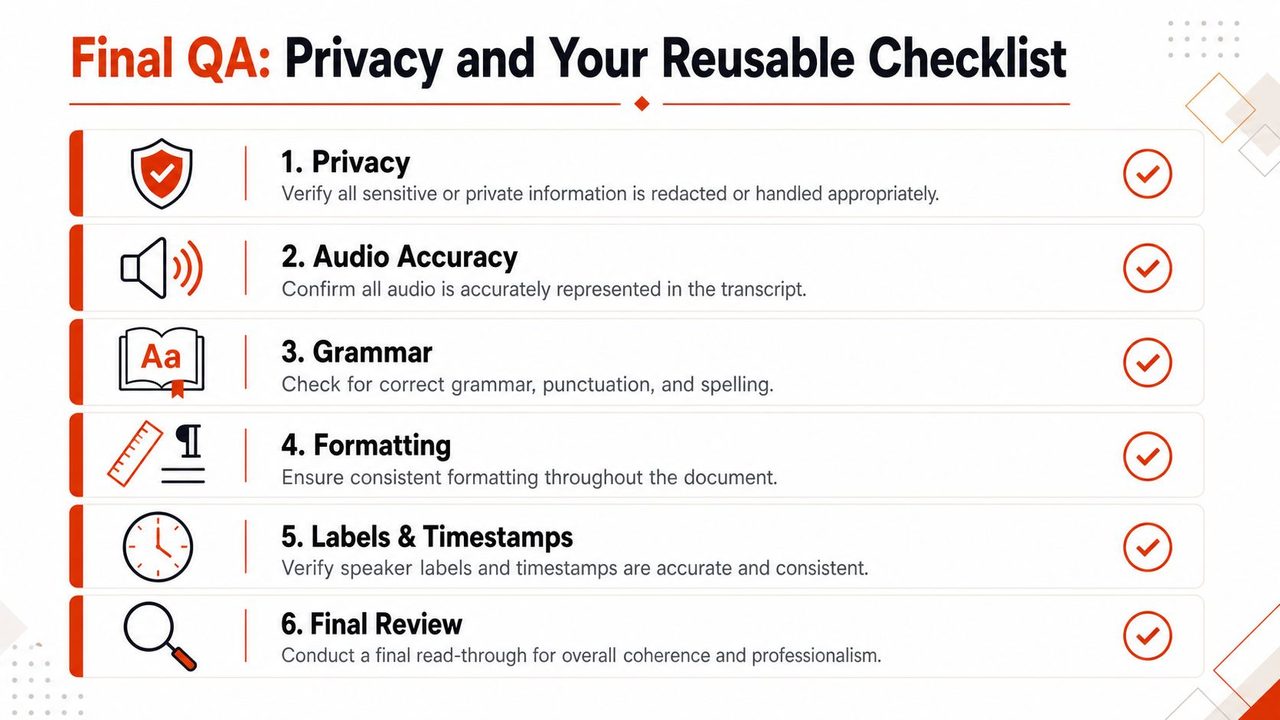
What the final pass must catch
Your final QA pass should confirm three things at once: the text is accurate enough for its purpose, the formatting is consistent enough to trust, and the handling of sensitive information matches the project's privacy requirements.
That discipline matters because the demand for polished transcripts isn't shrinking. The global transcription market was valued at approximately $25.18 billion in 2025 and is expected to expand to $37.59 billion by 2032, according to transcription industry market data. More transcripts in circulation means more people relying on edited text to make decisions.
For a final polish mindset, I like checklists built for editors rather than writers. RewriteBar's proofreading insights are helpful here because they reinforce the habit of checking consistency, not just spelling.
A reusable checklist
Copy this and use it on every job:
- Confirm purpose: Is this still verbatim, clean read, or a hybrid?
- Verify names and terms: People, products, acronyms, and recurring terminology must match throughout.
- Check labels and timestamps: One format only, no drift.
- Audit uncertainty markers:
[inaudible],[crosstalk], and pauses should be used consistently and only where justified. - Review privacy handling: Redact or protect sensitive material according to the project rules.
- Read once without audio: Catch flow problems, awkward edits, and places where over-cleaning erased meaning.
Strong transcription editing looks quiet from the outside. No drama. No flashy tricks. Just a document that says what it should, in the form it needs, with nothing important lost along the way.
If you want to speed up transcription editing without giving up control, AIDictation is worth a look. It helps turn speech into cleaner draft text, supports audio and video transcription, handles formatting and filler-word cleanup, and gives Mac users privacy-conscious options with local processing. For teams working across meeting notes, technical documentation, and clinical writing, that kind of first draft can cut friction before the human editing pass begins.
Frequently Asked Questions
What does Transcription Editing: A Professional's Workflow Guide cover?
You've got the transcript open, the audio queued, and a deadline close enough to feel annoying. The text looks almost right.
Who should read Transcription Editing: A Professional's Workflow Guide?
Transcription Editing: A Professional's Workflow Guide is most useful for readers who want clear, practical guidance and a faster path to the main takeaways without guessing what matters most.
What are the main takeaways from Transcription Editing: A Professional's Workflow Guide?
Key topics include Table of Contents, Define Your Editing Goal Verbatim vs Clean Read, Start with purpose, not polish.
Ready to try AI Dictation?
Experience fast voice-to-text on your device. Free to download.
Download FreeRelated Posts
Audio & Video Transcription Powered by AI: A Practical Guide
Learn how audio & video transcription powered by AI works, what affects accuracy, and how to pick the right workflow for interviews, lectures, and meetings.
Transcription Audio to Text: A Practical Workflow Guide
Learn transcription audio to text with a clean workflow covering tools, recording, cleanup, and accuracy tips that work on macOS and beyond.
How to Take Better Lecture Notes with Voice Dictation
Learn how to capture, clean, and study lecture notes faster using AI voice dictation. Practical workflow tips for students, researchers, and journalists.