Project Documentation: Your Guide to Success in 2026
You're probably dealing with this right now. A decision got made in a meeting, someone summarized it in Slack, a follow-up lived in email, the latest scope sits in a doc nobody trusts, and engineering is building from a version that product thought was already outdated.
That's how projects drift. Not because teams are careless, but because information moves faster than most documentation habits. By the time someone “updates the docs,” the context is already gone. What's left is shelfware: neat files that look complete and fail at the exact moment people need them.
Good project documentation fixes that, but only when it's built into the work itself. The difference isn't prettier templates. It's capture speed, ownership, versioning, and a workflow that turns decisions into usable records while the project is still moving.
Table of Contents
- Why Your Project Needs Better Documentation Now
- What Is Project Documentation Really
- The Core Components of Effective Documentation
- A Modern Workflow From Chaos to Clarity
- Best Practices for Maintaining Living Documents
- Real-World Examples and Actionable Templates
- Choosing Your Project Documentation Toolkit
Why Your Project Needs Better Documentation Now
Most documentation problems don't start as documentation problems. They start as alignment problems. One stakeholder says “we agreed to launch without that feature,” another remembers the opposite, and nobody can point to a current decision log that settles it.
When that happens, teams burn time reconstructing history. Product managers reread threads, engineers search old tickets, and delivery dates slip while everyone tries to answer a basic question: what did we decide, and why?
That's why project documentation works best when you treat it as the project's operating memory. Not a compliance artifact. Not a handoff packet. A live record of scope, decisions, assumptions, risks, and open questions. Without that record, teams don't just move slower. They make conflicting decisions with confidence.
Practical rule: If your team has to ask Slack what the source of truth is, you don't have project documentation. You have fragments.
The urgency is only getting stronger. The global project documentation software market is projected to grow at a 14.60% CAGR and reach $12.5 billion by 2033, while AI tools are expected to be used in 40% of all document creation by 2027, according to HTF Market Intelligence on project documentation software. That projection matters because it reflects a shift in how teams work. Documentation is moving out of scattered tools and into systems that are searchable, structured, and easier to maintain.
The cost of delay is usually hidden
Poor documentation rarely shows up as a single dramatic failure. It shows up as re-explaining the same requirement in three meetings. It shows up as QA testing against outdated acceptance criteria. It shows up as leadership asking for a status update and getting three different versions.
Teams often try to solve this by demanding more documentation. That usually backfires. More files don't help if nobody updates them, nobody knows where they live, and nobody trusts them.
What works is narrower and stricter:
- Capture decisions when they happen: Don't rely on end-of-week memory.
- Separate permanent records from temporary chat: Slack is discussion, not documentation.
- Make retrieval easy: If people can't find it fast, they'll recreate it.
- Tie ownership to roles: Shared ownership often means no ownership.
The point isn't to document everything. It's to document the things that prevent confusion later.
What Is Project Documentation Really
Project documentation is the written system that explains what the project is, why it exists, what's being built, how decisions are made, and what changed along the way. It's closer to a building's blueprint set than to a meeting summary. Blueprints guide construction, expose dependencies, and help future teams maintain what was built. Good project documentation does the same.
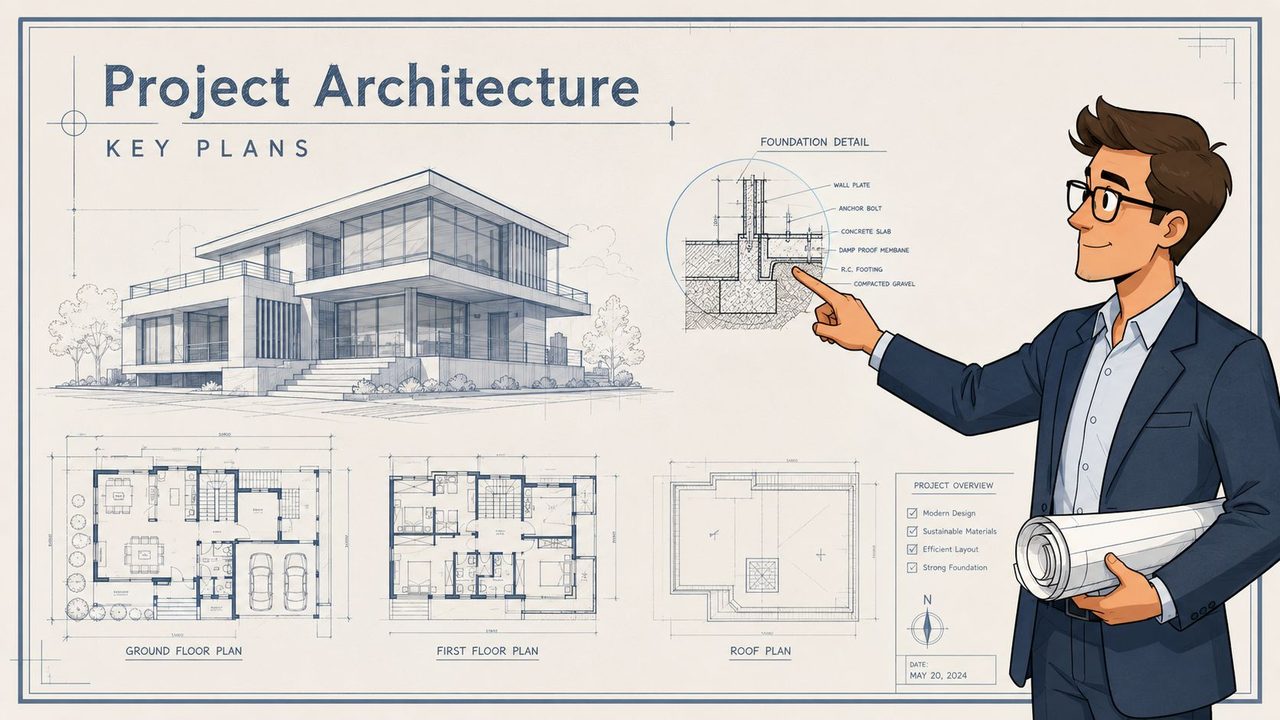
Blueprints, not scraps
A lot of teams confuse documentation with whatever text already exists. That's the wrong test. Meeting notes, chat messages, whiteboard photos, and personal task lists can all be useful, but they are raw inputs. They are not reliable documentation until someone organizes them into a durable record.
That distinction matters. Raw notes capture motion. Documentation captures meaning.
If you want a good benchmark, look at how mature platforms guide new users through setup. Clear platform onboarding instructions work because they move in a defined sequence, assume the reader needs a dependable path, and avoid hiding critical steps in side conversations. Project documentation needs the same discipline.
What good documentation looks like in practice
Useful documentation has a few traits that weak documentation never sustains:
- Centralized: People know where the authoritative version lives.
- Version-controlled: Changes are visible, reviewable, and reversible.
- Searchable: Teams can retrieve decisions by topic, feature, or system.
- Accessible: The right people can read and update it without friction.
Here's the simpler test I use. If a new engineer, a stakeholder, or a QA lead joins midstream, can they understand the project without scheduling three rescue meetings? If the answer is no, the docs aren't doing their job.
Documentation should reduce interruptions, not create a new category of work to manage.
Bad documentation has a recognizable smell. It's full of static status pages, duplicate specs, and titles like “final_v2_actual_final.” It often lives in too many places at once. Product keeps one version, engineering keeps another, and operations keeps a third summary for leadership.
Good documentation is dynamic, but not messy. It changes when the project changes. It distinguishes draft from approved. It turns conversations into decisions and decisions into reference material. Most of all, it becomes the place people check before they ask, not the place they ignore after kickoff.
The Core Components of Effective Documentation
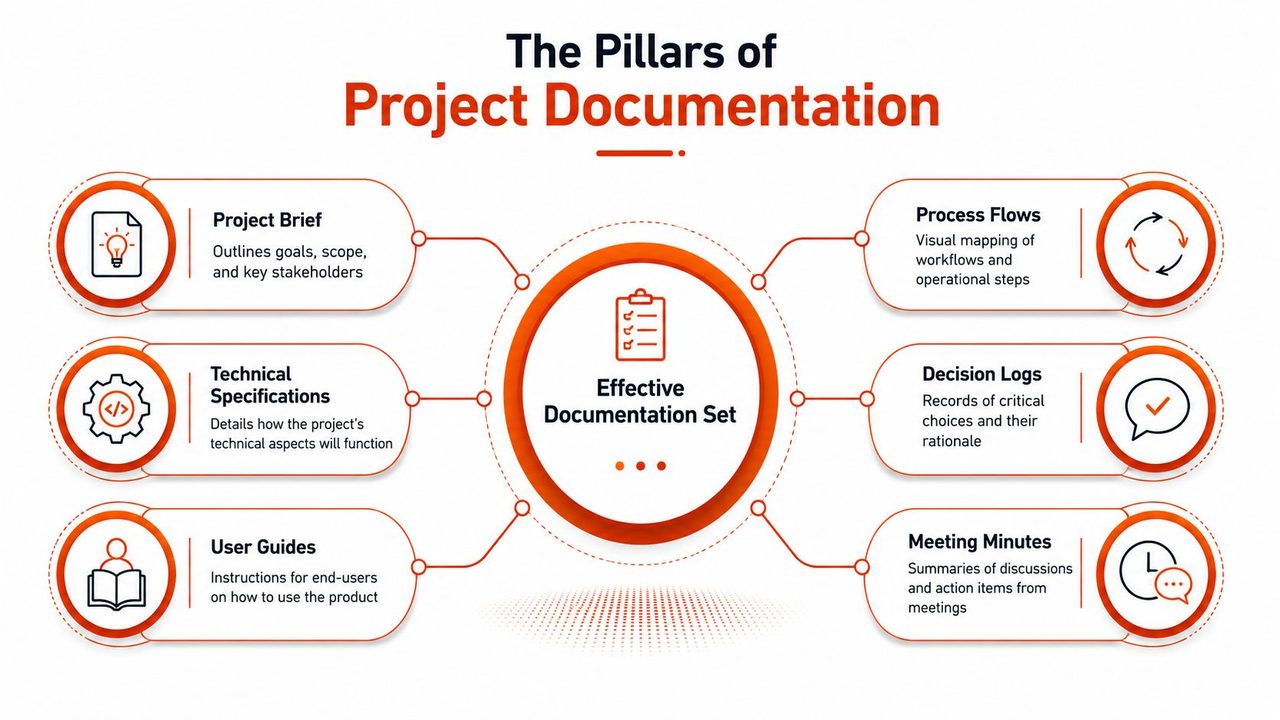
A strong documentation set follows the project lifecycle. That keeps teams from over-documenting early and under-documenting later. It also makes each artifact easier to maintain because its job is clear.
The need for this discipline is growing with the field itself. The project management software ecosystem is projected to reach $39.16 billion by 2035, creating demand for 30 million new project management professionals, according to Breeze.pm's project management statistics roundup. More projects and more practitioners mean one thing for teams: documentation standards can't stay informal.
Initiation and planning records
The first group of documents answers whether the team is solving the right problem.
- Project charter: This is the short, durable statement of purpose. It should name the goal, scope boundaries, sponsor, success definition, and key constraints.
- Stakeholder register: Keep this practical. Who approves, who contributes, who needs updates, and who can block progress.
- Requirements document: Capture business needs, user outcomes, assumptions, and acceptance criteria. Ambiguity starts within this document if you let it.
- Technical specification: This turns intent into execution. For software teams, that means architecture choices, system behavior, dependencies, interfaces, and measurable constraints.
For teams writing technical specs, detailed guidance on specification writing for software teams is useful because the hardest part usually isn't formatting. It's forcing vague ideas into testable language.
Execution and closure records
Once work starts, documentation needs to track change, not just intent.
| Document | What it should answer | Primary audience |
|---|---|---|
| Decision log | What was decided, when, and why | Product, engineering, leadership |
| Meeting notes | What changed, who owns follow-up, what remains open | Team members who need action clarity |
| Status report | What moved, what's blocked, what needs escalation | Sponsors and cross-functional leads |
| Risk and issue log | What could go wrong, what is going wrong, who is responding | PM, delivery leads, stakeholders |
| Lessons learned | What should the next project repeat or avoid | Future teams and leadership |
A few records deserve more attention than they usually get.
First, the decision log. This is often the highest-value document in the set because it prevents circular debate. Second, meeting notes only matter if they surface actions and changed assumptions. A transcript alone isn't enough. Third, closure documents should preserve operational knowledge, not just announce that the project ended.
When documentation is healthy, people stop asking “where was that said?” and start asking “is the documented decision still valid?”
That's the shift you want. Fewer archaeology sessions. More execution.
A Modern Workflow From Chaos to Clarity
Traditional documentation breaks because teams treat writing as a separate task that happens after the primary work. That sounds manageable until schedules get tight. Then the writing slips, memory fades, and the project starts running on oral history.
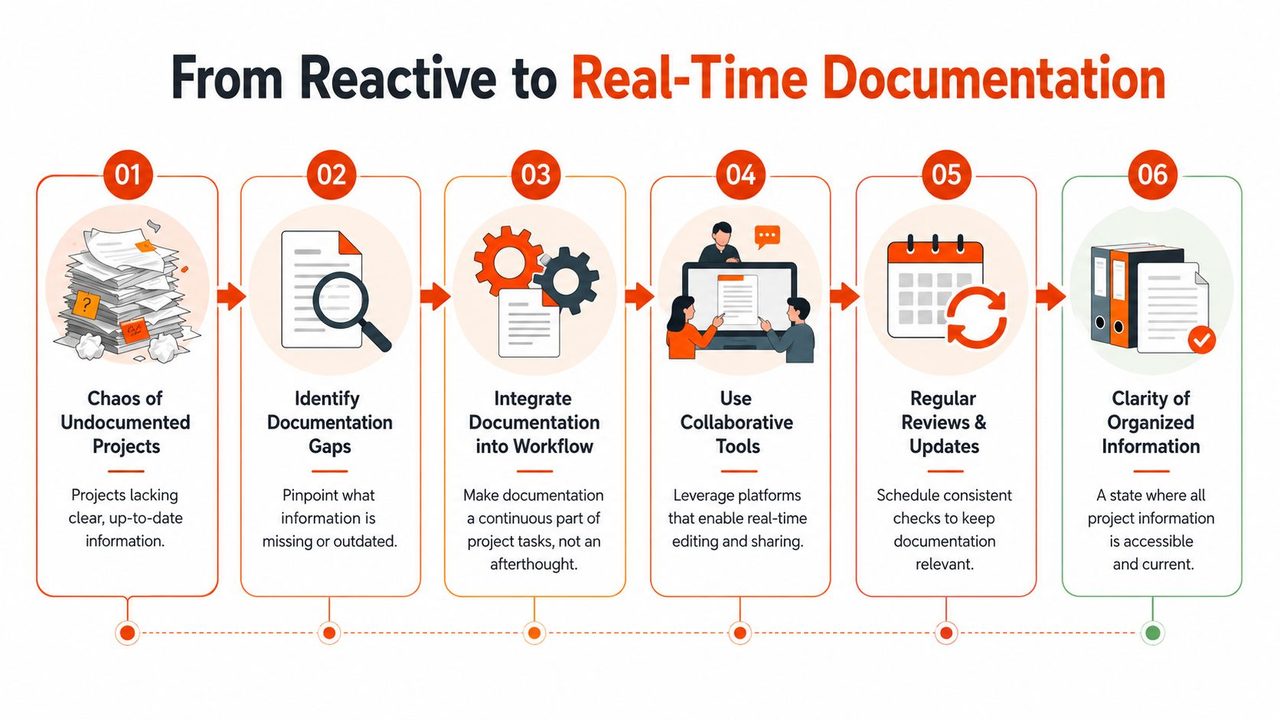
The gap is measurable. Data shows 68% of project failures stem from misaligned communication, yet only 12% of teams document decisions in real time, and live capture reduces rework by 35%, according to this analysis of real-time decision documentation. That lines up with what many teams experience firsthand: the cost of missed context arrives later as rework.
Why after-the-fact documentation fails
People remember conclusions better than conditions. That's a problem because projects need both. If a team only writes “ship option B,” but never records why option A was rejected, the same debate returns next sprint.
After-the-fact documentation also strips out nuance. A late summary usually misses trade-offs, risks raised in passing, and unresolved dependencies. Those details often matter more than the headline decision.
A better approach is to document in the same rhythm as the work:
- During meetings: Capture decisions, open questions, and owners live.
- During implementation: Update specs when code behavior changes.
- During review: Confirm what's approved and archive what's obsolete.
- During handoff: Convert context into concise operational notes.
A short explainer on organizing digital files for fast retrieval helps here because real-time capture creates value only if teams can sort, label, and retrieve what they recorded.
A walkthrough can help make this operational:
The capture, organize, refine, share workflow
The workflow I've seen hold up under pressure has four stages.
-
Capture Record information at the moment it appears. That includes meeting decisions, hallway clarifications, architecture trade-offs, and quick verbal notes after a customer call. Don't wait for a clean writing block later.
-
Organize Move raw material into the right home fast. A decision belongs in the decision log. A requirement change belongs in the requirements doc. An unresolved risk belongs in the issue log. Don't let one catch-all note become the graveyard for everything.
-
Refine Turn rough language into usable language. Strip filler. Add owners. Separate facts from assumptions. Mark unresolved items clearly.
-
Share Push the update to the people who need it. A document no one knows changed is only marginally better than no document at all.
What doesn't work is capturing everything as transcripts and calling it done. Raw capture is only the first step. Teams still need curation. But once capture happens in real time, refinement becomes much easier because the context is still fresh.
The fastest documentation workflow is the one that asks people to document once, closest to the moment the information appears.
That principle matters more than tool choice. Whether your team uses Notion, Confluence, Jira, GitHub, or a shared drive, the win comes from reducing the lag between conversation and record.
Best Practices for Maintaining Living Documents
Documentation decays for predictable reasons. Nobody owns it. Updates live far from the actual work. Diagrams are redrawn manually and abandoned. Search is weak, so people create duplicate docs instead of finding the original one.
That's fixable if you build maintenance into the workflow instead of treating it as cleanup.
Keep docs close to the work
For software teams, storing documentation with source code is one of the strongest habits you can adopt. According to AltexSoft's technical documentation guidance, keeping docs in the same repository helps prevent the stale-documentation problem where 40% of technical guides become obsolete within six months, and auto-generating diagrams reduces maintenance overhead by 60%.
Those two points matter together. Proximity increases update frequency. Automation reduces the cost of keeping visual artifacts current.
Use that idea practically:
- Put technical docs near code: Architecture notes, setup instructions, and API behavior should change in the same pull request when possible.
- Generate diagrams when you can: Manual diagrams look polished on day one and drift fast after that.
- Separate logically, not physically: Keep docs distinct from code folders if needed, but inside the same working system.
Build maintenance into team habits
Living documents need habits, not reminders.
Assign a named owner for each major artifact. That doesn't mean one person writes everything. It means one person is accountable for freshness, structure, and completeness. Shared editing is fine. Shared accountability usually isn't.
A few habits work better than broad “please update docs” requests:
- Add doc review to delivery review: If a feature changed behavior, check whether the spec, runbook, and user-facing notes changed too.
- Use tags consistently: Searchability improves when teams use stable categories for systems, teams, products, and status.
- Archive aggressively: Old drafts shouldn't compete with approved records.
- Define quality standards: Teams write better when “good” is explicit. A checklist for documentation quality standards can help teams review clarity, completeness, and maintainability before publishing.
The trap to avoid is polishing documents nobody uses. Maintenance should focus on high-value records: requirements, decisions, specs, risks, and operating instructions. If a document never informs action, archive it or stop producing it.
Real-World Examples and Actionable Templates
Abstract advice gets ignored fast. Concrete examples stick. The fastest way to improve project documentation is to rewrite one weak artifact into a strong one and use that as the new standard.
A vague requirement rewritten properly
Many specs fail because someone writes “the system should be fast,” everyone nods, and each function interprets “fast” differently.
According to DocuWriter.ai's guidance on technical specification documentation, technical specs should define concrete, measurable targets such as API response times capped at 250ms and support for 1,000 concurrent users. That prevents interpretation variance and gives QA valid acceptance criteria.
Here's the difference in practice.
| Attribute | Vague Requirement (Bad) | Specific Requirement (Good) |
|---|---|---|
| Performance | The system should be fast | API response times must be capped at 250ms |
| Capacity | The platform should handle heavy usage | The system must support 1,000 concurrent users |
| Testability | QA should verify it works well | QA should validate response time and concurrency against defined thresholds |
| Engineering impact | Team chooses its own interpretation | Team builds to explicit targets |
| Stakeholder alignment | Business and engineering may mean different things | Business goals and technical execution are tied to the same baseline |
That kind of rewrite does two things. It removes debate, and it makes approval meaningful. Stakeholders can agree to a target because the target exists.
A requirement isn't finished when it sounds reasonable. It's finished when two different teams would implement and test it the same way.
A simple project charter outline
A project charter doesn't need to be long. It needs to be stable. A one-page outline is usually enough if it answers the right questions.
Use this structure:
- Project name: Clear and unambiguous.
- Purpose: Why this project exists now.
- Objectives: What outcome the team is trying to produce.
- In scope: What the project will cover.
- Out of scope: What it will not cover.
- Key stakeholders: Sponsor, lead, primary contributors, approvers.
- Constraints and assumptions: Time, systems, dependencies, policy limits.
- Success criteria: How completion will be judged.
If a team can't fill this out cleanly, the project probably isn't ready. That's not a documentation problem. It's a clarity problem that documentation is exposing early, which is exactly what good project documentation should do.
Choosing Your Project Documentation Toolkit
Teams often don't need the “best” documentation tool. They need the tool that matches how work already moves through the organization. The wrong choice creates a second workflow people ignore.
Which tool category fits which team
Different tool categories solve different problems.
| Tool category | Good fit | Strengths | Trade-offs |
|---|---|---|---|
| Wiki platforms like Confluence or Notion | Cross-functional teams with mixed technical depth | Easy editing, broad accessibility, flexible structure | Can become cluttered without governance |
| Project platforms like Jira or Asana with doc features | Teams that want work items and documentation connected | Good traceability between tasks and notes | Long-form docs can feel constrained |
| Git-based docs in GitHub or similar systems | Engineering-heavy teams | Strong version control, review discipline, proximity to code | Less friendly for non-technical contributors |
| Dedicated documentation tools like GitBook or ReadMe | Product, API, or help content that needs structure | Better publishing experience and navigation | Adds another system to maintain |
The right question isn't “Which tool has the most features?” It's “Where will this team update documentation during a normal week?”
If privacy and local-first workflows matter, especially for notes, drafts, or internal knowledge work, guides on setting up private AI chat in Obsidian are useful because they show how teams can keep contextual writing support close to their own knowledge base instead of pushing every drafting task into a browser tab.
Where AI drafting tools actually help
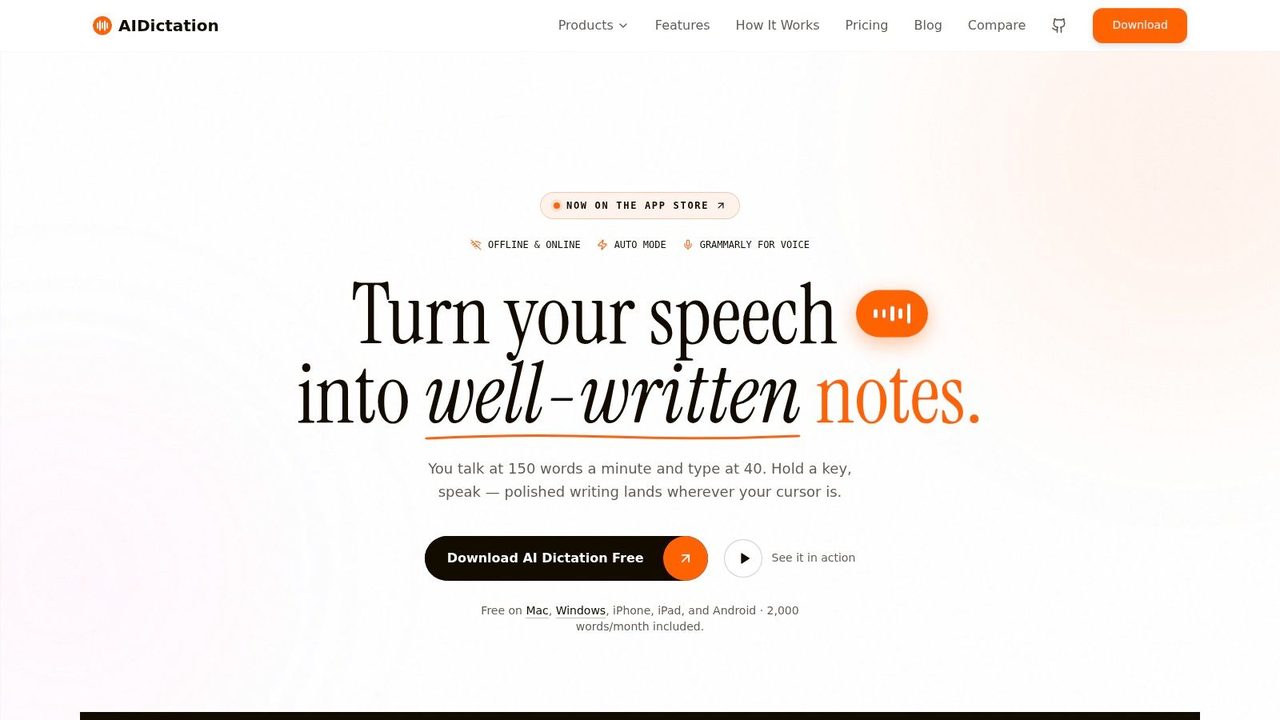
AI helps most in the gaps that human workflows handle badly. The biggest one is the jump from spoken, messy, partial input to a clean first draft. Another is adapting the same information for different audiences without rewriting from scratch.
That matters because project documentation serves different readers:
- Engineers need direct technical language.
- Executives need decision-ready summaries.
- Healthcare teams may need tightly controlled, compliance-aware notes.
- Support or operations teams need procedures they can follow under pressure.
Static templates don't solve that well. Context-aware drafting does. A good drafting accelerator can take rough spoken input and convert it into a status update, technical note, or stakeholder summary with the right tone and structure for the destination.
What doesn't work is using AI to produce polished nonsense faster. Teams still need ownership, review, and a clear source of truth. AI is useful at the drafting layer. It doesn't replace project judgment.
The best toolkit usually combines a few layers: one system of record, one task system, one place for technical truth, and one fast drafting method that keeps people from postponing documentation until the context is gone.
If your team is losing decisions in meetings, rebuilding context from chats, or delaying writeups because typing takes too long, AIDictation is worth trying. It helps turn spoken notes into clean, ready-to-use documentation faster, which makes real-time capture much more practical for specs, meeting summaries, stakeholder updates, and technical drafts.
Frequently Asked Questions
What does Project Documentation: Your Guide to Success in 2026 cover?
You're probably dealing with this right now. A decision got made in a meeting, someone summarized it in Slack, a follow-up lived in email, the latest scope sits in a doc nobody trusts, and engineering is building from a version that product thought was already outdated.
Who should read Project Documentation: Your Guide to Success in 2026?
Project Documentation: Your Guide to Success in 2026 is most useful for readers who want clear, practical guidance and a faster path to the main takeaways without guessing what matters most.
What are the main takeaways from Project Documentation: Your Guide to Success in 2026?
Key topics include Table of Contents, Why Your Project Needs Better Documentation Now, The cost of delay is usually hidden.
Ready to try AI Dictation?
Experience fast voice-to-text on your device. Free to download.
Download FreeRelated Posts
Software Code Documentation: The Practical Developer Guide
Master software code documentation with expert best practices for API docs, inline comments, and READMEs. Boost team velocity with proven workflows.
8 Agile Documentation Best Practices for 2026
Explore agile documentation best practices for product managers, developers, and knowledge workers, with practical templates, workflows, and AIDictation tips.
Onboarding Documentation: Types, Examples, and Tools
Learn what effective onboarding documentation looks like with real examples, types, and tools to streamline employee training and retention.