Structured Note Taking: Build a Powerful Knowledge Base
You leave a meeting with three pages of notes and a false sense of security. It feels productive in the moment. Then Friday arrives, someone asks what was decided, and you're staring at fragments: “timeline maybe moved,” “ask legal,” “API issue?”, “follow up with Sam.”
That gap is the cost of bad note taking. The problem usually isn't effort. It's that the capture process never turned raw input into something you can retrieve, trust, and act on later.
Structured note taking fixes that. Not because it looks neat, but because it turns notes into a working system for decisions, memory, and execution. For knowledge workers, that means fewer dropped tasks, cleaner handoffs, and less time re-reading transcripts. For teams using voice tools and AI, it also means deciding where automation helps and where it subtly makes thinking worse.
Table of Contents
- From Brain Dump to Actionable Intelligence
- Why Your Brain Loves Structured Notes
- A Practical Guide to Common Frameworks
- Choosing Your Framework by Profession
- Structured Notes in Action Real World Examples
- Supercharge Your Workflow with Voice and AI
- Building Your Structured Note Taking Habit
From Brain Dump to Actionable Intelligence
Most bad notes share the same flaw. They capture what was said, but not what matters. You end up with a brain dump instead of a usable record.
Structured note taking is a simple shift in intent. Instead of writing everything down in the order it appears, you sort information as it arrives. You decide what is a decision, what is evidence, what is a question, and what requires action. That act of sorting is where value starts.
Research supports the payoff. Students using outline methods have shown up to 25% better recall on complex subject matter in reporting compiled by Paperlike's review of note taking statistics. The academic setting is different from project work, but the mechanism is highly relevant to work: organized notes improve encoding and retention.
What good notes actually do
In practice, strong notes serve four jobs:
- Preserve decisions: Teams need a reliable record of what changed, who agreed, and what remains open.
- Reduce rework: Clear notes stop the repeat meeting where everyone re-discusses what was already settled.
- Speed retrieval: You should be able to find the one client constraint, bug rationale, or escalation detail that matters.
- Create assets: Good notes become specs, status updates, handoff docs, and knowledge base entries.
Practical rule: If your notes can't produce a summary, task list, and next step without guesswork, they aren't finished.
This matters even more when your inputs are scattered across calls, PDFs, chats, and recordings. If you're reviewing long documents before turning them into structured notes, tools like PDF AI summarizer solutions can help compress the source material first, so your note system starts with signal instead of document sprawl.
Return on information
I think of note quality as Return on Information. You already spent time attending the meeting, reading the brief, or listening to the customer. The return comes later, when that information can be reused without friction.
Messy notes create hidden debt. Structured notes provide an advantage. This is the core difference.
Why Your Brain Loves Structured Notes
Unstructured notes are like a pile of books on the floor. The information exists, but retrieval is painful. Structured notes work more like a library catalog. They don't just store content. They give your brain paths back to it.
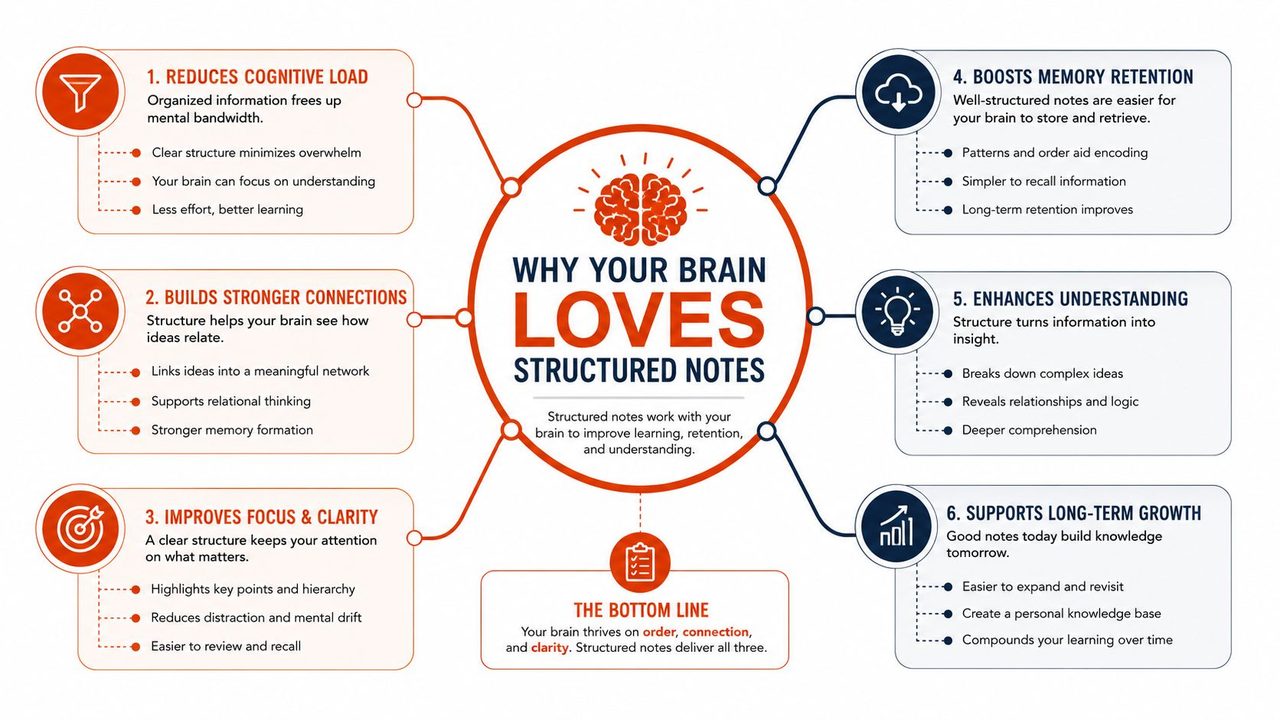
Structure forces decisions
When you use headings, indentation, cue columns, or prompts, you're making choices in real time. This point is main idea. That line is supporting evidence. That remark is a risk, not an action item.
Those choices matter because they push you out of passive transcription. You're no longer acting like a stenographer. You're evaluating relevance as information arrives.
A useful way to consider this:
- Raw capture records words
- Structured capture records meaning
- Review turns meaning into action
That middle layer is why structured note taking works so well in fast-moving jobs. Product teams can recall why scope changed. Developers can recover the reasoning behind a technical trade-off. Client-facing teams can pull the exact objection that shaped the proposal.
Retrieval cues beat re-reading
Note review is often ineffective, as it frequently involves scanning full paragraphs and hoping memory kicks in. Structured notes create retrieval cues instead. A cue could be a keyword, a question, a heading, or a short summary that triggers recall before you read the details.
The effect is practical, not academic. A cue like “Legal blocked export path” is better than a dense paragraph buried in a transcript. It gives you a handle.
A useful note doesn't make you read more. It helps you remember faster.
The structure also reduces the temptation to capture every sentence. That matters because writing everything often feels thorough while producing weak recall later.
The format changes the behavior
Some formats are effective precisely because they constrain you. The Cornell Method, for example, requires a 2.5-inch cue column and a 2-inch summary section, according to Dunwoody's note-taking structures guide. Those physical limits force synthesis and retrieval practice. The Outline Method does something similar with indentation. You must identify the main idea before adding details.
In work settings, that translates into a clean habit:
- Capture the signal: main points, constraints, commitments.
- Label the information: decision, question, risk, owner.
- Summarize quickly: one short bottom-line recap after the meeting or reading session.
That last step is where many teams fail. They capture, but they don't compress. Without compression, the note remains storage, not knowledge.
A Practical Guide to Common Frameworks
You don't need one universal system. You need the right framework for the job in front of you. A kickoff meeting, an architecture review, a research sprint, and a clinical handoff don't produce the same kind of information. Your notes shouldn't either.
Structured Note Taking Frameworks Compared
| Framework | Core Principle | Best For | Pros & Cons |
|---|---|---|---|
| Outline | Organize ideas hierarchically with main topics and indented subpoints | Meetings with a clear agenda, project planning, lecture-style input | Pros: Fast, intuitive, easy to convert into summaries. Cons: Weak for messy discussions or cross-linked ideas |
| Cornell | Split page into cue area, notes area, and summary area | Workshops, learning-heavy sessions, review-focused work | Pros: Strong for recall and follow-up review. Cons: Requires discipline and a brief review step |
| QEC | Capture Question, Evidence, Conclusion | Stakeholder debates, analysis work, decision meetings | Pros: Excellent for reasoning and recommendations. Cons: Can feel too formal for casual updates |
| Zettelkasten | Keep one idea per note and link related notes | Research, writing, long-term knowledge building | Pros: Great for idea development and reuse. Cons: Slower setup, not ideal for quick live capture |
Outline method
The Outline Method is the default choice for most professionals because it's easy to start and scales well enough. Put major topics at the top level. Indent supporting points beneath them. Add one more level for examples, blockers, or owners.
It works best when the conversation has a visible spine: agenda items, milestones, requirements, status categories.
Use it when you need to answer questions like:
- What was decided under each topic?
- What depends on what?
- Which tasks belong to which workstream?
Cornell method
The Cornell Method is stronger when review matters as much as capture. The page layout isn't arbitrary. It requires a notes area, a cue area, and a summary section. That design creates a built-in workflow for later recall.
Use Cornell when you're processing training, strategy content, research interviews, or any session where you'll need to revisit the material later and test your understanding.
A practical adaptation for digital work is to mirror the same structure in Notion, Obsidian, Apple Notes, or Google Docs. If you already work in connected docs, this Notion workflow use case for dictation and structured writing is a useful example of how teams turn raw input into more organized digital notes.
QEC method
The Question / Evidence / Conclusion method is underused in business settings. It shines in meetings where people are making claims, arguing trade-offs, or trying to choose among options.
The sequence matters.
- Question: What are we trying to answer?
- Evidence: What facts, examples, or observations support an answer?
- Conclusion: What do we believe now, and what follows from it?
If your notes often become recommendation memos, product briefs, or incident reviews, QEC is one of the cleanest systems available. It stops teams from confusing discussion volume with decision quality.
Field observation: When a meeting is full of opinions, QEC exposes very quickly which opinions have evidence behind them.
Zettelkasten
Zettelkasten is not a meeting-note format. It's a knowledge-base format. The principle is simple: one idea per note, linked to related ideas through identifiers or tags, as described in the University of Rochester note-taking strategies guide.
This method is ideal for researchers, writers, analysts, and developers building long-running internal knowledge. Instead of one giant note on “API design,” you create separate notes for pagination, idempotency, rate limiting, and versioning, then link them.
That makes retrieval much better over time. It also helps you notice gaps in your thinking because disconnected ideas stay visibly disconnected until you do the linking work.
Choosing Your Framework by Profession
A framework only works if it matches the shape of your job. The right question isn't “What's the best method?” It's “What kind of information do I deal with all day?”
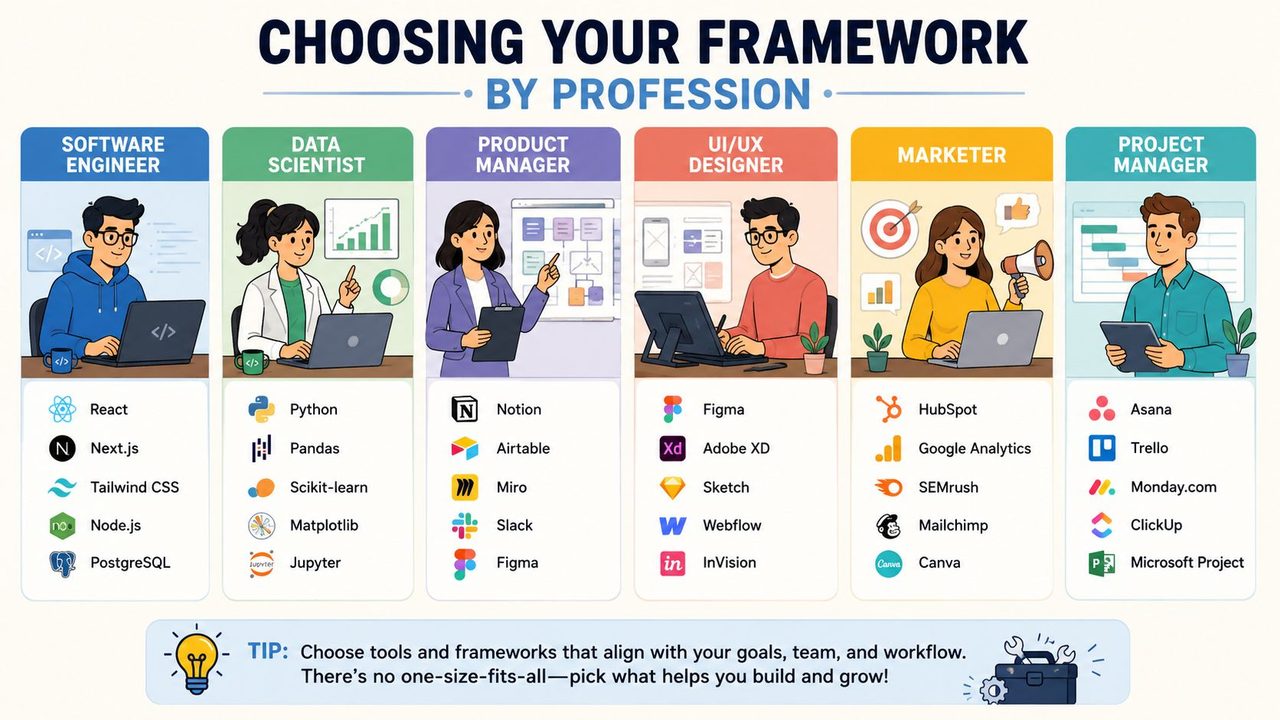
Product managers
PMs should default to QEC for stakeholder meetings and Outline for roadmap reviews.
Why QEC? Because product work is saturated with competing claims. Sales wants flexibility, engineering wants simplicity, legal wants constraints, leadership wants speed. A PM needs notes that separate the actual decision question from the evidence offered in the room.
Use a simple pattern:
- Question: Should this ship in the current release?
- Evidence: dependency risk, customer impact, compliance concern
- Conclusion: defer, ship partially, or escalate
That structure makes status updates and decision logs much cleaner.
Software developers
Developers usually do better with a modified Outline approach in live settings and Zettelkasten for long-term technical knowledge.
Live discussions around incidents, architecture, or code reviews move fast. You need hierarchical capture: issue, cause, fix, owner. Later, the durable insights should move into atomic notes. One note for the bug pattern. One for the migration caveat. One for the deployment gotcha.
That split matters. Meeting notes are temporary. Engineering knowledge should be reusable.
Healthcare professionals
Clinicians and healthcare teams need domain-specific structured formats such as SOAP and other documentation templates because accuracy, clarity, and auditability aren't optional.
This isn't just a style preference. A 2024 study of 35 nursing students found that structured documentation methods led to significantly higher scores in clinical documentation accuracy and reduced documentation errors by approximately 40% compared with unstructured methods, according to the PMC-published action research study.
In healthcare, structure protects both care quality and handoff quality. Notes must be quickly legible to the next person, not just memorable to the person who wrote them.
Support and marketing teams
Customer support and marketing teams often need a hybrid approach.
Support teams benefit from split-page or Cornell-style notes during escalations because cues, symptoms, and resolution steps need to be easy to scan later. Marketing teams usually do better with Outline for campaign planning and QEC for postmortems, especially when they're assessing why a message landed or failed.
The rule across both functions is the same: if the note will be reused by another person, favor a framework with obvious labels and fast scanning.
Structured Notes in Action Real World Examples
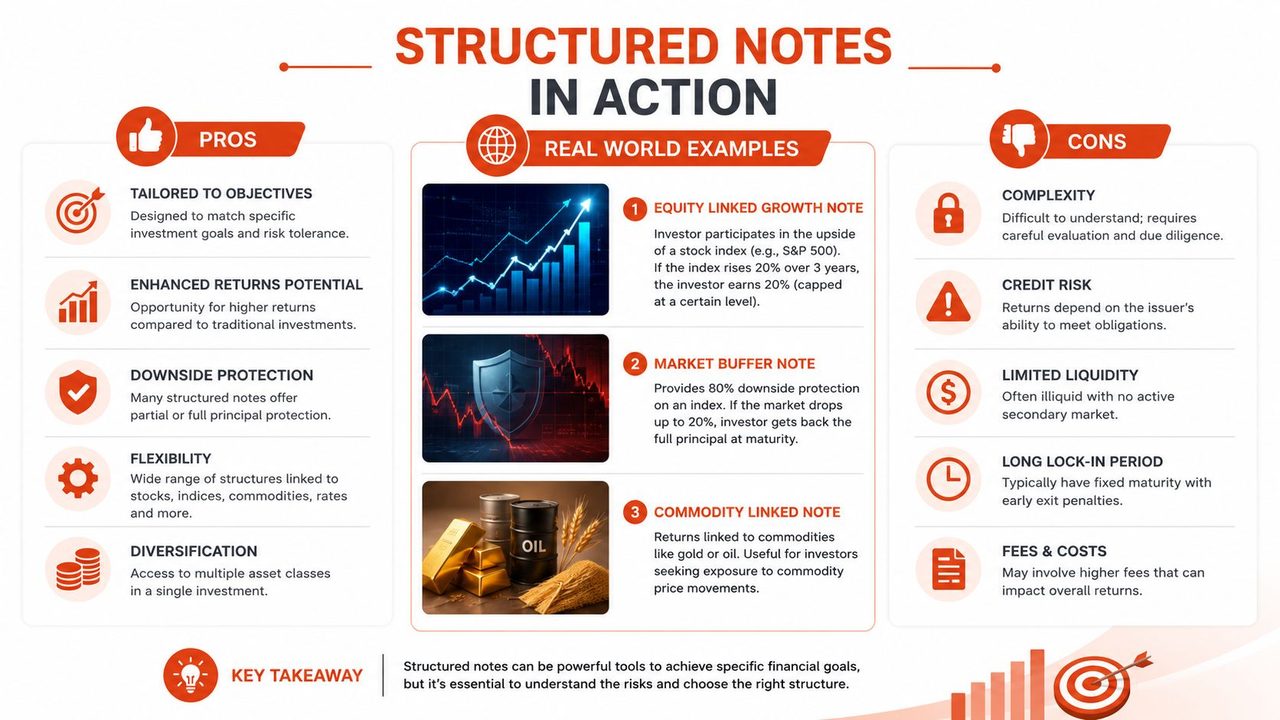
The fastest way to see the value of structured note taking is to compare raw capture with a finished note. Many organizations already collect enough information. They just leave it in an unusable shape.
A visual summary helps frame the trade-offs before the examples.
Meeting notes before and after
Before
“Client worried about onboarding timeline maybe legal review issue. Need updated pricing. Sam said engineering can maybe support SSO this quarter but depends on security review. Follow up next week. Also talk about training.”
After using an outline structure
- Client concerns
- Onboarding timeline may slip
- Legal review is a possible blocker
- Commercial
- Updated pricing requested
- Product and engineering
- SSO may be possible this quarter
- Feasibility depends on security review
- Next actions
- Follow up next week
- Confirm training plan
- Get pricing revision
Same meeting. Same facts. Very different usefulness.
For teams storing these outputs in a shared workspace, NotionSender's Notion advice is a practical companion because the key benefit isn't just formatting one page. It's making those pages easier to maintain and retrieve.
Later in the workflow, video can also help reinforce the conversion process from raw notes to usable summaries:
Developer notes before and after
Before
“Cache issue from user service causing duplicate requests maybe because retry logic wasn't disabled after timeout change check middleware and deployment config.”
After using a technical outline
- Issue
- Duplicate requests hitting user service
- Likely cause
- Retry logic still active after timeout change
- Areas to inspect
- Middleware configuration
- Deployment config
- Decision
- Confirm whether retries should be disabled globally or per endpoint
That version can become a Jira comment, incident note, or postmortem seed with almost no cleanup.
Clinical notes before and after
A narrative note often mixes symptoms, observations, assessment, and plan in one stream. A structured clinical format separates them.
A practical SOAP-style transformation looks like this:
- Subjective
- Patient reports worsening fatigue
- Objective
- New observations and recorded findings
- Assessment
- Working interpretation based on current presentation
- Plan
- Monitoring, tests, referral, or medication changes
That separation isn't cosmetic. In the nursing education study cited earlier, structured documentation improved documentation quality and reduced errors materially in a setting where correct recall and proper clinical recording matter directly to performance and safety.
The best structured notes don't add more content. They expose the content that already matters.
Supercharge Your Workflow with Voice and AI
Manual note taking has a stubborn constraint. Your hands are slower than the conversation, and your attention gets split between listening and typing. Voice capture changes that. You can get closer to the speed of thought, especially during meetings, walkthroughs, field work, and live debugging.
Where voice capture helps
Voice-to-text is strongest at the capture phase. It reduces friction when you're collecting raw material: a project debrief, a clinical observation, a code explanation, or a fast sequence of ideas after a customer call.
A solid workflow looks like this:
- Capture by voice during or right after the event while details are fresh.
- Let software clean obvious noise such as filler words, punctuation, and paragraph breaks.
- Apply structure yourself by sorting the cleaned transcript into decisions, actions, risks, and questions.
- Save the final version in the system where your team retrieves knowledge.
If you're designing that process, this guide to voice dictation workflows for practical writing and notes is a useful reference point for shaping a repeatable setup.
For meeting-heavy teams, it's also worth reviewing examples of how others get undetectable meeting notes without making the output sound robotic or obviously machine-generated.
Where automation goes too far
The danger starts when AI doesn't just clean your capture. It thinks for you. That's where structured note taking can collapse into passive consumption.
A 2026 study warns that overly structured guided notes from AI can stifle learning by removing the cognitive work required for summarizing and connecting ideas, as discussed in Catlin Tucker's analysis of guided notes and cognitive scaffolding. That's the right warning for professionals too, not just students.
If a tool gives you polished notes that already contain the structure, summary, takeaways, and implied conclusions, you may skip the one step that creates understanding: deciding what matters.
Use AI as scaffolding, not substitution.
- Good use: transcription, cleanup, formatting help, speaker separation, template filling
- Bad use: accepting a final summary you didn't verify, edit, or mentally process
- Best use: fast raw capture followed by deliberate human synthesis
Working standard: Let AI remove friction. Don't let it remove judgment.
This is especially important in sensitive work. Clinical notes, security analysis, legal reviews, and technical incident records all benefit from privacy-aware capture and careful human review before anything becomes the official note.
Building Your Structured Note Taking Habit
A common pitfall in structured note taking is trying to redesign an entire system at once. Don't. Start with one recurring event and make it better.
Start with one workflow
Pick a meeting or work pattern you already repeat every week. Team sync. Client check-in. Sprint planning. Incident review. Use one framework for that one context only.
That small scope makes it easier to see whether the method fits the job.
Create a template you can reuse
A framework becomes a habit when the blank page disappears. Build a simple template in your notes app with sections already named.
Try something like:
- Decisions
- Action items
- Open questions
- Risks
- Summary
If you want a concrete model for building that kind of repeatable capture-and-review process, this note-taking workflow guide gives a useful structure to adapt.
Protect the review step
Block five minutes immediately after the meeting or reading session. That's when you turn raw notes into usable notes.
Do three things only:
- Clean up unclear phrases.
- Tag owners and next actions.
- Write a short summary in plain language.
That's enough. You don't need perfect notes. You need notes that your future self and your teammates can trust.
If you want a faster way to capture spoken ideas before turning them into structured notes, AIDictation is built for exactly that workflow. Use it to get raw thoughts, meetings, or technical explanations out of your head quickly, then apply the framework that fits the job so the final note stays clear, useful, and yours.
Frequently Asked Questions
What does Structured Note Taking: Build a Powerful Knowledge Base cover?
You leave a meeting with three pages of notes and a false sense of security. It feels productive in the moment.
Who should read Structured Note Taking: Build a Powerful Knowledge Base?
Structured Note Taking: Build a Powerful Knowledge Base is most useful for readers who want clear, practical guidance and a faster path to the main takeaways without guessing what matters most.
What are the main takeaways from Structured Note Taking: Build a Powerful Knowledge Base?
Key topics include Table of Contents, From Brain Dump to Actionable Intelligence, What good notes actually do.
Ready to try AI Dictation?
Experience fast voice-to-text on your device. Free to download.
Download FreeRelated Posts
Verbal Ink Transcription Workflows Today
Explore verbal ink transcription workflows, accuracy benchmarks, and how modern AI dictation tools compare to traditional human transcription services.
Apple Voice Recognition Software: Key Pros and Cons
Learn how Apple voice recognition software turns speech into text on your device, where it excels, and what tasks still challenge it in 2026.
Dictation on macOS: Setup, Apps, and Pro Tips
Master dictation on macOS with clear setup steps, app comparisons, privacy settings, and accuracy tips to turn your voice into clean text fast.