How to Create a Project Roadmap: Your 2026 Guide to Success

You've probably been handed the same vague request most new PMs get: “Can you put together a roadmap by Friday?”
That usually triggers the wrong reaction. People open Jira, Asana, Notion, or a slide deck and start drawing bars on a timeline before they've decided what the project is trying to achieve. The result looks polished, but it isn't useful. It's a schedule-shaped guess.
A good roadmap does something else. It gives people a shared view of direction, tradeoffs, and decision points. It helps leadership understand what they're funding, helps the team understand why work matters, and helps everyone see what changes when priorities shift. If you learn how to create a project roadmap with that purpose in mind, you'll build something teams can use.
The best roadmaps aren't rigid. They're stable where they should be stable, on goals, scope boundaries, and major milestones, and flexible where they should be flexible, on sequencing, timing windows, and response to new information.
Table of Contents
- Your Roadmap Starts Before the First Timeline
- Define Your Strategic Goals First
- Choose the Right Roadmap Format
- Prioritize What Matters and Set Milestones
- Build Your Visual Project Roadmap
- Secure Alignment and Maintain Your Roadmap
Your Roadmap Starts Before the First Timeline
The first mistake in roadmapping is treating the roadmap like a promise of exact delivery dates. That's what a lot of stakeholders ask for, but it's rarely what they need. What they need is confidence that the team understands the objective, the major phases, the constraints, and the choices that may change the path.
A roadmap should answer five questions fast: where are we going, why now, what matters most, what are we not doing yet, and what would force a change. If it doesn't answer those, the visual format doesn't matter.
Practical rule: If your roadmap can't explain a decision, it's just decoration.
This is why I tell new PMs to delay the timeline view until they can explain the story in plain language. Before bars, dates, and colors, you need a working point of view on strategy, scope, and governance. If your organization already uses goals and cascading objectives, an OKR governance framework can help you connect roadmap items to actual business intent instead of a feature wish list.
Roadmaps also work better when they're fed by real project inputs instead of memory and hallway conversations. Notes from kickoff meetings, discovery calls, research interviews, and stakeholder reviews need to be organized early. If your documentation process is messy, this guide on research documentation workflows is a useful reminder that roadmaps get sharper when the evidence behind them is easy to find.
What a roadmap is and isn't
A roadmap is high-level. It shows sequence, intent, and major checkpoints.
A roadmap is not your task board, not your sprint backlog, and not your detailed delivery schedule. Once PMs mix those layers together, the roadmap gets too detailed for executives and too vague for the team. Nobody trusts it for long.
The mindset that makes roadmaps useful
The strongest roadmap mindset is simple: communicate direction, preserve flexibility, make tradeoffs explicit.
That matters most when strategy is still moving. In that situation, don't pretend certainty exists. Show the current path, the assumptions underneath it, and the conditions that would trigger a change. That creates more trust than a fake-perfect plan ever will.
Define Your Strategic Goals First
A roadmap without strategic goals becomes a backlog with branding. It fills up with requests, pet ideas, and “quick wins” that don't share a common purpose. Before you place a single initiative on the roadmap, define what success looks like and how you'll recognize it.
A practical starting point is SMART goals paired with OKRs. According to Tempo's project roadmap guidance, teams using this structured goal-setting approach reduce project failure rates by approximately 20% compared to teams working from vague or undefined objectives. That's not because the framework is magical. It's because clear goals make bad work easier to reject.
Write goals that survive real scrutiny
“Improve onboarding” isn't a roadmap goal. It's a sentiment.
A useful goal tells people what will change, for whom, and by when. SMART forces that discipline. Specific, measurable, achievable, relevant, and time-bound sounds basic, but most roadmap confusion starts because one of those elements is missing.
For example, if retention is the core business priority, say that. If the project exists to improve internal operations, say that instead. Teams waste time when the roadmap claims one purpose while leadership is measuring another.
Use this test on every proposed initiative:
- Objective fit: Does this item clearly support the stated objective?
- Decision value: If we removed it today, would the goal still be achievable?
- Evidence base: Are we solving a known problem or reacting to the loudest request?
- Scope pressure: Does this item expand the roadmap without improving the outcome?
If an initiative fails two of those four tests, it probably doesn't belong on the current roadmap.
Translate goals into roadmap rules
OKRs help because they force a link between ambition and evidence. The objective explains the direction. The key results clarify what progress should look like. Then the roadmap becomes the path, not the goal itself.
That distinction matters. Teams often defend roadmap items because they've already been socialized, even when new information shows they won't move the goal. If you anchor each initiative to a key result, it becomes much easier to say, “This looked promising, but it doesn't support the outcome strongly enough.”
A roadmap earns credibility when every major item has a defensible why.
There's another practical benefit. Clear goals reduce scope creep during stakeholder reviews. When someone asks to add a feature, workflow, report, or integration, you don't have to debate taste. You can ask a better question: which objective or key result does this support?
Don't confuse strategy with a list of deliverables
New PMs often start roadmap planning by collecting asks from sales, support, engineering, compliance, and leadership. That input matters, but it shouldn't define the strategy. It should inform it.
A roadmap built from raw requests usually has three problems:
-
Too many priorities
Everything looks important because nothing has been ranked against a shared objective. -
Weak sequencing
Work gets placed in the order people asked for it, not the order that makes strategic or operational sense. -
No clear no
The PM ends up managing politics instead of focus.
If you're under pressure to move quickly, spend the first working session getting agreement on goals and constraints. It saves far more time than it costs.
Choose the Right Roadmap Format
A roadmap format changes how people interpret certainty. That's why format choice isn't cosmetic. It shapes the conversation.
If you show a detailed timeline, people assume date confidence. If you show themes, they focus on strategic direction. If you show outcomes, they pay more attention to business impact than to feature count. None of these formats is universally best. The right one depends on who needs to decide what.
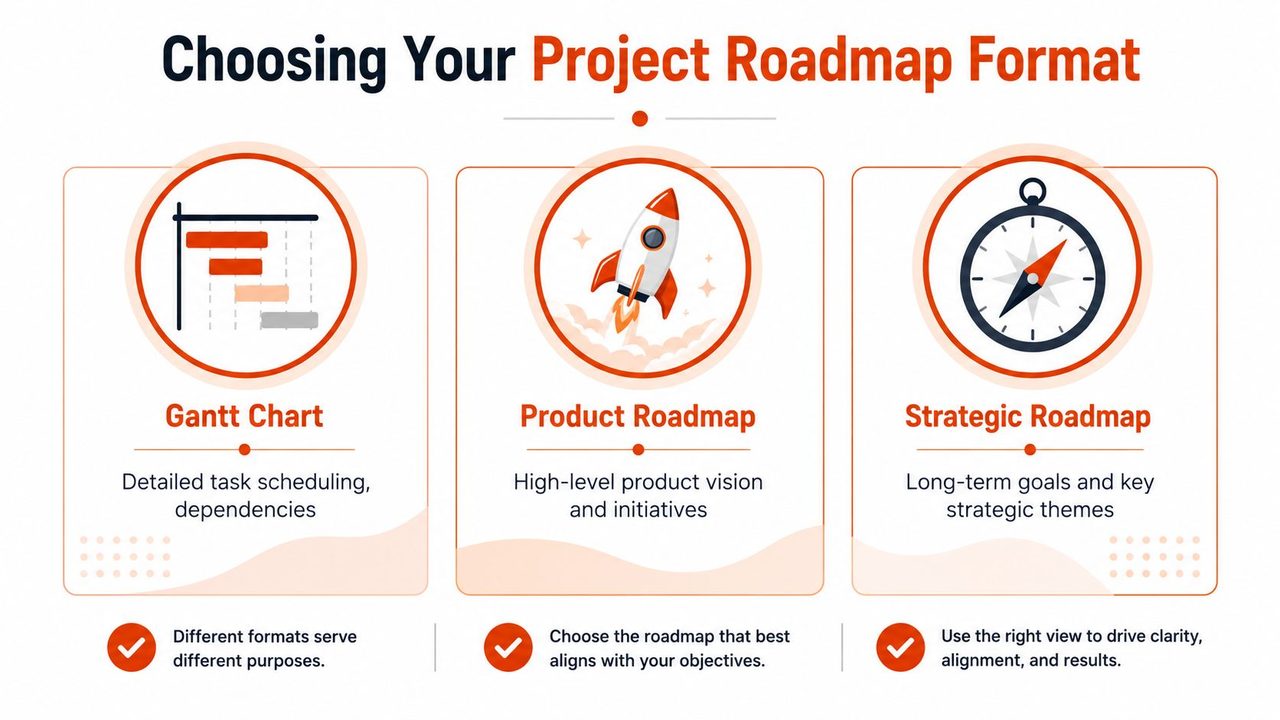
A lot of PMs default to the same visual every time. That's usually a mistake. The roadmap for an executive steering committee shouldn't look identical to the one used by a delivery lead managing cross-team sequencing. This is similar to editorial planning. A content team might use different views for strategy and execution, much like the distinctions explained in this guide to what a content calendar is.
Match the format to the decision
Timeline-based roadmaps work when dates, phases, and external commitments matter. If a legal deadline, event launch, budget cycle, or partner dependency drives the project, a timeline view helps people understand sequence and timing windows.
Theme-based roadmaps are useful when the work is still evolving. They group initiatives under strategic themes such as onboarding, reliability, reporting, or migration. This format is good when you want to show direction without implying precision you don't have.
Outcome-based roadmaps work best when leadership cares about results more than features. These roadmaps organize work around target changes, such as better retention, lower operational friction, or faster customer activation. They're especially strong when priorities may shift, because they keep the conversation anchored to outcomes.
Roadmap Format Comparison
| Format Type | Primary Focus | Best For | Key Challenge |
|---|---|---|---|
| Timeline-based | Phase windows and sequence | Executive reviews, launch planning, deadline-driven work | People may treat timing windows like fixed commitments |
| Theme-based | Strategic buckets of work | Product and cross-functional planning under uncertainty | Can feel too abstract if owners and scope are unclear |
| Outcome-based | Business or user results | Leadership alignment, prioritization, changing environments | Requires stronger goal definition and clearer measures |
What works and what doesn't
What works is choosing the format that reduces misunderstanding.
What doesn't work is forcing detail into a roadmap because stakeholders are anxious. That usually backfires. The more false precision you add, the more people trust the wrong parts of the document.
A practical compromise is to pair formats. Use a high-level strategic roadmap for broad communication, then maintain a more detailed delivery artifact separately. That keeps the roadmap readable while still giving the team what it needs to execute.
Prioritize What Matters and Set Milestones
A roadmap gets stronger when you remove things from it. Most early drafts are too full. They reflect everything the team could do, not the few things the project must do.
That's why prioritization is the essential work. The visual comes later.
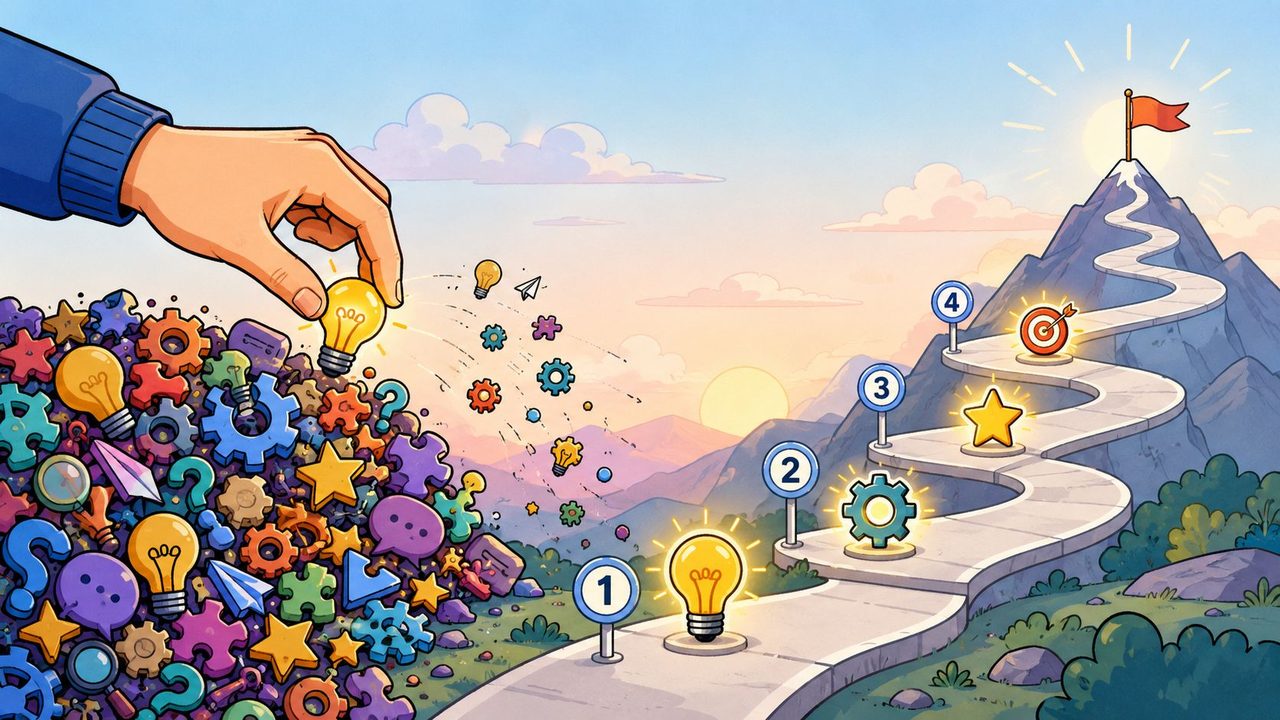
Cut the list before you decorate it
Start with a raw inventory of candidate work. Then reduce it aggressively. Two simple frameworks help here.
The first is an Impact/Effort matrix. It won't solve every political argument, but it quickly separates high-value work from expensive distractions. The second is MoSCoW: must-have, should-have, could-have, won't-have for now. That last category matters more than is often admitted. If your roadmap has no explicit “won't do now” list, hidden expectations will pile up around it.
Use a short working session with leads from engineering, design, operations, and the business side. Ask them to rank initiatives against strategic value, delivery risk, and dependency load. Keep the conversation concrete. “Important” is too vague. “Required to hit the launch threshold” is better.
A few prioritization habits save roadmaps from bloat:
- Prioritize by contribution to the goal: If an item doesn't materially support the goal, it drops.
- Separate mandatory work from attractive work: Compliance, migration blockers, and critical enablers need a different treatment from nice-to-have improvements.
- Price complexity realistically: Some initiatives look small on a slide and large in delivery.
- Protect the team's focus: Every addition creates switching cost, review overhead, and more coordination.
Field note: A roadmap usually breaks because nobody wanted to disappoint stakeholders early.
Turn priorities into milestones people can follow
Once priorities are set, group the work into major milestones. Don't list every task. Tell the story of progress.
Industry best practices recommend four to eight major milestones to show progress without overwhelming stakeholders, as noted in Slack's guidance on project roadmaps. That range forces discipline. It gives enough structure to show momentum, while leaving room for teams to manage detail elsewhere.
A useful milestone is meaningful to someone outside the delivery team. “API refactor complete” may matter internally, but “Core integration ready for pilot” is easier for stakeholders to understand. Good milestones mark a real change in project state.
Common milestone patterns include:
- Commitment checkpoints: kickoff, scope approved, budget confirmed
- Delivery checkpoints: prototype complete, internal beta ready, release candidate prepared
- Adoption checkpoints: pilot launched, training complete, rollout started
- Validation checkpoints: success criteria reviewed, go-live approved, handoff complete
If you're juggling several streams of work, this article on how to manage multiple projects is a useful companion because milestone discipline gets even more important when one roadmap competes with others for attention and resources.
The best milestone structure creates a narrative. Stakeholders should be able to scan it and understand where the project is, what's next, and what would delay the path.
Build Your Visual Project Roadmap
Once strategy, priorities, and milestones are clear, building the roadmap becomes a design problem, not a discovery problem. That's where many PMs finally relax. They shouldn't relax too much. A clear visual can still fail if it hides the wrong things.
The first version should be simple enough to explain in a few minutes. If you need a long verbal walkthrough just to decode the chart, the roadmap is carrying too much detail.
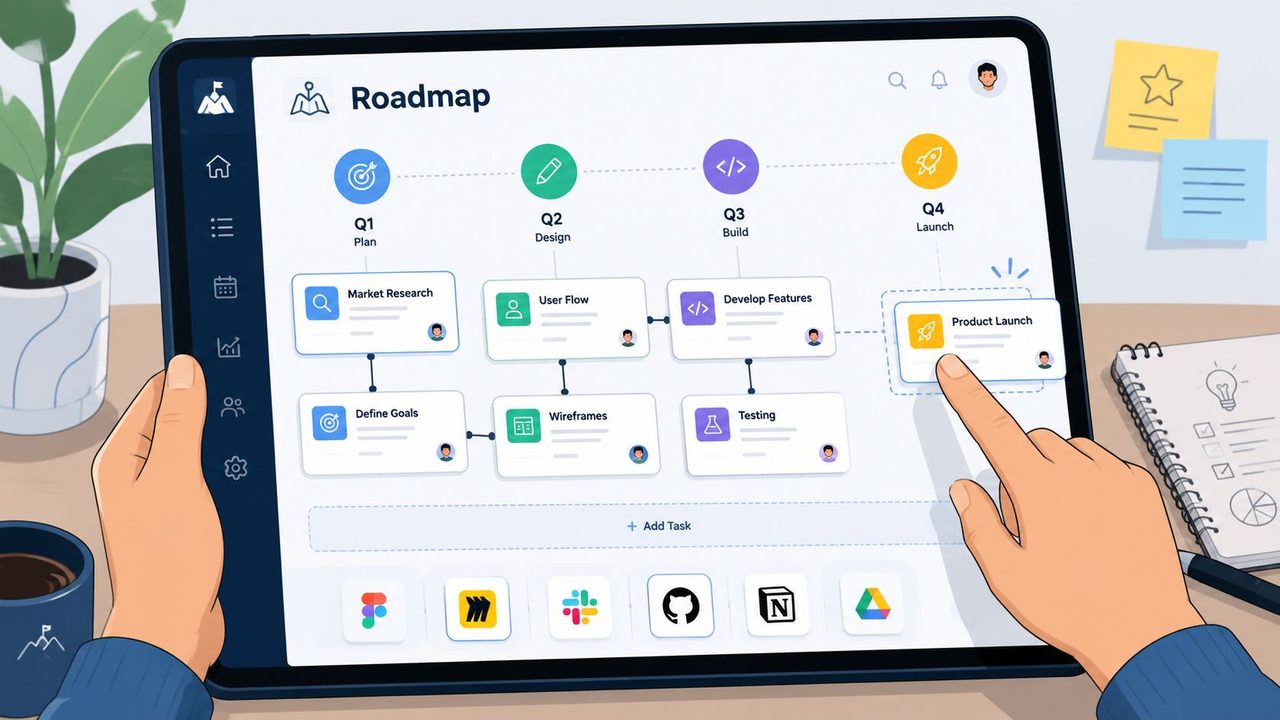
Pick the simplest tool that fits the audience
You don't need enterprise software to create a solid roadmap. For many projects, a spreadsheet, a slide, or a Notion page is enough. If the goal is executive alignment, a clean one-page visual often works better than an integrated planning tool.
Use dedicated platforms when the roadmap has to stay close to delivery data. Jira, Asana, Monday.com, and similar tools help when multiple teams, owners, and moving dependencies need ongoing visibility. If your roadmap needs a stronger schedule layer beneath it, this practical guide for Gantt charts is useful because it shows where detailed sequencing complements a roadmap instead of replacing it.
Choose the tool based on communication needs:
- Slides or docs: Best for steering groups, sponsors, and concise storytelling
- Spreadsheets: Good for fast drafting and rough scenario planning
- Jira or Asana: Better when the roadmap needs frequent operational updates
- Whiteboards: Useful early, when structure is still emerging
Show dependencies where people can see them
One of the most common reasons roadmaps fail is that they look orderly while hiding execution risk. Dependencies are a major culprit. According to Asana's project roadmap resource, 60% of projects exceed their planned duration due to unmanaged dependencies. If your roadmap doesn't visualize critical dependencies early, you're leaving out one of the main causes of delay.
That doesn't mean cluttering the roadmap with every relationship. It means showing the few dependencies that change sequencing, resourcing, or risk. External vendor work, legal review, platform readiness, data migration, security approval, and shared engineering capacity often belong here.
A clean dependency practice looks like this:
-
Mark critical upstream items
Show the work that must happen first. -
Flag shared resources
If two milestones depend on the same team, surface that conflict. -
Note external approvals
Third-party and governance steps often create invisible delays. -
Expose assumption-based timing
If a date depends on an unresolved decision, say so.
A short explainer can help teams visualize what “good enough” looks like here:
The roadmap should make risk legible. If a dependency can derail a milestone, it belongs in view.
Use labels, color, or simple connection lines, but don't over-design it. Readability beats sophistication every time.
Secure Alignment and Maintain Your Roadmap
A roadmap that lives in a deck and never shapes a conversation isn't doing its job. Its value comes from how teams use it to align expectations, negotiate tradeoffs, and decide what changes when reality changes.
That's why I treat roadmap communication as part of project control, not project theater. The PM's job isn't to defend the original plan at all costs. It's to keep everyone aligned on the best current path.
Present tradeoffs, not just progress
Most roadmap reviews go wrong because PMs present status and avoid tradeoffs. Stakeholders leave with activity updates, but not with a clear understanding of what the team is choosing and what those choices cost.
That gap is common. Only 29% of PMs report stakeholders fully understand roadmap tradeoffs, according to Notion's roadmap article. The same source notes that top-performing teams improve buy-in by embedding decision rules into roadmap communication, such as reducing launch scope if an integration slips beyond a stated threshold.
That's a practical habit worth copying. Decision rules reduce drama because they turn surprise into pre-agreed logic.
Examples of useful communication patterns:
-
If a dependency slips, what changes first
Scope, timing window, or staffing -
What won't change without executive approval
Compliance scope, launch criteria, funding guardrails -
What can flex safely
Lower-priority enhancements, rollout sequence, reporting extras -
What stakeholders should watch
External approvals, cross-team handoffs, unresolved assumptions
“We can keep the date, the scope, or the resourcing model. We usually can't keep all three.”
That's the kind of sentence stakeholders remember. It makes the roadmap useful.
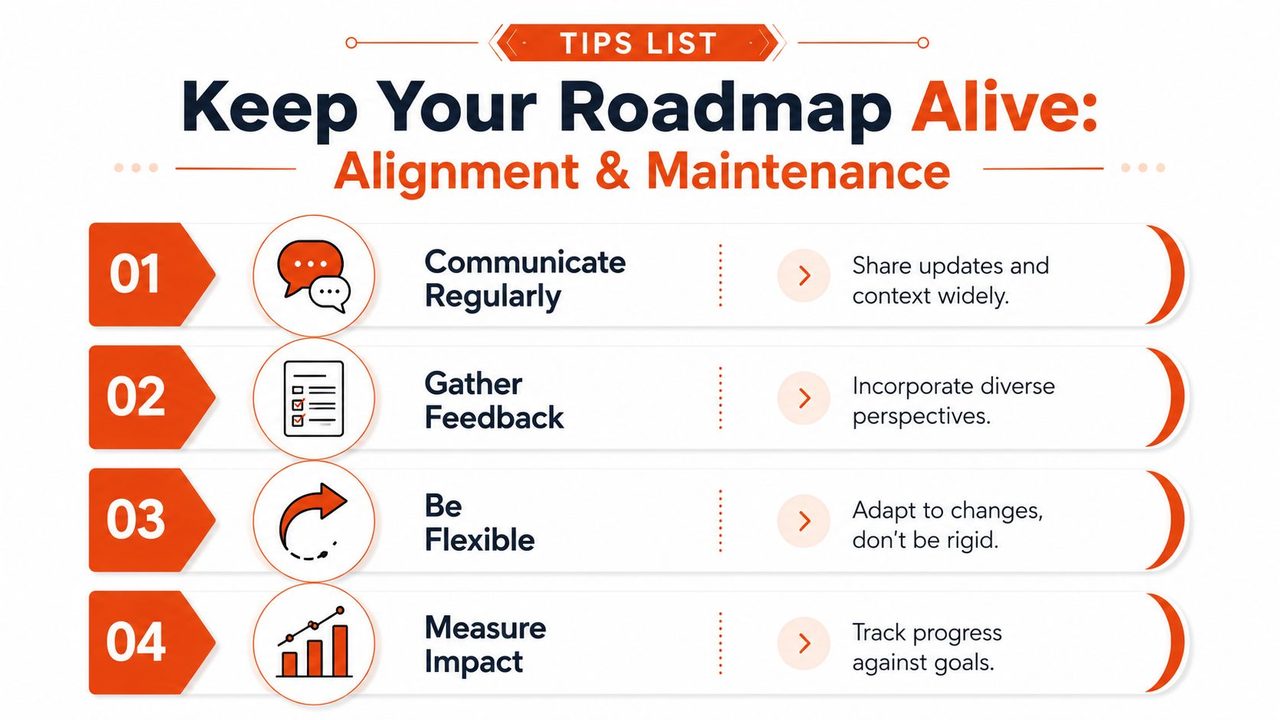
Keep the roadmap alive
A roadmap should have a review cadence. Weekly or monthly works well depending on project speed and audience needs. The point isn't ceremony. The point is to keep the document trustworthy.
During each review, check four things:
| Review Area | What to Ask |
|---|---|
| Goal fit | Does the roadmap still reflect the current objective? |
| Milestone health | Are major checkpoints still realistic? |
| Dependency risk | Has any blocker changed sequencing or confidence? |
| Communication need | Who needs an update, and what decision do they need to make? |
This is also where tools can help teams reduce friction around updates, meeting capture, and action tracking. If your team is trying to tighten project communication, AI productivity for project teams is worth looking at as a workflow example for keeping discussions and follow-ups usable.
When priorities shift, update the roadmap visibly. Don't rewrite history in secret. Show what changed, why it changed, and what that means for the next milestone. Teams accept change more easily when they can see the logic.
The roadmap becomes a living communication tool when people trust two things: it reflects current reality, and it makes tradeoffs explicit.
AIDictation helps PMs and teams turn messy meetings, stakeholder calls, and planning discussions into clean written updates fast. If you want a quicker way to capture roadmap decisions, specs, and status notes on macOS, try AIDictation.
Frequently Asked Questions
What does How to Create a Project Roadmap: Your 2026 Guide to Success cover?
You've probably been handed the same vague request most new PMs get: “Can you put together a roadmap by Friday?” That usually triggers the wrong reaction. People open Jira, Asana, Notion, or a slide deck and start drawing bars on a timeline before they've decided what the project is trying to achieve.
Who should read How to Create a Project Roadmap: Your 2026 Guide to Success?
How to Create a Project Roadmap: Your 2026 Guide to Success is most useful for readers who want clear, practical guidance and a faster path to the main takeaways without guessing what matters most.
What are the main takeaways from How to Create a Project Roadmap: Your 2026 Guide to Success?
Key topics include Table of Contents, Your Roadmap Starts Before the First Timeline, What a roadmap is and isn't.
Ready to try AI Dictation?
Experience fast voice-to-text on your device. Free to download.
Download FreeRelated Posts
Project Status Updates: How to Write Them Fast and Right
Master project status updates with practical workflows, templates, and automation tips. Learn to structure clear reports for every stakeholder using modern
Product Manager Documentation: Essential 2026 Guide
Master product manager documentation. Write clear PRDs, roadmaps & specs to align teams & drive results. Get templates & best practices for 2026.
Project Documentation: Your Guide to Success in 2026
Stop ignored, outdated project documentation. Learn to create, manage, and maintain effective documentation your team will actually use & value.