7 Medical Dictation Software Free Options for Clinicians
A busy clinic session has just ended, and you still have several notes to finish. You can dictate quickly into a general-purpose app, or pause to ask where the audio and transcript will go, whether the tool understands your specialty terms, and whether your organization permits patient information to enter that workflow. The phrase medical dictation software free sounds simple, but “free” often means a general dictation feature, a limited trial, or local software with fewer clinical controls. Neutral industry guidance on medical dictation for Windows explains why fully free, HIPAA-compliant clinical tools are uncommon.
This roundup compares seven free or freemium options by local versus cloud processing, medical vocabulary, device coverage, workflow fit, EHR transfer, and the evidence you need before entering PHI. A HIPAA claim or eligibility statement doesn't replace configuration review, a signed BAA where required, or your organization's security policy. Use local-only processing for the most privacy-sensitive drafts, and consider cloud tools only after their terms and safeguards match the actual workflow. For a broader transcription workflow perspective, see this TOOLii medical transcription guide.
Table of Contents
- 1. AIDictation
- 2. Amazon Transcribe Medical
- 3. Microsoft Windows 11 Voice Access
- 4. MacWhisper
- 5. OpenWhispr
- 6. Walkie
- 7. Heidi Dictate by Heidi Health
- 7-Tool Comparison: Free Medical Dictation Software
- Match the Tool to the Data You Dictate
1. AIDictation
A clinician finishing a SOAP note can start dictating with the cursor already in the EHR, email client, document editor, or messaging tool. AIDictation supports Mac, Windows, iPhone, and Android, so the workflow does not depend on moving text into a separate note workspace. That broad destination support is useful when documentation must reach an existing text field quickly.
Local privacy and optional cloud cleanup
AIDictation's Local Mode runs Parakeet v3 on Apple Silicon. It can work without an internet connection, with audio remaining on the Mac. This suits a draft, referral letter, or other note where keeping speech processing on the device is the priority. HIPAA suitability still depends on the complete setup, including device controls, backups, clipboard behavior, the receiving EHR, and organizational approval.
Auto Mode can choose between on-device and cloud recognition. Cloud Mode adds context-aware punctuation, filler-word removal, self-correction handling, and formatting. The trade-off is practical: local processing limits where audio travels, while cloud processing can turn rough speech into cleaner paragraphs, lists, or emails. Before using PHI, confirm which mode is active and where the resulting text is stored.
Practical rule: Use Local Mode for PHI-sensitive drafts only after the receiving EHR and managed device workflow have been approved. Treat Cloud Mode as a separate data-processing route.
For a specific evaluation, dictate a de-identified SOAP note containing laterality, negation, and specialty drug names. Compare the transcript with the source note, then verify that copied text retains headings, line breaks, and punctuation in the EHR's actual text field. This test checks the parts of dictation that can create clinical corrections, even when general speech recognition seems accurate.
Terminology, languages, and trade-offs
AIDictation may suit multilingual clinicians who switch languages during a note. Its stated approach is to preserve code-switched phrases rather than automatically replacing English technical terms inside another language. A custom dictionary can store names and specialty vocabulary, while context rules can adjust formatting for the application receiving the text.
Vendor-published comparisons include a bilingual clip and a dense test. Those results describe the product's own evaluation conditions, not a clinical accuracy guarantee. Test laterality, medication names, measurements, negation, and specialty terminology with representative, non-PHI material from the intended practice.
AIDictation offers a free trial, describes a free monthly allowance, and provides paid options. Availability and terms can change, so review the current product and privacy documentation before deployment. The main limitation is clear: offline recognition is less polished than cloud cleanup. The product is not positioned as a full enterprise administration platform, and SOC 2 is described as pending. Confirm HIPAA requirements with the vendor and your organization before regulated use.
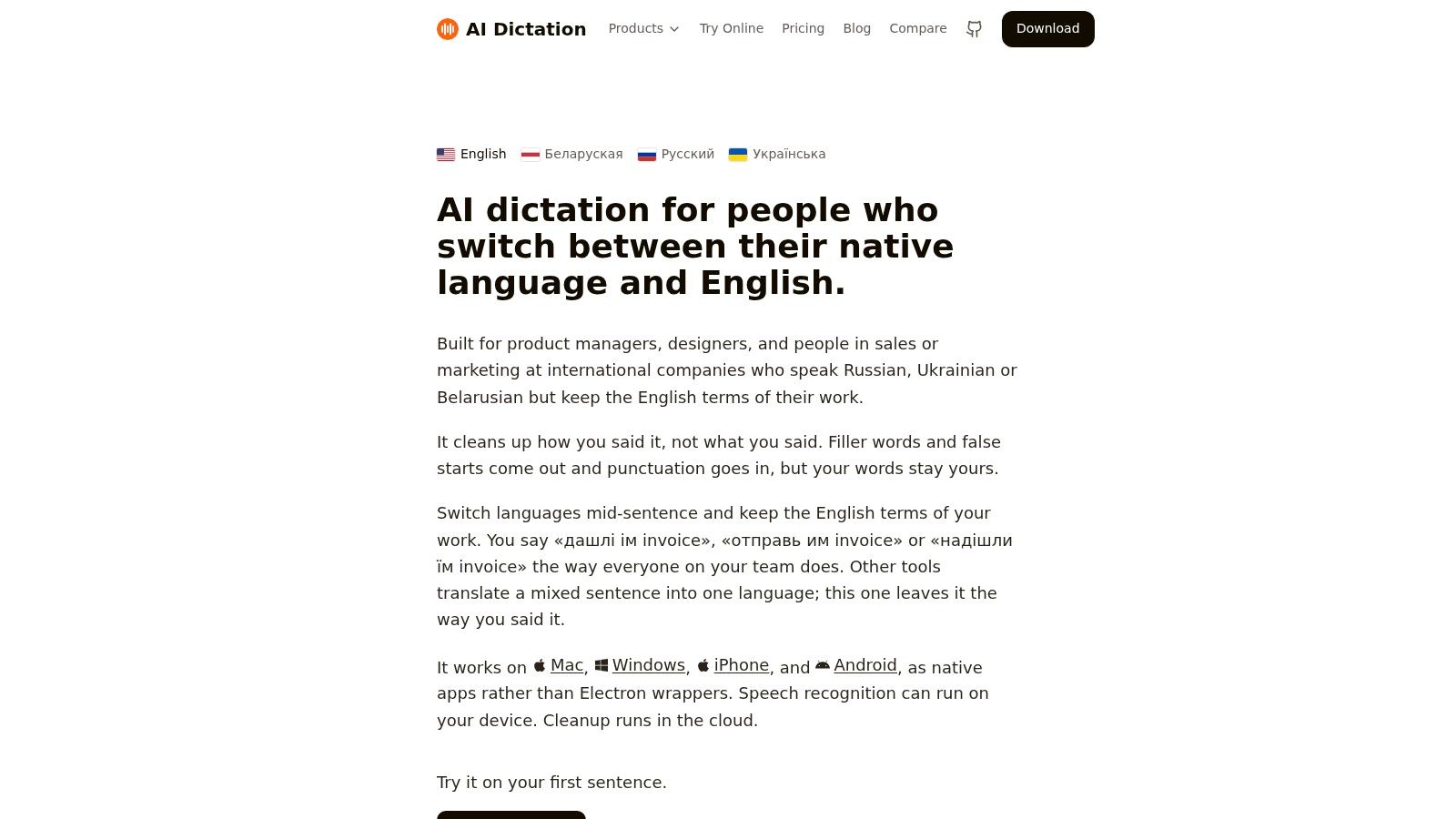
For multilingual teams and clinicians who need both local dictation and optional formatting, AIDictation is a reasonable tool to test. For a fully offline environment, verify Local Mode in the exact documentation workflow rather than assuming the hybrid product always stays offline. The product's discussion of voice recognition in medical software provides further context. For front-desk call handling outside dictation, see this phone answering AI for HVAC teams overview.
2. Amazon Transcribe Medical
Amazon Transcribe Medical is a cloud speech-to-text service, not a desktop dictation app. Its medical-specific models are designed for clinician dictation and clinician-patient conversations, with streaming and batch APIs for teams building documentation tools or EHR middleware. A clinician cannot install it and start typing into an EHR. A health-tech team can use it as the transcription layer behind a review screen or custom workflow.
Where the processing happens
Audio and transcripts pass through AWS services. The workflow therefore does not keep PHI on the clinician's computer by default. Medical terminology may be handled more appropriately than with general voice typing, but specialty terms, medication names, abbreviations, negation, and measurements still require testing with representative non-PHI material.
For Transcribe Medical, verify the BAA covers the specific AWS Region, S3 bucket, CloudWatch logs, and any Lambda or middleware that stores audio or transcripts, not just the Transcribe endpoint. Review temporary files, application logs, retention rules, exported notes, access controls, and the path from the reviewed transcript into the EHR. AWS infrastructure eligibility does not establish compliance for the complete application.
Best use and main limitation
The free tier can support a controlled technical evaluation. Production use follows AWS pay-as-you-go pricing, with costs shaped by audio volume and the surrounding architecture. Confirm current Amazon Transcribe Medical documentation and pricing before creating a budget.
This service suits teams that need an API, medical vocabulary, scalable processing, or a custom interface. It can send text to a transcription review screen, middleware service, or internal documentation application. It does not independently place clean, approved dictation into the clinician's active EHR field.
Test streaming latency, specialty terminology, speaker handling where relevant, punctuation, correction steps, and the final EHR transfer. Human review remains necessary because recognition errors can affect clinical meaning. A clinician survey found broad satisfaction and efficiency benefits, while some users reported clinically significant errors, supporting safeguards for error-critical documentation. Review the medical dictation integration guidance with AWS's current terms before building the workflow.
3. Microsoft Windows 11 Voice Access
Windows 11 Voice Access is the most accessible starting point for a clinic already using compatible Windows computers. It's built into the operating system at no additional cost, supports system-wide voice control, and can dictate into standard text fields. That includes many EHR fields, although actual behavior depends on the EHR, security configuration, and whether the application accepts ordinary text input.
A local baseline for Windows clinics
Microsoft documents on-device speech recognition and offline capability for Voice Access. That gives privacy-conscious teams a useful baseline because dictation can work without sending every spoken phrase to a cloud service. The important qualification is that Windows has more than one speech feature. Voice Access and voice typing don't necessarily use the same processing route, so verify the specific feature and settings used on the clinic computer.
Voice Access isn't medically specialized out of the box. It may need corrections for drug names, abbreviations, diagnoses, procedures, and specialty language. A clinician should test the terms that create the highest risk if misrecognized, not just ordinary prose.
A local microphone route reduces one exposure, but it doesn't validate the saved EHR record, clipboard history, workstation backups, or device management policy.
The practical advantage is deployment simplicity. There's no separate transcription account, API project, or new note workspace. The practical disadvantage is that the clinician carries the burden of correction and workflow testing. If you need medical vocabulary, structured notes, or automatic cleanup, Windows Voice Access may feel too general.
Use it for short local drafts, portal replies, letters, and straightforward EHR text entry. Confirm whether the chosen mode remains on-device, then test copy, paste, cursor placement, punctuation, and correction commands in the actual clinical environment. Microsoft's Voice Access instructions should be the starting point, and this guide to talking to text in Word can help compare a general Windows workflow with a dedicated dictation app.
4. MacWhisper
MacWhisper is a macOS application built around Whisper models. Its free local-model mode makes it a useful privacy-first choice for Mac users who want to transcribe spoken material or dictate without relying on a remote speech service. It supports live dictation into macOS text fields and file transcription, so it can serve both immediate chart drafting and review of a recorded dictation.
A good fit for local transcription
The key decision is the model and processing route. With a local model, the audio can remain on the Mac, subject to the behavior of the application, operating system, backups, and any destination you use afterward. That makes MacWhisper attractive for clinicians who don't want raw audio uploaded during an initial evaluation.
MacWhisper isn't specifically medical-trained. Whisper can handle broad language and accents well, but a general model may still confuse drug names, anatomy, abbreviations, or specialty phrases. The clinician should maintain a correction routine and consider whether the app's output is a raw transcript, direct cursor entry, or a polished clinical note. Those are different tasks and should be evaluated separately.
What to test before charting
The website version may provide dictation features that differ from the App Store version. Confirm which installation supports the workflow you need, then test microphone permissions, model downloads, live insertion, file handling, and the exact EHR editor. A local model may also require more computer resources than a lightweight built-in dictation feature.
MacWhisper works best for Mac-based clinicians who value local processing and can tolerate setup and correction. It isn't the right choice if you require a signed BAA, built-in clinical templates, or guaranteed specialty vocabulary from the free version. Review the current MacWhisper product details and compare its workflow with this explanation of Whisper for Mac before testing it with any sensitive data.
5. OpenWhispr
OpenWhispr takes a privacy-first approach with a cross-platform local mode for Windows, macOS, and Linux. Its free on-device path supports unlimited local dictation, and the product provides medical-oriented templates and guidance, including SOAP note workflows. For clinics that use different operating systems, that platform coverage can matter more than a polished cloud dashboard.
Local mode and clinical structure
The local setup requires downloading models and completing initial configuration. That adds work, but it gives the team a clear way to test dictation without sending audio to an external service. The application can work in the active cursor field, which keeps the workflow closer to ordinary EHR entry than a separate transcription portal.
Medical templates can help organize a dictation into a familiar structure, but a template isn't proof that the resulting note is clinically complete. Test whether the tool preserves negation, uncertainty, timing, laterality, and the difference between a planned action and an action already completed. A SOAP heading can improve consistency while still containing a serious recognition or transformation error.
Cloud features require a separate decision
OpenWhispr also offers optional cloud transcription, quotas, and the ability to use your own API keys. Those choices create a different privacy and compliance route from local mode. A business plan may include a BAA for cloud usage, but the organization still needs to verify the agreement, configuration, retention, access, and approved account.
Choose OpenWhispr when you want one cross-platform tool with an explicit local-only route and medical templates. Avoid treating the free local version as a turnkey enterprise deployment. The setup, model management, EHR behavior, and correction time need a controlled test. Review the current OpenWhispr features and plans before deciding whether local dictation alone is enough or whether the cloud workflow is worth the additional review.
6. Walkie
Walkie is a desktop dictation and transcription app for Windows and Mac with a free On-Device Mode. The mode is designed to avoid network requests, requires no account, and supports dictation into the active cursor across applications. That combination is practical for clinicians who want a simple, private tool for letters, chart drafts, and portal responses without setting up a cloud account.
Clear separation between offline and cloud
Walkie's strongest workflow decision is the visible separation between On-Device Mode and Cloud Mode. Local dictation can support privacy-sensitive drafting, while Cloud Mode adds formatting and AI polish. The two modes shouldn't be treated as equivalent. Cloud processing requires a separate compliance review, especially if the spoken material contains PHI.
The app can also capture system audio for recordings. That feature deserves caution in clinical environments because system audio may include unrelated conversations, notifications, or content from another application. Disable unnecessary capture and test the recording route before using it around patients or staff.
Walkie isn't presented as a medical-vocabulary engine. Expect corrections for diagnoses, medication names, abbreviations, and specialty terms. Its value is workflow simplicity rather than clinical specialization.
Use case fit: Walkie is strongest when the clinician needs unlimited local dictation into ordinary applications, not when the practice needs automated clinical note generation or a verified EHR integration.
Start with synthetic or de-identified scripts. Confirm that On-Device Mode makes no network requests, review where temporary audio and transcripts are kept, and test paste reliability in the target EHR. If you later enable Cloud Mode, verify the vendor's current privacy terms and any BAA requirements. The Walkie healthcare page explains the product's local and cloud positioning, but your organization must approve the complete route.
7. Heidi Dictate by Heidi Health
Heidi Dictate is the most clinically positioned option in this list. Heidi markets medical vocabulary, multilingual support, real-time transcription, AI note generation, and EHR-friendly copy or insert workflows. It also presents a free starting option and vendor-stated HIPAA compliance, which makes it appealing to clinicians who want more than generic speech-to-text.
Clinical workflow versus free access
The product's medical orientation can reduce the need to build terminology and templates from scratch. It may suit a clinician who wants dictation to become a structured note rather than just a stream of words. That transformation needs careful review. A polished note can omit qualifiers, alter timing, or make an intended plan sound completed if the workflow isn't checked.
Free-tier limits, access to Dictate, retention terms, and BAA conditions can change by plan and account type. Confirm them directly before entering PHI. A vendor's compliance statement is useful evidence, but it isn't a substitute for verifying that the actual product, account, configuration, and data route are covered.
Where Heidi fits
Heidi is a reasonable candidate for clinicians who want medical terminology, AI-assisted note generation, and an EHR transfer workflow. It's less suitable for a clinic that requires local-only processing because its relevant features are cloud-based and require an internet connection. It also isn't enough to test the generated note in a standalone demonstration. The team should test the exact EHR, specialty language, correction flow, and saved-record result.
Read the current Heidi medical speech-to-text information, then ask for written answers about data retention, subprocessors, access controls, free-plan limits, and BAA availability. Don't put real patient conversations into a trial until your privacy and security reviewers approve the route.
7-Tool Comparison: Free Medical Dictation Software
| Product | Implementation complexity 🔄 | Resource requirements ⚡ | Expected outcomes ⭐📊 | Ideal use cases 💡 | Key advantages ⭐ |
|---|---|---|---|---|---|
| AIDictation | Medium, install native apps; hybrid modes to configure | Moderate, best on Apple Silicon for on‑device speed; optional cloud/internet for cleanup | High polish and strong code‑switch fidelity (published tests ~11.6% WER) ⭐⭐ | Multilingual teams, devs, technical writers, fast clinic note workflows (verify compliance) | Hybrid on‑device/cloud, preserves mixed‑language speech, wide native integrations |
| Amazon Transcribe Medical (AWS) | High, API integration and developer setup required | Cloud-only; AWS account, possible BAA for PHI; scalable infra ⚡ | Enterprise medical transcription, scalable and HIPAA‑eligible when configured ⭐⭐⭐ | EHR middleware, enterprise transcription pipelines, regulated clinical deployments | Medical‑tuned models, clear pricing, enterprise reliability and scaling |
| Microsoft Windows 11 Voice Access | Low, built into Windows 11; enable and use | Minimal, Windows 11 device; on‑device offline capability available | Basic system‑wide dictation and control; not medical‑trained ⭐ | Clinic PCs needing zero‑cost local dictation into EHR text fields | Free, system‑wide, works offline for local PHI‑friendly use |
| MacWhisper (macOS) | Low–Medium, install app; website version may be needed | On‑device Whisper models; better on modern Macs | Good local accuracy for general speech; not medical‑specific ⭐ | Mac users prioritizing privacy and local transcription | Whisper‑based local transcription, file + real‑time dictation, active community |
| OpenWhispr (Win/Mac/Linux) | Medium, initial model downloads and configuration | Local models cross‑platform; optional cloud/BAA for HIPAA | Private unlimited on‑device dictation; medical templates for notes ⭐⭐ | Cross‑platform clinics wanting local‑first workflows and note templates | Unlimited local dictation, medical templates, cross‑platform support |
| Walkie (Windows/Mac) | Low, simple desktop install and use | On‑device free forever; optional cloud for formatting | Reliable private on‑device dictation; cloud adds AI polish ⭐⭐ | Clinicians wanting no‑account private dictation into any app | Clear offline vs cloud separation, captures system audio, easy to use |
| Heidi Dictate by Heidi Health | Medium, vendor setup and EHR integration often needed | Cloud‑forward; vendor states HIPAA posture (verify BAA) | AI‑assisted clinical notes and coding with medical vocabulary ⭐⭐ | Clinicians seeking purpose‑built documentation and coding workflows | Medical vocabulary, EHR workflows, vendor‑targeted clinical features |
Match the Tool to the Data You Dictate
There isn't one best free medical dictation tool for every clinic. The right choice depends first on where PHI is allowed to go, then on the output you need. Direct cursor dictation, a reviewable transcript, and an AI-generated clinical note aren't interchangeable. A tool that performs well at one task may be awkward or unsafe for another.
For offline-first charting, compare Windows 11 Voice Access, MacWhisper, OpenWhispr, Walkie, and AIDictation Local Mode according to the operating system and the amount of setup your team can support. Windows Voice Access is the simplest baseline on compatible Windows workstations. MacWhisper suits Mac users who want local transcription and can manage model selection. OpenWhispr offers cross-platform local use with medical templates, while Walkie emphasizes straightforward no-account dictation. AIDictation Local Mode adds a private Apple Silicon route, with optional cloud cleanup when that route is approved.
For cloud transcription or medical note generation, investigate Amazon Transcribe Medical and Heidi Dictate only after confirming current pricing, data handling, retention, security terms, access controls, and BAA requirements. AWS is an integration service, not a finished clinician desktop workflow. Heidi is more directly clinical, but its free access and compliance details still require account-specific verification.
Run a controlled test before choosing. Use representative clinical vocabulary without unnecessary PHI, and measure correction time, specialty-term handling, laterality, negation, copy-and-paste reliability, cursor placement, and whether the final note follows the clinician's normal review process. Include the saved EHR record in the test. A transcript that looks correct in the dictation app can still lose text during transfer.
The broader healthcare market shows why this evaluation matters. One industry summary reports the global voice-recognition software market at $9.4 billion in 2022, with a projection of $28 billion by 2027 for the broader market, as described in this medical transcription market overview. Adoption doesn't remove the need for safeguards. A clinician should verify current vendor claims, obtain organizational approval, and keep a non-AI documentation route available before using any free or freemium tool with regulated patient information.
AIDictation offers a free entry point, local Parakeet v3 dictation on Apple Silicon, and optional cloud cleanup for punctuation, formatting, and self-corrections. If that hybrid approach fits your privacy policy and documentation workflow, visit AIDictation to test it with approved, non-PHI clinical vocabulary before making a deployment decision.
Frequently Asked Questions
What does 7 Medical Dictation Software Free Options for Clinicians cover?
A busy clinic session has just ended, and you still have several notes to finish. You can dictate quickly into a general-purpose app, or pause to ask where the audio and transcript will go, whether the tool understands your specialty terms, and whether your organization permits patient information to enter that workflow.
Who should read 7 Medical Dictation Software Free Options for Clinicians?
7 Medical Dictation Software Free Options for Clinicians is most useful for readers who want clear, practical guidance and a faster path to the main takeaways without guessing what matters most.
What are the main takeaways from 7 Medical Dictation Software Free Options for Clinicians?
Key topics include Table of Contents, 1. AIDictation, Local privacy and optional cloud cleanup.
Ready to try AI Dictation?
Experience fast voice-to-text on your device. Free to download.
Download FreeRelated Posts
10 Best Dictate Software for Mac in 2026
Compare the best dictate software for mac in 2026 by accuracy, privacy, pricing, features, and use case—from Apple Dictation to AIDictation.
Medical Dictation Software Mac: Complete Guide 2026
Find the best medical dictation software Mac users rely on in 2026. Compare HIPAA-compliant options with EHR integration and Apple Silicon support.
Speech and Language Apps for iPad: A Clinical Guide
Find top speech and language apps for iPad with our expert guide on features, privacy, and clinical value for therapy and daily use.