A Complete List of Punctuation: The Ultimate Guide
From Spoken Words to Polished Text: Mastering Punctuation
You dictate a strong client email, a clean project update, or a detailed set of meeting notes. Then you look at the screen and see one long block of text. The ideas are fine. The readability isn't. Most dictation problems aren't really about word recognition. They're about punctuation, sentence boundaries, and the small marks that tell readers how to process what you said.
That matters because punctuation isn't one fixed list. Cambridge's English Project identifies 12 fundamentals of English-language punctuation, while Hemingway's guide lists 14 primary marks in common use today, showing how the system expanded over time as printing and editing matured (Cambridge on the history of English punctuation). If you're using voice-to-text on macOS, that difference matters in practice. Some marks can be inferred from speech. Others need explicit commands.
This guide gives you a practical list of punctuation, not just grammar definitions. You'll see how each mark works on the page, when to say it out loud, and when to let software handle it. If you're polishing a manuscript, it also helps to choose the best book editing for you. For now, the focus is speed, clarity, and getting dictated text into ready-to-send shape.
Table of Contents
- 1. Period (.) - Full Stop
- 2. Comma (,) - Clause Separator
- 3. Question Mark (?) - Interrogative
- 4. Exclamation Mark (!) - Emphasis
- 5. Colon (:) - Introduction and Lists
- 6. Semicolon (;) - Complex Separation
- 7. Parentheses ( ) - Supplementary Information
- 8. Quotation Marks (" ") - Direct Speech and Cited Text
- 9. Apostrophe (') - Possession and Contractions
- 10. Hyphen and Dash (- / – /, ) - Connection and Pause
- 10 Common Punctuation Marks Compared
- Punctuate with Precision and Speed
1. Period (.) - Full Stop
You finish dictating a client update, hit send, and realize the transcript came through as one long block. The fix was a period placed a few seconds earlier.
The period does more than end a sentence. In dictation, it tells the software that one thought is complete and the next one can start cleanly. That matters in fast, practical writing: status updates, case notes, bug reports, handoff messages, and meeting summaries.
Short examples show why it works:
“Q3 scope is locked. Legal approved the revised terms. Launch stays on schedule.”
“Restart the service. Clear the cache. Test the login flow again.”
Those sentences are easy to read because each one carries one job. That same structure also gives dictation software a better chance of getting punctuation right the first time.
Sentence endings that make dictation readable
With AIDictation, the strongest habit is simple: speak one complete thought, then stop briefly. A short pause usually produces a clean sentence break. If you keep talking through multiple ideas, the transcript often needs manual repair.
Practical rule: Dictate in finished units. Pause at the end of each unit.
That trade-off is real. Choppy speech can sound unnatural while you dictate, but it usually creates cleaner copy. Long, flowing speech feels faster in the moment and often costs more time in editing.
A few tactics help:
- Use direct statements: “The build failed. Logs are attached.” works better than stacking several clauses into one sentence.
- Say the command clearly if needed: If your setup supports spoken punctuation, say “period” at the end of a sentence instead of trusting pause detection alone.
- Be careful with abbreviations: Terms like “Dr.”, “etc.”, or version labels can confuse sentence boundaries in transcripts.
- Review your device setup: On Apple devices, a solid microphone and the right dictation settings improve sentence detection. This guide on using dictation on Mac covers the setup details.
- Clean up after the draft: If the transcript is close but uneven, run it through AI cleanup for spelling and sentence polish.
Writers often treat the period as basic punctuation and move on. In dictation, it is the control point that keeps spoken language from spilling across the page. Use it early, use it often, and your transcript stays readable without a full rewrite.
2. Comma (,) - Clause Separator
You finish dictating a client update in one pass, read the transcript back, and find commas dropped into breathing pauses while the useful ones are missing. That is normal. Commas are where spoken rhythm and written structure part ways fastest.
A comma marks relationships on the page, not just pauses in your voice. It separates items in a list, sets off an opener, and brackets information the sentence can survive without. In dictation, that matters because a natural speaking cadence often sounds longer and looser than clean business prose.
“The feature requires three components: authentication, data validation, and error handling.” “The patient, a 45-year-old male, reports chest pain, shortness of breath, and fatigue.” In both examples, the commas do real work. They help the reader scan the sentence and prevent details from running together.
Where commas help and where they get in the way
The practical problem is simple. People pause for breath, emphasis, or while searching for the next word. None of those pauses automatically deserves a comma.
In AIDictation and similar tools, I get better results by dictating the comma only when it changes meaning or readability. “After reviewing the logs, comma we found two issues” usually lands correctly. If I just pause after “logs,” the software may miss it, or insert commas elsewhere in the sentence instead.
A few patterns are worth using on purpose:
- Dictate commas for opening phrases: “In the second release, comma we fixed the sync issue.”
- Use spoken commas in long lists: “Servers in Dallas, comma Phoenix, comma and Toronto.”
- Skip weak comma fights: If a sentence needs several clauses and side notes, rewrite it as two sentences or a short list.
- Check your setup if commas are consistently off: microphone quality and platform settings affect recognition. This guide on using dictation on Mac with better speech settings covers the setup side.
There is also a style trade-off. Some teams want the Oxford comma every time. Others follow a lighter house style. The right answer is consistency. Pick one approach in your draft process or cleanup pass, then apply it across the document so your transcript does not look half dictated and half hand-edited.
A comma should reduce effort for the reader. If adding commas still leaves the sentence crowded, split the sentence. That is usually faster than trying to rescue a tangled dictation transcript with more punctuation.
3. Question Mark (?) - Interrogative
Questions usually carry a detectable pattern in speech. Your voice rises, the sentence tightens, and the intent is clearer than with many other marks. That's why question marks are one of the easier punctuation choices for dictation software to infer, especially in straightforward customer support or meeting contexts.
Examples are simple and common: “Have you tried restarting the application?” “What is our timeline for the API integration?” “Do you have any drug allergies?” In all three, the question is direct, not buried inside a statement.
Questions sound different from statements
Subject lines are a good reminder that punctuation changes tone more than performance. In a sample covering more than 300,000,000 recipients, subject lines with question marks had the lowest average open rate at 17.9%, quotation marks had the highest at 18.7%, the overall average was 19.0%, and no punctuation averaged 19.9%, a spread of just 0.8 percentage points (email subject line punctuation analysis by Inntopia). The lesson isn't “never use question marks.” It's that punctuation choice in short text has a measurable but modest effect.
Ask real questions when you need an answer. Don't use question marks as decoration in product copy or documentation.
For dictation on macOS, rising intonation helps, but it isn't enough in every app. If you're drafting a support reply or intake form, explicit review still matters. If you need help setting up reliable dictation behavior, using dictation on Mac effectively is mostly about app context, microphone habits, and cleanup settings, not just speech recognition.
4. Exclamation Mark (!) - Emphasis
The exclamation mark works fast, which is why it's easy to overdo. In the right place, it adds urgency or warmth. In the wrong place, it makes a routine sentence sound overeager or careless.
Marketing teams use it constantly: “Don't miss our exclusive offer!” Support teams sometimes use it to soften resolution messages: “Your issue has been resolved!” That can be fine in a friendly brand voice. It usually looks out of place in a technical report, formal stakeholder update, or clinical note.
Use force sparingly
I treat the exclamation mark as a tone tool, not a default ending. If every sentence sounds excited, none of them does.
A few solid rules keep it useful:
- Use it in customer-facing moments: Promotions, confirmations, event reminders, and light brand messaging can support it.
- Skip it in formal records: Technical docs, legal material, and healthcare notes usually don't benefit from added emotional tone.
- Say it only when you mean it: In dictation, explicit “exclamation mark” commands are more reliable than trying to perform excitement with your voice.
One exclamation mark is a choice. Two usually look like compensation.
If a sentence needs force, rewrite the sentence first. Strong wording beats punctuation inflation every time.
5. Colon (:) - Introduction and Lists
The colon is one of the most practical marks for people who dictate notes, specs, and action items. It tells the reader to expect explanation, evidence, or a list. Spoken clearly, it also tells your software to stop guessing and insert structure.
Examples show why it matters: “Requirements for MVP: user authentication, data encryption, and API integration.” “Action items: John will handle backend, Sarah owns frontend, Mike manages deployment.” The colon creates order fast, especially when you're speaking ideas in chunks.
A spoken command that earns its keep
Unlike questions or sentence endings, a colon rarely announces itself naturally in speech. You usually need to say it. That's not a downside. It's efficient. The command gives you cleaner output than relying on inference.
Dictation users can get ahead by treating punctuation as workflow, not just grammar. Most list-style explanations of punctuation stay static. They tell you what a colon is. They don't tell you when to say “colon” out loud, when software should infer formatting, or how that changes across email, notes, or technical writing. That's a major gap for voice users, and it's especially relevant when automatic punctuation and context-aware formatting affect the final draft (spoken-language punctuation as an underserved dictation problem).
Use the colon when you're introducing:
- A list: “Needed for launch: QA sign-off, release notes, and support training.”
- An explanation: “The issue is simple: permissions were never configured.”
- A label-value pattern: “Priority: High.”
In dictation, the colon is one of the best examples of a mark that's worth saying explicitly every time.
6. Semicolon (;) - Complex Separation
The semicolon is useful, formal, and easy to misuse. It joins closely related independent clauses or separates items in a complex list when commas would get messy. That's the textbook version. In practice, the semicolon is often either completely avoided or used where a comma or period would be clearer.
Consider these examples: “The system supports three deployment modes: local, with on-device processing; cloud, with AI cleanup; hybrid, combining both.” Or: “Completed items: database migration; API testing; security audit.” In both, the semicolon earns its place by separating chunks that already contain internal punctuation.
Formal, useful, and easy to overuse
In dictated writing, I recommend a simple test. If the reader has to slow down to parse the sentence, the semicolon may be helping. If the sentence reads better as two clean sentences, use periods instead.
Field note: Semicolons are strongest in reports, technical summaries, and complex lists. They're weakest in everyday email.
Use them deliberately:
- Separate complex list items: This is the clearest use case.
- Link related clauses sparingly: If both halves stand alone and belong together, a semicolon can work.
- Avoid them in conversational writing: Most customer messages read better without them.
If you're dictating lists with internal commas, it's worth reviewing how to punctuate lists within sentences. That's one place where semicolons solve a real readability problem instead of signaling formality for its own sake.
7. Parentheses ( ) - Supplementary Information
Parentheses let you tuck extra information into a sentence without making it the main point. They work well for definitions, dates, acronyms, and brief clarifications. They work badly when the aside is so long that it competes with the sentence around it.
You see them all the time in practical writing: “The new feature (scheduled for Q3) requires significant backend changes.” “Patient's BMI (body mass index) is high.” “Install the package (via npm) and configure your API keys.” Each aside helps, but none of them takes over the line.
Good for side notes, bad for overloaded sentences
Parentheses need explicit handling in dictation. Say “open parenthesis” and “close parenthesis,” or use whatever shortcut your app supports. Don't rely on natural speech to imply them. Speech doesn't signal parentheses clearly.
A few habits make them cleaner:
- Keep the insert short: Brief clarifications are easy to scan.
- Avoid nesting: Parentheses inside parentheses usually create clutter.
- Choose alternatives when needed: If the aside matters a lot, make it its own sentence.
Writers also need to watch naming differences across English-speaking markets. Some users say “brackets” when they mean parentheses, while others reserve “brackets” for square brackets. Similar naming variation affects other marks too, including “full stop” for period in the UK and different spoken names for the hash or pound symbol. That matters in dictation because command vocabulary and user expectations don't always match (cross-market punctuation naming differences in English).
8. Quotation Marks (" ") - Direct Speech and Cited Text
You finish dictating a meeting summary, skim it once, and spot the problem immediately. A sentence that should be a paraphrase is sitting inside quotation marks. Now it reads like a verbatim statement, and that is a factual risk, not a style quirk.
Quotation marks signal exact wording. Use them for direct speech, short cited text, and phrases you need to reproduce precisely. If you are summarizing what someone meant, write it as a paraphrase instead of wrapping it in quotes.
This distinction matters in product research, support logs, legal review, and executive notes. “The customer said, ‘Billing failed three times.’” is a direct quote. “The customer reported repeated billing failures.” is a summary. Both are useful, but they do different jobs.
Exact words need explicit dictation
In dictation, quotation marks rarely land correctly by accident. The clean method is to say the punctuation out loud. In AIDictation, that usually means saying “open quote” before the cited words and “close quote” after them. I recommend that habit even for short quotes because it removes ambiguity and cuts cleanup time later.
A few practices help:
- Use quotes only for wording that must stay exact: promises, objections, complaints, and memorable phrasing
- Dictate the boundaries clearly: say “open quote” and “close quote,” not just “quote”
- Keep live-dictated quotes short: long passages are harder to track and easier to mis-close
- Check punctuation placement on review: periods and commas often end up outside the quote when you did not intend that
Writers also need to account for regional style. American English usually defaults to double quotation marks, while some other house styles use single marks in certain cases or for nested quotations. Dictation software does not always know which convention your team follows, so set the rule first, then train your commands and cleanup habits around it.
For nested quotations, say the structure before you start speaking the sentence. For example: “open quote She said comma open single quote I already sent it close single quote period close quote.” It sounds mechanical, but it is faster than repairing a tangled quote stack afterward.
Meeting summaries are where discipline matters most. If the exact wording is not material, paraphrase it. Reserve quotation marks for language you may need to defend later, such as a requirement, a complaint, or a decision stated word for word.
9. Apostrophe (') - Possession and Contractions
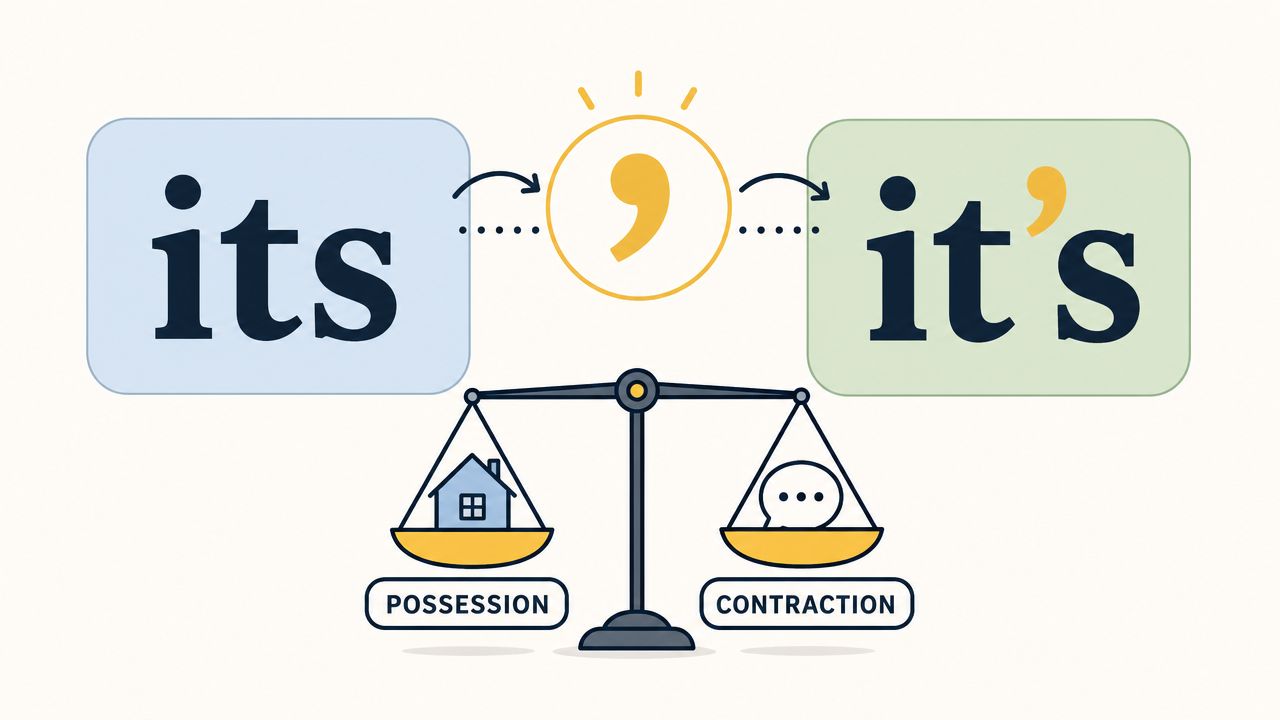
You finish dictating a client update, read it back, and spot the usual trouble: “its” where you meant “it's,” or “were” where you said “we're.” Apostrophes cause cleanup because spoken English often gives the software too little signal. The sentence sounds right in your head, but the transcript still needs a grammar check.
“The app's performance improved after we optimized the algorithm.” “We've reviewed your account, and we're confident the issue's resolved.” “The patient's symptoms haven't improved.” Those examples look simple on the page. In live dictation, they are common failure points because possession and contraction often sound identical.
Small mark, frequent mistake
The practical fix is to dictate for clarity, then review a short list of predictable errors. In AIDictation, I treat apostrophes as a proofreading issue more than a speaking issue. The tool can infer a lot from context, but homophones still slip through, especially in fast notes, medical summaries, and internal messages.
A few habits reduce errors:
- Watch the common pairs: its/it's, your/you're, were/we're, cant/can't, shell/she'll
- Use contractions where the document allows them: They sound natural in email, chat recaps, and internal documentation
- Slow down on possessives tied to names or titles: “the manager's approval,” “St. Mary's campus,” and product names are easy for dictation tools to flatten
- Review every apostrophe in final copy: A quick scan usually catches the mistakes faster than re-dictating the sentence
One rule trips up even strong writers: possessive “its” has no apostrophe, while “it's” always means “it is” or “it has.” The same logic helps with “who's” versus “whose.” If you can expand the word into two words, the apostrophe belongs there. If not, it usually does not.
In business writing, the trade-off is tone versus precision. Contractions make routine communication sound human. Full forms can read cleaner in legal, academic, or policy documents, where even a small ambiguity creates extra review work. Use the style that fits the document, then check the transcript with that standard in mind.
Apostrophes look minor. In dictation workflows, they are one of the marks that separate a clean first draft from a transcript that still sounds machine-made.
10. Hyphen and Dash (- / – /, ) - Connection and Pause
You dictate, the transcript looks fine, and then the cleanup starts. "Customer-facing" needs a hyphen. "2024 to 2025" should be an en dash in a house style that uses ranges. A dramatic pause turns into a comma, but the sentence reads better with an em dash. This is one of the places where punctuation rules and voice input stop lining up neatly.
These marks do different jobs. A hyphen joins words into a single modifier, as in "well-known tool" or "cloud-based workflow." An en dash usually marks a range, such as "Q1–Q2 roadmap." An em dash signals a break or interruption in thought, but it is often the least reliable choice in dictation-heavy workflows because apps, exports, and cleanup rules do not handle it consistently.
Examples make the split clearer: "HIPAA-ready template," "pages 12–18," and "The library integrates with our API, no extra configuration required." In that last sentence, many editors would use an em dash in print. In fast professional dictation, a comma or a new sentence is usually easier to spot, easier to transcribe correctly, and faster to proof.
A short reference helps here:
Different marks, different jobs
For business and technical writing, I use a conservative rule set:
- Use hyphens for compound modifiers: "state-of-the-art device," "client-facing dashboard," "error-prone process"
- Use en dashes for ranges if your style guide calls for them: dates, page spans, score ranges, and time windows
- Use em dashes sparingly in dictated drafts: they add voice, but they also create more cleanup work than periods or commas
AIDictation users get better results by saying the mark explicitly. Say "hyphen" for compounds. If you say "dash," the software may insert a generic dash or choose based on app behavior rather than editorial intent. For en and em dashes, many writers skip direct insertion during dictation and fix them in revision. That trade-off is usually worth it.
The practical shortcut is simple. Dictate for meaning first, then standardize the mark during review if the document needs strict typography. That approach keeps your first draft fast without leaving the transcript looking careless.
10 Common Punctuation Marks Compared
If you dictate for a living, this is the part you keep open on a second screen. The goal is not to relearn grammar. It is to choose the mark that gives you the cleanest transcript with the least cleanup in AIDictation.
Use the table as a workflow guide, not a rule sheet.
| Punctuation | Dictation Reliability 🔄 | Processing Load ⚡ | Best Result When You Use It ⭐ | Where It Saves Time 📊 | Practical Dictation Tip 💡 |
|---|---|---|---|---|---|
| Period (.) - Full Stop | Very high | Very low, usually handled locally or by basic pause detection | Clean sentence breaks with minimal editing | Emails, notes, reports, fast first drafts | If recognition gets sloppy, shorten the sentence instead of forcing extra punctuation commands |
| Comma (,) - Clause Separator | Medium | Moderate, because the system has to infer phrasing from timing and syntax | Better flow, but only if the sentence is already well built | Lists, app messages, short explanations, light technical writing | In dictation, one extra period often beats a disputed comma |
| Question Mark (?) - Interrogative | High for direct questions, lower for indirect ones | Low, unless the line is ambiguous and needs cloud-side interpretation | Clear intent for readers and cleaner routing in support or survey copy | FAQs, client questions, chatbot scripts, interview transcripts | If the sentence could read as a statement, say "question mark" explicitly and move on |
| Exclamation Mark (!) - Emphasis | High when spoken explicitly | Low | Strong emotional tone, but easy to overuse | Marketing copy, onboarding messages, friendly customer replies | Set a personal cap during drafting. If every third line needs an exclamation mark, the wording usually needs work |
| Colon (:) - Introduction and Lists | High when dictated directly | Low to moderate, mostly formatting rather than heavy language parsing | Predictable structure, especially before lists or labels | Specs, agendas, procedures, summaries with labeled points | Say "colon" before the list starts. Retrofitting one later is slower than inserting it on the first pass |
| Semicolon (;) - Complex Separation | Low in natural speech, high only with explicit command | Moderate, because the software will not infer it well from rhythm alone | A tighter join than a period, with more control than a comma | Legal review, policy writing, dense analytical prose | In dictated drafts, use semicolons only if your style guide expects them. Otherwise split the sentence |
| Parentheses ( ) - Supplementary Information | Medium | Low | Useful side notes without rewriting the full sentence | Definitions, acronyms, short clarifications, citations | Keep the content inside short. Long parentheticals are hard to speak and harder to proofread |
| Quotation Marks (" ") - Direct Speech and Cited Text | Medium to high with explicit commands | Moderate, especially if you also need speaker attribution checked in the cloud | Accurate quoted language and fewer formatting fixes later | Interviews, case notes, testimonials, meeting transcripts | Use "open quote" and "close quote" every time. Half-marked quotes create messy transcripts fast |
| Apostrophe (') - Possession and Contractions | Low for homophones, medium overall | Moderate, because words like "its" and "it's" need context or review | Correct meaning in places where a single character changes the sentence | Contracts, web copy, status updates, any professional writing | Flag common trouble words in your proofreading pass. Apostrophe errors are cheap to miss and expensive to publish |
| Hyphen and Dash (- / – /, ) - Connection and Pause | Medium for hyphen, low for en dash and em dash in live speech | Moderate to high if you expect the tool to distinguish forms automatically | Better readability when typography matters | Compound modifiers, ranges, edited long-form content | For speed, dictate "hyphen" directly. Leave en dash and em dash decisions for revision unless the document has strict style requirements |
This comparison matters because punctuation has different failure modes in dictation. Some marks are easy for software to infer from pauses or sentence shape. Others depend on explicit commands, app behavior, or later cleanup. That trade-off matters more than textbook definitions when you are trying to finish a clean draft quickly.
My working rule is simple. Use periods, question marks, colons, and hyphens aggressively during dictation. Treat commas, semicolons, quotation marks, apostrophes, and dash variants as marks that deserve a quick review pass before the document goes out.
Punctuate with Precision and Speed
Mastering a list of punctuation isn't about sounding formal. It's about making your writing readable the first time. That matters even more when you're speaking your drafts instead of typing them. Dictation removes keyboard friction, but it also exposes weak sentence structure, sloppy transitions, and missing marks immediately.
The practical shift is simple. Stop treating punctuation as a cleanup chore that happens after the “real” writing. In voice-to-text, punctuation is part of composition. The period controls pace. The comma manages flow. The question mark signals intent. The colon creates structure on command. The apostrophe and quotation mark need careful review because speech alone doesn't always resolve them cleanly.
The bigger win is workflow. Some punctuation can be inferred from how you speak. Periods and many direct questions often can. Others usually need explicit commands. Colons, semicolons, parentheses, quotation marks, and the dash family are much more reliable when you say what you want. Once you accept that, dictation becomes faster because you're no longer fighting unpredictable formatting after every paragraph.
This is also where context matters more than grammar trivia. A product spec, a support reply, and a clinical note shouldn't be punctuated the same way. Good dictation habits reflect that. Short closed sentences work well in notes. Colons and lists help in structured documents. Exclamation marks belong in a narrow band of customer-facing copy, not in every professional message. If you're refining a manuscript rather than day-to-day business text, these essential editing tips for authors are a useful next step.
A tool like AIDictation fits naturally into this workflow because it supports automatic punctuation and explicit commands, while also offering context-aware formatting on macOS. That's the bridge most writers need. Not a bigger list of symbols, but a better way to turn spoken language into clean written language.
The result is straightforward. You spend less time repairing dictated text, and more time using it.
If you want your spoken drafts to come out cleaner on the first pass, try AIDictation. It's built for macOS and helps turn speech into ready-to-send writing with automatic punctuation, context-aware formatting, and options for both local and cloud-based dictation.
Frequently Asked Questions
What does A Complete List of Punctuation: The Ultimate Guide cover?
From Spoken Words to Polished Text: Mastering Punctuation You dictate a strong client email, a clean project update, or a detailed set of meeting notes. Then you look at the screen and see one long block of text.
Who should read A Complete List of Punctuation: The Ultimate Guide?
A Complete List of Punctuation: The Ultimate Guide is most useful for readers who want clear, practical guidance and a faster path to the main takeaways without guessing what matters most.
What are the main takeaways from A Complete List of Punctuation: The Ultimate Guide?
Key topics include Table of Contents, 1. Period (.) - Full Stop, Sentence endings that make dictation readable.
Ready to try AI Dictation?
Experience fast voice-to-text on your device. Free to download.
Download FreeRelated Posts
Email Dictation Software: What It Is and How to Choose
Learn what email dictation software is, how it works, and how to pick the right one. Covers accuracy, privacy, HIPAA, accents, and real buyer checklists.
Verbal Ink Transcription Workflows Today
Explore verbal ink transcription workflows, accuracy benchmarks, and how modern AI dictation tools compare to traditional human transcription services.
Apple Voice Recognition Software: Key Pros and Cons
Learn how Apple voice recognition software turns speech into text on your device, where it excels, and what tasks still challenge it in 2026.