How to Write Technical Documentation: A Practical Guide
Your teammate is stuck on step four of a setup guide you wrote last quarter. The command on the page runs, but it prints something different from the output the page promises, so they guess, skip ahead, and land in a worse error two steps later. Nothing on that page is wrong in the grammatical sense. It's wrong in the operational sense, and that gap is where most documentation work lives.
Most advice on how to write technical documentation stops at structure, tone and screenshots. The pages that survive contact with real readers share four habits instead. They start from a named person with a named task, they follow a template that repeats across the site, they get run by someone who didn't write them, and they record why a system behaves as it does next to the steps for using it. Treat a page as an operational interface to your system, not a description of it, and the rest of the decisions get easier.
Table of Contents
- The Documentation Workflow at a Glance
- Start With the Reader and the Task They Need to Finish
- Build Each Page From a Repeatable Template
- Write Sentences Readers Can Act On
- Draft Faster With Dictation and AI Without Losing Accuracy
- Test and Review Before Anything Ships
- Keep Pages Accurate With a Goal-Question-Metric Loop
- Run Your First Page Through This Workflow
The Documentation Workflow at a Glance
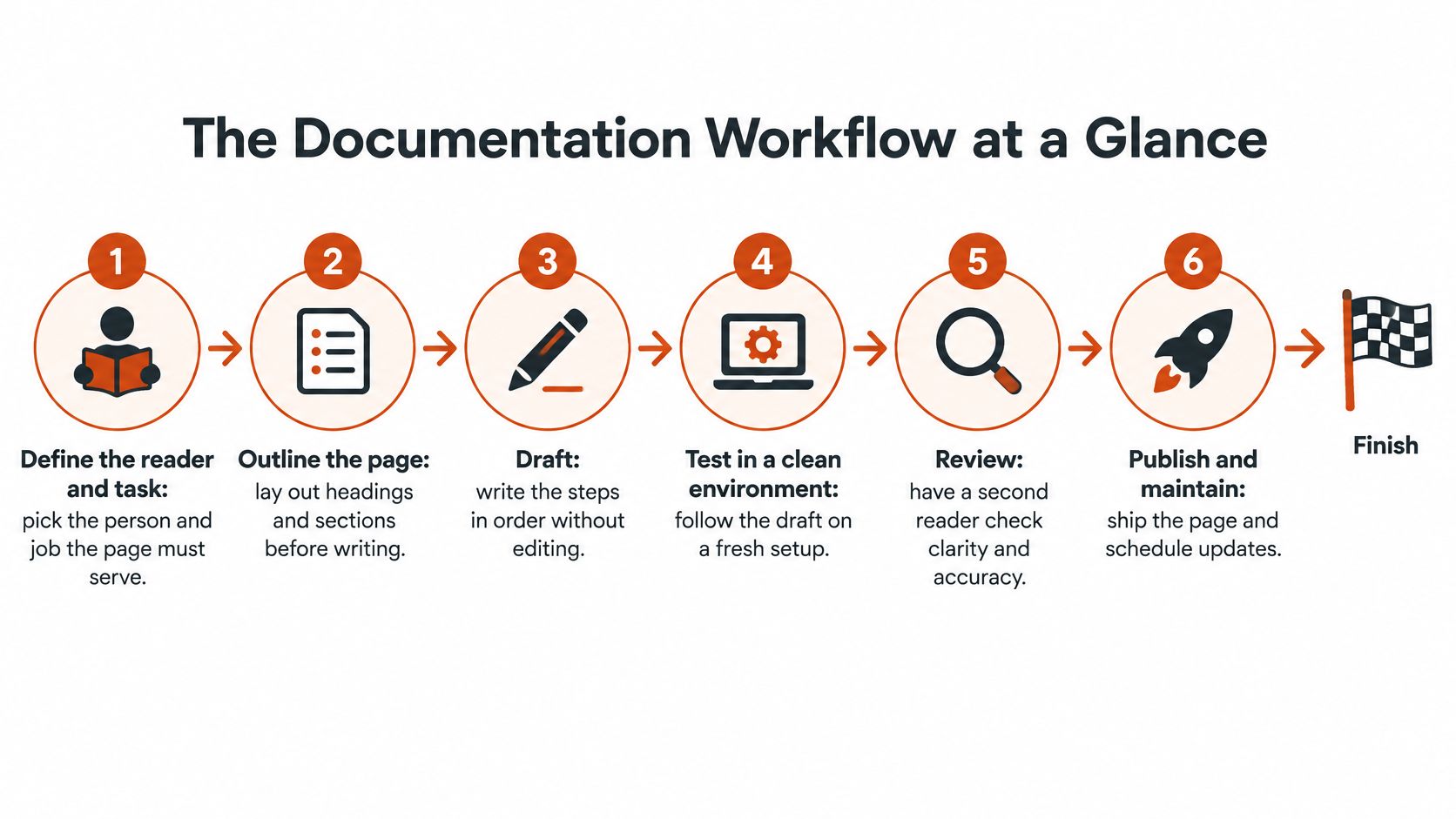
Six phases carry a page from nothing to something you can defend in a support thread, and each one ends with an artifact someone else can inspect.
For a new page the phases run in order. For an existing page they loop: a failed clean-environment run sends you back to the outline, not to the prose, because a procedure that breaks at step four usually has a missing prerequisite rather than a bad sentence. Writing is the shortest phase. Testing is the one that changes what you ship.
| Phase | Output | Done when |
|---|---|---|
| Define the reader and task | Task sentence with success criterion | A cold reader can name the goal |
| Outline the page | Prerequisites, ordered steps, expected output | Every step has a visible result |
| Draft | First version, typed or dictated | Commands, values and examples are filled in |
| Test | Clean-environment run by a new reader | Reader finishes without help |
| Review | Sign-off by risk level | Named reviewer approves the change |
| Publish and maintain | Live page with owner and review date | Next review date is set |
The whole path fits on one line.
An authentication page shows how the outline does the heavy lifting before you write a sentence. The outline lists the token request, the expected 200 response, and the error a reader sees when an expired key is used. Once those three blocks exist, the prose is mostly connective tissue around a request, a response and a failure. Skip the outline and you end up writing an essay about authentication that never shows a working call.
A single page moves through all six phases in an afternoon. A full reference set takes weeks, mostly because the review and test phases queue up behind subject-matter experts who are also shipping the product. Plan the calendar around the gate, not the drafting. If you're still choosing where pages live, documentation advice from ogBlocks covers how tooling choices interact with this workflow before you commit.
A page isn't finished when it reads well. It's finished when someone else completes the task.
Before you type anything, ask one question: can a new engineer finish this task using only this page? If the answer needs a caveat, the outline is missing something.
Start With the Reader and the Task They Need to Finish
The most common failure is writing for the person who already knows the system. That's you, three months into the project, with the mental model of how everything fits together. Your reader has none of it, and the page that assumes it produces exactly the support ticket you were trying to prevent.
Audience definition is not a persona exercise. It's four concrete answers, written down before drafting starts.
- List the three to five people who will open the page. A developer hunting one parameter, a support lead following a setup list and an integration partner comparing your limits all need different pages. If a page serves three of them, it usually serves none.
- Write each task as one sentence with a success criterion. Not "authentication" but "a developer can authenticate and make a successful API request." The success criterion is what the test phase will check later.
- Note what they already know and what's open beside the page. A terminal, an IDE, a browser tab with your dashboard. This determines whether you write full paths or relative ones, and whether you can say "open the settings page" without a screenshot.
- Write the first question they'll ask. It's rarely the question the page answers first. On a webhook page it's usually "why didn't my event arrive," not "what is a webhook."
The impact is greater than it may seem. In a controlled study of API use, developers opened documentation between 54 and 109 times while completing a single task and spent 12 to 22 minutes consulting it, with documentation-related time estimated at 15% to 23% of total development time (the ICSE study of documentation use). A reader who has to scan four paragraphs to find the parameter name pays that cost dozens of times per session.
The fix for author-blind writing is cheap. Ask someone outside the team to read the first screen and tell you what they think the page is for. Their answer takes thirty seconds and exposes assumptions a full review misses, because they don't know which parts you consider obvious.
End the audience step with one line you can paste into the outline: a task statement naming the reader, the action and the proof of success. Every later decision, section order, example choice, error coverage, has to earn its place against that line.
Build Each Page From a Repeatable Template
A tutorial and a reference page fail in different ways, so they shouldn't share a skeleton. Give each document type the sections its readers need, and the page stops depending on the mood of whoever writes it.
| Document type | Core reader question | Required sections | Example |
|---|---|---|---|
| Tutorial | Can I finish my first task? | Prerequisites, numbered steps, expected output, next steps | Set up a local environment and run a first request |
| API reference | What do this endpoint's parameters and errors mean? | Parameters, return values, error codes, one working request | GET /users with auth header and sample response |
| Configuration guide | Which setting do I change and what does it do? | Setting name, default, allowed values, effect on behaviour | Set timeout to 30 in config.yaml to cut idle connections |
| Troubleshooting page | Why does this fail and how do I fix it? | Symptom, cause, fix, verification step | Webhook returns signature mismatch, the secret is stale, rotate it and resend |
| Release notes and migration guide | What changed and what must I do? | Changes, breaking changes, required actions, version and date | v3 renames the auth header, update clients before upgrading |
What Every Template Shares
Four blocks appear in every type above, in this order: prerequisites, the smallest working example, expected inputs and outputs, and the failure conditions a reader will encounter. The order matters because a reader arrives mid-task and scans for the thing they're missing.
The evidence for examples is strong. A 2021 study of Java SE and Android reference documentation found that enriching pages with code samples drawn from developer knowledge produced 3.35 times as many code-illustrated Java SE types and 5.76 times as many for Android, and developers using the enriched pages completed 23.81% more programming tasks while cutting average completion time by 9.43% (the documentation-quality study). One caveat travels with that result: examples have to stay synchronized with the product, or extra quantity turns into extra false confidence.
Practical rule: put the working example above the explanation. A reader who lands mid-task will copy the code and leave.
Record the Decision Beside the Step
Steps explain what to do. They don't explain why a limit exists, which alternative the team rejected, who owns the behaviour, or when the answer might change. That missing layer costs more than most writers expect. In Stack Overflow's developer survey, 63% of developers said incomplete information prevents them from getting the right context, and 79% said they discover important context only after the fact (Stack Overflow's developer survey).
A decision block is five lines, not an essay: why it works this way, the alternative that was rejected, the owner, the status, and the review date. Keep it under the relevant section rather than in a separate architecture doc, because nobody opens two documents to answer one question.
Troubleshooting pages show the pattern clearly. Start with the symptom in the reader's own words (signature mismatch on a webhook), name the likely cause (a stale secret from a rotated key), give the fix with a code sample, then add the verification step that proves it worked. The decision block explains why rotation invalidates in-flight retries, which stops the same ticket from coming back next month.
Outline the page before you refine its structure; AIDictation can build outlines for blog posts, operating procedures and research summaries, which helps when the sections are still in your head. For teams that reuse skeletons across many documents, this sales playbook template for B2B teams is a useful model of how a fixed section order keeps quality steady while the content changes.
Write Sentences Readers Can Act On
Take this sentence from a configuration guide: "The timeout value should be updated in the config file." A reader who doesn't know your stack can't act on it. They don't know the file name, the key, the valid range or whether a restart is needed.
Five rules fix most of it.
- One action per sentence. "Open
config.yamland settimeoutto30." The passive version hides the actor, the object and the value in one clause. - Name the actor and the place. Say which file, screen or command. "In the dashboard, open Settings then API keys" is clearer than "open the appropriate location" every time.
- One term for one thing. If the product calls it a workspace, never let it become a project, a tenant or an account on the same page. Readers treat synonyms as different objects and go looking for a setting that doesn't exist.
- Cut the words that blame. "Just" and "easily" turn a normal failure into a personal one. A reader who misses a step described as simple concludes they're the problem and stops reading.
- One idea per paragraph, and keep steps numbered. Prose is for context. Sequence belongs in a list, where the reader can point at the step that failed.
Turn a Paragraph Into Steps
Tone is the quietest variable. State the requirement, the reason and the result, then stop. No hedging, no jokes at the reader's expense, no exclamation marks on a page someone reads because something broke.
Watch a paragraph on token expiry get rewritten. The draft says the token expires "after a period of time, and depending on configuration, users may need to request a new one." The rewrite gives three steps: check the expires_at field on the last response, request a new token with the credential endpoint, retry the original call. If the retry still returns 401, the credential itself is wrong, and that gets its own sentence.
Read every step out loud. If you stumble over a word, the reader will too, and they won't have your context to recover.
The read-aloud test catches missing articles, ambiguous pronouns and sentences with two verbs competing for one subject. It also catches the step you wrote from memory and never checked. For a wider set of sentence-level patterns, technical writing best practices is worth keeping open while you edit.
Draft Faster With Dictation and AI Without Losing Accuracy
The fastest first draft comes from your voice, not your keyboard. Run the procedure while you narrate it: what you clicked, what the terminal printed, where you hesitated because the second step depends on the first. That hesitation is context a typed summary drops, and it's exactly what a cold reader will hit.
Speaking the procedure in order while you run it captures the sequence before you tidy it.
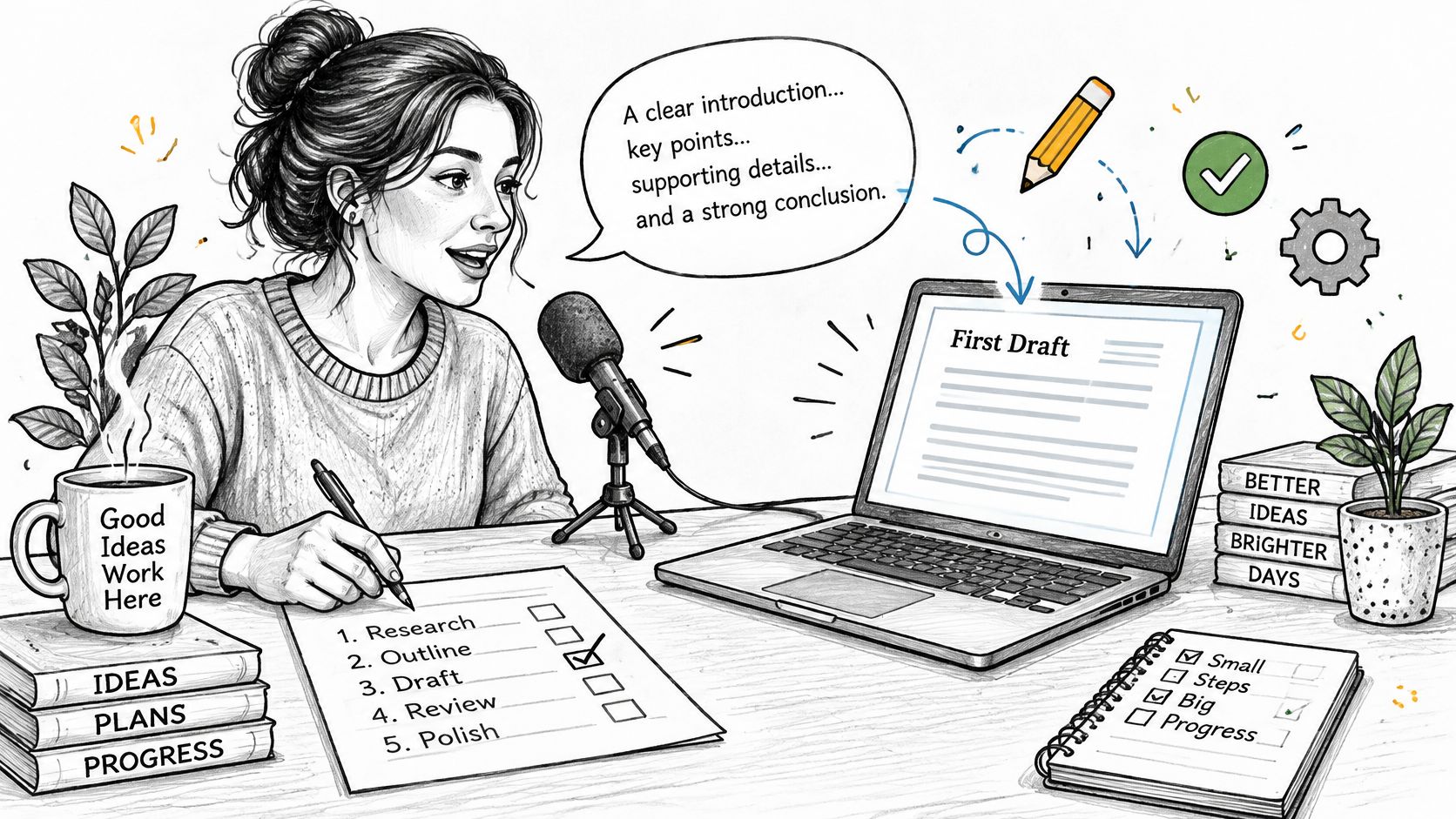
A workflow that holds up under review looks like this.
- Dictate rough notes in the order the reader will act. Ignore grammar on the way in. Get the commands, values and conditional branches down.
- Expand the bullets into sentences. AIDictation can expand sparse bullet points into readable documentation that teammates can review and comment on, which is the right use of automation at this stage.
- Check every command, value, version and flag against the running product. This step is not optional and cannot be delegated to the same tool that wrote the draft.
- Add custom terms for API names and config keys. Misspelled identifiers are the most common defect in generated documentation, and they're invisible to spellcheck.
- Share the draft for comments before line editing. Structural feedback on a draft that still has wrong commands wastes everyone's time.
Where Generated Text Fails Quietly
The risk with AI drafting isn't obvious nonsense. It's fluent, well-formatted prose that describes an endpoint that was renamed or a default that changed. The output reads like the rest of your site, which is precisely why it gets published unchecked.
The numbers behind that worry come from Mintlify's state of knowledge survey, which reports that 83% of respondents say AI agents draft documentation updates, yet only 9% allow those agents to publish without human review (Mintlify's state of knowledge survey). Freshness is the other half: only 24% report that changes reach the docs the same day, while 54% see a one-week delay and 22% wait a month or longer.
The practical answer is a risk ladder rather than a blanket rule. Machine-drafted summaries are fine for wording changes. API behaviour, security, compliance and migration guidance need a named subject-matter reviewer every time, because a plausible error there costs a customer, not a paragraph.
Meetings are the other place context disappears. AIDictation can capture live meeting notes with decisions, action items and follow-up questions in one shared Google Doc, which is how a design discussion becomes a decision block instead of a memory nobody wrote down.
A short walkthrough of the drafting and verification loop:
AI shortens the distance to a usable draft. It doesn't shorten the distance to a correct one, which is why an engineer still has to validate the commands before the page goes anywhere near the review gates. If you're comparing tools for that drafting step, technical writing tools covers the trade-offs between local and cloud options.
Test and Review Before Anything Ships
There's a wide gap between a page nobody found a typo in and a page a stranger completed. Testing closes that gap, and it's the phase writers skip because it looks like work they can't schedule.
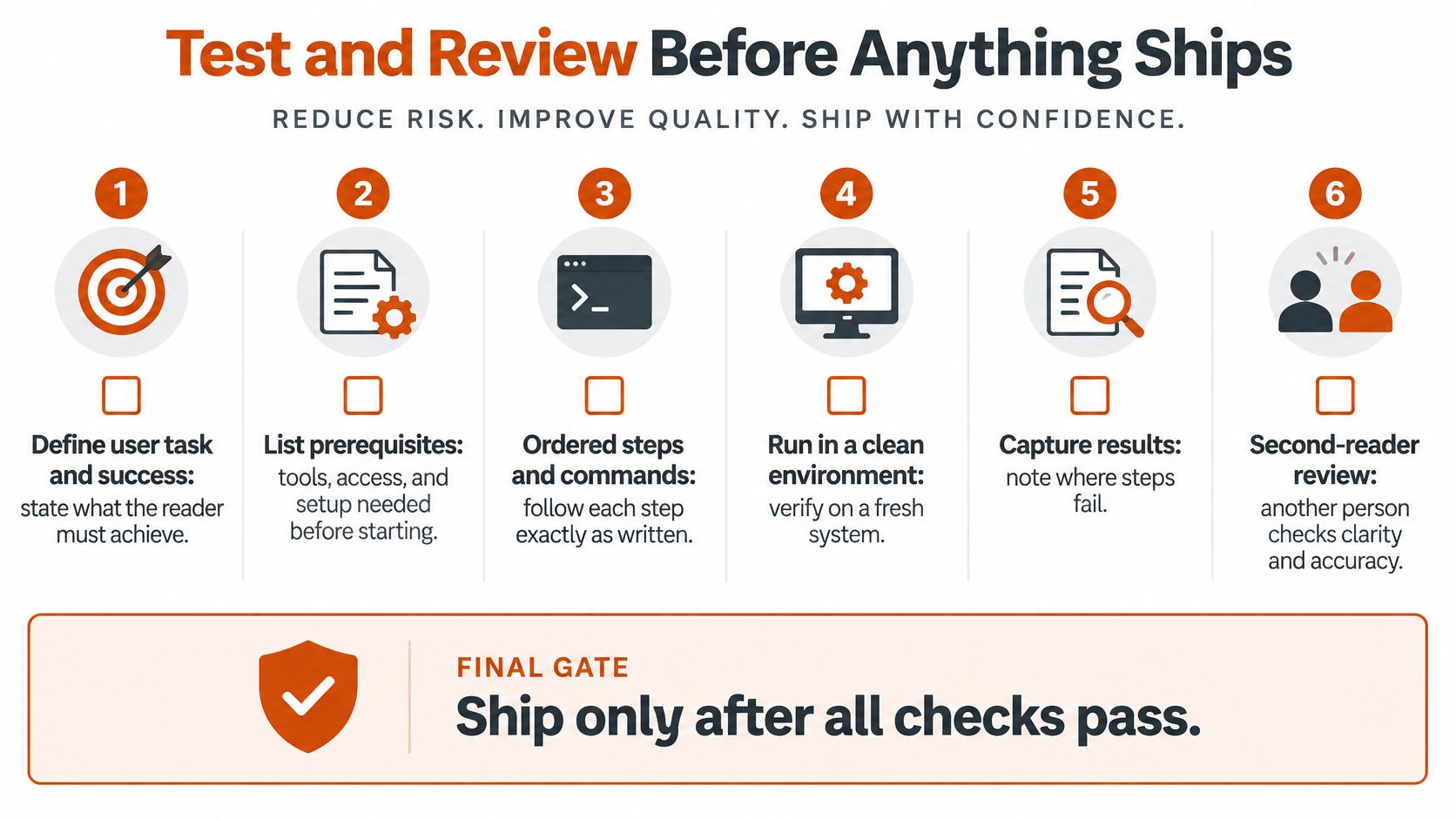
The test that matters is a cold-environment run. Define the user task and success criterion, break it into prerequisites, ordered steps, commands, expected outputs and failure recovery, then hand it to a reader who didn't write it and watch without helping. Record five things: completion rate, time on task, error frequency, unanswered questions and support escalations. Those five turn an opinion about documentation quality into a number you can compare across releases.
Match Review to Risk
Not every change deserves the same gate. A wording fix and a migration guide have different failure costs, and treating them identically either slows the site to a crawl or lets a breaking change through unreviewed.
| Change type | Review required | Sign-off owner | Evidence to keep |
|---|---|---|---|
| Wording or layout only | Editor pass | Documentation writer | Edit record |
| API behaviour, parameters or error codes | Test against the current build | Owning engineer | Test output with version |
| Security, medical, compliance or migration guidance | Subject-matter review | Named expert | Signed review with date |
| New task or workflow | Clean-environment run by a new reader | Reviewer outside the author's team | Completion rate and time on task |
The attributes that predict whether a page passes that gate are well documented. A documentation-quality study involving 88 experts ranked accuracy, clarity, consistency, readability, structuredness and understandability as the leading quality attributes (the documentation quality study). Accuracy ranks first for a reason, and it's the one attribute a writer can't verify alone.
A workable release gate has four conditions. Every critical procedure executes successfully. Every code example runs in CI where feasible. Each version-sensitive instruction has an owner and a review date. And every failed user test becomes a tracked documentation defect with a name attached.
A failed user test is a documentation defect, not a training problem.
The pitfalls repeat across teams. Documenting only the ideal path. Leaving environment assumptions unstated. Publishing snippets that were never executed. Counting page visits as evidence that a task succeeded. All four produce dashboards that look healthy while the support queue grows.
A reviewer's checklist fits on a sticky note. Does the example run against the current build? Are the assumptions stated before the first command? Is there a visible result after every step? Is an owner named? If any answer is no, the page isn't ready, regardless of how it reads. More on that bar sits in this guide to documentation quality.
Keep Pages Accurate With a Goal-Question-Metric Loop
Shipping a page starts a clock, not a finish line. Readers keep arriving: in Wikimedia's 2024 Developer Satisfaction Survey, 94% of respondents said they read technical documentation on a wiki at least occasionally. Stale content gets read far more often than it gets fixed.
Run maintenance as a loop against measurable indicators rather than a yearly scramble.
- List the documentation areas and a goal for each, such as reducing integration failures.
- Turn each goal into a question you can answer from the page, such as whether required endpoints, parameters, examples and error responses are covered.
- Pull the metrics that answer it: coverage of public APIs, percentage of examples that compile, age of the last review, broken-link rate, unresolved feedback count, search-to-success rate, median time on task.
- Flag the gaps where coverage or examples lag behind the product.
- Turn each gap into a tracked defect with an owner, then read the trend at the next cycle.
Research on metrics-based documentation assessment found that structured analysis of this kind surfaces quality issues in real-world documentation that reviewers miss (the metrics-based assessment study). Use it to decide what to fix first, starting with the pages that carry the most traffic and the most failed tasks.
Run Your First Page Through This Workflow
Pick one page this week and run it through the full sequence. Choose by risk and traffic: a high-traffic setup guide, a page with recurring failed tasks, a security-sensitive procedure, or something that changes with every release. One page is enough to prove the method.
- Write the task and success criterion in a single sentence. Put it at the top of the outline, not in a doc somewhere else.
- Fill the template's required sections for that document type: prerequisites, smallest working example, expected outputs, failure conditions.
- Run the procedure from a clean environment with a colleague who hasn't seen the page. Sit behind them. Don't answer questions until they ask twice.
- Note the exact step where they stop or ask a question. That step is your defect, not their misunderstanding.
- Fix the page, add an owner and a review date, and record time on task before and after.
A good result is easy to recognise. The second reader finishes without help, the step where they previously stalled now carries a visible output, and the median time to complete the task drops on the next run.
The result to aim for isn't a page that reads better. It's a page that stops generating the same question. Put the next review date on the calendar before you publish, because the revision that matters most is the one triggered when the product changes and nobody tells you.
AIDictation turns the moment you're already explaining a procedure out loud into a draft you can edit, with a custom dictionary that keeps API names and config keys spelled correctly and Auto Mode picking the right engine for your setup. If you're writing runbook steps, troubleshooting guides or technical explanations, it captures the sequence while you run it, then cleans up filler words and punctuation so teammates can review the result immediately. You can start free with no account at AIDictation and see how much of a first draft you already speak every day.
Frequently Asked Questions
What does How to Write Technical Documentation: A Practical Guide cover?
Your teammate is stuck on step four of a setup guide you wrote last quarter. The command on the page runs, but it prints something different from the output the page promises, so they guess, skip ahead, and land in a worse error two steps later.
Who should read How to Write Technical Documentation: A Practical Guide?
How to Write Technical Documentation: A Practical Guide is most useful for readers who want clear, practical guidance and a faster path to the main takeaways without guessing what matters most.
What are the main takeaways from How to Write Technical Documentation: A Practical Guide?
Key topics include Table of Contents, The Documentation Workflow at a Glance, Start With the Reader and the Task They Need to Finish.
Ready to try AI Dictation?
Experience fast voice-to-text on your device. Free to download.
Download FreeRelated Posts
Technical Documentation for Developers: A Practical Guide
Learn how to structure, write and maintain technical documentation for developers, with templates, examples and checks that keep docs accurate.
Formatting Rules Explained for Email, Docs and Code
Learn formatting rules for email, documentation and code comments: capitalization, lists, spacing and how to enforce them consistently.
10 Technical Documentation Templates Compared for 2026
Compare 10 technical documentation templates for APIs, guides, and architecture docs. See when to use each and their honest limitations.