10 Custom Dictionary Software Tools for Every Workflow
A clinician dictates a drug name, a developer records an API acronym, and a localization team reviews a product term in three languages. The generic spellchecker flags one word, the speech recognizer mishears another, and a personal word list fixes neither the approval workflow nor the preferred translation. That's the point many teams miss: a personal dictionary, a governed termbase, and a speech-recognition vocabulary are different layers.
This comparison focuses on terminology depth, integrations, collaboration, customization, deployment model, and operational fit. Some tools store and govern approved terms. Others discover terminology from real text, enforce writing preferences, or adapt dictation and transcription systems. The right choice depends less on the longest feature list than on where terminology enters your workflow and who owns it afterward.
If your wider content stack also includes generative writing tools, you can compare adjacent options in this guide to AI writing assistants for SaaS. The list below gets specific about what each product solves, what it doesn't solve, and how to configure a useful dictionary rather than dumping an uncontrolled word list into every application.
Table of Contents
- 1. RWS Trados MultiTerm
- 2. memoQ Terminology
- 3. TLex Suite
- 4. Lexonomy
- 5. Sketch Engine
- 6. LanguageTool Premium and Teams
- 7. Nuance Dragon Medical One
- 8. Amazon Transcribe
- 9. Google Cloud Speech-to-Text
- 10. Microsoft Azure Speech Service
- Top 10 Custom Dictionary Software Comparison
- Configure a Dictionary That Stays Useful
1. RWS Trados MultiTerm
RWS Trados MultiTerm is built for teams that need a governed, multilingual termbase, not merely a way to stop spellcheck warnings. It organizes terminology around concepts, language equivalents, custom fields, filters, and approval information. That structure suits localization programs, legal content, medical documentation, and technical publishing where the preferred term needs context and an accountable owner.
Its strongest fit is the Trados ecosystem. Terminology can be checked during translation in Trados Studio, while cloud terminology options support collaboration beyond a single desktop installation. The RWS Trados MultiTerm product page is the right starting point for assessing the current desktop and cloud options.
Configure it for controlled terminology
Start with concepts rather than isolated words. Add the preferred form, forbidden or deprecated variants, language equivalents, definition, subject field, status, owner, and review notes. In a regulated workflow, that metadata matters as much as the term itself because translators need to know whether an entry is proposed, approved, or restricted to a particular product or market.
Practical rule: Keep recognition hints, proofreading exceptions, and approved terminology separate. A word that should be recognized isn't automatically a word every writer should use.
MultiTerm is less attractive as a standalone purchase for a small writing team that only wants to prevent false spelling flags. Pricing is sales-led and isn't transparently published, and the platform makes the most sense when Trados Studio or related Trados workflows already sit at the center of the operation. For teams that need auditability and shared multilingual control, that depth is the benefit. For an individual writer, it can be more infrastructure than the problem requires.
If you're configuring a personal or dictation dictionary alongside a termbase, this practical guide to setting up a dictionary helps distinguish entries that improve recognition from terms that belong in a governed terminology system.
2. memoQ Terminology
memoQ Terminology combines translator-friendly term bases with QTerm, a browser-based environment for broader terminology governance. The desktop experience is designed for quick lookup while working, with term highlighting and auto-insertion inside the editor. QTerm adds a more centralized layer for roles, term entry, and organization-wide review.
That desktop-to-web split makes memoQ useful for companies where translators need speed but terminology managers need control. The platform also supports TBX import and export, which is important when a termbase must move between translation systems rather than become trapped in one vendor's format. Details about the available terminology workflows appear on memoQ's terminology management page.

Configure it for translator speed and team control
Build term entries with language fields, grammatical information, usage notes, forbidden forms, and approval status. Give translators fast insertion for approved terms, but don't let auto-insertion replace human review. A term can be technically correct and still be wrong for a product line, audience, or regional variant.
QTerm's governance is the reason to consider memoQ beyond a local glossary. Administrators can manage access and standardize how contributors add entries. The trade-off is operational: full QTerm functionality depends on memoQ server or TMS infrastructure, and features can vary by plan. Teams should confirm whether their existing deployment supports the web governance they expect before designing a central process around it.
The best implementation uses TBX as an exchange path, not as a substitute for ownership. Export a controlled snapshot when another system needs terminology, then define which platform remains authoritative. Without that decision, multiple teams will edit different copies and reintroduce old variants into new projects.
3. TLex Suite
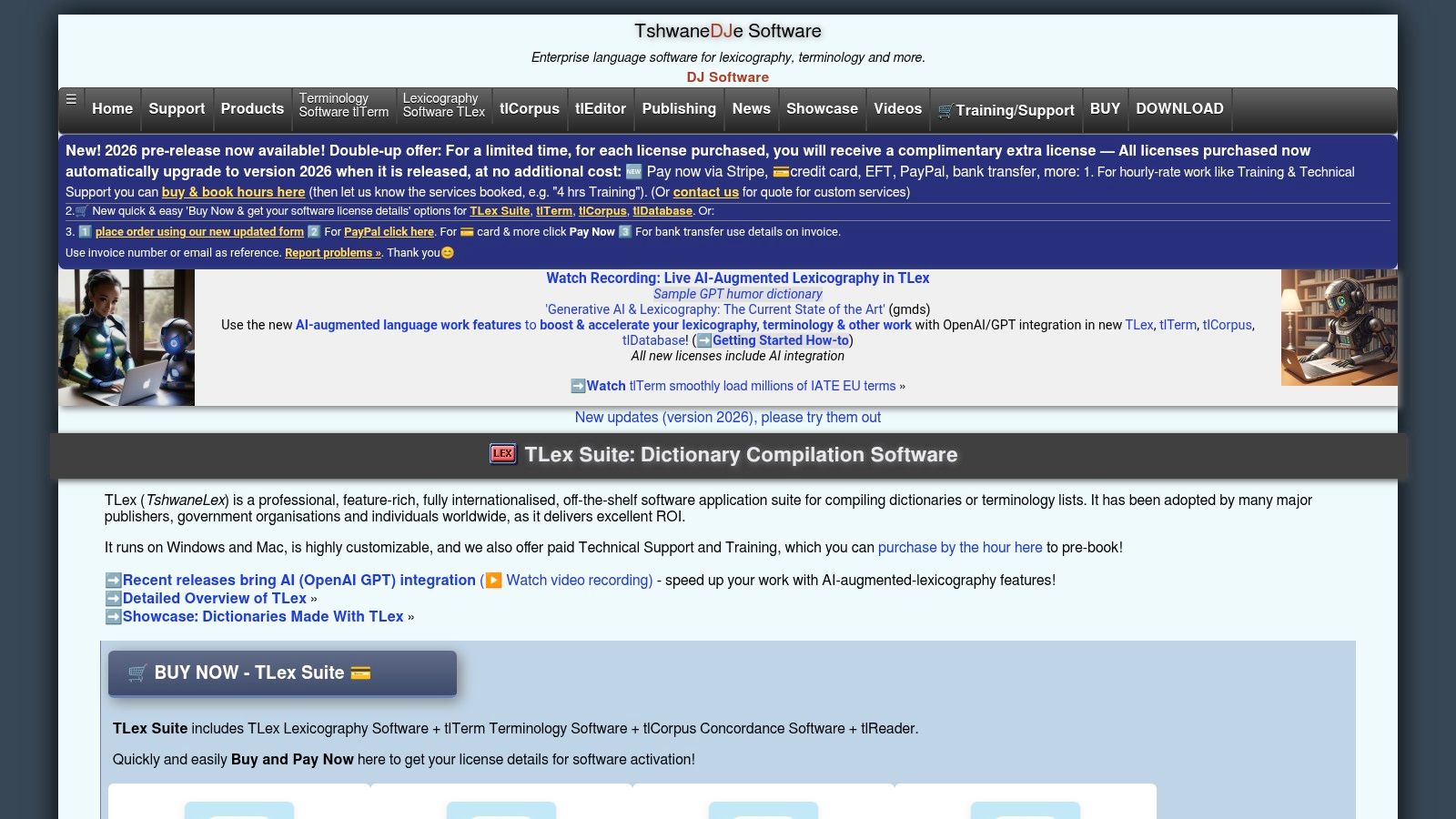
TLex Suite is for a different problem. It's a dictionary writing system for professional lexicography, rather than a lightweight glossary or translation-only termbase. Its structured entry models, cross-references, and publishing outputs support mono-, bi-, and multilingual dictionaries where entries need rich relationships and consistent presentation.
That makes TLex a serious option for publishers, language institutions, specialist reference projects, and organizations creating a dictionary as a finished product. Its TLex Suite website describes a desktop-oriented environment with commercial support and training for complex lexicographic work.
Configure entries as a publishing model
Begin by defining the entry schema. Decide which fields every entry needs, how senses are separated, how cross-references work, and which outputs the project must produce. A technical dictionary might require definitions, usage labels, subject domains, abbreviations, pronunciation, equivalents, and related concepts. A publisher may also need editorial status and display rules.
TLex's strength is its modeling depth. You can represent relationships that a personal dictionary cannot express, such as a term pointing to a broader concept, a preferred spelling linked to a variant, or several senses carrying different domains. That structure is valuable only when the editorial team is prepared to maintain it.
The weakness is equally clear. TLex is desktop-oriented and can be excessive for a small internal glossary. Collaboration and cloud access aren't its default selling point, so teams should plan how files, editorial decisions, and publication outputs will be shared. It's a strong choice when the deliverable is a professional dictionary. It's a poor fit when the immediate need is only to stop a writing assistant or dictation tool from correcting product names.
4. Lexonomy
Lexonomy offers a browser-based, open-source route to creating, editing, and publishing dictionaries and glossaries. It's particularly useful when a team wants structured entries and collaboration without committing immediately to an enterprise terminology platform. The Lexonomy website provides access to a hosted instance and information about self-hosting.
The editor can support mono-, bilingual, and multilingual projects, with customizable entry structures. That gives an academic project, language community, or internal terminology pilot a practical way to move beyond a spreadsheet. Contributors can work in a browser, while the organization can choose self-hosting when it needs more control over the environment.
Configure a pilot before scaling it
Keep the first schema deliberately small. Include the headword, language, definition, part of speech, equivalent or variant, usage note, and editorial status. Add fields only when someone has a clear responsibility for maintaining them. An entry structure that looks exhaustive but nobody completes becomes a burden rather than useful metadata.
Lexonomy's main advantage is low friction. A team can test a dictionary workflow quickly, and self-hosting can remove the limits associated with the public hosted instance. The trade-off is support. Community-driven software may require more internal troubleshooting and process design than a commercial platform with a dedicated support channel.
Use Lexonomy when the project needs a real dictionary editor but doesn't yet justify a larger procurement. It can also serve as a controlled prototype for deciding which fields, roles, and exports matter before migrating to a broader terminology environment. Don't treat it as a replacement for a speech model's pronunciation or recognition adaptation layer. It stores the vocabulary, but another system may still need to consume and interpret it.
5. Sketch Engine
Sketch Engine solves the discovery problem. Instead of asking a team to guess which terms belong in a dictionary, it helps researchers examine real corpora, extract keywords and terminology, and study how words appear with one another. That makes it valuable for technical domains, medical text, customer support logs, product documentation, and any project where the vocabulary is larger or less obvious than the editorial team expects.
Its word sketches summarize usage patterns and collocations, while corpus comparison helps separate domain-specific language from general vocabulary. The Sketch Engine platform is therefore best viewed as a term discovery and evidence tool, not as the final governed termbase.
Configure discovery around real language
Collect representative text before creating entries. Include approved documentation, support content, clinical or engineering material where permitted, and text from the markets or departments the dictionary will serve. Clean the corpus carefully, because duplicated templates and outdated documents can make weak candidates appear important.
Then review extracted candidates with a subject expert. Frequency alone doesn't establish preferred usage. A common term may be ambiguous, obsolete, or too broad for the project. A rare product name may deserve an entry because the business needs its exact spelling and capitalization.
A corpus finds candidates. An owner decides what becomes policy.
Sketch Engine has a learning curve for people who aren't linguists, and subscription pricing varies by seat and organization type. That effort pays off when the team is bootstrapping a dictionary from authentic language rather than copying terms from memory. Export the approved results into MultiTerm, memoQ, Lexonomy, or a writing and dictation system, then keep the discovery corpus separate from the approved vocabulary.
6. LanguageTool Premium and Teams
LanguageTool is the lightweight writing-assistance choice in this list. Its Personal Dictionary helps users stop false positives for names, technical expressions, and specialist vocabulary, while custom rules can enforce wording and style preferences. It works across browsers and applications, which makes deployment easier than introducing a dedicated terminology system into every writer's workflow.
The LanguageTool Premium page describes Premium and Team options, including dictionary import capabilities for teams. That makes it a practical fit for a content team that wants consistent writing behavior without building a full multilingual termbase.
Configure it for style enforcement
Use the Personal Dictionary for entries that should not be flagged, such as product names, internal acronyms, and specialist terms. Use custom rules for repeated editorial decisions, such as preferred wording, prohibited phrasing, or house-style patterns. Those are different controls and should not be mixed.
LanguageTool is quick to deploy and generally easier for writers to adopt than enterprise term management. It isn't a full termbase, though. Metadata, concept relationships, multilingual approval states, and auditability are limited compared with MultiTerm or QTerm. The default service is cloud-based, which may also matter for organizations with strict on-premises governance requirements.
For a distributed content team, start with a small approved import and document who can change it. If every user adds terms independently, the tool can suppress useful warnings instead of improving consistency. LanguageTool works best as the final writing layer after terminology owners have decided which forms are acceptable.
7. Nuance Dragon Medical One
Nuance Dragon Medical One addresses clinical dictation rather than general dictionary authoring. It combines medical vocabularies with user-managed custom words, auto-texts, and voice commands, helping clinicians preserve names, drugs, procedures, and specialty language during spoken documentation. The Dragon Medical One website provides current product information for its cloud medical speech-recognition workflow.
The important distinction is that adding a word doesn't turn Dragon into a full clinical termbase. It gives the recognition system or user profile better information for dictation, while auto-texts and commands shape what happens after a phrase is spoken. That makes it useful at the point of documentation, where speed and consistent formatting matter.
Configure it for clinical speech
Add terms that recur in actual dictation, especially names, medication vocabulary, procedure names, abbreviations, and specialty expressions. Where the product supports it, include pronunciation guidance or spoken forms rather than relying only on the written spelling. A recognizer can know the correct spelling and still fail if it can't map the spoken form to the term.
A classroom note-taking study illustrates why dictionary entries aren't the whole adaptation strategy. Accuracy increased from 75% with an untrained system to 88% after minimal training, then to 94% with moderate training and a customized dictionary plus pronunciations in the reported study, as documented in research on speech recognition for classroom note-taking. The practical lesson applies to medical dictation: combine vocabulary, pronunciation, user training, and review of real errors.
Dragon Medical One is a strong fit for healthcare workflows, but pricing isn't officially published and is commonly handled through resellers. Its Windows-first orientation also matters when a department uses mixed platforms. For a broader discussion of clinical voice workflows, see this guide to Dragon medical dictation.
8. Amazon Transcribe
Amazon Transcribe is the developer option for teams that need custom vocabulary inside an automated transcription pipeline. Its Custom Vocabulary feature can bias recognition toward product names, acronyms, and domain terms, while Custom Language Models use domain text for broader adaptation. The service supports streaming and batch transcription, so the dictionary can become part of an application rather than a manual setting on an individual workstation.
The Amazon Transcribe service page contains the current API and service details. Its value appears when a team needs to maintain terminology programmatically, attach different vocabularies to different customers or departments, or feed transcripts into downstream search, support, analytics, or documentation systems.
Configure separate recognition layers
Keep a machine-readable source vocabulary with canonical spelling, spoken variants, language, domain, and activation scope. Use Custom Vocabulary for terms that need a direct recognition hint. Use a Custom Language Model when the system also needs to learn broader domain patterns from representative text.
This distinction prevents a common implementation mistake: treating every approved term as a model-training example. Recognition hints and post-processing rules behave differently. As technical guidance on dictation custom vocabulary explains, hints bias recognition before transcription, while replacement rules correct exact output afterward. Large deployments should separate likely words from must-fix spellings to reduce ambiguity.
Amazon Transcribe scales well through APIs, but the engineering work is real. Domain text must be clean and representative, and streaming, batch, and model features have different cost and performance implications. Teams handling health information should also verify the supported region and compliance configuration rather than assuming that the service alone makes an application compliant. For product teams building automated transcription, this overview of AI-powered audio and video transcription provides useful workflow context.
For SaaS teams reviewing payment and infrastructure obligations around a transcription product, SaaS payment compliance help is a separate operational resource.
9. Google Cloud Speech-to-Text
Google Cloud Speech-to-Text offers a comparatively direct adaptation path through phrase hints and reusable custom classes. Developers can target names, commands, product vocabulary, or technical jargon without building a complete custom model. Streaming and batch modes support both interactive dictation experiences and asynchronous transcription pipelines.
The Google Cloud Speech-to-Text platform includes documentation and SDK support for developers who need to connect recognition to an application. Its transparent service documentation also makes it easier to evaluate the API layer before committing to a larger model-training workflow.
Configure hints by context
Create reusable custom classes for terms that belong together, such as product names, medical specialties, engineering components, or customer commands. Apply phrase hints according to the active workflow instead of sending one enormous vocabulary to every request. A support call and a developer interview may share a language but need different recognition priorities.
Phrase hints and custom classes bias recognition. They aren't a substitute for a complete custom model, and they don't automatically solve pronunciation, acoustics, or noisy audio. Test with recordings from the actual users, microphones, accents, and environments that the application will serve. Review both false negatives, where the system misses a term, and false positives, where a hint causes ordinary language to be misread.
Google Cloud is a good fit when the engineering team wants a quick adaptation layer with strong infrastructure and documented SDKs. The trade-off is that pricing depends on the model and feature tier, so the application should log usage by mode and feature rather than estimating from audio duration alone. Keep the source dictionary outside the API configuration, version it, and regenerate phrase resources when terminology owners approve changes.
10. Microsoft Azure Speech Service
Microsoft Azure Speech Service covers the broadest speech customization range in this comparison. Phrase lists can bias recognition toward domain vocabulary, Custom Speech can support acoustic and language adaptation, and custom lexicons provide explicit pronunciation control for text-to-speech scenarios through SSML, PLS, and hosted lexicon files. The Azure Speech Service product page outlines the platform's speech, SDK, and enterprise integration options.
That range helps organizations that need both speech-to-text and text-to-speech behavior. A centralized pronunciation dictionary can define how product names, people, locations, or specialist terms should be spoken, while recognition resources can bias the input side toward the same vocabulary.
Configure written and spoken forms separately
Store at least three values where the workflow requires them: the canonical written term, the spoken form or pronunciation, and the context in which the term applies. Add language and regional information when the same spelling has different pronunciations or when a term should only be active for a particular application.
Azure's flexibility introduces complexity. A phrase list is simpler than a Custom Speech project, while a pronunciation lexicon addresses a different problem from recognition bias. Treat those resources as separate configuration artifacts with owners, versions, test samples, and rollback plans. Don't assume that improving TTS pronunciation will automatically improve speech recognition.
The platform suits enterprises that already use Azure security controls, identity management, and SDKs. Pricing spans multiple SKUs, so architecture and cost estimation need to happen together. Begin with phrase lists and a small pronunciation set, then add model adaptation only when error review proves that lighter customization isn't enough.
Top 10 Custom Dictionary Software Comparison
| Product | Core features | UX / Accuracy | Pricing & Value | Target audience | Unique selling points |
|---|---|---|---|---|---|
| RWS Trados MultiTerm | Centralized, concept‑oriented termbases; in‑Studio verification; cloud collaboration | ★★★★, enterprise‑grade accuracy & workflow integration | 💰 Sales‑led enterprise pricing; best value with Trados Studio | 👥 Localization teams; regulated (legal/medical) | ✨Governed multilingual termbases; 🏆auditability & metadata |
| memoQ Terminology (Term Bases + QTerm) | In‑editor lookup/auto‑insert; QTerm web governance; TBX support | ★★★★, fast authoring for translators | 💰 EUR‑based plans; QTerm needs server (infra cost) | 👥 Translators, L10n teams, enterprises | ✨Desktop+web workflow; 🏆TBX interoperability |
| TLex Suite | Structured entry schemas; cross‑refs; publishing/export outputs | ★★★★, specialist lexicography UX | 💰 Priced in ZAR; desktop licenses; may be costly for small teams | 👥 Lexicographers, publishers, academic projects | ✨Publisher‑grade outputs; 🏆rich entry modeling |
| Lexonomy | Open‑source browser editor; self‑hosting; public hosted instance | ★★★, quick to start; collaborative (limits on hosted) | 💰 Free hosted tier; self‑host to remove limits | 👥 Academics, small teams, pilots | ✨Open‑source & easy hosting |
| Sketch Engine | Corpus management; automatic term extraction; word sketches | ★★★★, powerful corpus insights; steeper learning curve | 💰 Subscription varies by seat/type | 👥 Researchers, terminology managers, lexicographers | ✨Corpus‑driven term discovery; 🏆research‑proven methods |
| LanguageTool Premium / Teams | Personal dictionary; custom rules; cross‑app integration | ★★★, lightweight, consistent style checks | 💰 Affordable subscriptions; team/edu plans | 👥 Writers, teams enforcing house style | ✨Cross‑app enforcement; quick deployment |
| Nuance Dragon Medical One | Specialty medical vocabularies; custom words/auto‑texts; cloud profiles | ★★★★★, high clinical accuracy for clinicians | 💰 Reseller/enterprise pricing (varies) | 👥 Clinicians, health systems (HIPAA workflows) | ✨HIPAA‑focused; 🏆clinical dictation accuracy & workflow fit |
| Amazon Transcribe | Custom Vocabulary; Custom Language Models; streaming & batch API | ★★★★, scalable ASR; needs domain data for best results | 💰 Pay‑as‑you‑go; CLM training billed separately | 👥 Developers, enterprises needing scalable transcription | ✨API automation & scale; integration‑friendly |
| Google Cloud Speech‑to‑Text | Phrase hints & custom classes; streaming & batch modes | ★★★★, easy adaptation for domain terms | 💰 Transparent per‑minute pricing | 👥 Developers, quick integration projects | ✨Phrase hints/custom classes for fast gains |
| Microsoft Azure Speech Service | Custom Speech (acoustic/language); lexicons; phrase lists; TTS | ★★★★, flexible, enterprise‑grade accuracy & controls | 💰 Multiple SKUs; enterprise pricing (complex) | 👥 Enterprises needing STT+TTS & compliance | ✨Lexicon control & TTS integration; 🏆enterprise security/compliance |
Configure a Dictionary That Stays Useful
The best custom dictionary software choice starts with the failure you need to prevent. If translators keep choosing inconsistent equivalents across languages, use a governed termbase such as RWS Trados MultiTerm or memoQ Terminology. If editors are building a publishable dictionary with senses, cross-references, and structured entries, use TLex Suite or Lexonomy. If nobody knows which terms belong in the first place, use Sketch Engine to discover candidates from real domain text.
For writing teams, LanguageTool is a practical lightweight layer. It can reduce false positives and enforce selected style rules across browsers and applications, but it shouldn't be presented as a replacement for concept-oriented terminology governance. For clinicians and voice users, Dragon Medical One, Amazon Transcribe, Google Cloud Speech-to-Text, and Azure Speech Service solve recognition problems. They need vocabulary, pronunciation, hints, model adaptation, or post-processing, depending on the error.
Before importing anything, define the fields your workflow needs.
- Preferred form: Record the exact spelling, capitalization, spacing, hyphenation, and approved regional variant.
- Variants and restrictions: Mark synonyms, deprecated forms, forbidden forms, abbreviations, and terms that only apply to a particular product or department.
- Pronunciation: Add spoken forms or pronunciation data when the vocabulary enters a speech-recognition or text-to-speech workflow.
- Context: Explain the meaning, subject area, language, customer, product, and application where the entry should apply.
- Ownership: Assign responsibility for proposing, approving, reviewing, and retiring terms.
- Status: Distinguish proposed, approved, rejected, deprecated, and pending entries.
- Integration: Decide whether the output goes to a CAT tool, writing assistant, speech API, proofreading system, or internal application.
Don't put every unfamiliar word into a shared dictionary. A custom entry can suppress a useful warning, bias recognition toward the wrong interpretation, or spread an outdated product name across documents. Review actual errors and keep a distinction between terms that must be recognized, terms that must be corrected, and terms that writers should prefer.
A small pilot is more reliable than a large import. Select real documentation, recordings, translations, or clinical notes, then compare the original errors with the output after customization. For dictation, review misrecognitions by category: unknown vocabulary, pronunciation, formatting, punctuation, and context. For terminology, ask reviewers whether the entry is clear, approved, discoverable, and usable in the tools where people work.
AIDictation is a relevant macOS option for voice-to-text users who need a custom dictionary for names and technical terms. It also supports context rules that can adapt formatting per app, which is useful when the same spoken content needs different treatment in email, chat, or an editor. Visit the AIDictation website for current product details and platform availability.
Finish the pilot only after someone owns the review queue. Then version the dictionary, record where it is deployed, and expand gradually across the team or production pipeline. A dictionary stays useful when people can trust its entries, understand its scope, and remove terms that no longer belong.
AIDictation turns speech into clean writing on macOS, with custom vocabulary for names and technical terms plus app-aware context rules for formatting. Test how it fits your dictation workflow and visit AIDictation to review the current options.
Frequently Asked Questions
What does 10 Custom Dictionary Software Tools for Every Workflow cover?
A clinician dictates a drug name, a developer records an API acronym, and a localization team reviews a product term in three languages. The generic spellchecker flags one word, the speech recognizer mishears another, and a personal word list fixes neither the approval workflow nor the preferred translation.
Who should read 10 Custom Dictionary Software Tools for Every Workflow?
10 Custom Dictionary Software Tools for Every Workflow is most useful for readers who want clear, practical guidance and a faster path to the main takeaways without guessing what matters most.
What are the main takeaways from 10 Custom Dictionary Software Tools for Every Workflow?
Key topics include Table of Contents, 1. RWS Trados MultiTerm, Configure it for controlled terminology.
Ready to try AI Dictation?
Experience fast voice-to-text on your device. Free to download.
Download FreeRelated Posts
This May Take Several Minutes: Dictation UX Best Practices
Master user-facing wait messages like "this may take several minutes" for dictation. Explore UX, accessibility, and alternatives
How Artificial Intelligence in Speech Recognition Works
Discover how artificial intelligence in speech recognition converts voice to text, exploring models, on-device vs cloud, and future trends.
How to Master Proper Name Pronunciation at Work
Learn proper name pronunciation with practical steps, etiquette, and tools to get names right in meetings, emails, and everyday work conversations.