How to Choose a Voice Dictation Program
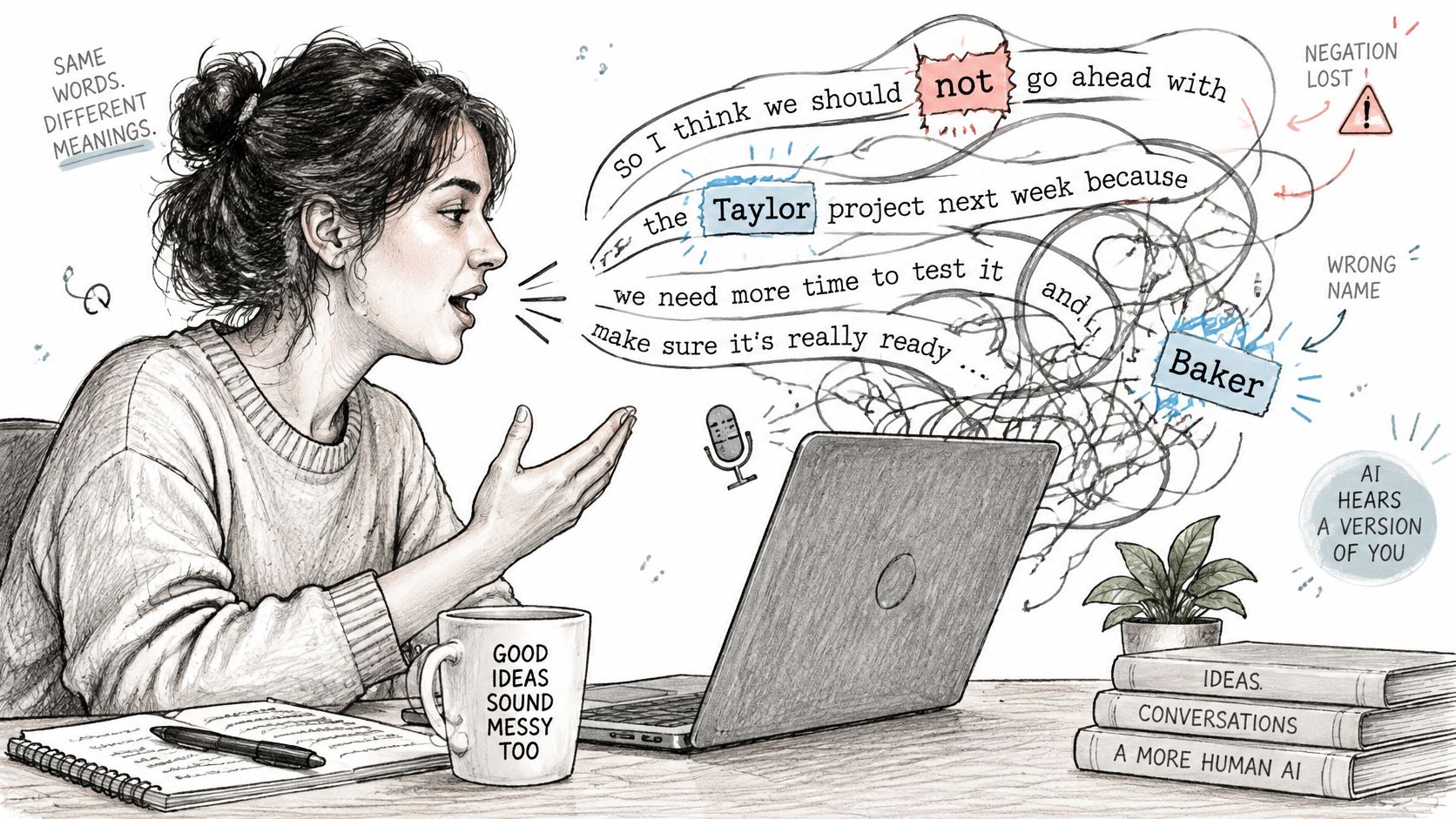
You've dictated a message that should be ready to send. Instead, you're fixing a colleague's name, restoring a missing “not,” and wondering whether that confidential paragraph just went to a remote server. Speaking was easy. Getting dependable text wasn't.
The right voice dictation program should reduce your total work, not just your typing. Choose it by testing your speech, your applications, and your privacy requirements, rather than trusting a polished demonstration.
Table of Contents
- Why Voice Dictation Results Depend on the User
- Understanding How Voice Dictation Programs Work
- Evaluate Accuracy With Tests That Reflect Your Work
- Compare On-Device and Cloud Dictation Safely
- Match Dictation Features to Real-World Workflows
- Choose and Test a Voice Dictation Program
- Make a Decision That Holds Up in Daily Use
Why Voice Dictation Results Depend on the User
Suppose you're drafting a project update from a shared office. The ordinary sentences come through cleanly, but the software changes your product name into a common noun. Then someone speaks nearby, and an unrelated phrase appears in your draft.
That's a hypothetical example, but it captures the buying problem: a convincing transcript of everyday language doesn't establish suitability for your work. A tool that handles casual messages might still struggle with your surname, specialist terminology, or language switching.
Average accuracy isn't personal accuracy
A 2025 evaluation covering 3,038 recordings and 293 linguistic groups reported a 9.3% mean word-error rate for the evaluated model, while underrepresented groups, including Sylheti and Haitian Creole speakers, experienced error rates 15–20 percentage points higher than better-represented English and French groups. An overall score can therefore conceal a poor experience for a particular speaker.
Your selection criteria should also reflect what happens after recognition. If you dictate informal reminders, occasional corrections may be acceptable. If you dictate contractual commitments, an omitted qualification matters much more than untidy punctuation.
- Speaker fit: Test your normal accent, pace, and pronunciation, not an artificially careful demonstration voice.
- Vocabulary fit: Include the names and technical expressions you use.
- Output fit: Decide whether you need faithful transcription, polished writing, or hands-free editing.
- Risk fit: Identify which mistakes would be inconvenient and which would make the output unsafe.
Practical rule: Judge the program by the draft you can confidently use, not the text it produces before inspection.
Don't blame yourself automatically when a recognizer fails. You can improve recording conditions and learn useful commands, but you shouldn't have to redesign your everyday speech around an unsuitable tool.
Understanding How Voice Dictation Programs Work
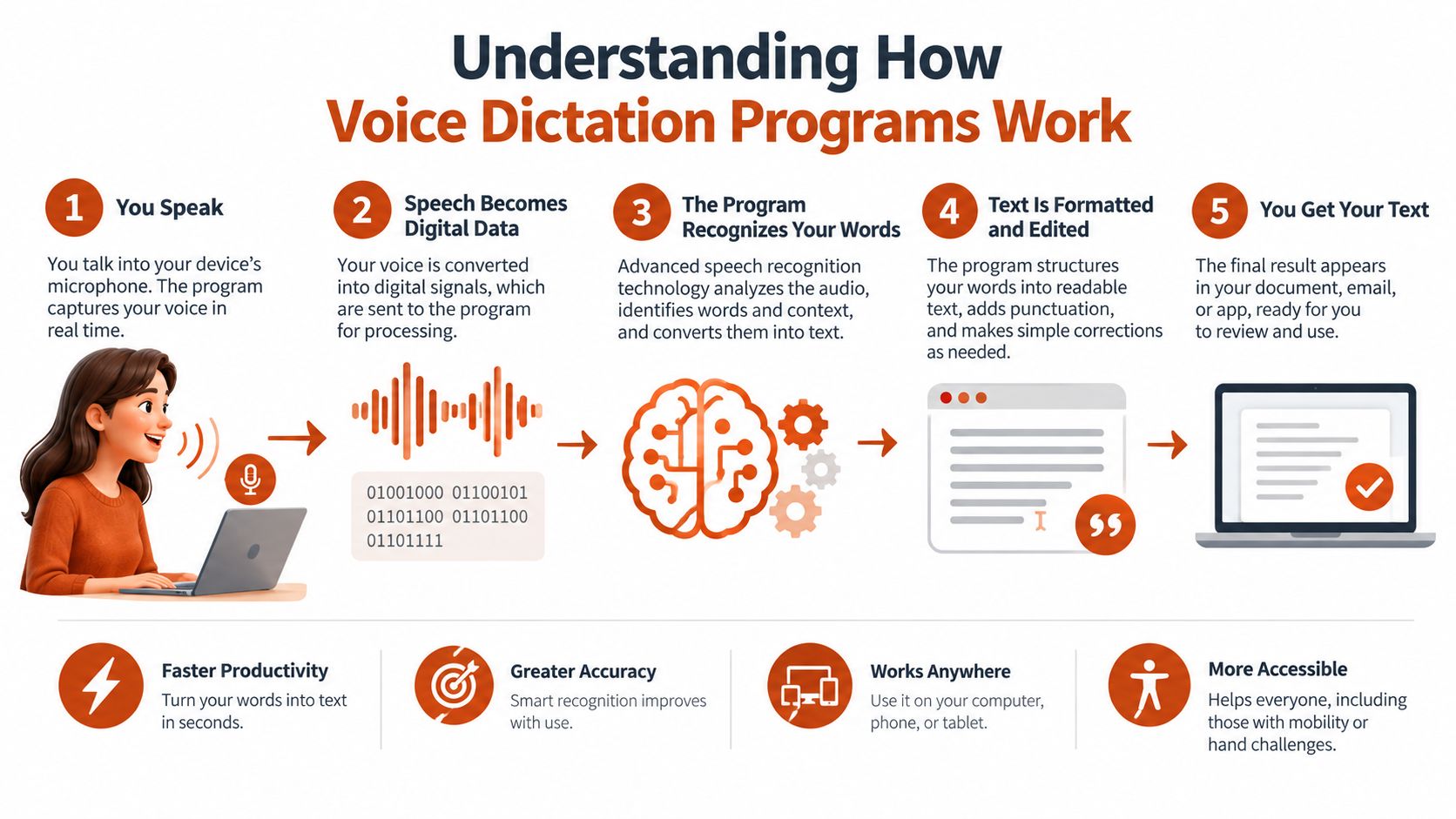
Think of dictation as a photocopier, proofreader, and typist working together. The photocopier represents faithful capture, the proofreader represents optional rewriting, and the typist represents getting the result into the correct application. A failure anywhere can spoil the experience.
A useful conceptual pipeline separates audio capture, speech detection, recognition, language processing, and text insertion. Individual programs may combine these stages, but keeping them separate helps you diagnose problems.
Recognition and rewriting have different jobs
Speech recognition estimates which words were spoken. AI cleanup may then remove fillers, repair phrasing, or arrange the result into paragraphs and lists. Don't treat these as interchangeable capabilities.
For example, a recognition error can turn a customer's name into an ordinary word. Cleanup might make the surrounding sentence smoother without restoring the name. Fluent output isn't proof that the underlying interpretation was correct.
For terminology behind these language-processing layers, NZ Apps' natural language processing overview provides a useful companion resource. The practical implication is to ask whether a candidate lets you distinguish the initial transcript from subsequent edits.
Continuous speech isn't full computer control
In 1997, Dragon Systems released Dragon NaturallySpeaking, widely described as the first general-purpose consumer program enabling continuous speech recognition; earlier systems commonly required pauses after every word, according to this history of speech recognition. That distinction explains why natural speaking flow remains a basic expectation.
However, continuous dictation doesn't necessarily include commands for selecting text, deleting mistakes, or navigating an application. Evaluate these separately:
- Text entry: Can you speak naturally and insert the result where you're working?
- Command handling: Can you request punctuation, formatting, and corrections without those instructions becoming text?
- Customization: Can you supply domain vocabulary and control application-specific output?
A deeper explanation of how voice recognition software works can help you distinguish engine behavior from interface behavior. A better microphone won't fix text being inserted into the wrong field, and a better rewriting layer won't replace missing navigation controls.
Evaluate Accuracy With Tests That Reflect Your Work
Ignore advertised accuracy until you know what the test involved. Reading prepared sentences in a quiet room is a different task from dictating a hesitant technical explanation while colleagues talk nearby.
The clinical evidence illustrates how widely conditions can vary. A review of clinical speech-recognition performance reported word-error rates ranging from 0.087 in controlled dictation to above 50% in conversational or multi-speaker scenarios. Don't transfer a result from one setting to another without testing.
Count errors, then judge their consequences
Word Error Rate, or WER, adds substitutions, deletions, and insertions, then divides that total by the number of words spoken. Use it to understand recognition failures, but add a separate flag for errors that change important meaning.
| Error type | Illustrative failure | What to record |
|---|---|---|
| Substitution | A client name becomes a familiar word | Intended term and recognized term |
| Deletion | “Not approved” becomes “approved” | Missing language and its consequence |
| Insertion | An unspoken phrase appears | Added text and surrounding conditions |
| Cleanup change | A tentative suggestion becomes a commitment | Difference between transcript and rewrite |
These examples are test cases, not reported incidents. Their purpose is to make your evaluation sensitive to meaning rather than spelling alone.
Build material that can expose weaknesses
Prepare a reference script containing names, jargon, quantities, dates, lists, punctuation requests, and consequential qualifications. Include phrases you would dictate, not tongue twisters designed only to break the system.
Then add an unscripted task. Explain an actual problem or draft a message from notes, allowing your normal pauses and self-corrections. Record what you said if permitted, so you can compare against the audio rather than your memory.
- Establish a baseline: Test without vocabulary customization first.
- Add recurring terms: Supply names and specialist words where supported, then repeat the relevant passages.
- Change conditions deliberately: Compare your quiet workspace with the environment where you expect to dictate.
- Preserve evidence: Keep the reference text, raw output, corrected output, and observations together.
Custom dictionaries deserve a trial, not blind faith. They can help favor supplied terms, but they can't guarantee correct interpretation of unclear audio or misplaced word boundaries.
A low error count is useful. A low error count with no dangerous meaning changes is more useful.
Keep recognition errors separate from stylistic preferences. Otherwise, you may reject a dependable recognizer because you dislike its paragraphing, or accept an unreliable one because its prose looks polished.
Compare On-Device and Cloud Dictation Safely
On-device processing and cloud processing describe where recognition happens. They don't, by themselves, tell you whether a complete workflow is private, dependable, or approved for sensitive information.
Use the following data-flow distinction when questioning a vendor.
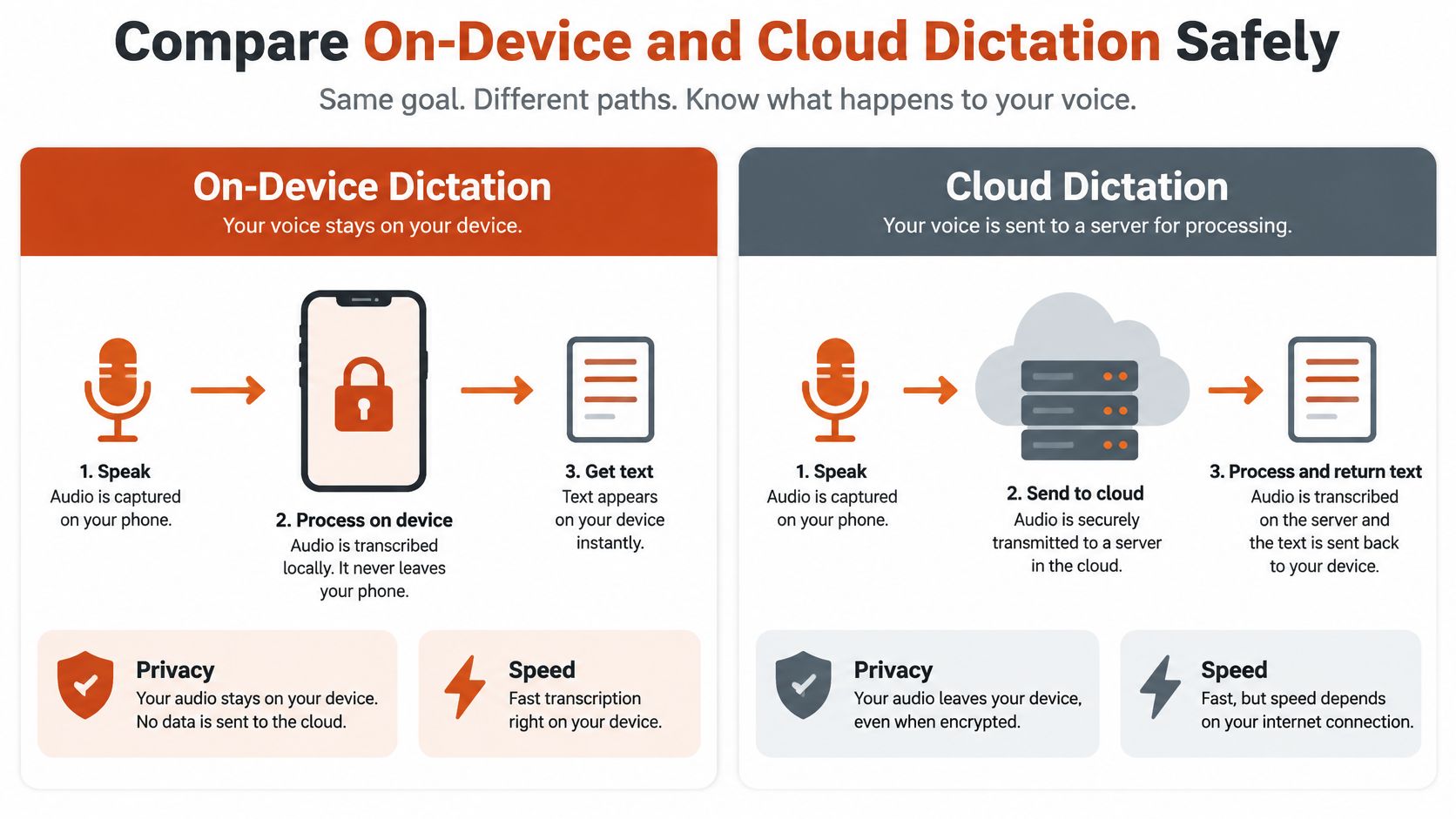
On-Device and Cloud Dictation Compared
| Consideration | On-Device Processing | Cloud Processing | Question to Verify |
|---|---|---|---|
| Audio journey | Recognition occurs locally | Audio travels to a remote service | What leaves the device? |
| Connectivity | Can support disconnected recognition | Remote recognition requires connectivity | What works when disconnected? |
| Responsiveness | Depends on local hardware and model | Depends on connection and service behavior | How does it perform on my device? |
| Capability | Limited to installed components | Uses service-provided components | Which mode handles my vocabulary better? |
| Retention | Inspect local files, logs, and backups | Inspect service retention and access policies | What persists, and who can access it? |
| Accountability | Requires secure devices and review | Requires approved service governance and review | Who owns approval and incident handling? |
Don't assume sending audio elsewhere will solve difficult recording conditions. A review of accent and environmental robustness reported WER changing from 13.9% in a studio to 15.4% under speech-shaped noise for one recognizer, while degraded West Yorkshire speech reached 42.5% with another system. These aren't interchangeable benchmarks; they demonstrate why you must test the actual combination of speaker, environment, and recognizer.
Examine the whole data journey
Check whether local recognition is followed by remote cleanup. Ask whether automatic mode switching is visible, whether screen context is collected, and whether diagnostic logs contain dictated text. A local recognition setting doesn't settle those questions.
For disconnected work, use this explanation of offline speech recognition to frame your requirements. For adjacent workflows involving stored messages rather than live dictation, the Taja AI guide to voicemail is a useful comparison point when mapping where recordings originate and where transcripts go.
Use the accompanying video as another reference, then verify any relevant settings in the product you're testing.
For sensitive work, obtain organizational approval before testing real material. Ask the responsible privacy or compliance team about consent, retention, access controls, auditability, and contractual requirements, including whether a business associate agreement is needed. Offline operation can reduce transmission exposure, but it doesn't prevent device compromise or careless sharing of the resulting document.
Match Dictation Features to Real-World Workflows
A clinician finishing a note and a developer drafting a code comment may both want speech-to-text. They shouldn't use the same acceptance criteria.
Start with the deliverable. Then separate the capability you cannot compromise from the convenience you merely prefer.
Clinical documentation requires accountable review
A peer-reviewed U.S. health-system study reported electronic provider documentation increasing from 20% to 77% of notes, medical transcription falling to 1.7%, and monthly transcription costs declining 81% after speech-recognition availability. The same study found that editing time could increase and human safety checks remained important.
Those results support evaluating operational value, not assuming automatic completion. For a clinical trial, make specialty terminology and verification of medications, dosages, names, and negations essential. Attractive formatting is secondary to an approved workflow and review before a note enters the legal record.
Don't infer clinical suitability from a product's mention of medical dictation. Ask your organization to validate the actual deployment, data handling, and review responsibilities.
Technical and business writing need different controls
Consider a developer explaining an authentication change. The paragraph may read beautifully while an identifier, endpoint name, or version reference is wrong. Prioritize faithful technical vocabulary and easy correction; assess generated code separately rather than treating readable commentary as executable correctness.
A product manager drafting requirements has another concern: preserving the distinction between a proposal and an agreed requirement. Context-sensitive lists can help organize the draft, but cleanup must not convert uncertainty into commitment.
| Workflow | Non-negotiable capability | Secondary convenience | Human verification |
|---|---|---|---|
| Developer documentation | Technical-term fidelity | Editor-specific styling | Identifiers and implementation claims |
| Product specifications | Preserved scope and intent | Structured lists | Requirements and ownership |
| Stakeholder email | Correct recipients and commitments | Tone adjustment | Dates, promises, and attachments |
For correspondence-heavy work, email dictation software deserves its own trial task. Test a real follow-up message, not just a general paragraph, and inspect the final version inside your email application.
Multilingual and recorded work need source fidelity
A multilingual professional may welcome polished English while still needing the original meaning preserved. Test code-switching, proper names, and expressions that don't translate neatly. If you can't independently verify the target-language output, arrange qualified review for consequential material.
Students, researchers, and journalists should distinguish live dictation from recording transcription. Interviews and lectures introduce different speaker and review requirements; test speaker attribution, access to the recording, and retrieval of the passage supporting a claim.
Selection boundary: Never let a convenient summary replace the source material you need to verify a quotation or decision.
Choose around the task's hardest requirement. Don't buy an appealing general-purpose interface and hope specialist suitability will follow.
Choose and Test a Voice Dictation Program
Write a short requirements sheet before installing candidates. Include the tasks you'll dictate, languages you'll use, sensitivity of the content, devices, target applications, and acceptable editing effort. Separate must-have requirements from preferences so attractive extras don't distract you.
Use this checklist to define the trial's scope.
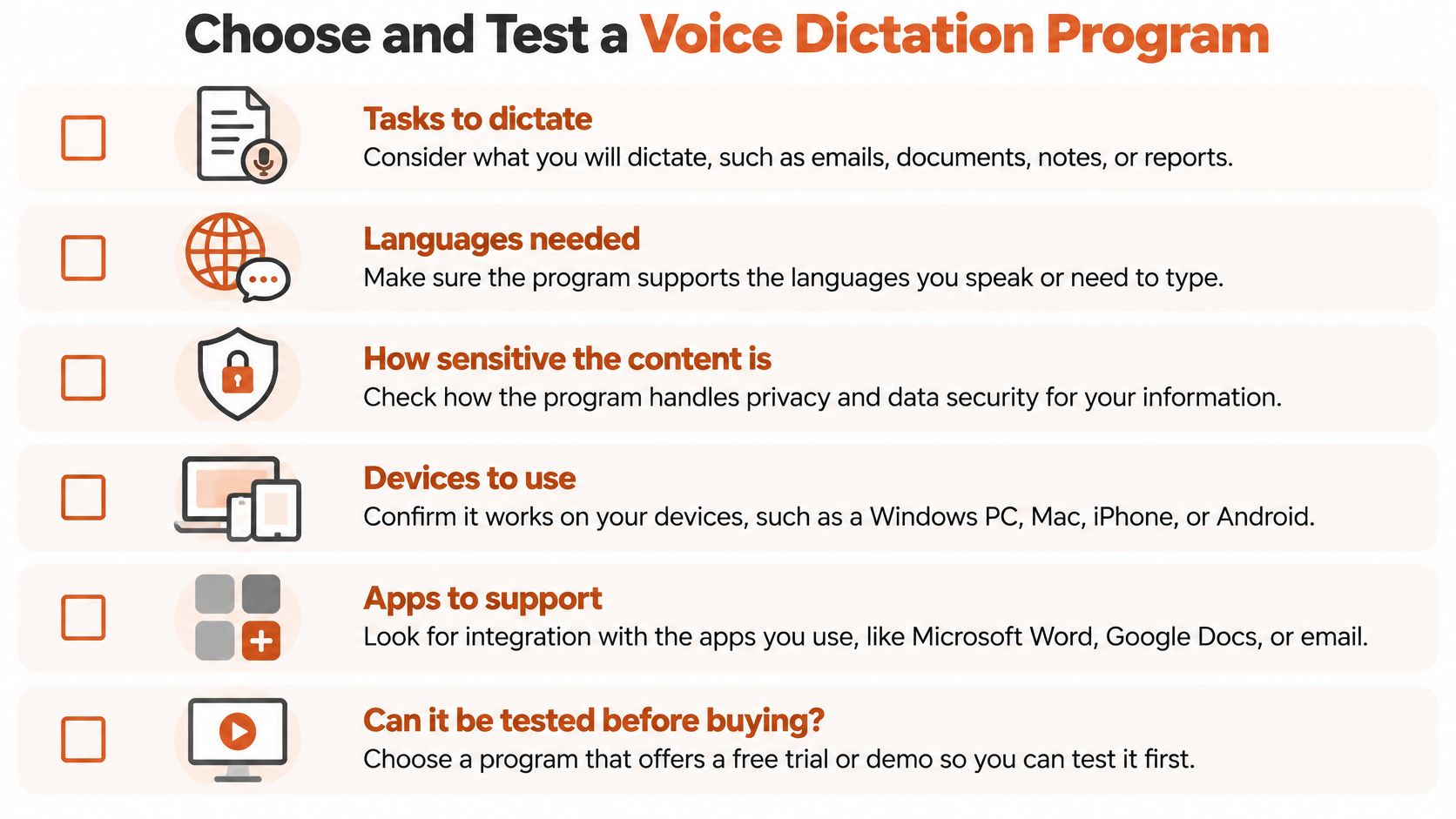
Run a controlled comparison
Shortlist programs that meet your platform and governance requirements. Use the same reference material, microphone, application, and recording conditions across candidates. Give each a comparable opportunity for setup and customization, and note what you changed.
For mobile work, consult device-focused resources such as NeoTeo's mobile tech analysis and reviews when investigating hardware compatibility questions. Then verify dictation behavior on your own phone or tablet rather than treating a device review as proof of software performance.
Capture the whole task, from activating dictation to approving the final draft. Don't stop timing when the first text appears.
- Recognition record: Log substitutions, deletions, insertions, and consequential mistakes using the method above.
- Cleanup record: Mark changes to meaning, tone, structure, or certainty introduced after recognition.
- Interaction record: Note activation friction, correction difficulty, cursor mistakes, and text insertion failures.
- Availability record: Record waiting, connection failures, and what happens when the network disappears.
- Completion record: Measure the effort required to produce an acceptable final document.
Avoid testing only your favorite candidate thoroughly. A fair comparison requires the same inconvenient material for every program.
Validate approval, not just usability
A 2025 survey-based report involving more than 2,100 UK general practitioners found that 28% used AI tools and, among users, 57% used them for clinical documentation and note-taking. Respondents raised concerns about safety, liability, privacy, consent, and digital exclusion.
That distinction matters: usage isn't authorization. For clinical or regulated work, use synthetic or appropriately de-identified trial material until your organization approves real-data testing. Establish who reviews the output, how required consent is documented, and how errors are reported.
Set acceptance conditions before choosing
Finish with a written pass-or-fail decision rather than a vague impression.
- Speech fit: The candidate handles representative material within your correction tolerance.
- Workflow fit: Dictation and correction work inside the applications you depend on.
- Language fit: Required languages and mixed-language tasks pass your trial.
- Privacy fit: Processing, retention, permissions, and contracts meet applicable requirements.
- Review fit: Consequential content can be checked without unreasonable effort.
- Failure fit: You understand what happens during disconnection, service failure, or uncertain recognition.
Reject any candidate that fails a required condition. If none passes, narrow the intended use instead of lowering safeguards. A tool may be suitable for drafting internal reminders while remaining unsuitable for patient notes or publishable quotations.
Make a Decision That Holds Up in Daily Use
Return to that message with the damaged name and missing qualification. The right purchase isn't necessarily the program that produced the prettiest version. It's the one that made those errors less likely, easier to detect, and straightforward to correct within your permitted workflow.
Make the decision around evidence, not feature count. Your trial should establish whether the candidate recognizes your speech, respects your processing requirements, produces the structures you need, and supports efficient verification.
Keep a decision record
Save your requirements, representative samples, results, and reasons for choosing. This gives you something concrete to revisit when an update changes behavior or your work expands.
- Recheck after changes: Repeat relevant tests after changing microphones, devices, languages, or major settings.
- Define escalation: Identify when to switch to manual entry or seek another reviewer.
- Limit approved uses: Document tasks the program hasn't passed, especially consequential ones.
- Watch correction burden: Reconsider the choice if routine editing starts outweighing the benefit.
You don't need a universal winner. You need a dependable tool for a defined job, with understood limitations and a fallback when it fails.
A modest program that passes your hardest everyday task is a better choice than a feature-rich one that repeatedly breaks a mandatory requirement. Keep that standard even when the interface is attractive or the demonstration is impressive.
Choose from your own results, and keep enough evidence to know when the choice no longer fits.
For a macOS option to include in your comparison, AIDictation offers on-device dictation, cloud-assisted cleanup, and a custom dictionary for names and technical terms. Visit the site to review its processing modes, then test it with your own vocabulary, target applications, and privacy requirements before committing.
Frequently Asked Questions
What does How to Choose a Voice Dictation Program cover?
You've dictated a message that should be ready to send. Instead, you're fixing a colleague's name, restoring a missing “not,” and wondering whether that confidential paragraph just went to a remote server.
Who should read How to Choose a Voice Dictation Program?
How to Choose a Voice Dictation Program is most useful for readers who want clear, practical guidance and a faster path to the main takeaways without guessing what matters most.
What are the main takeaways from How to Choose a Voice Dictation Program?
Key topics include Table of Contents, Why Voice Dictation Results Depend on the User, Average accuracy isn't personal accuracy.
Ready to try AI Dictation?
Experience fast voice-to-text on your device. Free to download.
Download FreeRelated Posts
10 Custom Dictionary Software Tools for Every Workflow
Compare 10 custom dictionary software tools for terminology, medical dictation, developer workflows, corpus research, and speech recognition.
What Is PowerScribe: Streamlined Radiology Reporting
What is powerscribe - Discover what PowerScribe is. This radiology reporting platform streamlines speech recognition, workflows, and integrations for imaging
Clinical Documentation Software a Guide for Modern Clinics
Discover how clinical documentation software boosts accuracy, saves time, and ensures compliance. Our guide covers features, AI integration, and implementation.