Dragon Medical Dictation: A 2026 Clinician's Guide
The clinic is closed. The inbox is quieter. The waiting room lights are off. But a large share of the workday is still sitting inside unsigned notes, incomplete histories, and half-finished assessments in the EHR.
That’s the moment when dragon medical dictation usually enters the conversation. A CMIO wants to cut after-hours charting. An ambulatory group wants cleaner notes without hiring more transcription support. An IT committee wants something proven, easy to deploy, and acceptable to compliance. In many hospitals, Dragon is the first name raised because it has been part of clinical documentation for years.
In 2026, the discussion is broader than speed alone. Committees now ask harder questions about cloud-only architecture, data residency, Windows dependence, and what happens when more clinicians want to work from macOS devices alongside traditional hospital PCs. Dragon still deserves a serious look. It also deserves a more critical review than most vendor summaries provide.
Table of Contents
- The End of the Day Documentation Dilemma
- What Exactly Is Dragon Medical Dictation
- Core Features and Clinical Workflows
- Navigating HIPAA Compliance and Data Privacy
- System Requirements and EHR Integration
- Evaluating Modern Alternatives to Dragon
- Is Dragon Medical the Right Choice for You
The End of the Day Documentation Dilemma
A physician finishes the last patient, leaves the exam room, and still isn’t done. There are notes to close, messages to answer, orders to reconcile, and details that can’t be left vague because vague documentation becomes a billing problem, a compliance problem, or a care continuity problem. This is the part of medicine that often stretches into the evening.
I’ve seen this play out the same way across outpatient clinics and hospital service lines. Strong clinicians move quickly with patients, then slow down at the keyboard. They know what happened in the encounter, but the EHR turns a straightforward assessment into a sequence of clicks, templates, dropdowns, and text fields that break concentration.
That’s why dragon medical dictation keeps coming up in operational meetings. It isn’t sold as a novelty. It’s usually discussed as a practical attempt to get clinicians out of the documentation backlog without lowering note quality.
Practical rule: If a documentation tool adds another workflow for clinicians to manage, adoption stalls. The tools that last are the ones that fit inside the encounter, not after it.
Dragon has stayed relevant because it was built for clinical language rather than general-purpose voice typing. That distinction matters. A tool that can handle common office dictation but stumbles on medications, anatomy, and specialty terms won’t last long in real clinical use.
Committees should still keep their expectations realistic. Dictation doesn’t fix poor template design, bad EHR ergonomics, or weak governance around note standards. What it can do is reduce the amount of manual typing between the clinician’s thought process and the final chart. In the right environment, that makes a noticeable difference. In the wrong environment, it becomes one more license no one fully uses.
What Exactly Is Dragon Medical Dictation
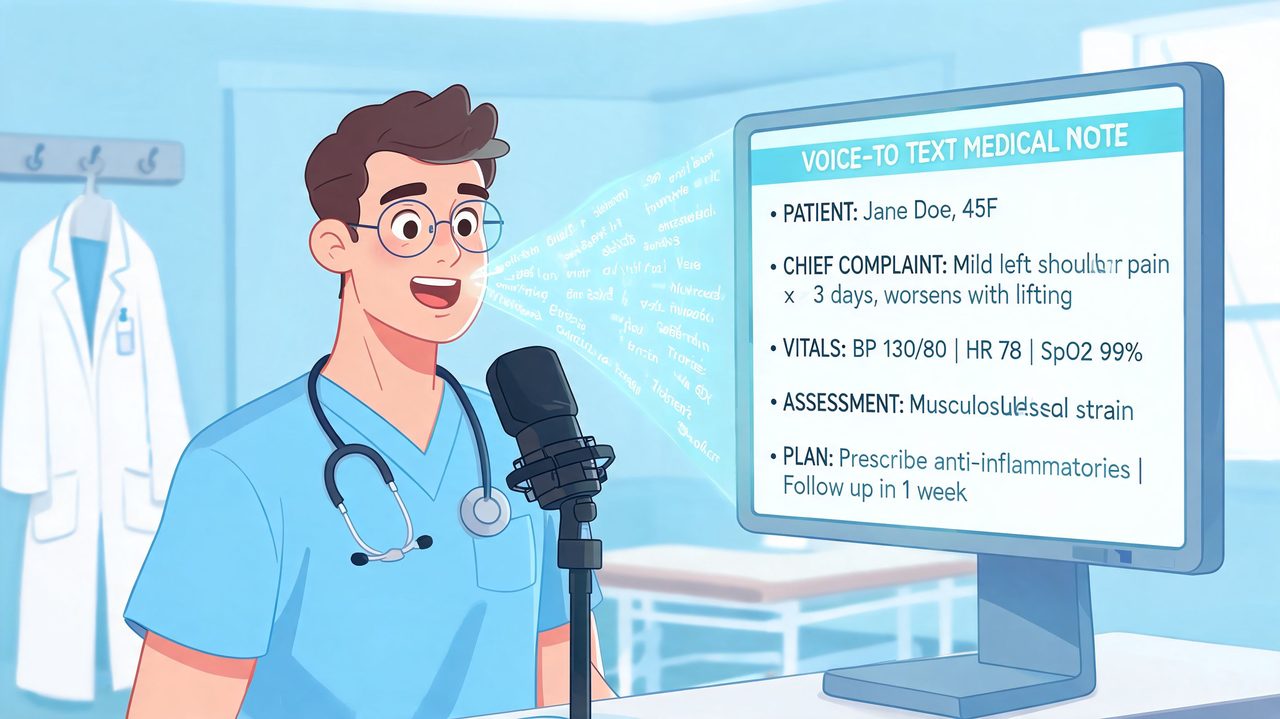
Dragon Medical is best understood as a medical speech recognition platform rather than a simple speech-to-text app. Its job isn’t only to turn audio into words. Its real job is to recognize clinical language reliably enough that a physician can dictate directly into documentation workflows without stopping every few words to correct obvious mistakes.
A medical speech engine, not a generic voice app
Generic dictation tools often work well for everyday email or simple notes. Clinical work is different. Drug names, specialty terminology, shorthand phrasing, and structured note sections all raise the bar.
Dragon Medical Practice Edition was built around that reality, with over 90 medical vocabulary sets and 99% accurate speech-to-text out of the box according to this review of Dragon dictation in healthcare practices. The current flagship, Dragon Medical One, continues that focus as a cloud-based product.
A useful analogy is a specialist interpreter at a medical conference. A consumer dictation app hears words. Dragon is designed to hear words in a clinical context. That doesn’t make it perfect, but it does explain why organizations keep considering it long after trying built-in consumer voice tools.
For non-clinical writing, the evaluation criteria are different. Teams that want a broader look at how speech tools compare outside healthcare may find it useful to compare dictation tools for writers, because it highlights where general-purpose dictation succeeds and where domain-specific products still have an advantage.
Why clinicians still choose it
Dragon Medical One’s appeal is straightforward. It guarantees 99% accuracy for clinical dictation, and clinicians can complete encounter documentation up to three times faster than typing, with 30 minutes or more saved per day reported in the same source linked above.
Those numbers matter because they map directly to real operational pain. Fewer minutes spent typing can mean faster chart closure, less after-hours documentation, and less dependence on external transcription.
Later in the evaluation, a quick product overview helps many stakeholders understand what Dragon Medical One looks like in practice:
The main point for a committee is simple. Dragon Medical dictation is not just voice input. It is a clinical documentation layer designed to work inside healthcare workflows where terminology, speed, and reliability matter more than novelty.
Core Features and Clinical Workflows
Dragon’s value shows up in the middle of a normal clinic day, not in a product demo. The test isn’t whether it can transcribe a paragraph. The test is whether it helps a clinician move from visit to visit while keeping the chart current.
How it fits into a real clinic day
A physician starts morning rounds, opens a note in the EHR, and dictates findings directly where the cursor sits. Later, in clinic, the same physician uses voice for history updates, assessment language, and standard exam content that repeats across similar visits. At sign-off, the note is reviewed, edited, and closed without a separate transcription workflow.
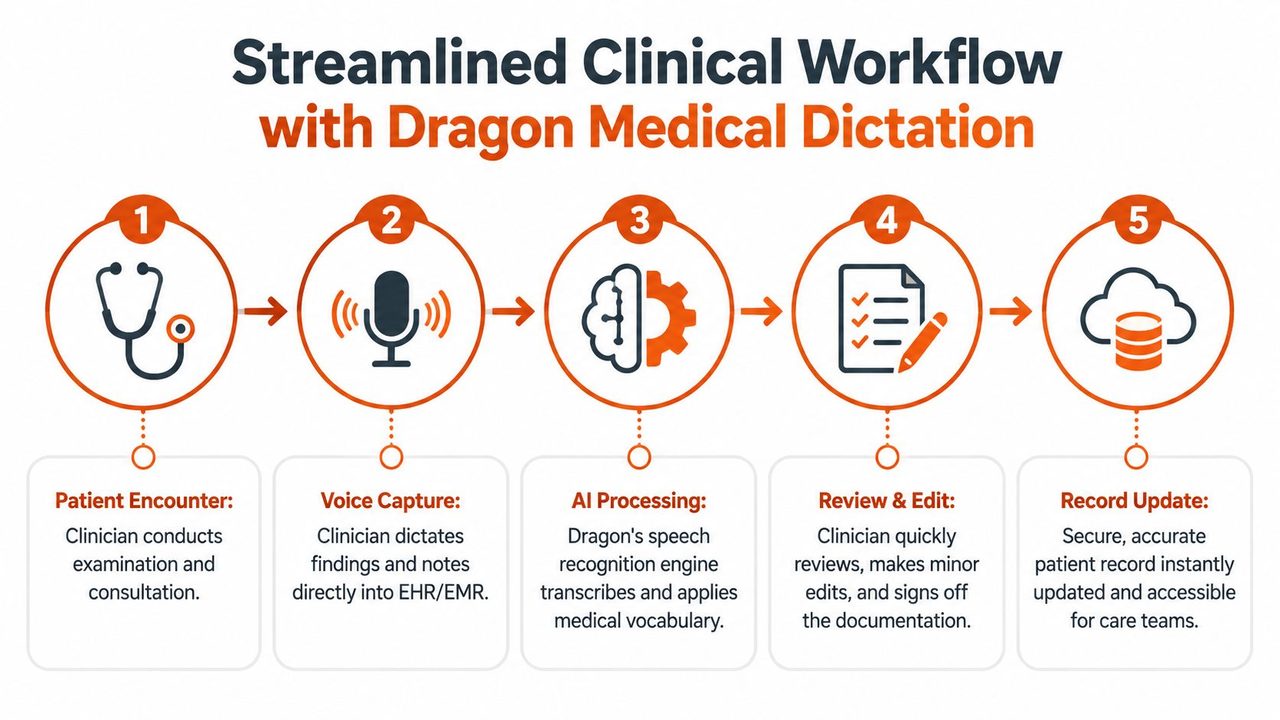
That flow works because Dragon Medical One can process up to 160 words per minute, requires no initial voice profile training, and uses automatic accent detection and audio calibration according to Dragon Medical One performance details. In practical terms, that reduces the setup friction that used to discourage clinicians from trying speech recognition at all.
A lot of hospital committees underestimate how important this is. If onboarding requires too much clinician effort, many users never get past the first week. Removing the initial voice-profile burden makes adoption easier, especially across larger groups with varying accents and speaking styles.
What works well in practice
The feature set that matters most is usually less glamorous than the marketing copy. These are the items that change documentation behavior:
- Medical vocabulary support: Dragon’s healthcare-specific language models are why it can handle specialized terms that general dictation tools often miss.
- Template and macro use: Teams often build common text blocks for normal exams, review-of-systems phrasing, or specialty-specific note components.
- Direct dictation into active fields: Clinicians don’t want to dictate in one window and paste into another. They want speech to land where they are already working.
- Voice-driven note completion: Review, correction, and sign-off can happen in one pass when the workflow is configured well.
A strong Dragon deployment doesn’t just install software. It standardizes microphones, note templates, command sets, and training expectations by specialty.
What doesn’t work is treating dragon medical dictation as a magic fix. If the EHR note design is cluttered, if templates are poorly governed, or if departments all build their own conflicting voice commands, the product loses much of its value. The best results usually come from disciplined local configuration rather than from the default setup alone.
There’s also a workflow divide between clinicians who think in complete dictated sentences and those who chart in short fragments. Dragon tends to reward the former. It works best when a clinician can narrate a coherent clinical thought, then make light edits, instead of dictating one broken phrase at a time.
Navigating HIPAA Compliance and Data Privacy
Security discussions around dictation often stop too early. A vendor says the platform is HIPAA compliant and encrypted, and many buyers move on. That’s necessary information, but it isn’t enough for a 2026 evaluation.
HIPAA compliance is necessary, not sufficient
Dragon Medical One supports HIPAA-compliant encryption, which is table stakes for any serious healthcare documentation product. That matters because dictated content can include protected health information, and transcription traffic can’t be treated like ordinary office software traffic.
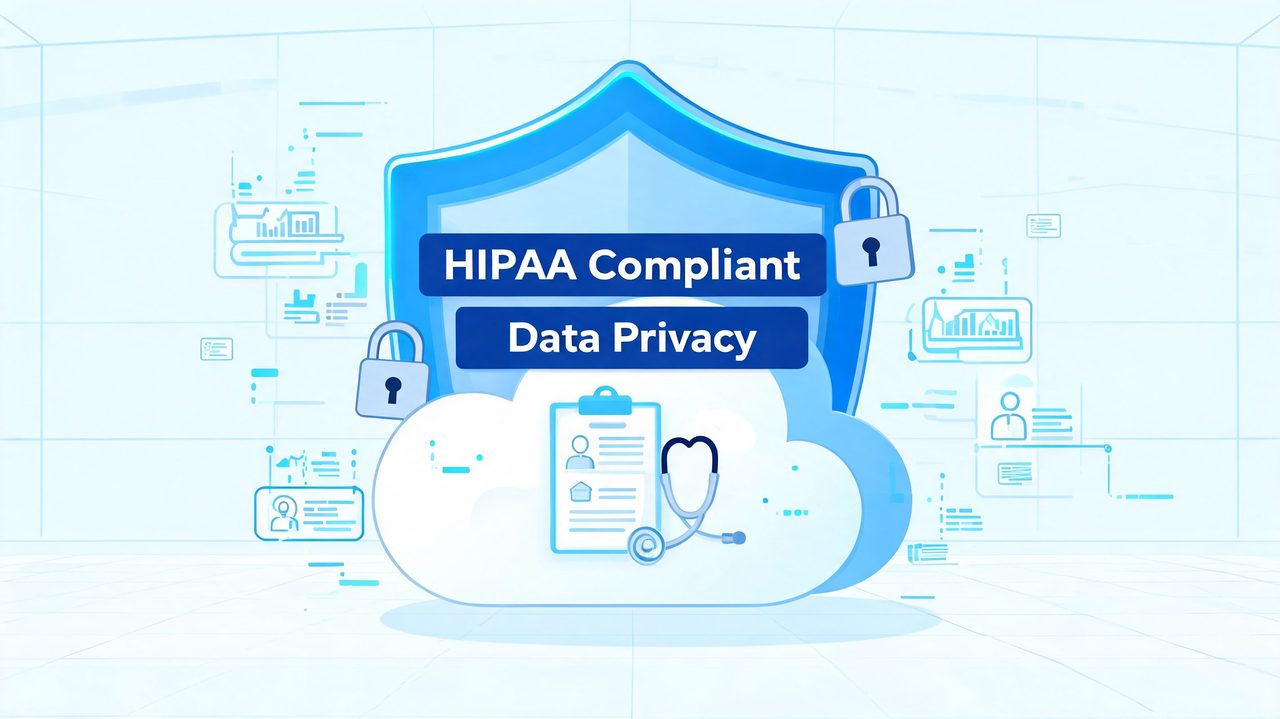
Committees should still ask better questions than “Is it HIPAA compliant?” They should ask who has access, what data is retained, how audit trails work, what contract terms govern processing, and how the product fits broader compliance operations. For teams reviewing enforcement risk and operational safeguards, this guide on avoiding HIPAA penalties is a useful complement to product-level security claims.
If you’re comparing vendors in this category, this broader review of medical voice recognition software is also worth reading because the biggest differences are often in architecture and governance, not in headline accuracy claims.
The cloud-only trade-off in 2026
A strategic issue stands out: Dragon Medical One is cloud-based, and while it ensures HIPAA-compliant encryption, its architecture raises unresolved questions around data residency and AI model training on clinical text, especially when compared with on-device solutions where no sensitive data leaves the local machine, as noted in this HealthTech Magazine review context.
That doesn’t make cloud dictation unsafe by default. It does mean privacy-conscious organizations need to examine the trade-off directly. A cloud-first design can simplify deployment, profile syncing, and centralized management. It also creates dependency on external processing and external governance.
Compliance takeaway: “HIPAA compliant” answers one question. It does not answer every question your privacy officer, legal team, or security committee should ask.
More organizations now care about state privacy rules, contract language around data handling, and whether certain clinical workflows should stay local whenever possible, making 2026 feel different from earlier buying cycles. That concern is even stronger in environments that have expanded macOS use among physicians and executives, where buyers are already reconsidering older Windows-first assumptions.
System Requirements and EHR Integration
Dragon Medical One is easier to deploy than older on-premise dictation systems because the heavy processing happens in the cloud. That changes what IT has to worry about. The local workstation still matters, but the burden is lighter than many committees expect.
What IT teams need for deployment
According to Dragon Medical One subscription and system requirement details, the platform needs a 1.7 GHz processor, 512 MB RAM, and a basic internet connection. It also supports user profile synchronization across devices.
Those requirements are modest enough for many existing clinical environments, including older Windows workstations. That’s one reason Dragon has been practical in hospitals where hardware refresh cycles move slowly. It doesn’t demand a premium endpoint to function.
For readers comparing the broader market, this overview of medical speech-to-text software can help frame where Dragon sits among newer deployment models.
Where integration is easy and where it gets messy
Dragon’s biggest technical advantage is that it is EMR-agnostic. In plain terms, if a clinician can place a cursor in a Windows application, Dragon can usually dictate there. That includes EHRs, email clients, and standard office software.
From an implementation perspective, that means:
- EHR flexibility: It can work across mixed application environments without requiring a custom build for each note field.
- Cross-device continuity: A user’s speech profile can follow them between supported endpoints.
- Lower client overhead: The cloud architecture reduces the workstation-side processing load.
The caveat is that “EMR-agnostic” doesn’t mean “identical everywhere.” Some EHR fields behave cleanly with dictation. Others are more awkward because of local templates, embedded controls, virtual desktop layers, or restrictive browser sessions. In real deployments, the final mile is always workflow testing.
A committee should ask for specialty-specific validation, not just a generic statement that Dragon works with the EHR. Emergency medicine, radiology, ambulatory primary care, and inpatient consult workflows all use documentation differently. The software may integrate broadly, but the user experience still depends on local design choices.
Evaluating Modern Alternatives to Dragon
Dragon has earned its place. It also no longer operates in a market where “medical dictation” automatically means one vendor. The modern evaluation is less about brand recognition and more about fit.
Three criteria matter most
The first criterion is platform compatibility. Dragon Medical One is closely associated with Windows-based deployment. That remains practical for many hospitals, but it matters more now that some physicians and administrators prefer macOS devices for daily work.
The second is privacy model. Some organizations are comfortable with cloud processing under strong contractual and compliance controls. Others want local options for at least part of their workflow, especially when internal policy places a premium on minimizing data movement.
The third is cost structure. Buyers should distinguish between enterprise subscriptions that work well at scale and flexible pricing models that may suit smaller groups or individual clinicians better. Public ROI detail is often thin, so committees need to test assumptions carefully.
When the committee says “best,” slow the conversation down. The best tool for a Windows-heavy hospital standardization project may not be the best tool for an independent specialist using a MacBook.
Dragon Medical One vs. AIDictation comparison
| Criterion | Dragon Medical One | AIDictation (macOS) |
|---|---|---|
| Platform | Best aligned with Windows-based clinical environments | Native macOS focus |
| Privacy model | Cloud-based architecture | Hybrid model with on-device and cloud options |
| Data handling approach | Encrypted, HIPAA-oriented cloud workflow | Can support local-first workflows on compatible Macs |
| EHR use style | Dictation into Windows applications with broad EMR compatibility | Better suited to macOS-centered documentation and writing workflows |
| Deployment preference | Centralized enterprise rollout | Flexible for users who want local control on Mac |
| Best fit | Large health systems and established Windows environments | Mac-based clinicians and users prioritizing private local dictation options |
This comparison doesn’t mean Dragon is outdated. It means the market has split. Large hospitals with standardized Windows estates may still find Dragon the most operationally familiar choice. Clinicians working in mixed-device environments may prioritize flexibility differently.
The key point for a 2026 buyer is that cloud-only, Windows-centered design is no longer the only serious model worth considering. That changes the committee conversation, especially when privacy and device diversity are already on the agenda.
Is Dragon Medical the Right Choice for You
For many organizations, the answer is still yes. Dragon Medical remains a strong option for health systems that want a mature dictation platform, broad Windows compatibility, and a product with a long clinical track record. In those settings, its strengths are practical and well understood.
The hesitation usually appears in smaller groups, independent practices, and mixed-platform environments. Public information on total cost of ownership and ROI for practices under 50 clinicians is limited, which makes the true barrier to entry harder to assess for smaller organizations, as noted in this discussion of Dragon cost and ROI gaps. That uncertainty matters when every subscription and support decision has to be justified tightly.
There’s also a strategic fit question. If your organization is standardizing on Windows, values centralized cloud management, and wants established healthcare dictation workflows, Dragon is a reasonable choice. If your clinicians rely on macOS, want more local control over sensitive speech data, or need a more flexible deployment model, the shortlist should be broader.
If cost is a sticking point, reviewing a breakdown of Dragon dictation cost considerations can help frame the decision more concretely before procurement moves forward.
The best decision isn’t the product with the strongest name recognition. It’s the one that matches your device environment, your privacy posture, your support capacity, and the way your clinicians document care.
If you're comparing dragon medical dictation against newer options and need a practical macOS-friendly alternative, AIDictation is worth a look. It gives clinicians and other professionals a hybrid approach with local and cloud modes, which is especially relevant for teams that want stronger control over privacy, flexible workflows, and modern dictation on Apple hardware.
Frequently Asked Questions
What does Dragon Medical Dictation: A 2026 Clinician's Guide cover?
The clinic is closed. The inbox is quieter.
Who should read Dragon Medical Dictation: A 2026 Clinician's Guide?
Dragon Medical Dictation: A 2026 Clinician's Guide is most useful for readers who want clear, practical guidance and a faster path to the main takeaways without guessing what matters most.
What are the main takeaways from Dragon Medical Dictation: A 2026 Clinician's Guide?
Key topics include Table of Contents, The End of the Day Documentation Dilemma, What Exactly Is Dragon Medical Dictation.
Ready to try AI Dictation?
Experience fast voice-to-text on your device. Free to download.
Download FreeRelated Posts
Best Clinical Note Taking Software: 2026 Guide & Tips
Find the best clinical note taking software for 2026. Discover key features, selection tips, & workflow strategies to reduce burnout & boost documentation.
Secure Medical Transcription: A Practical Guide for 2026
Learn how secure medical transcription works in 2026, from HIPAA controls and encryption to on-device vs cloud workflows, with a practical evaluation checklist.
Clinical Documentation Software a Guide for Modern Clinics
Discover how clinical documentation software boosts accuracy, saves time, and ensures compliance. Our guide covers features, AI integration, and implementation.