Optimizing Speech Recognition Healthcare in 2026
By the time a hospital starts evaluating speech recognition, the problem is usually already visible. Clinicians are finishing visits, then staying late to complete charts. Department leaders hear the same complaint in different forms: too much typing, too much clicking, too much time spent translating a real clinical encounter into an EHR note.
That's why speech recognition healthcare decisions matter now. This isn't about adding another convenience feature to the desktop. It's about deciding how clinicians will document care over the next several years, and whether the organization will trade one burden for another. The central question isn't only which vendor has the best demo. It's where the speech recognition happens: on the device, in the cloud, or across both.
That deployment choice shapes almost everything else. It affects speed at the point of care, performance in weak connectivity, exposure of protected health information, support burden for IT, and what “HIPAA-ready” means in daily use.
Table of Contents
- Why Speech Recognition Is Healthcare's Next Breakthrough
- How Medical Speech Recognition Actually Works
- Transforming Clinical Workflows and Patient Care
- Choosing Your Deployment Model On-Device vs Cloud
- Navigating HIPAA and Patient Data Privacy
- Integrating with EHRs and Clinical Workflows
- Your Implementation and Evaluation Roadmap
Why Speech Recognition Is Healthcare's Next Breakthrough
Most committees don't start this conversation because speech recognition sounds novel. They start because documentation has become operationally expensive, clinically frustrating, and difficult to scale. In inpatient settings, that friction shows up in delayed notes, after-hours charting, and staff who spend too much of the day acting as data-entry operators.
Speech recognition changes the shape of that work. Instead of forcing the clinician to stop, type, operate the interface, and reconstruct, it lets documentation begin closer to the moment of care. That matters in emergency departments, inpatient units, radiology reading rooms, and outpatient visits where speed and completeness both count.
The market trajectory reflects that shift. The EHR speech recognition solution market is projected to grow from USD 30.5 billion in 2025 to USD 62.9 billion by 2035, with a 7.5% CAGR, according to Future Market Insights on the EHR speech recognition solution market. The same source notes that the Public Sector (Acute/Inpatient) segment accounts for 39.7% of revenue in 2025, which fits what many hospital leaders already see on the ground: high-volume settings feel the documentation burden first.
Why the pressure is strongest in hospitals
Acute care organizations have little room for inefficient documentation. They manage high patient throughput, multiple specialties, handoffs, compliance demands, and complex billing requirements. In that environment, a few extra minutes per chart accumulate quickly across services.
A practical committee discussion should frame speech recognition as infrastructure, not novelty. The right implementation can support faster documentation and better workflow fit. The wrong one can create editing burden, privacy concerns, and clinician distrust.
Practical rule: If clinicians have to fight the tool to finish a note, adoption won't survive beyond the pilot.
Why this is different from older dictation programs
Older systems often felt like transcription utilities. Current speech recognition healthcare tools are increasingly part of the clinical workflow itself. They can support direct dictation, ambient capture, and downstream movement into structured records.
That's the significant breakthrough. The technology is no longer only about turning speech into text. It's about reducing the distance between care delivery and usable documentation.
How Medical Speech Recognition Actually Works
At 6:45 a.m., an attending starts dictating a progress note on a noisy inpatient floor. The microphone picks up clipped speech through a mask, medication names, room noise, and a rushed cadence. Whether the transcript is usable depends less on the vendor demo and more on the system's underlying design, and on where that processing happens: on the device, in the cloud, or across both.
What the software is actually doing during dictation
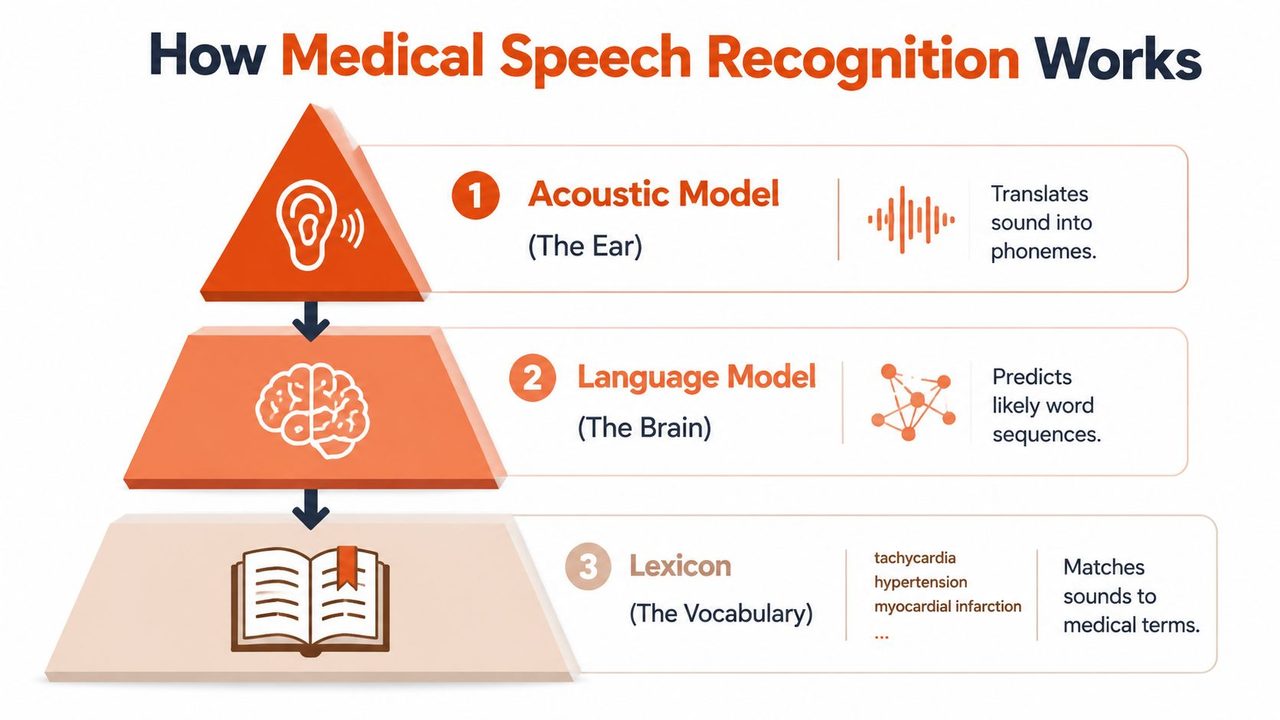
Medical speech recognition is a pipeline, not a single feature. The system captures audio, cleans and segments the signal, converts sound into probable words, applies medical vocabulary and context, then returns text that a clinician can sign, edit, or route into the record. In stronger products, that pipeline also learns from repeated corrections.
Three technical layers drive most of the performance.
Acoustic model
The acoustic model converts speech sounds into candidate words. In healthcare, it has to handle masks, accents, variable microphone quality, hallway interruptions, and speech that speeds up when clinicians are under time pressure.
If this layer is weak, errors show up early and often. Drug names are misheard. Abbreviations get expanded incorrectly. A phrase like "no focal deficit" can become something a clinician now has to catch before it reaches the chart.
Language model and clinical context
The next layer applies probability and context. It decides which word sequence makes sense in a medical setting and within the sentence itself. That is what helps the engine separate similar-sounding terms and place phrasing where it belongs clinically.
This is also the point where domain-specific design matters. General consumer dictation can produce readable text, but clinical documentation needs medical vocabularies, specialty phrasing, and context handling that aligns with care delivery. Teams evaluating this area should also understand the adjacent role of healthcare natural language processing, especially when vendors claim they can do more than transcription and begin extracting problems, medications, or structured fields.
Speaker adaptation
The third layer adapts to the individual user and specialty. Over time, the system can learn pronunciation patterns, preferred templates, frequent terms, and correction history. That matters because a cardiologist, pathologist, and emergency physician do not dictate the same way.
In practice, this is one of the first questions I ask vendors about. A platform that improves with use reduces editing burden. A platform that stays static keeps pushing the correction work back onto clinicians.
Why deployment model affects how these layers perform
The technical stack is only part of the story. Committees often evaluate accuracy and ignore deployment, but deployment changes the behavior clinicians experience.
On-device systems usually offer lower latency and continue working during network disruption. They can be a good fit for exam rooms, mobile workflows, and settings where PHI leaving the endpoint raises concern. The trade-off is that local devices may have less computing capacity for larger language models or rapid vendor-side updates.
Cloud systems can use more processing power, broader model updates, and centralized management. They may perform better for advanced language modeling or ambient workflows. The trade-off is dependence on connectivity, external data handling, and tighter scrutiny of HIPAA controls, business associate agreements, logging, and data retention settings.
Hybrid models try to split the work. Audio may be captured and partially processed locally, with heavier language tasks or model updates handled centrally. In many hospital environments, that is the most realistic architecture because it balances speed, model quality, uptime, and security review.
What to test before believing the accuracy claim
Published accuracy figures matter less than local validation. A committee should test the system with real clinicians, real microphones, real specialties, and typical background noise. Include masked speech, fast dictation, medication-heavy notes, and users with different accents.
Ask specific questions:
- How does the system handle specialty vocabularies out of the box?
- What is the correction workflow inside the EHR?
- How is adaptation trained and stored?
- What processing occurs on the device versus in the cloud?
- What happens during packet loss, Wi-Fi failure, or VPN latency?
- How are audio files, transcripts, and logs encrypted, retained, and deleted?
Those answers usually tell the committee more than a polished demo does.
For speech recognition healthcare adoption, the practical lesson is straightforward. Reliable performance comes from the combination of audio capture, clinical language modeling, user adaptation, and a deployment model that fits the organization's tolerance for latency, cost, and HIPAA risk.
Transforming Clinical Workflows and Patient Care
Speech recognition earns its place when it changes work that clinicians already do every day. The best examples aren't abstract. They show up in specific moments where typing gets in the way of care.
Where clinicians feel the difference first
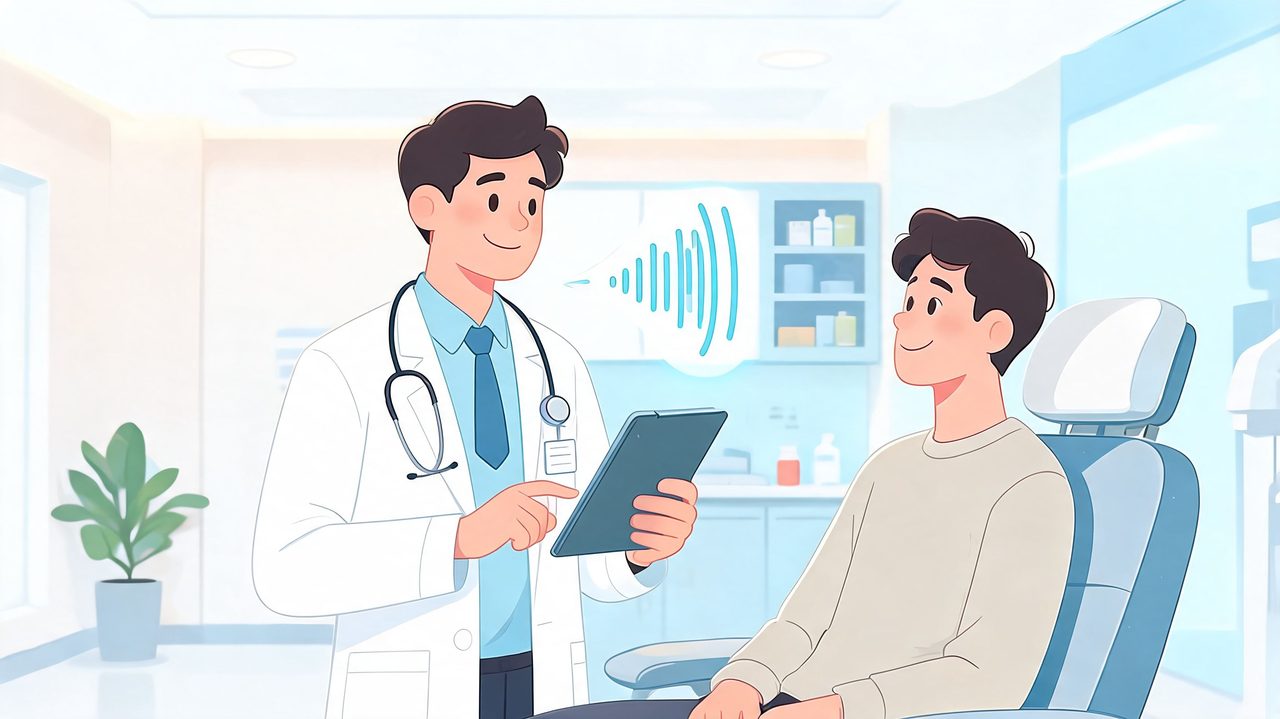
A radiologist dictating findings directly into a report feels the benefit immediately. So does an emergency physician who needs to document while moving between patients, or a primary care clinician who wants to preserve eye contact rather than turn every encounter into a typing exercise.
Early healthcare adoption showed that speech recognition began at 80% initial accuracy and rose to 95% with training, exceeding the 75% threshold for investment payback, according to the PubMed Central review on speech recognition in healthcare. That same review notes its use in radiology, pathology, and emergency documentation, where administrative burden is high and turnaround matters.
A few examples make the workflow impact clearer:
- Radiology reporting: Direct dictation supports faster report creation and immediate availability for downstream teams.
- Primary care visits: Ambient tools or live dictation can capture the encounter while the clinician stays focused on the patient.
- Telehealth follow-up: Speech capture helps convert virtual visits into usable summaries without a second round of manual documentation.
- Coding support: When documentation is more complete at the point of care, coding and billing teams spend less time chasing clarification.
For teams evaluating adjacent technologies, this overview of healthcare natural language processing is useful because it explains how spoken language can be converted into structured clinical meaning, not just raw text.
Why workflow gains depend on training and review
The strongest programs don't assume accuracy alone solves the problem. They build review into the workflow. Clinicians need a fast way to verify text, correct errors, and approve the note without feeling like they've become editors.
That's where implementation quality becomes visible. A speech tool can generate text quickly and still fail operationally if the user has to clean every paragraph by hand.
A short demonstration helps committees see the difference between dictation and fuller clinical capture:
What works in practice is usually narrow before it becomes broad. Start with departments where the documentation pattern is repetitive enough to standardize, but important enough to matter. Radiology, emergency medicine, and high-volume ambulatory clinics are common candidates.
What doesn't work is forcing one documentation mode onto every specialty. Speech recognition healthcare adoption succeeds when the organization respects local workflow differences rather than pretending one interface fits all.
Choosing Your Deployment Model On-Device vs Cloud
The most important architectural decision is also the one buyers often underweight. Once the committee gets past the demo, the core question is this: Where is the speech processed? The answer determines privacy posture, latency, resilience, and support needs.
There isn't one universal winner. Each model solves a different set of problems.
What each model optimizes for
On-device processing keeps recognition local to the clinician's machine or managed endpoint. That usually gives the best privacy posture and the most predictable performance when connectivity is weak or unavailable. It's especially attractive for highly sensitive workflows and settings where internet access can't be assumed.
Cloud-based processing routes audio to remote infrastructure for recognition and, in some products, downstream cleanup or summarization. That can offer strong flexibility and easier centralized updates, but it adds governance questions around transmission, storage, processing location, vendor access, and auditability.
Hybrid deployment combines both. A local engine can handle private or offline scenarios, while the cloud can be used selectively for more demanding conditions or post-processing. In practice, this is often the most realistic model for health systems that need both control and flexibility.
Teams evaluating local-first tools may find it helpful to review how offline dictation software changes performance and privacy assumptions when speech never has to leave the device.
Speech Recognition Deployment Models Compared
| Attribute | On-Device (Local) | Cloud-Based | Hybrid |
|---|---|---|---|
| Privacy posture | Strongest control because audio can remain local | Requires transmission to third-party infrastructure | Can keep sensitive workflows local while using cloud selectively |
| Speed and latency | Often feels immediate on supported hardware | Depends on network quality and remote processing | Can stay fast locally and escalate when needed |
| Offline use | Strong fit for disconnected or unstable environments | Weak fit when internet is unavailable | Usually supports continuity if the local path is mature |
| Maintenance | More device-level planning for IT | Easier centralized model updates | More moving parts, but more operational flexibility |
| Scalability across sites | Depends on endpoint standardization | Usually easier to expand centrally | Strong if governance is clear |
| Noise and complex audio handling | Varies by local model capability | Often stronger when cloud engines are more resource-intensive | Best when routing logic is smart and transparent |
| Compliance complexity | Lower data movement can simplify review | Higher scrutiny around custody and vendor controls | Depends on whether local-first policies are enforceable |
| Best fit | Privacy-sensitive documentation and offline workflows | Organizations prioritizing centralization and remote compute | Systems that want to balance privacy, performance, and resilience |
Committee lens: Don't ask which model is best in general. Ask which failure mode your organization can tolerate least.
A cloud-first model may be acceptable in some organizations if governance is mature and workflow demands support it. A local-first strategy often appeals more to compliance and security teams. Hybrid sounds ideal, but only if the vendor can explain exactly when audio stays local, when it leaves the device, and who controls that behavior.
What usually fails is ambiguity. If clinicians and IT can't tell where speech is being processed, trust erodes fast.
Navigating HIPAA and Patient Data Privacy
Speech recognition in healthcare always intersects with protected health information. Even a short dictated note can contain names, dates, diagnoses, medication histories, and identifiers. That means privacy review can't be treated as a contract appendix. It has to be part of product selection from the start.
What compliance teams should focus on first
The first issue is data custody. If audio leaves the device, where does it go, who can access it, how long is it retained, and under what agreement? Those questions matter whether the vendor offers raw transcription, ambient listening, or AI-assisted note creation.
The challenge is well recognized. A DeepScribe discussion of speech recognition pros and cons in healthcare notes a critical gap around HIPAA compliance, especially for cloud-based systems that process sensitive patient data remotely. The same source contrasts that with on-device processing, which supports private dictation without an internet connection and aligns more naturally with HIPAA-ready workflows.
A practical privacy review should cover at least these items:
- Business Associate Agreement: Confirm whether the vendor signs a BAA and for which product features.
- Audio retention policy: Determine whether voice data is stored, cached, or used for model improvement.
- Processing location: Identify where data is processed and whether that can be restricted.
- Access controls: Verify how administrators, support teams, and subcontractors are limited.
- Auditability: Check whether the platform can support investigations and internal review.
Why local-first design changes the risk discussion
When recognition happens locally, the privacy conversation becomes more concrete. Fewer transfers mean fewer custody questions. Fewer custody questions usually mean faster internal review and clearer communication to clinicians.
That doesn't make local deployment automatically compliant. Devices still need endpoint protection, access control, and proper configuration. But local-first design removes one of the largest points of uncertainty: transmission of patient speech to external systems.
For IT and compliance leaders wanting a broader perspective on securing patient data with AI, that resource is a useful companion because it frames privacy controls in operational terms rather than marketing language.
An additional consideration is whether the product supports staged privacy choices. Some organizations want local-only dictation in high-risk settings and conditional cloud use in lower-risk workflows. If you're comparing products in that category, this overview of medical voice recognition software shows the kinds of deployment questions worth asking.
Privacy isn't a feature add-on. In speech recognition healthcare procurement, it's part of the architecture.
What doesn't work is assuming “encrypted” answers every concern. Encryption matters, but it doesn't replace clarity about who processes the audio, when that happens, and whether the organization can control it.
Integrating with EHRs and Clinical Workflows
A speech engine that produces text but doesn't fit the EHR is only a partial solution. Hospitals don't need more text floating outside the record. They need documentation that moves into the right fields, supports coding, and matches actual clinical workflow.
What good integration looks like
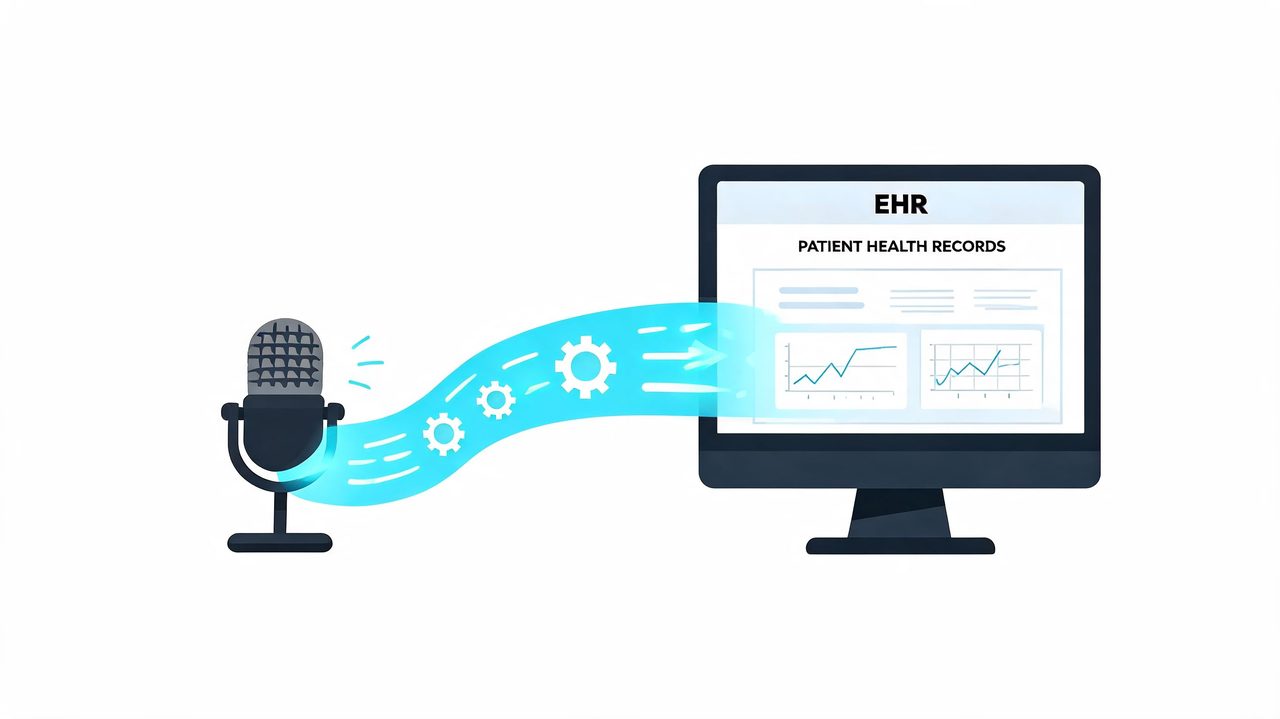
Modern integration relies on HL7 and FHIR standards to bridge dictated language and structured data. That matters because clinical documentation isn't just prose. It's also problem lists, medication updates, encounter elements, coding signals, and downstream tasks.
According to Shaip's overview of medical speech recognition and EHR integration, EHR integration is the critical final step in the workflow. The same source notes that this can reduce transcription costs by an estimated 30% to 45%, and that advanced systems use ambient listening to populate EHR fields in real time.
The practical difference between weak and strong integration is easy to spot:
- Weak integration means clinicians dictate into a separate window, then copy and paste.
- Better integration means speech lands in the correct note section with minimal manual cleanup.
- Best integration means the platform helps map content into structured fields and supports coding or workflow actions without forcing duplicate entry.
Questions that expose weak integrations fast
When vendors say they “integrate with EHRs,” the committee should press for specifics. Ask how the system behaves in a live encounter, not just whether an interface exists.
Use questions like these:
- Where does dictated text land? Ask whether it goes into free text only or can populate structured elements.
- How does the product handle specialty vocabularies? Cardiology, oncology, pathology, and behavioral health all document differently.
- What happens in noisy environments? Emergency departments and inpatient floors don't sound like a conference room.
- Can multiple speakers be separated reliably? Ambient workflows are less useful if attribution is poor.
- How much editing is required before sign-off? A note that arrives fast but needs heavy correction isn't efficient.
“Integration” should mean fewer clicks and less duplicate work, not another pane sitting next to the EHR.
The strongest implementations are built around the clinician's existing sequence of work. Dictate, review, sign, move on. If the software asks users to change too many habits at once, adoption slows.
Organizations exploring current options in this category can use this guide to medical speech to text software as a practical checklist for comparing workflow fit.
A final point often gets missed. Good integration isn't only technical. It's operational. Templates, specialty dictionaries, note governance, and training all determine whether the interface reduces burden.
Your Implementation and Evaluation Roadmap
At 7:10 a.m., a hospitalist starts prerounding with 14 patients on the list. By noon, the first complaint about the new speech tool reaches IT. Notes are appearing quickly, but the edit burden is high on mobile workstations, the network drops on one floor, and no one is certain whether audio from ambient capture is being retained by the vendor. That is a rollout problem, not a speech recognition problem.
The best implementations treat speech recognition as a care delivery change with technical consequences. The committee should decide early what it is trying to optimize: lowest latency, highest recognition quality across specialties, lowest infrastructure burden, strongest data control, or a balanced middle ground. That decision points directly to the deployment model. On-device, cloud, and hybrid systems fail in different ways, and they succeed under different operating conditions.
Start with a narrow pilot
Begin where documentation burden is high, physician leadership is engaged, and IT can observe the workflow closely. One service line is enough. Two is usually the upper limit if the organization wants clear findings instead of mixed signals.
Set the pilot up to answer a short list of practical questions:
- Who will use it: choose clinicians with enough volume to expose patterns in accuracy, correction burden, and adoption.
- Which workflow is under test: direct dictation, ambient documentation, or a defined subset such as progress notes or discharge summaries.
- Which deployment model is under test: on-device, cloud, or hybrid. Do not blur these together, because latency, privacy exposure, hardware needs, and downtime behavior differ.
- What review standard applies: define whether every note requires full user review before sign-off and how corrections will be tracked.
- What success means: include time to draft, editing time, note completion after hours, clinician trust, and support tickets.
This pilot phase should also test fit by environment, not only by specialty. Emergency departments, inpatient rounding, outpatient clinics, and telehealth visits place different demands on microphones, connectivity, speaker separation, and note turnaround. A product that performs well in a quiet office may disappoint on a busy ward.
Use an evaluation checklist grounded in clinical operations
Vendor evaluations often drift toward feature comparison. Committees get better decisions when they compare failure points. Ask where the system struggles, who has to intervene, and what happens when the network, device, or workflow is less than ideal.
Clinical performance
- Specialty accuracy: test real terminology, drug names, abbreviations, and speaking patterns from your service lines.
- Variation across speakers: include clinicians with different accents, cadence, volume, and dictation habits.
- Editing burden: measure how long it takes to turn draft text into a signable note.
- Performance by setting: compare quiet exam rooms with noisy inpatient units and shared work areas.
- Attribution and context: for ambient tools, verify whether the system separates speakers well enough to support safe documentation.
Privacy and security
- Data flow: document when audio stays on the device, when it leaves the endpoint, where it is processed, and where logs are stored.
- Contract scope: confirm that the business associate agreement covers the functions the organization plans to use, not only the base product.
- Retention and deletion: determine whether audio, transcripts, prompts, or usage metadata are stored and who can purge them.
- Access controls: review authentication, role-based permissions, audit logging, and administrative oversight.
- Fallback behavior: verify what the application does during outages. Some cloud products stop working. Some hybrid products shift locally with reduced functionality. That difference matters.
Workflow and integration
- EHR placement: confirm that dictated or generated text lands in the intended field and does not create copy-paste cleanup.
- Template alignment: test specialty note formats, smart phrases, and required sections.
- Review controls: make sure clinicians can inspect and correct generated content before signature.
- Exception handling: define what happens when clinicians switch devices, move between locations, or lose network access mid-encounter.
IT operations
- Device readiness: on-device models may require newer processors, managed microphones, and tighter endpoint standards.
- Model and vocabulary updates: clarify who maintains specialty terms, user profiles, and software releases.
- Support ownership: decide whether issues belong to the service desk, desktop engineering, clinical informatics, or the vendor.
- Cost by scale: cloud costs may rise with volume, while on-device costs may shift toward hardware refresh and endpoint management.
Approval test: If the vendor cannot provide a clear data-flow diagram and a clear downtime workflow, the committee does not have enough information to approve deployment.
Measure success in clinician terms
Committees often start with ROI and finish with complaints about usability. Start closer to the bedside. Ask whether clinicians complete notes faster, spend less personal time documenting, and trust the draft enough to review it efficiently. If the output is fast but requires line-by-line repair, the organization has replaced typing with editing.
Use a mix of observation and structured feedback. Small pilots do not need large survey data sets to produce useful decisions. A week of note review, shadowing, and targeted interviews can show whether one deployment model fits better than another. In practice, hybrid options often earn a second look during this phase. They can preserve local processing for sensitive settings or unstable connectivity while allowing cloud assistance when higher recognition quality or language modeling is worth the trade-off.
A workable rollout sequence usually looks like this:
- Pilot one or two documentation workflows.
- Test one deployment model against a clear baseline.
- Train users on review habits, correction methods, and microphone technique.
- Tune dictionaries, templates, and specialty settings.
- Review security, retention, and access controls with compliance and IT.
- Expand only after editing burden and support volume are acceptable.
The organizations that get value from speech recognition make the deployment decision early and evaluate everything else in that context. On-device systems offer stronger local control and lower dependence on connectivity, but they can demand more from hardware and endpoint support. Cloud systems can simplify updates and improve performance in some cases, but they raise harder questions about data handling, latency, and outage planning. Hybrid models add flexibility, though they also add governance complexity. That is the trade-off the committee should keep at the center of the decision.
If your team wants a practical way to balance private local dictation with the option for cloud-assisted cleanup, AIDictation is worth evaluating. It's a macOS voice-to-text app built around flexible deployment, with Local Mode for on-device dictation on Apple Silicon and an Auto Mode that can switch between local and cloud processing based on the situation. For healthcare professionals, that makes it a useful option when you need fast, HIPAA-conscious documentation without giving up polished output when connectivity and policy allow.
Frequently Asked Questions
What does Optimizing Speech Recognition Healthcare in 2026 cover?
By the time a hospital starts evaluating speech recognition, the problem is usually already visible. Clinicians are finishing visits, then staying late to complete charts.
Who should read Optimizing Speech Recognition Healthcare in 2026?
Optimizing Speech Recognition Healthcare in 2026 is most useful for readers who want clear, practical guidance and a faster path to the main takeaways without guessing what matters most.
What are the main takeaways from Optimizing Speech Recognition Healthcare in 2026?
Key topics include Table of Contents, Why Speech Recognition Is Healthcare's Next Breakthrough, Why the pressure is strongest in hospitals.
Ready to try AI Dictation?
Experience fast voice-to-text on your device. Free to download.
Download FreeRelated Posts
Best Clinical Note Taking Software: 2026 Guide & Tips
Find the best clinical note taking software for 2026. Discover key features, selection tips, & workflow strategies to reduce burnout & boost documentation.
Secure Medical Transcription: A Practical Guide for 2026
Learn how secure medical transcription works in 2026, from HIPAA controls and encryption to on-device vs cloud workflows, with a practical evaluation checklist.
What Is PowerScribe: Streamlined Radiology Reporting
What is powerscribe - Discover what PowerScribe is. This radiology reporting platform streamlines speech recognition, workflows, and integrations for imaging