Clinical Documentation Software a Guide for Modern Clinics
The day usually doesn't end when the last patient leaves. It ends later, after the exam rooms are empty, when a physician is still clicking through charts, fixing note fragments, and trying to remember whether a symptom started “last week” or “about ten days ago.” Clinic managers see the downstream effects everywhere: delayed signoff, billing hold-ups, stressed providers, and staff who feel like the workday has two shifts.
That's the setting where clinical documentation software starts to matter. Not as another app to buy, but as a way to change how notes are captured, reviewed, coded, and moved into the record. For some clinics, that starts with templates and speech recognition. For others, it means AI dictation or ambient tools that listen during the visit and draft the note automatically. The practical question isn't whether documentation needs to improve. It's how to improve it without creating new privacy risks or disrupting patient care.
Table of Contents
- Ending the Era of After-Hours Charting
- What Is Clinical Documentation Software Exactly
- Core Features and Must-Have Capabilities
- The Tangible Benefits for Your Practice and Patients
- Integrating AI Dictation and Ambient Scribes
- A Practical Guide to Software Selection and Implementation
- Use Cases and the Future of Documentation
Ending the Era of After-Hours Charting
A family medicine physician finishes a full day of visits, answers a few portal messages, and then opens the chart queue. Three notes are half done. Two need coding clarification. One claim is waiting because the documentation doesn't fully support the diagnosis. None of that means the physician is careless. It means the documentation process is asking a clinician to do clerical reconstruction at the end of a clinical day.
That's why so many practices are rethinking the old workflow of typing everything manually or dictating into systems that still require heavy cleanup. Clinical documentation software is the category of tools built to reduce that burden, improve note quality, and make the record more usable for care, coding, and compliance.
The shift is happening at market scale. The global clinical documentation software market was estimated at USD 1.39 billion in 2025 and is projected to reach USD 1.56 billion in 2026, with projections of USD 3.29 billion by 2032 according to 360iResearch's clinical documentation software market analysis. Clinics aren't adopting these tools because they're trendy. They're adopting them because documentation has become an operational bottleneck.
For clinics that still rely on older workflows, there's often a place for transitional support too. Some organizations use tools alongside services such as HIPAA compliant medical transcription while they standardize templates, revise note policies, or phase in AI-assisted capture.
If your team is sorting through speech tools specifically, this overview of speech recognition in healthcare is a useful starting point because it helps separate basic dictation from newer AI-assisted workflows.
After-hours charting usually isn't a discipline problem. It's a workflow design problem.
What Is Clinical Documentation Software Exactly
Clinical documentation software sits close to the clinical encounter. Its job is to help providers capture the patient story clearly, quickly, and in a format the rest of the organization can use. That includes the treating clinician, coders, billers, auditors, quality teams, and sometimes compliance staff.
People often confuse it with the EHR itself. That's understandable, because the two are closely connected.
Think of it as a smart scribe inside the EHR
An EHR is the clinic's full digital record system. It stores demographics, medication lists, histories, orders, results, billing data, and much more. Clinical documentation software is narrower and more focused. It's the part that helps create, structure, refine, and validate the note.
A simple analogy works well here. If the EHR is the hospital's digital library, clinical documentation software is the librarian and scribe working at the front desk. It helps get the right information into the right place, in the right format, without making the clinician do every filing step manually.
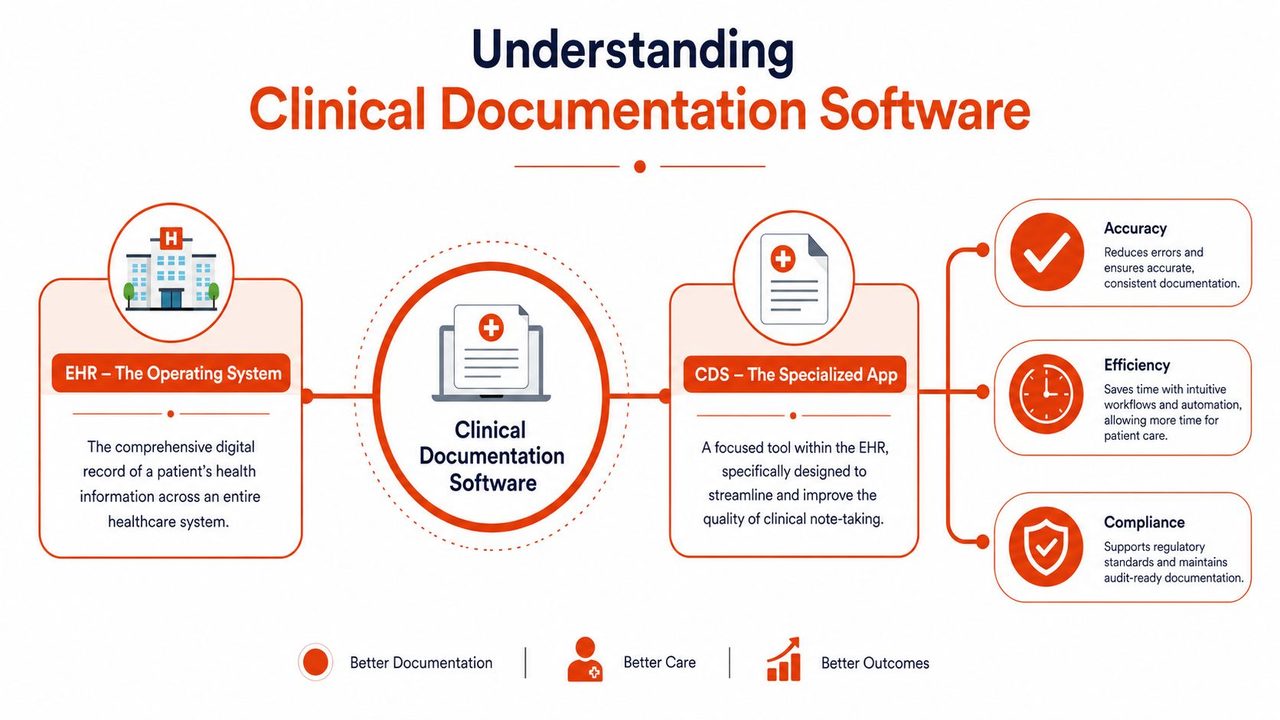
That distinction matters because many clinic managers assume their current EHR should already solve documentation pain on its own. In practice, many EHRs are strong as record systems and weaker as note creation tools. That gap is where documentation software fits.
What it handles in day-to-day clinic work
In practical terms, clinical documentation software usually helps with tasks like these:
- Capturing the visit narrative: It turns spoken or typed input into organized clinical notes.
- Structuring the note: It places content into familiar sections such as history, assessment, and plan.
- Improving consistency: It reduces variation across providers when the clinic wants more standardized records.
- Supporting coding and review: It can surface missing specificity, unclear diagnoses, or incomplete elements before the chart moves downstream.
- Creating cleaner records for follow-up care: Better notes help the next clinician understand what happened and why.
Some products focus on templates and smart phrases. Others emphasize AI dictation, ambient listening, coding support, or chart review. The category is broad, but the core purpose stays the same: make documentation more accurate and less burdensome.
Practical rule: If a product mainly stores records, it's acting like an EHR. If it mainly improves how notes are created and validated, it's acting like clinical documentation software.
For a clinic manager, that difference helps during vendor evaluation. You're not shopping for “another chart.” You're shopping for a better way to produce the chart.
Core Features and Must-Have Capabilities
The easiest way to evaluate clinical documentation software is to stop thinking in feature lists and start thinking in problems. Every clinic already knows its problems. Providers repeat the same phrases dozens of times a day. Staff copy details from one screen to another. Claims slow down when documentation lacks specificity. Auditors ask for history that was captured inconsistently.
Features that solve real clinic problems
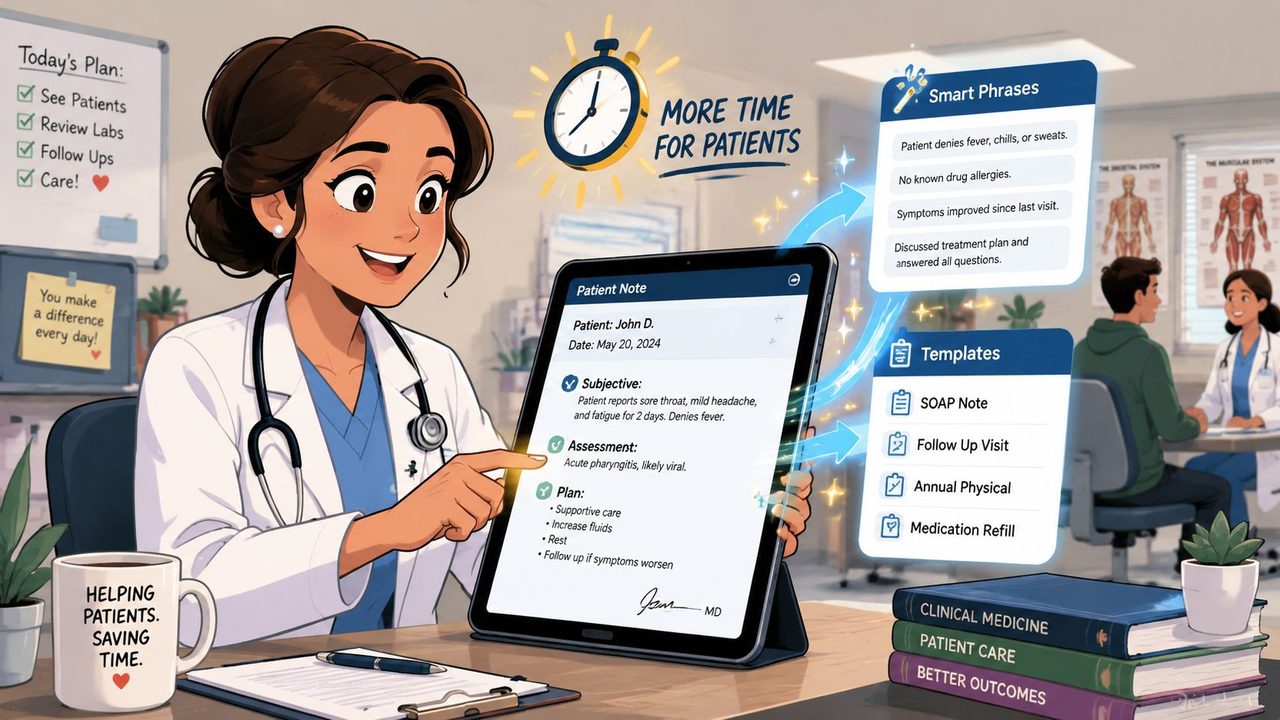
Templates and smart phrases matter because repetitive typing wastes attention. A good system lets providers insert common exam patterns, counseling language, follow-up instructions, and specialty-specific structures without producing generic, bloated notes.
Speech capture and dictation tools matter when clinicians think faster than they type. The software should recognize medical vocabulary, handle natural speaking patterns, and reduce cleanup work instead of merely shifting it.
EHR integration matters because re-entering data into multiple systems creates friction and errors. If the documentation tool can't move cleanly into the record, staff will end up babysitting interfaces instead of serving patients.
Coding support matters because note quality and revenue integrity are tied together. Tools that help surface diagnosis specificity, relevant terminology, or missing documentation can make the chart more complete before it reaches coding or claims review.
The capabilities that shouldn't be optional
Some requirements are less flashy, but they're essential.
- Audit trails: Every meaningful change should be traceable. If a chart is reviewed later, the organization needs to see what changed, when, and by whom.
- Terminology support: ICD-10 and SNOMED alignment helps documentation stay clinically meaningful and operationally usable.
- Role-based access: Different users need different levels of visibility and editing rights.
- Workflow fit: Point-and-click elements, quick text insertion, and minimal screen switching matter more than a long feature sheet.
- Privacy controls: The tool has to support secure handling of patient information in the actual conditions of care delivery.
Privacy doesn't stop at notes. It also touches surrounding workflows such as messaging, collections, and billing communication. Clinics reviewing broader revenue processes may find guidance on ensuring HIPAA-compliant payments useful because documentation quality and payment workflows often intersect.
A good product doesn't force providers to document like machine operators. It should let them work like clinicians, while still producing a chart the business side can trust.
The Tangible Benefits for Your Practice and Patients
Administrators usually ask the right question first: what does this improve beyond convenience? The answer is that better documentation changes several parts of the clinic at once. It affects clinician time, diagnostic clarity, coding quality, audit readiness, and the patient's experience of the visit.
Why administrators care
The strongest argument is often time and accuracy together. According to GetCode's AI medical documentation statistics overview, AI-driven solutions have been shown to help physicians spend 64.76% less time on paperwork while achieving 41.90% greater accuracy in diagnoses. For a clinic manager, that's not just a productivity story. It's a staffing, retention, and quality story.
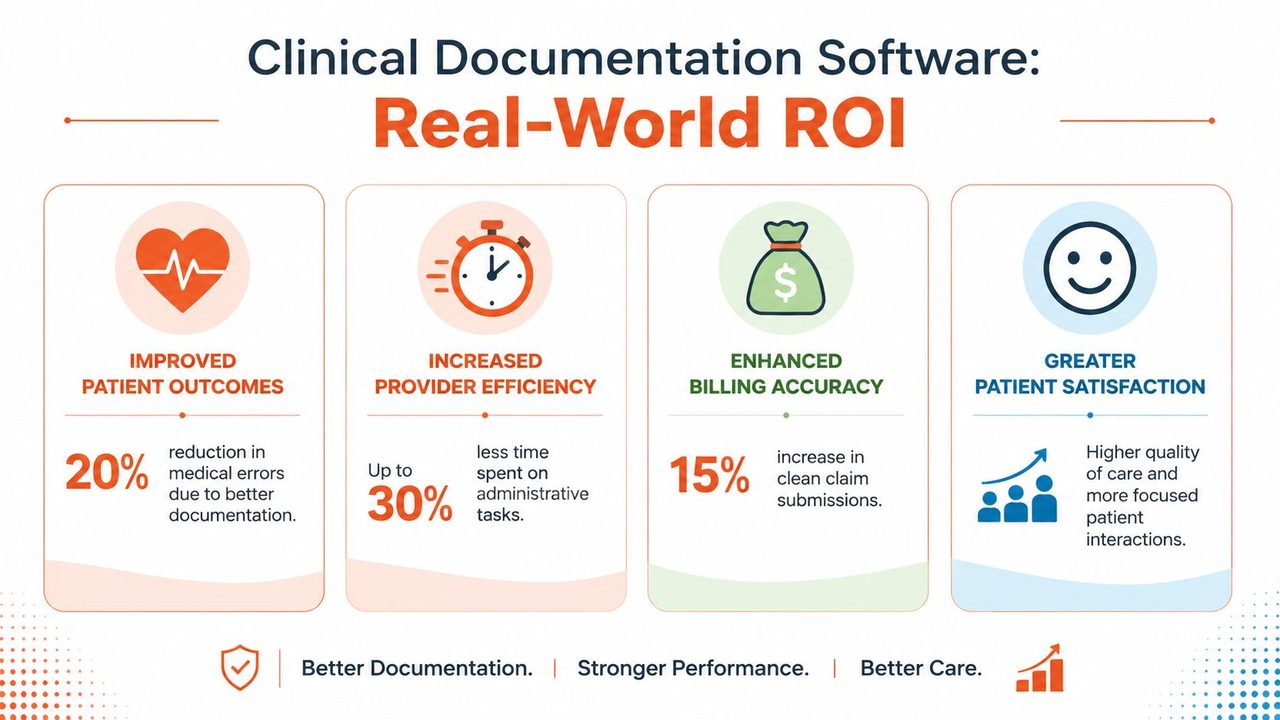
A cleaner note also improves downstream work:
- Billing teams get better source material: Fewer ambiguities mean less chasing providers for clarification.
- Compliance staff see stronger audit posture: Structured, complete notes are easier to review.
- Leaders get more predictable operations: When documentation closes faster, fewer tasks spill into the next day.
There's also a human benefit that many managers underestimate. When clinicians stop carrying unfinished charting into evenings, morale often improves. That doesn't show up first in a dashboard. It shows up in fewer complaints about note burden and less resistance to full schedules.
Why patients notice the difference
Patients may never ask which documentation tool a clinic uses, but they notice when the clinician spends less of the visit staring at a keyboard. Better software can support more natural eye contact, cleaner handoffs, and clearer follow-up instructions.
This matters in behavioral health and other specialties where rapport and accurate narrative detail are central. Teams that are also reviewing systems for education, compliance, and operational support in those settings may find this piece on AHPRA-ready CPD for psychologists helpful as part of the broader practice management conversation.
Better documentation isn't only about faster notes. It's about a record that supports safer decisions the next time someone opens the chart.
For most clinics, the business case becomes persuasive when leaders stop treating documentation software as an IT purchase and start treating it as clinical infrastructure.
Integrating AI Dictation and Ambient Scribes
The evolution of documentation has been steady. First, clinicians typed directly into the chart. Then many moved to classic dictation and transcription. After that came speech-to-text tools that turned spoken words into raw text. Now the field is moving toward AI systems that don't just transcribe. They organize, summarize, and draft clinically useful notes.
A visual makes that shift easier to grasp.
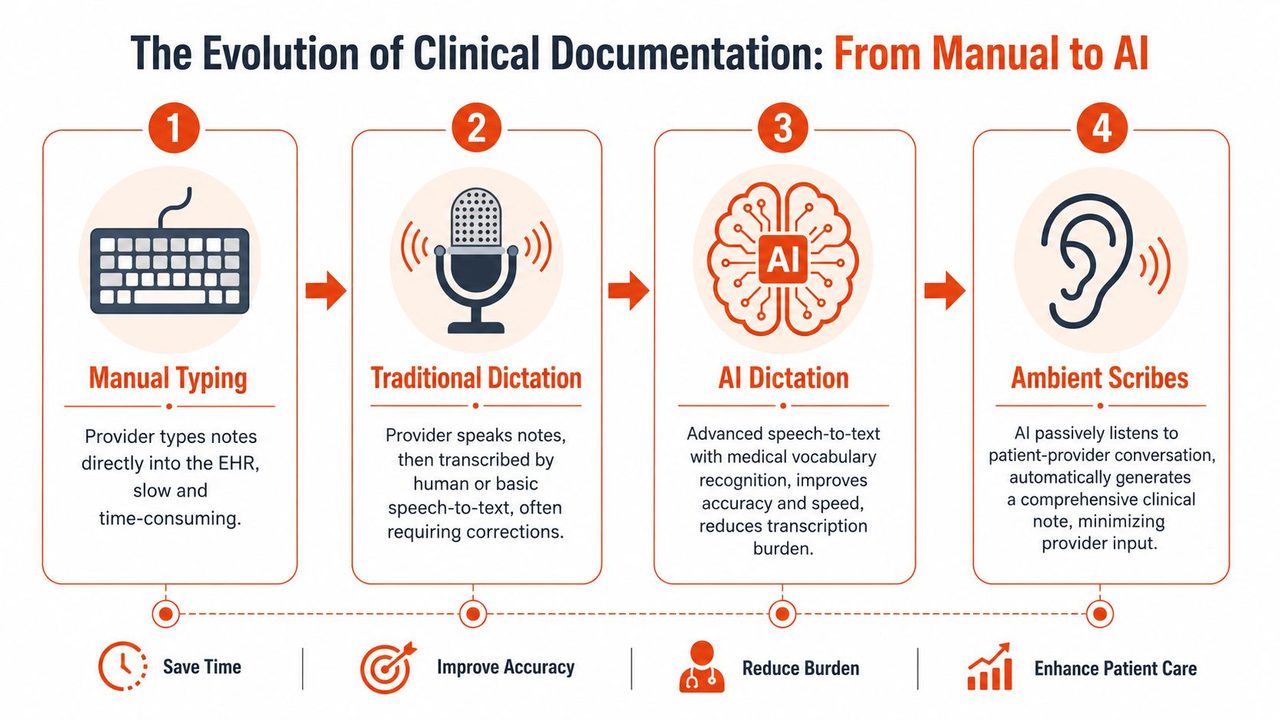
From typing to ambient capture
Traditional dictation still depends heavily on the clinician. The provider has to decide what to say, when to say it, and often how to phrase it for later cleanup. AI dictation improves that by recognizing medical terms more effectively and producing cleaner text. Ambient systems go a step further by listening during the patient encounter and drafting the note from the conversation itself.
That workflow change is meaningful. Clinical documentation software leveraging Ambient Voice Technology achieves a documented reduction in clinician documentation burden by 30 to 50 percent compared to traditional speech-to-text dictation, according to the Journal of Medical Internet Research article on ambient voice technology. The same source explains that the gain comes from removing much of the cognitive load tied to free-text entry and keyboard navigation.
For clinics comparing approaches, it helps to review how current medical speech-to-text software differs from older dictation models and where ambient tools fit.
Here's a short demonstration video to ground the concepts in a real workflow:
Why on-device privacy deserves more attention
Many buyers overlook an important issue. A lot of AI documentation products are cloud-first by default. That can work, but it isn't the only model, and for some clinics it isn't the most comfortable one either.
Privacy-conscious providers often want tighter control over where audio is processed, whether internet transmission is required, and how much protected health information leaves the room or the device. On-device options matter because they can reduce dependence on constant cloud transfer and better align with strict internal privacy policies.
That doesn't mean cloud processing is automatically unsafe. It means clinics should ask sharper questions:
- Where is audio processed
- When is data transmitted
- Is temporary storage involved
- Can the tool function privately when internet access is limited
- What does clinician review look like before final signoff
Some tools now offer hybrid models. AIDictation, for example, provides on-device dictation on Apple Silicon through a local mode and can also use cloud processing when connected. That kind of split architecture is relevant for clinics that want flexibility between privacy-sensitive use and AI cleanup features.
The practical point is simple. Efficiency matters, but so does data handling design. A clinic shouldn't have to choose between faster documentation and a privacy posture its leadership team can defend.
A Practical Guide to Software Selection and Implementation
Buying software is the easy part. Getting clinicians to trust it, fit it into the schedule, and use it consistently is harder. The best implementations treat documentation change as a workflow project, not just a purchasing decision.
Vendor Selection Checklist
Start with a side-by-side comparison. Don't ask vendors only what features they have. Ask what work your staff will stop doing if you buy it.
| Criterion | Vendor A | Vendor B | Vendor C |
|---|---|---|---|
| EHR integration quality | |||
| Supports templates and smart phrases | |||
| AI dictation available | |||
| Ambient scribe option | |||
| On-device or local processing option | |||
| Audit trail visibility | |||
| ICD-10 and SNOMED support | |||
| Clinician review before final signoff | |||
| Training and go-live support | |||
| Clear privacy and data handling documentation |
A clinic replacing legacy speech tools may also want to compare the workflow differences outlined in this review of Dragon medical dictation alternatives and considerations.
One more item belongs on every shortlist: regulatory documentation. Clinical documentation software can sit close enough to regulated workflows that the vendor's quality posture matters. To satisfy regulatory conformity assessments under the MDR, software must incorporate a risk management file and generate a Design History File, Device Master Record, and Device History Record, as described in this MDR and medical device software documentation review on PMC. A clinic manager doesn't need to write those documents, but the vendor should be able to speak clearly about compliance, validation, traceability, and change control.
Ask every vendor to explain their privacy model and validation process in plain language. If they can't, support will get harder after signing, not easier.
A rollout plan that won't overwhelm the clinic
The safest rollout is phased.
- Map the current workflow
Watch how notes get created today. Don't rely only on policy documents. Follow one provider from visit to signoff and note every handoff, delay, and duplicate step.
-
Choose one pilot group
Pick a small set of willing clinicians. Mixed specialties can be useful, but a focused pilot is easier to interpret than a broad launch with too many variables.
-
Define success qualitatively
Look for fewer after-hours edits, cleaner note structure, fewer clarification requests, and better clinician satisfaction. If the pilot group says the tool adds friction, believe them and investigate why.
-
Train around scenarios
Generic training sessions rarely stick. Show providers how to handle a follow-up visit, a complex new patient, a medication review, and a visit where the patient goes off-topic.
-
Keep clinician review central
AI can draft. The responsible clinician must still review, correct, and sign. That protects quality and keeps trust in the process.
-
Expand in waves
Move to more users only after the first group has stable workflows and support tickets have settled into a predictable pattern.
Most failed implementations aren't caused by bad intentions. They fail because leadership underestimates behavior change. If the new system adds clicks, creates uncertainty about privacy, or interrupts the visit, adoption stalls quickly.
Use Cases and the Future of Documentation
A primary care clinic with several physicians often starts in a familiar place: heavy keyboard use, inconsistent note styles, and providers finishing documentation after dinner. Once the clinic introduces better templates and AI-assisted note capture, the workday can become more contained. Providers still review and edit, but they're no longer starting from a blank page after every encounter.
The privacy question is becoming more visible too. Despite 57% of healthcare providers reporting over 2 hours of daily documentation time, there's still a gap in the market around private, on-device clinical dictation for HIPAA-sensitive settings, as noted in Business Research Insights coverage of the clinical documentation software market. That matters because many clinics want modern AI assistance without sending every spoken interaction into a cloud-only workflow.
The same pattern appears outside healthcare. Product managers need clean meeting notes and specification drafts. Developers need accurate technical documentation. Different industries use different language, but the problem is similar: turning dense spoken information into structured written records without losing accuracy or wasting time.
Clinical documentation software will keep moving toward more natural voice capture, stronger EHR integration, and tighter privacy controls. The clinics that benefit most won't be the ones chasing every new feature. They'll be the ones that understand their current workflow, involve clinicians early, and choose tools that match both operational reality and privacy expectations.
If your team is evaluating a move from manual charting or basic speech recognition to a more modern workflow, AIDictation is one option to review, especially if on-device dictation and flexible local-or-cloud processing are part of your requirements. Start by auditing how notes are created today, where cleanup happens, and which parts of the process your clinicians most want to stop doing.
Frequently Asked Questions
What does Clinical Documentation Software a Guide for Modern Clinics cover?
The day usually doesn't end when the last patient leaves. It ends later, after the exam rooms are empty, when a physician is still clicking through charts, fixing note fragments, and trying to remember whether a symptom started “last week” or “about ten days ago.” Clinic managers see the downstream effects everywhere: delayed signoff, billing hold-ups, stressed providers, and staff who feel like the workday has two shifts.
Who should read Clinical Documentation Software a Guide for Modern Clinics?
Clinical Documentation Software a Guide for Modern Clinics is most useful for readers who want clear, practical guidance and a faster path to the main takeaways without guessing what matters most.
What are the main takeaways from Clinical Documentation Software a Guide for Modern Clinics?
Key topics include Table of Contents, Ending the Era of After-Hours Charting, What Is Clinical Documentation Software Exactly.
Ready to try AI Dictation?
Experience fast voice-to-text on your device. Free to download.
Download FreeRelated Posts
10 Custom Dictionary Software Tools for Every Workflow
Compare 10 custom dictionary software tools for terminology, medical dictation, developer workflows, corpus research, and speech recognition.
Privacy by Design for macOS Apps: A Practical Guide
Learn what privacy by design means, why it matters for macOS apps, and how to ship HIPAA- and GDPR-ready products without slowing your team down.
10 Data Security Best Practices for 2026
Explore 10 essential data security best practices for 2026. Learn to protect sensitive data with encryption, access control, and secure hybrid workflows.