Mastering System Design Documentation: Your 2026 Guide
You're probably in one of two situations right now.
Either you're starting a project and someone has asked for a design doc before implementation begins, or you're already living with the aftermath of a document that looked useful at kickoff and now has no relation to the system running in production. The diagrams are stale, the API notes are half-right, and the most accurate architecture map lives in three engineers' heads and one old Slack thread.
This is the core problem with system design documentation. Teams often don't fail because they never wrote anything. They fail because they wrote a document that wasn't designed to survive contact with delivery. A useful design doc has to do two jobs at once: help people make decisions now, and stay close enough to reality that people still trust it later.
Table of Contents
- The True Cost of Bad Documentation
- What Is System Design Documentation
- The Anatomy of a Great Design Document
- How to Create Your First Design Document
- Examples and Common Anti-Patterns
- Keeping Documentation Alive with Versioning and Tooling
- Conclusion From Chore to Cornerstone
The True Cost of Bad Documentation
The failure mode is familiar. A production issue lands late in the day. Error rates are up, one service is retrying aggressively, another is timing out, and the team is trying to answer basic questions under pressure: Which dependency is authoritative? What fallback behavior was intended? Did we ever agree on the timeout policy for this path?
When the documentation is outdated, engineers debug the system by archaeology. They read code, infer intent from old pull requests, and interrupt whoever has the most context. That slows the fix and raises the odds of a second mistake.
Well-maintained system design documentation changes that. Atlassian notes that system design documentation acts as a central blueprint that reduces debugging time by 30–40% and improves team collaboration by aligning stakeholders before implementation begins in its guide to software design documents. That number matters because it reflects something engineers already feel. Clear docs shorten the path from “something is broken” to “we know where to look.”
Practical rule: If your design doc can't help an on-call engineer understand the intended system behavior, it isn't finished.
Bad documentation also creates quieter costs that don't show up in incident timelines. New engineers onboard slowly. Product managers hear different answers from different teams. Security reviews reopen settled questions because nobody recorded the trade-offs. Architecture conversations repeat because the reasoning behind earlier decisions disappeared.
A lot of teams treat documentation as administrative overhead. In practice, the absence of documentation creates more overhead than writing it ever would. The difference is that writing a doc is scheduled work, while reconstructing decisions during an outage is unplanned work.
Here's what gets used: concise architecture context, dependency relationships, API contracts, operational assumptions, and decision records. Here's what gets ignored: bloated narrative, diagrams with no owners, and specs that explain the obvious but omit the controversial parts.
The best system design documentation isn't all-encompassing in the abstract. It's trustworthy under pressure.
What Is System Design Documentation
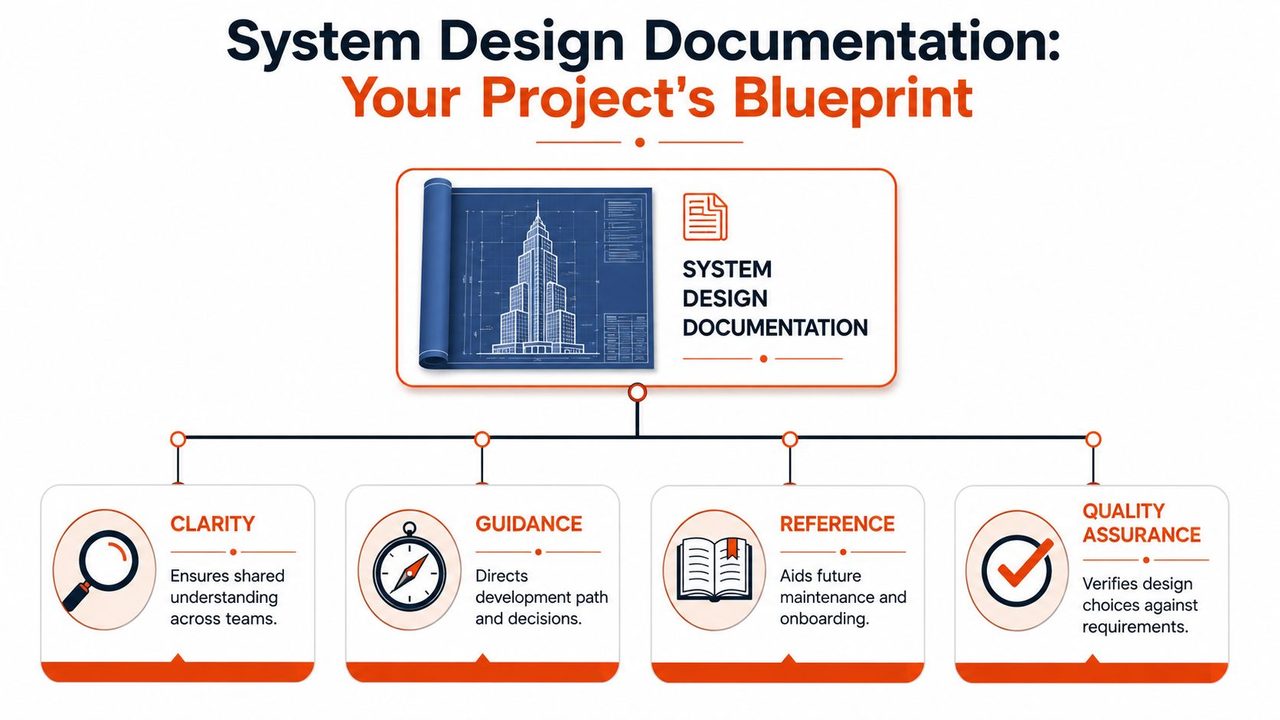
System design documentation is the written blueprint for how a software system is supposed to work, comparable to the design set for a skyscraper. One layer shows the whole structure, how major pieces connect, and what constraints the building must satisfy. Another layer gets into the details that let builders, inspectors, and operators do their jobs without guessing.
High-level and low-level design
In practice, system design documentation usually separates into high-level design and low-level design.
High-level design explains the shape of the system. It names the major services, data stores, boundaries, integrations, and user-facing flows. This is the view engineering managers, product leads, security reviewers, and new team members need first. It answers questions like: What are we building? What talks to what? Where are the risky edges?
Low-level design gets specific. It includes API contracts, data models, validation rules, component responsibilities, algorithms, error handling, and operational assumptions. Here, implementation becomes testable. It's also where many teams get vague, which is why low-level documentation often stops being useful the moment coding starts.
A strong document needs both levels. Without high-level design, people can't understand context. Without low-level design, developers can't implement consistently.
Who actually uses it
Different people use the same document for different reasons.
- Developers need concrete design intent. They look for contracts, boundaries, and the reasoning behind trade-offs.
- SRE and platform engineers need dependency behavior, failure assumptions, retries, timeouts, and observability expectations.
- Product managers need scope clarity, success metrics, and what's intentionally out of scope.
- Security and compliance reviewers need to see data movement, control points, and where standards apply.
- New hires need a map. They shouldn't have to reverse-engineer the architecture from repository names.
A good design doc answers different questions for different readers without becoming a different document for each audience.
The useful analogy is blueprint, but with one important caveat. Software changes faster than buildings do. That means system design documentation can't just describe the intended system at one moment. It has to help a team maintain a shared understanding as the system changes.
That's why clear language matters. So do visuals. So does recording the why behind a decision, not just the final choice. The document isn't there to impress reviewers. It's there to remove ambiguity before implementation and reduce guesswork afterward.
The Anatomy of a Great Design Document
A design doc usually fails in a predictable way. The kickoff version gets broad agreement, implementation starts, details change, and nobody updates the document. Three weeks later, the team is back in Slack asking which service owns validation, whether retries are client-side or server-side, and why a queue was added. A good design document prevents that drift by making ownership, decisions, and operational assumptions easy to find and easy to update.
Structure matters because people scan before they read. If the document does not expose scope, decisions, interfaces, and open questions quickly, engineers stop using it and fall back to tribal knowledge.
Stack Overflow's practical guide on writing technical specs lays out a useful shape for this kind of document: front matter, problem abstract, solution overview, further considerations, success metrics, work plan, and deliberation log. In practice, that structure works because it serves two jobs at once. It explains the proposed system, and it records the decisions that will still matter after the original review meeting is forgotten.
Front matter and problem abstract
Front matter is the part engineers skip until they need it. Then it becomes the first thing they look for.
Keep it short and operational. Include the owner, reviewers, status, last meaningful update, affected systems, linked repos, and related tickets or ADRs. If nobody owns the doc, nobody maintains it. If the status is unclear, readers cannot tell whether they are looking at a proposal, an approved design, or a stale draft.
The problem abstract sets the standard for the rest of the document. Strong abstracts describe the current pain, the change being proposed, and the limits around that change in plain language. Weak ones jump straight to a preferred tool or architecture and hide the actual problem.
A useful problem abstract usually covers:
- Current state: What exists now, where it breaks down, and who feels that pain
- Desired outcome: What the system should do better or enable
- Non-goals: What this design intentionally does not solve
- Constraints: Security, compliance, platform, staffing, migration, or delivery limits
This section should survive contact with reality. If the problem statement changes during implementation, update it. That is how a design doc stays useful instead of becoming kickoff theater.
Solution overview and architecture
The solution overview should let a new engineer understand the system in a few minutes. Show the major components, boundaries, request flow, data flow, and integration points. Keep the narrative tied to behavior, not just boxes and arrows.
Diagrams help, but only if they answer a specific question. A context diagram helps readers see external actors and system boundaries. A container or service-level diagram helps them trace requests across services. Component-level diagrams are worth the effort only for parts of the system with enough internal complexity to justify them. Teams often over-document simple services and under-document the messy ones. Do the opposite.
The architecture section should also call out failure paths and dependency chains. If checkout depends on auth, inventory, pricing, payment, and an event pipeline, put that sequence in the doc. If one timeout can fan out into retries across three systems, record that too. Those are the details that reviewers, on-call engineers, and future maintainers need.
| Section | Purpose | Example Content |
|---|---|---|
| Front matter | Establish ownership and status | Owner, reviewers, status, repo link, affected systems |
| Problem abstract | Define the problem and boundaries | Current pain, desired outcome, constraints, non-goals |
| Solution overview | Explain the proposed system | Context diagram, service boundaries, request and data flows |
| Low-level design | Make implementation and review concrete | APIs, schemas, state transitions, storage choices |
| Further considerations | Capture cross-cutting concerns | Security controls, observability, rollback, dependency risks |
| Success metrics | Define acceptance criteria | Latency expectations, error budgets, correctness checks |
| Work plan and deliberation log | Preserve execution order and reasoning | Milestones, open questions, ADRs, rejected options |
For teams that struggle to write requirements with enough precision for engineering review, this guide to specification writing is a useful reference.
Low-level design and measurable targets
Low-level design is where a document becomes buildable. This is the section developers use during implementation and reviewers use to find missing assumptions.
Write down the interfaces, data models, validation rules, state transitions, background jobs, and failure handling. If an API returns partial success, say so. If idempotency is required, define the key and the behavior. If a consumer can process events out of order, document how consistency is preserved. These details tend to live in code eventually, but putting them in the design doc early is what makes the review meaningful.
Use numbers where the design depends on numbers. Performance targets, timeout values, retention rules, and scaling expectations should be explicit when they affect architecture or testing strategy. Vague goals such as "fast," "scalable," or "reliable" do not help a reviewer challenge the design or help an engineer verify it later.
A usable low-level section often includes:
- API contracts: Request and response formats, authentication, authorization, and error behavior
- Data rules: Required fields, validation, retention, migration assumptions, and ownership
- State behavior: State transitions, retry logic, deduplication, and concurrency handling
- Operational expectations: Peak usage assumptions, dependency limits, timeout values, and failure modes
Without this section, approval usually means people agreed with the direction. It does not mean they agreed on the implementation.
Further considerations, work plan, and deliberation log
Cross-cutting concerns deserve a fixed place in the document because they are easy to miss in review and expensive to add late. Security controls, audit requirements, observability, feature flags, rollback paths, data residency, and dependency risks should be visible without forcing readers to hunt through comment threads.
The work plan should stay short. It is not a replacement for the project board. It should show sequencing, risky migrations, dependencies between teams, and any step that changes how the system operates in production. That level of detail is enough to expose bad rollout plans before they become incidents.
The deliberation log is what keeps a design doc alive after approval. Record key decisions, rejected alternatives, unresolved questions, and the reason each choice was made. Months later, this log saves the team from rerunning the same architecture debate with less context. It also makes updates easier because engineers can see which assumptions were intentional and which were temporary.
The best design docs keep working after sprint planning ends. They give the team a current map of the system, a record of why it looks that way, and a place to update those decisions as the implementation changes.
How to Create Your First Design Document
A team finishes sprint planning with a clean diagram, a few approving comments, and a shared sense that the design is settled. Two weeks later, implementation starts to drift. Someone discovers an unstated dependency. Security asks for a control that changes the data flow. The on-call engineer reads the doc during an incident and cannot tell which behavior was intentional. That is how design documentation dies early. It gets treated as a kickoff artifact instead of a working tool.
The first design document should prevent that failure. Write it so engineers can use it during implementation, review, rollout, and production support. If the doc only helps at approval time, it will be abandoned by the next sprint.
Start with constraints not diagrams
A useful first draft begins with pressure, not shapes. Capture what the system must do, what it cannot break, and which limits are already fixed by the business, surrounding systems, or production environment.
That usually means five inputs: product requirements, operational expectations, security and compliance needs, integration contracts, and delivery constraints. Collect those first. A diagram drawn before those inputs are clear tends to harden guesses into architecture.
Use a short starting frame:
-
User and business need
State the workflow or capability that drives the change, and who is affected if it works or fails. -
System constraints
Record limits such as sensitive data handling, upstream and downstream contracts, deployment restrictions, and known infrastructure boundaries. -
Engineering targets
Define measurable expectations where the team has them. Good targets are concrete enough to review later, such as latency goals, error handling expectations, throughput ranges, recovery objectives, or support boundaries. -
Non-goals
Say what this design will not solve. This keeps review focused and blocks scope creep from sneaking in through comments.
I usually wait to draw the main diagram until those four items are on the page. It saves rework. It also exposes the hard conversations earlier, when changing direction is still cheap.
Draft fast, then shape it for review
The first version does not need polished prose. It needs enough structure that another engineer can challenge it without a meeting.
A practical way to get there is to capture the design while it is still fresh. After a whiteboard session or working meeting, write down the problem, the request flow, the data changes, and the main risks in plain language. Then turn that rough material into headings, bullets, tables, and only the diagrams that clarify the design. This works better than staring at a blank document and trying to write the final version in one pass.
A drafting workflow that holds up in real teams looks like this:
- Write the problem statement first: Describe the current pain, who feels it, and what improvement the system needs to deliver.
- Trace the request or event path: Show what happens from entry point to processing to storage to downstream effects.
- List operational risks early: Include retries, timeouts, degraded dependencies, migration hazards, access control, and observability gaps.
- Turn rough notes into reviewable sections: Clean up wording, add tables where comparisons matter, and add diagrams only where text would be slower to parse.
For teams working through exploratory or research-heavy design work, this guide to research documentation for turning raw notes into reviewable artifacts is a useful companion.
After that, cut anything reviewers will ignore. Long narrative paragraphs about obvious implementation details rarely survive contact with the team. Tables for API changes, state transitions, ownership, and rollout steps tend to get used. Dense decorative diagrams usually do not.
A walkthrough of a practical drafting workflow can help before your first review:
Review it with the people who will build and run it
A design doc becomes living documentation when review includes the people who will maintain the result, not just the people funding the work.
Start with engineers closest to the affected services. They will catch hidden coupling, bad assumptions, and interface problems faster than a large review group. Bring in SRE, security, platform, or data teams when the design changes reliability, access, deployment, or ownership. Product should review goals, scope, and trade-offs, not internal implementation details unless those details change delivery risk or user impact.
Review comments should pressure-test the document, not just approve it. Ask questions that reveal whether the doc can survive implementation:
- Which assumption is most likely to fail in production?
- Where does the design depend on behavior another team has not committed to?
- What will the on-call engineer need that is missing here?
- Which rollout or migration step is hardest to reverse?
- What part of the system becomes harder to own after this change?
If reviewers can answer from the document, the doc is doing its job. If every hard question still requires the author to explain context live, keep editing. The goal is not a perfect artifact. The goal is a document the team can return to a month later and still trust.
Examples and Common Anti-Patterns
Documentation quality gets easier to judge when you compare something concrete with the patterns that fail in real teams.
What a usable ADR looks like
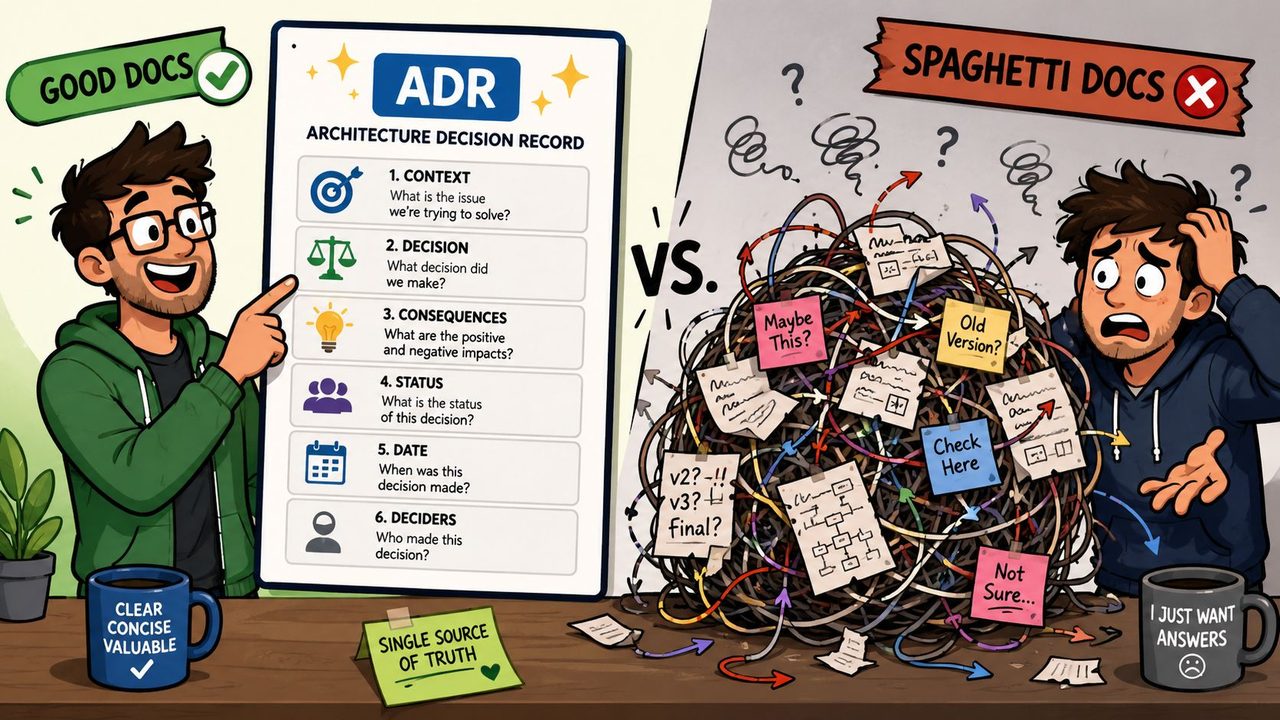
A good Architecture Decision Record is short, explicit, and anchored in consequences. The format many teams use is simple: Context, Decision, Status, and Consequences.
A small example:
ADR-007 Using Kafka for order events
Context: The order workflow needs durable event distribution across multiple downstream consumers. Some consumers can tolerate delay, but event loss is unacceptable.
Decision: Use Kafka as the event backbone for order events.
Status: Accepted.
Consequences: The platform team must operate Kafka and monitor topic health. Consumers need idempotent handlers. The architecture gains stronger event durability but adds operational complexity.
That's enough to preserve reasoning without writing an essay. It also gives future reviewers something far more useful than “we chose Kafka.”
Teams doing reliability-heavy work often pair ADRs with runbooks and dependency notes. If you work in that area, this article on system reliability is a useful companion because it keeps operational behavior tied to architectural choices.
The anti-patterns that waste everyone's time
Three anti-patterns show up constantly.
-
The Novel
This doc is long, polished, and unreadable. It explains background at extreme length, buries the design choice, and makes reviewers hunt for decisions. People stop trusting it because extracting facts takes too long. -
The Ghost
Someone wrote this once, usually before sprint one, and nobody touched it again. The names are familiar, but the routes, owners, and assumptions are old. It creates false confidence, which is worse than having no document. -
The Liar
This one is dangerous. The diagrams say one thing, the code does another, and the operational path does a third. Engineers debug the wrong component because the doc points them in the wrong direction.
A few simple avoidance rules work well:
| Anti-pattern | Symptom | Better habit |
|---|---|---|
| The Novel | Too much prose, weak decisions | Lead with problem, decision, and trade-offs |
| The Ghost | Written once, never updated | Assign an owner and review on a cadence |
| The Liar | Out of sync with production | Keep docs with code and update in the same workflow |
The goal isn't perfect documentation. It's documentation that remains more useful than misleading.
Keeping Documentation Alive with Versioning and Tooling
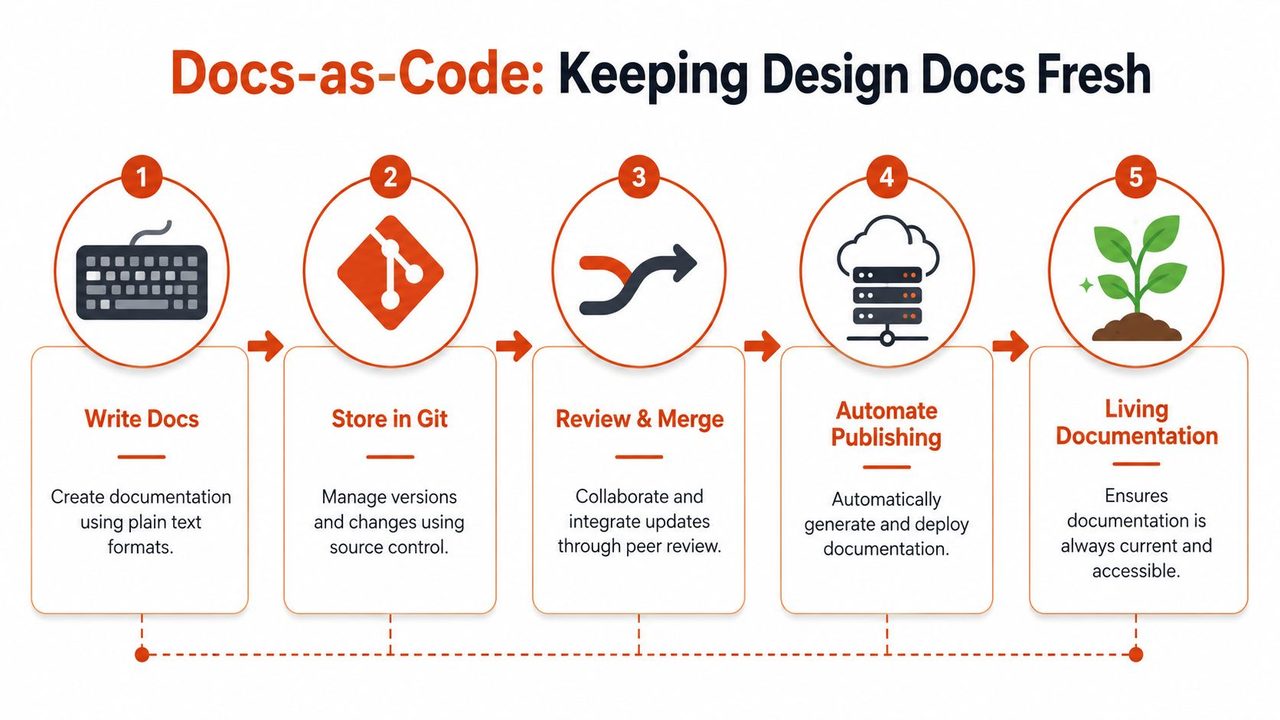
Most documentation fails after kickoff because it lives outside the engineering workflow. It sits in a wiki, gets separated from code review, and slowly stops matching the system. Once trust breaks, people stop opening the document. After that, it's already dead.
Why docs-as-code works better
The strongest antidote is a docs-as-code approach. Store design docs in the same versioned environment as the software, usually as Markdown alongside the repository or in a tightly coupled docs repository. Review documentation changes with pull requests. Treat diagrams, ADRs, and dependency notes as first-class engineering artifacts.
That approach matters because drift is the default. A future-dated 2026 DocuWriter.ai study reported that 74% of engineering teams abandon their system design documents within three months, while teams that integrated documentation with CI/CD reduced maintenance time by 55% and cut design-related miscommunication by 60%. Those figures are provided in the verified data for this article. The numbers line up with what practitioners see: when docs are outside delivery, they decay fast.
Keep the docs where engineers already work, or they'll update the code and forget the explanation.
If you're refining your process, Dokly's 2026 guide to doc versioning is a practical read because it focuses on version control habits rather than generic documentation advice.
A maintenance cadence teams can actually keep
A prevalent misconception is that documentation survives on good intentions. It doesn't. It survives on a routine.
Docsie recommends a recurring 2-hour session every quarter to compare architecture documentation against actual system configuration, including Infrastructure as Code and service topology, in its glossary entry on system architecture documentation. That cadence is realistic because it's infrequent enough to keep, but regular enough to catch drift before it becomes fiction.
A workable quarterly review usually includes:
- Diagram validation: Check context, container, and component diagrams against live architecture.
- ADR review: Confirm that major technology decisions have records and archive outdated decisions explicitly.
- Dependency behavior: Verify timeout values, retry policies, circuit breaker thresholds, and fallback responses in runbooks.
- Ownership check: Make sure every section still has a named curator.
Tools that help and tools that get ignored
The right tooling depends on where your team already collaborates.
- Markdown in GitHub or GitLab works well for teams that want reviews tied directly to code changes.
- Confluence or Notion works when broader cross-functional editing matters, but ownership has to be stricter.
- Structurizr helps teams keep architecture diagrams versioned and close to the model.
- Storybook and Figma plugins help when you're documenting design systems and want tighter sync between design and implementation.
What gets ignored? Tools that add another destination without reducing maintenance work. If engineers must update code, a wiki, a diagramming tool, and a runbook separately, one of those will lose. Usually the doc does.
Living documentation survives when the update path is shorter than the path of avoiding it.
Conclusion From Chore to Cornerstone
System design documentation earns its place when it prevents confusion, shortens debugging, and preserves decisions that would otherwise vanish into chat history and memory. That's why the best docs don't read like formal paperwork. They read like operationally useful engineering thinking.
The shift that matters is simple. Stop treating the document as a kickoff artifact. Treat it as part of the system. Give it an owner. Keep it near the code. Update it when reality changes. Review it on a schedule people can sustain.
Docsie's guidance to hold a recurring 2-hour review every quarter and maintain an ADR for significant technology choices is a good standard because it turns maintenance into a habit instead of a rescue operation.
If you do that, the late-night production fire drill looks different. The team still has to solve the problem, but they won't be guessing what they built or why. They'll have a blueprint they trust.
If you draft specs, architecture notes, or meeting-to-doc writeups on a Mac, AIDictation can help you get the first draft down faster. It turns spoken ideas into clean text, which is especially useful when you've just finished a design review, whiteboard session, or architecture discussion and need to capture the logic before it disappears.
Frequently Asked Questions
What does Mastering System Design Documentation: Your 2026 Guide cover?
You're probably in one of two situations right now. Either you're starting a project and someone has asked for a design doc before implementation begins, or you're already living with the aftermath of a document that looked useful at kickoff and now has no relation to the system running in production.
Who should read Mastering System Design Documentation: Your 2026 Guide?
Mastering System Design Documentation: Your 2026 Guide is most useful for readers who want clear, practical guidance and a faster path to the main takeaways without guessing what matters most.
What are the main takeaways from Mastering System Design Documentation: Your 2026 Guide?
Key topics include Table of Contents, The True Cost of Bad Documentation, What Is System Design Documentation.
Ready to try AI Dictation?
Experience fast voice-to-text on your device. Free to download.
Download FreeRelated Posts
Product Manager Documentation: Essential 2026 Guide
Master product manager documentation. Write clear PRDs, roadmaps & specs to align teams & drive results. Get templates & best practices for 2026.
Content Structure Done Right: A Practical Guide
Master content structure. Learn core principles, see templates for docs and notes, and discover how to create structured text instantly from speech.
Project Documentation: Your Guide to Success in 2026
Stop ignored, outdated project documentation. Learn to create, manage, and maintain effective documentation your team will actually use & value.