Onboarding Documentation: Types, Examples, and Tools
A lot of teams are in the same spot right now. A new hire is on day three, still opening old PDF attachments to figure out which laptop setup step matters first. A manager is answering the same access question again. A founder is forwarding one more “latest version” of the handbook and hoping nobody uses last quarter's checklist.
That isn't a people problem. It's an onboarding documentation problem.
When documentation is clear, sequenced, and maintained, it turns scattered instructions into repeatable progress. When it's vague or stale, even smart people slow down. They ask more questions, hold more details in working memory, and spend energy figuring out the process instead of doing the work.
Table of Contents
- Why Onboarding Documentation Matters More Than Ever
- What Onboarding Documentation Actually Means
- The Three Main Types of Onboarding Documentation
- Essential Sections Every Onboarding Document Needs
- Before and After How Good Design Cuts Cognitive Load
- A Sequenced Checklist for Compliance and Role-Ready Setup
- How Voice-to-Text Speeds Up Drafting and Maintenance
- Measuring Success and Keeping Documentation Alive
Why Onboarding Documentation Matters More Than Ever
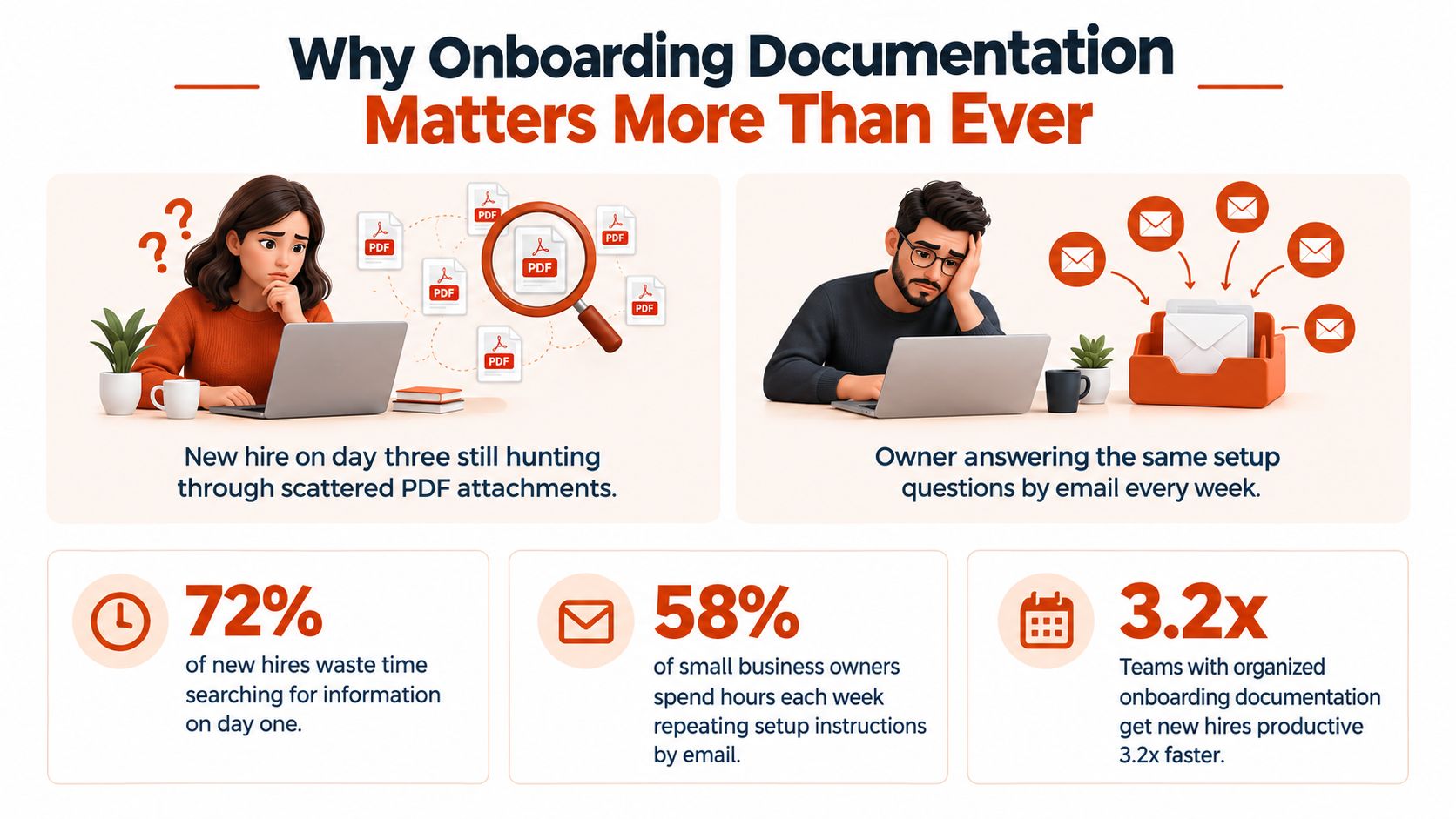
Poor onboarding rarely looks dramatic from the inside. It looks like friction. One missing screenshot. Three versions of the same checklist. A policy file attached in email, but the actual setup steps buried in chat. By the end of week one, the new person hasn't failed. They're just tired.
That fatigue is measurable. Adobe found that employees receive an average of 13 onboarding documents and spend about 12 hours reviewing them in their first week. The top 10% receive more than 30 documents and spend more than 35 hours reviewing materials. Only 60% of those materials are seen as necessary or important to the role, and 58% of employees received onboarding materials in PDF format, according to Adobe's new-hire onboarding research.
The real cost is mental overhead
Most teams think they have an onboarding content problem. Usually they have a packaging problem.
If a new hire gets forms, security rules, team norms, setup steps, and role expectations all at once, they have to sort the information before they can use it. That sorting work is cognitive load. It's the extra mental effort required to decide what matters now, what can wait, and what action comes next.
Practical rule: If someone has to read everything to find the next action, the document is doing too little of the work.
Remote and hybrid teams feel this more sharply. In an office, people can lean over and ask, “Which of these do I do first?” Distributed teams don't get that constant informal correction. Documentation has to carry more of the load.
Documentation is the operational lever
A long-running HR benchmark also helps explain why onboarding so often feels admin-heavy. A 2017 survey of 350 U.S. HR leaders found that about 40% of onboarding activity consisted of paperwork and compliance documents, as summarized in this HR research overview. That's why weak documentation doesn't stay in HR. It spills into IT, legal, security, and line management.
Good onboarding documentation does three jobs at once:
- It reduces confusion: People can find the right instruction without asking around.
- It protects sequence: Compliance items happen before access, and setup happens before training.
- It shortens time-to-competence: New hires and new users reach independent action faster.
The rest of the work is practical. Define what onboarding documentation is. Separate the main types. Build the right sections. Then design the content so the reader's brain does less work.
What Onboarding Documentation Actually Means
Onboarding documentation is easiest to understand if you stop thinking of it as “all the information someone might need.”
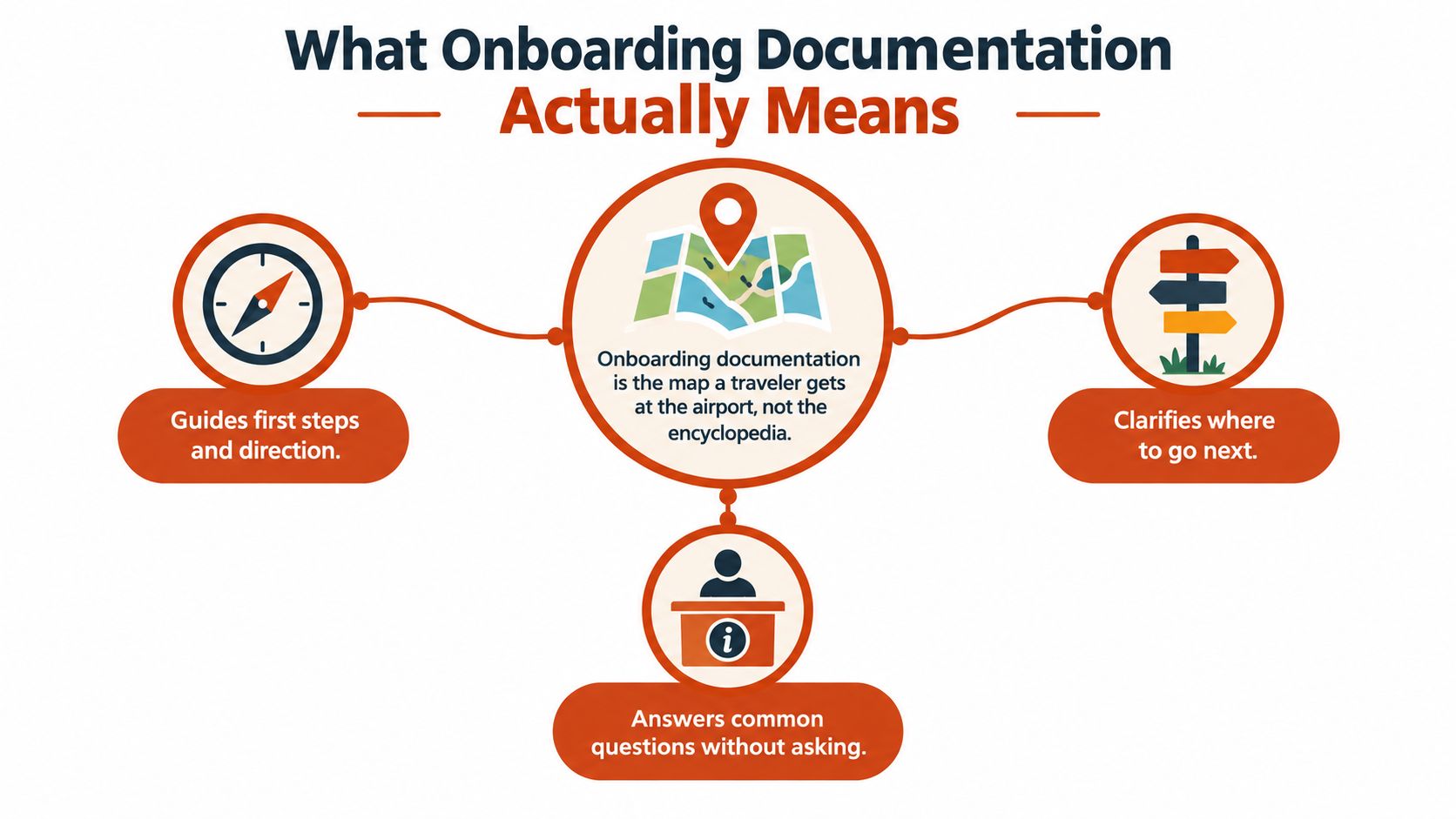
It's closer to the map a traveler gets at the airport. The map doesn't explain aviation. It helps you get from where you are to where you need to go, with the least confusion possible.
A working definition that holds up in practice
In day-to-day operations, onboarding documentation is the curated set of written and multimedia materials that helps a new employee, customer, or user move from first contact to confident independent action.
That definition matters because it excludes a few things:
- A live training session isn't documentation, though it may rely on it.
- A policy archive isn't onboarding documentation unless it's organized for first-use decisions.
- Marketing copy isn't onboarding documentation because persuasion and execution are different jobs.
Documentation supports repeatable self-service action. A person should be able to return to it after the meeting ends and still know what to do.
Three properties strong onboarding docs always share
The best onboarding documentation sets are built around three constraints.
First, they are audience-specific. A sales rep, a hospital administrator, and an API developer should not get the same explanation in a different wrapper.
Second, they are task-oriented. The reader needs to complete something concrete. Sign the form. Configure SSO. Invite teammates. Submit the first report.
Third, they are time-bound. Good docs acknowledge timing. What must happen before day one is different from what belongs in week two.
Good onboarding documentation lowers three kinds of effort at once: the number of questions someone needs to ask, the time it takes to ask them, and the memory required to act on the answers.
That's the mental model I use when reviewing any page. If the document still forces the reader to ask, wait, remember, and improvise, it's not finished.
The Three Main Types of Onboarding Documentation
Teams often lump everything into one bucket called “onboarding,” then wonder why the docs feel muddy. The cleaner approach is to separate the three main types by audience and outcome.
Employee onboarding documentation
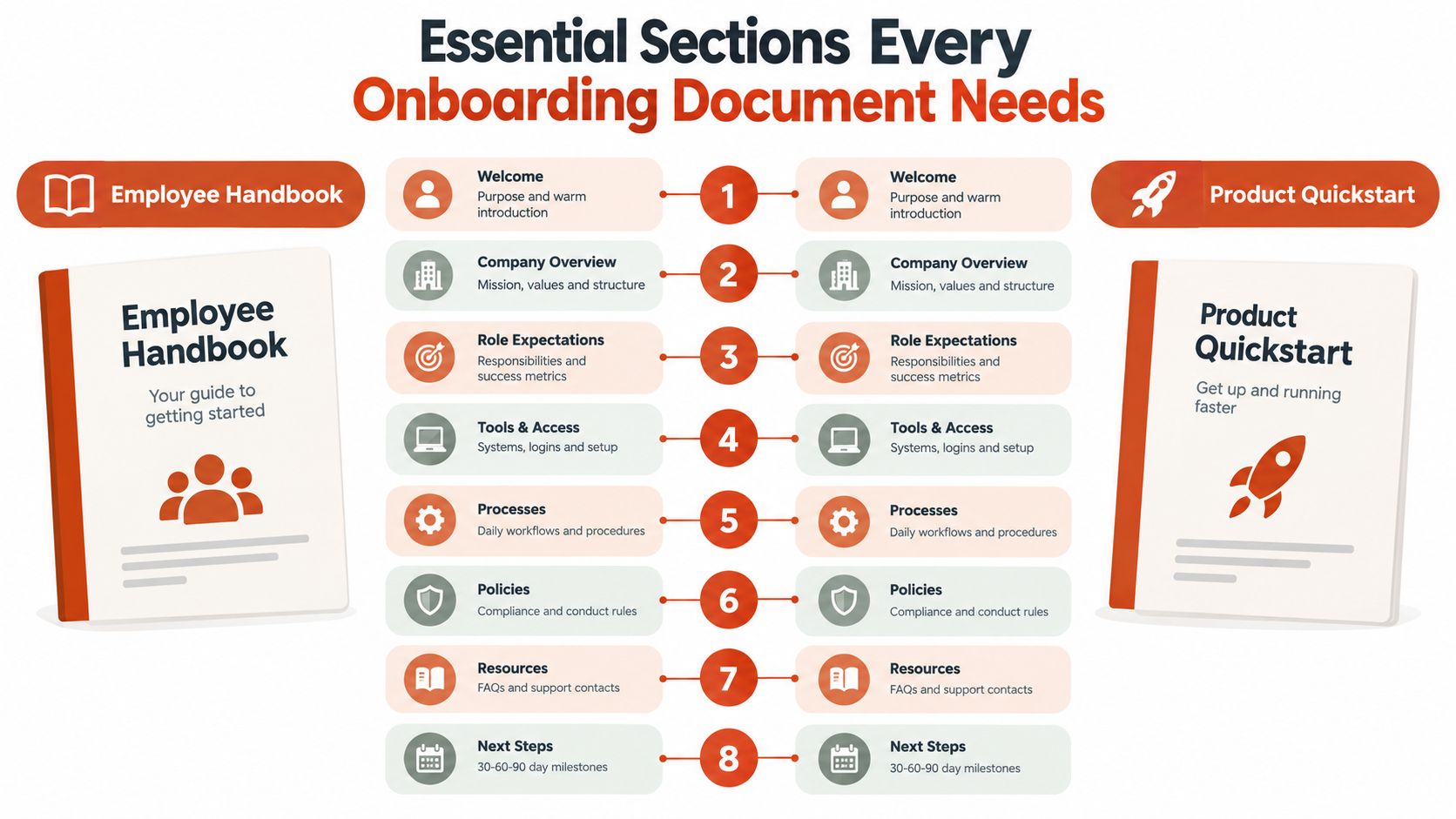
This is the set pictured first. It usually starts around offer acceptance and carries through the first stretch of role ramp-up.
The primary owners are often HR, people ops, IT, security, and the hiring manager. The documents live across an HRIS, a company wiki, shared folders, ticketing systems, and policy tools.
Typical assets include:
- Handbooks and policy acknowledgments: What the person must read and confirm.
- Role briefs and first-week plans: What success looks like in the role.
- Setup guides: Devices, accounts, MFA, VPN, payroll, benefits, and access.
- Handover notes: Team-specific context, recurring tasks, contacts, and workarounds.
A peer-reviewed study on onboarding for new professionals found that structured onboarding programs with supported training improved competence and role clarity, while knowledge-transfer guidance emphasized capturing roles, responsibilities, processes, contacts, and workarounds in a single transfer document for continuity, as described in this onboarding and handover research.
Customer onboarding documentation
Customer onboarding documentation serves a different moment. The buyer has already committed. The problem now is activation and early adoption.
Ownership usually sits with customer success, implementation, or support. The content often lives in a help center, customer portal, email sequences, and shared onboarding workspaces.
Common formats include welcome guides, kickoff prep docs, implementation checklists, admin setup instructions, milestone playbooks, and FAQs built from support tickets. The success test is simple: can the account reach the first meaningful outcome without excessive back-and-forth?
Product and user onboarding documentation
This type sits closest to the product experience itself. The audience may be end users, admins, developers, or analysts using the tool inside their normal workflow.
The owner is often product, support, or technical writing. The content lives in quickstart guides, in-app tooltips, interactive walkthroughs, API docs, and contextual help.
Here, the key question is whether the person can complete the first valuable task with confidence.
Comparing the Three Main Types of Onboarding Documentation
| Dimension | Employee | Customer | Product / User |
|---|---|---|---|
| Primary audience | New hires | New paying accounts | End users or admins |
| Typical owner | HR, ops, IT, managers | Customer success, implementation, support | Product, support, technical writing |
| Lifecycle stage | Offer through early ramp | Post-sale through activation | First use through feature adoption |
| Common formats | Handbook, role brief, setup checklist, handover doc | Welcome sequence, kickoff doc, success playbook, FAQ | Quickstart, in-app help, walkthrough, reference page |
| Where it lives | HRIS, wiki, shared docs, ticketing tools | Help center, customer portal, email, shared workspace | In-app help, docs site, knowledge base |
| What success looks like | Role-ready, compliant, independent | Activated, configured, progressing | Completing first key task with minimal friction |
The shared DNA is the same across all three. The docs must fit a specific audience, point to the next action, and stay current as the environment changes.
Essential Sections Every Onboarding Document Needs
Most weak onboarding docs fail in familiar ways. They open with background instead of action. They explain everything at the same level of detail. They never state who to contact when something breaks. A strong document feels different because its parts do different jobs.
The eight sections that carry the load
Use these sections whether you're building an employee handbook page or a SaaS quickstart.
-
Welcome and purpose
Tell the reader what this document is for.
Employee example: “Use this guide during your first week to complete payroll setup, account access, and your team introduction tasks.”
Product example: “Use this quickstart to connect your workspace and publish your first report.” -
Context and scope
Clarify who this is for and what it doesn't cover.
Employee example: “This version applies to U.S.-based full-time hires in customer-facing roles.”
Product example: “This guide is for workspace admins. End users should use the team invite guide instead.” -
Time-phased roadmap
Give the reader a sequence. A 30-60-90 day plan for employees works well. A first-session, first-week, first-project flow works for product onboarding.
Example: “By the end of week one, you should have access to the CRM, shadow two calls, and complete your compliance modules.” -
Task deep dives
Expand only the tasks that need explanation.
Example: “To enroll in benefits, open the HR portal, choose your plan, and save the confirmation PDF to your employee folder.”
Before adding more sections, it helps to see the structure in action.
The sections teams skip and regret later
-
Glossary
Define internal terms, acronyms, and tool names.
Employee example: “PHI means protected health information.”
Product example: “A workspace is the top-level container for teams, reports, and permissions.” -
Escalation paths
Name the owner for each failure point.
Example: “If Okta access fails, contact IT Operations through the service desk. If your manager dashboard is missing, contact RevOps.” -
FAQ from real questions
Pull this from support tickets, chat threads, and manager notes.
Example: “I completed payroll setup but still don't see my benefits menu. What should I do?” -
Version history and feedback loop
Every onboarding document needs an effective date, owner, and place to submit corrections.
Example: “Last updated on May 1. Document owner: People Operations. Report a problem in the #docs-feedback channel.”
The easiest way to improve an onboarding document is to add the missing decision points, not more explanation.
For teams that want a grounded model of how documentation can be structured for clarity and reuse, how SpecStory, Inc. approaches documentation is a useful reference. It's especially helpful if you're trying to move from ad hoc pages to a maintainable documentation system.
A simple scaffold you can copy
Start with this outline:
- Title and audience
- Purpose
- When to use this
- What to complete first
- Step-by-step actions
- Definition of done
- Common blockers
- Contacts and version history
If you draft those eight pieces before polishing prose, you'll usually end up with something people can use.
Before and After How Good Design Cuts Cognitive Load
Most onboarding docs don't fail because the writer lacked information. They fail because the reader has to hold too much at once.
A controlled study of onboarding documents for newcomers reported significant gains in task success, lower cognitive load, and better perceived usability when the documentation was restructured using evidence-based design strategies, according to this controlled study on onboarding document design. That matches what documentation teams see in practice. Better structure changes performance, not just aesthetics.
Example one from setup email to usable checklist
Before: a 600-word IT email with paragraphs like this:
“Please ensure that you complete account activation using the identity provider link sent separately and coordinate with your manager regarding repository permissions, after which device compliance steps should be performed according to the attached security requirements.”
The problems are obvious. The next action is buried. “Sent separately” forces a hunt. “According to the attached security requirements” points to another document without saying which part matters now.
After: a six-step checklist:
| Document Element | Before | After |
|---|---|---|
| Opening | Background-heavy paragraph | One-sentence purpose |
| First action | Buried in prose | Step 1 at the top |
| Jargon | “Identity provider,” “device compliance” | Plain labels with tool names |
| Sequence | Mixed tasks and references | Ordered steps |
| Definition of done | Missing | “You're finished when…” |
| Error handling | Implied | Specific escalation path |
The rewrite uses four design moves:
- Front-load the next action: “Open the Okta invitation email and set your password.”
- Use one action per step: Don't combine setup, permissions, and security review in one sentence.
- Add visual anchors: A screenshot caption like “You should see the blue Verify button.”
- State completion criteria: “Done when Slack, email, and VPN all open successfully.”
Example two from activation page to guided progress
The second pattern shows up in SaaS onboarding pages. The original page often includes a feature tour, benefits copy, a setup video, and configuration notes all on one screen.
The better version chunks content into headings the user can scan. Each step starts with a verb. Each block answers one question only. If a task has a success condition, the page states it inline: “When connected successfully, you'll see your workspace name in the top-left corner.”
Clear onboarding documentation doesn't just explain. It removes avoidable choices.
That's what reduces cognitive load. The reader spends less effort selecting, filtering, and remembering. More of their attention stays on the task itself. That's the shortest path to faster competence.
A Sequenced Checklist for Compliance and Role-Ready Setup
The biggest operational mistake in onboarding is mixing legal forms, system access, role training, and team context into one packet. The cleaner model is sequence. Some items must happen before access. Some should happen on day one. Some matter only after the person can log in and orient themselves.
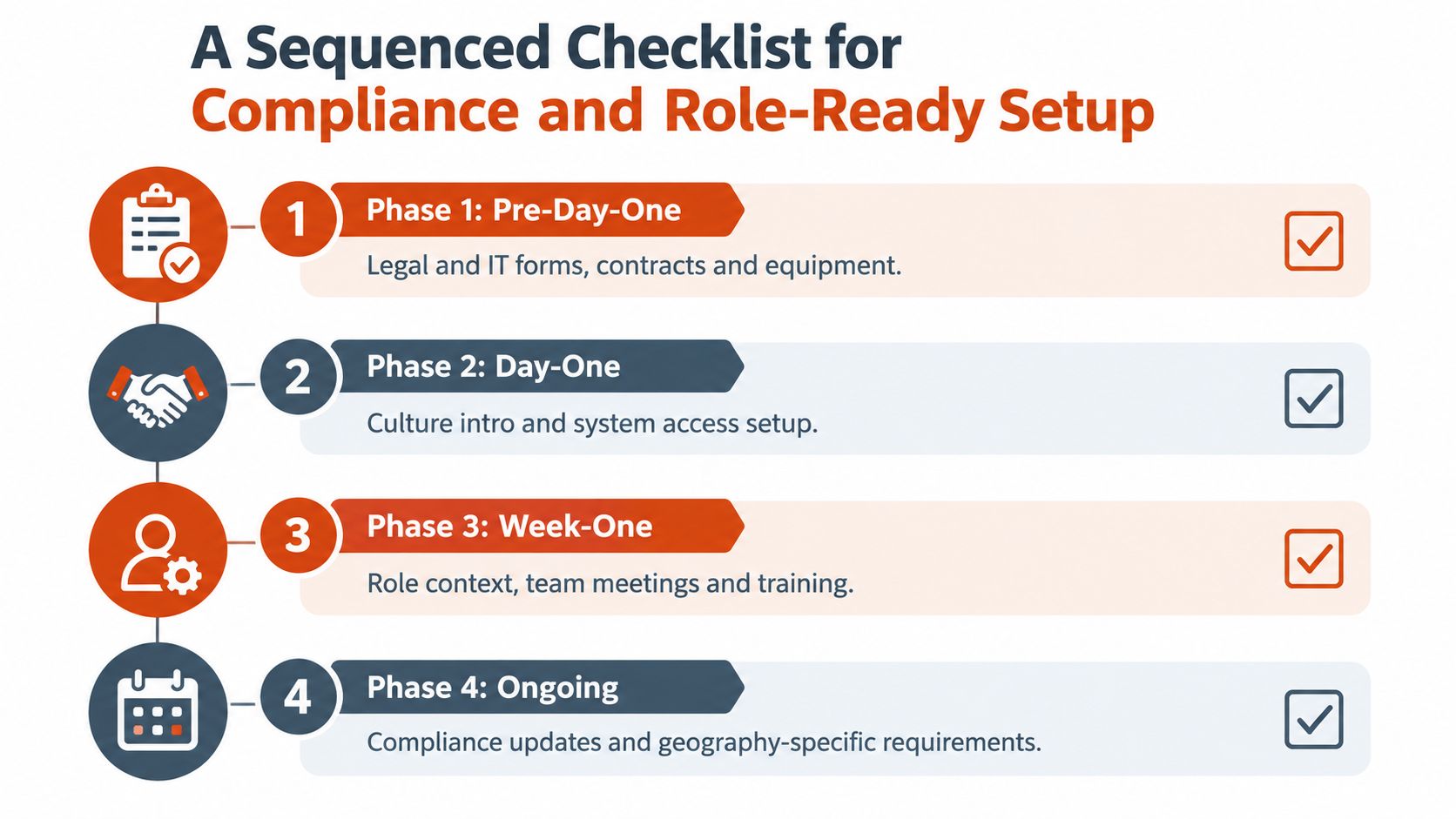
Phase one pre-day-one
Recent compliance guidance keeps stressing timing and sequencing. Federal U.S. onboarding items such as Form I-9, W-4, handbook acknowledgment, and HIPAA-related training before PHI access happen on strict timelines, with requirements varying by jurisdiction and role, as covered in this compliance-timed onboarding guide.
Use a printable checklist like this:
- Legal forms: Offer acceptance, tax forms, right-to-work verification where applicable. Owner: HR. Artifact: signed employee record.
- Security and identity setup: Device assignment, identity account creation, MFA enrollment instructions. Owner: IT. Artifact: access setup sheet.
- Jurisdiction-specific acknowledgments: Labor notices, privacy acknowledgments, local policy confirmations. Owner: HR or legal. Artifact: acknowledgment log.
Items in this phase are usually not subject to negotiation.
Phase two day one
Now the person needs a stable first day, not a data dump.
- Access confirmation: Email, chat, calendar, SSO, required apps. Owner: IT. Artifact: completed access checklist.
- Culture and team orientation: Manager welcome, team map, communication norms. Owner: hiring manager. Artifact: first-day agenda.
- Core policy review: Only the policies needed to work safely and correctly. Owner: HR or compliance. Artifact: completed required-reading record.
If your team works in regulated environments, SOC 2 compliance software considerations can help frame how access control and documentation evidence fit together.
Phase three and phase four
Week one should focus on role context. Shadowing, role-specific SOPs, key meetings, and the first small task belong here. Produce a role brief and a manager-owned ramp plan.
Month one should shift toward ownership. The new hire should complete a first independently owned milestone, review any remaining low-urgency documentation, and flag missing or unclear instructions so the docs improve for the next person.
A simple sorting rule helps:
- Must happen now: Compliance and access blockers
- Should happen soon: Team context and role execution
- Can wait: Nice-to-know reference material that won't affect the first month
That separation makes onboarding documentation much easier to trust and much easier to follow.
How Voice-to-Text Speeds Up Drafting and Maintenance
A lot of onboarding knowledge starts as speech. A manager explains how territory handoff works. An IT lead talks through laptop provisioning. A support lead describes the common failure cases in account activation. Then someone tries to turn that spoken knowledge into clean documentation by typing from memory.
That's slow, and it drops detail.
Why dictation fits onboarding work
Voice-to-text is useful here because onboarding docs are rich in procedures, caveats, and recurring explanations. Those are easier to say out loud than to compose from a blank page. A documentation lead can interview a subject-matter expert, capture the spoken walkthrough, and then shape it into headings, steps, screenshots, and notes.
The workflow is straightforward:
- Record or dictate the procedure while the expert explains it.
- Turn the transcript into a rough first draft.
- Split combined actions into separate steps.
- Add screenshots and “done” criteria.
- Publish, then revise after real user questions come in.
Privacy matters more than convenience
There's a real difference between cloud dictation and local dictation. Cloud tools may route audio and transcripts through third-party servers. That may be acceptable for some teams, but it can create review friction when onboarding materials include employee data, credentials, customer environments, or internal policies.
That's where privacy-first tools can make sense. One option is technical writing tools for documentation workflows, which includes tools for drafting structured content from speech. In that category, AIDictation is a macOS voice-to-text app that can transcribe locally on Apple Silicon or use cloud processing when connected, depending on the mode selected. That makes it practical for teams that want spoken drafting without forcing every onboarding note into a cloud-only path.
Spoken knowledge is often the raw material. Good onboarding documentation is what happens after you structure it.
The maintenance benefit is just as important
The first draft speed matters, but maintenance matters more. Onboarding docs change whenever a policy, screen, approval path, or tool changes. Dictation makes those updates easier because the document owner can speak the revision while reviewing the process live, then edit for clarity.
That helps with:
- Incident follow-ups: Capture what changed after an access or compliance problem
- Localization prep: Create a cleaner source draft before translation
- Writer ergonomics: Reduce repetitive typing when maintaining large knowledge bases
For onboarding documentation, the best tool is often the one that helps you capture expert knowledge quickly without creating a new privacy problem.
Measuring Success and Keeping Documentation Alive
A useful onboarding guide is never “done.” It's current, owned, and reviewed on purpose.
The simplest scorecard has four metrics:
Onboarding Documentation Success Metrics
| Metric | How to Measure | Target Range |
|---|---|---|
| Time-to-competence | Track how long it takes a new hire or user to complete their first independent core task | Decreasing over time |
| Support-ticket deflection during onboarding | Compare common onboarding questions before and after documentation updates | Fewer repeated questions |
| Documentation NPS | Ask readers a short post-onboarding question about usefulness and clarity | Consistently positive trend |
| Content freshness score | Review whether screenshots, steps, links, owners, and dates are current | High current-state coverage |
A system keeps those metrics honest.
- Assign one owner per document: Someone must be responsible for updates.
- Set a review cadence: Quarterly works well for most onboarding assets.
- Use trigger-based updates: Revise the page whenever a tool, policy, role, or workflow changes.
- Create a feedback intake path: Route new-hire questions into a channel the doc owner watches.
- Retire outdated pages: Archive them clearly so old instructions don't compete with current ones.
For teams building a stronger review habit, documentation quality practices are a useful complement to the drafting guidance above.
Pick one onboarding document this week. Add an owner, an effective date, and a review date. That single change does more to prevent documentation rot than most redesign projects.
If your onboarding documentation still lives in scattered notes, meeting recaps, and repeated explanations, AIDictation can help you turn spoken process knowledge into a structured draft you can clean up and publish. It's especially useful when managers and subject-matter experts explain workflows faster than they can type them. See how it works at AIDictation.
Frequently Asked Questions
What does Onboarding Documentation: Types, Examples, and Tools cover?
A lot of teams are in the same spot right now. A new hire is on day three, still opening old PDF attachments to figure out which laptop setup step matters first.
Who should read Onboarding Documentation: Types, Examples, and Tools?
Onboarding Documentation: Types, Examples, and Tools is most useful for readers who want clear, practical guidance and a faster path to the main takeaways without guessing what matters most.
What are the main takeaways from Onboarding Documentation: Types, Examples, and Tools?
Key topics include Table of Contents, Why Onboarding Documentation Matters More Than Ever, The real cost is mental overhead.
Ready to try AI Dictation?
Experience fast voice-to-text on your device. Free to download.
Download FreeRelated Posts
10 Technical Writing Best Practices for 2026
Master technical writing best practices with actionable guidance on clarity, structure, code, reviews, accessibility, localization, metrics, and dictation.
Content Structure Done Right: A Practical Guide
Master content structure. Learn core principles, see templates for docs and notes, and discover how to create structured text instantly from speech.
Project Documentation: Your Guide to Success in 2026
Stop ignored, outdated project documentation. Learn to create, manage, and maintain effective documentation your team will actually use & value.