Speech to Text Medical: A 2026 Guide for Clinicians
The last patient has left, but the workday hasn't. A clinician is still clicking through the EHR, fixing typos, reconstructing half-remembered details from a morning consult, and trying to finish notes before going home. In a small practice, that burden often falls on the same few people every day. The physician dictates into a phone, a nurse retypes fragments later, and everyone hopes nothing important gets lost between speech and chart.
That's why interest in speech to text medical tools has changed. This isn't about convenience anymore. It's about getting accurate notes into the record faster, reducing after-hours documentation, and doing it without exposing patient data to the wrong system. Large health systems have been working on this for years. What's changed is that smaller clinics and individual practitioners now have realistic options too, especially on desktop and on-device setups that don't assume enterprise budgets or cloud-first workflows.
Table of Contents
- Escaping the Burden of Clinical Paperwork
- What Is Medical Speech to Text Technology
- Gauging Accuracy and Performance in Clinical Settings
- Navigating HIPAA Compliance and Patient Privacy
- On-Device vs Cloud Processing A Critical Choice
- A Checklist for Evaluating and Implementing STT
- The Future of Clinical Documentation Is Here
Escaping the Burden of Clinical Paperwork
It is 6:20 p.m. The last patient left 40 minutes ago, but two providers are still finishing charts, one MA is waiting on message follow-up, and tomorrow's schedule is already full. In small clinics, documentation pressure rarely starts as a technology problem. It starts as a throughput problem that slowly turns into a staffing, compliance, and burnout problem.
Clinic managers usually see the same pattern. Notes stay open longer than they should. Details get thinner late in the day. Providers carry charting into evenings because the schedule leaves no room to document while the encounter is still fresh. The American Medical Association has documented how clerical work and EHR use continue to consume large parts of physicians' workdays, including after-hours time, which is exactly why documentation tools get so much attention in practice operations.
That matters because delayed documentation creates operational drag across the whole clinic. Billing waits on signed charts. Follow-up instructions become less consistent. Risk rises when a clinician is reconstructing a visit from memory instead of documenting it at the point of care.
Where the pain shows up first
The first warning signs are usually easy to miss:
- Delayed notes: Visits stay on schedule, but charts pile up until the end of the day.
- Inconsistent detail: One note is thorough, the next is sparse because the provider is rushing.
- EHR fatigue: Staff spend more effort clicking through fields than capturing the clinical story clearly.
- After-hours work: Clinicians finish paperwork at home, which extends the workday without improving care.
Good medical speech to text can reduce that pressure, but only if it fits real clinic workflow. A useful system lets the clinician dictate the assessment right after the visit, make quick corrections while the context is still clear, and close the chart with less rework. If cleanup takes too long, the software has not removed the burden. It has shifted it.
Smaller practices require a more practical view of the market. Many buyers still assume medical dictation means an enterprise ambient scribe contract, multi-month procurement, and ongoing cloud processing of patient audio. That is no longer the only option. Modern desktop tools have made medical dictation accessible to solo physicians and small clinics that need faster documentation, lower rollout friction, and tighter control over where patient data is processed. For a helpful overview of current AI documentation workflows, Simbie AI's medical transcription guide is a useful reference.
I usually recommend starting with one provider, one microphone setup, and one note type. That kind of pilot shows very quickly whether the product saves time in the exam room or merely creates editing work later.
What Is Medical Speech to Text Technology
Medical speech to text isn't the same as consumer voice typing. A general tool might do fine with common language, but clinic notes are packed with drug names, abbreviations, anatomy, symptom descriptions, and specialty phrasing. A single transcription error can change the meaning of the note, or at minimum create extra editing work.
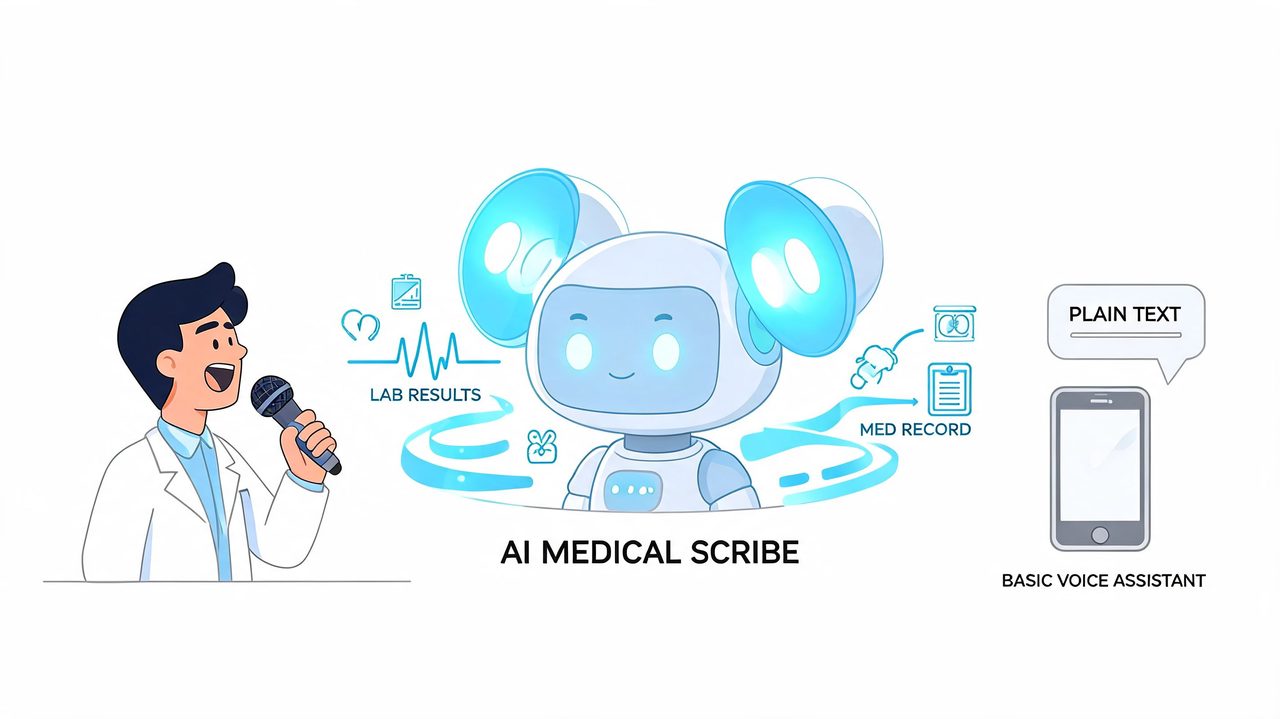
Think of a good medical STT system as a specialized scribe. It listens to speech, converts it to text, and uses medical-specific training to avoid obvious mistakes with terminology. If you want a useful overview of how current AI transcription workflows fit into clinical operations, Simbie AI's medical transcription guide is a solid companion read.
Why general dictation falls short
General dictation engines often fail in predictable ways. They miss medication names, split one clinical concept into several ordinary words, or clean up spoken language in ways that remove needed nuance. That's especially risky in short, dense phrases like assessment and plan sections.
Medical models perform better because they are trained differently. Verified benchmark material notes that medical STT systems achieve 93-98% accuracy on clinical terminology through specialized acoustic and language models trained on domain-specific datasets, and that these systems can reduce keyword errors by 50% and word errors by 17% compared with general ASR in the referenced source on medical transcription technology from Speechmatics.
The two parts that matter most
The core of the system usually comes down to two technical layers.
-
Acoustic model
This part listens to how words sound. In healthcare settings, that matters because speech is rarely pristine. People dictate while walking, between rooms, near hallway noise, through masks, or with regional accents. -
Language model
This part predicts what words are likely in context. In medicine, that's where the value becomes obvious. A language model trained on clinical language is far less likely to turn a medication or diagnosis into a similar-sounding everyday phrase.
A clinic doesn't need staff to become machine learning experts. It does need them to understand that medical STT works because it is specialized, not because it is simply newer dictation software.
The practical takeaway is straightforward. If the tool was built for general meetings, podcasts, or email drafting, it may still be useful, but you should assume more editing inside clinical documentation. If it was built for medicine, the starting transcript is usually much closer to something a clinician can safely review, sign, and place into the record.
Gauging Accuracy and Performance in Clinical Settings
A physician finishes morning clinic, dictates three follow-up notes between rooms, and expects to clear the chart before lunch. Instead, one transcript drops a drug name, another confuses a dosage, and a third misses a referral detail because the hallway was noisy. That is how accuracy should be judged in practice. By the editing burden it creates under routine clinical pressure.
What accuracy means in clinic use
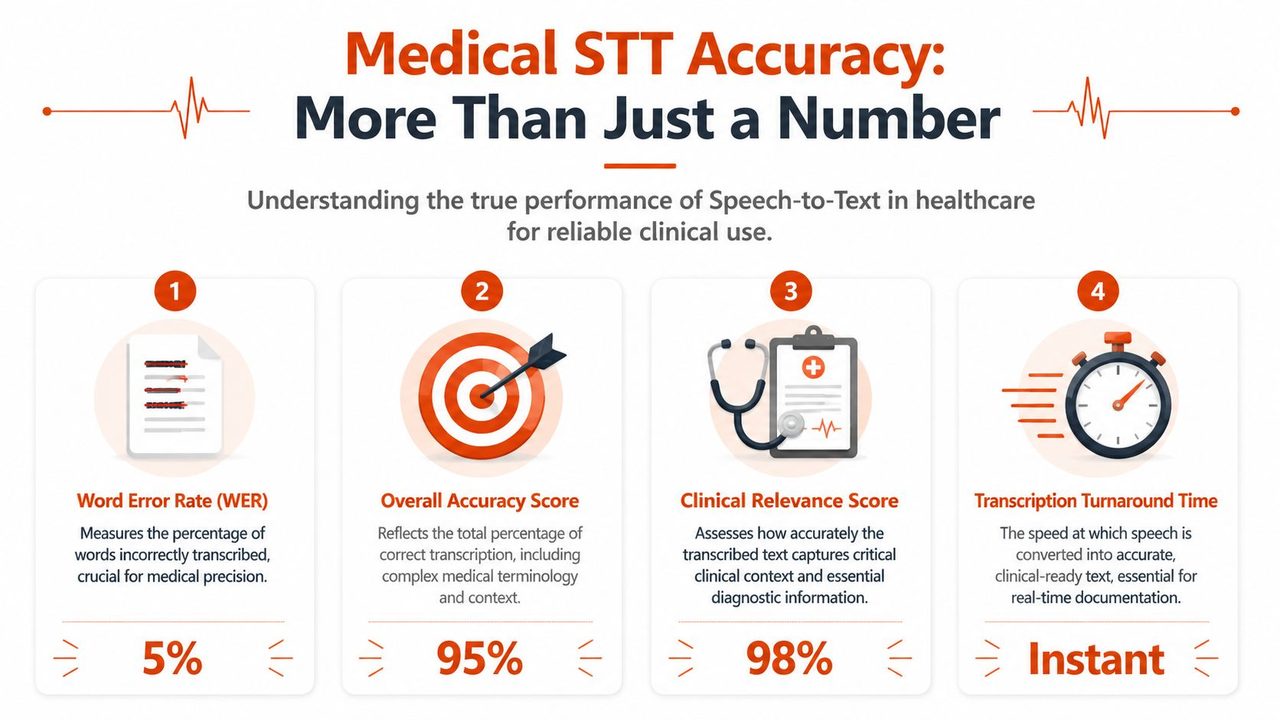
Published comparisons of medical ASR show that performance has improved sharply from older systems, especially in controlled dialogue tasks, but the range still matters. A tool can post strong overall transcription results and still miss the terms that drive chart quality: medications, diagnoses, procedures, and names.
That is the mistake many clinics make during evaluation. They focus on a headline accuracy number instead of asking where the errors occur. In medicine, a transcript that is mostly correct can still be expensive to use if the wrong words fail in the wrong places.
I look at three questions first:
- How often does the system miss clinical terms? General word accuracy matters less than whether it gets medications, specialties, and treatment language right.
- How much editing does the clinician need to do? Fast transcription is only useful if review time drops.
- How stable is performance across real users? One provider with a clear dictation style is not a valid test for the whole clinic.
A vendor demo rarely answers those questions. Your own audio does.
Where performance breaks down
The same failure points show up again and again in live environments.
- Background noise: shared workrooms, hallways, bedside dictation, and low-quality telehealth audio increase correction time.
- Rushed delivery: clipped phrasing, swallowed endings, and rapid medication lists create predictable errors.
- Accent and speech variation: a model may perform well with one physician and poorly with another.
- Speaker overlap: conversation capture is harder than single-speaker dictation, even with good diarization.
- Local terminology: referral networks, clinician names, site-specific abbreviations, and uncommon drug names often need customization.
Small clinics should pay close attention to the last point. Enterprise systems often assume a large implementation project with formal tuning and IT support. Individual practitioners and smaller groups usually need something more accessible: a desktop tool they can configure quickly, test with their own voice, and improve over time without sending sensitive audio all over the internet. Building a custom vocabulary is one of the fastest ways to improve results. A simple starting point is to set up a dictation dictionary for recurring terms.
Judge the tool on your hardest five minutes of audio, not the clean sample the vendor chose.
The practical trade-off
Higher raw accuracy does not always mean better clinical performance. Some systems transcribe quickly but force the clinician to read every line defensively because confidence drops whenever a medication, symptom, or proper noun appears. Others may be slightly less polished in formatting but produce more reliable clinical language, which is what reduces documentation fatigue.
Modern desktop medical dictation tools are earning attention. For a solo physician or small clinic, the best option is often not the biggest enterprise platform. It is the one that combines solid medical vocabulary handling, predictable performance on ordinary hardware, and privacy controls that fit a small practice. If part of your workflow includes remote admin support, your review process should also account for how to keep VAs HIPAA compliant, since transcription accuracy and downstream handling both affect documentation risk.
A good pilot is simple. Test five to ten real notes from different clinicians, include difficult audio, track how many edits are needed, and measure whether providers trust the first draft enough to keep using it after the first week. That is the performance standard that matters.
Navigating HIPAA Compliance and Patient Privacy
An accurate transcript is worthless if the tool handling it creates a privacy problem. Many small practices encounter difficulties in this area. They use a capable consumer transcription app, or a general cloud dictation tool, and assume that password protection or encrypted storage is enough. It isn't.
What HIPAA eligible really requires
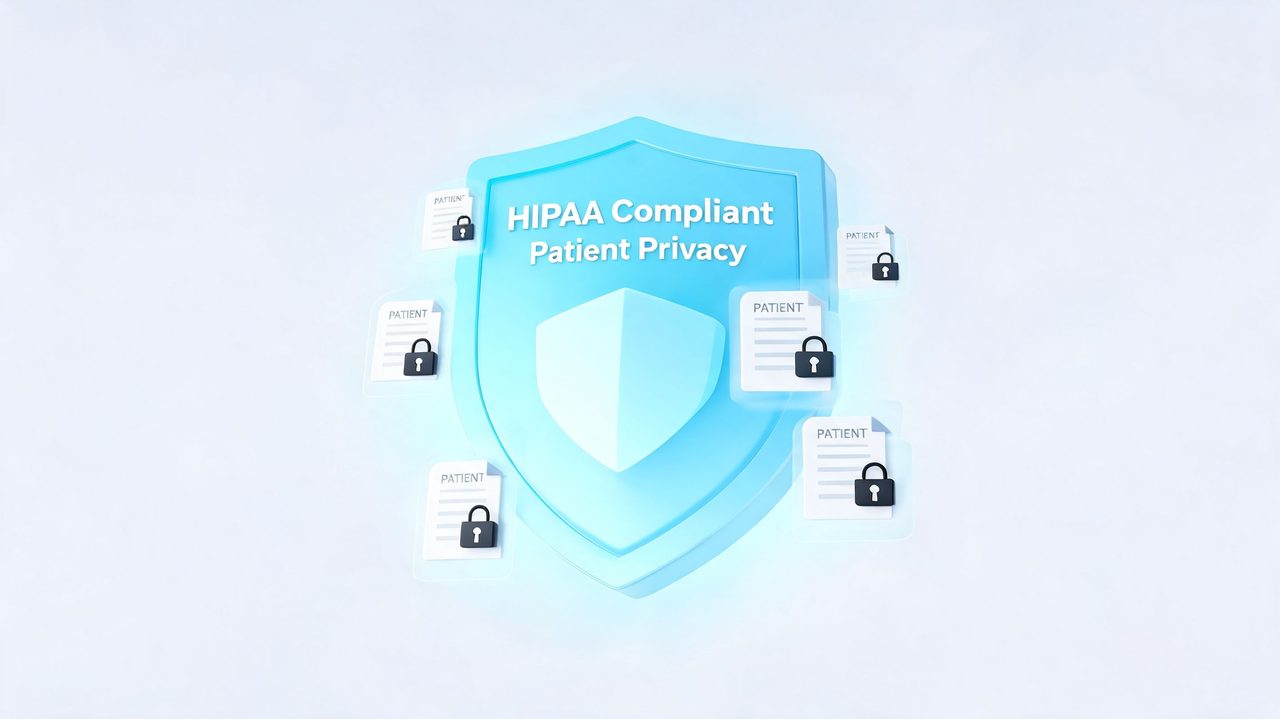
A speech system handling protected health information should meet concrete requirements, not vague security language. Verified guidance for HIPAA-eligible medical STT calls out end-to-end encryption using 256-bit AES, no-default data logging, and a Business Associate Agreement, with implementation linked to a 57% administrative burden reduction in healthcare organizations in the cited source on medical speech-to-text compliance and tooling.
That gives clinic managers a practical filter. Ask the vendor:
- Will you sign a BAA? If the answer is no, stop there.
- How is data encrypted in transit and at rest?
- Is audio or transcript data stored by default?
- Is any patient data used for model training?
- Can we control retention and deletion?
If a vendor answers those questions loosely, treat that as a warning sign. “Secure” is not a compliance standard.
Where small practices get exposed
Smaller clinics often patch together workflows that seem harmless. Staff may dictate into one tool, paste into another, forward drafts for editing, or use non-medical assistants to move documents around. Every handoff creates exposure.
That's why operational discipline matters as much as software choice. If your practice also uses remote support staff, this practical article on how to keep VAs HIPAA compliant is worth reading because it covers the human side of compliant workflows, not just the app checklist.
For many practices, the safest starting point is offline or local-first dictation. A desktop workflow built around offline dictation software for privacy-sensitive use can reduce unnecessary transmission of patient audio, which is especially useful for solo physicians and small clinics without enterprise IT support.
If patient audio leaves the device, you should know exactly where it goes, who can access it, how long it stays there, and what contract governs that handling.
The compliance mistake I see most often isn't malicious. It's convenience. Someone picks the easiest tool, not the right one. In healthcare, those are not always the same thing.
On-Device vs Cloud Processing A Critical Choice
Where the transcription happens changes the risk profile, the user experience, and the failure modes. This is one of the most important decisions in speech to text medical workflows, especially outside hospital IT environments.
For practitioners using macOS and similar desktop setups, verified guidance notes that on-device models address a critical privacy gap, enabling instant, HIPAA-ready dictation without data ever leaving the computer, and frames this as a key consideration as edge AI becomes a major trend in healthcare for 2026 in the discussion of privacy-focused medical dictation for smaller practices.
How the decision affects daily workflow
On-device systems keep audio local. That usually means stronger privacy control, lower dependency on internet quality, and faster response in environments with unstable connectivity. The trade-off is that some advanced formatting or cleanup features may be lighter than what a cloud system can offer.
Cloud systems can be powerful. They often provide stronger post-processing, easier multi-device access, and richer document cleanup. But they also raise more questions about transmission, storage, retention, and vendor handling of PHI.
| Factor | On-Device Processing | Cloud Processing |
|---|---|---|
| Security | Audio can stay on the local machine, which reduces exposure if configured properly | Requires trust in vendor handling, storage controls, and contractual safeguards |
| Latency | Often feels immediate because processing happens locally | Can be fast, but depends on connection quality and service responsiveness |
| Internet dependency | Can work offline | Usually needs a stable connection for full functionality |
| Accuracy | Can be excellent, especially for single-user dictation workflows | Can be strong and may benefit from larger server-side models |
| Feature set | Tends to prioritize privacy and direct dictation | Often includes richer cleanup, formatting, and workflow automation |
Some clinics choose one model and stay there. Others benefit from a hybrid approach. For example, a provider may want local dictation for sensitive encounters and cloud cleanup for non-PHI drafting or heavily formatted outputs after appropriate review.
A good selection process doesn't treat this as a technical preference. It treats it as a workflow decision. If your practice cannot tolerate internet outages, local processing becomes much more attractive. If your clinicians need highly polished output with minimal manual formatting, cloud features may earn their place, but only when compliance and retention controls are clear.
A Checklist for Evaluating and Implementing STT
Most clinics don't fail at choosing a tool because the market is impossible to understand. They fail because they test the wrong things. A polished demo doesn't tell you what happens in a crowded exam room at the end of a long day.
Verified guidance on newer medical models makes the point directly: even with models claiming high accuracy, performance can degrade with real-world mumbled speech, background noise, and non-native accents, making it critical to test tools in your own clinical environment before committing, as noted in the Speechmatics article on real-time clinical transcription challenges.
What to test before you buy
Use a small but realistic pilot.
-
Test with your actual speakers
Include the fastest talker, the quietest talker, and at least one clinician with an accent the vendor didn't showcase in the demo. -
Use real terminology
Dictate medication names, clinician surnames, common procedures, and specialty phrases that show up every day in your charts. -
Run the test in normal noise
Don't isolate the user in a silent office unless that's where dictation will happen. Background phones, hallway speech, and keyboard noise matter. -
Compare edit effort, not just transcript output
The key question is how much correction the provider needs before signing. A fast draft that needs line-by-line repair is not efficient.
“If clinicians stop trusting the first draft, adoption drops fast.”
If you're comparing established options, it also helps to review where older medical dictation products still fit and where newer workflows differ. This overview of Dragon medical dictation alternatives and trade-offs is useful for framing that comparison.
What to verify before rollout
Once a tool passes the pilot, move to implementation checks.
- Confirm the BAA process: Don't rely on sales assurances. Get the contract path clarified.
- Check note transfer workflow: Make sure text moves cleanly into your EHR without awkward copy-paste cleanup.
- Define review responsibility: Decide who edits the transcript and when.
- Set vocabulary standards: Maintain a shared list for clinician names, medications, and recurring terms.
- Train staff on failure cases: Everyone should know what to do when the transcript is unclear or incomplete.
Rollout works best when one physician or one care team proves the workflow first. Clinics that attempt a full practice switch on day one usually create resistance they didn't need.
The Future of Clinical Documentation Is Here
Medical dictation has crossed an important line. It's no longer a niche tool for large health systems or a frustrating voice-typing experiment that creates more edits than it saves. For many practices, it's now a practical part of clinical operations.
The choice isn't whether speech to text medical tools are relevant. It's which model fits your workflow, your privacy obligations, and your tolerance for editing. Some clinics will prioritize local control and on-device privacy. Others will accept more cloud dependence in exchange for richer formatting and automation. The right answer depends on how your staff works.
What's coming next is broader ambient documentation and deeper clinical language processing. If you want a wider view of how transcript data turns into structured clinical intelligence, this Practical guide to clinical NLP is a useful next read.
The important point today is simpler. You don't need to wait for a full enterprise transformation to improve documentation. Smaller practices can adopt better dictation now, evaluate it carefully, and build from direct clinical use rather than vendor promises.
If you want a macOS-focused option for private, flexible dictation, AIDictation is built for exactly that kind of practical workflow. It combines on-device dictation for local privacy with optional cloud cleanup and formatting when needed, which makes it a strong fit for clinicians who want faster note creation without giving up control of sensitive audio.
Frequently Asked Questions
What does Speech to Text Medical: A 2026 Guide for Clinicians cover?
The last patient has left, but the workday hasn't. A clinician is still clicking through the EHR, fixing typos, reconstructing half-remembered details from a morning consult, and trying to finish notes before going home.
Who should read Speech to Text Medical: A 2026 Guide for Clinicians?
Speech to Text Medical: A 2026 Guide for Clinicians is most useful for readers who want clear, practical guidance and a faster path to the main takeaways without guessing what matters most.
What are the main takeaways from Speech to Text Medical: A 2026 Guide for Clinicians?
Key topics include Table of Contents, Escaping the Burden of Clinical Paperwork, Where the pain shows up first.
Ready to try AI Dictation?
Experience fast voice-to-text on your device. Free to download.
Download FreeRelated Posts
Best Clinical Note Taking Software: 2026 Guide & Tips
Find the best clinical note taking software for 2026. Discover key features, selection tips, & workflow strategies to reduce burnout & boost documentation.
Secure Medical Transcription: A Practical Guide for 2026
Learn how secure medical transcription works in 2026, from HIPAA controls and encryption to on-device vs cloud workflows, with a practical evaluation checklist.
What Is PowerScribe: Streamlined Radiology Reporting
What is powerscribe - Discover what PowerScribe is. This radiology reporting platform streamlines speech recognition, workflows, and integrations for imaging