Medical Speech to Text Software: 2026 Buyer's Guide
It’s 6:10 p.m. clinic has technically ended, but the workday hasn’t. A physician is still in the exam room finishing charts. A practice manager is glancing at tomorrow’s schedule and wondering how many more messages, notes, and unsigned encounters will spill into the evening. Nobody is asking for a flashy new tool. They’re asking for a way to get documentation done without stealing time from patients or from home.
That’s why medical speech to text software has moved from “nice to have” to serious buying conversation. For many clinics, the question isn’t whether voice documentation matters. It’s which kind of system fits the way clinicians work, how much privacy control the organization needs, and whether the software can handle medical language without creating more cleanup than it saves.
Table of Contents
- Why Clinical Documentation Needs a Revolution
- Defining Medical Speech to Text Software
- Core Requirements for Clinical Use
- Deployment Models On-Device vs Cloud-Based
- Integrating with Clinical Workflows and EHRs
- Your Evaluation Checklist for Choosing Software
- How AIDictation Delivers on These Needs
Why Clinical Documentation Needs a Revolution
A lot of healthcare technology gets pitched as efficiency software. Clinical documentation is different. When charting drags, clinicians feel it immediately. The day runs late, the inbox grows, and patient attention gets split between the person in the room and the screen on the desk.
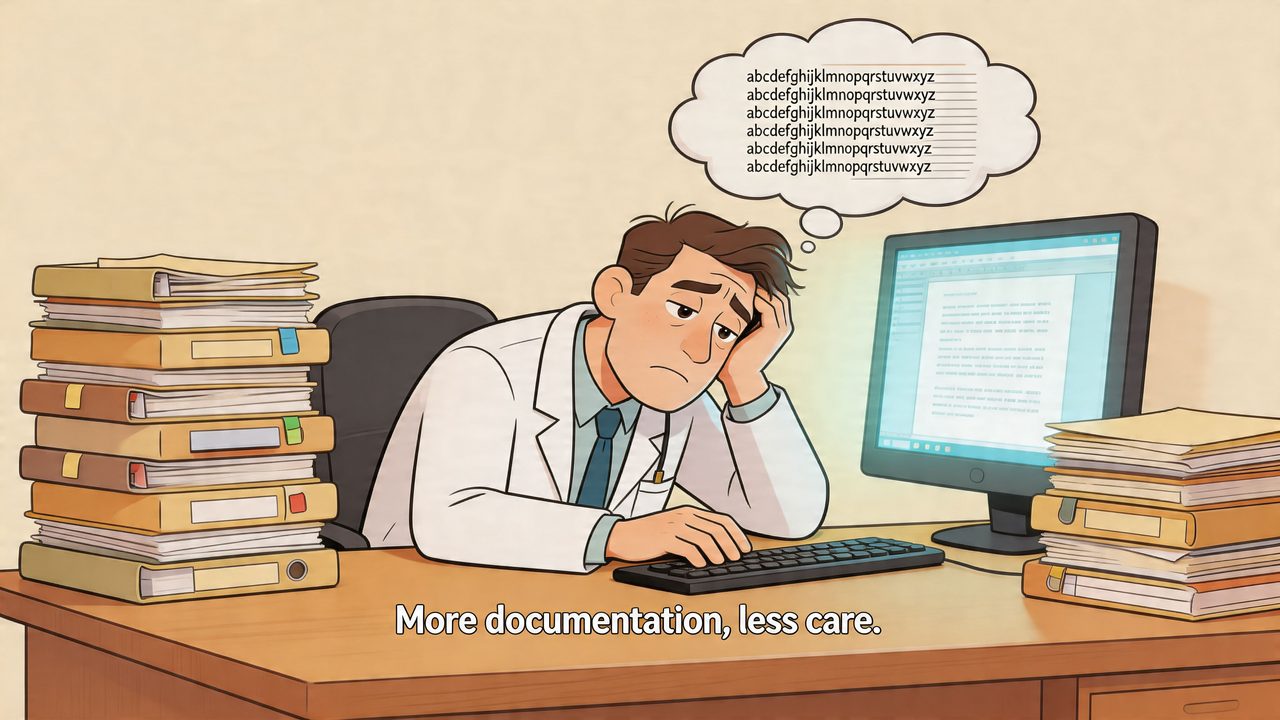
The scale of the problem is one reason this market is expanding so quickly. The global medical speech recognition software market was valued at USD 1,520.3 million in 2023 and is projected to reach USD 3,167.5 million by 2030, with that growth tied to administrative strain in healthcare, where physicians spend up to 50% of their time on documentation, according to Grand View Research’s medical speech recognition market report.
That statistic lines up with what clinic managers already see on the ground. Physicians don’t complain that documenting is unimportant. They complain that documentation keeps expanding into every open minute of the day.
What this looks like in a practice
In a primary care clinic, one doctor may be typing histories into the EHR between visits, another may dictate into a handheld microphone after each encounter, and a third may leave most notes for the end of the day. All three are solving the same problem. They need accurate records, but the method often steals momentum from the visit itself.
A similar pattern shows up in specialty practices. Orthopedics, cardiology, oncology, radiology, and behavioral health all have different note styles, yet they share the same friction points:
- Interrupted flow: Clinicians stop listening closely when they’re busy typing.
- After-hours charting: Notes get pushed into evenings.
- Inconsistent detail: Fatigue changes how much gets documented.
- Staff bottlenecks: Backlogs move downstream to assistants, scribes, or coders.
Practical rule: If documentation tools force clinicians to choose between speed and accuracy, adoption won’t last.
That’s where medical speech to text software becomes more than dictation. Used well, it can shift documentation from a separate clerical task into a more natural part of care delivery. For readers comparing options, this overview of medical dictation for healthcare professionals is useful because it frames voice documentation around day-to-day clinical work rather than around generic productivity claims.
Defining Medical Speech to Text Software
At the simplest level, medical speech to text software converts spoken clinical language into written text. But that plain definition misses what makes it different from the voice typing built into a phone or laptop.
Medical dictation software works more like a specialized medical translator. It has to hear the words, distinguish between similar-sounding terms, understand clinical context, and often format the result into something usable for documentation.
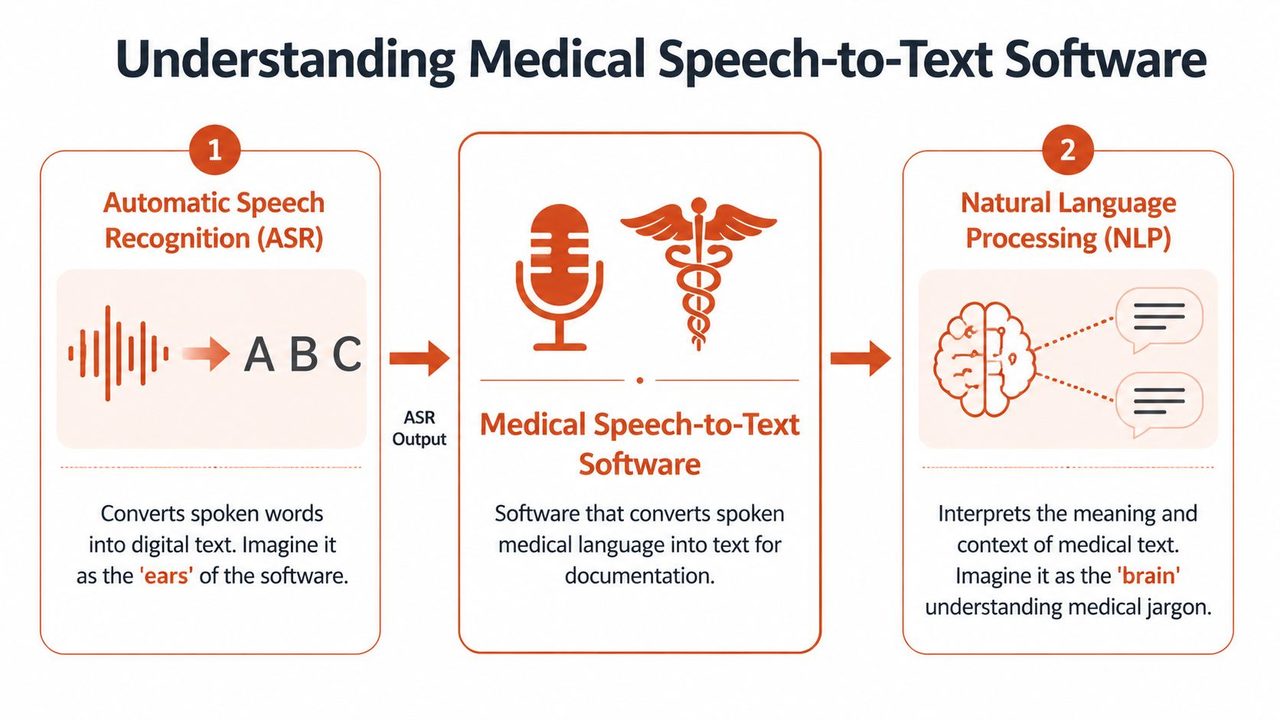
Two engines working together
The first part is Automatic Speech Recognition, usually shortened to ASR. ASR is the “ears” of the system. It listens to audio and turns sound into text.
The second part is Natural Language Processing, or NLP. NLP is the “brain.” It helps the system interpret meaning, identify likely medical phrases, and sometimes organize raw transcript into note-ready output.
That combination matters because medicine is full of terms that are easy to mishear and risky to confuse. A consumer voice assistant might do fine with everyday email. It may struggle with medication names, procedure terms, abbreviations, or dictated assessment language.
Why specialized tools outperform general voice typing
Recent progress has made clinical use far more realistic than it was a few years ago. In 2023, AI-powered medical speech recognition achieved word error rates below 5% for specialized medical terminology, and real-world deployments showed up to 99% documentation accuracy, according to Talking HealthTech’s report on Speechmatics’ medical speech-to-text milestone.
That doesn’t mean every product performs equally. It means the category has crossed an important threshold. The technology can now be clinically useful when it is trained on medical language and deployed well.
A good way to think about it is this:
- General voice typing hears language.
- Medical speech to text software hears language in a clinical setting.
- Advanced medical systems also shape that language into documentation workflows.
A consumer dictation tool may transcribe what was said. A clinical tool also needs to understand what belongs in the note.
For a practical example of how this technology gets applied in real settings, this medical dictation use case overview is a good reference point. It helps separate simple transcription from documentation-ready medical workflows.
Core Requirements for Clinical Use
Not every speech engine belongs in patient care. Clinics should judge medical speech to text software against a short list of essential requirements. If a product misses on any of these, staff will work around it instead of using it.
Accuracy starts with medical vocabulary
Accuracy is the first screen. In healthcare, “close enough” can create chart defects, coding problems, or patient safety concerns.
Clinical-grade systems achieve that level of performance by training on lexicons exceeding 150,000 medical terms, drug names, and codes, which helps reduce word error rate by correctly handling domain-specific homophones that general systems misinterpret at rates 2-3x higher, according to VoiceboxMD’s explanation of medical dictation features.
That point often gets misunderstood. Buyers sometimes hear “AI transcription” and assume any modern speech tool can handle medical work. It can’t. A general system may hear familiar everyday phrases well, then stumble on specialty terms, dosage language, ICD terminology, abbreviations, or drug names that sound similar.
A useful evaluation test is to dictate the language your clinicians typically use, including:
- Medication-heavy phrases: Drug names, strengths, and routes
- Specialty shorthand: Cardiology, radiology, orthopedics, behavioral health, or oncology terminology
- Template language: Phrases commonly used in assessments and plans
- Corrections in motion: “Delete that,” “change to,” or “make that”
Real clinics are noisy and imperfect
Most vendor demos happen in quiet rooms with clean microphones. Real care settings are nothing like that. Doors open. Family members speak. Staff interrupt. The clinician turns away from the microphone while examining the patient.
Good software has to keep functioning when speech is less than ideal. That includes accents, mumbled dictation, clipped phrases, room noise, and speakers talking over one another.
A clinic manager should ask a harder question than “Is it accurate?” Ask, “What happens when the room is messy?”
Look for performance in conditions such as:
- Exam room noise: Hallway chatter, carts, monitors, keyboards
- Accent variation: Not just standard American speech patterns
- Shared conversations: Provider and patient both speaking
- Self-interruptions: The clinician revises a sentence mid-thought
Latency affects adoption
Even a strong recognition engine will frustrate users if it feels slow. Clinicians don’t want to dictate into a void and wait to see whether the software caught the phrase correctly.
Real-time feedback changes behavior. If text appears quickly, the clinician can correct wording on the spot and keep moving. If the system lags, many users revert to typing because they don’t trust what’s happening behind the scenes.
Technical architecture becomes operational reality. Speed isn’t just a spec. It shapes whether documentation feels natural or disruptive.
A delay that looks minor in a product demo can feel huge in the middle of a patient visit.
Privacy and compliance shape architecture
Healthcare buyers also need to know where audio goes, how long it persists, who can access it, and what controls exist around storage and transmission. A vendor may advertise strong transcription, but if the privacy model doesn’t fit the organization’s compliance standards, the product isn’t suitable.
That’s especially important for clinics working under strict privacy policies, organizations with sensitive specialties, and teams serving areas with unreliable connectivity. In those settings, deployment choices affect both risk and usability.
A practical review should cover:
- Data path: Does audio stay local or travel to a remote server?
- Retention rules: Is audio stored, deleted, or configurable?
- User permissions: Who can review transcripts and recordings?
- Operational fallback: What happens when the internet drops?
When software meets all four requirements, clinicians usually describe the experience the same way. The tool fades into the background, and the note gets done with less friction.
Deployment Models On-Device vs Cloud-Based
This is the buying decision many teams underestimate. Two products can both claim strong dictation, yet behave very differently because of where transcription happens.
One model processes speech on the device itself. The other sends audio to a cloud service for recognition and cleanup. A third option combines both.
What local processing changes
On-device systems keep transcription close to the user. The audio is processed on the clinician’s machine instead of being sent off-site for recognition.
That design has real advantages. According to Vapi’s review of medical speech-to-text software, on-device models such as Vosk and Whisper-Medusa variants can deliver under 100ms transcription without internet, which is valuable in HIPAA-secure environments where cloud workflows can add 500-1000ms delay and increase data exposure risk.
For clinics, that translates into several concrete benefits:
- Privacy control: Audio can stay on the local device.
- Offline use: Dictation still works if connectivity drops.
- Lower perceived lag: Text appears quickly.
- Better fit for remote sites: Rural, mobile, or low-bandwidth environments benefit.
This is especially relevant for macOS users. Apple Silicon hardware makes local AI models more practical than many buyers realize, which opens a path to private dictation without depending entirely on cloud infrastructure.
Where cloud systems still win
Cloud systems remain attractive for good reasons. They can support more compute-intensive models, easier centralized updates, and advanced cleanup features that go beyond raw transcription.
In many deployments, cloud services are better at turning dictated text into polished output. They may handle formatting, punctuation, note structuring, and language cleanup more gracefully than a purely local engine.
They can also be simpler for IT teams to roll out across multiple sites because the heavy processing happens remotely. That means less local tuning and fewer hardware constraints on each endpoint.
On-Device vs. Cloud Deployment Comparison
| Factor | On-Device (Local) | Cloud-Based |
|---|---|---|
| Privacy posture | Keeps processing on the clinician’s machine | Sends audio to remote infrastructure for processing |
| Internet dependency | Can work without connectivity | Usually depends on a stable connection |
| Latency feel | Often feels more immediate | May introduce network-related delay |
| Advanced formatting | May be more limited unless paired with local post-processing | Often stronger for cleanup and structured output |
| Remote site fit | Well suited for poor-connectivity locations | Less ideal where networks are unreliable |
| IT trade-off | Requires endpoint capability and device planning | Requires vendor trust and data governance review |
Why hybrid models fit many clinics best
The best answer for many organizations isn’t purely local or purely cloud. It’s hybrid.
A hybrid model lets a clinic keep sensitive or urgent dictation local when privacy or speed matters most, then use cloud features when connectivity is available and deeper cleanup adds value. That can be a strong operational fit for physicians who move between exam rooms, home offices, satellite clinics, and hospital campuses.
Hybrid deployment gives teams a fallback. If the network fails, documentation doesn’t stop.
If your team is comparing local-first options, this offline dictation software guide is worth reviewing because it highlights the practical side of working without mandatory internet access.
For a clinic manager, the decision usually comes down to this. If the top priority is centralized intelligence and polished output, cloud may lead. If the top priority is privacy, speed, and resilience, local may lead. If your environment demands both, hybrid deserves serious attention.
Integrating with Clinical Workflows and EHRs
A speech engine can be impressive in isolation and still fail in practice. The critical test is whether it fits the way clinicians document during a normal day.
Front-end dictation during the visit
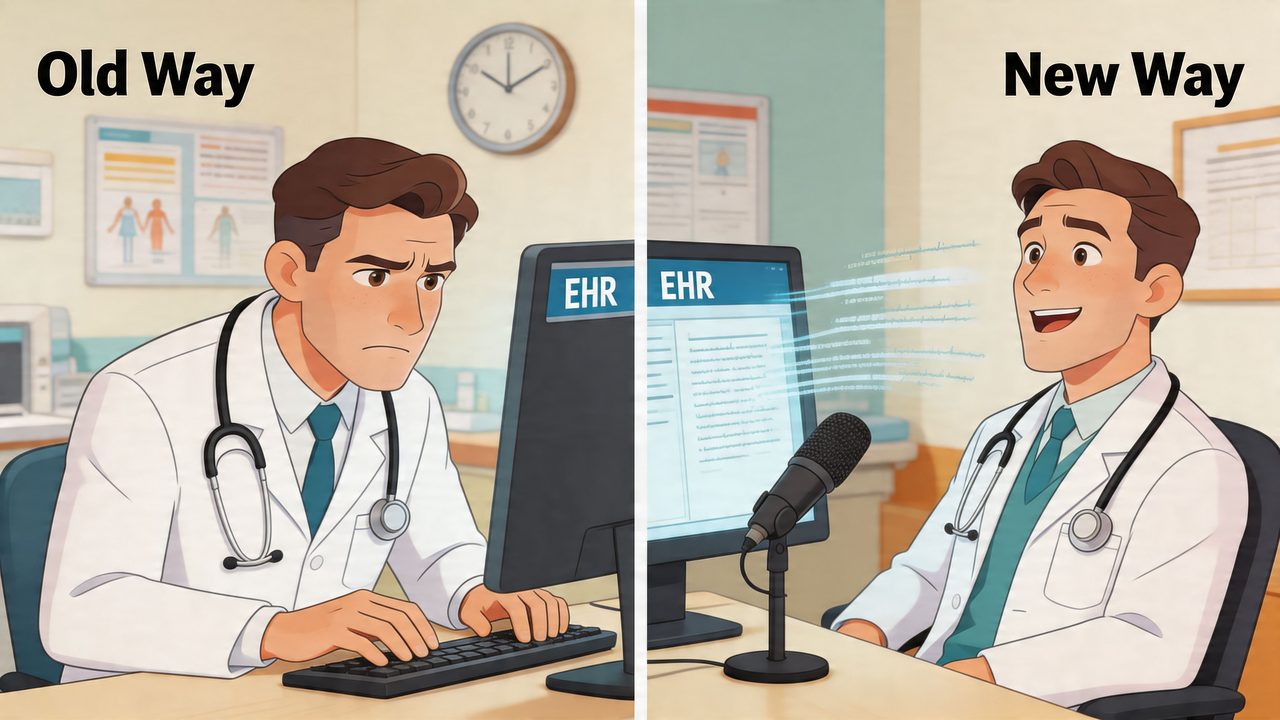
In a front-end workflow, the clinician speaks and the text appears immediately. This is common when a provider dictates the HPI, exam findings, or assessment directly into the EHR while the encounter is still fresh.
That approach works best for clinicians who like direct control. They can see wording as it appears, fix errors in the moment, and finish the note before leaving the room.
The challenge is cognitive load. Some physicians like speaking their thought process aloud. Others find that real-time dictation pulls attention away from the patient if the screen becomes the center of the interaction.
Back-end and hybrid documentation after the visit
Other clinicians prefer to document after the patient leaves. They may record key details during the encounter, then dictate a fuller note afterward from memory, quick prompts, or ambient capture.
Hybrid workflows hold significant importance. Advanced systems must handle multi-speaker diarization and clinician self-corrections such as “no, wait, hypertension not hypotension,” which becomes especially important in busy clinics and telehealth settings. That challenge has grown more relevant as hybrid workflows grew 40% in adoption post-2025, according to OmniMD’s review of medical transcription software.
That capability matters because clinicians rarely dictate in perfect complete sentences. They revise themselves. They start one phrase, interrupt it, then restate the assessment more precisely. Weak systems turn that into clutter. Strong systems recognize the final clinical intent.
A short demo helps illustrate how these workflows look in practice:
EHR integration is more than copy and paste
Many buyers say they need “EHR integration,” but that phrase can mean several very different things.
At the lightest level, a clinician dictates into one window and pastes text into the chart. That may be enough for small practices. It’s simple and can work surprisingly well when the output is clean.
At the deeper end, speech tools connect more tightly with the record system so they can support templated fields, note sections, or structured workflows. The more ambitious the integration, the more important it becomes to test it with actual users instead of just relying on a vendor walkthrough.
Here’s the practical hierarchy:
- Basic insertion: Dictate into a note box or external editor, then paste
- Field-aware use: Move output into specific note sections
- Template support: Match common documentation patterns used by the specialty
- Workflow alignment: Fit how clinicians already chart, not how the vendor wants them to chart
If a product requires every physician to change documentation habits at once, rollout will be rough even if the technology is sound.
Your Evaluation Checklist for Choosing Software
The best software trial doesn’t start with a vendor scorecard. It starts with a few real clinicians, a real note mix, and a realistic test environment.
Run the trial like an operational test
Ask each clinician to use the software with their own specialty language, accent, microphone setup, and note style. A generic demo phrase tells you very little. A difficult med list, a fast assessment, or a correction-heavy dictated plan tells you much more.
Use this checklist during evaluation:
- Test specialty language: Include your practice’s common diagnoses, medications, abbreviations, and procedure terms.
- Check messy speech: Have users dictate while speaking naturally, including pauses, restarts, and corrections.
- Review output quality: Look at punctuation, section breaks, and whether the text is ready for chart use or needs heavy editing.
- Simulate your environment: Test in a normal clinic room, not only in a quiet office.
- Verify privacy fit: Confirm how audio is processed, where it goes, and whether local use is possible when needed.
- Watch user behavior: Notice whether clinicians keep using it after the first novelty wears off.
Questions worth asking vendors
Some buying mistakes happen because teams ask only feature questions. Ask workflow questions too.
A short list that usually surfaces the core issues:
- How does the product handle clinician self-correction during dictation?
- What happens if the internet drops mid-note?
- Can the software support local processing, cloud processing, or both?
- How much editing does a typical note require before it is chart-ready?
- How well does it fit the EHR screens and note templates your clinicians already use?
Don’t rush pricing discussions, but don’t leave them abstract either. Understand whether the cost model is tied to users, usage, advanced features, or transcription volume. A cheap pilot can become an expensive deployment if the workflow requires extra tools or manual cleanup.
A strong product usually reveals itself in a simple way. Clinicians finish notes faster, complain less, and don’t feel they’re babysitting the software.
How AIDictation Delivers on These Needs
AIDictation is built around the exact trade-offs many healthcare teams struggle with on macOS. Instead of forcing a clinic into a cloud-only or local-only model, it uses Auto Mode to choose between on-device recognition and cloud processing based on what fits the moment.
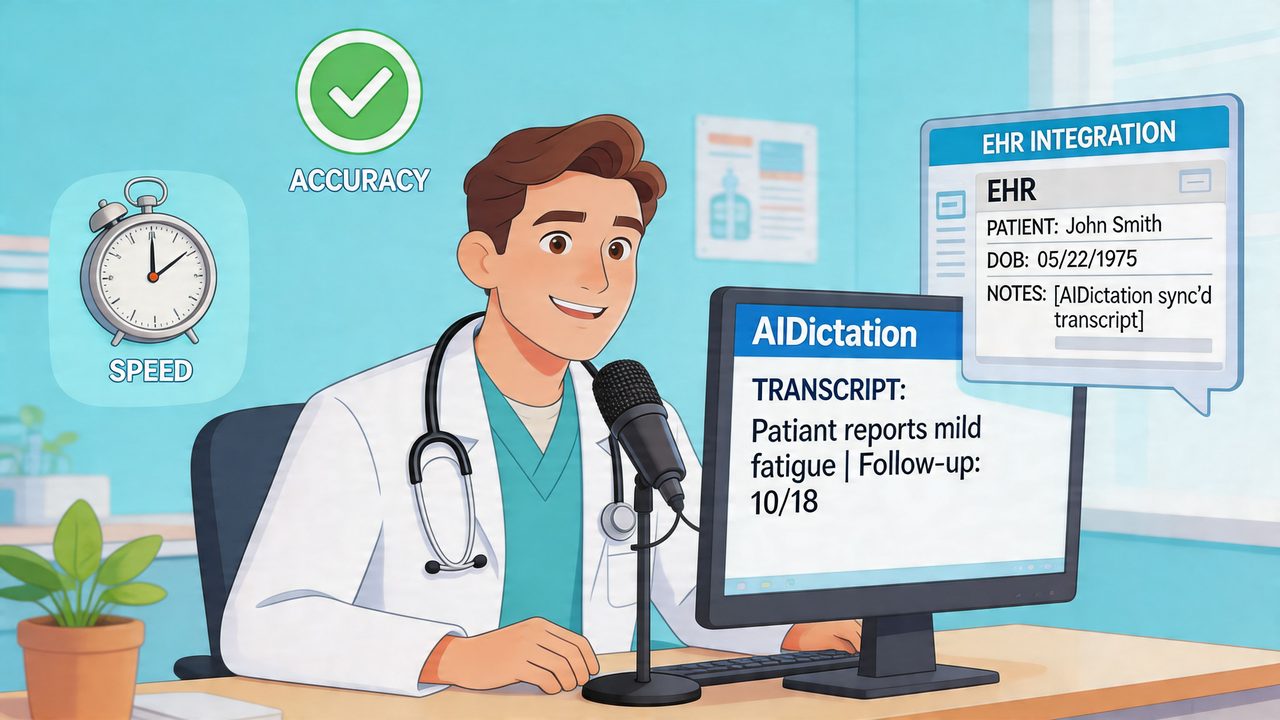
For privacy-sensitive use, Local Mode runs on-device on Apple Silicon, so dictation can stay on the Mac without mandatory internet access. That’s useful for clinicians who need a HIPAA-ready workflow, work in connectivity-poor settings, or prefer local control over audio processing.
When cloud features make sense, Cloud Mode adds cleanup and formatting that matter in day-to-day documentation. It can improve punctuation, remove filler words, and handle self-corrections more gracefully than a raw transcript alone. The result is cleaner output that’s easier to move into an EHR, message, or report.
AIDictation also addresses one of the most common failure points in medical dictation: specialized vocabulary. Its custom dictionary helps clinicians account for names, technical terms, and recurring specialty language. Context rules can also adapt output style depending on the app in use, which is practical for people moving between charting, email, and other clinical writing tasks.
For healthcare teams using Macs, that combination is the key differentiator. It treats privacy, workflow, and dictation quality as connected decisions rather than separate feature checkboxes.
If you want a macOS dictation tool that can switch intelligently between private on-device transcription and cloud-enhanced cleanup, take a look at AIDictation. It’s designed to turn spoken words into clean, usable writing without forcing you into an always-online workflow.
Frequently Asked Questions
What does Medical Speech to Text Software: 2026 Buyer's Guide cover?
It’s 6:10 p.m. clinic has technically ended, but the workday hasn’t.
Who should read Medical Speech to Text Software: 2026 Buyer's Guide?
Medical Speech to Text Software: 2026 Buyer's Guide is most useful for readers who want clear, practical guidance and a faster path to the main takeaways without guessing what matters most.
What are the main takeaways from Medical Speech to Text Software: 2026 Buyer's Guide?
Key topics include Table of Contents, Why Clinical Documentation Needs a Revolution, What this looks like in a practice.
Ready to try AI Dictation?
Experience fast voice-to-text on your device. Free to download.
Download FreeRelated Posts
Choosing a Medical Dictation App for Clinical Work
Compare medical dictation apps on HIPAA compliance, on-device vs cloud, medical vocabulary accuracy, EHR integration, and pricing to find the right fit.
7 Medical Dictation Software Free Options for Clinicians
Compare 7 medical dictation software free options for clinicians, including privacy, HIPAA readiness, accuracy, device models, and workflows.
Dictation Software for Medical Professionals Compared
Compare dictation software for medical professionals. Evaluate accuracy, HIPAA privacy, ambient AI tradeoffs, and on-device tools like AIDictation.