Writing Technical Documentation for Software: A Guide
You're integrating a service, and the docs say to “configure the client” without naming the required settings. The example uses a request body that doesn't match the current API, and the troubleshooting page assumes a tool you don't have installed. You lose time searching code, asking a teammate, or guessing. That's not a writing problem. It's a product-quality problem.
Writing technical documentation for software works best when teams treat every page as a tool for completing a real task. That means defining who needs it, testing whether they can use it, and maintaining it alongside the software. Clear prose matters, but accuracy, completeness, and accessibility decide whether the instructions help.
Table of Contents
- The Real Cost of Documentation Nobody Reads
- Identifying Your Readers and Their Real Tasks
- Choosing the Right Document Structure for Each Job
- Writing Code Samples Developers Can Run
- Running Reviews That Catch Semantic Defects
- Governing AI-Assisted Documentation Without Losing Trust
- Accessibility, Versioning, and the Maintenance Loop
The Real Cost of Documentation Nobody Reads
An engineer opens the team wiki to find out how a service handles retries. The page looks plausible, but it describes an old configuration option. They search the repository, ask a colleague, then update their own notes rather than risk following the page. The document still exists, but it no longer does its job.
That failure is easy to dismiss as “stale docs.” It's more useful to see it as an engineering defect: readers can't reliably understand, use, maintain, or extend the software from the information the team provides. A 2015 systematic mapping study in the Journal of Systems and Software examined 99 studies on software-development documentation and found that quality dominated the research, with completeness, consistency, and accessibility among the most frequently discussed attributes (the systematic mapping study).
The same review reported evidence that documentation can account for as much as 11% of software-project expenditure. That makes documentation more than supplementary prose. It requires time, ownership, and maintenance, just like other parts of a software product.
Practical rule: Judge a page by whether its intended reader can complete the intended task, not by how polished the page looks.
A team that treats docs as a tested product builds in review, version control, and task validation. A team that treats them as a final writing chore often ships instructions that nobody has verified against the implementation. The result is familiar: developers work around the docs, and the next reader inherits the same uncertainty.
Identifying Your Readers and Their Real Tasks
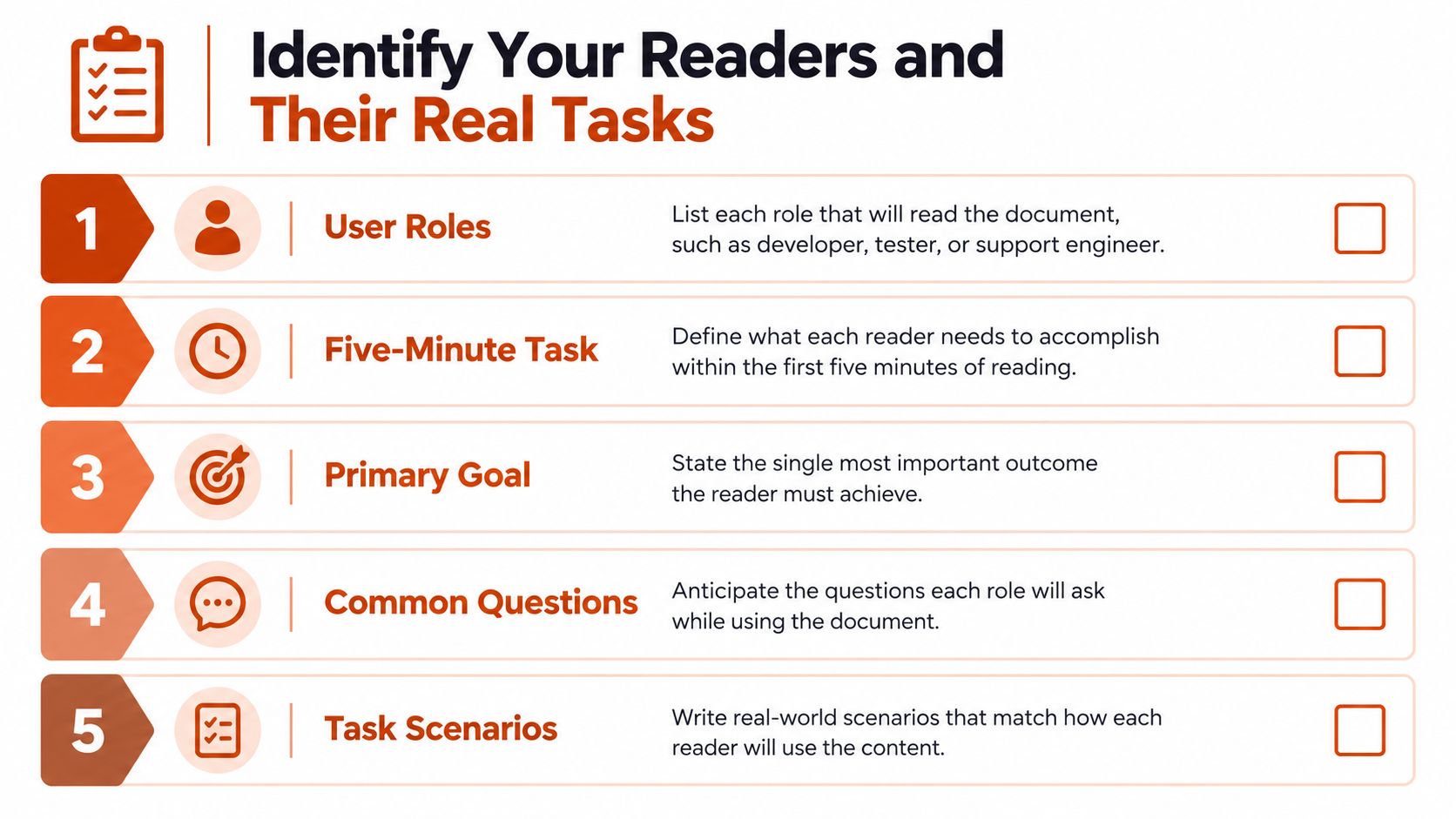
Before drafting, name the people who'll use the documentation and what each needs to accomplish. “Developers” is too broad to guide a useful page. An API integrator may need to authenticate and send a request, while an operator may need to diagnose a failed deployment and a support engineer may need to explain a configuration issue.
Write each need as a task with an observable outcome. “Understand the feature” doesn't tell an author what to include or a reviewer what to test. “Create a client, send a valid request, and confirm the response contains the expected field” gives both a clear target.
Turn a request into acceptance criteria
For each reader role, write down the task, what success looks like, and what the reader needs before starting. Put prerequisites and constraints near the beginning of a procedure. If the reader needs a particular permission, runtime, version, or configuration, make that visible before they follow the steps.
Use this short planning checklist:
- Name the role: Specify who's using the page, such as an API integrator or production operator.
- Choose the first task: Identify what that person needs to get done quickly.
- Define the outcome: State how they can tell the task worked.
- List prerequisites: Record required access, tools, versions, and assumptions.
- Anticipate questions: Note where readers might get stuck, including failure paths.
ISO/IEC 26514 organizes software-user documentation around a controlled information-development process, including design, development, review, and usability testing (the API usability research and standards reference). The practical implication is straightforward: don't approve a procedure just because someone has edited it. Ask a representative reader to follow it in a clean environment, without undocumented setup or an author nearby to fill in gaps.
Choosing the Right Document Structure for Each Job
A reference page, a tutorial, and a conceptual overview don't serve the same reader. Combining all three into a single long page usually makes each job harder: readers seeking one parameter must scan narrative, while newcomers have to infer the sequence from a list of options.
| Structure | Reader Job | Required Elements |
|---|---|---|
| Reference | Look up a specific option or behavior | Names, types, accepted values, defaults, constraints |
| Tutorial | Complete a first working task | Prerequisites, ordered steps, runnable example, expected result |
| Conceptual overview | Understand a system or design | Core concepts, relationships, trade-offs, architecture |
| Procedure | Perform an operational task | Conditions, steps, decision points, verification, recovery |
Use the reader's question to choose the format. “What does this field accept?” calls for reference. “How do I make my first request?” calls for a tutorial. “Why does the service use this architecture?” needs a conceptual explanation. “What should I do when a job fails?” needs a procedure.
Make navigation match the reader's sequence
For a feature with several document types, lead with a short overview, then direct readers to task-based guides and reference material. Keep page titles and navigation labels specific: “Configure retries” is easier to find than “Advanced settings.” When architecture documents need a clearer home, this guide to system design documentation offers a useful companion perspective.
Use active voice and direct verbs in procedures. “Set the timeout, then restart the worker” is easier to follow than “The timeout should be set before the worker is restarted.” Keep terminology consistent, especially across headings, interface labels, and code samples. For more on choosing and organizing documentation types, these code docs tips from AppLighter provide additional context.
Writing Code Samples Developers Can Run
A developer copying an API request into a clean environment should be able to see what it sends, what comes back, and how to check the result. Research involving 26 experienced software engineers found that missing API examples led to problems with data types, formats, required headers, and request bodies. Examples improved task success, reduced time and trial-and-error attempts, and increased satisfaction. As noted earlier in the reader-research discussion, examples help developers complete tasks without guesswork.
Place each example beside the instruction it supports. A request buried at the bottom of a page is little help to someone following a step near the top.
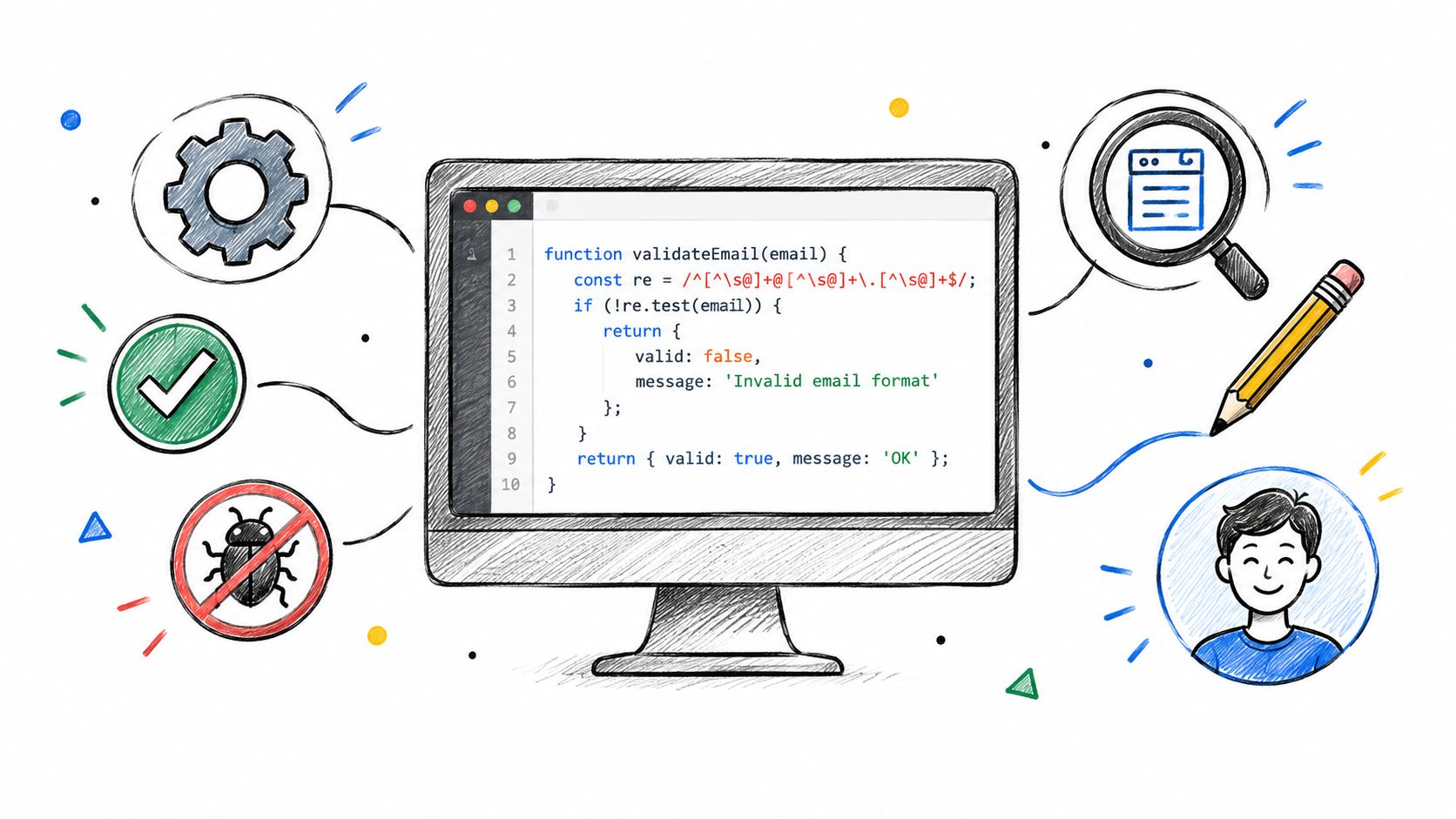
Show the request, response, error, and verification
For an API procedure, start with a request that includes required headers and a realistic body. Follow it with the expected response and identify the fields to inspect. If the request can fail, describe the likely error and what to check before trying again.
Put version assumptions and prerequisite configuration beside the example. Don't invent response fields or use realistic-looking placeholders that fail when copied. Mark every value that needs replacement, and explain how to get it. An example that appears runnable but fails because a header is missing wastes more time than a concise explanation that states what remains to be configured.
Give the reader a way to verify success: a command to run, a response field to check, or a visible change in the application. Keep each language or framework variant working on its own. Translating one snippet mechanically can leave differences in behavior or syntax that only surface when someone runs it.
Test the sample from a clean environment with someone unfamiliar with the page. Watch where they stop: undocumented setup, author intervention, or guesswork means the example still needs work. The walkthrough below shows a developer debugging a code example against a live endpoint, a useful model for testing whether your own sample holds up in practice.
Running Reviews That Catch Semantic Defects
A page can be typo-free and still mislead a developer. Research involving 323 IBM software professionals identified ambiguity, incompleteness, and incorrectness as the most severe API-documentation problems; the research also found that six problem types could be severe enough to make practitioners choose another API (the study of API documentation problems).
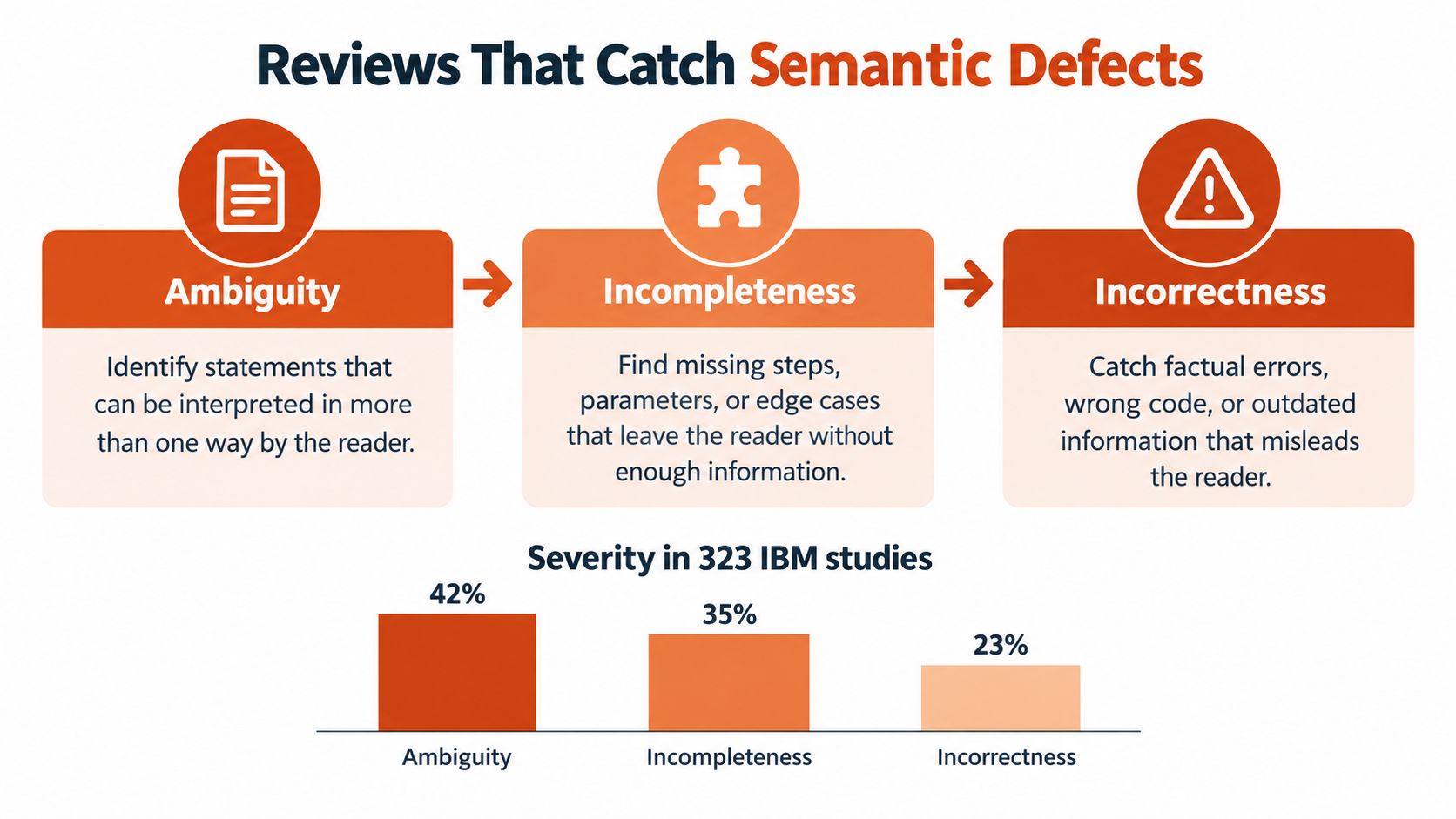
Ambiguity leaves room for competing interpretations. “Configure the client before sending the request” doesn't say which settings are required or how to configure them. Incompleteness omits something the reader needs, such as a required parameter, a prerequisite, or an error path. Incorrectness states behavior that the implementation doesn't support, including examples made stale by a version change.
Review behavior, then test the procedure
Use two reviewers with different jobs. First, a domain expert checks that the instructions match the implementation and that the stated behavior is accurate. Then a fresh technical user follows the steps from an environment that has no undocumented setup. The first reviewer catches false claims; the second exposes hidden assumptions and missing actions.
For every change, ask:
- What does the feature do?
- Which inputs and states are valid?
- What happens when it fails?
- How can the reader verify the result?
Document limits, ordering rules, authentication requirements, side effects, and incompatibilities as explicit constraints. A short review checklist can also include defect escape rate, stale-version findings, task success, and time-to-first-success. These measures help distinguish a content defect from a reader who needs a different document structure. The documentation quality guide provides further context for making quality review part of the workflow.
Governing AI-Assisted Documentation Without Losing Trust
AI can draft documentation quickly. That's useful when authors need to turn code, tickets, or implementation notes into a starting point. But plausible prose isn't evidence that a statement matches the shipped behavior.
Stack Overflow's 2025 survey, as reported by JetBrains, found that 66% of developers were frustrated by AI outputs that were “almost right,” while 45% said debugging AI-generated code takes more time (the 2025 developer ecosystem research). Those figures make a useful point for documentation too: a confident draft can still transfer verification work to the reader.
Put boundaries around generated content
Set rules for what the model may use as source material. Treat implementation code, versioned schemas, and reviewed tickets as inputs, not as interchangeable evidence. Ask AI to draft from those sources, but require a human reviewer to check every behavioral claim against the current implementation.
A responsible workflow looks like this:
- Define the source of truth: Identify which code, schema, and product decisions establish actual behavior.
- Generate a draft: Use AI to organize existing information, not to fill gaps with assumptions.
- Test examples: Require executable samples and verify their output.
- Mark uncertainty: Flag unresolved details for an engineer rather than letting the draft sound certain.
- Review sensitive instructions: Check security, permissions, and operational guidance with an accountable subject-matter expert.
- Trigger updates: Connect documentation work to changes in code or schemas so that a changed interface prompts a review.
AI's speed may increase the amount of content the team needs to govern. For a related discussion of how coding agents change software workflows, see Loupe's article on scaling coding agents. Use automation to reduce drafting friction, not to replace the people responsible for correctness.
Accessibility, Versioning, and the Maintenance Loop
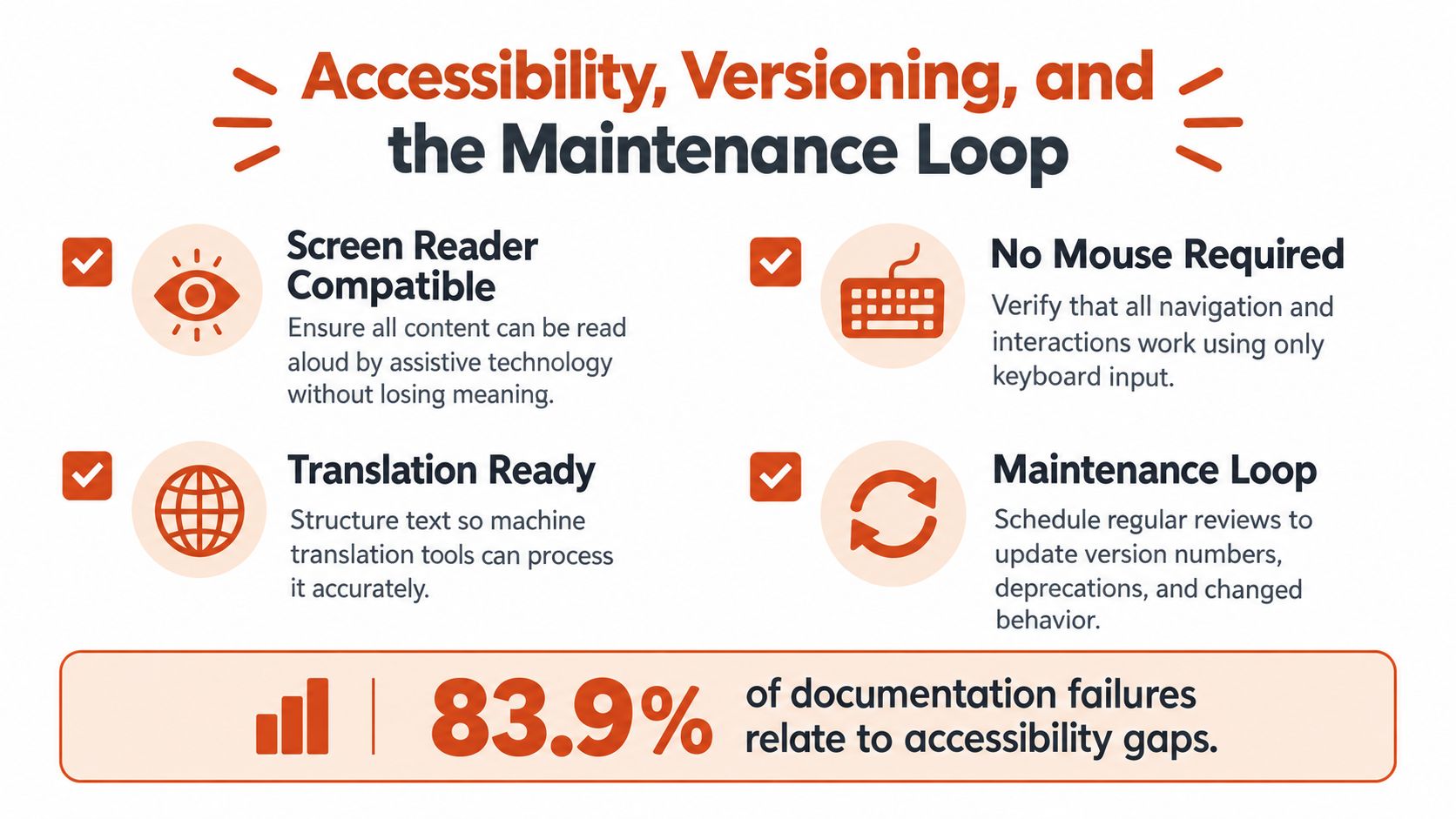
Accessibility, versioning, and maintenance belong in the same release process. A page that's correct but difficult to use with a keyboard still blocks some readers. A page that's accessible but describes an old API can mislead everyone. Teams need to review both how people access the information and whether it matches the software they're using.
Recent accessibility research found that 83.9% of surveyed organizations considered digital accessibility a priority or important, but only 57.3% considered it during planning and 35.8% during coding; more than 37% reported having no process to prevent inaccessible features from reaching production (the accessibility research report).
Keep the release and the documentation in sync
Check that headings and links make sense when read aloud, navigation works without a mouse, and diagrams have text alternatives. Code blocks should remain understandable without syntax highlighting, while warnings should use labels and text rather than color alone. Clear structure also helps readers using translation tools and people scanning content on small screens. For a related view of accessible product experiences, explore these key strategies for accessible mobile apps.
Version documentation alongside the software when possible. Require doc changes in pull requests that alter public behavior, and use CI checks to flag public APIs without reference descriptions or runnable examples. A practical maintenance checklist is simple: confirm examples still run, review changed constraints, check links and navigation, and make task completion, not page approval, the success measure. Track whether users complete their assigned tasks, how long they take, and where they request clarification. Teams looking for tools to support the writing workflow can also review technical writing tools.
AIDictation turns speech into editable text, with a custom dictionary for API names and technical terms and formatting options for drafting documentation. If you prefer to speak through a procedure before editing and validating it, try AIDictation as one way to capture that first draft.
Frequently Asked Questions
What does Writing Technical Documentation for Software: A Guide cover?
You're integrating a service, and the docs say to “configure the client” without naming the required settings. The example uses a request body that doesn't match the current API, and the troubleshooting page assumes a tool you don't have installed.
Who should read Writing Technical Documentation for Software: A Guide?
Writing Technical Documentation for Software: A Guide is most useful for readers who want clear, practical guidance and a faster path to the main takeaways without guessing what matters most.
What are the main takeaways from Writing Technical Documentation for Software: A Guide?
Key topics include Table of Contents, The Real Cost of Documentation Nobody Reads, Identifying Your Readers and Their Real Tasks.
Ready to try AI Dictation?
Experience fast voice-to-text on your device. Free to download.
Download FreeRelated Posts
Mastering System Design Documentation: Your 2026 Guide
Create effective system design documentation engineers will use. Our 2026 guide covers templates, tooling, and how to avoid pitfalls.
Specification Writing: A Practical How-To Guide for 2026
Learn the art of clear specification writing. This practical guide covers structure, common pitfalls, and how to use tools like AIDictation to get it right.