8 Workflow Optimization Examples for 2026
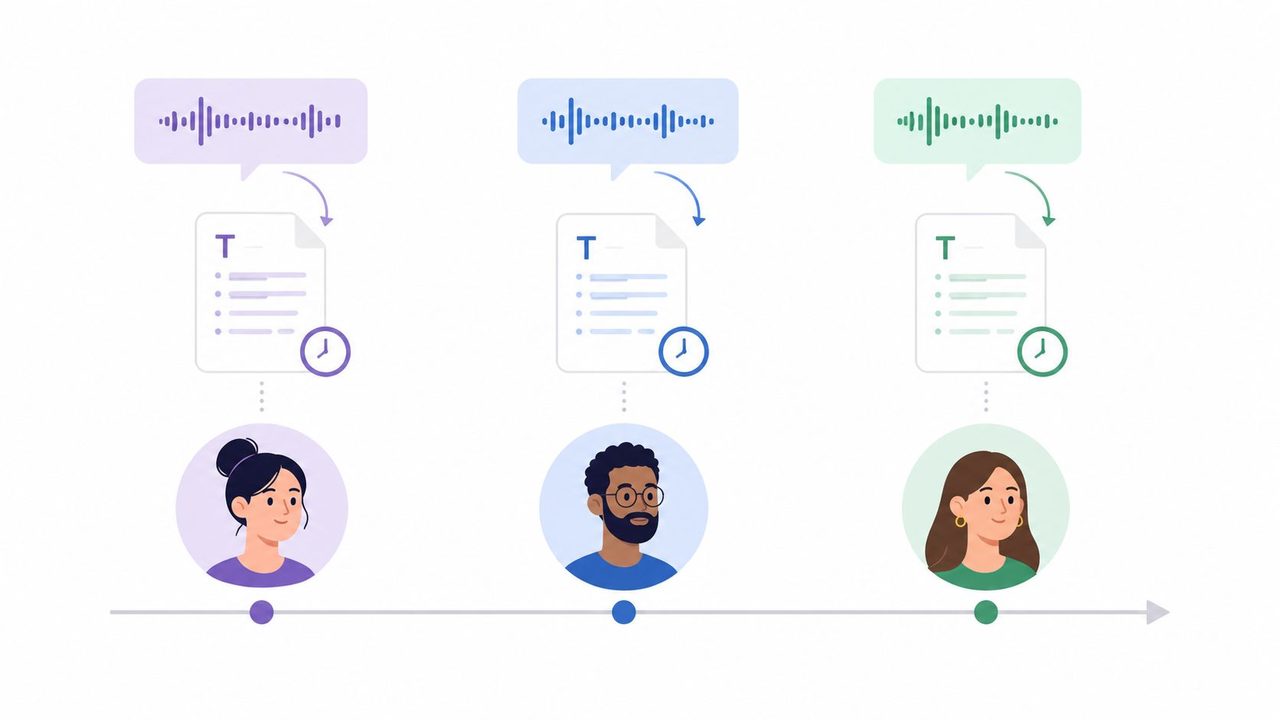
Tired of tedious tasks? Reclaim your workflow before the day disappears into meetings, inbox triage, and documentation catch-up. If your calendar is packed and your best ideas keep getting postponed until after hours, you're already living the problem that workflow optimization is meant to solve. The fastest wins usually come from small changes in how work gets captured, routed, and finalized, especially when voice dictation can remove the typing bottleneck.
The practical angle is simple, use the work you already do as the raw material for cleaner systems. A strong workflow optimization example doesn't need a giant transformation project, it needs a repeatable before-and-after pattern that cuts waiting, reduces rework, and makes handoffs easier. For teams trying to modernize communication and documentation, a guide to marketing automation tools can be a useful adjacent read, but the examples below stay focused on everyday operational workflows.
Table of Contents
- 1. Asynchronous Communication with Voice Dictation
- 2. Clinical Documentation Acceleration in Healthcare
- 3. Developer Documentation and Code Comment Generation
- 4. Email Response Batching with Voice Composition
- 5. Meeting Notes and Action Item Extraction
- 6. Knowledge Worker Brain Dump to Structured Documentation
- 7. Accessible Documentation for Diverse Learning Styles
- 8. Continuous Improvement Through Dictated Feedback Loops
- 8-Point Workflow Optimization Comparison
- Start Optimizing Your Workflow Today
1. Asynchronous Communication with Voice Dictation
A distributed team loses time every time it waits for the next available meeting slot. The better pattern is to replace low-value sync calls with recorded updates, then turn those recordings into clean text that anyone can scan later. That's where AIDictation becomes the catalyst, because it turns a spoken update into searchable copy you can drop into Slack, email, or a project doc.
Before and after in real teams
Before, a product manager schedules a daily standup, two stakeholders miss it, and decisions get repeated in follow-up messages. After, the PM records a two-minute update, AIDictation cleans it up, and the transcript lands in a shared channel with the key decisions already visible. The same pattern helps software teams document architecture choices without dragging everyone into another calendar block.
Support teams can use the same approach for handoffs. A case note dictated after a customer call is faster to produce than a polished typed summary, and it preserves the details while they're still fresh.
Practical rule: Use asynchronous updates for status, handoffs, and decisions. Keep synchronous time for ambiguity, conflict, and work that genuinely needs live discussion.
AIDictation's internal guidance on asynchronous communication tools fits this workflow well because the output is meant to be shared, not retyped. Use the professional context rule for stakeholder updates, and set an expectation that responses can wait until the next working block. That one change usually cuts the sense that every note needs an immediate reply.
2. Clinical Documentation Acceleration in Healthcare
Healthcare is one of the clearest cases for voice-first workflow redesign. Clinicians often know exactly what to document, but typing every observation after each patient encounter turns care into a backlog problem. AIDictation's Local Mode and compliance-focused setup are relevant here because sensitive notes need speed without losing privacy.
The best clinical workflow is the one that reduces after-hours charting without forcing staff to compromise accuracy. In the research brief, the broader issue is clear: optimized workflows in clinical settings are about removing administrative friction so care teams can focus on patients instead of duplicate documentation. That framing matches what clinicians feel at the end of a shift.
A workable documentation loop
Start with a medical custom dictionary for medications, patient names, and common terms. Then dictate the note while the encounter is still fresh, or immediately after the visit, and keep a review step before finalizing anything in the EHR. Mental health professionals, emergency department doctors, radiologists, and physical therapists can all use the same pattern, even if the note structure changes by specialty.
- Emergency care: Dictate the encounter in the treatment area, then review before signature.
- Behavioral health: Capture session notes right after the appointment while context is still clear.
- Imaging and rehab: Speak findings or progress updates before moving to the next case.
- Sensitive records: Keep patient data in Local Mode when device-only handling is required.
The point isn't to eliminate clinician judgment. It's to remove the typing burden that creates charting lag and fragmented notes. For a deeper product-specific walkthrough, AIDictation's clinical documentation software overview is the relevant internal reference.
3. Developer Documentation and Code Comment Generation
Developers often postpone documentation because context-switching is expensive. The code is clear in their head right after they write it, but by the time they come back to comment on it, the logic has already started to fade. Dictation solves that gap by letting engineers explain intent verbally, then turning that explanation into a usable first draft.
The strongest before-and-after change here is simple. Before, a backend developer writes an API endpoint, leaves a vague comment, and promises to document it later. After, the developer dictates the endpoint purpose, input expectations, and output shape immediately after the function is done, then reviews the generated text before committing.
AIDictation's code by voice workflow fits especially well when project-specific names and terms keep getting spelled incorrectly. Set a custom dictionary for framework names, environment variables, and domain language. Use the technical context rule so the output matches the tone of code comments, not generic prose.
Where this works best
A clean technical dictation workflow helps when the documentation must stay close to the code. Backend engineers can narrate parameter behavior, data scientists can explain model logic, DevOps teams can describe deployment steps, and frontend developers can summarize component state rules. The improvement comes from timing as much as from tooling.
Dictate while the implementation is still in your head. If you wait until the next sprint, the cost of reconstructing intent is higher than writing the comment in the first place.
Use templates for repeated structures like function summaries, usage examples, and edge-case notes. That keeps the output consistent and makes review faster, which is usually the part teams forget to optimize.
4. Email Response Batching with Voice Composition
Email is one of the easiest workflows to optimize because the work is already text-heavy and repetitive. The mistake many teams make is treating each message as a fresh composition task, which creates constant context switching. A better model is to collect messages first, then dictate responses in a focused batch.
Customer support teams feel this most acutely. One inbox can hold product questions, billing issues, and feature requests all at once, and each one interrupts the previous one if you answer them as they arrive. A batched voice workflow lets the team work through a queue with a stable tone and fewer typos.
A practical batching routine
Group incoming emails by type, then respond in a single session. Use a professional context mode so the tone stays stable, and build templates for common patterns such as resolution, escalation, or waiting for more information. AI cleanup matters, because the first spoken draft can be direct and human, while the final version still reads like a polished email.
- Support queues: Dictate a reply after reading the full thread, not after the first sentence.
- Onboarding questions: Use one response structure for setup, access, and troubleshooting.
- Returns and complaints: Keep the language calm, specific, and consistent.
- Product feedback: Capture the answer, the next step, and the follow-up owner in one pass.
The manufacturing and process-automation examples in the verified data show what happens when repetitive steps are redesigned carefully, not just sped up. The lesson carries over here, because batching plus clean voice dictation is a process change, not just a typing shortcut.
AIDictation is useful here because it can turn spoken replies into ready-to-send drafts without forcing the sender to start from a blank page. The win is not only faster writing, it's a more disciplined response rhythm.
5. Meeting Notes and Action Item Extraction
Meetings become expensive when nobody owns the notes. The usual failure mode is familiar, one person types half the discussion, another person misses context while taking notes, and action items get lost in a chat thread. A voice-based capture workflow fixes that by separating participation from documentation.
The best version starts at the beginning of the meeting, not the end. Record the discussion, then immediately dictate a summary that names decisions, owners, and deadlines while the conversation is still fresh. That makes the output cleaner than trying to reconstruct everything from memory an hour later.
AIDictation's meeting recording and transcription workflow is a natural fit for product managers, executives, and team leads who want notes that are usable. Use a structured verbal pattern like “Decisions made,” “Action items assigned to,” and “Next steps,” then let the transcript become the written record.
What to capture every time
Useful meeting notes answer three questions: What did we decide, who owns the next step, and when is it due?
- Decisions: Record what the group agreed on.
- Owners: Name the person responsible, not just the team.
- Deadlines: State the date or check-in point during the summary.
- Distribution: Share the formatted notes within 24 hours so nobody has to ask for a recap.
The item that often gets overlooked is ownership clarity. A meeting note that lists ideas without assigning people doesn't reduce work, it just archives uncertainty. If the workflow is done well, the notes become the handoff mechanism.
6. Knowledge Worker Brain Dump to Structured Documentation
Some of the best workflow gains come from catching thoughts before they evaporate. Managers, consultants, researchers, and executives often have valuable ideas in transit, between meetings, during site visits, or right after a call, but those ideas rarely survive a trip through a blank document. Dictation gives those thoughts a low-friction place to land.
This is the right workflow for raw thinking, not polished writing. A consultant can speak through client observations in the car, a researcher can describe experimental findings before moving to the next task, and a product leader can capture feature feedback while the memory is still active. AIDictation then turns that rough input into something organized enough to reuse.
The capture-to-structure routine
Start with a brain dump. Don't worry about order, just speak the ideas as they come, then ask for a format change such as a bullet list or a numbered process. The cleanup stage is where the value appears, because the text becomes something you can turn into a memo, knowledge base entry, or strategy brief.
For this kind of workflow, context matters more than polish. Use the professional, technical, or casual rule depending on the final destination, then verify that the transcription preserved the intent. If the output is meant for a team document, create a template that already includes headings and section labels.
The verified research also points to a bigger issue, teams often talk about workflow gains without a solid measurement plan. That's especially true here, because knowledge work can feel faster without proving that it improved. A good internal standard is to compare before-and-after capture quality, not just the time saved.
7. Accessible Documentation for Diverse Learning Styles
A strong workflow doesn't just make work faster, it makes information usable by more people. Organizations that depend on documentation often need the same material in more than one form, because readers absorb content differently and some users need accessible formats from the start. Voice dictation is helpful here because one captured source can become a text transcript, an audio version, and a structured guide.
This matters in education, healthcare, government, and corporate training. A document written only for one reading style leaves out people who need clearer structure, spoken playback, or simpler language. AIDictation helps because it starts with spoken clarity, which often produces cleaner sectioning than rushed typing.
Build accessibility into the draft itself
Speak the structure aloud. Say the section headers, list items, and transitions clearly so the transcription already contains navigable segments. Then adapt the output into a text version for visual readers and an audio-friendly version for people who prefer listening or need screen-reader compatibility.
- Education teams: Draft course materials once, then format them for multiple needs.
- Training departments: Use simple language and clear section breaks for onboarding guides.
- Healthcare teams: Create patient instructions that are easier to revisit after the appointment.
- Government teams: Make public information easier to understand without rewriting it from scratch.
Keep jargon low unless the audience already knows the terminology. If the workflow includes video, transcription can become the base layer for captions, summaries, and alt-text prompts. That reduces duplicate work and makes the final material more inclusive without forcing writers to start over.
8. Continuous Improvement Through Dictated Feedback Loops
Many organizations collect feedback, but they don't capture it in a way that supports action. A customer says something useful on a support call, a user researcher hears a recurring complaint, or an employee suggests a fix, then the insight gets buried in notes or memory. Dictation creates a searchable feedback archive that can drive improvement.
The before-and-after pattern is straightforward. Before, feedback lives in scattered emails, call notes, and hallway conversations. After, teams dictate feedback using a consistent structure, tag it by type, and review it in a weekly cycle so patterns are visible.
That structure matters more than people expect. If support teams capture pain points the same way every time, product teams can compare themes across calls instead of reading each note as a one-off. AIDictation makes that easier because the spoken input can be shaped into a repeatable format on the spot.
What to record every time
Good feedback systems separate the signal from the story. Capture the issue, the suggested fix, and the business impact in the same note.
Use labels such as bug, feature request, UX issue, or policy friction. If the feedback came from a customer call, summarize the concern, the context, and whether it needs product, support, or operations follow-up. The goal is not to write a perfect report, it's to make sure the next reviewer can find the pattern fast.
This is also where the measurement gap becomes obvious. Without a baseline, teams may assume feedback handling improved just because capture got easier. A tighter process uses review cycles, ownership, and visible follow-through so the archive keeps feeding actual decisions.
8-Point Workflow Optimization Comparison
| Scenario | Implementation Complexity 🔄 | Resource & Compliance Needs ⚡ | Expected Outcomes ⭐📊 | Ideal Use Cases & Key Advantages 💡 |
|---|---|---|---|---|
| Asynchronous Communication with Voice Dictation | Medium 🔄🔄🔄, cultural shift, new norms | Low–Medium ⚡⚡, dictation tools, training, integration with Slack/email | ⭐⭐⭐⭐ 📊 Fewer meetings; searchable decision records; faster updates | 💡 Distributed teams, PM updates, support handoffs, reduces meeting overhead and preserves context |
| Clinical Documentation Acceleration in Healthcare | High 🔄🔄🔄🔄, EHR integration, workflows | High ⚡⚡⚡⚡, Local Mode, HIPAA/SOC2, custom medical dictionary, training | ⭐⭐⭐⭐⭐ 📊 40–60% faster documentation; reduced clinician burnout | 💡 ED, clinics, mental health, on-device privacy and accurate medical notes |
| Developer Documentation & Code Comment Generation | Low–Medium 🔄🔄🔄, custom terms, context rules | Low ⚡⚡, project dictionaries, markdown/code syntax support | ⭐⭐⭐⭐ 📊 Faster docstrings and API docs; less context switching | 💡 Backend/frontend/devops, maintains developer flow and consistent documentation |
| Email Response Batching with Voice Composition | Low–Medium 🔄🔄🔄, templates and review workflow | Medium ⚡⚡⚡, training, review step, tone templates | ⭐⭐⭐⭐ 📊 50–70% faster email handling; improved polish | 💡 Support/marketing high-volume email, rapid composition with professional tone; requires review |
| Meeting Notes & Action Item Extraction | Medium 🔄🔄🔄, recording + verification steps | Medium ⚡⚡⚡, good audio, transcription, review for accuracy | ⭐⭐⭐⭐ 📊 Immediate structured notes; auto-extracted action items | 💡 Sprint planning, exec meetings, captures decisions and owners without note-taking distraction |
| Knowledge Worker Brain Dump → Structured Docs | Low 🔄🔄, simple capture then cleanup | Low ⚡⚡, templates, periodic review | ⭐⭐⭐⭐ 📊 Rapid idea capture; polished documentation from raw thoughts | 💡 Executives, consultants, researchers, captures ideas quickly and converts to usable docs |
| Accessible Documentation for Diverse Learning Styles | Medium 🔄🔄🔄, multi-format output & structure | Medium–High ⚡⚡⚡⚡, audio quality, accessibility review, compliance (ADA/WCAG) | ⭐⭐⭐⭐ 📊 Multi-modal content; improved accessibility & engagement | 💡 Education, training, public orgs, single effort yields text, audio, formatted guides for varied learners |
| Continuous Improvement via Dictated Feedback Loops | Medium–High 🔄🔄🔄🔄, capture → analyze workflows | High ⚡⚡⚡⚡, storage, consent, tagging, analytics systems | ⭐⭐⭐⭐ 📊 Searchable feedback, trend detection, faster product insights | 💡 Product, UX, support, builds feedback database for roadmap decisions; requires governance and analysis pipeline |
Start Optimizing Your Workflow Today
The common thread across these workflow optimization examples is simple. Voice is a practical lever because it removes one of the slowest parts of knowledge work, manual typing, and it does it without forcing you to redesign everything at once. The cleanest gains usually come from one specific workflow, one clear before-and-after state, and one habit change that sticks.
You don't need a big rollout to get started. Choose the workflow that costs you the most time right now, whether that's meeting notes, email replies, clinical notes, or documentation, then test a voice-first version for a week. If you already use AIDictation, its free tier gives you a low-friction way to start turning speech into polished text, and that's often enough to prove the value inside a real team workflow.
The best next move is to pick one recurring task and make it easier to capture, organize, and review. If you're working across support, operations, or internal communications, the related article on email workflow automation for AI agents can help you think about the next layer of automation after dictation is in place.
AIDictation gives you a practical way to turn speech into clean writing for notes, emails, documentation, and meeting follow-up. If you want to reduce typing friction and make one of these workflows easier to sustain, visit AIDictation and try it in the task that slows you down most.
Frequently Asked Questions
What does 8 Workflow Optimization Examples for 2026 cover?
Tired of tedious tasks? Reclaim your workflow before the day disappears into meetings, inbox triage, and documentation catch-up.
Who should read 8 Workflow Optimization Examples for 2026?
8 Workflow Optimization Examples for 2026 is most useful for readers who want clear, practical guidance and a faster path to the main takeaways without guessing what matters most.
What are the main takeaways from 8 Workflow Optimization Examples for 2026?
Key topics include Table of Contents, 1. Asynchronous Communication with Voice Dictation, Before and after in real teams.
Ready to try AI Dictation?
Experience fast voice-to-text on your device. Free to download.
Download FreeRelated Posts
8 Best Bilingual Dictation Apps: 5 Tested + 3 Baselines
We tested five bilingual dictation apps on Russian-English code-switching, plus three common baselines. Compare WER, language recall, script, and workflow.
How to Write Emails Faster: Boost Your Productivity
Discover how to write emails faster with actionable tips for triage, templates, shortcuts, editing, and voice dictation to boost productivity.
How to Take Better Lecture Notes with Voice Dictation
Learn how to capture, clean, and study lecture notes faster using AI voice dictation. Practical workflow tips for students, researchers, and journalists.