Master Your Note Taking Workflow
Your notes probably live in too many places right now. A meeting summary sits in Apple Notes. A brainstorm is buried in Slack. Research clips are open in browser tabs. The important idea you had on a walk is in a voice memo you never renamed. When you need one specific detail, you search three apps, two folders, and your memory.
That mess usually gets blamed on discipline. In practice, it's a system problem. A workable note taking workflow doesn't start with picking the “best” app. It starts with deciding how information enters your world, where it lands, how it gets refined, and when you revisit it.
The strongest systems I've built for clients all follow the same backbone. Capture fast. Organize for retrieval. Process into usable knowledge. Review on a cadence. Tools matter, but only after the workflow is clear.
Table of Contents
- Why Your Current Note System Is Failing You
- The Capture Stage Master Your Inflow
- Organizing Notes for Future Retrieval
- Processing and Reviewing Your Knowledge Base
- Example Workflows for Different Professionals
- Optimizing and Automating Your Workflow
Why Your Current Note System Is Failing You
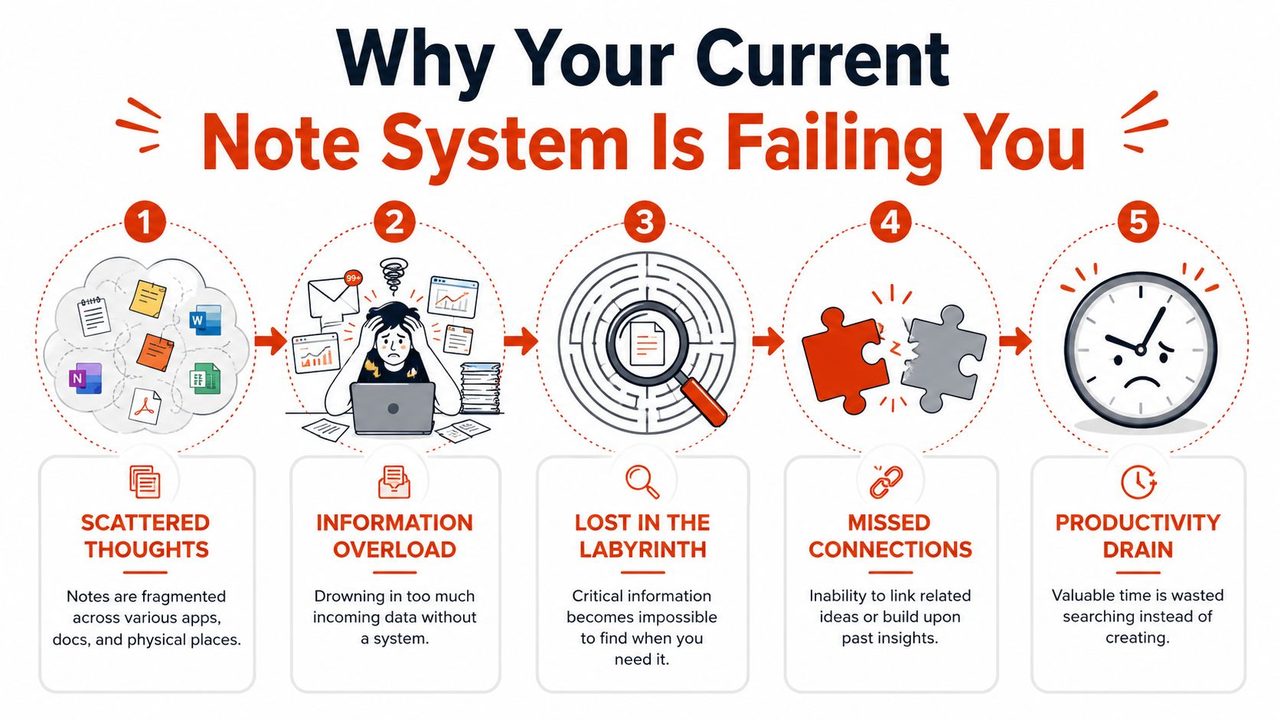
The usual failure pattern is easy to spot. You capture too much, store it inconsistently, and almost never revisit it. The result isn't just clutter. It's hesitation. You stop trusting your own notes, so you keep information in your head or recreate it from scratch.
Professionals lose an average of 130 hours per year because of inefficient personal knowledge management and unstructured note-taking practices, according to the documented benchmark cited in this workflow research reference. That's the clearest reason to fix your note taking workflow. Not because neat notes look nice, but because unstructured notes gradually consume working time.
Scattered notes create hidden friction
Individuals don't have a note problem. They have a retrieval problem.
A raw pile of notes feels productive in the moment because capture is satisfying. Later, that same pile becomes expensive. You can't find the right version. You can't remember whether the action item came from a client call or your own brainstorm. You reread entire documents to recover one sentence.
Three patterns usually cause this:
- Too many capture points. Ideas land in email drafts, notebooks, task managers, chat apps, and voice memos.
- No distinction between note types. Meeting notes, reference material, journal entries, and project decisions all look the same.
- No review habit. Notes enter the system, then disappear into storage.
Practical rule: If a note can't be found in under a minute, your system is storing information, not supporting work.
This is why app switching rarely solves the underlying issue. Moving from Notion to Obsidian, Apple Notes to OneNote, or paper to digital won't help if the workflow itself is undefined.
Use a four-part operating system
A reliable note taking workflow needs four stages. I use C.O.P.R. as the shorthand.
| Stage | What it does | What goes wrong without it |
|---|---|---|
| Capture | Collects ideas, meetings, references, and decisions quickly | Important information never enters the system |
| Organize | Gives notes a home and makes them findable later | Notes vanish into flat lists or chaotic folders |
| Process | Distills raw notes into summaries, tasks, and links | You keep rereading instead of reusing |
| Review | Reconnects you with what matters on a schedule | The whole system becomes a graveyard |
Good systems aren't rigid. They are repeatable. A product manager, a developer, and a clinician won't use identical templates, but they do need the same operating logic. Capture with low friction. Organize with stable rules. Process while context is fresh. Review before the next cycle of work begins.
Once that backbone is in place, tools start helping instead of adding more noise.
The Capture Stage Master Your Inflow
Capture is where most systems succeed or fail. If capture feels slow, awkward, or easy to postpone, you won't do it consistently. The best capture method is the one available at the exact moment a thought appears.
The broader market is moving in this direction. The AI note-taking market is projected to reach USD 2,545.1 million by 2033, growing at a CAGR of 18.9%, according to Scoop.market.us on AI note-taking market growth. That projection reflects a wider shift toward workflows that combine transcription, summaries, and automated cleanup.
Reduce friction at the moment of capture
Typing isn't always the right default. If you're walking between meetings, sketching a product idea, or debriefing after a call, voice is often faster and more natural than forcing bullet points into a keyboard.
That's why modern capture should be multimodal:
- Text for structured notes, task lists, and snippets you already understand.
- Voice for fast capture when speed matters more than polish.
- Images or screenshots for whiteboards, diagrams, UI references, and receipts of context.
- Web clippings or copied excerpts for source material you'll process later.
The mistake is trying to make every capture perfect. Don't. Raw capture should be incomplete by design. You're collecting signal, not producing the final document.
Capture should be fast enough that you use it under pressure, not only when you have time.
Choose the input mode that matches the moment
A strong rule is simple. Match the method to the context.
Use typed capture when you already know the structure. Use voice when you're still forming the thought. Use screenshots when the visual context matters more than your explanation.
For people building a system around speech, a dedicated dictation workflow can reduce the gap between idea and usable draft. If you want a practical model for that, this guide to voice dictation workflows on macOS is worth reviewing because it shows how spoken input can feed directly into everyday documentation.
Two capture habits work especially well:
- Pre-create templates for recurring situations such as one-on-ones, research interviews, standups, and architecture discussions.
- Use one inbox for raw notes so everything lands in a temporary holding area before it gets sorted.
People often resist the inbox idea because it feels messy. It is messy. That's the point. You need a place for fast intake before structure is applied.
After you've seen speech-based capture in action, the workflow makes more sense in practice:
Handle sensitive notes with care
Not every note belongs in the cloud. That matters for healthcare, legal work, confidential product planning, and any environment where client or patient information is involved.
Your capture layer should answer three privacy questions before you adopt it:
- Where is the audio or text processed
- Who can access the stored output
- Can you control retention and deletion
Local processing matters. On-device capture can be slower to evaluate than shiny cloud tools, but it gives you stronger control over sensitive material. For many professionals, that trade-off is worth it. Convenience matters. Data ownership matters more.
The practical standard is straightforward. Use the fastest capture path you'll use, but don't separate speed from privacy. A modern note taking workflow should support both.
Organizing Notes for Future Retrieval
Most organization advice fails because it confuses tidiness with usefulness. A beautifully nested folder tree can still be terrible at retrieval. If finding a note depends on remembering exactly where your past self filed it, the system is brittle.
The strongest approach is a hybrid. Use a light folder structure for broad context, then tags and links for the many ways information overlaps.
Why folders alone break down
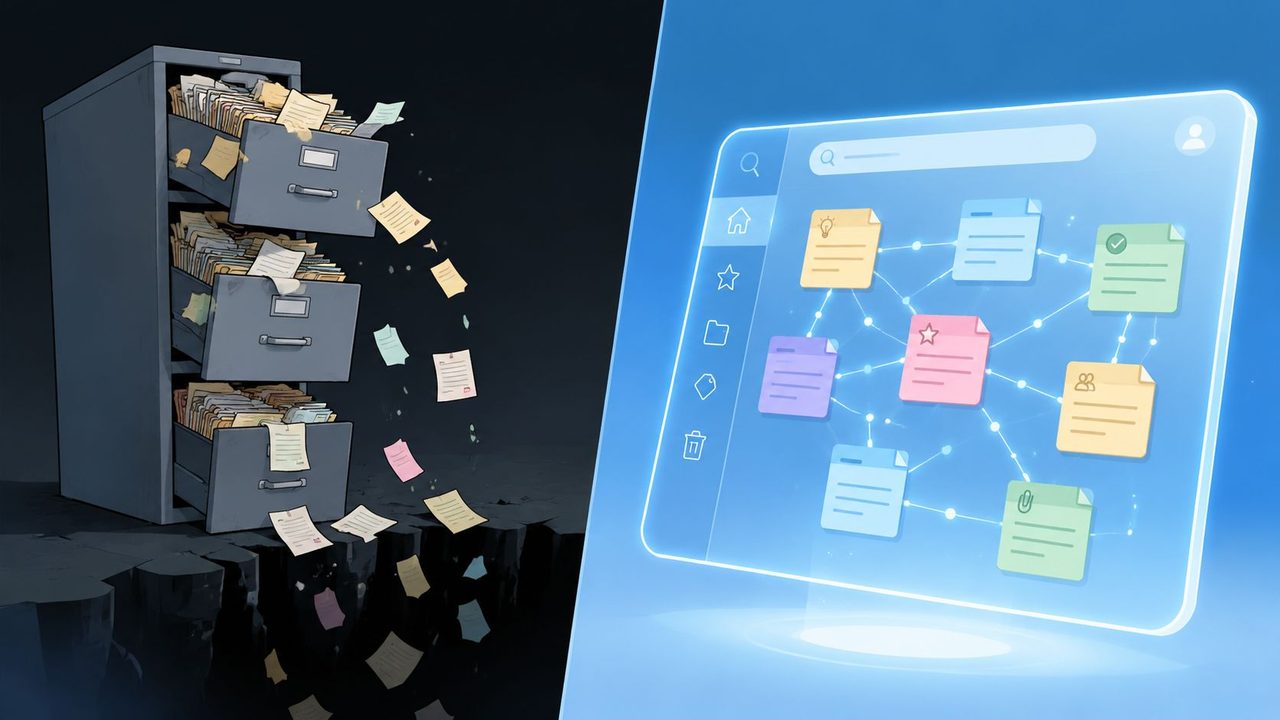
Folders force a note into one place. Real work doesn't behave that way.
A customer interview about onboarding might belong to a product initiative, a research repository, a churn analysis thread, and a leadership update. One folder can't express that. Even if you choose a home, you still need other ways to rediscover the note later.
That's why rigid hierarchies often fail after the first few months. They look clean, but they hide relationships.
Three folder-only problems show up repeatedly:
- Cross-functional work gets trapped because one note belongs to several contexts.
- Search becomes title-dependent because the structure isn't helping much.
- Refiling creates drag as projects evolve and notes no longer fit their original home.
Build a hybrid system that lasts
A better model is a simple top-level framework such as PARA: Projects, Areas, Resources, Archives. It gives notes a broad home without pretending that folders do all the work.
Then add tags for attributes and links for relationships.
| Layer | Best use | Example |
|---|---|---|
| Folders | Broad storage context | Project, Area, Resource, Archive |
| Tags | Status, topic, content type, role | #meeting, #research, #frontend, #decision |
| Links | Relationships between notes | Spec linked to interview notes and roadmap |
Here's the trade-off. Tags can become a mess if you create them casually. Folders become a mess if you overbuild them. The hybrid system works because each part has a narrow job.
Your future self won't remember where you filed a note. They will remember what the note was about, who it involved, and what project it affected.
Simple naming rules beat clever structures
File naming is boring, which is why it matters. Inconsistent names ruin retrieval long before the app does.
Use a naming convention that answers three questions quickly:
- What is this
- Which project or context does it belong to
- When was it created
A format like Project_YYYY-MM-DD_Type works well because it sorts cleanly and stays readable. For research and meetings, adding a session or participant identifier helps even more when volume increases.
Keep these rules tight:
- Use singular nouns for tags. Pick
#meeting, not#meetings. - Avoid synonyms. Don't split the same idea across
#ux,#design, and#product-designunless those distinctions are intentional. - Reserve special prefixes for critical note types. For example,
DECISION,SPEC,CALL, orREF.
If you use Obsidian, Notion, Apple Notes, or Craft, these principles still apply. The software changes. Retrieval logic doesn't.
Processing and Reviewing Your Knowledge Base
Raw notes aren't knowledge yet. They're inputs. The value appears when you reduce, clarify, and reconnect them.
An effective workflow uses a structured capture-and-review loop: capture only the main ideas during the event, then add a concise summary and action items immediately afterward, as described in Box's guide to note-taking methods. Cornell notes and quadrant layouts work well because they reduce rereading and make retrieval easier.
Turn raw notes into decision-ready assets
Processing should happen while the context is still fresh. If you wait too long, you turn a useful note into an archaeology project.
I recommend a light form of progressive summarization:
- Clean the note. Remove junk lines, duplicates, and fragments that no longer mean anything.
- Highlight the key points. Bold critical phrases, decisions, blockers, or definitions.
- Write a short summary at the top. Two or three sentences is enough.
- Extract action items. Separate what needs doing from what just needs remembering.
- Add links and tags. Connect the note to the projects, people, and reference material it belongs with.
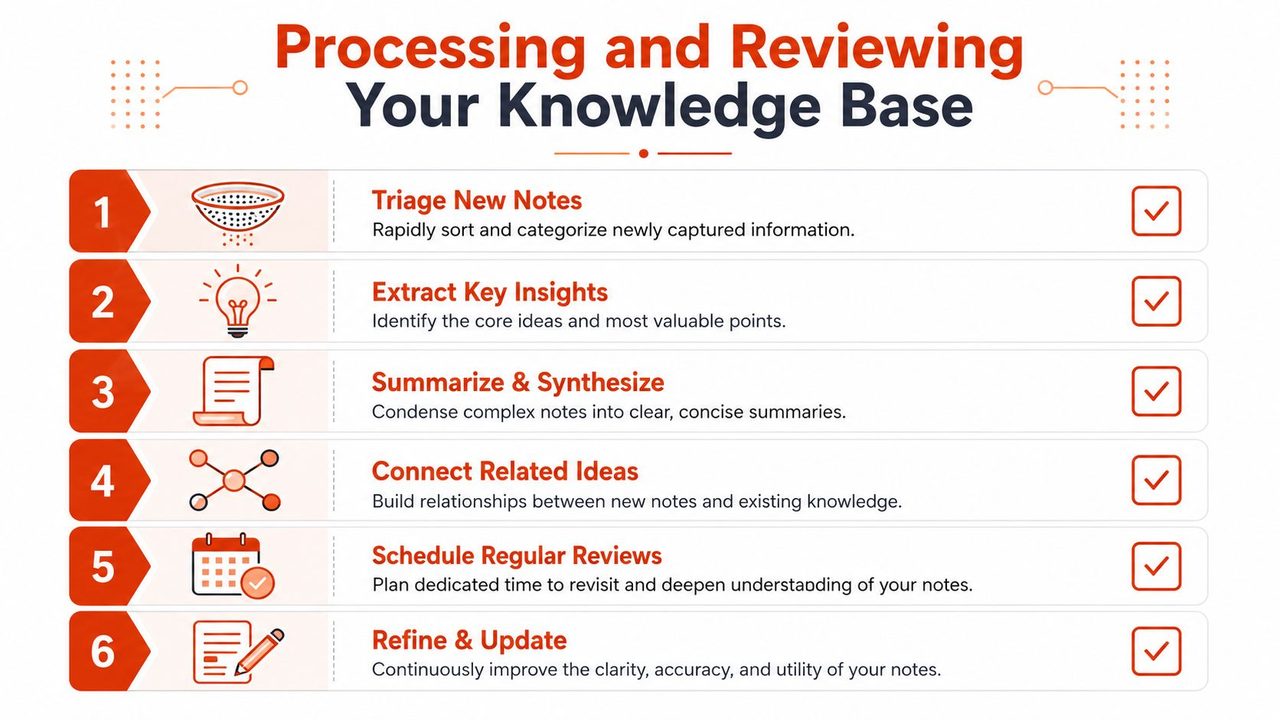
Cornell-style notes are especially useful here because the structure nudges you to convert messy input into retrieval-ready output. The same applies to quadrant layouts that separate general notes, questions, personal to-dos, and team action items.
Use review loops that force clarity
A note database without review turns into storage. Review is the step that converts storage into a working system.
You don't need a complicated ritual. You need a recurring appointment with your own information. Weekly is the sweet spot for most knowledge workers because it's frequent enough to preserve context without becoming oppressive.
A good review loop answers:
- What did I capture that matters?
- What needs action, synthesis, or sharing?
- Which notes should be linked to current projects?
- What can be archived or ignored?
Notes become useful when you compress them into a form your future self can trust at a glance.
If you work with research-heavy material, the same review logic applies to longer writing. A practical complement is this step-by-step research paper guide, which is useful because it shows how structured thinking turns scattered source material into a coherent output.
For teams documenting interviews, experiments, or technical findings, this overview of research documentation workflows is a useful companion because it reinforces the discipline of summarizing while evidence is still fresh.
What a weekly review should actually include
Most weekly reviews fail because they're vague. “Review notes” sounds good, but it doesn't tell you what to do.
Use a short checklist:
- Clear the inbox. Every raw note gets deleted, processed, or organized.
- Promote important insights. Move them into evergreen reference notes, project docs, or briefs.
- Merge duplicates. If the same idea lives in three places, choose one canonical note.
- Update project notes. Add the latest decisions, next steps, and linked evidence.
- Mark dead material. Archive notes that no longer deserve active attention.
The discipline here is small but essential. A note taking workflow only compounds when processing and review are built into the week, not treated as a rescue operation.
Example Workflows for Different Professionals
Generic note advice breaks down when it meets real work. A product manager doesn't capture information the same way a developer does. A clinician shouldn't structure notes like either of them. The operating system can stay the same, but the templates need to match the role.
For research and meeting notes, one practice is hard to improve on: assign one dedicated notetaker, use the transcript as a backup, bookmark key moments, record observable facts rather than interpretations, and use consistent file naming, as recommended in User Interviews' guide to research notetaking.
Product manager workflow
A product manager's note taking workflow lives or dies on decision traceability.
In practice, that means one person owns live notes during a stakeholder call or user interview. The transcript supports recall, but the working note should capture observable statements, open questions, and follow-up decisions. Avoid interpretive summaries in the moment. Put interpretation in the post-meeting debrief.
A workable PM template includes:
- meeting purpose
- attendees
- facts observed
- decisions made
- risks or unresolved questions
- action items linked to owner
The note should then link to the feature spec, roadmap item, and relevant research repository. If the same issue appears across several interviews, create a synthesis note rather than stuffing every conclusion into each meeting file.
Developer workflow
Developers need notes that support implementation, not just memory.
That usually means separating ephemeral build notes from durable technical knowledge. Debug logs and temporary command notes can stay local and disposable. Architectural decisions, code rationale, recurring fixes, and setup instructions should move into a stable knowledge base.
A good developer workflow often includes:
- a quick capture note during coding or incident work
- a cleaned summary after the issue is resolved
- links to repository, ticket, service, or component
- tags such as
#bug,#api,#infra,#decision
For students and early-career technical learners, the line between learning notes and work notes can blur. This guide to a student note-taking app workflow is useful because many of the same habits apply to technical study, especially around summarizing and review.
Healthcare professional workflow
Healthcare notes require stricter structure and stronger privacy discipline.
Clinical notes need clear sections, consistent terminology, and a reliable separation between observations, assessment, and required follow-up. Voice capture can be a strong fit here because professionals often think faster than they type, but the output still needs review before it becomes part of a formal record.
The biggest workflow mistake in clinical settings is mixing convenience with lax review. Fast capture helps. Structured verification matters more.
| Role | Primary Use Case | Key Tags | Review Cadence Focus |
|---|---|---|---|
| Product Manager | Meetings, user research, specs | #meeting, #research, #decision, #roadmap | Confirm decisions and move actions into project plans |
| Developer | Debugging, architecture, implementation notes | #bug, #api, #infra, #decision | Convert temporary notes into durable documentation |
| Healthcare Professional | Clinical notes, reports, follow-up documentation | #patient, #visit, #assessment, #follow-up | Verify accuracy, structure, and privacy handling |
The common thread across these roles is simple. Notes should reduce future uncertainty. If a note doesn't help you decide, explain, hand off, or act, it probably hasn't been processed enough.
Optimizing and Automating Your Workflow
Once the core workflow works, automation starts paying off. Before that, automation just accelerates disorder.
The best improvements are small and targeted. Connect notes to your calendar so meetings generate a ready context. Link your task manager so action items leave notes and enter execution. Use email integrations or text expansion where repeated follow-ups need a stable structure. On macOS, this often means combining your notes app with calendar links, shortcuts, share sheets, and automation tools that reduce repetitive handling.
Connect notes to the rest of your work
A note taking workflow gets stronger when it sits inside your actual operating environment.
That means your meeting note opens from the calendar event. Your project note links to the task list. Your research repository connects to drafts, tickets, or briefs. Obsidian, Notion, Apple Notes, Craft, and Bear all support parts of this. The tool matters less than whether the handoff is smooth.
One useful outside perspective on this is WhisperAI's take on a modern note-taking workflow, especially if you're evaluating how transcription and capture fit into a broader documentation habit.
Automate the boring parts, not the thinking
Useful automation removes repetition. Bad automation removes judgment.
Good candidates for automation include:
- Template insertion for recurring note types
- Auto-generated meeting shells from calendar events
- Transcripts as backup records for calls and interviews
- Standard file naming based on project and date
- Task extraction when action items are clearly defined
Poor candidates include interpretation, decision-making, and nuanced synthesis. You can let software clean transcript noise or format rough input. You shouldn't let it decide what mattered unless you're reviewing the result closely.
A healthy workflow uses automation to reduce clerical work, not to outsource understanding.
Protect privacy and ownership
This part gets skipped too often. Your notes contain strategy, client details, health information, mistakes, and unfinished thinking. That makes note systems operationally sensitive even when they don't look like security tools.
Prefer tools that make export easy, support offline access when needed, and don't trap your information in obscure formats. If your work includes sensitive material, look closely at local-first options and retention controls. Convenience is nice. Control is better.
Start smaller than you think. One capture inbox. One naming convention. One weekly review. Build the habit, then add automation where friction remains. That's how a durable note taking workflow gets built. Not in one weekend, and not by installing another app.
If you want a faster way to capture thoughts on macOS without turning rough speech into cleanup work later, AIDictation is worth trying. It turns spoken input into clean text, supports private local dictation on Apple Silicon, and fits well into workflows for meetings, technical documentation, and structured daily notes.
Frequently Asked Questions
What does Master Your Note Taking Workflow cover?
Your notes probably live in too many places right now. A meeting summary sits in Apple Notes.
Who should read Master Your Note Taking Workflow?
Master Your Note Taking Workflow is most useful for readers who want clear, practical guidance and a faster path to the main takeaways without guessing what matters most.
What are the main takeaways from Master Your Note Taking Workflow?
Key topics include Table of Contents, Why Your Current Note System Is Failing You, Scattered notes create hidden friction.
Ready to try AI Dictation?
Experience fast voice-to-text on your device. Free to download.
Download FreeRelated Posts
8 Agile Documentation Best Practices for 2026
Explore agile documentation best practices for product managers, developers, and knowledge workers, with practical templates, workflows, and AIDictation tips.
Project Documentation: Your Guide to Success in 2026
Stop ignored, outdated project documentation. Learn to create, manage, and maintain effective documentation your team will actually use & value.
Structured Note Taking: Build a Powerful Knowledge Base
Transform messy notes into a powerful knowledge base with structured note taking. Explore Cornell, Outline, and more for all professions.