Automatic Speech Recognition: How It Works, Top Systems & Accuracy
Your phone hears you perfectly and transcribes a grocery list in under a second. Meanwhile, a $2,000 medical dictation system fumbles "pericarditis" three times in a row. Same basic task — completely different results. That gap isn't random. It comes down to how automatic speech recognition actually works.
Here's what's happening under the hood.
What Is Automatic Speech Recognition?
Automatic speech recognition (ASR) is the technology that converts spoken audio into text in real time. It's what powers voice to text on your phone, the captions on your video calls, and dictation software on your Mac.
The term gets used interchangeably with "speech-to-text" in most contexts, but there's a distinction worth knowing: ASR specifically refers to the recognition step — figuring out what was said. This is different from voice recognition or speaker identification, which figures out who said it. An ASR system doesn't care whether you're 25 or 65, it just wants to turn your audio into accurate text.
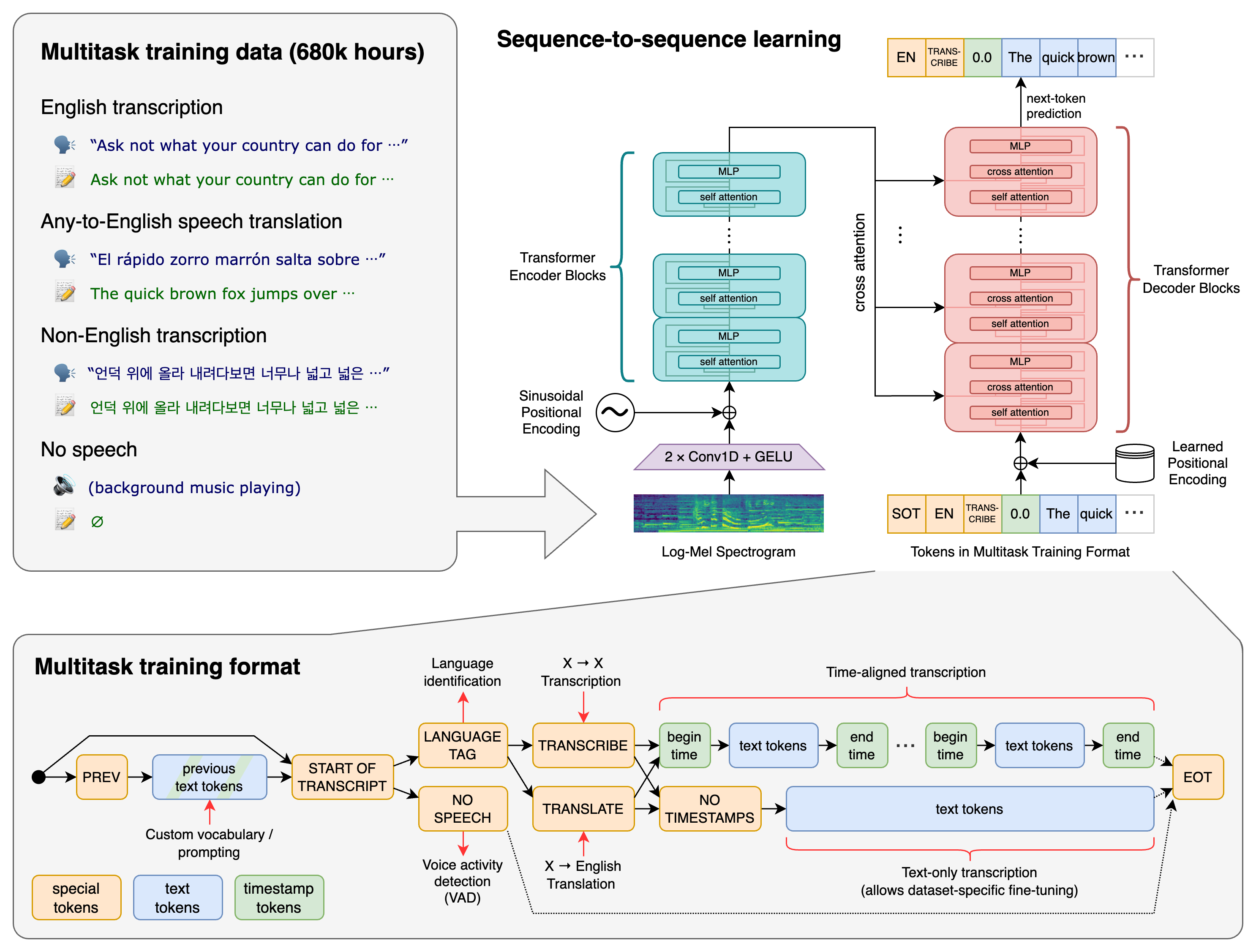
The field has evolved dramatically. Early systems in the 1970s–90s relied on hidden Markov models (HMMs) — a statistical approach that could work with limited vocabulary but fell apart quickly in natural conversation. Deep neural networks changed everything in the 2010s. Then in 2022, OpenAI released Whisper, a transformer-based model trained on 680,000 hours of multilingual audio. It's become the reference point for what modern ASR can do.
How ASR Works: The Core Pipeline
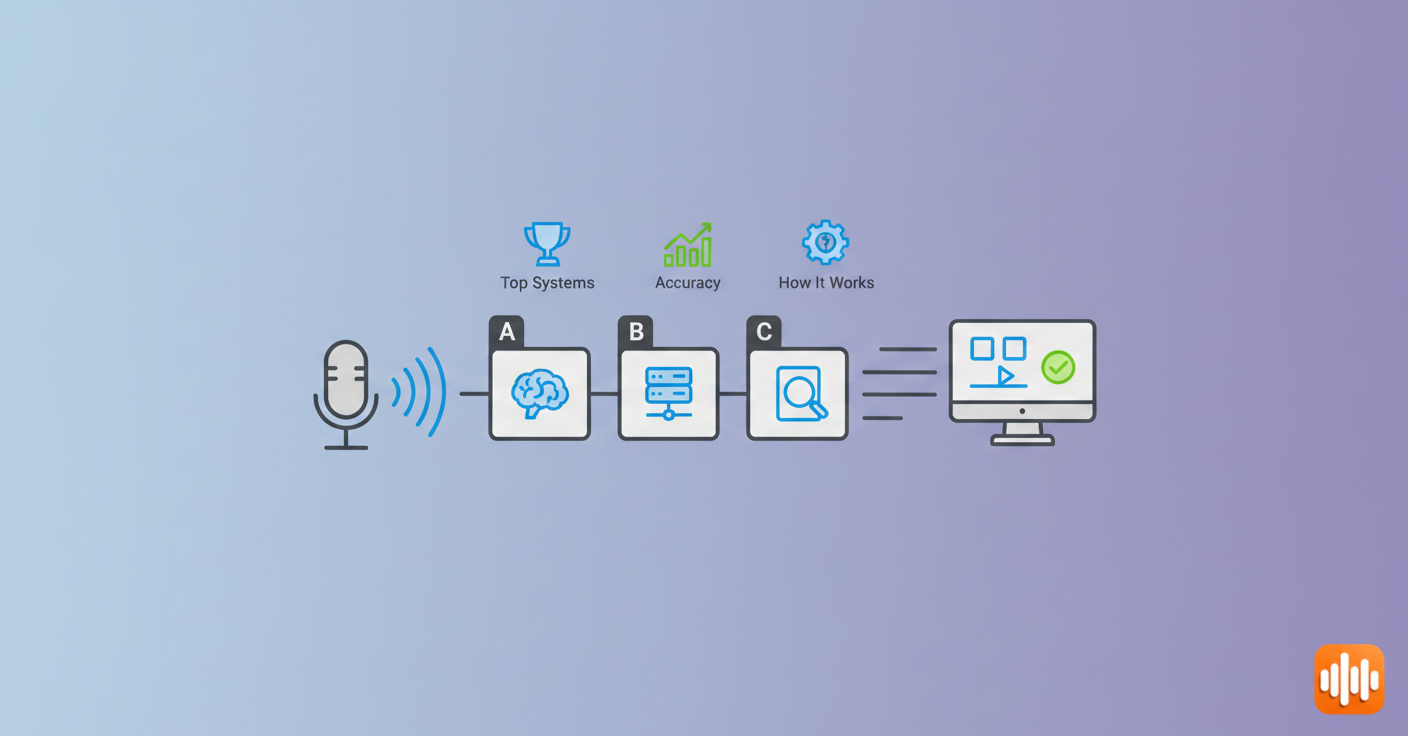
Most people assume speech recognition is one magical process. It's actually three systems working in sequence.
Step 1: The Acoustic Model
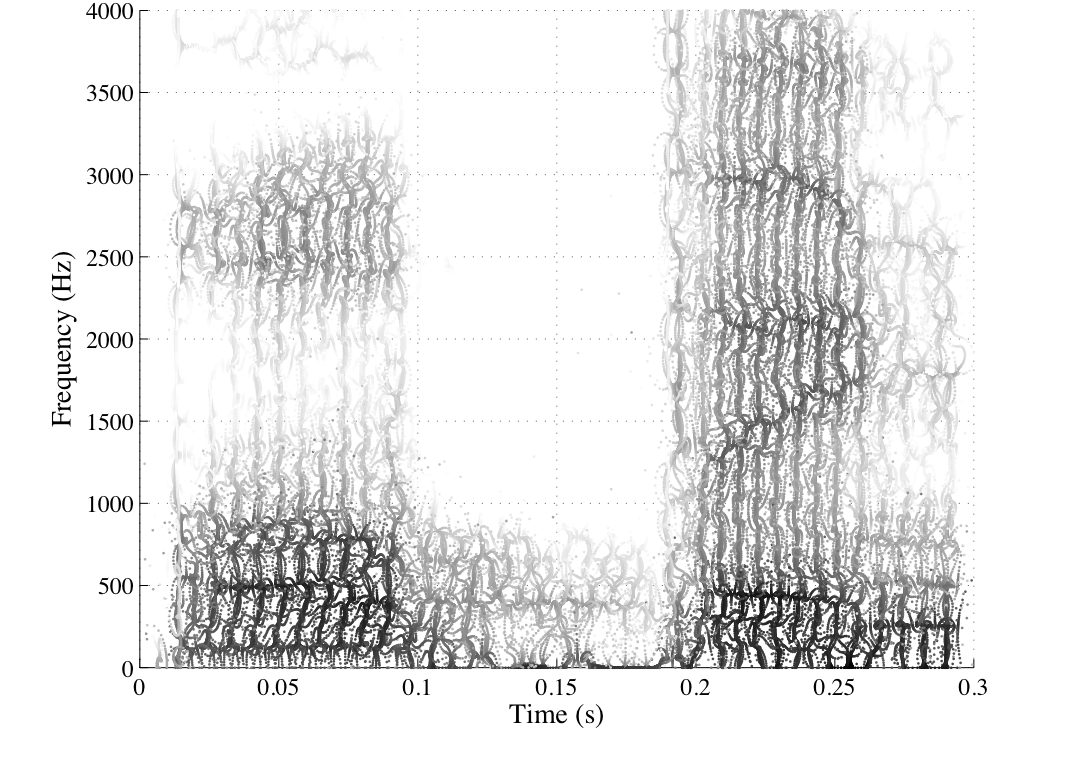
When you speak, your voice creates a waveform — a complex, noisy signal. The acoustic model takes that waveform and converts it into phonemes: the smallest units of sound in a language. Think of phonemes as the building blocks. "Cat" has three: /k/, /æ/, /t/.
This step uses a neural network trained on thousands of hours of audio paired with transcriptions. The network learns what different sounds look like in different acoustic environments — quiet rooms, background noise, different microphones, different accents.
Step 2: The Language Model
Phonemes alone don't give you words. The language model takes the phoneme sequence and figures out the most likely words and word sequences. This is where context matters enormously.
Say the acoustic model hears /aɪ skream/. Is that "I scream" or "ice cream"? The language model uses probability — based on billions of words of training text — to decide which interpretation makes sense given the surrounding words. A properly tuned language model almost always gets this right in normal speech. Where it stumbles is domain-specific vocabulary: "glycosylation" in a biology paper, "voir dire" in a legal document, or technical acronyms that barely appear in general training data.
Step 3: The Decoder
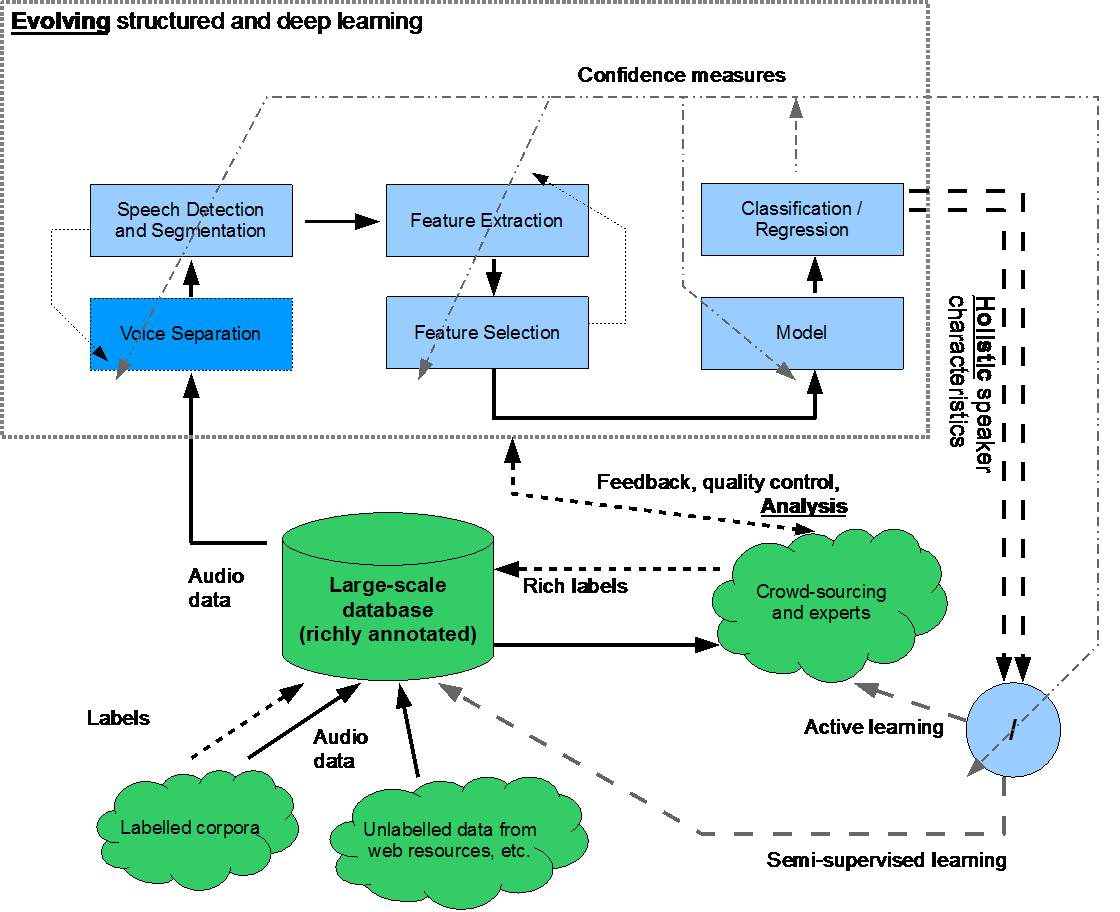
The decoder combines the acoustic and language models to produce the final text output. Think of it as the referee — it weighs the acoustic probability (how likely is this sound?) against the language probability (how likely is this word sequence?) and outputs the best guess.
Modern end-to-end systems (like Whisper) collapse this pipeline into a single neural network that learns the whole process jointly. This tends to produce better results because the model can optimize everything at once instead of passing errors between separate stages.
A useful way to think about it: ASR is like autocomplete that works from audio instead of keystrokes. Autocomplete sees the letters you've typed and predicts the next word. ASR hears audio signals and predicts the full sentence — simultaneously accounting for how words sound, how they fit together, and what's likely to come next.
Why Accuracy Varies So Much
A 95% accurate ASR system sounds impressive. But on a 1,000-word document, that's 50 errors. Whether those errors matter depends entirely on context.
Accent and dialect — ASR training data isn't evenly distributed. Systems trained primarily on American English perform noticeably worse with heavy Scottish or Nigerian accents. The best modern systems have improved a lot here, but training data coverage still determines baseline accuracy for any accent.
Background noise — Microphone quality and room acoustics have a huge effect. A directional condenser mic in a quiet room gives ASR a much cleaner signal than a laptop microphone in a coffee shop. Noise cancellation algorithms help, but they're removing information, which always introduces risk.
Vocabulary is the trickiest factor. General-purpose ASR systems train on general language, so if you're dictating a cardiology report or a patent application, you're working with terms that appear rarely in training data. Words get misheard not because the audio was unclear, but because the language model never learned to expect them. That's why specialized medical or legal dictation systems exist — and why they cost more.
Real accuracy numbers in practice:
- Clear speech, quiet environment: 95–97%
- Moderate background noise or mild accent: 90–93%
- Heavy noise, strong non-native accent, or specialized vocabulary without training: 80–85%
The jump from 95% to 85% sounds modest but isn't. That's the difference between a clean document and one that needs substantial editing.
Major ASR Systems in 2026
Not all ASR systems are built for the same use case. Here's an honest comparison of what's actually available:
| System | Best For | Accuracy | Pricing |
|---|---|---|---|
| OpenAI Whisper | Local/offline use, developers | 95%+ (clear speech) | Free / open source |
| Google Speech-to-Text | Cloud apps, Android integration | 95%+ | Pay-per-use |
| Azure Speech Services | Enterprise, custom models | 95%+ | Pay-per-use |
| Apple Dictation | macOS / iOS native use | 94%+ | Free (on-device) |
| AI Dictation | Mac productivity, privacy-first | 97%+ | Free trial available |
A few things the table can't capture:
Whisper is the most influential open-source ASR model right now. It's not the fastest — local inference requires some GPU or CPU grunt — but it's the most widely deployed because it's free, accurate, and can run completely offline. For developers, it's usually the default starting point.
Google and Azure are the right choice when you're building a cloud application at scale. Both offer custom model training, which is how you solve the domain vocabulary problem — you feed them examples of your specific terminology and they adapt.
Apple Dictation is solid but underappreciated. The on-device model (available since macOS Ventura) is genuinely good and doesn't send audio to Apple's servers. For casual use, it's hard to beat free + private.
AI Dictation sits on top of Whisper-class ASR and adds the Mac-native interface, custom vocabulary support, and offline processing that makes it practical for daily productivity use.
For a deeper look at how Whisper specifically compares across use cases, the Whisper AI speech recognition breakdown is worth reading.
On-Device vs. Cloud ASR
This is probably the most practical decision most users face. The tradeoffs are real and worth understanding.
Cloud ASR sends your audio to a remote server, processes it there, and returns text. Latency depends on your connection, but the upside is access to very large models and easier custom training. The downside: your audio leaves your device, which matters for healthcare, legal, or any confidential content.
On-device ASR processes everything locally. No audio leaves your machine. The tradeoff used to be significant accuracy loss — but recent on-device models (Whisper-based or Apple's neural engine) have closed the gap to the point where most users won't notice a difference on general dictation.
For offline speech recognition, on-device is the only option — and it's now genuinely good enough for professional use.
The use case that still firmly favors cloud ASR: very long recordings (multi-hour meetings, interviews) where local processing would tie up your CPU, and situations where custom model training is needed quickly.
Where ASR Shows Up in Real Applications
Most people interact with speech recognition technology constantly without thinking about it.
Dictation and transcription — The most direct use case. You talk, text appears. AI transcription tools extend this to recorded audio and video, letting you pull text from a podcast interview or meeting recording automatically.
Live captioning — Real-time ASR runs during video calls and live events, producing captions with under a second of lag. This is technically harder than offline transcription because the model can't look ahead for context.
Voice assistants — Siri, Google Assistant, Alexa all use ASR as the first step. After speech becomes text, a completely different NLP system interprets intent and decides what action to take. ASR is just the front door.
Medical and legal dictation — Specialized domains where the general speech-to-text accuracy problem is sharpest. Both industries still invest heavily in custom-trained models because misheard terminology has real consequences.
Accessibility — For users with motor impairments or dyslexia, accurate voice-to-text isn't a productivity hack — it's access. The accuracy threshold here is higher because there's no fallback keyboard option.
Getting the Best Accuracy from Any ASR System
The hardware and model matter, but so does how you use them. A few practical adjustments that genuinely improve accuracy:
Mic placement — 3 to 6 inches from your mouth is the sweet spot. Too close and you get plosive noise ("p" and "b" sounds distort). Too far and the signal-to-noise ratio drops. An external USB condenser mic consistently outperforms laptop built-in microphones for dictation.
Don't slow down artificially — A common mistake. People assume speaking slowly will help ASR. It doesn't — and it often hurts, because language models are trained on natural speech patterns. Speak at your normal pace.
Reduce ambient noise — Obvious, but rooms with hard surfaces create echo that the acoustic model hates. A bit of soft furnishing (rugs, curtains, even a door closed) makes a measurable difference.
Use custom vocabulary where available — If you're regularly dictating specialized terms, invest the time to add them. Most professional ASR tools support custom word lists or domain adaptation. On AI Dictation, this is built into the settings and takes about five minutes to configure.
Edit rather than re-dictate — When the system mishears something, correct it instead of re-recording. Some adaptive systems learn from corrections over time.
Frequently Asked Questions
What is the difference between ASR and NLP?
ASR (automatic speech recognition) converts audio into text. NLP (natural language processing) then interprets the meaning of that text — understanding intent, extracting entities, answering questions, generating responses. ASR is the ears; NLP is the brain.
They're often combined in the same product (your phone's voice assistant uses both), but they're technically separate systems solving very different problems. You can have excellent ASR feeding into mediocre NLP, or vice versa.
How accurate is automatic speech recognition?
Modern ASR systems reach 95–97% accuracy for clear speech in quiet environments. Accuracy drops in noisy settings, with accents not well-represented in training data, or with specialized vocabulary the model hasn't been exposed to. In those conditions, expect 80–85% — which, on a long document, means meaningful editing time.
The practical ceiling for general-purpose ASR in ideal conditions is around 97–98%. The remaining errors tend to be on proper nouns, technical terms, or genuinely ambiguous audio.
Does automatic speech recognition work offline?
Yes. Systems like OpenAI Whisper and Apple Dictation (on-device mode) run entirely on your machine with no internet connection required. For offline-first use cases — healthcare environments, legal proceedings, or just unreliable connectivity — on-device ASR has reached the point where it's a real option rather than a compromise.
Cloud systems like Google Speech-to-Text and Azure require an active connection. If privacy or offline availability is a priority, on-device is the clear choice.
What is the best ASR system in 2026?
Depends on what you're building or doing. For Mac dictation, AI Dictation — built on Whisper-class ASR and optimized for Mac — leads in accuracy and privacy. For developers building cloud applications, Google Speech-to-Text and Azure Speech Services offer the best combination of scale and custom model training. For pure offline open-source use, Whisper is still the reference standard.
Speech recognition technology has reached the point where the barrier isn't the technology itself — it's whether you've found the right tool for your specific use case and configured it properly. Most people haven't.
If you're on a Mac, try AI Dictation free. It's built on the same ASR that powers the best consumer voice tools, tuned specifically for the kind of long-form dictation that separates useful from genuinely transformative.
Frequently Asked Questions
What is the difference between ASR and NLP?
ASR converts audio to text. NLP then interprets the meaning of that text. ASR is the ears; NLP is the brain. They're often used together, but they're separate systems solving separate problems.
How accurate is automatic speech recognition?
Modern ASR systems reach 95–97% accuracy for clear speech in quiet environments. Accuracy drops into the 80–85% range with heavy background noise, strong accents not well-represented in training data, or specialized domain vocabulary the model hasn't seen.
Does automatic speech recognition work offline?
Yes. Systems like OpenAI Whisper and Apple Dictation run entirely on-device with no internet required. Cloud systems like Google Speech-to-Text and Azure Speech Services require an active connection to function.
What is the best ASR system in 2026?
For Mac dictation, AI Dictation (built on Whisper-class ASR) leads in accuracy and privacy. Google Speech-to-Text and Azure Speech Services are better for developers building cloud-connected applications.
Ready to try AI Dictation?
Experience fast voice-to-text on your device. Free to download.
Download FreeRelated Posts
Free Audio to Text Tools: 10 Options Compared for 2026
Compare 10 free audio to text tools: built-in recorders, free apps, offline models, and cloud APIs, with privacy and accuracy trade-offs.
10 Custom Dictionary Software Tools for Every Workflow
Compare 10 custom dictionary software tools for terminology, medical dictation, developer workflows, corpus research, and speech recognition.
This May Take Several Minutes: Dictation UX Best Practices
Master user-facing wait messages like "this may take several minutes" for dictation. Explore UX, accessibility, and alternatives