Meeting Transcription and Summary Workflow That Works
Thursday's client review ends at 4:58. Someone floated a pricing concession, someone else said scope had to tighten first, and the account lead closed with “let's take that offline.” By Monday, there are three Slack threads, two follow-up emails, and no clean answer to a basic question: what did we agree to?
That's the meeting trying to fix when they shop for transcription tools. They think the problem is missing notes. Usually, the problem is messier. The room captured discussion, but nobody converted that discussion into a usable record. A raw transcript preserves words. It doesn't separate tentative ideas from approved decisions, or side chatter from commitments.
That distinction matters more now because meeting summarization has moved well beyond novelty. The UK government's Justice Transcribe service summarized over 1,600,000 meetings in a reporting period from 7 October 2025 to 14 September 2026, with an estimated about 266,667 hours saved if each summary avoided roughly 10 minutes of work, according to VoxBooster's write-up on meeting recording statistics. At that scale, the question isn't whether teams can generate transcripts. It's whether they can trust the output enough to run operations on top of it.
Table of Contents
- The Meeting You Wish You Had Notes From
- Capturing Audio You Can Actually Transcribe
- Turning Raw Speech Into a Clean Transcript
- From Transcript to Summary People Will Actually Read
- Extracting Decisions, Owners, and Action Items
- Privacy, Consent, and HIPAA-Ready Settings
- Your Repeatable Meeting Workflow Checklist
The Meeting You Wish You Had Notes From
The painful meeting isn't the neat weekly sync where everyone speaks in turn. It's the one where legal joins late, the client's procurement lead changes the phrasing on a concession, and two people talk over each other when timelines come up. Those are the meetings that create real work later.
By the time people realize notes are missing, the damage is already operational. Someone drafts the wrong follow-up. Someone books the wrong next step. Someone assumes “we'll review internally” meant approval instead of delay. Then the team spends half a day reconstructing a conversation from memory.
What breaks after the meeting
A transcript helps, but only if you treat it as raw material.
Here's what usually goes wrong when teams stop at transcription:
- Discussion gets mistaken for a decision. “We could probably discount that if volume increases” becomes “we approved a discount.”
- Ownership disappears. Everyone heard the action item, but nobody wrote down the owner.
- Ambiguity survives the recording. “Next Tuesday” means one thing to the delivery manager and another to the client.
- Side comments pollute the record. Jokes, retries, and interruptions bury the one sentence that mattered.
A meeting record is only useful if a person who missed the call can act on it without asking three clarifying questions.
That's why I split meeting transcription and summary into four separate jobs: capture, cleanup, synthesis, and privacy review. Most tools market a single button. Actual teams need a workflow.
If you want a broader view of how teams are using assistant-style tooling around meetings, the Superchat productivity assistant blog is a useful companion read. The practical lesson is the same. Better notes don't come from more features. They come from output that reduces follow-up confusion.
The standard to aim for
A usable meeting record should answer five things fast:
- Who attended
- What changed
- What was decided
- Who owns next steps
- What remains unresolved
If your current tool gives you pages of dialogue but not those five answers, the transcript is doing archival work, not operational work.
Capturing Audio You Can Actually Transcribe
Bad capture poisons everything downstream. If the audio is muddy, the model guesses. If the room echoes, speaker labels drift. If one laptop mic sits in the middle of a conference table, overlapping speech turns into a wall of text.
Start with the recording setup
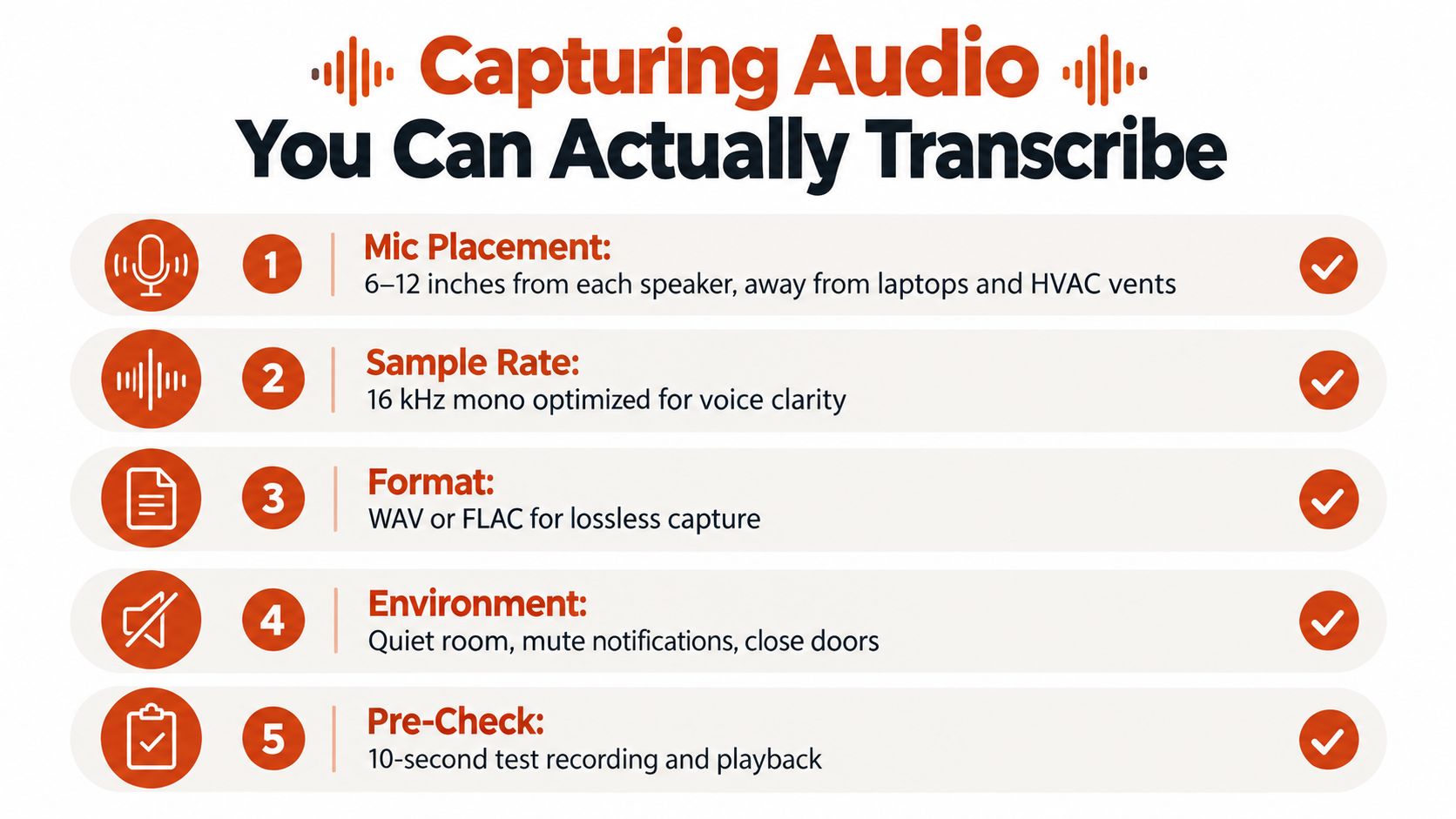
Use these settings unless you have a specific reason not to:
| Setting | Practical default | Why it works |
|---|---|---|
| Mic distance | 6 to 12 inches from each speaker | Close enough for voice, far enough to avoid plosives |
| Sample rate | 16 kHz mono | Speech doesn't need music-grade fidelity |
| Bit depth | 16-bit | Stable, widely supported, enough for spoken audio |
| File format | WAV or FLAC | Lossless capture makes cleanup easier |
| Track layout | Separate track per speaker if available | Overlap is easier to untangle later |
Laptop or phone mics are fine for one-on-ones in a quiet room. They're not fine for a six-person handoff with crosstalk and HVAC noise. That's when a USB boundary mic or a multi-channel recorder starts earning its keep.
When separate tracks matter
Overlapping voices are still one of the hardest parts of meeting transcription. In multi-speaker benchmarks, cpWER is used because it scores transcript accuracy and speaker assignment together, and one industry benchmark discussion notes that systems need roughly 88%+ accuracy for readable transcripts and 92%+ for searchable archives. The same benchmark discussion also highlights that adding multimodal cues can reduce error, with character error rate falling from 36.60% to 20.27% in a real-world meeting benchmark after guided source separation, fine-tuning, and audio-visual fusion, as explained in AssemblyAI's discussion of speech-to-text accuracy.
That's the technical version of a simple rule. If two people talk at once, the transcript usually loses. Separate tracks don't solve everything, but they give cleanup a fighting chance.
Consent needs to be explicit
Read this at the top of the meeting:
We're recording this meeting for transcription and summary. The recording and notes will be used for follow-up, stored according to our retention policy, and shared only with the people who need access. If anyone wants to opt out or pause recording for a section, say so now.
Also use visible recording indicators on screen. Silent recording causes more trouble than any formatting mistake.
For noisy environments, the fastest fixes are usually boring:
- Mute notifications on every device in the room.
- Shut the door before the meeting starts.
- Move mics away from laptop fans and vents.
- Run a 10-second test and play it back before the first real agenda item.
- Apply cleanup upstream when needed, such as basic background noise reduction techniques.
Turning Raw Speech Into a Clean Transcript
The first draft transcript is not the transcript you send around. It's the substrate. You still need a cleanup pass, especially if the meeting included names, dates, medication terms, pricing, or interrupted speech.
Four cleanup jobs that matter
1. Remove filler without sterilizing the speaker
Before:
“Um, I think we should, like, hold the release, you know, until QA signs off.”
After:
“I think we should hold the release until QA signs off.”
You're not editing personality. You're removing verbal static.
2. Resolve self-corrections
Before:
“Let's do Tuesday. No, Wednesday. Yeah, Wednesday the 14th.”
After:
“Schedule for Wednesday the 14th.”
Self-corrections are common in live conversation and lethal in summaries if you leave both versions intact.
3. Standardize speaker tags
Don't alternate between “Sarah,” “S. Kim,” and “Product.” Pick one pattern and keep it throughout, such as Sarah Kim, Product.
4. Handle crosstalk deliberately
When two people overlap, keep the dominant speaker in the main line and bracket the interruption if it matters.
Example:
Marcus: We can ship the patch on Friday.
[Priya begins to object]
Priya: Friday only works if compliance signs off by noon.
That preserves chronology without pretending the audio was clean.
Where tools still fail
A long-running lesson from meeting transcription research is that correction workflows matter. Carnegie Mellon work on spontaneous meeting speech found that a two-stage corrective process using Amazon Mechanical Turk achieved a 15.1% disagreement rate, which the authors described as competitive with previously reported disagreement levels of 6% to 12% in the literature, as summarized in SpeakWise's review of meeting transcription statistics. The takeaway still holds. Single-pass output isn't enough for messy speech.
The segments I always review manually are:
- Proper nouns such as customer names, clinicians, vendors, and internal project codes
- Medication names and treatment terms
- Dollar figures and pricing language
- Quoted language that may be forwarded externally
Practical rule: If a segment could create legal, financial, or clinical risk when misheard, a person should review it before anyone treats it as final.
A quick cleanup checklist
Use a short pass, not a perfectionist pass:
- Fix speaker labels
- Resolve date and number conflicts
- Remove obvious filler
- Mark low-confidence spans
- Correct names and domain terms
- Bracket meaningful overlap
- Flag anything that should not be summarized as fact
If you're refining transcript text inside an editor, this kind of transcription editing workflow is usually enough to turn rough output into something dependable.
From Transcript to Summary People Will Actually Read
Most transcripts fail for the same reason most meeting minutes fail. They preserve sequence, not meaning. Readers don't want to relive the conversation. They want the shape of it.
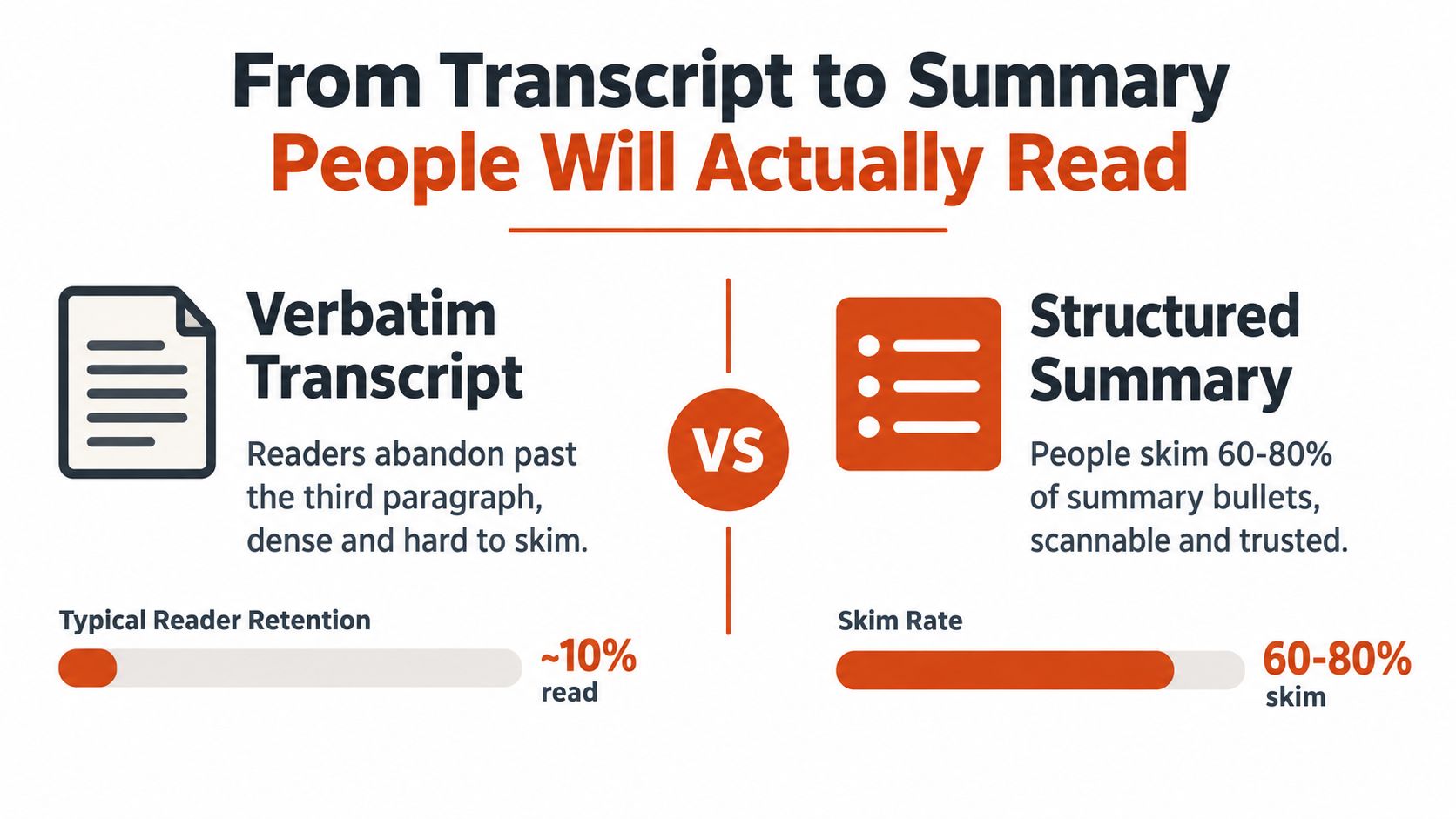
A lot of current coverage now treats a structured summary with decisions, owners, open questions, and follow-ups as the product, not a raw transcript. Independent testing also shows why buyers still hesitate to trust that output in practice: one university review found Zoom AI Companion transcription accuracy at 85% versus 48% without it, and third-party tools ranged from 75% to 96% depending on the app and input quality, according to Laxis coverage on the state of meeting note taking. That gap is exactly why transcript quality and summary quality can't be treated as the same thing.
Why summaries need structure
A strong summary does four jobs:
- Groups by topic, not by speaking order
- Separates agreement from debate
- Preserves contradictions, instead of smoothing them away
- Drops social filler that adds no follow-up value
Here's a prompt format that works better than “summarize this meeting”:
You are summarizing a cleaned meeting transcript for operational follow-up. Group content by topic, not chronology. Separate confirmed decisions from discussion. List named owners only when the transcript supports them. Include open questions, risks, and next steps. Exclude filler, greetings, repeated phrasing, and side chatter. If a fact is ambiguous, mark it as unresolved instead of guessing.
That last sentence matters. A lot of summary failures are really confidence failures.
Evaluation is still awkward
Meeting summaries are also harder to score than people admit. An ACL study found that ROUGE showed rather low correlation with human evaluation for extractive meeting summaries, though correlation improved when disfluencies and speaker information were modeled explicitly. The same paper also notes that transcript structure and redundancy handling affect quality materially, as discussed in the ACL workshop paper on meeting summarization evaluation.
So if a vendor claims the summary is “accurate” without explaining how it handles multi-party mess, be skeptical.
A quick visual walkthrough helps if your team is deciding how much condensation is acceptable:
What to watch for
The summary pass tends to break in three places:
- Invented attendees
- Flattened technical nuance
- Confident wording around uncertain numbers
If the transcript said “we may shift rollout after infra review,” the summary should not say “rollout postponed.”
Extracting Decisions, Owners, and Action Items
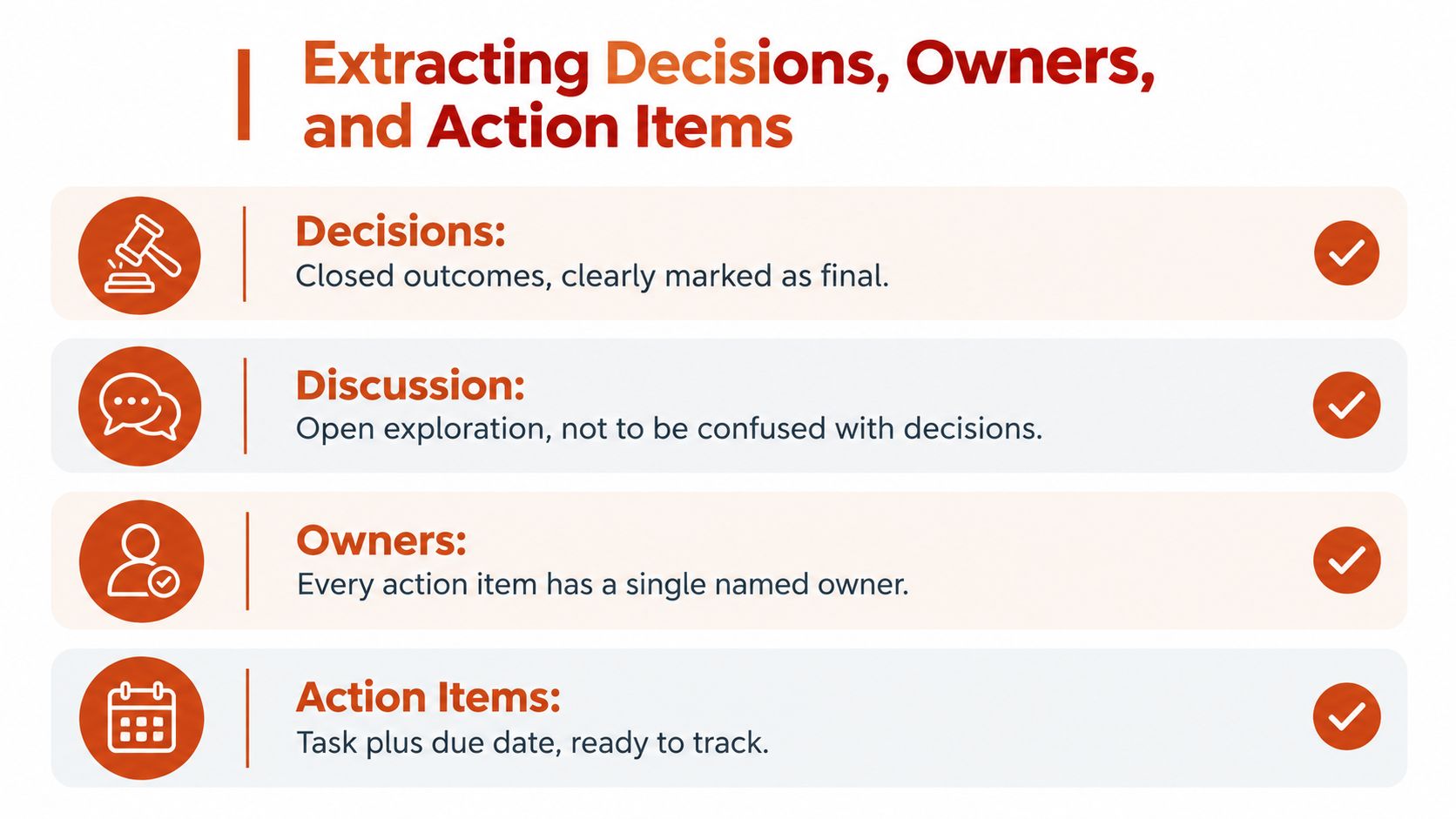
This is the step that gets skipped, then wonder why nothing moves after the meeting. Discussion and decisions look almost identical in transcript form. Operationally, they're opposites.
Convert vague language into trackable records
Transcript line:
“I think we should probably move that to next sprint, maybe Lena?”
That is not yet an action item. It's a proposal with weak ownership.
Usable record:
- Decision Defer feature X to next sprint
- Owner Lena
- Deadline Confirm at sprint planning next Tuesday
- Dependency Product lead approval still required if roadmap changes before planning
The extraction pass should force that distinction.
A reusable prompt
Use this against the cleaned transcript:
Extract only items that the meeting clearly supports. Create four sections: Decisions, Action Items, Open Questions, and Risks. For each decision, include rationale if stated. For each action item, include one named owner, due date if stated, and dependencies if mentioned. Do not convert tentative language into commitments. If ownership or timing is unclear, place the item under Open Questions instead.
That one rule, “do not convert tentative language into commitments,” prevents a lot of cleanup later.
Weak verbs are warning signs. “Maybe,” “probably,” “we could,” and “I think” belong in review, not in your task tracker.
Use the same schema every time
Your fields should stay identical across stand-ups, client reviews, and handoffs:
| Field | What goes in it |
|---|---|
| Decision | Final outcome approved in meeting |
| Rationale | Why that decision was made |
| Owner | One accountable person |
| Deadline | Date or event trigger |
| Dependency | Blocker or prerequisite |
| Source note | Optional transcript line for audit trail |
That consistency is what lets a spreadsheet, Notion database, or project tool ingest the output without hand reformatting.
If you want a downstream system to stay clean, your meeting notes need the same discipline as your ticket schema. This kind of action item tracking setup works because the meeting record stops being prose and starts being structured data.
Privacy, Consent, and HIPAA-Ready Settings
Feature comparisons are easy. Architecture choices are what decide whether a tool is usable.
A cloud service can produce a beautiful summary and still be disqualified for therapy intake, clinical handoff, HR investigation, or legal strategy because the wrong data left the wrong boundary. Teams often evaluate note-taking tools as if storage, model training, jurisdiction, and retention are secondary details. They aren't.
Choose the architecture first
Recent legal and compliance coverage points out the issues many product pages skip: AI meeting tools may store data in the cloud, process it outside regional jurisdictions, and lack controls such as mandatory recording alerts or redactable output. It also notes that users need clarity on where audio, transcripts, and summaries are stored, whether content trains models, how long it is retained, and which sub-processors are involved, as discussed in Sky-Scribe's privacy and compliance analysis for AI meeting note takers.
That means the first question isn't “Which summary is nicest?” It's “Where does the audio go?”
Architecture trade-offs for meeting transcription
| Architecture | Accuracy on poor audio | HIPAA-ready | Latency | Typical cost |
|---|---|---|---|---|
| Local-only | Usually lower when audio is messy or speakers overlap | Often the safest fit when configured correctly | Low | Device and setup cost, lower ongoing service spend |
| Cloud | Often stronger on diarization and cleanup | Possible only if the vendor supports the right agreements and controls | Moderate | Ongoing subscription or usage cost |
| Hybrid | Often a practical middle ground | Can work well if sensitive audio stays local and only reduced data leaves the device | Moderate | Mixed cost profile |
The settings that matter
For regulated work, I look for these controls before I care about interface polish:
- Encryption at rest
- Audit logs
- Retention controls, such as a default deletion window your team can enforce
- Access controls by role
- Recording alerts visible to participants
- Clear contract terms around model training and sub-processors
A BAA and SOC 2 are not the same thing. One addresses contractual responsibilities around protected health information. The other is a broader security control framework. You may need both, but they solve different problems.
Use a plain consent script:
We're recording for transcription and summary. The file will be stored for a limited period, accessible only to approved staff, and handled under our privacy policy. If you prefer, we can pause recording or switch to manual notes for part of this conversation.
For practical deployment, I'd keep regulated content local or inside a BAA-covered cloud workflow. For general internal meetings, hosted models are often fine if retention and access are locked down. One option in this category is AIDictation, which offers local processing on Apple Silicon and a cloud mode for cleanup, so the choice can match the sensitivity of the meeting rather than forcing one architecture on every workflow.
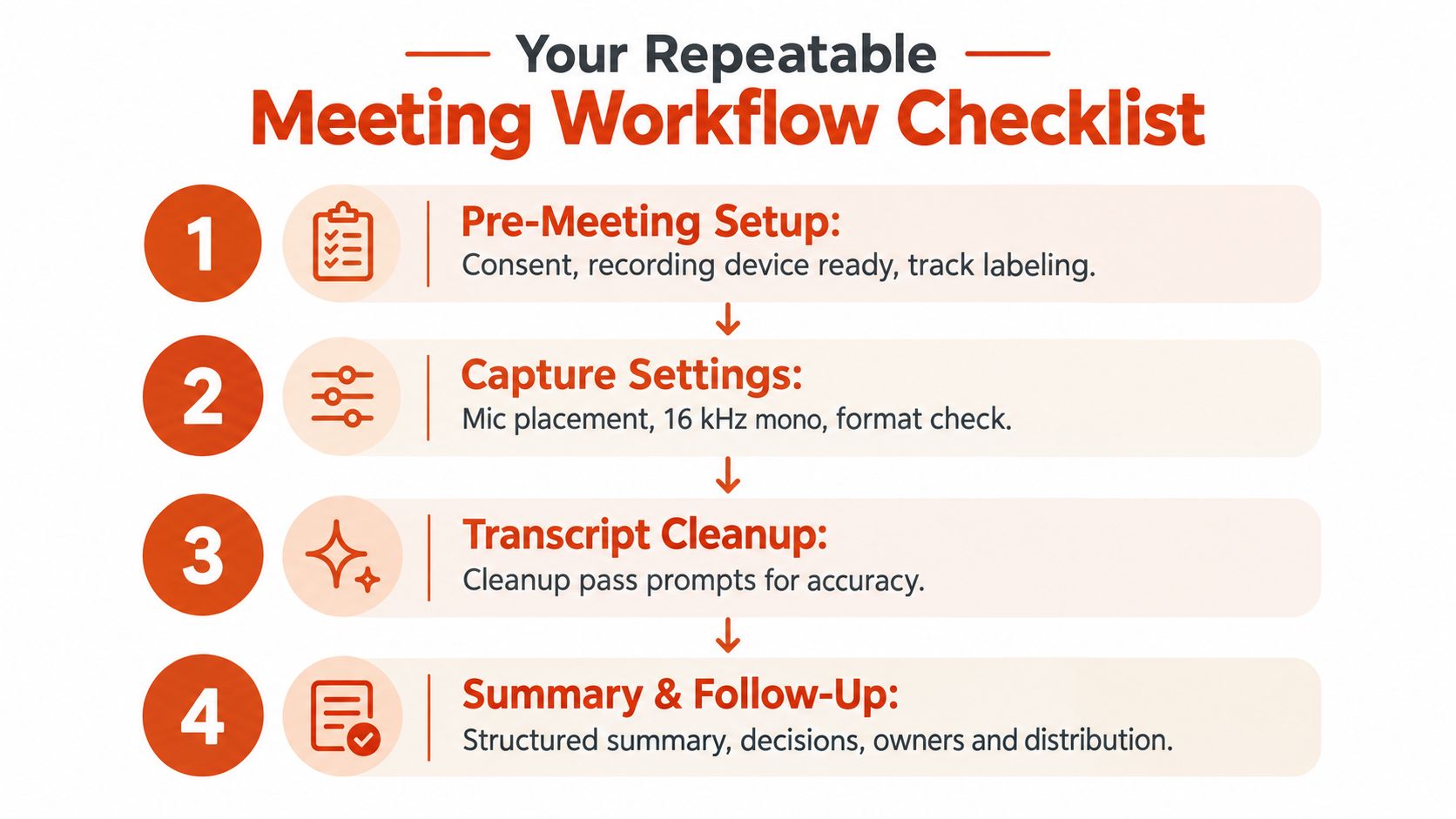
Your Repeatable Meeting Workflow Checklist
A repeatable workflow beats a smart tool with messy habits. Teams don't need more recordings. They need a playbook that survives late joiners, missed deadlines, and awkward meetings that end without a clean decision.
Before the meeting
- Confirm consent and use an on-screen recording indicator.
- Choose the capture path based on sensitivity. Local-only, cloud, or hybrid.
- Label tracks and attendees before people start talking.
- Load key vocabulary such as names, medications, account terms, or product codenames.
During the meeting
- Watch the audio, not just the agenda. If someone sounds distant, fix it early.
- Mark decision moments live when possible. A quick timestamp saves cleanup later.
- Pause recording when the room shifts into content that shouldn't be retained.
After the meeting
Use the pipeline in order:
- Clean the transcript
- Generate a topic-based summary
- Extract decisions, owners, deadlines, and open questions
- Review risk-heavy segments by hand
- Send the summary where work already happens
A summary sent to email but not to the tracker usually dies in email.
Keep one version of the truth. The meeting record should feed the system your team already checks, not create a new place to forget things.
Edge cases that come up constantly
Late joiner
Add a note in the summary that the attendee joined after opening discussion. Don't imply they approved earlier decisions.
No decisions made
That's still a valid outcome. Record unresolved questions, blockers, and what must happen before a decision can be made.
One-on-ones and async stand-ups
The workflow still works. Just shorten the output. One-on-ones need themes, commitments, and concerns. Async stand-ups need blockers, dependencies, and owner-confirmed next steps.
If you're building lightweight team habits around AI without making the workflow feel heavy, some family-friendly AI articles are a decent reminder that simpler interfaces often get adopted more consistently than feature-rich ones.
AIDictation is built for exactly this handoff between raw speech and usable writing. If you need meeting transcription and summary that can stay local for sensitive conversations or switch to cloud cleanup when you need polished output, visit AIDictation and test the workflow against your next real meeting, not a perfect demo call.
Frequently Asked Questions
What does Meeting Transcription and Summary Workflow That Works cover?
Thursday's client review ends at 4:58. Someone floated a pricing concession, someone else said scope had to tighten first, and the account lead closed with “let's take that offline.” By Monday, there are three Slack threads, two follow-up emails, and no clean answer to a basic question: what did we agree to?
Who should read Meeting Transcription and Summary Workflow That Works?
Meeting Transcription and Summary Workflow That Works is most useful for readers who want clear, practical guidance and a faster path to the main takeaways without guessing what matters most.
What are the main takeaways from Meeting Transcription and Summary Workflow That Works?
Key topics include Table of Contents, The Meeting You Wish You Had Notes From, What breaks after the meeting.
Ready to try AI Dictation?
Experience fast voice-to-text on your device. Free to download.
Download FreeRelated Posts
Meeting Recording and Transcription Guide
Master meeting recording and transcription with a step-by-step workflow, accuracy benchmarks, HIPAA and consent rules, and the best tools for clean transcripts.
10 Meeting Transcript Template Resources
Compare 10 meeting transcript template resources for minutes, interviews, summaries, and action items, with practical guidance on choosing the right format.
10 Team Collaboration Tools for Every Workflow
Compare 10 team collaboration tools by team size, workflow, integrations, security, pricing, and use case—including AIDictation for meeting notes.