Meeting Notes Transcription App: What to Look for in 2026
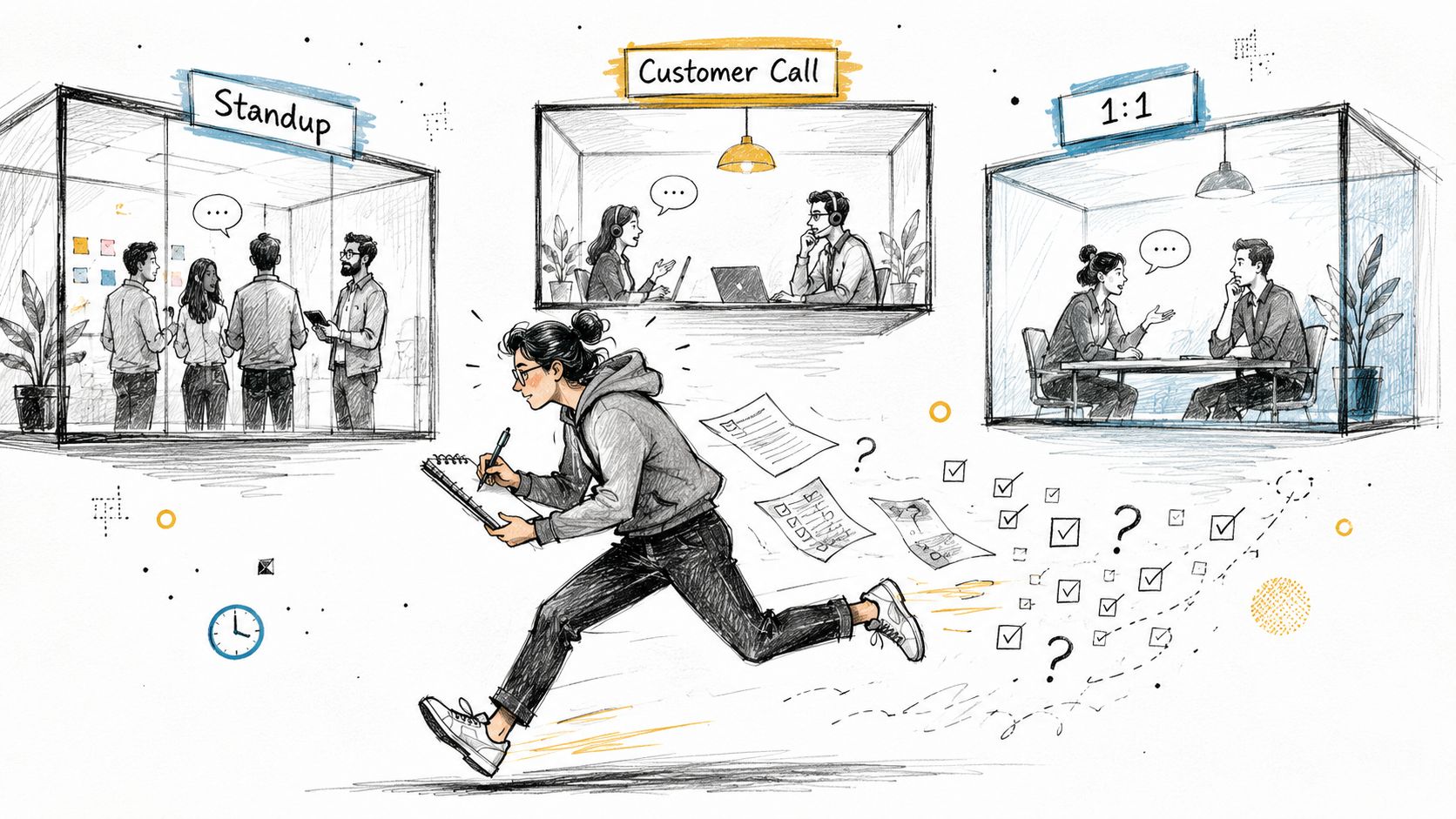
A product lead finishes a standup, joins a customer call, and rushes into a one-to-one before lunch. Notes sit in three different documents, half the decisions live in memory, and an important follow-up disappears before the next morning. The problem isn't that the lead failed to listen. The problem is that listening, typing, organizing, and assigning work are competing for the same attention.
A meeting notes transcription app can remove much of that friction. It captures the conversation, turns speech into text, and helps shape the result into a usable record. But raw transcription isn't the finish line. The useful output is a clean, shareable note with decisions, owners, open questions, and next steps.
The category has moved well beyond basic dictation. One widely cited estimate places the AI meeting transcription market at $3.86 billion in 2025, with a projection of $29.45 billion by 2034 and a projected 25.62% CAGR, as reported in this meeting transcription adoption overview. That growth makes the buying decision more important, not less. You need to decide how much you value accuracy versus speed, cloud convenience versus on-device privacy, and a long transcript versus a polished document.
The right lens is simple: evaluate accuracy, privacy, cleanup, and integrations. Those four pillars determine whether an app becomes part of your working day or another forgotten subscription.
Table of Contents
- The Daily Meeting Pile-Up and Why Transcription Helps
- How a Meeting Notes Transcription App Works
- Key Features Worth Evaluating Before You Choose
- The Privacy and Workflow Trade-Offs Most Buyers Miss
- Real Use Cases Across PMs, Developers, and Healthcare
- Why AIDictation Fits These Scenarios
- Choosing the Right Meeting Notes Transcription App for You
The Daily Meeting Pile-Up and Why Transcription Helps

Most professionals don't need another place to store words. They need a reliable way to remember what happened and act on it.
A useful meeting notes transcription app handles the first draft while you stay present. It captures the discussion, identifies the main subjects, and creates a document you can review instead of reconstructing the conversation from scattered fragments. That shift matters during discovery calls, planning sessions, interviews, lectures, and internal reviews, where typing every sentence can make you miss the sentence that changes the project.
The real benefit comes after the meeting
A transcript gives you searchable coverage. A meeting note gives you a working artifact. The difference is whether the app can separate a decision from a suggestion, identify an assigned task, and preserve enough context for someone who wasn't in the room.
That post-meeting layer is still an underserved part of the category. Recent coverage highlights that many tools struggle to extract action items, decisions, owners, and structure, while a meeting notes analysis from Tinrec argues that the clearest note is more valuable than the longest transcript. That's the standard I recommend: judge the app by how much follow-up work remains, not by how impressive the raw text looks.
Practical rule: If you still need to reread the entire transcript to find the decision, the app hasn't solved the meeting-notes problem.
Four questions should guide your choice
- Can it handle your audio? Accents, interruptions, jargon, poor microphones, and overlapping speakers expose weaknesses that polished product demos hide.
- Where does the audio go? Cloud processing is convenient, but on-device processing gives you more control over sensitive conversations.
- Does the output need editing? Speaker labels, headings, summaries, decisions, and action items often matter more than correcting an occasional minor word error.
- Does it fit your existing stack? Notes should move into the documents, task trackers, and communication tools your team already opens.
A good app reduces the distance between conversation and action. Everything else is supporting machinery.
How a Meeting Notes Transcription App Works
A meeting notes transcription app turns a live conversation into a document through several connected stages. The quality of the final note depends on each stage, not only on word recognition.
The microphone is the stove. It supplies the raw ingredient, the meeting audio. The app may capture your microphone, system audio, an uploaded file, or several sources together. Muffled sound, distortion, and competing voices limit every later step.
The speech-to-text engine is the sous chef. It converts the audio stream into words while separating speakers, recognizing accents, handling background noise, and interpreting informal corrections. Meetings are harder than clean dictation because participants interrupt, change direction, and speak over one another. NIST's Rich Transcription Evaluation program and RT-05F meeting-domain evaluation illustrates why multi-speaker meeting transcription became its own technical problem.
From transcript to useful document
A second AI layer acts as the head chef. It reads the transcript and applies structure, including headings, bullet points, topic summaries, decisions, risks, and action items. A faithful word-for-word record still leaves you sorting through the same follow-up work unless the app surfaces that structure on its own.
That post-meeting layer is the feature to judge. Clean, shareable notes with visible decisions and assigned actions create more value than an impressive block of raw text.
The final stage is the plating layer, or integrations. It sends the finished note to Notion, Slack, Google Docs, Jira, or a local Markdown file. Export matters because a note trapped inside the app becomes another silo.

Cloud and local workflows are different recipes
Cloud apps send audio to remote infrastructure for transcription and summarization. They can support heavier models and convenient collaboration, while raising questions about storage, retention, access, and model processing.
Local apps run recognition on your computer. Audio remains on the device unless you choose to sync it or add a cloud enhancement step. Teams handling confidential information should also understand secure AI browsing for sensitive tasks when setting broader AI privacy rules.
AIDictation is relevant for users who want on-device control, while cloud tools suit teams that prioritize collaboration and integrations. For a practical overview of meeting-focused workflows, see AI transcription for meetings. Recording captures the raw ingredient, transcription creates the words, cleanup creates the meal, and integrations deliver it where work continues.
Key Features Worth Evaluating Before You Choose
Evaluating a transcription app requires four practical tests: real-world accuracy, privacy architecture, note cleanup, and workflow integration. Run each test against the meetings your team regularly holds, not a polished vendor demo.
Accuracy has to survive real conversation
Vendor benchmarks provide orientation, but they are not your test. Use recordings with your team's accents, product names, abbreviations, interruptions, and background sounds. A system that handles one clear speaker may struggle with crosstalk or a sentence corrected halfway through.
Editing speed often matters more than a small difference in raw recognition quality. Look for search, timestamps, speaker labels, and keyboard-friendly corrections. These features determine whether a transcript becomes usable notes or another document someone must repair manually.
Privacy is an architecture decision
Ask whether processing happens on-device, in the cloud, or through a switchable combination. Check how the app handles audio, transcripts, backups, deletion, and account access. “Secure” is not enough. You need to know what leaves your machine and what remains stored.
Cloud suites generally provide convenience, collaboration, and broad integrations. Local-first tools, including AIDictation for users who want on-device control, can limit data transfers and give you tighter control over recordings. Choose based on the information in your meetings and the collaboration features your workflow requires.
Cleanup determines the return
A transcript is only the raw material. The app should help create a finished, shareable note with clear follow-up.
- Speaker separation: Identify who made a decision or accepted an assignment.
- Structured summaries: Give topics, decisions, risks, and unresolved questions clear places.
- Action extraction: Make owners and next steps stand out from discussion.
- Editable output: Correct, shorten, rearrange, and export without fighting the interface.
These features matter because the value appears after the call. A slightly less accurate transcript with clear decisions and assigned actions can be more useful than a word-perfect transcript that no one wants to read.
Integrations prevent another silo
An app that exports clean Markdown may suit a developer. A product team may need Notion or Jira, while a customer-facing group may prefer a shareable document or a Slack message. Test the entire path from recording to destination. Check formatting, links, timestamps, and whether action items remain usable after export.
| Pillar | What to Look For | Typical Trade-Off |
|---|---|---|
| Accuracy | Performance on accents, jargon, crosstalk, and imperfect audio | Faster or cheaper processing often sacrifices reliability in difficult audio, while local processing typically reduces collaboration features |
| Privacy | On-device options, clear retention rules, deletion controls, and transparent access policies | Tighter data control can limit integrations or require compatible hardware |
| Cleanup | Speaker labels, summaries, decisions, action items, and easy editing | More automation requires careful review when context is sensitive |
| Integrations | Direct export to your documents, messaging tools, and task systems | Broad integrations can increase setup complexity and data-sharing paths |
Choose the app that leaves the least administrative work after the meeting. Excellent transcription with poor cleanup or export still creates another task.
The Privacy and Workflow Trade-Offs Most Buyers Miss
A transcript can be accurate and still create risk. Before choosing a meeting notes transcription app, ask what happens to the audio after the call, especially for confidential HR conversations, legal discussions, or clinical encounters.
Local capture does not guarantee local processing. A desktop app may record on your computer while sending the audio to a cloud transcription provider. Check the architecture documentation, storage settings, and deletion controls instead of trusting labels in the interface.
Four decisions deserve scrutiny
Processing location affects both privacy and everyday use. Keeping recognition on your machine reduces data movement and supports offline work. Cloud services can make shared review, centralized administration, and automatic summaries easier, but your provider then controls more of the processing and retention environment. Choose on-device control when the meeting content is sensitive and collaboration needs are limited.
Retention windows determine how long a recording remains exposed. Ask whether the service stores raw audio, how long it keeps transcripts, and whether administrators or support staff can access either one. A workflow that lets you edit notes, delete the recording, and retain only the decisions gives you a cleaner post-meeting record.
Training-data controls should be clear before deployment. Confirm whether your content may improve the provider's models and whether your organization can opt out. Do not accept a vague promise when meeting notes contain customer, employee, or patient information.
Bot participation changes consent and meeting etiquette. Calendar-connected bots make capture convenient, but participants can see them join and may need to approve the recording. Desktop tools that capture microphone and system audio without adding a participant avoid that visible interruption, yet they still require transparent consent.

Platform fit creates hidden friction
Independent coverage points to recurring workflow gaps: poor support for existing audio files, no direct URL import, cross-platform limits, visible meeting bots, and unreliable mobile experiences. A review of Otter AI's limitations specifically flags its inability to import audio files directly and notes that Google Meet transcription is limited to computer, laptop, or Android devices.
Those constraints matter if you work from a Mac at your desk, a phone in the field, and uploaded interviews from earlier in the week. Select an app that accepts the audio you already create, then produces notes you can share and act on without forcing every conversation into a calendar-connected video call.
Privacy choices shape workflow choices. Each upload, sync permission, retention rule, and bot invitation affects how comfortably the tool fits your work.
Real Use Cases Across PMs, Developers, and Healthcare
A meeting notes transcription app earns its place after the call, when someone needs a clean note, a verified decision, or an assigned next step. The same capture tool can serve different jobs, but each role needs a different output and privacy boundary.
Product managers need insight, not a call archive
A product manager leaves a discovery call with customer language, constraints, objections, decisions, and open questions. A useful app turns those points into a reviewable note, so the manager can move selected insights into a PRD and send agreed follow-ups to Notion or Jira.
Review still belongs to the manager. The transcript can locate a quote or commitment, but it cannot determine whether a customer stated a requirement, expressed a preference, or made a passing observation. A focused workflow for product managers using meeting transcription keeps that judgment easy by presenting usable notes instead of a long call archive.
Developers value searchable technical context
During sprint planning, a developer can turn the cleaned discussion into a Markdown specification. Speaker labels clarify task ownership, while timestamps let teammates find the supporting exchange for a pull request or design document.
Technical vocabulary sets the practical test. API names, repository terms, ticket identifiers, and internal project names need consistent recognition. A custom dictionary often matters more than a broad accuracy claim because it targets the words a team uses. The finished note should expose decisions, owners, and unresolved implementation questions, not merely preserve dialogue.

Healthcare requires a stricter boundary
A clinician dictating a SOAP-format encounter faces a different risk profile. Patient-specific information should not enter cloud storage just because a cloud summary is convenient. Local processing and offline operation therefore belong near the top of the selection checklist, subject to organizational policy and applicable compliance requirements.
The three workflows share a practical sequence:
- Capture accurately: Record enough conversation to support review.
- Edit deliberately: Correct names, dates, clinical details, technical terms, and commitments.
- Export cleanly: Put the final note where the next action already lives.
The priorities differ, but the useful standard stays consistent: produce notes that someone can verify, share, and act on. Raw accuracy matters only when it improves that post-meeting work.
Why AIDictation Fits These Scenarios
AIDictation fits this discussion because its modes map directly to the four selection pillars rather than treating every meeting as the same kind of data.
For recognition, it uses the Parakeet v3 engine in Local Mode on Apple Silicon. Its custom dictionary lets users define recurring names and technical terms, while context rules can adapt formatting for different applications. That matters for product names, API endpoints, patient identifiers, and other vocabulary that generic transcription often handles inconsistently.
One workflow can use two privacy modes
Local Mode keeps recognition on the Mac and works without an internet connection. That gives a clinician or legal professional a way to keep sensitive audio on-device. Cloud Mode can provide AI cleanup, context-aware formatting, filler-word removal, and handling for self-corrections when collaboration and polished output matter more than isolation.
Auto Mode chooses between available engines, which is useful for people whose meetings don't all carry the same sensitivity. A product discovery call may benefit from cloud cleanup and easy sharing. A confidential encounter may need the local path. The important point is that the user can make that trade-off deliberately instead of accepting one fixed architecture.
Output should be ready for the next step
AIDictation supports exports to Markdown, plain text, and formatted documents, reducing the reformatting step that often makes transcription feel like extra work. Its meeting recording and transcription workflow also supports uploaded audio or video, which broadens its use beyond live calendar events.
The product offers a free tier with 2,000 words per month and no account required, according to the publisher's product information. Pro options add broader access to cloud and local models, translation to English, and audio or video transcription. That makes a small pilot practical before you decide whether the app matches your meeting volume and privacy rules.
AIDictation isn't a substitute for reviewing consequential notes. You should still verify names, numbers, dates, owners, and sensitive statements before sharing. Its role is to make the first draft and cleanup faster while giving you a clearer choice between local control and cloud-assisted formatting.
Choosing the Right Meeting Notes Transcription App for You
Choose an app by the note it produces after the meeting, not by its transcript alone. Use these questions before committing.
Start with the capture problem
Need live captions while people speak, or a clean document after the call? Live captions favor immediacy. Post-meeting workflows favor structure, editing, decisions, and action items. If your team needs a reliable decision record, prioritize the finished note over a recording-centered feature list.
Set your privacy boundary
For sensitive meetings, on-device processing should be a requirement. Remove tools that send every recording to the cloud. If cloud processing fits your policy, check retention, deletion, training-data settings, and whether a bot joins the call.
Test your actual audio
Run a routine meeting through the app using your real microphone, industry vocabulary, accents, interruptions, and background noise. Review both the transcript and the finished note. The finished note matters more. If it cannot identify decisions and owners without heavy rewriting, impressive raw accuracy will not save time.
Follow the note into your stack
Check whether the output works in Notion, Google Docs, Slack, Jira, Markdown, or the system your team already uses. For broader comparisons, read this guide to the best meeting transcription software, then test the export yourself. Formatting often breaks during handoff, and that friction can erase the time transcription was meant to save.
Check the practical limits
Confirm that the free tier fits your regular use. Check support for uploaded recordings, desktop capture, mobile work, and offline sessions on the devices you use. A feature that does not fit your workflow has little practical value.
The right meeting notes transcription app is the one you open after the call because the result is ready to share. Pilot AIDictation if local processing, editable exports, and a no-account free tier matter, then judge it by the notes you can send with minimal editing.
AIDictation provides meeting recording and transcription with local and cloud processing, custom vocabulary, context-aware cleanup, and exports for follow-up work. Visit AIDictation and test it on a routine meeting before setting your long-term workflow.
Frequently Asked Questions
What does Meeting Notes Transcription App: What to Look for in 2026 cover?
A product lead finishes a standup, joins a customer call, and rushes into a one-to-one before lunch. Notes sit in three different documents, half the decisions live in memory, and an important follow-up disappears before the next morning.
Who should read Meeting Notes Transcription App: What to Look for in 2026?
Meeting Notes Transcription App: What to Look for in 2026 is most useful for readers who want clear, practical guidance and a faster path to the main takeaways without guessing what matters most.
What are the main takeaways from Meeting Notes Transcription App: What to Look for in 2026?
Key topics include Table of Contents, The Daily Meeting Pile-Up and Why Transcription Helps, The real benefit comes after the meeting.
Ready to try AI Dictation?
Experience fast voice-to-text on your device. Free to download.
Download FreeRelated Posts
Verbal Ink Transcription Workflows Today
Explore verbal ink transcription workflows, accuracy benchmarks, and how modern AI dictation tools compare to traditional human transcription services.
8 Best Bilingual Dictation Apps: 5 Tested + 3 Baselines
We tested five bilingual dictation apps on Russian-English code-switching, plus three common baselines. Compare WER, language recall, script, and workflow.
Audio & Video Transcription Powered by AI: A Practical Guide
Learn how audio & video transcription powered by AI works, what affects accuracy, and how to pick the right workflow for interviews, lectures, and meetings.