Best Meeting Transcription Software of 2026: A Full Guide
You’ve probably had this happen this week. A meeting ends, everyone leaves with confidence, and then the actual work starts: reconstructing decisions from half-finished notes, trying to remember who committed to what, and replaying parts of the call because one sentence changed the whole direction of the project.
That’s why the best meeting transcription software isn’t just a convenience tool anymore. It’s infrastructure for teams that live in Zoom, Google Meet, and Teams. Product managers need a clean decision trail. Developers need technical discussions captured without flattening jargon into nonsense. Healthcare teams need privacy, accuracy, and notes that don’t create extra risk.
Most buying guides stop at surface claims like “high accuracy” and “great summaries.” That’s not enough. The decision is more fundamental: where does your meeting data go, who controls it, and how much cleanup will your team still do afterward.
Table of Contents
- Why Manual Meeting Notes No Longer Work
- The Core Decision Cloud vs On-Device Transcription
- Top Meeting Transcription Software Compared
- Deep Dive AIDictation for macOS & Privacy Focus
- Best Picks for Your Specific Role
- How to Test and Choose Your Transcription Software
- Frequently Asked Questions
Why Manual Meeting Notes No Longer Work
A single person taking notes in a live meeting is always making trade-offs. They can listen closely, or they can write. They can capture exact wording, or they can keep up with the pace. They can mark action items, or they can notice the side comment that becomes the decision.

Manual notes break down fastest in the meetings that matter most. Product review calls involve changing priorities and small wording differences. Customer interviews include direct quotes that lose value when paraphrased. Technical discussions move so fast that the note-taker often records conclusions but misses the reasoning behind them.
What teams actually lose
The obvious loss is time. The less obvious loss is trust in the record. When the transcript of a meeting is incomplete, the team starts working from memory, and memory is bad at version control.
I’ve seen this most often in three patterns:
- Decision drift: The team agrees in the call, then re-argues it later because nobody has a reliable record.
- Action item confusion: Owners, due dates, and dependencies get inferred after the fact.
- Documentation debt: Someone has to turn rough notes into specs, tickets, or follow-up emails later.
Practical rule: If the transcript still needs a human cleanup pass every time, you haven’t removed the bottleneck. You’ve just moved it.
The five criteria that separate useful tools from noisy ones
The best meeting transcription software earns its place in a workflow by doing more than converting speech to text. These are the five criteria that matter in practice:
| Criteria | What to check |
|---|---|
| Accuracy and reliability | Does it hold up with accents, interruptions, jargon, and weak audio? |
| Privacy and security model | Is audio sent to a cloud service, processed locally, or handled in a hybrid flow? |
| Platform and integration support | Does it fit Zoom, Teams, Google Meet, Notion, CRM, or your documentation stack? |
| User experience | Can people start recording fast, search transcripts easily, and extract decisions without friction? |
| Total cost of ownership | What do you pay in subscription fees, admin time, cleanup work, and compliance risk? |
That framework matters because the category is growing fast. The AI meeting transcription market is projected to grow from $3.86 billion in 2026 to $29.45 billion by 2034 at a 25.62% CAGR, with automated services priced at $0.10 per minute compared with $1.50+ for human transcription, creating up to 70% cost reduction for high-volume users, according to meeting transcription adoption statistics from Sonix.
The Core Decision Cloud vs On-Device Transcription
The common practice is to compare features first. That’s backwards. The first question is where the audio gets processed.
Cloud transcription is the default because it’s easy. A bot joins the meeting, records everything, and sends the audio to remote servers for transcription, search, summaries, and sharing. For general business meetings, that model is convenient and often good enough. For healthcare, legal review, internal R&D, and sensitive customer conversations, it changes the risk profile immediately.
Why this choice matters more than most feature lists
A lot of tools market themselves as private because they use encryption, access controls, or bot-free capture. Those things matter, but they don’t change the core fact that cloud tools still move sensitive audio outside the device boundary.
That gap gets overlooked in most reviews. The privacy angle is underserved, and 70% to 80% of enterprise users cite data privacy as a top concern in G2 reviews, according to this analysis of meeting transcription software privacy concerns.
For security-conscious teams, there are really three operating models:
- Cloud-only: Best for convenience, collaboration, and cross-device access.
- On-device: Best when audio must stay local.
- Hybrid: Best when some meetings require privacy-first handling and others benefit from cloud cleanup or formatting.
What cloud gets right and where it falls short
Cloud systems usually win on collaboration. They handle browser access well, support shared workspaces, and often include stronger post-meeting features like summaries, topic tagging, and searchable libraries.
The downside is predictable. Sensitive calls leave your machine. That may be acceptable for a sales pipeline review. It may not be acceptable for clinical notes, unreleased product plans, or a code review involving proprietary architecture.
If your team has to ask “Can this recording leave the laptop?” before every call, cloud-only transcription is already the wrong default.
Where on-device transcription fits
Modern on-device engines have changed what’s practical, especially on Apple Silicon. Local processing is no longer just a fallback for offline dictation. It’s becoming a serious option for people who want low-latency capture and tighter data control.
That’s especially relevant if you’re evaluating tools alongside broader offline dictation software options for private workflows. On-device systems won’t always match the richest cloud collaboration stack, but they solve a different problem: keeping raw meeting data under your control.
The hybrid model is the most realistic answer for many teams
Pure local is appealing, but not every workflow needs absolute isolation. Some teams want local capture for the meeting itself, then cloud cleanup only when they choose it. That approach fits how many people work. Private first. Enhanced formatting second.
That’s the trade-off I’d use to narrow the field quickly. If privacy is a hard requirement, remove cloud-only tools early. If collaboration is the primary requirement, cloud remains the easiest path. If you need both, hybrid is where the most interesting product design is happening.
Top Meeting Transcription Software Compared
A transcript is only useful if it fits the work that follows. A sales manager needs searchable calls and coaching signals. A developer needs speaker-separated notes that do not mangle product names, APIs, and acronyms. A clinician or therapist may need the opposite of a cloud meeting bot. Fast local capture, tighter control of raw audio, and a clear boundary around where data is processed.
For broader market context, this guide to AI transcription platforms is useful if you want to compare meeting tools with general transcription products used for interviews, media, and uploaded audio.
Quick comparison table
| Tool | Best for | Notable strengths | Trade-offs | Privacy model |
|---|---|---|---|---|
| Otter.ai | Live meeting capture | Real-time transcription, speaker identification, collaboration | Fewer analytics and customization options than specialist platforms | Cloud |
| tl;dv | Multilingual meeting teams | Good language coverage, clips and highlights, easy sharing | Less suited to teams that want heavy coaching workflows | Cloud |
| Avoma | Sales, customer success, PM review | Topic segmentation, meeting summaries, coaching and engagement analysis | Overbuilt if you mainly need a transcript and search | Cloud |
| Fireflies.ai | Search, archives, and workflow automation | Wide integrations, meeting search, automations, analytics | Interface can feel busy, output often needs cleanup for polished docs | Cloud |
| AIDictation | macOS users who care about privacy and terminology control | Local and cloud modes, app-specific formatting, custom dictionary | Better for sensitive individual workflows than centralized team admin | Hybrid |
Otter.ai
Otter is still one of the easiest tools to roll out when the main goal is live visibility during the call. It handles real-time transcription well, labels speakers reasonably, and gives teams a shared place to review notes after the meeting.
I usually recommend Otter to teams that want a low-friction default for internal syncs, recruiting interviews, and general business meetings. I recommend it less often for regulated environments or engineering-heavy conversations where terminology accuracy and data handling rules matter more than convenience. Otter is a cloud service, so the privacy trade-off is straightforward.
tl;dv
tl;dv is a good fit for distributed teams that review a lot of recorded meetings and want to share short moments instead of full call replays. The product is especially practical for cross-functional work, where PMs, designers, and customer-facing teams all need clips, summaries, and searchable transcripts without a heavy setup burden.
Its strongest use case is operational review, not privacy-sensitive capture. If your team works across languages and spends a lot of time in Zoom or Google Meet, tl;dv is easy to adopt. If the first question from legal or security is where the audio goes, it drops down the list quickly.
Avoma
Avoma is built for teams that treat meetings as performance data. Sales leaders, customer success managers, and some product orgs get value from topic segmentation, coaching metrics, and conversation structure instead of a plain transcript.
That focus is useful, but it comes with weight. For a PM team running roadmap reviews or user interviews, Avoma can be excellent if someone will use the analytics. For a small engineering team that just wants accurate notes and action items, it can feel like buying a revenue tool for a documentation problem.
Fireflies.ai
Fireflies works best as a meeting archive plus automation layer. Teams use it to capture calls, search historical conversations, and push outputs into CRM systems, task tools, and internal workflows.
That makes it attractive for revenue operations and account management. It is less appealing if the transcript itself needs to be publication-ready, because the raw output often benefits from editing before it becomes a client summary, product spec, or formal note. Fireflies is also firmly cloud-based, which matters more than feature lists suggest for healthcare, legal, and security-conscious product teams.
AIDictation
AIDictation stands apart because the architecture matches a different set of constraints. It supports local on-device recognition as well as cloud processing, which gives macOS users more control over how sensitive meetings are handled. That is a meaningful difference for people discussing patient information, unreleased product plans, internal investigations, or code reviews that should not leave the machine by default.
It also addresses a problem that headline accuracy scores miss. Domain vocabulary. Developers need package names, internal tools, and shorthand to survive transcription. Healthcare users need specialty terms and formatting that do not create cleanup work later. Krisp's overview of meeting transcription points out how much manual correction can still be required in professional workflows, especially when terminology is specialized, in this discussion of context-aware transcription issues.
If you care about where the text ends up after capture, not just how it was transcribed, app-aware formatting matters too. Teams comparing tools for private note workflows should also look at voice typing apps that format output for the destination app.
Deep Dive AIDictation for macOS & Privacy Focus
A lot of transcription tools stop at “we captured the meeting.” That’s not the hard part anymore. The harder part is getting text you can effectively use in the app where the work happens, while still controlling where sensitive audio goes.
Why context handling matters more than headline accuracy
The common failure mode isn’t always that a tool misses every other sentence. More often, it produces a transcript that is technically close enough but still annoying to use. Product names come out wrong. Acronyms are inconsistent. Self-corrections stay in the text. A rough spoken thought gets dumped into Slack, Notion, or a ticket exactly as said instead of being cleaned for the destination.
That last mile matters a lot for teams writing in multiple contexts. A note for a doctor’s chart doesn’t need the same formatting as an internal engineering memo. A stakeholder update shouldn’t read like a raw transcript.
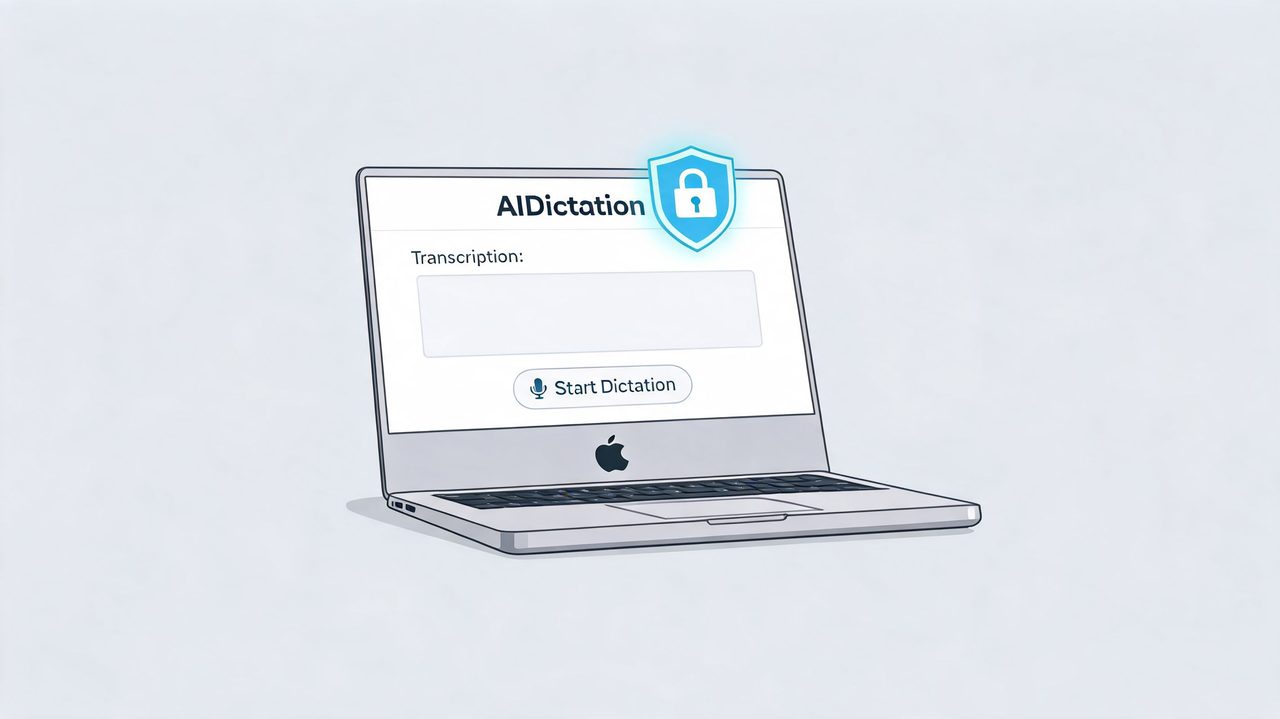
AIDictation addresses that through app-aware formatting rules and a custom dictionary, which is why it’s relevant for people comparing privacy-first tools against standard cloud note-takers. If you want to see the broader pattern of app-aware voice workflows, this look at a voice typing app that adapts to different writing contexts is useful background.
Raw transcription saves capture time. Context-aware cleanup saves publishing time.
How the hybrid workflow helps on macOS
For macOS users, the practical appeal is the mode switching. Local Mode keeps recognition on-device for private work. Cloud Mode adds stronger cleanup, formatting, and refinement when that trade-off is acceptable. Auto Mode chooses between them based on the situation.
That architecture suits a very specific but common reality:
- Private meeting notes: Keep the initial recognition local.
- Technical documentation: Use a custom dictionary so names, libraries, and internal terms survive the meeting.
- Polished follow-ups: Apply cloud cleanup only when you want email-ready or document-ready output.
The value isn’t just privacy. It’s also reducing the invisible editing layer that many still accept as normal. For a product manager moving from call notes to a spec, or a developer moving from design review to implementation notes, that matters more than another generic summary tab.
Best Picks for Your Specific Role
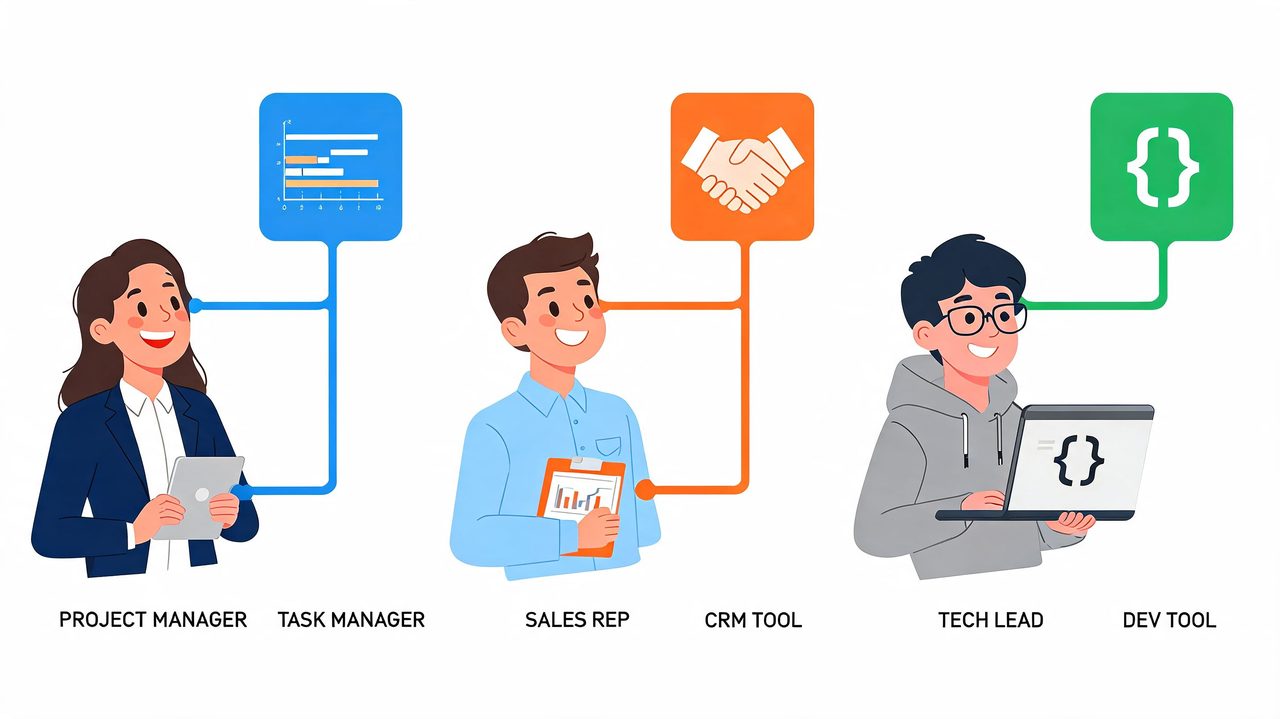
A sales recap can tolerate a missed filler word. A clinical note or architecture review cannot. Role matters more than vendor marketing.
Product managers
Product managers need more than a searchable transcript. They need a clean path from conversation to decision log, action items, and a draft update they can send without another 20 minutes of cleanup.
Best fit: Avoma for PM teams that want meeting intelligence layered on top of transcription. It works well for customer interviews, roadmap reviews, and stakeholder calls where talk-time patterns, objection themes, and follow-up prompts are useful.
Best fit: tl;dv for teams running multilingual calls or async collaboration across regions. As noted earlier, it performs well in multilingual meeting scenarios. The trade-off is familiar with cloud-first tools. Fast collaboration and shared summaries are easy, but sensitive product discussions live on someone else’s infrastructure.
PMs handling roadmap, pricing, or partnership conversations should treat privacy settings as a product requirement, not an admin detail. A broader guide to transcription software for different workflows is useful if your team is balancing summary quality against data control.
Healthcare professionals
Healthcare teams should start with data handling, then evaluate transcription quality. If audio or notes contain protected health information, cloud convenience can become a compliance problem quickly.
Best fit: hybrid or on-device tools for clinicians, scribes, and administrative staff who need tighter control over where speech is processed. Local capture reduces exposure. Hybrid workflows can still help when a team wants optional cleanup or formatting after sensitive details are removed.
Audio quality also matters more than many teams expect. Before blaming the engine, fix the input. A quick guide to increase microphone levels can improve quiet exam-room recordings or uneven telehealth audio enough to change the result.
If I were choosing for a healthcare environment, I would rank deployment model, retention controls, and export behavior ahead of flashy summaries.
Software developers
Developers stress-test transcription tools fast. They switch speakers abruptly, refer to services by nickname, drop ticket IDs mid-sentence, and expect the transcript to survive acronyms, package names, and half-finished thoughts.
Best fit: privacy-aware tools with custom vocabulary support for teams discussing proprietary systems, incident reviews, or security work. AIDictation is relevant here because custom dictionaries and local processing options reduce the usual cleanup penalty on technical notes. That matters if the actual output is a Jira ticket, a design doc, or implementation notes, not a generic meeting recap.
A cloud tool can still make sense for lower-risk standups and planning calls where speed matters more than data control. SpeakNotes is a reasonable example of that trade-off. Fast processing is useful, but developers usually care more about whether the transcript preserves technical language and speaker intent.
The right tool for engineers preserves terminology, handles messy back-and-forth, and fits the team’s privacy threshold.
How to Test and Choose Your Transcription Software
A weak trial usually looks the same. Someone uploads one clean staff meeting, sees a readable transcript, and signs off. Two weeks later the tool hits a customer call with crosstalk, a quiet participant, and product shorthand. Now the transcript needs heavy cleanup, the summary misses decisions, and the team is back to taking manual notes.
Test the tool against the meetings that create work for your team.
Build a realistic test set
Use recordings from the situations that matter most. For a product team, that might mean sprint planning, incident review, and customer feedback calls. For a clinic, it may be intake conversations, telehealth follow-ups, and internal handoffs. The point is simple: if the trial audio is cleaner than your real meetings, the result will be misleading.
Include these conditions in the sample set:
- Jargon and proper nouns: product names, acronyms, ticket IDs, clinician terminology, and client-specific language
- Messy speech: interruptions, self-corrections, half-finished sentences, and speakers who restart mid-thought
- Uneven audio: quiet voices, distance from the mic, or laptop audio from a conference room. If that is common in your environment, fix the recording setup first. This guide on how to increase microphone levels helps before you blame the transcription engine.
- Different risk levels: test one low-sensitivity meeting and one confidential meeting so you can judge whether the same processing model fits both
That last point gets skipped too often. A cloud-only service may be fine for general planning calls. It may be the wrong choice for healthcare discussions, security reviews, or unreleased product work.
Score the output like an operator
“Looks accurate” is not a useful buying standard. Measure what happens after the transcript lands in the workflow.
A practical trial checklist:
- Read the raw transcript first. Check speaker labels, names, acronyms, and whether key terms survived without manual correction.
- Time the cleanup. Turn the transcript into the output your team needs, such as follow-up notes, a Jira ticket, a CRM update, or clinical documentation.
- Review the features your role will use. Avoma’s talk-to-listen ratios help sales coaching. Fireflies’ sentiment layer can help with call review. Otter’s live speaker labeling is useful in fast internal meetings. Ignore anything your team will never open twice.
- Test the export path. Push the output into Notion, Slack, Google Docs, your CRM, or your EHR workflow and look for formatting breaks or lost speaker context.
- Run a privacy check. Ask where audio is processed, how long it is retained, whether deletion is controllable, and whether local or hybrid options exist for sensitive meetings.
Making informed buying decisions depends on these factors. Cloud tools usually win on convenience, collaboration, and quick summaries. On-device or hybrid tools often win on data control, which matters more than a polished recap if the meeting includes protected health information, legal exposure, or confidential roadmap detail.
If you want a broader framework for comparing deployment models, workflow fit, and retention controls, this overview of transcription software buying criteria is a useful companion.
Frequently Asked Questions
Can meeting transcription tools identify different speakers accurately
Many of them can, but performance changes a lot with overlap, mic quality, and meeting structure. Tools such as Otter, Avoma, Fireflies, and tl;dv all support speaker identification in some form. In practice, speaker labeling is usually strong in orderly meetings and weaker in fast debates.
Are cloud-based meeting transcription tools secure enough
Sometimes yes, sometimes no. The core issue isn’t whether a vendor claims security features. It’s whether your organization is comfortable sending sensitive audio to a third-party cloud at all. For general business meetings, that may be fine. For healthcare, legal, and confidential product work, on-device or hybrid handling is often the safer posture.
How accurate are these tools for accents and multilingual meetings
Accuracy varies widely. Some products are clearly stronger than others in multilingual settings, which is why benchmark-backed performance matters more than vague marketing copy. If your team works globally, also review broader solutions for global communication so transcription decisions aren’t made in isolation from language support needs.
What’s the biggest mistake teams make when choosing software
They buy for summaries instead of workflow fit. A sharp summary can hide weak raw transcription, poor technical term handling, or a privacy model that doesn’t match the meeting type. The better approach is to test your hardest real meeting, not your easiest one.
If you want a macOS-first option that can handle meeting transcription while giving you control over local versus cloud processing, AIDictation is worth a look. It fits teams and individuals who need clean output, app-aware formatting, and a more deliberate privacy model than standard cloud-only meeting bots.
Frequently Asked Questions
What does Best Meeting Transcription Software of 2026: A Full Guide cover?
You’ve probably had this happen this week. A meeting ends, everyone leaves with confidence, and then the actual work starts: reconstructing decisions from half-finished notes, trying to remember who committed to what, and replaying parts of the call because one sentence changed the whole direction of the project.
Who should read Best Meeting Transcription Software of 2026: A Full Guide?
Best Meeting Transcription Software of 2026: A Full Guide is most useful for readers who want clear, practical guidance and a faster path to the main takeaways without guessing what matters most.
What are the main takeaways from Best Meeting Transcription Software of 2026: A Full Guide?
Key topics include Table of Contents, Why Manual Meeting Notes No Longer Work, What teams actually lose.
Ready to try AI Dictation?
Experience fast voice-to-text on your device. Free to download.
Download FreeRelated Posts
How to Take Better Lecture Notes with Voice Dictation
Learn how to capture, clean, and study lecture notes faster using AI voice dictation. Practical workflow tips for students, researchers, and journalists.
Meeting Notes Transcription App: What to Look for in 2026
Find the best meeting notes transcription app in 2026. Learn key features, privacy trade-offs, real use cases, and why AIDictation stands out.
AI Transcription for Meetings: A Practical Guide
Discover how AI transcription for meetings works, from on-device to cloud models. Learn accuracy, privacy tradeoffs, and best practices for adoption.