Choosing a Meeting Note Taking App: A 2026 Guide
Monday's strategy call ends. By Tuesday afternoon, someone remembers a commitment differently. By Wednesday, the action items are buried in Slack, a partial transcript, and a notebook page you can't find. That's the actual cost of bad meeting notes. It isn't just messy documentation. It's rework, missed follow-ups, and people leaving the meeting with different versions of the truth.
A good meeting note taking app fixes that, but only if it fits the way you work. Plenty of tools promise automatic notes, summaries, and searchable transcripts. Some deliver. Others create new problems, especially when they add a bot to every call, store sensitive conversations in the cloud by default, or fail completely once the conversation moves to a conference room or hallway.
That's why this category matters right now. The global note-taking app market is projected at USD 1.45 billion in 2026 and expected to reach USD 8.89 billion by 2035, while knowledge workers spend about 8.2 hours per week on note-taking activities alone, according to Business Research Insights on the note-taking app market. Teams aren't adopting these tools as a novelty. They're trying to claw back time and reduce information loss.
Table of Contents
- Introduction Beyond Scribbles and Scattered Notes
- What Is an AI Meeting Note Taking App
- Essential Features That Define a Great App
- Tailoring Workflows for Different Professionals
- How to Choose the Right Meeting Note Taker
- Spotlight on AIDictation for macOS Users
- Conclusion Reclaiming Your Time from Meetings
Introduction Beyond Scribbles and Scattered Notes
The breaking point usually isn't one giant missed detail. It's accumulation. A product review ends with five decisions, two unresolved risks, and one owner change that nobody writes down clearly. Later, the team wastes time reconstructing the conversation from memory instead of moving the work forward.
Manual note-taking creates a bad trade-off. Either you stay fully engaged and risk missing details, or you document aggressively and stop listening well. Often, the effort to split the difference leads to doing both poorly. That's why meeting notes so often end up as fragments rather than a useful record.
A modern meeting note taking app changes the job. Instead of acting like a text file with timestamps, it captures conversation, identifies speakers, pulls out decisions, and turns raw discussion into something the team can reuse. The best tools don't just preserve what was said. They make it easier to answer what was decided, who owns what, and what still needs follow-up.
Good meeting notes should reduce future discussion, not create another round of clarification.
The category is expanding because the problem is universal. Product managers need specs and stakeholder updates. Developers need a record of technical decisions. Clinicians need accurate documentation. Support teams need searchable call history. Students need lecture capture that doesn't force them to choose between listening and typing.
The hard part isn't finding a tool with AI in the label. The hard part is picking one that matches your environment, your privacy requirements, and the kinds of meetings you have. That's where most roundups fall short.
What Is an AI Meeting Note Taking App
A traditional transcription tool is a tape recorder with text output. An AI meeting note taking app is closer to an assistant that listens, organizes, and prepares a usable draft.
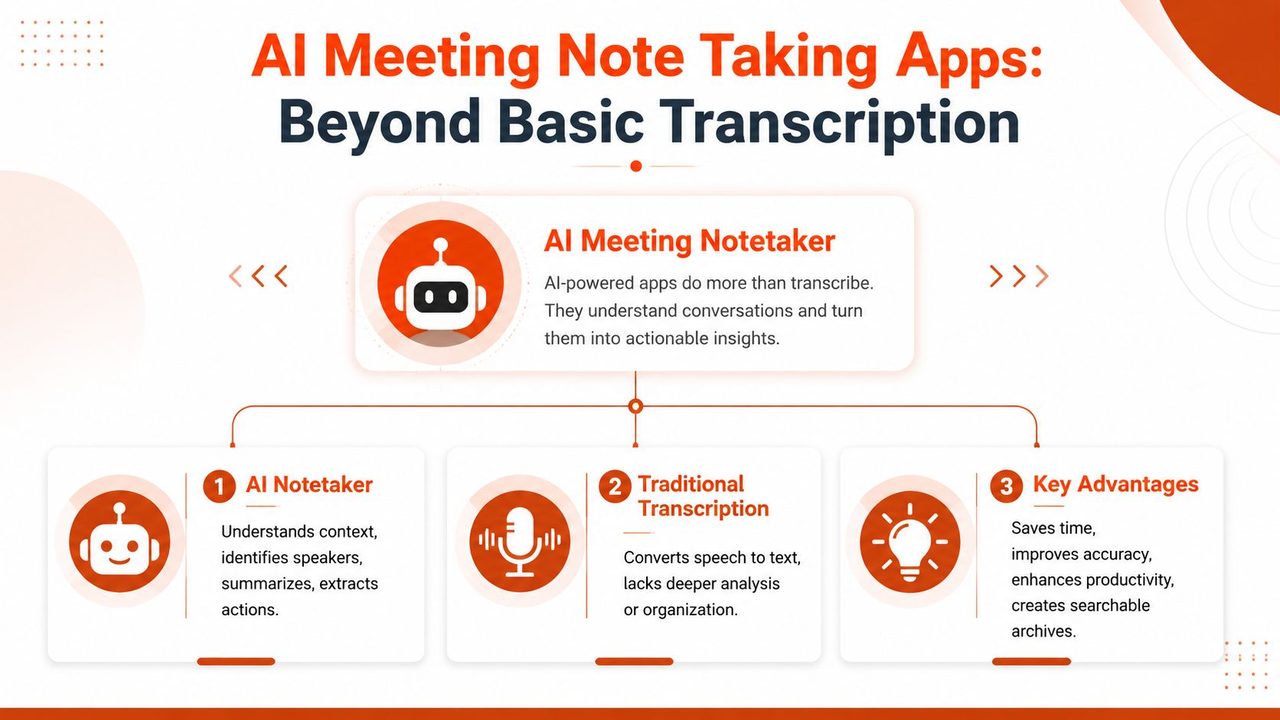
The distinction matters because meetings don't fail at the recording stage. They fail in the handoff from conversation to action. A transcript alone tells you what happened if you have time to read it. An AI note taker tries to tell you what matters without making you dig through the whole exchange.
What makes it different
Three capabilities define the category:
- Speaker identification helps separate a discussion into accountable contributions. That's the difference between “someone raised a concern” and “engineering flagged a dependency.”
- Summarization turns a long conversation into a shorter operational record. Decisions, themes, and unresolved issues should become visible within this record.
- Action extraction pulls out tasks, owners, and follow-ups that would otherwise stay buried in dialogue.
Those features are why this segment is growing quickly. The AI note-taking market is projected to grow from $450.7 million to $2.5 billion by 2033, according to SpeakWise AI note-taking market statistics. The demand is tied to automated organization, summarization, and instant searchability, which is exactly what basic notes apps don't provide.
The two product shapes most buyers overlook
Most buyers notice branding, templates, and integrations first. They should start with architecture.
One group of apps sends a bot into your Zoom, Teams, or Google Meet call. That bot records the conversation in the cloud and generates notes afterward. This model is convenient for scheduled virtual meetings, especially across distributed teams.
The other group is bot-free. These apps capture audio from your device or locally from a recorder, then process it on-device, in the cloud, or in a hybrid flow. That approach is usually better for in-person meetings, ad hoc conversations, and situations where an extra participant in the room changes the dynamic.
Practical rule: If your meetings often happen outside formal video calls, a bot-only app will leave gaps in your record no matter how polished its summaries look.
That distinction gets ignored in a lot of reviews. It shouldn't. It affects privacy, reliability, and whether the app still works when the meeting moves from a calendar invite to a conference room.
Essential Features That Define a Great App
Feature checklists are easy to pad. In practice, only a handful of capabilities determine whether a meeting note taking app saves time or creates cleanup work.
The foundation features
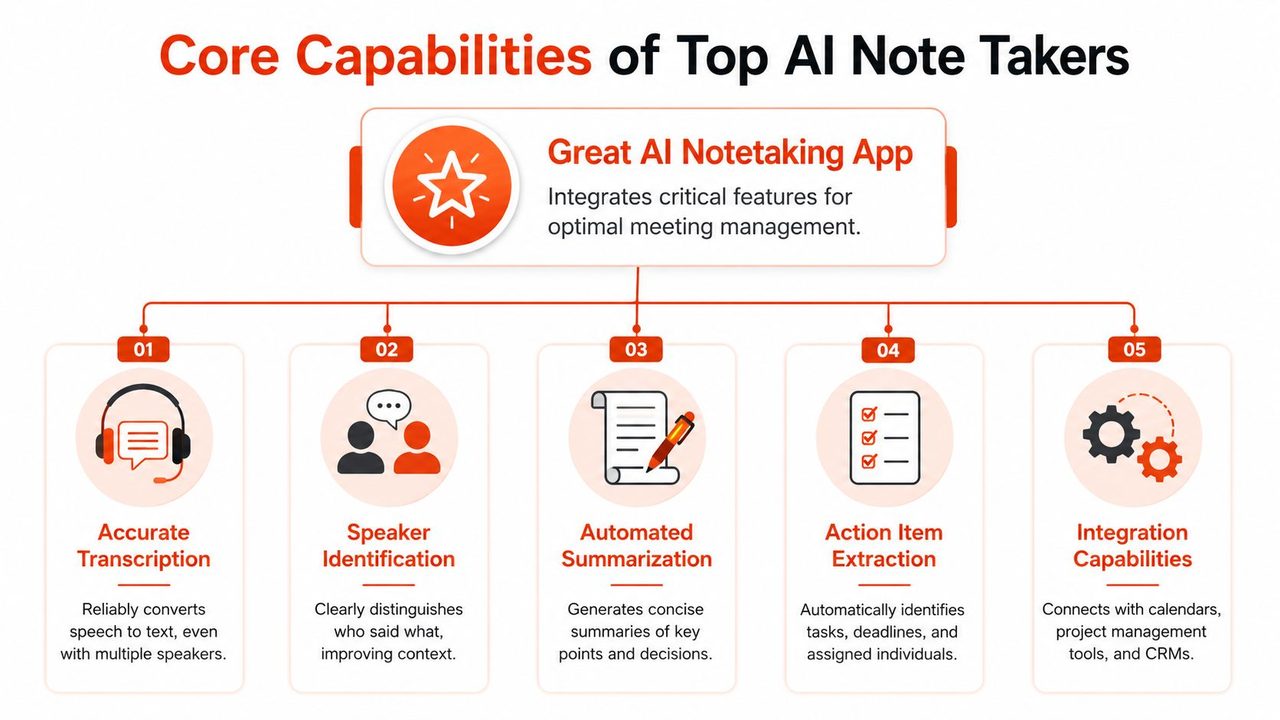
The first requirement is transcription quality. If names, terms, or speaker turns are wrong, every downstream feature gets weaker. Summary quality drops. Search becomes unreliable. Action items land on the wrong person. You don't need perfection, but you do need enough consistency that reviewing the notes feels faster than reconstructing the meeting manually.
The next one is speaker diarization, which is the system's ability to separate who said what. This matters most in decision-heavy meetings. A transcript that captures the words but loses ownership is still incomplete.
Then there's real-time capture. Some people only need a clean summary afterward. Others need to see the transcript populate while they're still in the meeting so they can flag a requirement, confirm a phrase, or correct a misunderstood term before it becomes part of the record.
A strong app also needs to handle rough conditions well:
- Cross-talk tolerance matters when multiple people jump in.
- Noise resilience matters in shared offices, conference rooms, and coffee-shop meetings.
- Terminology control matters when your team uses product names, clinical shorthand, or internal acronyms.
For people comparing meeting tools with broader study and lecture capture options, this roundup of top lecture recording tools is useful because it highlights a related truth. Audio capture quality and post-processing structure matter just as much as the transcription engine itself.
The workflow features
Once the transcript is reliable, the second layer starts to matter. At this point, many tools separate themselves.
A useful summary isn't a shorter transcript. It's a clearer one. The best apps produce notes with enough structure that you can scan them quickly:
| Capability | Why it matters in daily work |
|---|---|
| Decision capture | Helps teams confirm what changed and what didn't |
| Action item extraction | Turns discussion into follow-up without manual rewriting |
| Searchable archives | Lets you retrieve a detail from months ago without digging through docs |
| Editable output | Makes it easy to clean up, share, and repurpose notes |
| Integrations | Pushes meeting outcomes into tools people already use |
Integrations deserve special scrutiny. Calendar sync is table stakes. More important is what happens after the meeting. Can the app send notes into Slack, Jira, a CRM, or a project doc without awkward copy-paste? If not, your team will still build a parallel manual workflow around it.
The best tool usually isn't the one with the longest feature list. It's the one that produces notes your team is willing to trust and reuse.
Tailoring Workflows for Different Professionals
The same app behaves very differently depending on who's using it. A sales team wants call recall. A developer wants design rationale. A student wants an accurate lecture archive. The strongest tools adapt to the shape of the work instead of forcing everyone into the same summary template.
Product and engineering teams
For product managers, the core problem is decision drift. A stakeholder says one thing in grooming, another in a roadmap review, and a third version appears in the spec. Good notes reduce that drift by preserving language around scope, trade-offs, dependencies, and owner changes.
Product leads usually get the most value from apps that produce structured outputs such as:
- Requirements summaries that separate requests from actual commitments
- Decision logs that capture what changed during the conversation
- Follow-up lists that can be pushed into planning workflows
If your role sits in that zone, this guide on tools best for product managers is worth reviewing because it maps note capture to spec writing, stakeholder updates, and planning rituals rather than treating meetings as generic recordings.
Developers need something slightly different. A clean transcript helps, but the primary benefit is preserving technical reasoning. Teams forget not just what they chose, but why they chose it. That becomes painful when someone reopens an architecture discussion months later and nobody remembers the original constraint.
For engineering discussions, the most useful notes usually include:
- Architecture decisions with enough context to explain the choice
- Open technical risks that still need validation
- Ownership markers so implementation work doesn't disappear into chat threads
Healthcare, support, and student use cases
Healthcare professionals care less about polished meeting prose and more about speed, accuracy, and privacy. In that environment, a note-taking workflow has to support clinical language, reduce hand transcription, and produce text that can be reviewed quickly before it enters a formal record. An app that performs well in a casual team sync can still be a poor fit here if it struggles with terminology or forces unnecessary cloud exposure.
Support teams use meeting note tools differently again. They often need pattern recognition across many conversations. Searchability becomes the key feature. The best outcome isn't just one clean call summary. It's being able to look back and spot repeated objections, product confusion, or escalation triggers across multiple interactions.
Students sit in a middle ground. They need reliable capture, but they also need a study asset afterward. In lecture-heavy environments, the app has to create something easier to review than an hour-long transcript. The difference between a useful app and a frustrating one is whether the output can become revision material without major cleanup.
A few role-based patterns hold up across all of these cases:
- Some users need verbatim detail because wording matters.
- Others need condensed summaries because speed matters more than completeness.
- Many need both, with a transcript as backup and a summary as the main artifact.
That's why role fit beats feature volume. An app can look excellent in a generic comparison and still fail your team if it can't support the exact moments where information usually gets lost.
How to Choose the Right Meeting Note Taker
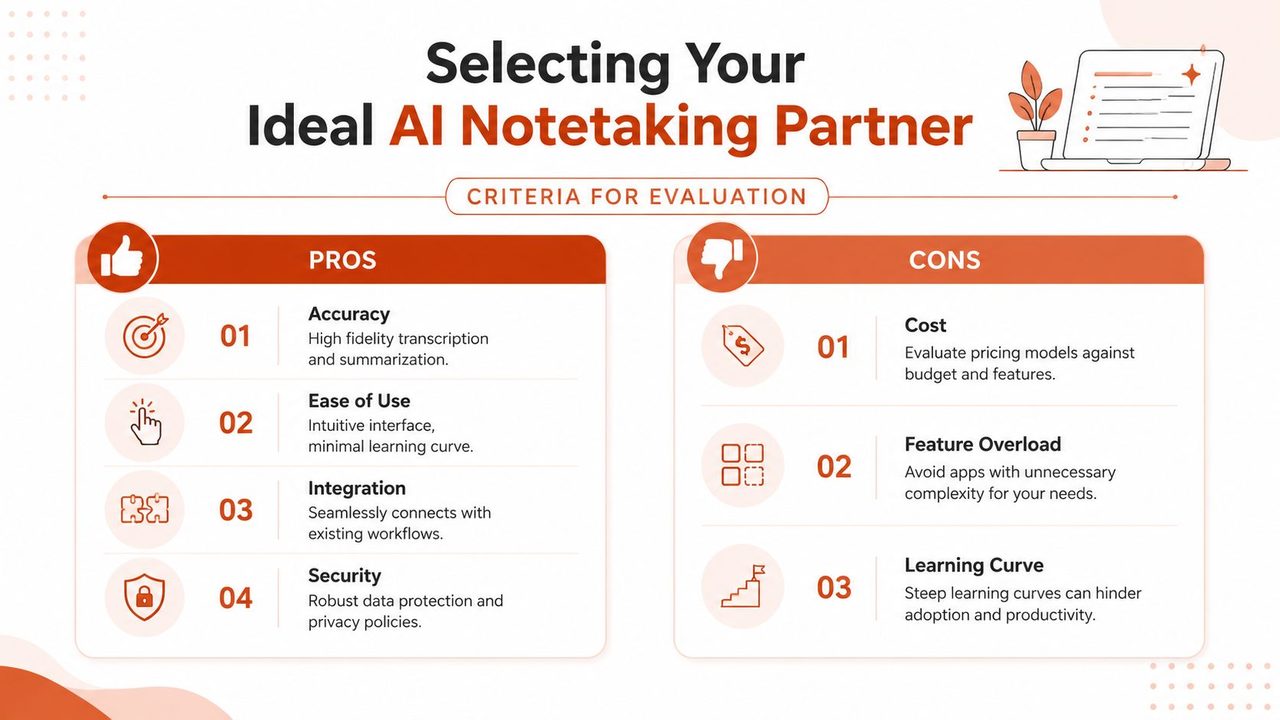
These tools are often evaluated backward. They start with UI, pricing, and summary style. The sharper way is to start with capture model, privacy posture, and meeting type.
Bot joining tools versus local first tools
A bot-joining app is often the easiest place to start. It can attach to a scheduled call, record automatically, and deliver notes without much setup. For distributed teams running structured virtual meetings all day, that's appealing.
But convenience hides trade-offs.
A bot changes the meeting surface area. It appears as a participant, can make external guests uneasy, and often depends on broad permissions through your workspace tools. Cornell highlights a major issue here: AI tools can attend meetings without consent via permissive OAuth grants, and 78% of users don't know how to mitigate that risk by revoking permissions, according to Cornell guidance on managing AI note tools. That's the part many buying guides skip. The risk isn't just bad notes. It's unauthorized access and unclear control over what can keep listening.
Local-first or bot-free apps solve a different set of problems. They tend to work better when:
- Meetings happen in person and there's no video platform to join
- Privacy matters and users don't want another participant or unnecessary cloud exposure
- Internet access is unreliable and the workflow can't depend on a stable connection
- Conversation format is informal such as hallway chats, workshops, or client meetings off calendar
That doesn't make local-first automatically better. It means it's often better aligned with how real work happens outside the idealized Zoom-only world.
A practical evaluation checklist
Use this checklist before you commit your team:
| Question | Why it matters |
|---|---|
| Does it work for your actual meeting format? | Many tools are strong on scheduled calls and weak everywhere else |
| Can it capture in-person discussions? | This is where bot-only products often break down |
| What permissions does it require? | Broad workspace access raises both governance and trust issues |
| Can you control storage and deletion? | Sensitive notes need clear handling rules |
| How much cleanup do the notes need? | A tool that saves recording time but adds editing time isn't helping |
| Will people actually use it? | Friction kills adoption faster than missing features |
If you're comparing dedicated meeting tools, this overview of meeting transcription software options is a useful companion because it frames the decision around transcription quality, privacy, and workflow fit instead of just flashy summaries.
Buy for the messy meeting, not the ideal one. The ideal one was easy to document anyway.
Spotlight on AIDictation for macOS Users
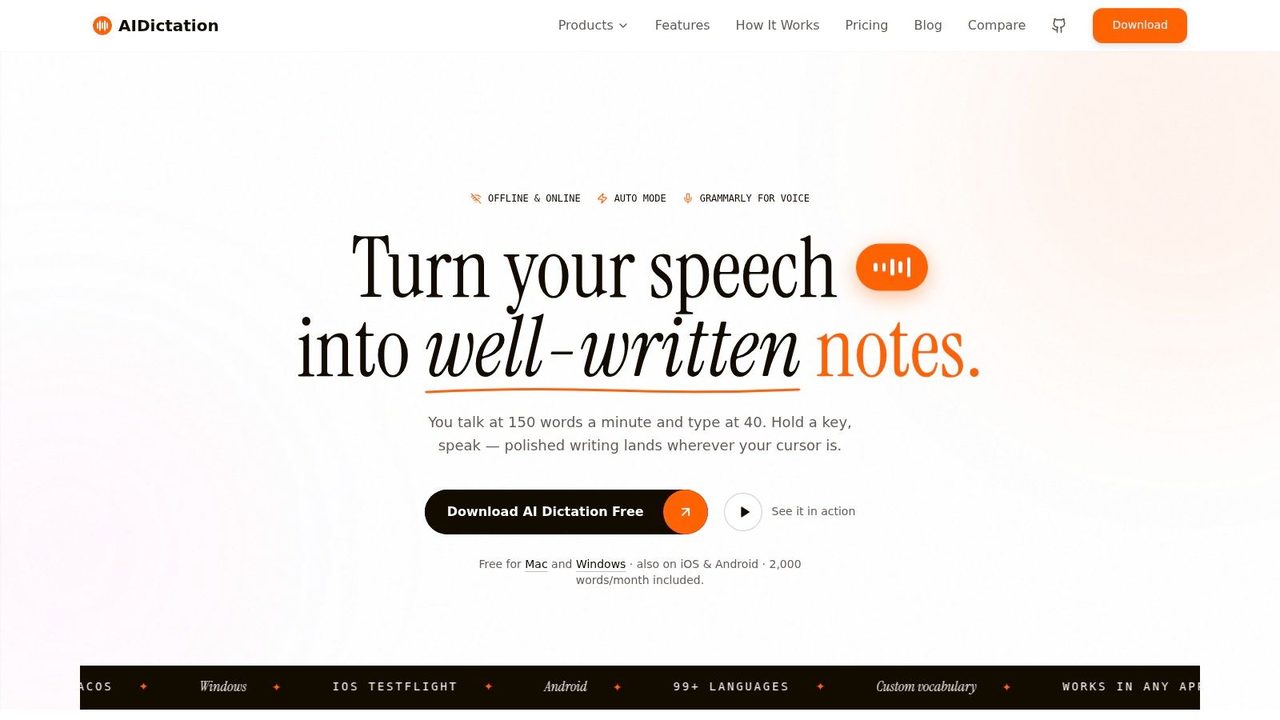
For macOS users, AIDictation is notable because it lines up with the buyer criteria that matter most in practice: local capture, privacy control, and flexible output.
Why the hybrid model matters
AIDictation uses a hybrid approach. Its Local Mode runs on Apple Silicon for private, offline dictation, while connected use can add AI cleanup, context-aware formatting, filler-word removal, and better polishing for ready-to-send text. That combination is practical because different meetings have different constraints.
Some sessions call for strict local handling. Others benefit from more aggressive cleanup after the fact. A hybrid setup lets the user choose based on the situation instead of forcing everything through one path.
That matters because benchmark data from 2026 found that bot-free AI note-takers outperform bot-joining tools by 35% in meeting summary accuracy and 50% in action-item extraction precision, particularly for in-person meetings, according to Cirrus Insight coverage of AI meeting note takers. If a lot of your important conversations happen around a table rather than inside a scheduled video call, this architecture makes sense.
Where it fits best
The product also fits a broad set of professional use cases without pretending all note-taking is the same. Product managers can use it to capture stakeholder conversations and draft updates. Developers can preserve technical discussion and convert spoken thoughts into clearer documentation. Healthcare users can lean on privacy-focused local processing when internet dependence is a problem.
There's also a practical overlap between meeting capture and general voice-first work. People who already rely on dictation for emails, notes, or documentation often prefer a tool that handles both meeting recording and polished text generation in one place. That's where a broader voice workflow becomes useful, and this look at a voice typing app for Mac workflows adds context if your goal is reducing keyboard time beyond meetings.
The main appeal isn't novelty. It's that the product reflects a more grounded view of how meetings happen. Not all of them are scheduled, virtual, and cloud-friendly. A lot of the important ones aren't.
Conclusion Reclaiming Your Time from Meetings
A meeting note taking app is supposed to do more than record conversation. It should reduce the amount of follow-up work required to turn talk into action. That means the right choice isn't the app with the prettiest summary. It's the one that fits your meeting environment, privacy needs, and tolerance for friction.
The most overlooked choice is still the biggest one. Do you want a cloud bot that joins calls, or a local-first tool that can handle in-person and offline conversations without becoming an extra participant? That decision affects trust, usability, and whether the app stays useful once the meeting leaves Zoom.
That gap is still real. Recent testing found that only 3 of 10 tools effectively support local, bot-free recording for private, in-person meetings, according to Plaud's guide to AI note takers for in-person meetings. Most buyers need that distinction explained earlier than they currently get it.
If your broader goal is to protect focus, not just improve documentation, this advice on effective time management for entrepreneurs is worth reading alongside your tooling decisions. Meetings consume time twice when the conversation is inefficient and the notes are poor.
The win here is simple. You stop treating note-taking as a side task that steals attention from the meeting itself. You build a system that captures what matters, preserves accountability, and lets people stay present.
If you want a privacy-conscious option for Mac that supports local dictation, meeting transcription, and AI-polished output, try AIDictation. It's a practical starting point for anyone who wants cleaner notes without handing every meeting to a bot.
Frequently Asked Questions
What does Choosing a Meeting Note Taking App: A 2026 Guide cover?
Monday's strategy call ends. By Tuesday afternoon, someone remembers a commitment differently.
Who should read Choosing a Meeting Note Taking App: A 2026 Guide?
Choosing a Meeting Note Taking App: A 2026 Guide is most useful for readers who want clear, practical guidance and a faster path to the main takeaways without guessing what matters most.
What are the main takeaways from Choosing a Meeting Note Taking App: A 2026 Guide?
Key topics include Table of Contents, Introduction Beyond Scribbles and Scattered Notes, What Is an AI Meeting Note Taking App.
Ready to try AI Dictation?
Experience fast voice-to-text on your device. Free to download.
Download FreeRelated Posts
10 Team Collaboration Tools for Every Workflow
Compare 10 team collaboration tools by team size, workflow, integrations, security, pricing, and use case—including AIDictation for meeting notes.
Meeting Transcription and Summary Workflow That Works
A practical meeting transcription and summary workflow covering capture, cleanup, action items, templates, and privacy settings.
How to Take Better Lecture Notes with Voice Dictation
Learn how to capture, clean, and study lecture notes faster using AI voice dictation. Practical workflow tips for students, researchers, and journalists.