Medical Dictation Software Mac: Complete Guide 2026
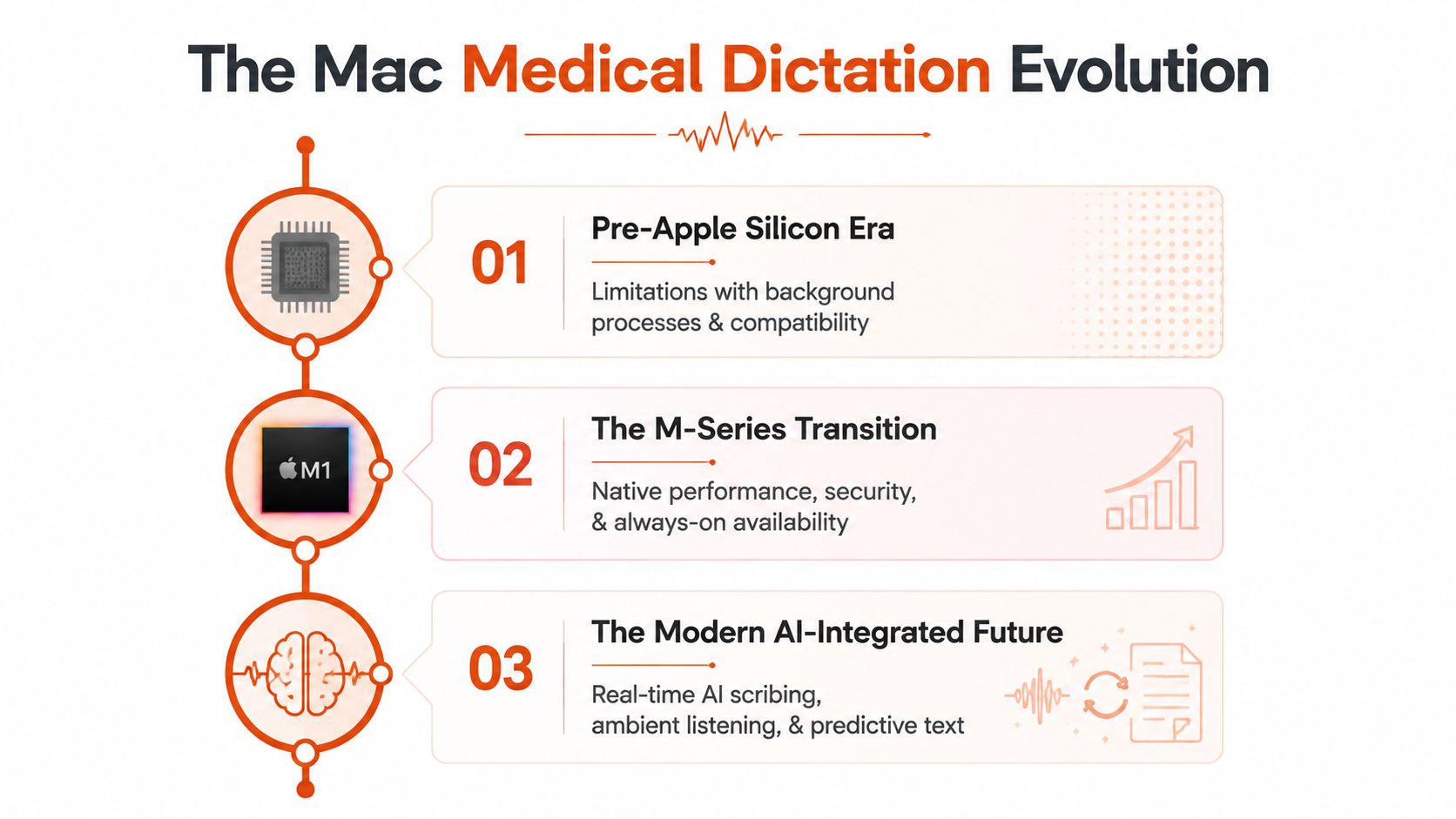
Native Apple Silicon apps and hybrid local/cloud tools are now the strongest direction for medical dictation software on Mac. The practical choice still depends on deployment compatibility, privacy controls, and whether your EHR works natively, through a browser, or through VDI.
You may be dictating a progress note into a browser-based EHR, correcting medication names one word at a time, while a clinic network policy blocks the app you wanted. Or you may have moved from a Windows workstation to a Mac and discovered that a familiar enterprise tool now depends on browser access, remote desktops, or a separate Windows environment. For clinicians, the question isn't which product recognizes the most words. It's which architecture produces a usable note without creating privacy, connectivity, or EHR friction.
| Mac dictation pathway | Best fit | Main advantage | Main limitation |
|---|---|---|---|
| Native Apple Silicon app | Solo clinicians and smaller practices | Local performance, simpler setup, offline capability | May lack deep EHR controls |
| Browser-based enterprise suite | Hospitals and structured EHR environments | Enterprise vocabulary and clinical workflow support | Depends on browser compatibility and connectivity |
| Hybrid local/cloud editor | Clinicians needing privacy plus polished output | Local dictation with optional cloud cleanup | Requires careful privacy and vendor review |
| Built-in macOS dictation | Basic, low-volume notes | Already available on the Mac | Limited medical workflow depth |
Table of Contents
- Why Mac Medical Dictation Has Changed
- Comparing Top Mac-Compatible Medical Dictation Solutions
- Key Criteria for Choosing Medical Dictation on macOS
- Real-World Use Cases by Specialty and Workflow
- How to Deploy Medical Dictation Software on Mac
- Recommended Paths for Different Clinic Types
Why Mac Medical Dictation Has Changed
Mac dictation has moved through a meaningful architectural shift. Earlier versions of Apple dictation relied on remote processing. The medical-transcription industry source describing the transition explains that dictation in OS X Mountain Lion sent audio to Apple's servers, while OS X Mavericks introduced Enhanced Dictation, which processed speech locally. Enabling offline recognition required an 800 MB download, a practical trade-off for physicians working where reliable internet access wasn't guaranteed. Read the source's account of Apple's transition to local dictation.
That change established the central question for modern medical dictation software on Mac: where does speech processing happen? A native application may keep recognition on the computer. A browser-based clinical platform may send audio to a vendor's cloud service. A hybrid editor may use local recognition for immediate transcription, then apply optional cloud processing for formatting, cleanup, and workflow automation.

Apple Silicon changed the baseline
Modern Mac medical dictation products increasingly target Apple Silicon rather than treating the Mac as a secondary platform. An App Store listing for Augnito requires macOS 11.0 or later and an Apple M1 chip or later, while another listing requires macOS 12.0 and Apple M1 or later. Those requirements show how current products are being built around M-series hardware, not adapted from Windows-first software. Review the Mac and Apple Silicon requirements in the Augnito App Store listing.
For a clinic, this matters beyond speed. Apple Silicon support can determine whether an application runs natively, whether offline recognition is practical, and whether the product behaves consistently across current Mac hardware. A tool that technically opens through emulation or a remote environment may still fail at the point where clinicians need fast cursor control, reliable microphone access, or uninterrupted correction commands.
Practical rule: Treat deployment architecture as a buying criterion, not an implementation detail.
Hybrid is becoming the practical compromise
Local processing protects workflows from internet interruptions and can reduce exposure created by sending raw clinical audio to a remote service. Cloud processing, however, can add advanced cleanup, structured formatting, and context-aware handling of dictated corrections. The strongest modern design combines both rather than pretending one mode serves every clinical situation.
An independent comparison of Mac dictation products describes this hybrid model with offline Apple Silicon support, custom vocabularies, multi-provider cloud routing, a no-account local mode, and optional enterprise controls such as SSO and volume deployment. It reports sub-700 ms latency and around 99% accuracy for its top-rated Mac medical dictation option. Examine the comparison's methodology and architecture discussion.
The important insight is that medical dictation isn't ordinary transcription. Clinicians restart sentences, correct themselves, dictate abbreviations, and move between narrative text and structured findings. The tool must recognize the correction, remove the abandoned phrase, preserve the clinical meaning, and place punctuation where the note remains readable. Raw recognition quality matters, but correction behavior and workflow continuity matter just as much.
Comparing Top Mac-Compatible Medical Dictation Solutions
The right comparison starts with the way each solution reaches the Mac. “Mac compatible” can mean a native application, a browser session, or a Windows environment delivered through VDI. Those are different clinical experiences, with different failure points.
| Solution type | Deployment | Hardware or access requirement | Clinical strength | Decision |
|---|---|---|---|---|
| Apple Silicon native app | Installed macOS application | Compatible M-series Mac and supported macOS version | Fast local dictation and offline use | Best when privacy and simplicity lead |
| Enterprise browser platform | Browser or managed web access | Supported browser, network, and vendor configuration | Large medical vocabulary and EHR-oriented workflows | Best when IT integration leads |
| Hybrid local/cloud editor | Native app with optional cloud mode | Apple Silicon support for local processing | Privacy, cleanup, custom vocabulary, and flexible routing | Best balance for many Mac clinicians |
| Ambient documentation platform | Web or managed clinical deployment | Vendor-approved workflow and EHR environment | Visit capture and structured draft notes | Best only when the team wants ambient documentation |
| Built-in macOS dictation | Native system feature | macOS device | Basic speech-to-text | Suitable for testing, not complex clinical operations |
Native Apple Silicon applications
A native app is usually the cleanest choice for a clinician who wants to press a shortcut, dictate into the active field, and continue working. Local recognition can support offline use, reduce dependency on a clinic network, and keep the workflow close to the Mac rather than forcing a remote session.
The trade-off is EHR depth. A native app may type into whatever field has focus without understanding the clinical structure behind that field. It may not provide specialty-specific commands, direct navigation, managed templates, or centralized administration. That doesn't make it weak. It means the product is solving a different problem, system-wide voice entry rather than deep EHR control.
Apple's built-in dictation is a useful baseline for short notes and low-volume work. Dedicated clinical tools become more appropriate when clinicians need specialty vocabulary, correction commands, reusable rules, or consistent output across a practice.
Browser-based enterprise platforms
Browser access can make an enterprise product usable on a Mac without requiring a fully native macOS client. This model is attractive to hospitals because the vendor can manage the service centrally, while clinicians access it through an approved browser and existing identity controls.
The browser, however, becomes part of the clinical workflow. Microphone permissions, tab focus, supported EHR fields, network reliability, and virtual desktop policies all matter. A tool may display text correctly in a test page yet behave differently inside a protected charting environment. Buyers should test the exact browser, EHR module, authentication flow, and workstation policy used in production.
Enterprise speech recognition remains a benchmark for vocabulary depth in many clinical settings. A 2026 review for doctors describes Dragon Medical One as a large-vocabulary reference, while noting that Mac access often depends on browser, VDI, or native-client workarounds rather than a fully native desktop application. The review's central recommendation is sound: compare deployment constraints before comparing accuracy claims. Review the Mac deployment guidance for medical dictation.
For a broader side-by-side look at Mac dictation approaches, consult this Mac dictation comparison.
Hybrid clinical writing tools
Hybrid tools are the most compelling option when a clinician wants local dictation but still values automated cleanup. Local mode can handle immediate speech recognition without an active connection. Cloud mode can then improve punctuation, remove filler, format paragraphs, and interpret self-corrections when policy permits that processing.
This architecture works particularly well for clinicians who dictate in natural phrases rather than rigid commands. A physician might say a finding, revise the wording, add a medication, and then dictate the plan. The software should produce a clean paragraph, not a transcript containing every abandoned phrase.
The limitation is governance. A hybrid product needs clear controls for deciding which mode handles protected information. Practice managers should verify retention, account requirements, administrative controls, and whether cloud processing can be disabled by default. The product's strongest feature is flexibility, but flexibility without policy control creates inconsistency.
Key Criteria for Choosing Medical Dictation on macOS
Accuracy is necessary, but it isn't the selection framework. A clinical buyer should evaluate the entire path from microphone input to signed note.
Start with privacy architecture
Local processing keeps audio on the Mac and supports offline work. Cloud processing may provide richer cleanup or automation, but it creates a vendor relationship that requires security review, contractual controls, and a clear understanding of retention.
Don't accept “HIPAA ready” as a complete answer. Ask whether audio leaves the device, whether transcripts are stored, whether the provider offers administrative controls, and whether the clinic can force local mode for sensitive workflows. Use this guide to evaluate secure medical transcription workflows.
A hybrid product should make the privacy boundary visible to users. If clinicians can't tell whether they're using local or cloud processing, they can't follow a reliable documentation policy.
Test correction behavior, not just clean sentences
Most demonstrations use carefully prepared speech. Clinical dictation is messier. A realistic test should include:
- Self-corrections: “Start lisinopril, no, continue the current antihypertensive regimen.”
- Abbreviations: specialty shorthand, medication directions, and common chart terminology.
- Punctuation commands: new paragraphs, lists, headings, and section transitions.
- Mixed content: narrative history followed by assessment and plan.
- Interruptions: pauses, background noise, and changes in speaking speed.
The output should be judged by edit burden. A tool that recognizes a sentence accurately but mishandles a correction can create more work than a slightly less accurate system that produces clean, editable text.
Match vocabulary to the specialty
A general medical vocabulary may work well for primary care and routine outpatient notes. Narrow specialties need more scrutiny. Test the terms clinicians use, including drug names, anatomical descriptions, procedures, device names, and local abbreviations.
Custom dictionaries are valuable only if administrators and clinicians can maintain them without creating duplicate or conflicting entries. Ask whether a term can be added for one user, a specialty group, or the entire organization. Also test how the software handles similar-sounding terms, because a dictionary that forces the wrong expansion can be worse than no dictionary at all.
Confirm EHR behavior in production conditions
A tool can be technically compatible with macOS yet still be unsuitable for a clinic. Test it inside the EHR, not only in a blank text editor. Confirm cursor placement, field navigation, formatting, authentication, microphone permissions, copy and paste behavior, and the effect of VDI policies.
The most important question is simple: Can a clinician complete a note without leaving the workflow? If the answer requires repeated switching between windows, manual cleanup, or copying text through an intermediate application, the apparent accuracy advantage may disappear.
Include operational cost
Cost isn't limited to a subscription. Include implementation time, vocabulary maintenance, browser support, device replacement, user training, and the staff effort required to review errors. A native application may reduce rollout complexity. An enterprise browser platform may justify more administration if it delivers the EHR controls a hospital requires.
Choose the option that minimizes total friction for the actual team. A technically advanced tool that clinicians avoid won't produce clinical value.
Real-World Use Cases by Specialty and Workflow
A solo psychiatrist, a dermatology group, and a hospital-employed surgeon don't need the same dictation architecture. Their privacy expectations, internet access, EHR constraints, and vocabulary demands differ.

The independent clinician
A solo practitioner usually values fast setup and predictable control over patient information. A native Apple Silicon app is often the most sensible starting point, especially when the clinician works from multiple locations or can't rely on a dedicated IT team.
The key test is whether the app can dictate into the practice's EHR browser interface without disruptive copying. If it can, system-wide text entry may be enough. If it can't, a browser-based product may still work, but the clinician should test the complete note workflow before committing.
For independent practices comparing practical scenarios, this medical dictation use-case guide offers a useful starting point.
The intermittent-connectivity clinic
A rural clinic, mobile service, or outreach setting can't treat internet access as guaranteed. Local recognition provides a fallback when cloud dictation stops working. It also gives the clinician a way to continue documenting without postponing notes until connectivity returns.
The operational question is what happens after dictation. If cloud cleanup is optional, the clinician may produce a raw but usable note locally and polish it later. That is safer than choosing a cloud-only system and discovering that a network outage removes the entire documentation workflow.
The multi-specialty group
A group practice needs more than individual accuracy. It needs shared terminology, consistent templates, permission management, and a repeatable onboarding process. A hybrid system can work well if it supports custom vocabularies at both the individual and group level, while an enterprise browser platform may be preferable when centralized EHR governance is the priority.
Managers should pilot across specialties rather than relying on one enthusiastic clinician. Orthopedic terminology, behavioral health notes, and primary care documentation expose different weaknesses.
The hospital or VDI environment
Hospitals often impose browser restrictions, managed microphones, virtual desktops, and identity controls. A native app that works perfectly on a personal Mac may be blocked or limited on a managed workstation. Conversely, an enterprise browser product may fit the hospital's security model but feel slower or less flexible.
Test the deployment path with real endpoint policies. A successful pilot must include login, microphone access, EHR interaction, session timeout, and support escalation.
A short workflow demonstration can help teams identify where dictation belongs in the clinical encounter:
The right decision depends on whether the clinician wants direct dictation, structured note generation, or ambient capture. Those are different workflows, not interchangeable labels.
How to Deploy Medical Dictation Software on Mac
Implementation should start with governance, not downloads. Assign an owner from clinical operations and an owner from IT, then document which data the product processes locally, which data leaves the Mac, and what controls apply to each mode.
Use a controlled rollout
-
Review the architecture. Confirm macOS support, Apple Silicon requirements, browser support, VDI behavior, offline operation, retention, access controls, and vendor agreements.
-
Pilot with real patterns. Use de-identified or approved test material that includes medication names, specialty terms, corrections, punctuation commands, and the note formats clinicians use.
-
Test inside the EHR. Verify every production step, including opening a chart, selecting a field, dictating, correcting, saving, signing, and recovering from a lost connection.
-
Build the vocabulary deliberately. Start with recurring terms, clinician names, local locations, medications, procedures, and specialty abbreviations. Assign responsibility for maintaining the dictionary.
-
Train for review. Clinicians must understand that dictation creates documentation, not clinical judgment. Establish a final review routine for names, doses, laterality, negations, and self-corrections.
-
Plan the fallback. Decide whether staff will use local mode, built-in macOS dictation, keyboard entry, or a paperless downtime workflow when the preferred service is unavailable.
A browser login doesn't prove EHR integration. The team should test the exact workstation configuration and document what happens when a session expires or the network drops. Practices also need a consistent process for storing, reviewing, and routing the finished document, so guidance on how to streamline compliance with Pebb can complement the dictation rollout.
Keep the pilot narrow enough to manage, but broad enough to expose specialty and deployment problems. Approve the product only after clinicians can complete representative notes with acceptable editing effort.
Recommended Paths for Different Clinic Types
Solo practitioners should start with a native Apple Silicon tool that supports local processing, custom vocabulary, and system-wide dictation. Choose a browser platform only when its EHR behavior clearly saves more time than the native alternative.
Small groups should prioritize shared vocabulary management, repeatable onboarding, and a reliable offline fallback. A hybrid platform is usually the strongest balance, because clinicians can dictate locally while using cloud cleanup only under an approved policy.
Larger practices and hospitals should evaluate enterprise browser or VDI deployment when EHR integration, identity management, and centralized administration outweigh the simplicity of a native app. Don't approve a product based on vocabulary claims alone. Test the managed Mac environment, correction handling, and the complete charting workflow.
The decisive variables are privacy requirements, deployment flexibility, and clinical vocabulary complexity. Choose the architecture that keeps clinicians moving through the EHR with the least operational risk.
AIDictation provides a Mac voice-to-text workflow with local Apple Silicon dictation, optional cloud cleanup, custom vocabulary, and app-specific formatting rules for clinical notes and reports. Visit AIDictation to evaluate whether its local and hybrid modes fit your Mac-based documentation workflow.
Frequently Asked Questions
What does Medical Dictation Software Mac: Complete Guide 2026 cover?
Native Apple Silicon apps and hybrid local/cloud tools are now the strongest direction for medical dictation software on Mac. The practical choice still depends on deployment compatibility, privacy controls, and whether your EHR works natively, through a browser, or through VDI.
Who should read Medical Dictation Software Mac: Complete Guide 2026?
Medical Dictation Software Mac: Complete Guide 2026 is most useful for readers who want clear, practical guidance and a faster path to the main takeaways without guessing what matters most.
What are the main takeaways from Medical Dictation Software Mac: Complete Guide 2026?
Key topics include Table of Contents, Why Mac Medical Dictation Has Changed, Apple Silicon changed the baseline.
Ready to try AI Dictation?
Experience fast voice-to-text on your device. Free to download.
Download FreeRelated Posts
How to Use Voice Dictation on Mac
Use Voice Dictation on Mac. Master voice dictation on your Mac — from built-in Apple features to third-party tools like AIDictation
8 Best Bilingual Dictation Apps: 5 Tested + 3 Baselines
We tested five bilingual dictation apps on Russian-English code-switching, plus three common baselines. Compare WER, language recall, script, and workflow.
AI Dictation vs Diktuy: Russian-English Accuracy Test
We tested AI Dictation vs Diktuy on the same Russian-English recording. Compare WER, English-word preservation, full transcripts, and errors.