Hands Free Mic: What It Is and How to Choose One
You are halfway through a note, both hands on the keyboard, and the fan in the corner is louder than your voice. The words that land on the screen are missing pieces. A hands free mic is supposed to fix that, yet the one on your desk keeps grabbing the room instead of you.
The first thing that decides whether a speech recognizer gets your sentence right is not a frequency chart or a wireless range claim. It is where the microphone sits and how well it isolates your voice. Everything else, from Bluetooth branding to battery hours, only matters after those two are settled.
Table of Contents
- What a Hands-Free Mic Is and Where It Came From
- How a Hands-Free Mic Hears Your Voice Over Noise
- Specs That Decide How Well Dictation Works
- Who Relies on Hands-Free Mics and What They Need
- How to Set Up a Hands-Free Mic for Dictation
- Limits, Privacy and Problems to Expect
- Choose the Right Mic and Start Dictating
What a Hands-Free Mic Is and Where It Came From
Say three people share one office and the air conditioning never shuts off. A clinician dictates a visit note between patients. A developer speaks a code comment without leaving the editor. A product manager drafts a spec while a teammate talks two desks away. Same room, same noise, three very different recordings. Only the person whose microphone sits close to the mouth comes through cleanly. The other two sound like they are talking from the hallway.
A hands-free mic is any microphone you wear or place so both hands stay free for the work in front of you. It can hang from a headset, clip to a shirt, sit in an earbud, rest on a desk, or, in research labs, attach to a mask. You are not holding it. You are talking while you type, examine, write on a board, or walk.
The category did not start as a consumer gadget. A Windows devices history of wireless headsets traces it from Nathaniel Baldwin's 1910 headset design, which drew little mass-production interest until the U.S. Army purchased 100 units for pilots in World War I, through Herbert "Mac" McClelland's 1951 wireless microphone for Major League Baseball umpires, to a portable two-way headset NASA technicians built in 11 days in 1961 after astronaut Wally Schirra asked for one for the Mercury program. He used it on Sigma 7, and related headsets later carried Neil Armstrong's first lunar-landing transmission. Aviation, sports officiating, and spaceflight all needed the same thing you need at a desk: talk without giving up your hands.
Five common ways it sits
| Type | How it sits | Best for | Main trade-off |
|---|---|---|---|
| Headset with boom mic | Over the head, boom tip near the mouth | Long dictation sessions, clinics, offices | Visible and tiring to wear for hours |
| Clip-on lapel mic | Clipped to collar or shirt front | Meetings, lectures, presenting | Chest-level distance and clothing rustle |
| Wireless earbuds with mic | In the ear, mic near the cheek | Walking, commuting, quick notes | Mic is farther from the mouth and weak in wind |
| Desk array or conference mic | On a desk or table | Shared rooms and group meetings | Picks up room noise and other voices |
| Mask-mounted research prototype | Attached to a face covering | Clinical research and future workflows | Experimental, not widely sold |
Three questions sort that table faster than a spec sheet. How far is the capsule from your mouth? How much of the room does it reject? Do you stay still, or do you move while you talk? Answer those before you compare battery life or look at a frequency graph.
Practical rule: If two microphones look similar on paper, pick the one that can live closer to your lips for the way you actually work.
How a Hands-Free Mic Hears Your Voice Over Noise
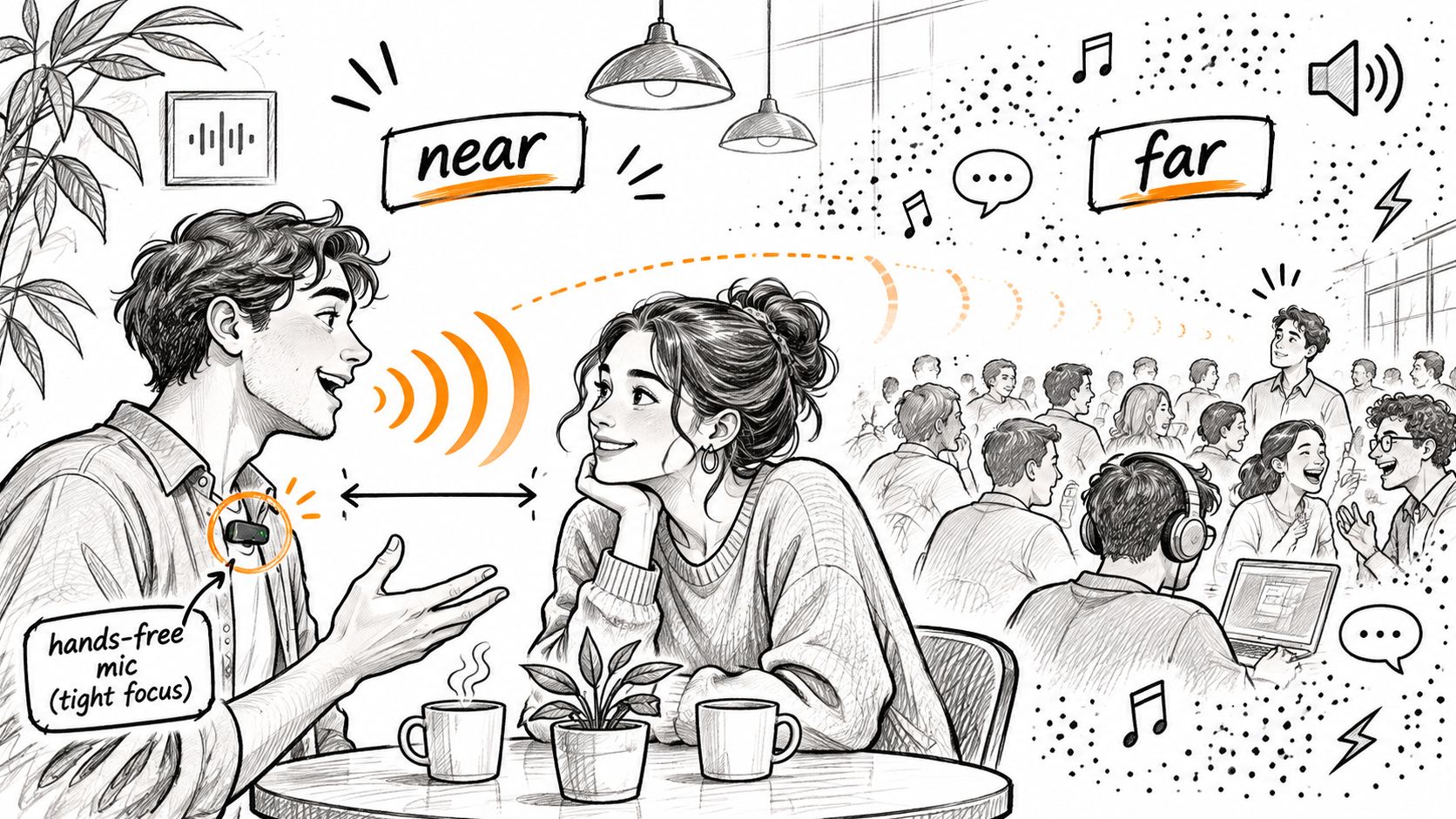
Talk to a friend an arm's length away and you barely raise your voice. Talk to that same friend across a crowded cafe and you lean in, because your words thin out with every step while the room stays just as loud. A microphone has the same problem. Speech energy falls off as you move away. Fans, keyboards, hallway talk, and running water do not. They arrive from many directions at roughly the same strength. The mic's job is to favor the closest, most consistent source, which should be you.
A boom or lapel placed near the mouth gives the recognizer a much stronger speech-to-noise ratio than a capsule resting on the far side of a table. Close-talk placement is the plain version of a fancy filter. You have already done half the noise rejection before any software runs, by making your voice the loudest thing at the capsule.
What spatial filtering is doing
When one microphone is not enough, engineers add more and compare them. Think of cupping a hand behind your ear in a crowd. You are not making the room quieter. You are favoring sound from one direction. A multi-mic array does a stricter version of that trick. Each capsule hears the same word a fraction of a moment apart, and at a slightly different level. Speech from your mouth has a stable pattern across those capsules. Noise from a vent or a coworker does not.
That comparison is spatial filtering. A beamformer combines the channels so sound from the talker adds up and sound from elsewhere cancels. In a Microsoft Research evaluation of a three-microphone headset array, fixed end-fire beamforming, adaptive spatial noise reduction, and stationary-noise suppression provided up to 18 dB of ambient-noise suppression. The same work is blunt about distance. A remote mic is intrinsically weaker than a well-placed close-talking mic, because speech fades with distance and the room often does not.
When an array still earns its place
Use the close mic when you can. A boom you can bend to the corner of your mouth will usually beat a conference puck in the middle of the table for solo dictation. Bring in an array when the capsule cannot sit close, such as a shared room, a lecture, or a headset that must stay off your lips. If you want the recognizer's side of this story, the guide to speech recognition in noisy environments walks through what leftover noise does once the audio leaves the microphone.
A distant array can clean a messy room. It still starts behind a boom that was already next to your mouth.
Specs That Decide How Well Dictation Works
Noise cancelling on a box is a marketing label, not a measurement. Two headsets can print the same phrase and feed a recognizer completely different audio. What you want is a number for how much of your voice survives compared with everything else, plus proof that the mic keeps pointing at you when you turn toward a screen.
A Microsoft Research paper on data-driven beamformer design is a useful scale. A binaural-headset beamformer achieved a 6.8 dB improvement in signal-to-noise ratio and a 0.46-point increase in mean-opinion-score sound quality versus a single-microphone baseline. The method combined microphone signals using spatial patterns learned from real speech and noise recordings, which tightened pickup toward the wearer's mouth. Cleaner input means less competing-speaker masking, so the recognition model spends less effort guessing which voice is yours.
Six specs, read for the recognizer
| Spec | Why it matters | Good sign | Red flag |
|---|---|---|---|
| Mic-to-mouth distance | Speech energy drops with distance while room noise does not | Boom tip about 2-5 cm from the lips | Mic clipped to the chest or hanging from the jaw |
| Signal-to-noise ratio | Higher SNR means less competing noise reaches the recognizer | Measured SNR under realistic noise | Only marketing labels such as noise cancelling |
| Beamforming or multi-mic array | Focuses pickup toward the mouth and rejects off-axis noise | Documented array gain under realistic room noise | Single mic with no directional processing |
| Pickup stability when the head turns | Keeps the voice in focus while you look at a screen or patient | Directional gain holds through head movement | Pickup weakens as soon as you turn |
| Wireless link quality | Dropouts cut words mid-sentence | Stable connection at desk-to-room range | Frequent stutters or audio gaps |
| Battery life | A dead mic ends a shift of dictation | Full working day on one charge | Under a few hours of talk time |
Distance is the row people skip because it is not printed on the box. A boom tip a couple of centimeters off the corner of the mouth is a different instrument from a clip sitting on the sternum. Chest placement picks up cloth, breathing, and a quieter voice. That is fine for a lecture if you speak up. It is a poor default for quiet clinical notes.
SNR is the spec that should replace the slogan. Ask whether anyone measured it with a fan, a second talker, or hallway traffic, not in a treated studio. Beamforming helps only when the geometry matches how you wear the set. A headset that holds directional gain while you turn your head will beat one with a wider, sloppier pattern the moment you look at a second monitor.
Wireless quality and battery life are the specs that fail in the middle of a sentence, not in a showroom. A dropout deletes a drug name or a function call. A mic that dies before the end of a shift forces you back to typing when you are most tired. None of those rows replaces a test with your own voice in your own room. Read the sheet, then talk for ten minutes where you work.
Who Relies on Hands-Free Mics and What They Need
The same capsule is a different tool once the day starts moving.
A clinician leaves the desk, stands beside a monitor, washes hands at a running tap, and talks while a colleague gives a result from the doorway. Frequency response is the wrong argument in that hallway. Proximity and voice isolation decide whether the note is usable. The top priority is a mic that stays near the mouth, rejects the next voice over, and still lets you hear the room and keep PPE rules.

A developer sits still for long stretches and dictates comments, commit messages, and docs full of library names the recognizer has never seen. A stable boom and a dictionary you can edit matter more than a wide pickup. The top priority is consistent level plus a way to teach odd tokens after the first miss.
A product manager writes a spec in an open office while two conversations run nearby. The top priority is rejecting those other voices without making the wearer lean into a desk puck.
Students and journalists have a fourth pattern. Lectures and interviews mean standing, turning, and passing attention to someone else. A clip-on at chest height is usually the practical choice because it survives movement and does not block a notebook. The top priority is reliable capture while you walk, not studio tone.
People who dictate across accents, or who need the text to stay usable when speech is quiet or uneven, should also read how voice to text and accessibility interact. A mic test that only uses one reviewer's voice will not tell you how your own speech lands.
Research mics, not a shopping list
Mask-mounted designs are a sign of where clinical capture is heading, not a product to order this week. A paper on WhisperMask in the ACM Digital Library reports recognition accuracy more than 20% higher than a pin microphone and earbuds in environments with 80 dB background noise. A separate 2025 project, MaskClip, explored a detachable piezoelectric microphone that senses vibration on a mask for hands-free equipment control and documentation. Professional designs in the same noisy healthcare settings lean on beamforming, speaker separation, and a switch between single-speaker and conversation modes.
Before you buy for any of these jobs, run a short trial that matches the day:
- Noise: Dictate beside the fan, tap, hallway, or open office, not a quiet bedroom.
- Movement: Turn your head, stand up, and walk a few steps mid-sentence.
- Your speech: Include an accent, a soft voice, a self-correction, and the odd names you use.
- A full shift: Check that the battery and the wireless link last as long as the work does.
How to Set Up a Hands-Free Mic for Dictation
Setup fails in two boring places. The capsule is in the wrong spot, or the operating system never gave the dictation app permission to hear it. The picture below covers the first two moves. The steps after it keep the computer from dropping the audio.
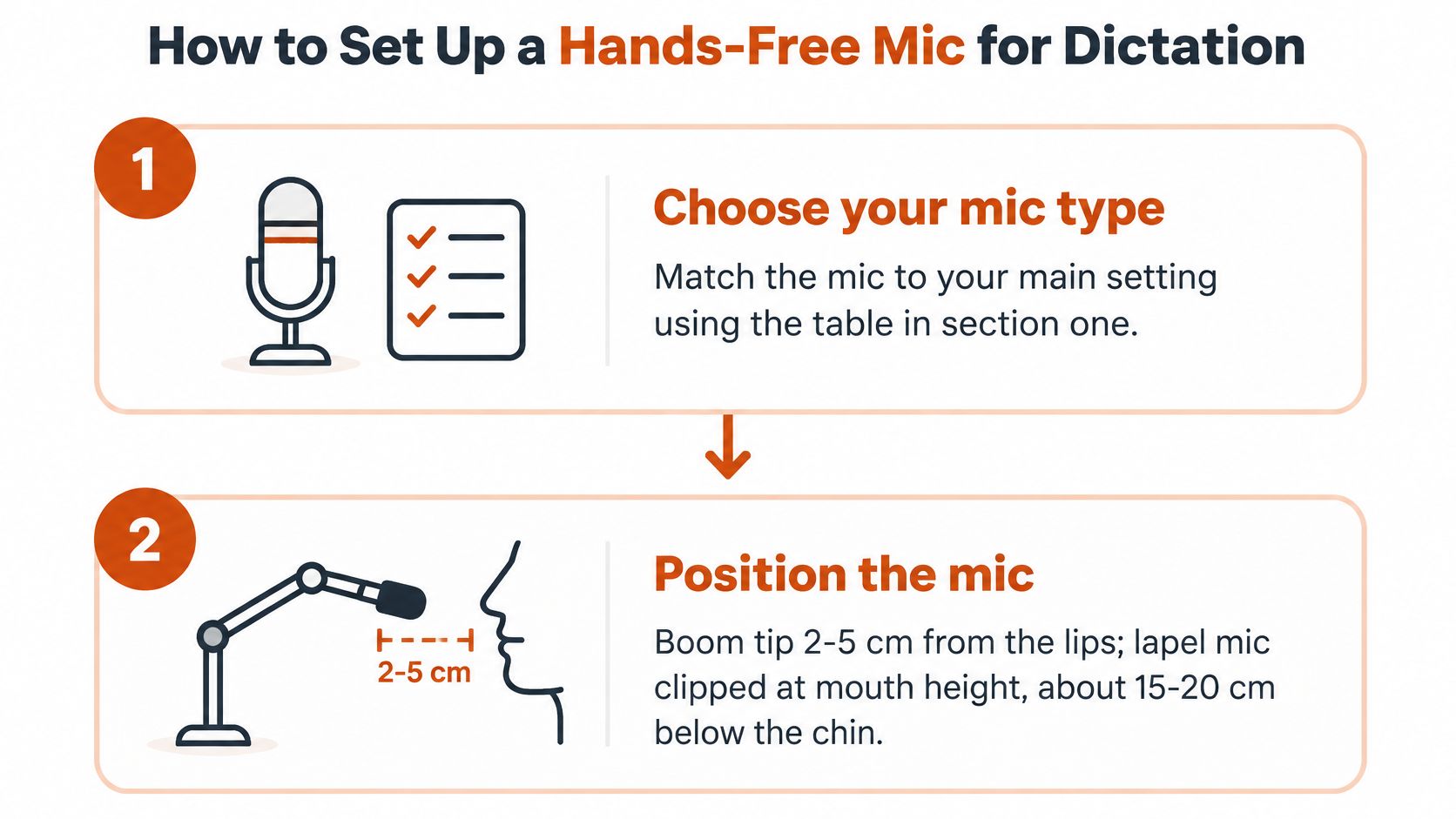
- Match the type to the main setting. Use the table of five types and pick the one you will wear most of the day. A boom for long desk sessions, a lapel for teaching and presenting, earbuds for short notes on the move. Switching types later is fine. Starting with the wrong distance is not.
- Put the capsule where the voice is loudest. Bend a boom so the tip sits about 2-5 cm from the corner of the lips, just off the breath stream so plosives do not pop. Clip a lapel high, near mouth height and about 15-20 cm below the chin, and keep cables off the collar. Cloth rub is a second, fake voice that the recognizer will try to spell.
- Grant microphone access in the operating system. On Windows, open Settings, then Privacy & security, then Microphone. Turn on Microphone access, Let apps access your microphone, and Let desktop apps access your microphone. If an overlay appears and nothing is recorded, those three toggles are the first place to look. After you change them, quit the dictation app completely and reopen it, or the old permission state stays in memory. On macOS, open System Settings, then Privacy & Security, then Microphone, switch the dictation app on, then quit and reopen it.
- Make this mic the default input. Set it in system sound settings and again inside the dictation app. A laptop often keeps listening to its built-in array even after you plug in a headset. On a Mac, confirm the device under System Settings, then Sound, then Input before you record anything.
- Record one sentence twice. Say it in a quiet room, then again with a fan or hallway noise. Check that words arrive in order and that names are not swallowed. This is also a good moment to transcribe lab voice memos accurately the way a bench recording would, so you hear whether the file itself is clean before you blame the recognizer.
- Bind a hotkey you can hold without looking, then teach one hard word. Speak a sentence that includes a drug, a library, or a person's name. If it is misspelled, add it to the custom dictionary. Hardware will not invent a term it has never been shown.
- Run ten real minutes before you trust it. Dictate the work you do. If words clip, move closer. If your voice booms and the room disappears into distortion, ease the input gain down. A finished setup sounds steady, with no hiss under the voice, and punctuation that lands where you pause rather than in the middle of a clause.
A short walk-through of placing a wearable mic and checking levels is easier to copy than a paragraph. Watch the placement, then come back to the permission steps if your app stays silent.
Limits, Privacy and Problems to Expect
A more expensive microphone does not automatically dictate more accurately. Price can buy a quieter capsule, a better boom, or a longer battery. It cannot decide that "there" should have been "their," and it cannot hear a correction you only muttered. Clean audio raises the ceiling. It does not write the note.
When a technical term, a medication, a name, or a code comment comes out wrong, ask which of three layers failed. Was the microphone too far, too noisy, or rubbing on cloth? Did the recognition engine lack that word? Or did the correction step never get a chance to fix it? Accented, disfluent, multilingual, and disordered speech makes that question sharper. A review of voice-interface reliability in the ACM Digital Library describes systematic performance gaps across accented and disordered speech, and it ties errors to noise, multitasking, and changing conditions, not to background level alone. If your speech does not match a reviewer's sample, test with your own voice. A quiet room and a typical accent will not predict your error rate.
Hardware also cannot settle homophones, mixed-language sentences, or a self-correction you did not finish. Newer wearables fold beamforming and speaker separation into the same pipeline as later AI cleanup, so capture and post-processing are less separate than the boxes suggest. Still, a custom dictionary and a workflow that lets you fix a word after the fact will outperform another decibel of marketing.
What the app is allowed to hear
We use microphone access only when you choose to dictate, record, or transcribe. You can deny that access. Dictation and recording will not work without it, which is the correct trade if you want the mic closed the rest of the day. If you are choosing between processing on your machine and processing elsewhere, cloud and local dictation is the decision that sits next to this one. The microphone still has to be allowed. Where the audio goes after that is a separate switch.
A working list of symptoms
| Symptom | Likely cause | Fix |
|---|---|---|
| Words missing or clipped | Mic too far from the mouth, or muted in the app | Move the mic closer and check the app's input device |
| Background voices transcribed | Omnidirectional pickup in a shared room | Switch to a close-talk or array mic |
| Technical terms wrong | Recognition vocabulary gap, not hardware | Add the terms to the custom dictionary |
| Speech cut off after a pause | Hotkey released early or mic asleep | Hold the hotkey until you finish; check battery |
| Overlay shows but nothing records | Microphone access off in OS privacy settings | Enable mic access, then quit and reopen the app |
| Crackling or hiss | Input gain too high or clothing rubbing the mic | Lower input gain and re-clip the mic |
Move the mic when the symptom is level, hiss, or missing syllables. Change a dictionary or a correction step when the audio sounds fine and only the words are wrong. Those are different repairs, and buying a second microphone fixes only the first kind.
Choose the Right Mic and Start Dictating
For long desk sessions and steady note-taking, use a headset with a boom and keep the tip close to the mouth. You will feel it, and you may take it off between blocks of work. You will also give the recognizer the strongest, steadiest voice in the room.
For meetings and lectures where you stand and turn, a clip-on lapel at mouth height is the better balance of distance and freedom. It will not match a boom, and it will rustle if it rides on a loose collar. Placed high, it is the mic you can forget you are wearing.
For walking and quick notes, wireless earbuds are enough when wind is low and you are not competing with traffic. Do not expect them to hold a soft voice in a stairwell. For a current pass over sets that include a mic, best mic-equipped wireless headphones 2026 is a practical shopping comparison, not a substitute for the distance test.
For a shared room with several speakers, a desk array or conference mic helps when you can also sit close to it. Across the table, it becomes a room mic, and the recognizer will try to type everyone.
Before you pay, match battery life to a full shift, read the return window, and confirm the mic is supported on your operating system. Then test it in the room where the work happens, follow the placement and permission steps, and keep the symptom table beside you for a week. If you use AIDictation, install the app, pick a hotkey, hold it while you talk in any text field, and punctuated text shows up at the cursor.
The microphone sets the ceiling. Placement, a stable link, and a dictionary you maintain decide how close you get to it.
AIDictation turns a well-placed hands-free mic into text at your cursor, with cleanup for punctuation, self-corrections, and the odd terms you say. Pair the mic you just chose with a hotkey, dictate in the app where you already write, and keep private audio on the device when you need that. Visit AIDictation to install it and run your first real-room test today.
Frequently Asked Questions
What does Hands Free Mic: What It Is and How to Choose One cover?
You are halfway through a note, both hands on the keyboard, and the fan in the corner is louder than your voice. The words that land on the screen are missing pieces.
Who should read Hands Free Mic: What It Is and How to Choose One?
Hands Free Mic: What It Is and How to Choose One is most useful for readers who want clear, practical guidance and a faster path to the main takeaways without guessing what matters most.
What are the main takeaways from Hands Free Mic: What It Is and How to Choose One?
Key topics include Table of Contents, What a Hands-Free Mic Is and Where It Came From, Five common ways it sits.
Ready to try AI Dictation?
Experience fast voice-to-text on your device. Free to download.
Download Free