10 Data Security Best Practices for 2026
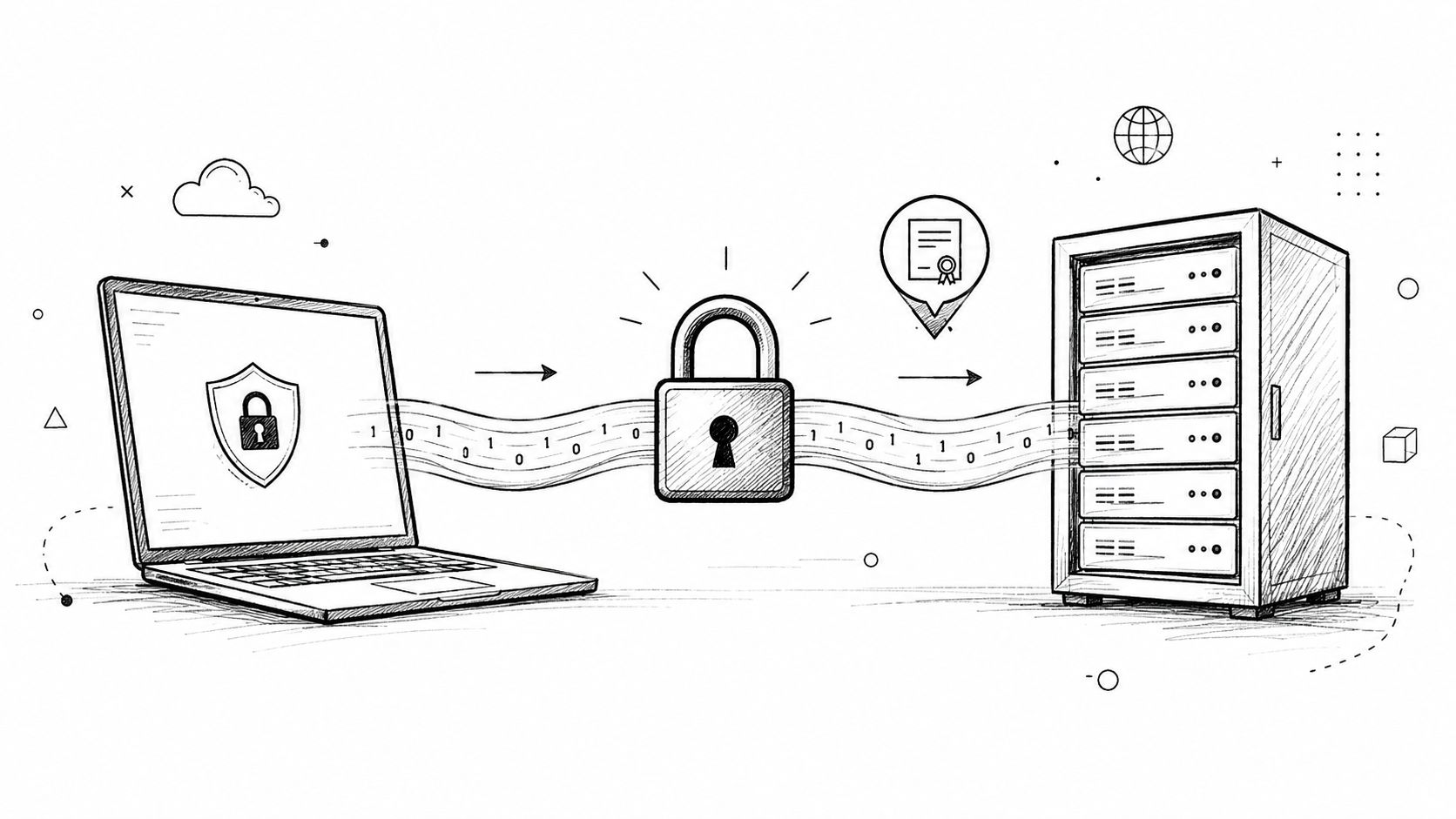
A doctor dictating patient notes after rounds. A lawyer capturing a confidential client update between meetings. A product manager speaking through a noisy open office, then sending the transcript to a team that shouldn't see anything beyond the final draft. Voice data looks harmless in the moment, but once it becomes text, it often contains the kind of information that belongs in the most protected part of your stack. That's why data security best practices matter so much in hybrid cloud and local-processing tools, especially on macOS where one app can touch microphones, local files, cloud APIs, and shared workspaces in the same workflow.
The mistake many teams make is treating security as a single control. It isn't. You need encryption, access control, retention limits, logging, and vendor discipline working together, or one weak link will expose everything else. For healthcare teams, the bar is even higher because HIPAA-era expectations reward systems that minimize exposure before it happens, not just after an incident.
AIDictation is a useful lens here because it reflects the reality many teams now face. Some speech should stay on-device. Some should move to the cloud for cleanup and formatting. The security question is how to do both without turning sensitive speech into a liability.
Table of Contents
- 1. End-to-End Encryption for Data in Transit
- 2. Data Encryption at Rest
- 3. Local-First Data Processing
- 4. Role-Based Access Control
- 5. Multi-Factor Authentication
- 6. Data Retention and Secure Deletion Policies
- 7. Regular Security Audits and Penetration Testing
- 8. Security Logging and Monitoring
- 9. Secure API Design and Rate Limiting
- 10. Vendor Risk Management and Third-Party Security Assessment
- Top 10 Data Security Best Practices Comparison
- From Best Practices to Bulletproof Security
1. End-to-End Encryption for Data in Transit
Voice data crosses more systems than many teams account for, from the macOS client to the API layer, then on to storage, transcription services, cleanup jobs, or collaboration tools. Each handoff creates an interception point if the connection is not encrypted correctly. For sensitive dictation, TLS 1.3 should be the default wherever the client and server both support it, because it is the current baseline for protecting data in motion.
In practice, that means more than turning on a setting in a cloud console. Encryption needs to stay consistent between the app and every service it touches, including transcription, cleanup, translation, account sync, telemetry, and update delivery. For a privacy-conscious dictation product, the standard should be straightforward, speech, transcripts, and user metadata move only over encrypted channels, with no plaintext fallback in any supported path.

What actually works in production
Certificate pinning in a macOS client can lower spoofing risk, but it needs careful operations because bad pinning can break legitimate traffic during certificate renewals. Teams should monitor expiration dates, automate renewal, and review TLS settings regularly with tools like SSL Labs. That review matters because old protocols and weak ciphers often remain in place longer than they should.
For update delivery, end to end encryption for updates follows the same logic. The client should verify both the transport and the identity of what it receives, so a protected session does not become a weak point during distribution or patching.
Key management is the true control
Encryption is only as strong as the keys behind it. Hardware security modules can keep production keys out of application memory and reduce the chance of accidental exposure. Separate keys for voice content and metadata also make sense because those data types do not always deserve the same retention rules or access paths.
Document key ownership, rotation, and recovery before an incident forces the issue. Teams should test disaster recovery with the same seriousness they apply to uptime testing, because a lost key can become a self-inflicted outage. That matters in regulated environments where availability and confidentiality both carry real operational risk.
Practical rule: if your app handles healthcare, legal, or financial dictation, treat every network hop as hostile until encryption and identity verification prove otherwise.
A useful real-world test is to trace a single transcript from microphone input to its final destination. If you cannot explain every encrypted hop, the architecture is not ready for sensitive data.
2. Data Encryption at Rest
Encryption in transit protects the journey, but encryption at rest protects the aftermath. If someone gains access to a database snapshot, object store, backup volume, or stolen machine image, at-rest encryption is what keeps the data from being immediately readable. In a dictation product, that means voice files, transcripts, user profiles, API secrets, and audit logs all need separate protection strategies.
For cloud storage, the strongest operational pattern is to use managed encryption with customer-controlled key discipline where appropriate. For local caches on macOS, encrypted storage should cover anything that might hold a recording fragment, model output, or temporary file. The goal isn't just compliance language, it's limiting blast radius if storage is copied, exported, or mishandled.
Key management is the real control
Encryption is only as good as the keys behind it. Hardware security modules can keep production keys out of application memory and reduce the chance of accidental exposure. Separate keys for voice content and metadata also make sense because those data types don't always deserve the same retention rules or access paths.
A strong pattern is to document key ownership, rotation, and recovery before an incident forces the issue. Teams should test disaster recovery with the same seriousness they apply to uptime testing, because a lost key can become a self-inflicted outage. That's especially important in regulated environments, where operational continuity matters as much as confidentiality.
For AIDictation-style workflows, cloud storage and local processing diverge. Local files should be encrypted on the device, while cloud stores should use strong encryption and audit-ready key controls. If a transcription platform can't explain how it protects both, it's not ready for healthcare-grade use.
3. Local-First Data Processing
The best way to protect some data is never to send it anywhere in the first place. That's the logic behind local-first processing, and it fits voice-to-text tools unusually well because a lot of dictation can be transcribed on the device before any cloud service is involved. On Apple Silicon, local recognition can keep routine speech inside the user's Mac, which dramatically reduces exposure for sensitive conversations.
That design choice matters most when the speech contains patient names, diagnoses, medication notes, or privileged legal content. It also helps when users don't want every draft sentence to traverse the internet. A clear Local Mode gives people a privacy-preserving path that doesn't depend on network availability.
AIDictation's local workflow is documented in its own guidance on secure medical transcription, and that pattern is worth copying. Give users an explicit choice between local and cloud processing, explain the limitations clearly, and make fallback behavior predictable. If a user starts in Local Mode and the system needs cloud cleanup later, the app should say so clearly.
Why local-first isn't a compromise
Local-first isn't just for privacy purists. It can lower compliance burden, reduce data transfer surface, and help teams avoid storing content they don't need to keep. The trade-off is model size, device performance, and feature parity, so the product team has to decide which workflows need cloud enhancement.
Data minimization starts before storage. If the app can keep raw speech off the network, you've already removed one of the hardest problems from the security stack.
A practical implementation detail is to let users delete local caches and temporary artifacts themselves. That keeps the user in control and avoids a common failure mode where “temporary” files live far longer than intended.
4. Role-Based Access Control
Once data is stored, access control decides who can see it. RBAC works because it maps permissions to job functions instead of handing out one-off exceptions, which is what small teams do until access sprawl gets out of hand. In a clinic, law firm, or research group, that means clinicians, administrators, and technical staff shouldn't all have the same view of transcripts.
The most effective RBAC systems start small. Reader, Editor, and Admin cover a surprising amount of real-world use, and they're much easier to audit than a pile of custom permissions. From there, organizations can add specialized roles only when a real workflow demands it.
Least privilege has to be visible
Least privilege isn't a slogan, it's a maintenance habit. You need clear role definitions, documented responsibilities, and a regular review cycle so someone doesn't keep access they no longer need. In cloud environments, that should extend to service roles, automation accounts, and administrative consoles, not just human users.
Healthcare systems like Epic and Cerner use role-based access to separate doctors, nurses, and admin staff, and that same logic maps cleanly to dictation tools. A front-desk worker may need scheduling exports, while a clinician needs transcripts but not billing records. The permissions should reflect that separation exactly.
A good audit report answers one question fast, who can touch sensitive speech data right now? If the answer takes a manual scavenger hunt, the permissions model is already too loose.
5. Multi-Factor Authentication
Passwords alone are a weak gate for anything that touches sensitive data. MFA raises the bar by requiring a second factor, which makes stolen credentials far less useful to an attacker. For dictation systems that store clinical notes or legal drafts, that extra step is often the difference between an account compromise and an incident that never happens.
The strongest rollout pattern is to support several methods, then steer users toward the most phishing-resistant option they can reasonably adopt. Authenticator apps are a solid default, hardware security keys are stronger for privileged users, and Face ID or Touch ID can make local sign-in smoother on macOS. SMS should be a fallback, not the main path.
Make the secure option easy enough to use
Users don't abandon MFA because they hate security. They abandon it when setup is confusing or recovery is brittle. Backup codes need to be issued clearly during enrollment, and teams should explain that those codes deserve the same protection as a password vault.
Google, Microsoft, and Apple all support stronger account protection patterns, and healthcare portals increasingly use them too. That's not a coincidence, it's a recognition that account takeover is a routine entry point for sensitive systems. For organizations handling medical dictation, MFA should be mandatory before any protected information is exchanged.
If a user can share a transcript, they should have to prove identity with something stronger than a password they reused elsewhere.
Convenience versus risk is the core trade-off. MFA adds friction at sign-in, but it removes a much bigger source of friction later, incident response, forced resets, and trust repair.
6. Data Retention and Secure Deletion Policies
Retention policy is security policy. If a system keeps voice recordings and transcripts forever, the exposure window only grows, and the cleanup burden becomes unmanageable. Good teams decide what they need to keep, how long they need it, and how it gets removed when the clock runs out.
That matters especially for healthcare workflows, where some data should be discarded quickly unless there's a documented reason to retain it. AIDictation's own guidance on healthcare data security aligns with this idea by emphasizing defined retention and deletion windows. The principle is straightforward, keep less, protect less.
Deletion has to reach every copy
Deleting a file in one system isn't enough if backups, archives, synced folders, or replicas still contain the same content. Cryptographic erasure is stronger than simple file deletion because removing the encryption key can make the content unrecoverable, even if a copy still exists somewhere in storage. That approach is especially useful for cloud workloads where replicated data can linger.
Clear communication is part of the control. Users need to know what gets deleted, when it gets deleted, and what exceptions exist for compliance or legal holds. Without that clarity, support teams end up improvising policy in ticket replies, which is a bad place to set retention rules.
For dictation products, the practical move is to separate audio, transcript, and metadata retention. Those data types often deserve different lifetimes, and tying them together creates unnecessary exposure.
7. Regular Security Audits and Penetration Testing
Security controls tend to drift. Code changes, cloud settings change, dependencies change, and a permission that looked safe six months ago can become a problem. Regular audits and authorized penetration tests catch that drift before it turns into a breach.
For a product like AIDictation, this should happen before major feature releases and as part of ongoing compliance work, not only when someone is preparing for an external review. Code review, infrastructure review, and controlled testing each find different classes of failure. A mature team uses all of them.
Independent eyes find different problems
Internal engineers often miss issues because they've learned to ignore their own architecture's oddities. An external tester won't have that blind spot. That's why penetration testing is useful even when the team already has strong engineering discipline.
Audit findings need owners and timelines, or they become a report that sits in a folder. Critical issues should be fixed first, then retested to confirm the remediation worked. That closes the loop and prevents the same bug from resurfacing in a later release.
Healthcare organizations routinely treat HIPAA security reviews as recurring work, and software teams should borrow that mindset. A good audit program also builds trust, because it shows customers that security isn't just a marketing claim.
8. Security Logging and Monitoring
A transcription platform can look healthy while a compromised account reads patient notes, exports files, or changes permissions. Logging gives you the record, and monitoring turns that record into a signal you can act on before the event becomes a larger incident.
For voice-to-text systems on macOS, especially in hybrid cloud and local-processing setups, the highest-value events are login attempts, transcript access, exports, configuration changes, and permission edits. Those events should be captured with enough context to support incident response, HIPAA reviews, and day-to-day operational checks. If a transcript leaves the system, the logs should show who initiated it, what was accessed, and from where the request came.
Good logs are structured, not noisy
Structured logs are easier to query, alert on, and retain than scattered free-text entries. JSON is a practical default because security tools can parse it reliably, and it also makes correlation easier across local agents, cloud services, and admin consoles. That matters when the control plane lives in one place and the protected data sits somewhere else.
A monitoring setup should flag failed login bursts, unusual access times, bulk exports, and unexpected configuration changes. It should also watch for access from new devices or locations when that behavior does not fit the user's normal pattern. Manual review still matters, because automated rules miss patterns that only become clear once an analyst has the full context.
Logs also need a retention policy. An audit trail is only useful if it still exists during a review or incident, and the policy should match both operational needs and privacy requirements. For teams that need a clear audit trail compliance with Crufti, the logging design should make that evidence easy to retrieve without exposing more data than necessary.
Security logging is not about collecting everything forever. It is about collecting the right evidence before an incident removes it.
For products that handle regulated data, the privacy policy should explain that monitoring exists, what it records, and why the organization relies on it. In healthcare settings, that transparency helps set expectations without promising that every action stays invisible.
9. Secure API Design and Rate Limiting
APIs are where a lot of data security failures begin. A weak transcription endpoint, an over-permissive integration token, or a sloppy webhook can expose far more than the app's front end ever would. That's why API design needs to start with authentication, authorization, input validation, and abuse controls.
Rate limiting is one of the simplest protections with the broadest payoff. It helps blunt brute force attacks, slows automated scraping, and gives defenders a chance to notice abnormal behavior before it spirals. For a speech-to-text platform, that matters on transcription, translation, and third-party integration endpoints alike.
Make abuse harder, not just inconvenient
Use expiring API keys and require rotation for sensitive integrations. Sign requests for high-risk actions so the server can verify they weren't tampered with in transit. Validate every input parameter, and reject bad requests early instead of letting them travel deeper into the system.
AIDictation's own system reliability guidance fits naturally here, because security and reliability share the same failure paths. If an API can be overloaded easily, it can usually be abused easily too. Versioning endpoints also helps avoid risky one-off changes that break clients and force insecure shortcuts.
OpenAI, Stripe, AWS API Gateway, and GitHub all use variants of these patterns, which shows how standard the discipline has become. The point isn't imitation for its own sake, it's avoiding the common trap where a useful API becomes the softest part of the system.
10. Vendor Risk Management and Third-Party Security Assessment
No dictation platform exists alone. Cloud hosts, payment processors, model providers, analytics tools, and open-source libraries all influence the security posture, even when they sit outside your direct codebase. If a vendor mishandles data, your users experience the consequences anyway.
That's why vendor review should be part of security design, not procurement theater. Critical vendors need security questionnaires, evidence of controls, and contract language that sets expectations for breach notification and service reliability. For software dependencies, software composition analysis and SBOM tracking reduce the chance of shipping known vulnerabilities without noticing.
Dependency risk is product risk
Healthcare teams should especially care about vendors that can see protected information or influence access paths. If a service is involved in storage, messaging, transcription, or identity, it deserves a deeper review than a low-risk marketing integration. The same logic applies to open-source libraries that sit in the request path or handle secrets.
A supply-chain incident can spread far beyond the original vendor. That's why backup plans matter for critical services, including diversification where possible and periodic re-review when a vendor changes ownership, architecture, or incident history. The question isn't whether a third party is perfect, it's whether you know how much trust you're placing in it.
In a hybrid dictation model, vendor discipline is what keeps the local and cloud pieces from undermining each other. If the cloud side is sloppy, local privacy wins won't save the overall system.
Top 10 Data Security Best Practices Comparison
| Item | 🔄 Implementation Complexity | ⚡ Resource Requirements | ⭐ Expected Outcomes | 📊 Ideal Use Cases | 💡 Key Advantages |
|---|---|---|---|---|---|
| End-to-End Encryption for Data in Transit | Moderate, TLS config, cert pinning, PFS | Low–Moderate CPU + cert management | High ⭐⭐⭐, prevents MITM; enables compliance | Client-server comms, telehealth, API traffic | Industry standard; transparent UX; strong regulatory fit |
| Data Encryption at Rest | Moderate, KMS/HSM integration, key lifecycle | Moderate, KMS/HSM, CPU for crypto ops | High ⭐⭐⭐, protects data if storage breached | Stored PHI, backups, cloud storage | Protects against physical/db breaches; supports key rotation |
| Local-First Data Processing (On-Device Encryption) | High, on-device ML packaging, model updates | High on-device compute & storage; lower cloud costs | Very High ⭐⭐⭐⭐, minimizes data exposure; low latency | HIPAA-sensitive, offline/low-latency workflows | Maximum privacy; reduced cloud dependence; fast local responses |
| Role-Based Access Control (RBAC) | High, role design, hierarchies, audits | Moderate, IAM infrastructure + admin effort | High ⭐⭐⭐, limits unauthorized access; audit trails | Enterprise orgs, clinics, legal teams | Enforces least privilege; simplifies large-org access |
| Multi-Factor Authentication (MFA) | Low–Moderate, integrate TOTP/WebAuthn/biometrics | Low, auth services and support flows | Very High ⭐⭐⭐⭐, blocks most account compromises | All user accounts; high-privilege roles | Strong account protection with low implementation cost |
| Data Retention & Secure Deletion Policies | Moderate, retention rules, cryptographic erasure | Low–Moderate, lifecycle management, key ops | Moderate–High ⭐⭐⭐, reduces exposure window; compliance | GDPR/HIPAA contexts; user privacy needs | Limits risk, saves storage costs, supports "right to be forgotten" |
| Regular Security Audits & Penetration Testing | High, scope planning, remediation tracking | High, third-party fees & internal engineering time | High ⭐⭐⭐, uncovers vulnerabilities; compliance evidence | Pre-certification, major releases, regulated products | Independent validation; prioritized fixes; audit readiness |
| Comprehensive Security Logging & Monitoring | High, log pipelines, SIEM, alerting rules | High, storage, compute, skilled analysts | High ⭐⭐⭐, enables detection, forensics, compliance | Production systems, regulated environments | Rapid incident detection; immutable audit trails |
| Secure API Design & Rate Limiting | Moderate, auth, validation, throttling, CORS | Moderate, API gateway, monitoring, docs | High ⭐⭐⭐, prevents abuse and data extraction | Public APIs, partner integrations, billing systems | Protects APIs from abuse; supports controlled access & billing |
| Vendor Risk Management & 3rd‑Party Assessment | Moderate, questionnaires, SCA, contract terms | Moderate, legal/security reviews, audits | Moderate–High ⭐⭐⭐, reduces supply‑chain risk | Cloud providers, payment processors, ML vendors | Mitigates vendor breaches; enforces contractual security SLAs |
From Best Practices to Bulletproof Security
Implementing data security best practices isn't a one-time project, it's an operating discipline. The biggest wins usually come from reducing exposure first, then tightening the controls around whatever data still needs to move, sync, or be shared. For voice-to-text systems on macOS, that often means a local-first path for sensitive speech, strong encryption for anything that leaves the device, and tight retention rules for the material that remains in the cloud.
The hardest mistake to unwind is assuming one control can carry the whole load. Encryption without access control still leaves data open to misuse. MFA without logging won't help you investigate a suspicious export. Retention without deletion discipline just creates more places for sensitive speech to live. Strong programs layer these controls so one failure doesn't become a breach.
For healthcare teams, the practical standard is simple, keep protected speech data out of unnecessary places, restrict who can reach it, and prove those decisions with logs and audits. For software developers and IT managers, that means treating the dictation pipeline as part of the security boundary, not just the app UI. If you're evaluating a tool like AIDictation, the right questions are whether it gives you local processing where appropriate, clear retention behavior, and the access controls needed for real-world compliance work.
Start with the controls that shrink risk fastest, then build outward from there. If you're ready to reduce exposure in your own dictation workflow, visit AIDictation and see how local processing, cloud cleanup, and privacy-focused design can fit into a security-conscious workflow.
Frequently Asked Questions
What does 10 Data Security Best Practices for 2026 cover?
A doctor dictating patient notes after rounds. A lawyer capturing a confidential client update between meetings.
Who should read 10 Data Security Best Practices for 2026?
10 Data Security Best Practices for 2026 is most useful for readers who want clear, practical guidance and a faster path to the main takeaways without guessing what matters most.
What are the main takeaways from 10 Data Security Best Practices for 2026?
Key topics include Table of Contents, 1. End-to-End Encryption for Data in Transit, What actually works in production.
Ready to try AI Dictation?
Experience fast voice-to-text on your device. Free to download.
Download FreeRelated Posts
Privacy by Design for macOS Apps: A Practical Guide
Learn what privacy by design means, why it matters for macOS apps, and how to ship HIPAA- and GDPR-ready products without slowing your team down.
Healthcare Data Security: HIPAA Compliance & Tech in 2026
Protect patient data with our 2026 guide to healthcare data security. Learn about HIPAA, technical controls & secure dictation apps to prevent breaches.
Clinical Documentation Software a Guide for Modern Clinics
Discover how clinical documentation software boosts accuracy, saves time, and ensures compliance. Our guide covers features, AI integration, and implementation.