Privacy by Design for macOS Apps: A Practical Guide
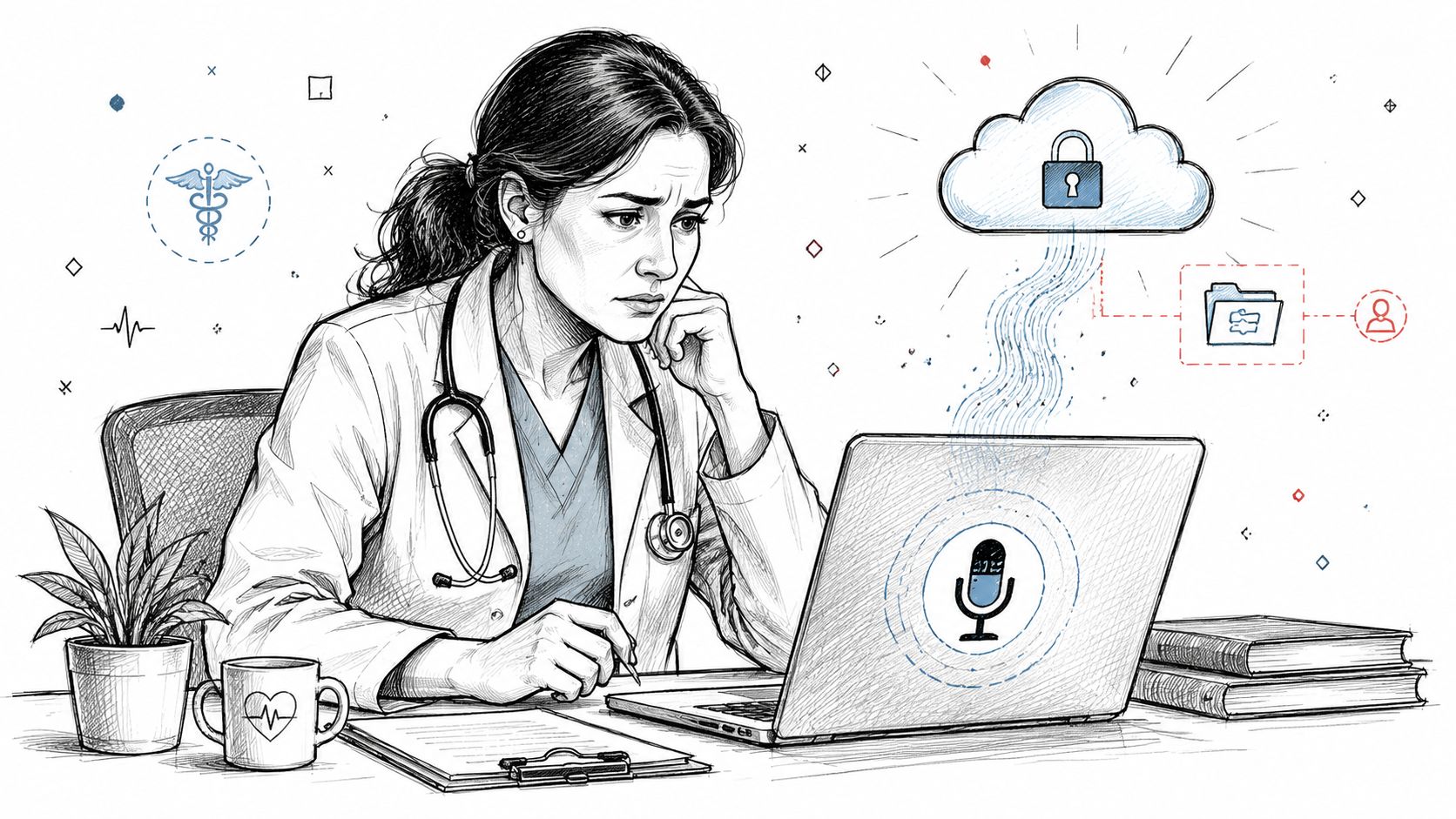
A clinician finishes a consultation, taps her macOS dictation app, and watches the transcript appear. Later, she learns that the app streamed the raw recording to a cloud endpoint she never knowingly approved. The interface looked simple, but the architecture had already made a privacy decision on her behalf.
That's the practical meaning of privacy by design. Privacy isn't a banner added after launch or a settings page someone reviews before an audit. It's a product requirement that shapes where audio goes, which files an app can read, how long data remains stored, and what happens when a user changes their mind. The framework formalized by Ann Cavoukian in the 1990s and later expressed through seven foundational principles gives teams a useful design language for making those decisions early. The original Privacy by Design framework describes proactive prevention, privacy as the default, embedded protection, lifecycle security, transparency, and respect for the user.
For a healthcare-focused macOS app, the first keystroke can already involve sensitive information. A voice recording may contain a patient's name, symptoms, treatment history, or other protected health information. Choosing local speech recognition instead of a vendor endpoint isn't merely a performance decision. It's a privacy boundary.
Table of Contents
- Why Privacy by Design Matters When Your App Listens to People
- The Seven Foundational Principles Explained
- Mapping Privacy by Design to GDPR and HIPAA
- On-Device vs Cloud Processing in a Voice App
- A Developer Checklist for Shipping Privacy by Design
- Real-World Wins and Costly Misses
- Future-Proofing Your Privacy Posture
Why Privacy by Design Matters When Your App Listens to People
A microphone-first app creates a different risk profile from a conventional note-taking tool. It may capture a consultation before the clinician has reviewed the text, and the audio can contain more information than the final note requires. If the product sends that recording to a remote service automatically, the user has to discover and undo a decision the engineering team already made.
That reverses the right order of operations. A privacy-aware team asks where the data should live before designing the upload pipeline. It decides whether raw audio is necessary at all, whether transcription can happen locally, and whether cloud cleanup should require a deliberate opt-in. The resulting controls should exist in code, not only in a privacy policy.

From consent screens to architecture
The older pattern is familiar. A team collects broadly, adds an analytics notice, creates an audit export, and asks legal to review the workflow after the main features are complete. That approach can document processing without reducing the amount of data the system handles.
Privacy by design starts earlier:
- Collection: Capture only the audio needed for the active dictation.
- Processing: Prefer on-device recognition when the task doesn't require a remote model.
- Storage: Separate identifiers from transcript content and avoid retaining raw recordings unnecessarily.
- Sharing: Make cloud processing visibly optional, with a clear explanation of what leaves the Mac.
- Deletion: Tie removal to an explicit retention rule rather than indefinite archive behavior.
The distinction matters because every stored field creates another place where access, linkage, retention, and breach impact must be managed. ENISA's guidance on privacy and data protection by design connects data minimization with architectural patterns such as separating identifiers from content, early deletion or pseudonymization, default-off telemetry, client-side processing, compartmentalized storage, and short retention windows.
Practical rule: If a healthcare app can complete a task without receiving or storing a piece of personal data, the safest version of that feature usually removes the data path entirely.
A shipping product makes these principles visible through behavior. A local mode can keep sensitive audio on the Mac. A cloud mode can offer richer cleanup while requiring a deliberate choice. A permissions flow can grant access to a selected folder instead of the entire Documents directory. Those aren't abstract promises. They're observable product decisions that help a clinical team understand what the app does before trusting it with a patient conversation.
The Seven Foundational Principles Explained
Ann Cavoukian's seven principles work best as engineering prompts. Each one asks a team to turn a value into a default, boundary, or testable behavior. The principles were published in a formal document in August 2009 and were recognized internationally in 2010 through a resolution unanimously adopted by privacy commissioners and data protection authorities, milestones described in the foundational Privacy by Design document.

1. Proactive, not reactive
Find the privacy failure before users do. For a macOS dictation app, that means testing whether diagnostics, crash reports, temporary audio files, and model requests can contain patient information. Telemetry should be off by default, and the team should verify that the disabled state prevents collection rather than merely hiding a dashboard.
2. Privacy as the default setting
The first launch should give users the protective path automatically. Open the app in offline mode, keep cloud processing disabled, and explain the consequence of enabling it before audio leaves the device. A clinician shouldn't need to understand infrastructure to avoid remote processing.
3. Privacy embedded into design
A privacy control that depends on a later configuration change is fragile. Build the Core ML or other local inference path, macOS sandbox container, scoped file permissions, and storage boundaries into the architecture. Make the unsafe route difficult to invoke accidentally.
4. Full functionality with a positive-sum result
Privacy doesn't have to mean an unusable product. A local speech-recognition model can provide immediate transcription, while a cloud model may offer broader cleanup, formatting, or context handling. The product team should measure quality and workflow fit for each mode, then give users a meaningful choice instead of treating privacy as the automatic sacrifice for convenience.
5. End-to-end security
Protect the data from capture through deletion. Encrypt the dictation archive, restrict access to the app's container, protect keys through the platform's security facilities, and remove raw audio once transcription no longer needs it. A secure upload is only one stage of the lifecycle.
6. Visibility and transparency
Show the user what the system knows and where it keeps it. A useful privacy dashboard can identify the active processing mode, recorded items, storage location, cloud status, and deletion behavior in plain language. Transparency also helps support staff answer a clinician's question without inspecting internal logs.
7. Respect for user privacy
Give people granular control without forcing them to become system administrators. A clinician may authorize one export folder while denying access to unrelated documents. Permission prompts should match the task, use clear language, and make revocation understandable.
These principles are connected, but they aren't interchangeable. Default-off cloud processing is a user-facing choice. Sandbox entitlements are an architectural boundary. Retention and deletion are lifecycle controls. A review that checks only the consent screen can miss failures in all three areas.
Mapping Privacy by Design to GDPR and HIPAA
Legal requirements become easier to implement when each obligation has a corresponding system behavior. GDPR Article 25 focuses on data protection by design and by default, so a team can translate it into choices about necessity, purpose, access, storage, and processing. For a voice app, data minimization might mean discarding raw audio after transcription, while purpose limitation might mean preventing a dictation component from reading unrelated folders.
Healthcare teams also need to distinguish between a design pattern and a legal conclusion. Hashing an identifier can reduce direct exposure, but it doesn't automatically make the resulting data anonymous. Encryption can protect confidentiality, but it doesn't replace access governance, retention rules, or an appropriate contractual arrangement with a processor.
The same engineering control may support several obligations at once:
| Engineering Control | GDPR Article 25 | HIPAA Security Rule |
|---|---|---|
| Local speech recognition | Reduces unnecessary transfer and supports data minimization | Helps limit exposure during transmission |
| Scoped macOS permissions | Limits processing to the stated purpose | Supports access control |
| Encryption at rest | Protects stored personal data by design | Supports technical safeguards for stored electronic protected health information |
| Secure transmission controls | Protects data when a remote service is deliberately enabled | Supports transmission security |
| Audit events without field contents | Improves accountability while limiting secondary exposure | Supports audit controls |
| Signed transcript bundles | Helps detect unauthorized alteration | Supports integrity controls |
| Defined deletion behavior | Supports storage limitation and lifecycle protection | Supports controlled information lifecycle practices |
For an engineering team building healthcare workflows, healthcare data security guidance for dictation apps can provide useful product context. Teams evaluating newer systems should also examine resources on embodied AI data compliance, especially when physical-world interaction, voice, sensors, or model-driven automation expand the types of personal data a system can encounter.
A shared vocabulary for review
A privacy review should ask concrete questions:
- Necessity: Can the feature work without raw audio, persistent identifiers, or broad folder access?
- Purpose: Is each field tied to a stated user task?
- Access: Which process, account, or service can read the data?
- Lifecycle: When does the app delete, pseudonymize, or archive it?
- Evidence: Can the team demonstrate the default behavior and permission history?
HIPAA and GDPR don't become identical because the same app serves both audiences. They do, however, give legal, security, and product teams a common reason to inspect the same data flows. The strongest implementation is one where the control is visible in the architecture, testable in the build, and explainable to the customer.
On-Device vs Cloud Processing in a Voice App
The local-versus-cloud decision determines the privacy posture of a voice product, but it also affects quality, responsiveness, operating cost, and offline behavior. “Local good, cloud bad” is too simple for a clinical workflow. The better question is which path fits the sensitivity of the task and the user's chosen outcome.
A local model keeps audio on the Mac and can continue without an internet connection. A cloud model can provide access to remote compute and additional cleanup capabilities, but it creates a transfer boundary that the product must disclose and control. Auto Mode can be useful only if its switching logic never automatically turns a local workflow into a cloud workflow.
| Dimension | On-Device speech recognition | Cloud speech recognition |
|---|---|---|
| Latency | Often responsive because audio doesn't make a network round trip | Depends on connection quality, upload time, queueing, and service response |
| Model quality | Constrained by the Mac's available compute and installed model | Can use larger hosted infrastructure and centralized model updates |
| Privacy posture | Audio can remain on the device | Audio crosses into a vendor-controlled processing environment |
| Inference cost | Shifts compute and energy use to the user's Mac | Shifts infrastructure cost to the service operator and may require service governance |
| Offline capability | Works without network access when the model and app support it | Requires connectivity unless the product has a separate fallback |
A healthcare team should define a hard rule before implementing automatic routing. For example, a session marked clinical can remain local unless the clinician explicitly enables cloud processing. If the network fails during a cloud-enabled task, the app should pause, ask, or fall back locally, rather than retrying through an unknown endpoint.
A useful product comparison is on-device speech recognition on Apple silicon, which explains the architectural implications of keeping inference near the microphone. The important engineering test isn't whether a mode sounds private in marketing. It's whether packet inspection, storage inspection, permission review, and failure testing confirm the promised boundary.
Decision rule: Use local processing by default for sensitive dictation. Offer cloud processing only when its added capability is clear, the user understands the transfer, and the team can govern the recipient and lifecycle.
Cloud processing can earn its place when a user needs remote model capabilities, shared workflow integration, or richer transformation than the local path can provide. It shouldn't earn that place through a hidden fallback.
A Developer Checklist for Shipping Privacy by Design
A privacy checklist works only when each item maps to a test, an owner, and a release decision. Add these checks to the same workflow that reviews crashes, accessibility, and performance. The aim isn't to produce a longer document. It's to prevent privacy controls from becoming optional work after the feature has shipped.
-
Minimize captured data. Retain only the audio segment the user is actively working with, and remove unnecessary leading or trailing material before persistence. Review temporary files, crash dumps, previews, and transcription queues as part of the same data-flow analysis. The principle is simple: data that never exists can't be exposed later.
-
Keep analytics off by default. Add one clear opt-in control before telemetry starts, and test the disabled state on a clean installation. Don't treat an analytics preference as complete until the network layer confirms that no event leaves the app without consent.
-
Record consent locally and clearly. Store the timestamp, scope, version of the notice, and user action in a local audit record. Don't place the dictated text or raw audio inside that record. The audit should prove what permission was granted without creating another sensitive archive.
-
Encrypt storage and transport. Use platform-supported protection for files at rest and enforce App Transport Security for network connections. Review key access, backups, temporary exports, and error paths, because encryption at the primary storage layer doesn't automatically cover every copy.
-
Enforce retention windows. Give raw audio and transcripts separate lifecycle rules, with a clear user action for preserving an item. Automated deletion should be observable, resilient to app restarts, and tested against pinned or legally retained content.
-
Log access without logging clinical content. Capture which component accessed a sensitive field, when it happened, and whether the request succeeded. Keep patient names, dictated words, and audio bytes out of the audit stream. This provides accountability without duplicating the protected data.
-
Update the data-flow diagram every sprint. Show microphone capture, local models, cloud services, caches, exports, backups, and deletion points. A diagram that changes with the code gives reviewers a faster way to detect an unapproved data path. Teams looking for broader implementation guidance can use data security best practices for dictation workflows.
Release gates that catch real failures
Run the checklist against failure scenarios, not just the happy path. Disconnect the network, revoke a folder permission, terminate the app during recording, restore from backup, and switch modes while a transcript is pending. Each scenario should produce an expected privacy outcome.
The reviewer should also be able to answer three questions without reading the entire codebase: what data exists, who can access it, and when it disappears. If those answers depend on tribal knowledge, the feature isn't ready for a sensitive environment.
Real-World Wins and Costly Misses
A healthcare group chooses a local dictation tool because its clinicians don't want consultation audio leaving their Macs. Months later, a transcription vendor used elsewhere suffers a breach. The group's recordings aren't part of that incident because the chosen workflow never placed those recordings in the vendor's environment.
The engineering lesson is narrower than “local is always safe.” The team made a deliberate decision about data location and accepted the trade-off of local compute. That implements privacy as the default and end-to-end security more effectively than a cloud service that promises to delete data after processing but still receives it first.

A different team ships a meeting-focused browser extension with recording enabled through a feature path users don't understand. A regulator complaint reveals that the consent experience and retention behavior don't match the team's assumptions. Engineers must then remove cloud upload, redesign deletion, reconstruct permission history, and contact affected users while the product is already in the field.
The missing principles are proactive prevention, visibility and transparency, and respect for user privacy. The failure didn't begin when the regulator complained. It began when the product allowed collection to outpace the team's ability to explain, limit, and delete it.
Privacy failures are often workflow failures first. The code merely preserves the assumption that nobody stopped to challenge.
The two examples point to different controls. The first reduces exposure by keeping sensitive material local. The second shows why a product must make collection visible and intentional before launch. Neither outcome comes from a policy sentence alone.
A short technical demonstration can help a mixed product and clinical team see how these boundaries behave in practice:
Use the demonstration as a starting point for questions, not as proof that a particular architecture satisfies every organization's legal or security requirements. Buyers still need to verify deployment details, contracts, permissions, retention, and operational ownership.
Future-Proofing Your Privacy Posture
A healthcare buyer should be able to inspect your privacy posture without starting a new investigation each time. Keep a short privacy dossier with the current data-flow diagram, processing defaults, permission inventory, retention rules, deletion tests, consent records, incident contacts, and the control mapping used by security and legal reviewers.
The dossier must answer practical questions: Where is audio processed? What remains on the Mac? Which services receive transcript content? What happens offline? How does a user revoke access? Each answer should describe the shipped binary, not an intended architecture. In a voice app, the local-versus-cloud choice is part of the privacy design, not a footnote in the policy.
Risk one, shadow AI behavior
A developer can place an AI summary behind a feature flag, then route transcript content to a third-party model without changing the main interface. Keep a feature-flag registry that records the privacy classification, data-flow owner, environment status, and approval record. Review the registry during release planning, including flags hidden from ordinary users. A feature is not outside privacy review merely because it is difficult to find.
Risk two, model inversion
Local processing reduces transfer exposure, but a locally adapted model can create another privacy concern if sensitive training material becomes recoverable through model behavior. Require review before local fine-tuning, restrict adaptation data, and assess differential privacy or another suitable protection when the use case supports it. “On device” describes where processing occurs. It does not, by itself, describe what the model may reveal.
Risk three, hidden subprocessors
A “summarize with AI” action can send protected content to a vendor absent from the original product review. Maintain an explicit subprocessor allowlist and enforce it at the network layer, so an unapproved endpoint cannot become an invisible processing destination. Recheck the list when models, SDKs, analytics tools, or cloud workflows change.
Privacy by Design was formalized in the 1990s, and its principles later became an internationally recognized standard, as documented in the seven foundational principles reference. The harder problem now is operational consistency. ISACA's State of Privacy 2025 reported that 67% of respondents said their enterprise practiced privacy by design when building new applications and services. A later ISACA Privacy Practice research for 2026, cited via Business Wire distribution, reported that 58% of organizations always or frequently practiced it in new applications, down from 62% in 2025. The same source identified new-technology risk management, shortages of competent resources, and complex international regulations as implementation obstacles. Poor training was described as the most common privacy failure.
Those findings point to a shipping discipline. Put defaults in code, boundaries in entitlements, lifecycle rules in automated jobs, evidence in logs, and exceptions in an approval process. For an AI-enabled macOS app handling medical dictation, new models, vendors, and feature flags can change the data path after the original architecture review. Privacy by Design must therefore be checked at release time, not filed away after launch.
AIDictation offers local macOS dictation that can keep audio on the device, alongside cloud-based cleanup and formatting when a user deliberately chooses that path. Visit AIDictation to evaluate a voice workflow that makes the local-versus-cloud decision visible to healthcare, engineering, and business teams.
Frequently Asked Questions
What does Privacy by Design for macOS Apps: A Practical Guide cover?
A clinician finishes a consultation, taps her macOS dictation app, and watches the transcript appear. Later, she learns that the app streamed the raw recording to a cloud endpoint she never knowingly approved.
Who should read Privacy by Design for macOS Apps: A Practical Guide?
Privacy by Design for macOS Apps: A Practical Guide is most useful for readers who want clear, practical guidance and a faster path to the main takeaways without guessing what matters most.
What are the main takeaways from Privacy by Design for macOS Apps: A Practical Guide?
Key topics include Table of Contents, Why Privacy by Design Matters When Your App Listens to People, From consent screens to architecture.
Ready to try AI Dictation?
Experience fast voice-to-text on your device. Free to download.
Download FreeRelated Posts
Medical Transcription AI: A Clinical Guide
Explore how medical transcription AI works in clinical workflows. Learn about accuracy, HIPAA compliance, hallucination risks, and vendor selection.
10 Data Security Best Practices for 2026
Explore 10 essential data security best practices for 2026. Learn to protect sensitive data with encryption, access control, and secure hybrid workflows.
Healthcare Data Security: HIPAA Compliance & Tech in 2026
Protect patient data with our 2026 guide to healthcare data security. Learn about HIPAA, technical controls & secure dictation apps to prevent breaches.