Master Stakeholder Communication: Project Success
A launch is two weeks away. Engineering thinks the feature set is locked. Marketing is already drafting copy. Legal still has an open concern. Sales promised a customer something the product team never approved. Nobody is hiding information. They're just hearing different versions of the project.
That's what poor stakeholder communication looks like in real life. It rarely begins with a dramatic failure. It starts with small gaps, a skipped update, a vague meeting note, a status report that says “on track” without naming the unresolved risk. Then the gaps stack up, and the team pays for them in rework, delay, and frustration.
Good stakeholder communication fixes that by design. It answers a few basic questions early: who needs to know what, when do they need it, what level of detail helps them act, and which channel gives them the best chance of responding. If you want a practical companion on the team side of this work, this guide to improving team collaboration is a useful follow-on read.
Table of Contents
- Introduction to stakeholder communication
- Understanding stakeholder communication fundamentals
- Mapping stakeholders and building communication plans
- Channel and audience templates with examples
- Common pitfalls and measuring communication success
- Streamlining stakeholder updates with AIDictation
- Conclusion and next steps
Introduction to stakeholder communication
Stakeholder communication is the system a team uses to keep the right people informed, involved, and aligned. The word “stakeholder” sounds formal, but the idea is simple. If someone can influence the project, approve it, block it, fund it, use it, or be affected by it, they belong on your list.
Many teams treat communication as a side task. They write updates after the primary work is done. That approach usually creates confusion because communication isn't a summary of the project. It's part of how the project gets managed.
A better approach starts with intent.
Ask these questions before you draft anything:
- Who needs this update: An executive sponsor, a developer, a compliance reviewer, a customer-facing team, or an external partner?
- What decision or action do you need: Approval, awareness, feedback, escalation, or simple acknowledgment?
- What's the right level of detail: A one-paragraph summary, a short dashboard note, or a technical breakdown?
- When does this person need it: Before a milestone, after a risk appears, or on a fixed cadence?
Practical rule: If your message doesn't help the receiver decide, approve, act, or prepare, it's probably too vague.
That's the core mindset for the rest of this guide. First, get clear on the fundamentals. Then map stakeholders, build a plan, choose the right channels, and measure whether your communication is helping the project move.
Understanding stakeholder communication fundamentals
Stakeholder communication works a lot like conducting an orchestra. The conductor doesn't hand every musician the same instruction and hope for harmony. Strings, brass, and percussion all play from the same piece, but they need different cues, timing, and intensity.
Projects work the same way. Executives need short decision-ready summaries. Technical teams need specifics. End users and partners often need context in plain language. If you give everyone the same update, some people get overloaded and others get left guessing.
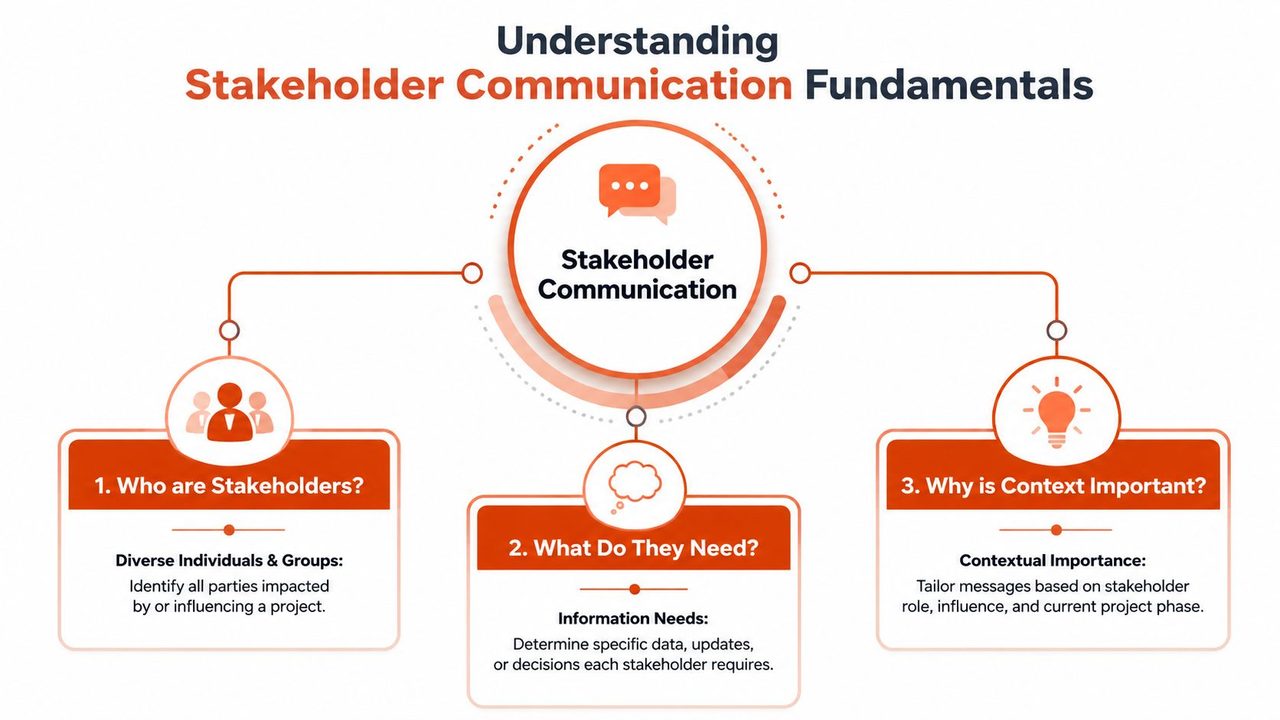
Who counts as a stakeholder
A useful test is this: whose work, approval, budget, risk, or outcome is tied to the project?
That usually includes:
- Decision-makers: Sponsors, department heads, or clients who approve scope, budget, or timeline.
- Delivery teams: Product managers, engineers, designers, operations staff, and support teams who build and run the work.
- Affected groups: Customers, internal users, compliance teams, or community groups who live with the outcome.
- Peripheral but important voices: People who may not attend every meeting but can still slow the project if they're surprised late.
If your writing needs polish once you know the audience, RedactAI tips for professional communication offer practical guidance on tone, clarity, and message structure.
A simple way to measure support
One of the most useful ideas in stakeholder communication is turning attitude into something measurable. The PMI overview of stakeholder support assessment describes a five-point scale that runs from actively opposed (1) to active support (5). That gives project teams a concrete way to compare a stakeholder's current position with the support level the project needs.
Merely assuming “they seem fine” does not constitute a plan.
A simple reading of the scale looks like this:
- 1, actively opposed: The person may challenge the project or resist it openly.
- 3, neutral: They aren't blocking progress, but they aren't helping either.
- 5, active support: They advocate for the work and help remove obstacles.
A neutral stakeholder isn't a problem by default. They become a problem when the project requires advocacy, quick approval, or active participation and nobody notices the gap.
The point isn't to label people. The point is to choose communication effort wisely. Someone with high influence and low support needs more thoughtful engagement than someone who only needs a routine update.
Mapping stakeholders and building communication plans
A communication plan becomes useful when it stops being a document and starts acting like a routing map. It should tell your team who gets what, through which channel, how often, and for what purpose.
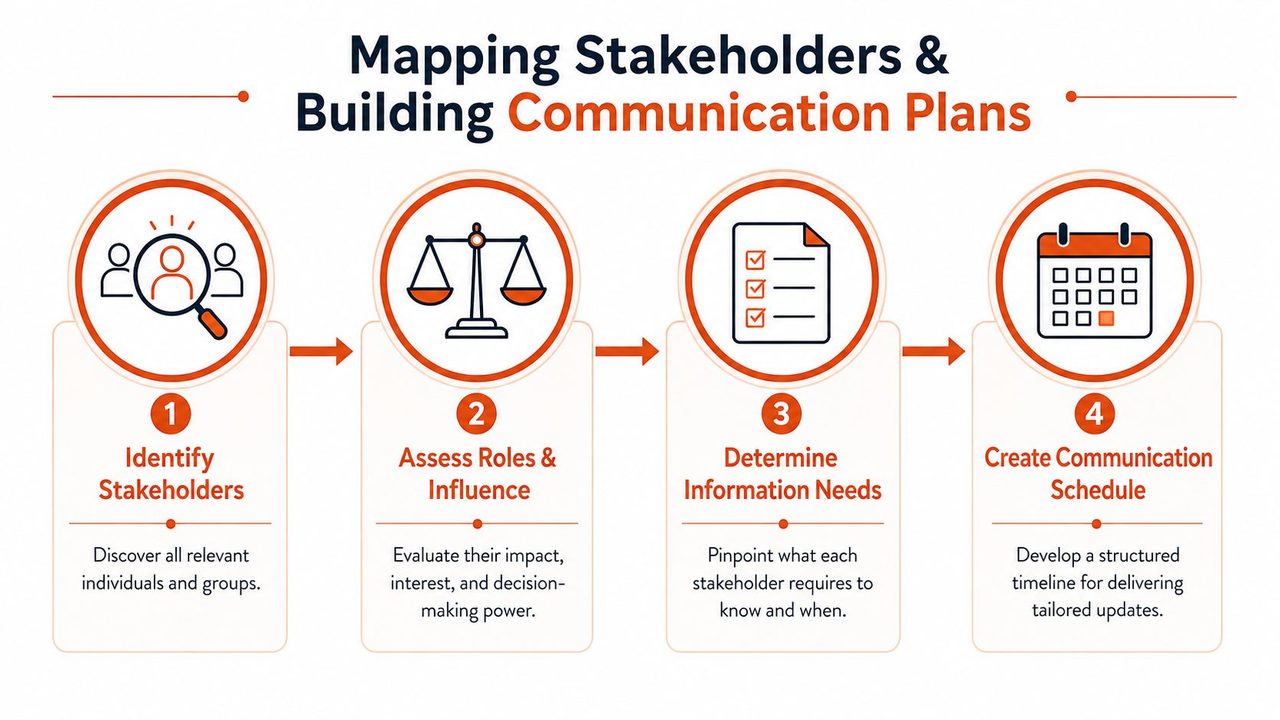
Start with a working map
Begin with names, not categories. “Leadership” is too broad to guide communication. “VP of Product approves scope changes” is much more useful.
Build a map with these fields:
- Name and role
- Level of influence
- Current support level
- Target support level
- Primary concern
- Preferred channel
- Required cadence
- Owner on your team
In technology product development, structured communication matrices that define channels, frequency intervals, and formats for each stakeholder group are linked to a 40% reduction in specification rework cycles. That result makes sense. When people know what they'll receive and when they'll receive it, fewer assumptions leak into the work.
A short visual overview can help your team picture the flow before they draft the actual plan.
For teams formalizing the document itself, this guide to communication planning is a helpful reference. If your broader project structure is still taking shape, pair the communication plan with a clear project roadmap process.
Stakeholder support levels and engagement strategies
Use the support scale as a practical planning tool, not just a label.
| Support Level | Attitude Description | Engagement Tactic |
|---|---|---|
| 1 | Actively opposed | Schedule direct conversation, surface concerns early, document risks and escalation paths |
| 2 | Resistant or skeptical | Share focused updates, answer objections, connect project impact to their priorities |
| 3 | Neutral | Keep informed on a steady cadence, ask for specific input at key points |
| 4 | Supportive | Involve in reviews, invite feedback, use them to test messaging or assumptions |
| 5 | Active support | Treat as advocates, equip them with concise summaries they can repeat to others |
A table like this keeps teams from treating every stakeholder the same. It also helps prevent an easy mistake. People often over-communicate with the most responsive stakeholders and under-communicate with the influential skeptics.
Turn the map into a schedule
Once the stakeholder list is clear, move into scheduling. The plan should specify:
- Channel: Email, meeting, chat, document comment, workshop, letter, event, or call.
- Frequency: Fixed cadence or milestone-based.
- Format: One-page summary, dashboard note, meeting deck, technical memo, or issue log.
- Trigger events: Scope change, risk escalation, launch readiness, approval request, or post-milestone review.
If a stakeholder only hears from you when there's a problem, they'll associate your updates with trouble. A steady cadence builds trust before the hard message arrives.
Keep the first version small. A plan that fits on one page and gets used is better than a detailed spreadsheet that nobody updates.
Channel and audience templates with examples
Once the plan exists, your next challenge is speed. Teams often know who needs an update but still waste time deciding how to phrase it. Templates solve that. They reduce drafting time and make your communication style more consistent.
The Simply Stakeholders guidance on cadence recommends weekly, fortnightly, or monthly email updates, daily or several-times-per-week social media updates, and milestone-based events at key project phases. Use those ranges as starting points, then adjust based on urgency and stakeholder preference.
Email template for executives
Executives usually want direction, risk, and decision points quickly.
Subject line: Product launch status for approval
Opening: Current project status in one sentence
Middle: Top progress point, key risk, decision needed
Close: Deadline for response and owner
Example:
Status is on track for the current milestone. One dependency remains open with legal review, and we need approval on revised copy by Thursday. If approved on time, the team can hold the release date.
This format works because it respects executive attention. It also reduces the chance that an important ask gets buried in background detail.
If your team struggles with concise business writing, this article on writing emails that get results is worth keeping nearby.
Update template for technical teams
Technical audiences need more than status color. They need facts they can act on.
Use a lightweight structure such as:
- What changed: New requirement, decision, bug, dependency, or deadline
- What it affects: API, interface, test plan, deployment, documentation
- What action is needed: Review, estimate, build, approve, or escalate
- By when: State a clear time boundary
Example Slack update:
- Change: Authentication flow now needs an extra approval step.
- Impact: Affects login sequence and QA scenarios.
- Action: Backend and QA leads review ticket updates today.
- Timing: Confirm estimate before tomorrow's standup.
That's faster to process than a long paragraph and easier to turn into work.
External partner check-in template
Partners often need clarity, reassurance, and next steps. They may not have your internal context.
A reliable partner note often includes:
- Current milestone: What has been completed.
- Upcoming checkpoint: What happens next.
- Dependency or request: What you need from them.
- Risk note: Any issue that could affect timing or scope.
A short example:
We completed the latest content review and incorporated internal comments. The next checkpoint is asset approval. We need your final sign-off on the updated file set. One timing risk remains around revised compliance language, and we'll confirm that separately if it changes the milestone.
The best template is the one people reuse. Keep each version short enough that your team won't resist using it.
Common pitfalls and measuring communication success
A project update goes out on Friday afternoon. The executive sponsor sees a risk with no recommendation. The engineering lead gets a long note that hides the one action they need to take. A community partner who rarely works from email responds two days later by voice note, but no one captures it in the project record. By Monday, the team has communicated a lot and aligned very little.
Where teams go wrong
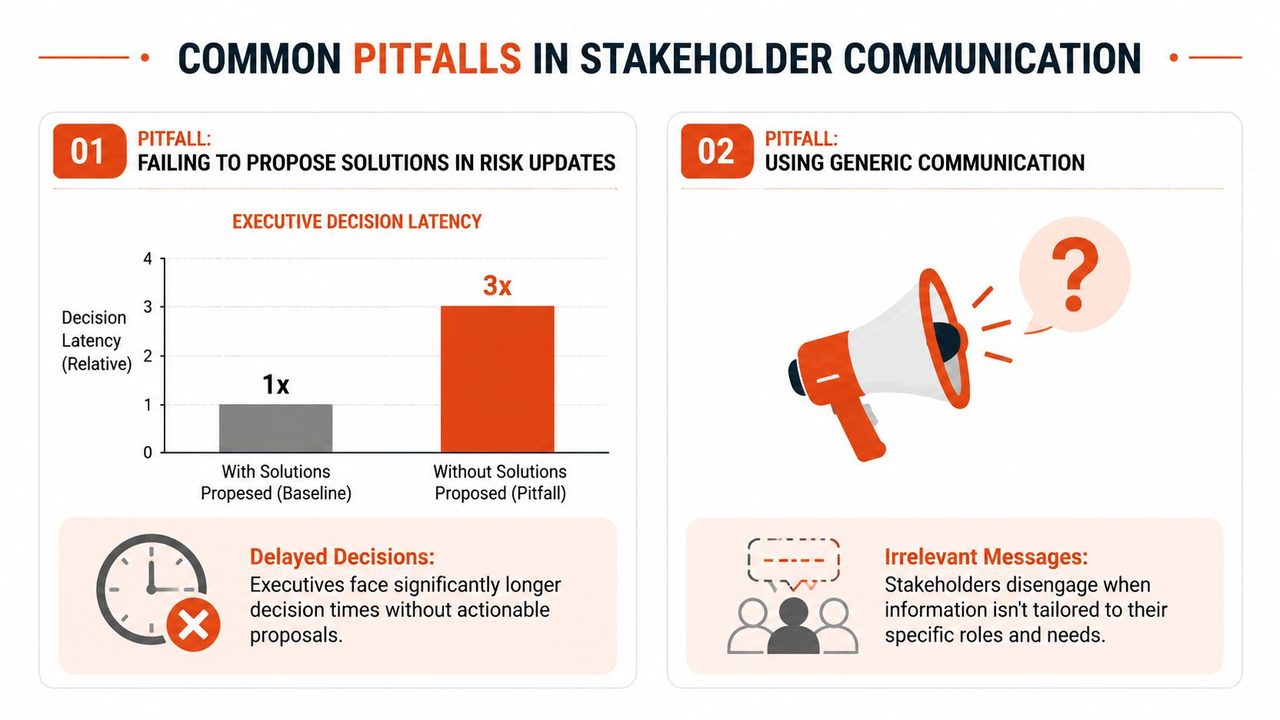
The first failure is incomplete escalation. Leaders need a decision frame, not a warning flare. EM Tools on stakeholder communication breakdowns found that 68% of breakdowns occur when teams present risks without proposed solutions, and that pattern causes a 3× increase in decision latency. A useful risk update names the problem, gives two or three realistic options, and states the trade-offs in plain language.
The second failure is sending one message to every audience. That is like handing the same map to a pilot, a driver, and a hiker. Everyone receives something, but only one person gets what they need. The same EM Tools source notes that segmentation matters because different stakeholder groups need different framing, and that integrating weekly project management data into asynchronous tools can boost engagement by 50%.
Frequency creates a third problem. Too many updates train people to skim. Too few updates train them to chase you. The ICDR stakeholder toolkit reports that 65% of stakeholders feel overwhelmed by excessive communication, while 30% feel ignored due to insufficient contact. It also notes that 70% prefer personalized, context-specific updates over generic newsletters.
One more pitfall gets missed in many guides. Teams often collect input only from the people who type quickly, attend scheduled meetings, and respond in polished written form. That leaves out field staff, busy partners, and stakeholders who are more comfortable speaking than drafting. Voice-to-text workflows help close that gap because they capture reactions while they are still specific. If your team wants a practical model, this voice typing app guide for faster stakeholder updates shows how spoken input can become usable project text without a long drafting step.
How to measure whether communication is working
Good measurement works like a dashboard in a delivery truck. You do not need fifty gauges. You need a few signals that tell you whether the message arrived, made sense, and produced action.
Start with behavior, not volume. Sending ten updates does not mean ten updates worked.
Track a small set of signals:
- Open and view rates: Useful when a key group consistently misses critical updates.
- Response time to approvals or decisions: Helpful when progress depends on sign-off.
- Action completion after updates: Did owners do the thing the message requested?
- Question quality: Repeated basic questions usually mean the update was unclear.
- Channel participation: Replies, comments, voice notes, and follow-up discussions show whether people are engaging in the format that suits them.
- Coverage of quieter stakeholders: Check whether input is coming only from the usual voices or from the full group affected by the work.
That last point matters more than teams expect. A communication system can look efficient on paper yet exclude people who do not live in inboxes and meeting invites. If you use voice notes, dictated recaps, or mobile capture to collect feedback, measure whether those inputs make it into decisions, not just into a folder.
A sent message is only the start. Success means the right person understood it, responded through a realistic channel, and took the next step.
A short audit you can run this week
Pick one active project. Review the last five stakeholder updates and ask:
- Audience fit: Did each group get the level of detail they needed?
- Decision support: Did risk updates include options and trade-offs?
- Action clarity: Could a reader identify the owner, task, and deadline within seconds?
- Cadence: Did the timing help people act, or did it create noise?
- Input coverage: Did you capture feedback only from the easiest-to-reach people, or also from stakeholders who respond better by speaking than writing?
If you find weak spots, that is useful. Communication problems are usually process problems in disguise. Once you can see the pattern, you can fix it.
Streamlining stakeholder updates with AIDictation
A common project scene goes like this. The meeting ends, everyone agrees on the decision, and only then does the delay begin. Someone still has to turn a fast, messy conversation into an update that a sponsor, delivery team, and field contact can all use.
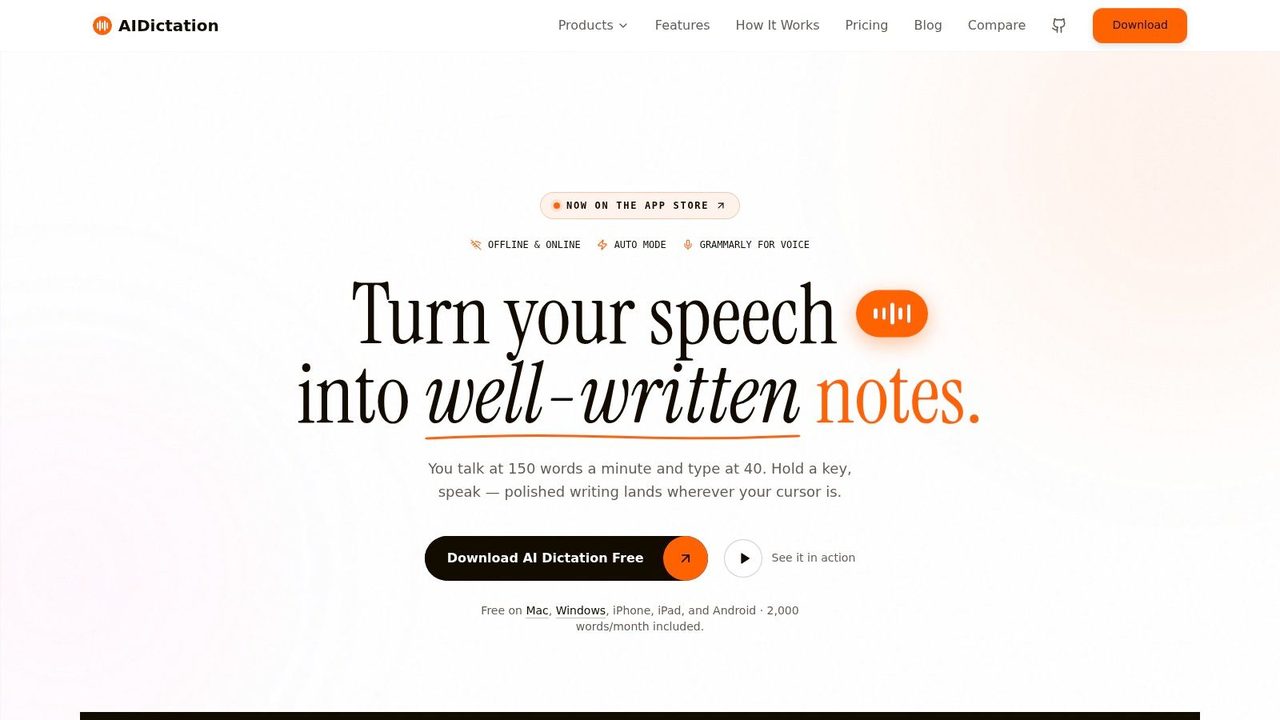
That drafting gap creates friction because spoken information and written information behave differently. A meeting is like wet cement. You can still shape it. Wait too long, and details harden in the wrong form or disappear entirely. Voice-to-text helps teams capture the useful parts early, while names, decisions, concerns, and next steps are still clear.
It also solves a problem many stakeholder guides skip. Some stakeholders respond best in conversation, on the phone, or from the field. They may not send a polished email or log feedback in a formal system. As noted earlier, teams that want broader input need ways to capture spoken feedback, not just written replies. AIDictation fits that workflow by turning speech into usable draft text before the admin work piles up.
A practical pattern looks like this:
- During meetings: Dictate decisions in a simple format: decision, owner, deadline, risk.
- Right after calls: Turn a spoken recap into a stakeholder update while the context is still fresh.
- For field or remote input: Capture voice notes on mobile, then convert them into project notes or follow-up messages.
- Before sending: Edit for audience fit so executives get the headline, while working teams get the detail.
The goal is not to send raw transcripts. The goal is to shorten the distance between what people said and what the project needs documented. That is especially useful when you are collecting input from a wider mix of stakeholders, including people who are easier to reach by speaking than by writing.
If you want a clearer picture of how that setup works in practice, this voice typing app guide for turning speech into ready-to-send text walks through the workflow.
Conclusion and next steps
Strong stakeholder communication isn't about sending more updates. It's about sending the right update, to the right person, in the right format, at the right moment. When teams map stakeholders carefully, tailor the message, and measure response instead of assuming understanding, projects move with fewer surprises.
Start small. Build a basic stakeholder map. Set one clear cadence for each key audience. Rewrite one risk update so it includes options and trade-offs. Then review the response and adjust. That cycle is how communication becomes a project advantage instead of a cleanup task.
If your team spends too long turning meetings, decisions, and field feedback into polished updates, AIDictation can help. It turns spoken notes into clean, ready-to-send writing on macOS, which makes it easier to capture stakeholder input quickly, reduce drafting delays, and keep updates moving while the details are still fresh.
Frequently Asked Questions
What does Master Stakeholder Communication: Project Success cover?
A launch is two weeks away. Engineering thinks the feature set is locked.
Who should read Master Stakeholder Communication: Project Success?
Master Stakeholder Communication: Project Success is most useful for readers who want clear, practical guidance and a faster path to the main takeaways without guessing what matters most.
What are the main takeaways from Master Stakeholder Communication: Project Success?
Key topics include Table of Contents, Introduction to stakeholder communication, Understanding stakeholder communication fundamentals.
Ready to try AI Dictation?
Experience fast voice-to-text on your device. Free to download.
Download Free