Medical Voice Recognition Software: A Complete 2026 Guide
The market is moving because the documentation problem is expensive and constant. The global medical speech recognition software market was valued at approximately USD 1.5 billion in 2023 and is projected to reach USD 3.3 billion by 2031, growing at a CAGR of 10.8%, driven by the need to reduce administrative burden and improve documentation efficiency, according to KBV Research’s medical speech recognition software market analysis.
For a clinic manager, that number matters less as a trend headline and more as a signal: medical voice recognition software has shifted from a nice-to-have tool into operational infrastructure. The key question isn’t whether speech-driven documentation belongs in healthcare. It’s which kind of system fits your environment, your compliance posture, and your clinicians’ actual working habits.
Large hospital systems usually care first about integration, routing, and standardization across departments. Small practices often care first about privacy, simplicity, and whether a physician can dictate a note without creating another IT project. Those are different buying situations, and most guides blur them together.
Table of Contents
- What Is Medical Voice Recognition Software
- Core Requirements Accuracy and HIPAA Compliance
- How Clinicians Use Voice Recognition in Daily Workflows
- A Practical Checklist for Selecting and Implementing Software
- Calculating ROI and Common Pitfalls to Avoid
- The Future On-Device AI and Smarter Integration
What Is Medical Voice Recognition Software
Medical voice recognition software is best understood as a specialized digital medical scribe. It listens to clinician speech, converts it into text, and helps turn that spoken material into usable clinical documentation such as notes, reports, or draft chart content.
That sounds similar to consumer dictation. It isn’t.
A general speech app is built for everyday language. Medical voice recognition software is built for clinical vocabulary, documentation workflows, and the consequences of getting a term wrong. If a tool can’t reliably handle medication names, abbreviations, specialty phrases, and the way clinicians dictate, it creates more cleanup work than it removes.
A useful way to evaluate the category is to look at practical use cases, not marketing labels. Teams exploring speech to text medical tools usually need one of three things: direct dictation into an EHR, faster turnaround on reports, or a way to reduce after-hours charting. The software has to support at least one of those jobs cleanly.
What problem it solves
The core problem is documentation drag. Clinicians spend time capturing the visit, cleaning wording, fixing formatting, and moving information into the right place. Every extra click steals attention from patient care or pushes charting later into the day.
Medical voice recognition software helps in a few direct ways:
- Faster note creation: Clinicians speak faster than they type, especially when describing findings, assessments, and plans.
- Less repetitive entry: Common phrases, templates, and structured workflows reduce rework.
- Better focus during visits: The clinician can stay in the conversation instead of staring at the keyboard.
- More consistent documentation: Specialty terms and preferred phrasing can be standardized.
Medical dictation works when it reduces friction. If it adds editing, retraining, or workflow detours, clinicians stop using it.
For hospital leaders, this category is usually part of a broader documentation strategy. For independent practices, it can be a simpler decision: replace manual typing and outsourced transcription with a tool that fits daily operations and privacy expectations. In both cases, the software only proves its value when it works inside the clinic’s real workflow, not in a polished demo.
Core Requirements Accuracy and HIPAA Compliance
Clinical software gets judged fast. If a physician has to correct every third line, adoption collapses. If protected health information is routed carelessly, the risk moves from inconvenience to compliance exposure.
Why medical accuracy is a hard requirement
Medical voice recognition systems achieve accuracy rates exceeding 95% in clinical settings through specialized acoustic modeling and domain-specific training on thousands of hours of real clinical dialogue, as described in PatientTalker’s breakdown of medical speech recognition. That same explanation highlights why this matters: the system needs to distinguish between terms like hypotension and hypertension, where a small transcription error can change meaning completely.
An early mistake many buyers make involves comparing medical voice recognition software to a strong general dictation tool and assuming the gap is small. In practice, the gap shows up in very specific places:
- Drug names
- Procedure terminology
- Specialty abbreviations
- Accent variation
- Fast dictation under pressure
- Noisy clinical environments
Consumer speech tools are often decent at plain language. They struggle when terminology density rises. A clinic should test with its own vocabulary, including physician shorthand, common medication names, and department-specific phrases.
A practical safeguard is a custom dictionary. If a vendor can’t show you how clinicians add names, medications, and specialty terms, expect cleanup labor to stay high. For teams setting that up, a guide on building a custom dictation dictionary for terminology control is a useful reference point because this step affects day-to-day usability more than many feature checklists admit.
Practical rule: Don’t ask whether the software is accurate. Ask whether it’s accurate for your specialty, your speakers, and your background noise.
What HIPAA compliance means in practice
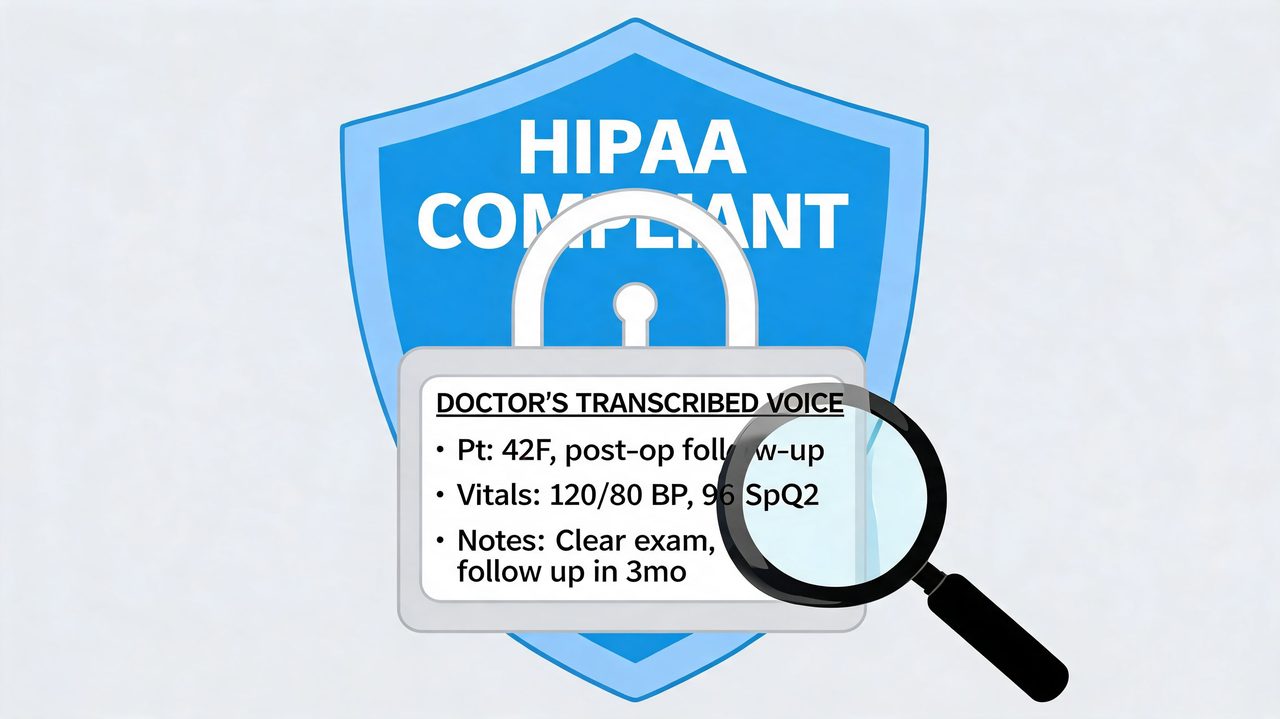
HIPAA compliance isn’t a badge on a pricing page. It’s a combination of contract terms, security controls, access restrictions, and data-handling design.
The architecture matters. Modern systems often use a hybrid setup. AssemblyAI’s overview of medical speech recognition platforms describes hybrid cloud-local architecture, 256-bit encryption, workflow automation, and integration through HL7 and FHIR to populate EHR fields and support multiple specialties on one platform. That model makes sense for larger organizations that need routing, central administration, and broad interoperability.
But cloud processing introduces vendor review requirements. A clinic should ask:
- Will the vendor sign a BAA?
- Where is audio processed and stored?
- Who can access transcripts and logs?
- How are roles and permissions controlled?
- Can the tool operate locally when cloud use is not acceptable?
The same discipline applies to adjacent communication workflows. If your practice still sends patient documents outside the EHR, privacy standards shouldn’t stop at dictation. A clinic evaluating secure documentation workflows may also want to review FaxZen's secure online fax solution because faxing is still part of many referral and records processes, and the compliance questions are similar.
For small practices, there’s a separate trade-off. A cloud-first tool may offer stronger automation, but some physicians will not accept sending patient speech to third-party servers when an on-device option exists. That’s not resistance to innovation. It’s a valid architectural decision.
How Clinicians Use Voice Recognition in Daily Workflows
The day starts before the first patient enters the room. A physician opens the chart, reviews history, and already knows the note will have to be completed before lunch or after hours. Medical voice recognition software changes that day most when it fits naturally into the work already happening.
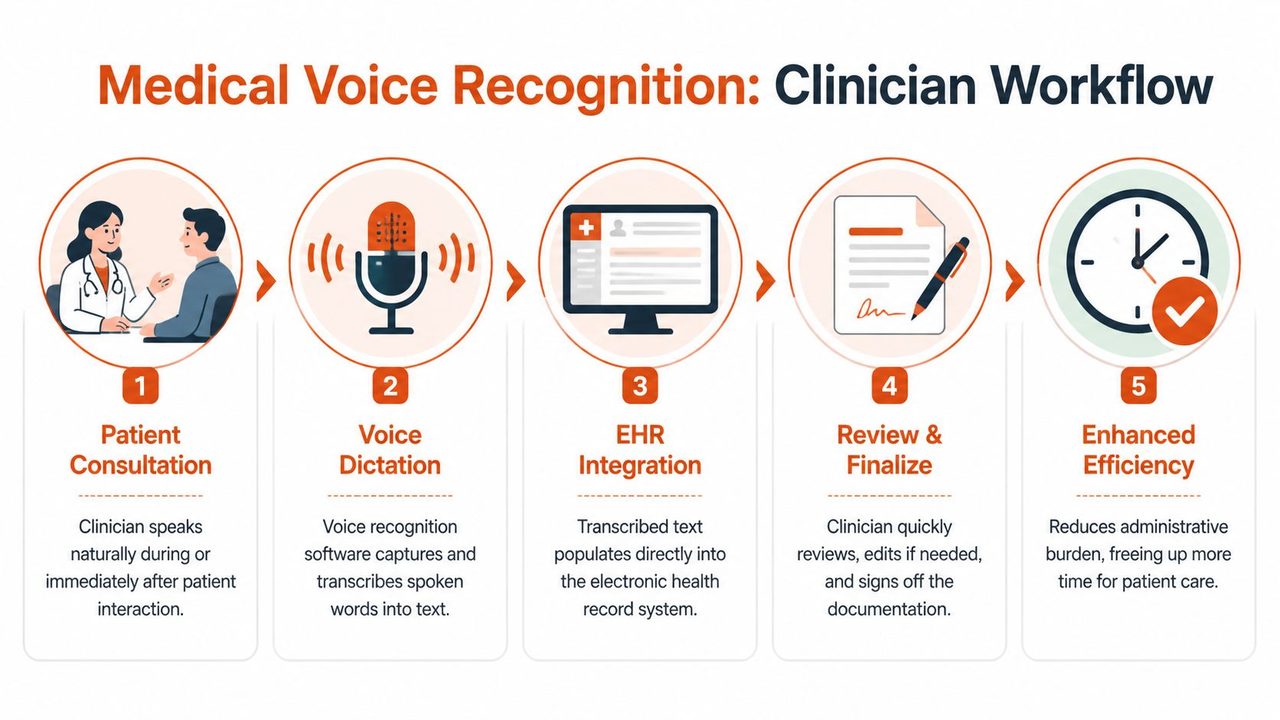
A typical workflow looks like this:
Front-end dictation during care
Front-end recognition is the most familiar model. The clinician dictates directly into the note, often while moving between rooms or immediately after the visit. The text appears in real time, and the provider reviews it before signing.
This approach works well for physicians who already think in dictated narrative. It’s common in primary care, specialty follow-ups, radiology, and any workflow where the provider wants direct control over wording.
The big advantage is speed. The limitation is attention. Some clinicians can dictate and maintain patient rapport at the same time. Others find real-time note creation distracting, especially during sensitive conversations.
The best front-end deployments don’t force clinicians to narrate every thought live. They let them capture key content quickly, then finalize with minimal cleanup.
Back-end and ambient workflows
Back-end recognition separates capture from editing. The clinician records audio, and the system processes it after the encounter. This can reduce in-visit distraction, but it shifts discipline to review and turnaround.
Ambient workflows go further. The system listens during the encounter and produces structured draft documentation from the conversation. That can be powerful in busy clinics, but only if review remains mandatory and the tool understands the setting well enough to avoid over-documenting side comments, interruptions, or non-clinical chatter.
A later-stage implementation often combines methods instead of choosing only one. A hospital may use front-end dictation in radiology, back-end processing for longer consults, and ambient support in outpatient care.
The technical reason this can work at scale is interoperability. Modern platforms use hybrid cloud-local architecture with 256-bit encryption and workflow automation for routing, and they integrate with EHRs through HL7 and FHIR so text can populate the right fields, as outlined in this overview of medical speech workflows and system design.
After the transcript lands in the chart, the human part still matters most. A clinician reviews, edits, and signs. Good systems shorten that final step. Weak ones turn review into a second documentation job.
A short product walkthrough helps make these workflow differences concrete:
A Practical Checklist for Selecting and Implementing Software
Buying medical voice recognition software is less about feature volume and more about fit. A system can look polished in a demo and still fail in your clinic because the vocabulary is wrong, the EHR workflow is clumsy, or physicians don’t trust where the audio goes.
What to evaluate before you pilot
Start with the documentation scenarios that cause the most friction today. That usually means progress notes, consults, operative reports, referral letters, or discharge summaries. Then test the software against those jobs with real users.
A short evaluation list should include:
- Clinical vocabulary fit: The product should handle your specialty language without constant correction.
- Editing burden: Watch how long clinicians spend cleaning transcripts. That tells you more than a sales pitch.
- EHR fit: Direct field population matters more than a nice-looking transcript window.
- Device support: Confirm support for the operating systems and devices your staff uses.
- Privacy model: Decide early whether cloud processing is acceptable for your organization.
- Support model: Someone will need help with microphones, templates, permissions, and user setup.
One issue gets overlooked in smaller settings. HealthOrbit’s discussion of medical voice recognition in daily use points to a real gap: solo and small practices that prioritize privacy may need on-device processing so patient data doesn’t leave the local machine. That requirement changes the vendor shortlist immediately.
For those evaluations, it helps to compare products against a structured rubric instead of impressions from a single demo. A review of medical speech-to-text software evaluation criteria can help teams frame the pilot around workflow, privacy, and correction effort rather than novelty.
Medical Voice Recognition Software Selection Checklist
| Criteria | What to Look For | Why It Matters |
|---|---|---|
| Accuracy in your specialty | Real testing with your clinicians, terminology, and speaking styles | General accuracy claims don’t guarantee usable results in your environment |
| Dictionary customization | Ability to add physician names, drug names, procedures, and shorthand | Reduces repetitive correction and improves trust |
| EHR integration | Direct insertion into the right fields and templates | Prevents copy-paste work and broken workflows |
| Deployment model | Clear choice between cloud, hybrid, and on-device processing | Determines privacy posture, connectivity needs, and vendor risk |
| Security controls | BAA availability, access controls, encryption, auditability | Protects PHI and supports compliance review |
| Review workflow | Simple edit and sign-off process | Clinicians won’t adopt a tool that creates cleanup friction |
| Cross-platform support | Compatibility with clinic hardware and clinician preferences | Avoids partial rollouts and side-channel workarounds |
| Specialty scaling | One platform that can support multiple departments or use cases | Reduces fragmentation in larger organizations |
| Implementation support | Training, onboarding, template setup, issue resolution | Early rollout problems can kill adoption |
| Small-practice suitability | Local processing option and low administrative overhead | Independent clinics often need simplicity more than enterprise complexity |
A practical pilot should be short, controlled, and honest. Include supportive users and skeptical users. If both groups can complete notes with less friction, you have something worth expanding.
Calculating ROI and Common Pitfalls to Avoid
Most ROI conversations start too narrowly. Leaders ask how many minutes a doctor saves on charting. That matters, but it’s only one line item.
How to think about ROI
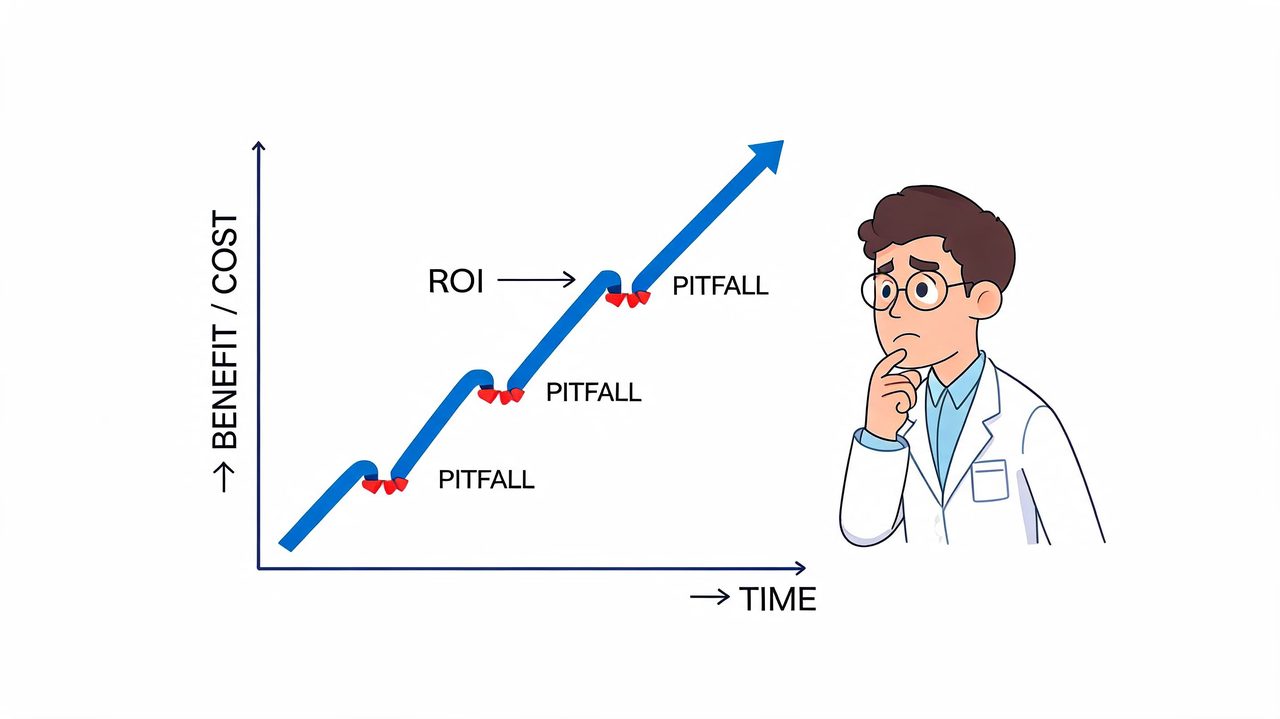
A stronger ROI model looks at operational impact across the full documentation chain.
Consider these categories:
- Clinician time returned: Less manual typing and less after-hours note completion.
- Transcription expense: Lower dependence on outsourced transcription where that still exists.
- Documentation quality: Cleaner notes can support coding, handoffs, and chart completeness.
- Staff workload: Fewer back-and-forth corrections between providers and support staff.
- Adoption stability: A tool that clinicians keep using produces value. One they abandon produces sunk cost.
For hospitals, ROI often comes from scale and consistency. For small practices, it often comes from simplicity. If one physician can finish documentation faster without hiring extra help or exposing patient data to systems they don’t trust, that’s meaningful value even without a large rollout.
A cheap tool with low adoption is expensive. A pricier tool that clinicians use every day can be the safer financial decision.
Mistakes that derail adoption
The first common mistake is buying generic dictation software and expecting it to behave like a clinical platform. The second is underestimating training. Even good tools need setup for vocabularies, templates, microphones, and documentation habits.
The third pitfall is ignoring language reality. The AMA discussion of speech recognition in practice highlights a significant market gap: many tools still lack practical support for non-English medical terminology, code-switching, or translation in multilingual clinical environments. That’s a strategic risk for health systems serving multilingual populations and for clinicians who document across language boundaries.
Other failures are more mundane but just as damaging:
- No workflow owner: If nobody owns rollout decisions, issues linger and users improvise.
- Poor specialty fit: A platform that works for radiology may frustrate behavioral health or surgery.
- Weak privacy review: Security concerns raised late can stall procurement or force rework.
- Unclear review policy: Draft text must still be reviewed by the clinician responsible for the note.
The multilingual issue deserves extra scrutiny. Enterprise buyers often focus on integrations and enterprise controls. Independent practices and international teams may care just as much about whether the system can handle mixed-language speech, local terminology, and region-specific documentation style. If the vendor can’t explain that clearly, assume your users will carry the burden manually.
The Future On-Device AI and Smarter Integration
Medical voice recognition software is heading in two useful directions at once. Systems are getting better at fitting into enterprise infrastructure, and they’re also getting better at operating privately on local hardware.
That split matters because the market has two very different buyers. Hospital systems need routing, standards, and broad interoperability. Small and independent practices often need a tool that works cleanly on a clinician’s machine, with less setup and less data exposure.
The next practical standard won’t be one deployment model. It will be choice. Some teams will want cloud-enhanced formatting and integration. Others will insist on local processing first, then selective sync or export. The vendors that win long term will support both without making either workflow painful.
That’s where product design matters more than feature count. A tool like AIDictation is relevant here because it combines local dictation on Apple Silicon with an optional cloud mode, plus custom dictionaries and app-specific formatting rules. For a privacy-conscious solo practice, the local path is the key. For a clinician who wants cleanup and formatting help, the connected mode may be more useful. Those are different operational needs, and they should be treated that way.
The right system should do three things reliably: capture clinical language accurately, respect your compliance boundaries, and fit the way your clinicians already work. If it does that, documentation becomes a support process again instead of the thing that dictates the day.
If your team wants a dictation tool that can support private on-device workflows as well as cloud-assisted cleanup, take a look at AIDictation. It’s a practical option for clinicians who need medical voice recognition software on macOS, especially when custom terminology, local processing, and flexible formatting matter.
Frequently Asked Questions
What does Medical Voice Recognition Software: A Complete 2026 Guide cover?
The market is moving because the documentation problem is expensive and constant. The global medical speech recognition software market was valued at approximately USD 1.5 billion in 2023 and is projected to reach USD 3.3 billion by 2031, growing at a CAGR of 10.8%, driven by the need to reduce administrative burden and improve documentation efficiency, according to KBV Research’s medical speech recognition software market analysis.
Who should read Medical Voice Recognition Software: A Complete 2026 Guide?
Medical Voice Recognition Software: A Complete 2026 Guide is most useful for readers who want clear, practical guidance and a faster path to the main takeaways without guessing what matters most.
What are the main takeaways from Medical Voice Recognition Software: A Complete 2026 Guide?
Key topics include Table of Contents, What Is Medical Voice Recognition Software, What problem it solves.
Ready to try AI Dictation?
Experience fast voice-to-text on your device. Free to download.
Download FreeRelated Posts
Speech and Language Apps for iPad: A Clinical Guide
Find top speech and language apps for iPad with our expert guide on features, privacy, and clinical value for therapy and daily use.
Best Clinical Note Taking Software: 2026 Guide & Tips
Find the best clinical note taking software for 2026. Discover key features, selection tips, & workflow strategies to reduce burnout & boost documentation.
Secure Medical Transcription: A Practical Guide for 2026
Learn how secure medical transcription works in 2026, from HIPAA controls and encryption to on-device vs cloud workflows, with a practical evaluation checklist.