How to Write Effective User Stories That Actually Ship
Most advice on user stories stops too early. It teaches the As a / I want / So that pattern, then acts like the card is finished, even when nobody can estimate it, test it, or defend it in refinement. The stronger standard is simpler and stricter, because a good story has to survive planning, implementation, and acceptance without turning into a rewrite queue.
That matters more now that teams are drafting work with AI, handling privacy-heavy workflows, and splitting product decisions across PMs, developers, QA, and specialists. The old template still helps, but only if you treat it as the starting frame for a precise, testable conversation. For a broader view of the agile context around delivery, Agile delivery with Otter A/B is a useful companion read.
Table of Contents
- Why Most User Stories Fall Apart Before Sprint Planning
- The Who, What, and Why Anatomy of a Strong Story
- Running the INVEST Checklist Without Treating It as a Buzzword
- Writing Acceptance Criteria That Catch Real Bugs
- Four Anti-Patterns That Quietly Kill Your Backlog
- Adapting Stories for PMs, Developers, QA, and Healthcare Teams
- A Refinement Playbook and Quick Answers for Tricky Cases
Why Most User Stories Fall Apart Before Sprint Planning
The common mistake is believing that the As a / I want / So that formula produces a good story by itself. It doesn't. A story can follow the template perfectly and still read like a mini-spec, obscure the actual user, or land in refinement with no estimate because the scope is fuzzy.
That pattern shows up in real backlogs all the time. A field study on user stories in practice found there was no scientific evidence proving effectiveness at the time of publication, even though practitioners believed templates and quality guidelines improved productivity, and a later case study found user stories covered only 33% of the issues described in a customer analysis report (source). In other words, the format alone doesn't guarantee the team understood the problem.
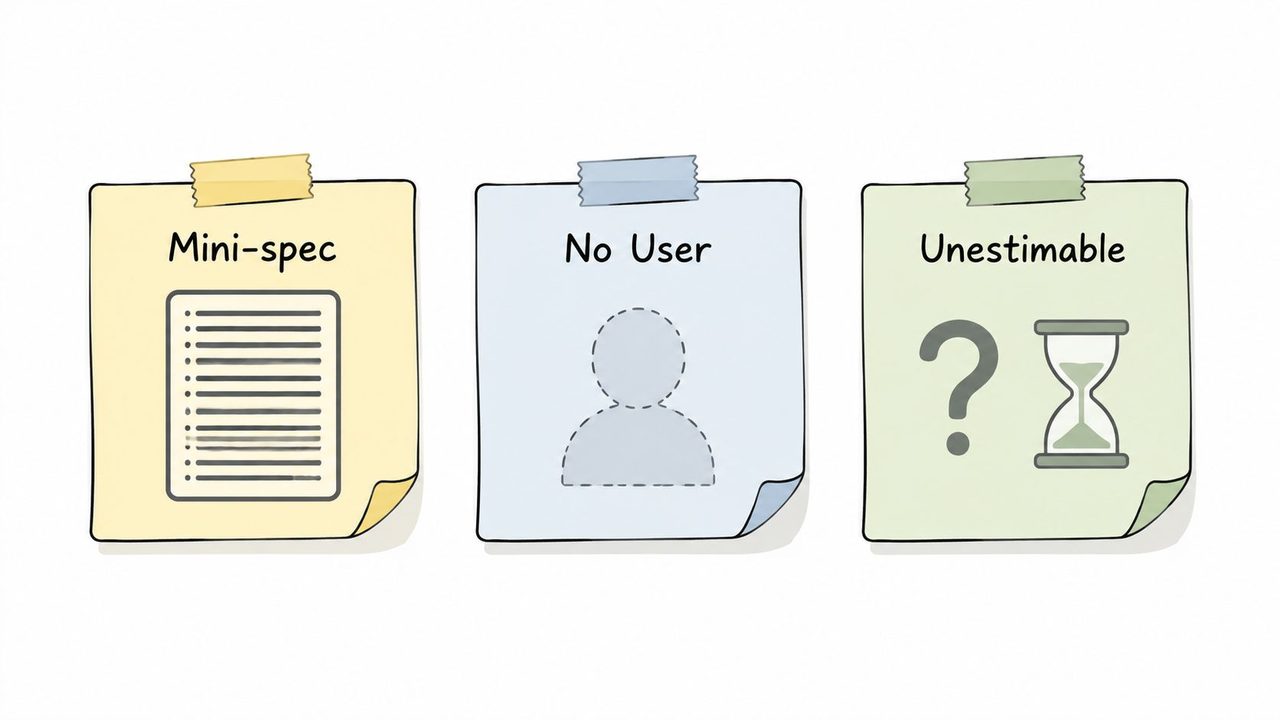
The three failure modes that waste refinement time
A mini-spec story tells engineering exactly how to build instead of what the user needs. That shuts down discovery and usually forces rework when the team finds a better path.
A no-user story describes a feature without naming a real persona or a real outcome. If nobody can point to the person who benefits, prioritization becomes political instead of value-based.
An unestimable story is usually too broad, too vague, or both. If the team can't size it with any confidence, it probably needs splitting or a better problem statement before it reaches sprint planning.
Practical rule: if a story cannot survive a five-minute refinement conversation, it is not ready for the backlog.
The practical shift is to treat the template as a shell, not a finish line. A story should be small enough to discuss, concrete enough to estimate, and specific enough that acceptance criteria can be written without guesswork. That's the standard that keeps the backlog from filling with items that look tidy but collapse when real work starts.
The Who, What, and Why Anatomy of a Strong Story
A strong user story answers three questions in one sentence, Who, What, and Why. That's the simplest way to keep the work user-centered instead of solution-centered, and it lines up with the way agile guidance describes the story structure, user-centered wording, and testable outcomes (Scrum Alliance).
A weak version sounds like this. “As a patient, I want appointment reminders in the app so that I don't miss visits.” It's not terrible, but it's vague about the actual person, the reminder behavior, and what “in the app” means for completion.
A stronger version sounds like this. “As a clinic patient who books follow-up visits, I want to receive a reminder before my appointment so that I can confirm or reschedule in time.” Now the team can ask sharper questions, such as who sends it, what channel is allowed, and what counts as success.
What changes when the persona gets specific
The persona changes the conversation immediately. A generic “user” story invites generic solutions, while a named patient, support agent, or admin creates a sharper edge for prioritization and testing.
The goal clause should describe the action, not the UI. If the story says “I want a dropdown with autocomplete,” the team has already chosen an implementation. A better story leaves room for the best design choice and keeps the discussion focused on the outcome.
The value clause should explain why the work matters to that person. If the “why” is missing, the story usually turns into an internal wish list instead of a product decision.
Keep technical detail out of the story unless the detail is itself part of the user value or a hard constraint. If the team needs to capture technical notes, move them into a separate spec note or design note, which keeps the story negotiable and easier to refine. For teams formalizing that split, specification writing guidance is a helpful reference point.
The best stories sound like a user describing a problem, not an engineer describing a build plan.
Running the INVEST Checklist Without Treating It as a Buzzword
INVEST is useful only when the team turns it into live questions in refinement. The acronym, Independent, Negotiable, Valuable, Estimable, Small, Testable, is less a definition set than a diagnostic tool for catching stories that look fine on a card but fail in delivery.
Ask the six questions in the room
Independent. Can this story move forward without waiting on an unscheduled dependency? If it can't, split out the blocking change or re-sequence the work.
Negotiable. Does the story read like a contract, or does it invite discussion? If it's over-specified, strip out implementation language and leave room for the team to decide how to solve it.
Valuable. Who gets value when this ships? If the answer points only to internal convenience, the story may be a task, not a user story.
Estimable. Can the team size it with enough confidence to plan around it? If not, the story is usually hiding unknowns, too many paths, or a missing acceptance boundary.
Small. Can one team finish it in a sprint, with a healthy target often falling around 1 to 3 days of work for a single story in many agile teams, while anything that stretches across a full sprint belongs in epic territory (medium guide)? If the answer is no, split it.
Testable. Can QA prove completion with observable criteria? If the story only sounds right in conversation, it's not ready.
What to fix when one check fails
A story that fails Independent usually needs dependency removal, not more discussion. A story that fails Small usually needs slicing by workflow, persona, or happy path versus edge case.
A story that fails Estimable often needs one more refinement conversation, not a rougher estimate. A story that fails Testable needs acceptance criteria written before anyone starts coding.
Best use of INVEST: run it while the story is still cheap to change, not after the sprint has already started.
One more habit matters. Collaborative refinement works best when the team defines acceptance criteria together, estimates effort together, and then moves the story into the backlog only after it still feels small and testable. That's when INVEST becomes a working method instead of a poster on the wall.
Writing Acceptance Criteria That Catch Real Bugs
Acceptance criteria are where vague stories become buildable work. The cleanest format is Given / When / Then, because it forces the team to describe the starting state, the trigger, and the expected result in a way QA can turn into tests.
For a standard CRUD change, the pattern is straightforward. Given a customer profile exists, when a support agent edits the phone number, then the new number is saved and displayed after refresh. That is clearer than saying the edit should “work properly,” because “properly” doesn't tell anyone what to verify.
Three examples that show different levels of constraint
For a healthcare scheduling story, the criteria need more care. Given a patient has an upcoming visit, when the reminder is generated, then the message must avoid exposing unnecessary clinical detail and must support the clinic's approved communication path. The wording stays outcome-focused, but the privacy constraint is now part of the acceptance boundary, which is what matters in a regulated workflow.
For an AI feature, exact output usually can't be the criterion because the text can vary. Given a user asks for a draft summary, when the system generates the response, then the output should stay on topic, use the approved tone, and avoid unsupported clinical or legal claims. The test is not identical wording, it is acceptable behavior.
If your team needs a sharper lens for this kind of ticketing discipline, what makes a good bug report is a useful parallel. Bug reports and acceptance criteria both work best when they describe observable behavior rather than blame, guesses, or implementation detail.
Keep story-level criteria separate from task-level criteria
Story-level criteria describe the user outcome. Task-level criteria describe implementation checkpoints, and those belong in subtasks or engineering notes unless they are necessary for acceptance.
A common mistake is copying criteria from the implementation ticket and calling it done. That produces internal milestones, not user-facing proof, and QA ends up reverse-engineering the intent. If a criterion doesn't help someone verify the user outcome, it probably doesn't belong on the story.
Four Anti-Patterns That Quietly Kill Your Backlog
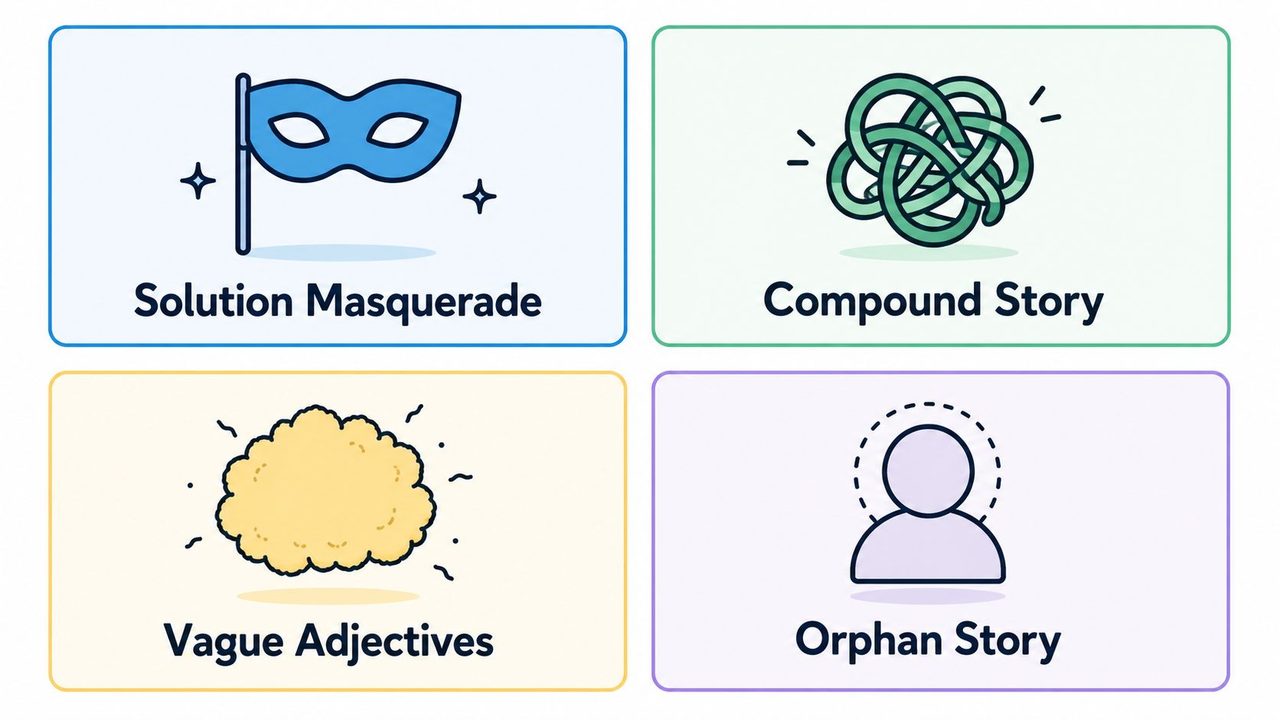
The fastest way to clean up a backlog is to name the bad patterns instead of arguing about them one ticket at a time. Four show up over and over, and each one creates a different kind of drag.
Solution masquerade
This is the story that already contains the fix. “As a user, I want a dropdown with autocomplete so that I can find products faster.” The problem is not that dropdowns are bad, it's that the team has no room to choose a better answer.
Rewrite it around the need. “As a shopper, I want to find products faster so that I can finish my search without scanning a long list.” That version lets design and engineering explore the best implementation.
Compound story
This is one card trying to carry three behaviors, two personas, and a hidden dependency chain. Compound stories feel efficient at intake, then become impossible to size cleanly.
Break them by user outcome, then by sequence if needed. If the first step is required before the second can be tested, they are not one story, they are a set of stories.
Vague adjective story
Words like fast, user-friendly, and intuitive look harmless, but they make acceptance slippery. No one can estimate “easy,” and no one can test “nice.”
Replace the adjective with observable behavior. If the story needs speed, define the response condition. If it needs ease, define the user action or completion condition.
Orphan story
This one has no clear user, or no clear why. It may describe useful work, but it doesn't yet justify itself as a user story.
If you catch an orphan, either name the persona and benefit, or move it into a technical task. Product managers often use this distinction to keep the backlog honest, which is also why teams focused on write content that ranks higher usually spend so much time on structure before they draft prose. Structure is what keeps the message usable.
If a ticket can't answer who benefits, what changes, and why it matters, it probably shouldn't stay in the user-story column.
Adapting Stories for PMs, Developers, QA, and Healthcare Teams
Different roles should write the same core story differently. The template stays familiar, but the constraints change, and that changes the wording.
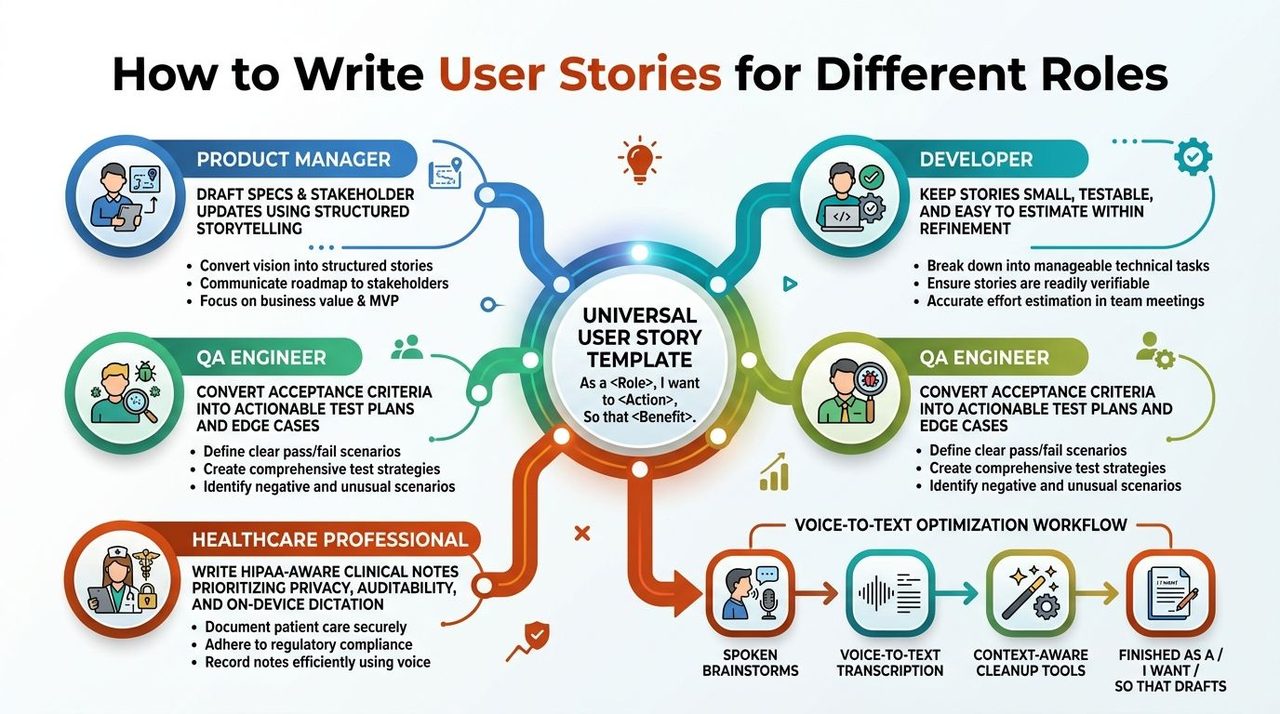
For product managers, the story has to support stakeholder conversation. That means using a real persona, keeping the wording concise, and avoiding solution lock-in so leadership can discuss value without arguing about UI details. Product manager documentation guidance is a useful reminder that the story often sits inside a larger spec, not alone on the board.
For developers, the question is whether the story is small enough to estimate and test without hidden work. If a card requires multiple architecture decisions, it is probably an epic or a spike, not a clean story.
For QA engineers, the job is to translate acceptance criteria into test cases and edge cases. That means spotting missing preconditions, ambiguous success states, and failure paths that the story left implied instead of stated.
For healthcare teams, the story has to respect privacy, auditability, and real workflow boundaries. A clinical note or scheduling story should avoid unnecessary sensitive detail, name the role clearly, and state the completion condition in a way that survives review.
Draft faster without losing control of the wording
Voice-to-text is useful here because product and clinical work often starts as spoken brainstorming, not polished prose. AIDictation is one option that turns spoken drafts into cleaned-up text on macOS, with on-device recognition in Local Mode and AI cleanup plus context-aware formatting in Cloud Mode, which can help turn rough spoken notes into structured story drafts.
That workflow matters when you're moving fast. A PM can talk through the user need, then edit the resulting text into the As a / I want / So that format. A clinician can dictate privately on-device when the note includes sensitive context, then refine the wording before it reaches a shared system.
Practical rule: use dictation for speed, then edit for structure. Never ship the first spoken draft as the final story.
A Refinement Playbook and Quick Answers for Tricky Cases
A clean 30-minute refinement slot is enough if everyone stays disciplined. Start by reading the story aloud, run it through INVEST, draft or tighten acceptance criteria together, estimate it, and split anything that still feels too broad. If the team can't agree on the user, the value, or the done condition, the story is not ready.
Bug fixes versus features? Bug fixes should still describe the user impact and the expected behavior after repair. The difference is that the current broken state is the trigger, not the product opportunity.
Internal users like support agents or clinicians? Treat them as real personas, not exceptions. Internal roles often have the clearest workflows and the strictest completion standards, so vague wording hurts them even faster.
Should stories include mockups? Only when the visual is part of the user decision or a hard requirement. Most of the time, a mockup belongs beside the story, not inside it, because the story should stay negotiable.
What if a stakeholder insists on writing the solution? Reframe the conversation around the need and the acceptance criteria. If they still want to prescribe the build, capture that as a constraint note and keep the story itself focused on the user outcome.
If you're drafting stories from meeting notes, clinical dictation, or rapid product brainstorms, AIDictation can turn spoken input into cleaner text with structure-aware cleanup on macOS. Visit AIDictation to see how its voice-to-text workflow can help you turn rough notes into user stories that are easier to refine, estimate, and ship.
Frequently Asked Questions
What does How to Write Effective User Stories That Actually Ship cover?
Most advice on user stories stops too early. It teaches the As a / I want / So that pattern, then acts like the card is finished, even when nobody can estimate it, test it, or defend it in refinement.
Who should read How to Write Effective User Stories That Actually Ship?
How to Write Effective User Stories That Actually Ship is most useful for readers who want clear, practical guidance and a faster path to the main takeaways without guessing what matters most.
What are the main takeaways from How to Write Effective User Stories That Actually Ship?
Key topics include Table of Contents, Why Most User Stories Fall Apart Before Sprint Planning, The three failure modes that waste refinement time.
Ready to try AI Dictation?
Experience fast voice-to-text on your device. Free to download.
Download FreeRelated Posts
Project Management Workflows: Patterns, Metrics & Real
Discover project management workflows with proven patterns, key metrics, and real-world examples to streamline your team's success.
Specification Writing: A Practical How-To Guide for 2026
Learn the art of clear specification writing. This practical guide covers structure, common pitfalls, and how to use tools like AIDictation to get it right.