What Is a Content Calendar: Guide to Strategy 2026
A content calendar is a planning system for organizing what will be published, when, and on which channels. In practice, strong teams use it to balance 50% educational, 30% sales-oriented, and 20% aspirational or inspirational content while assigning ownership, timing, and workflow so shipping communication doesn't fall apart at launch time.
If you're a product lead or engineering manager, you've probably felt the pain already. A feature is ready. The release notes are half-written. The changelog says one thing, the blog draft says another, support hasn't seen the final messaging, and someone asks on launch morning who's publishing what. That's usually the moment people realize they don't have a content problem. They have an operational coordination problem.
That's what a content calendar solves when it's used properly. Not as a social media checklist. Not as a pretty month view. As a single source of truth for planning, executing, and reviewing every communication tied to product work, from release notes and documentation updates to launch emails, blog posts, and customer education.
Table of Contents
- The Familiar Chaos of Unplanned Content
- A Content Calendar Is More Than a Schedule
- Key Benefits for Product and Technical Teams
- Common Types and Practical Template Examples
- How to Create Your First Content Calendar
- Best Practices for Long-Term Success
The Familiar Chaos of Unplanned Content
A product team finishes a feature late on Thursday. Marketing wants a short announcement by Friday. Support needs a summary for customers. The developer advocate asks whether the API docs are final. The PM has a launch brief in a doc somewhere, but nobody is sure which version is current.
This common problem arises when teams treat content as the last mile. They plan roadmap work, QA, rollout risk, and stakeholder updates. Then they improvise the communication layer. The result isn't just rushed writing. It's conflicting messages, missed launch windows, and avoidable meetings where people try to reconstruct ownership in real time.
For technical teams, “content” is broader than blog posts. It includes release notes, migration guides, onboarding emails, feature education, internal enablement, public changelogs, and status updates. When those assets aren't coordinated, users feel the seams. A launch can be technically correct and still land poorly because the supporting communication shipped late or shipped disconnected.
What the scramble usually looks like
- The PM owns the story, but not the schedule. They know what matters, but they don't know when copy review, design, and publication actually happen.
- Engineering ships the feature, then waits on messaging. Documentation and announcements trail behind the code.
- Every channel gets updated separately. The blog, email, changelog, and social posts drift because nobody is working from one plan.
Teams outside traditional marketing run into the same issue. That's one reason guides on topics like planning church social media often resonate beyond their original audience. The workflow problem is universal. Multiple people, multiple channels, limited time, and one shared need for clarity.
Unplanned content work doesn't stay small. It pulls reviewers into last-minute loops and turns simple launches into coordination drills.
A Content Calendar Is More Than a Schedule
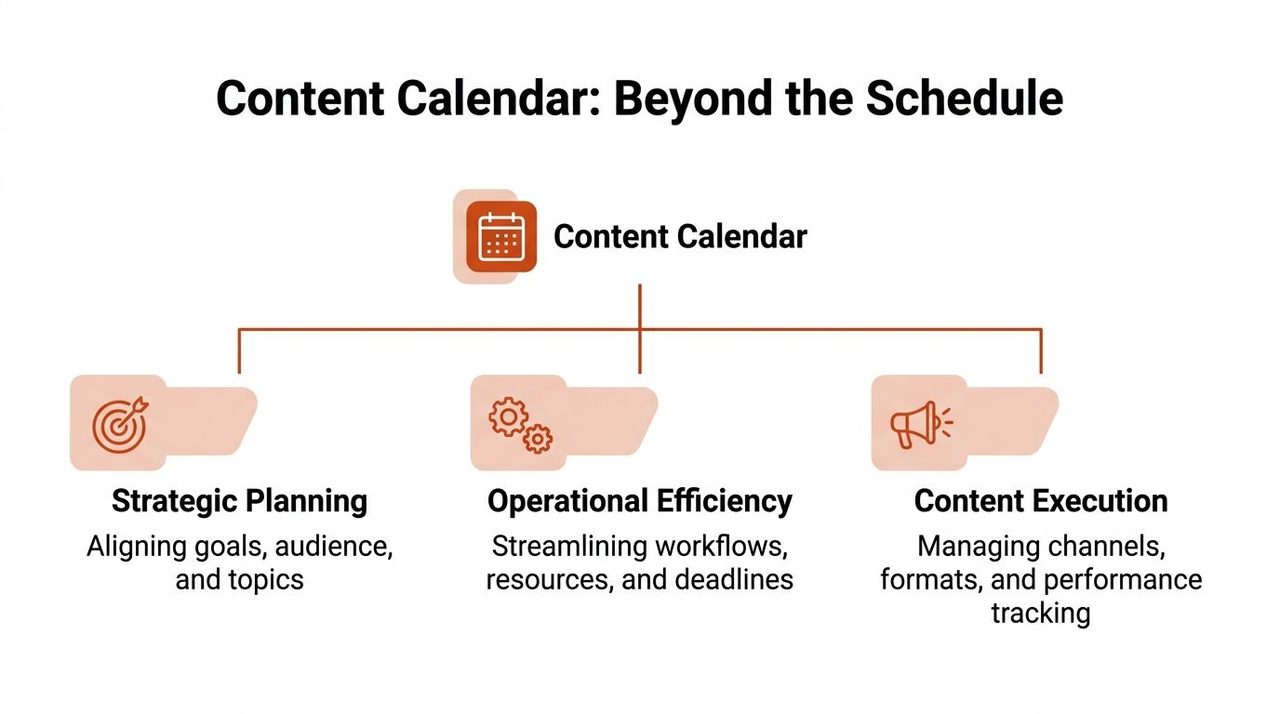
A content calendar is often described as a way to track what gets published and when. That definition is true, but it's incomplete. For a product or engineering team, the useful version is a calendar that also connects ownership, workflow, channel, status, and intent.
According to Jasper's content calendar overview, a content calendar is a planning system for organizing what will be published, when, and on which channels. In practice, it maps content to campaigns, key moments, ownership, and performance goals so teams can maintain consistency and accountability across blogs, social posts, emails, videos, and product launches.
What belongs in the calendar
If your calendar only contains dates and titles, it won't carry enough weight to help a cross-functional team. The fields that make it operational are simple:
- Publish date and time: When the asset goes live.
- Owner or assignee: Who drives it forward.
- Channel: Where it appears.
- Topic: What it covers.
- Message snippet: The core angle or takeaway.
Useful teams often add a few more fields around the core: status, related campaign, CTA, keyword, asset links, and notes from review. That's where the calendar stops being a reminder tool and starts acting like mission control.
Practical rule: If a team member has to ask “Who owns this?” or “Is this approved?” too often, the calendar is missing operational fields.
A lot of teams also benefit from understanding the difference between a content calendar and an editorial calendar. If you want a closer breakdown of that distinction, this editorial calendar guide is a useful companion read. The short version is that editorial planning focuses on what gets created, while a stronger content calendar also reflects distribution and workflow context.
Why technical teams need one
Technical teams tend to underinvest in communication planning because the actual work appears to be elsewhere. Code ships. Infra scales. Bugs get fixed. But users don't experience your roadmap directly. They experience the product through interfaces, docs, release notes, onboarding, and announcements.
That's why the calendar should sit close to roadmap conversations, not far away in a marketing-only workspace. It should answer questions like:
- What ships with the release?
- Which assets are customer-facing and which are internal?
- Who reviews for technical accuracy?
- Which channel explains the “why,” not just the “what”?
A weak setup treats the calendar as a publishing schedule. A stronger setup treats it as a shared planning layer between product, engineering, support, and marketing. That distinction matters because a product launch rarely fails from lack of effort. It fails from fragmented execution.
Key Benefits for Product and Technical Teams
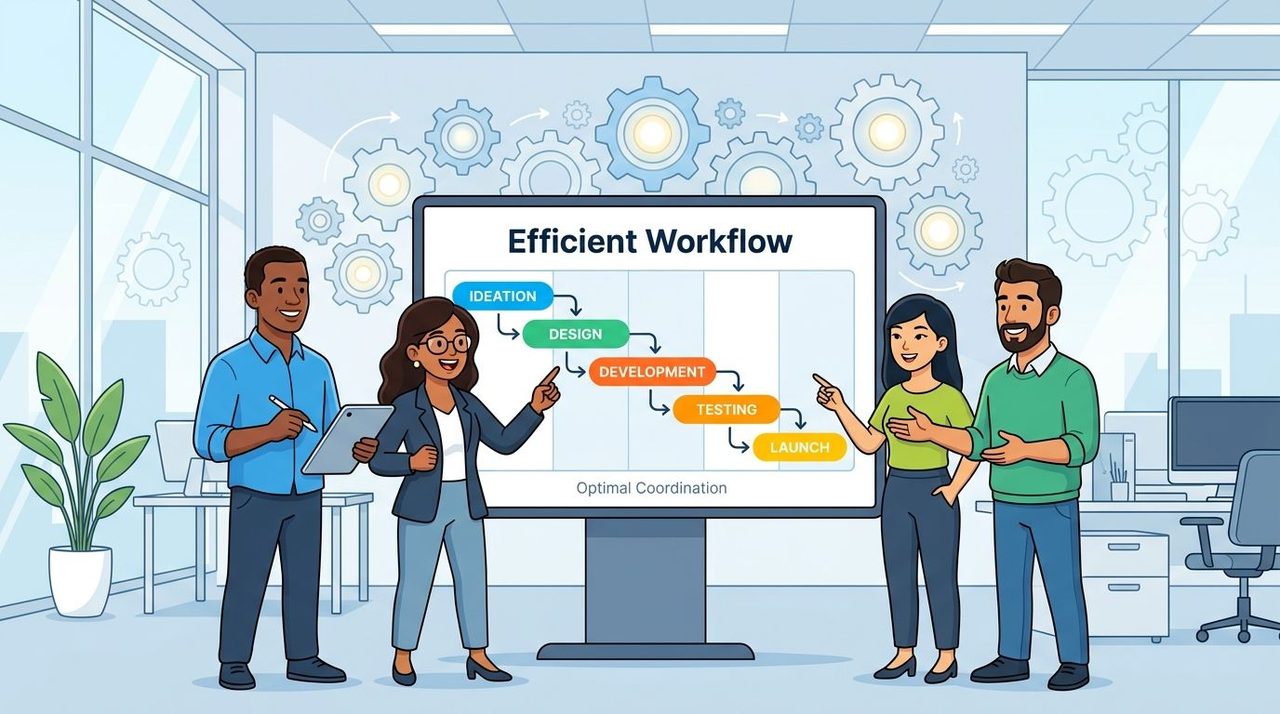
The operational payoff is straightforward. A well-run content calendar removes hidden dependencies from people's heads and puts them into a visible system.
Business News Daily notes that content calendars improve throughput because they externalize dependencies such as writing, review, design, scheduling, and distribution, which helps teams batch work, assign accountability, and reduce last-minute scrambling that increases coordination overhead and missed deadlines in their guide to creating a content calendar.
It reduces coordination drag
The first benefit isn't “better branding.” It's fewer avoidable interruptions.
When a PM can see that release notes are in review, docs are blocked on final screenshots, and the customer email still needs legal review, they don't need three separate status checks. The calendar surfaces the state of work without requiring another meeting.
For engineering-adjacent content, that visibility is especially valuable because dependencies are rarely linear. Documentation may depend on final UI. Changelog copy may depend on rollout sequencing. A launch post may depend on customer-ready screenshots and approved messaging. The calendar gives everyone the same operating picture.
A lot of teams pair that visibility with stronger documentation habits. If you're trying to tighten how research, launch notes, and supporting assets connect, this guide to research documentation workflows is a helpful reference.
It improves launch quality
Shipping quality communication means the right assets show up at the right time with the right level of detail. That sounds obvious, but it's where unplanned teams slip.
A product launch usually needs different layers of explanation:
- The short layer: changelog, app update note, social post
- The instructional layer: docs, FAQ, walkthrough
- The strategic layer: blog post, customer email, stakeholder update
Without a calendar, those layers get created in whatever order people remember them. With a calendar, you can sequence them intentionally and assign review at the right points.
A launch isn't fully shipped when the code is merged. It's shipped when users, internal teams, and stakeholders can understand what changed and what to do next.
The other gain is batching. Teams can review several assets in one pass, align terminology across channels, and avoid rewriting the same explanation five different ways.
Common Types and Practical Template Examples
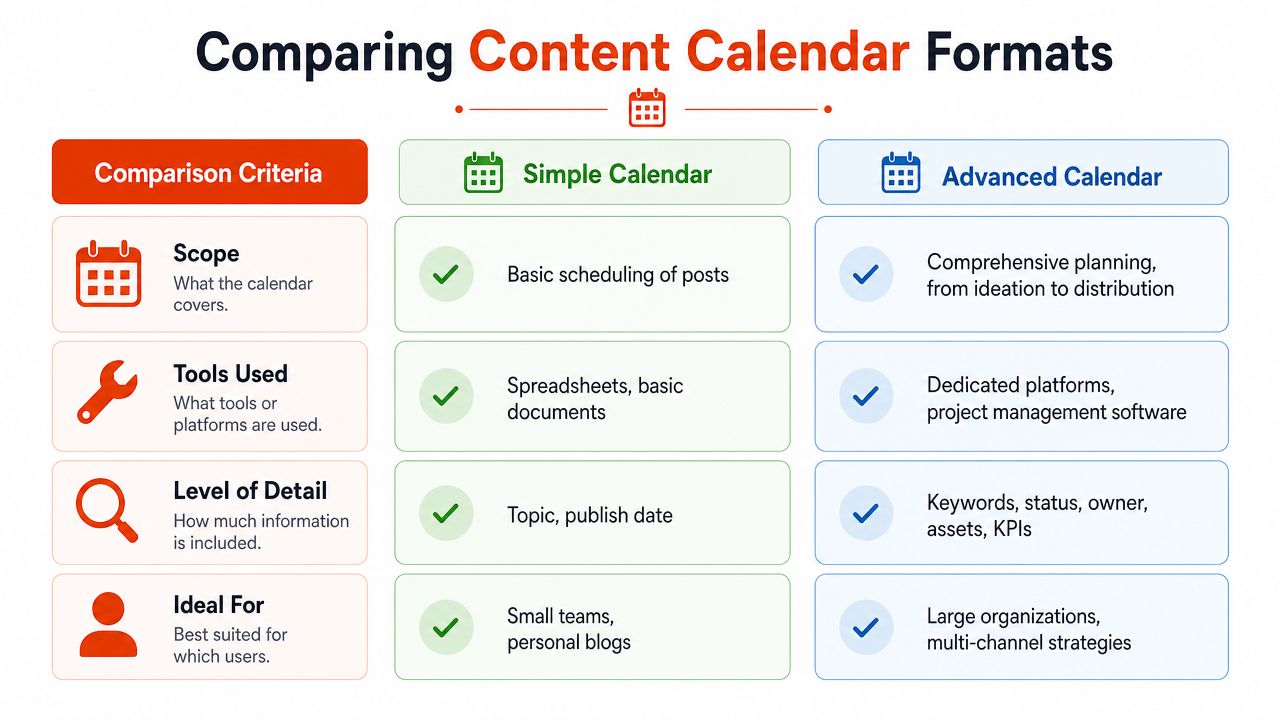
Not every team needs a dedicated content operations platform. The right format depends on how much coordination you need, how many channels you manage, and whether your team already lives inside tools like Notion, Asana, Trello, Airtable, or Jira.
The key idea is consistent structure. A content calendar works when it tracks topic, format, owner, status, channel, deadline, and publish date as a centralized workflow artifact, which Launchnotes describes in its glossary for content calendar use in product management and operations.
The main formats teams use
Three formats cover most real-world cases.
- Spreadsheet calendars: Best for smaller teams that need visibility more than automation. Google Sheets works well when the workflow is light and everyone agrees to keep the file current.
- Kanban-style boards: Better when content moves through clear stages such as brief, draft, review, approved, scheduled, published. Trello, Asana, and Notion are common choices.
- Dedicated calendar databases: Best when you need filtering by channel, owner, campaign, sprint, or status. Airtable is a common middle ground because it behaves like a database without becoming too rigid.
Content Calendar Tools at a Glance
| Tool Type | Best For | Pros | Cons |
|---|---|---|---|
| Spreadsheet | Small teams, simple publishing plans | Fast to set up, easy to share, low friction | Status tracking gets messy as workflow grows |
| Kanban board | Teams with approvals and multiple contributors | Clear workflow stages, strong ownership visibility | Calendar view can feel secondary |
| Database-style tool | Cross-functional teams managing many channels | Flexible views, filtering, stronger structure | Takes more setup and governance |
| Publishing platform calendar | Social-first teams | Scheduling and publishing in one place | Often weak for technical review and broader launch coordination |
Example entries for technical teams
A useful content calendar should reflect real work, not generic marketing placeholders. A PM or developer team might create entries like these:
- New feature launch campaign: Topic is the feature announcement. Channel includes blog, changelog, and customer email. Owner is the PM. Status tracks from brief to approval.
- Q3 documentation update schedule: Topic is API updates or onboarding revisions. Owner is a developer advocate or technical writer. Deadline reflects the release branch freeze, not just the publish date.
- Migration guide for deprecated workflow: Channel includes docs and support macro updates. Notes include reviewer names from engineering and support.
If you're building these entries from meetings, demos, or spoken brainstorms, it helps to reduce manual cleanup. Some teams speed up the draft step with workflows like voice typing for content creators, especially when converting messy spoken notes into structured briefs.
The best template is the one your team updates every week. The most sophisticated system in the company won't help if ownership is fuzzy and status fields go stale.
How to Create Your First Content Calendar
Start small enough that your team will maintain it. Most failed calendars are too ambitious on day one. They try to capture every possible field, every approval path, and every channel before the team has a stable publishing rhythm.
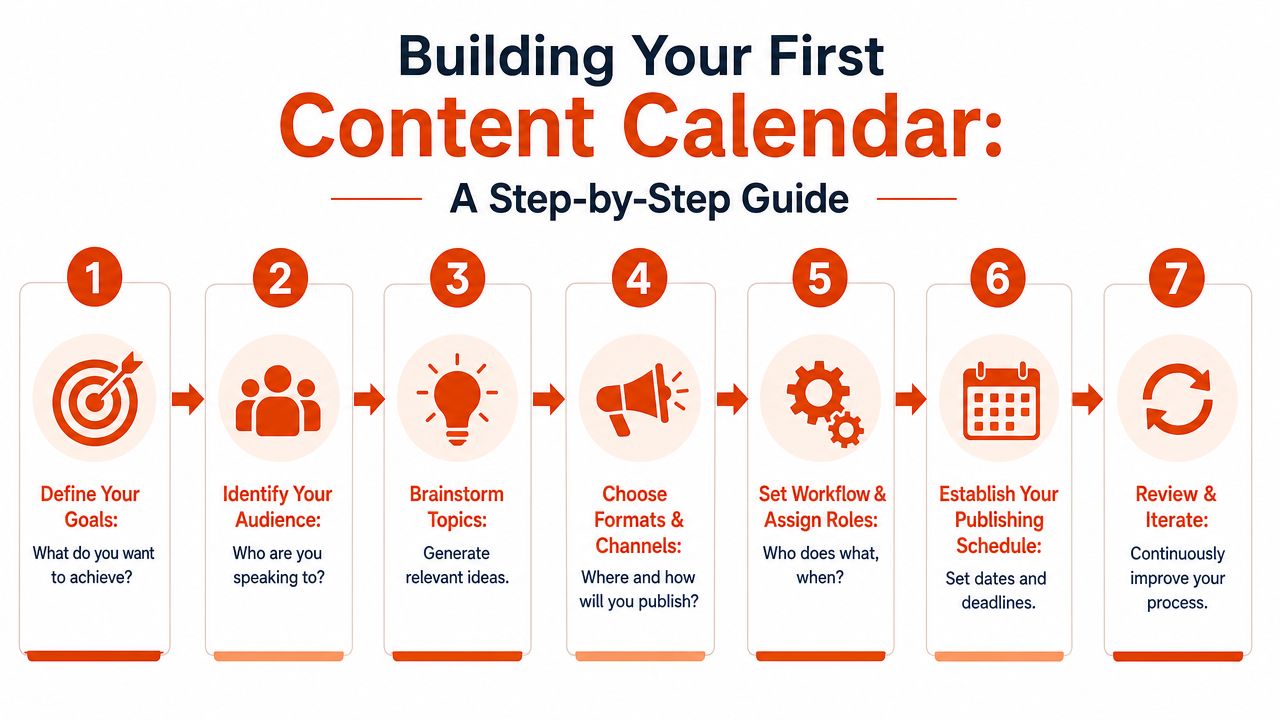
This visual lays out the build sequence clearly.
Start with the minimum viable version
The easiest way to build a useful calendar is to create the lightest version that still answers operational questions.
- Define the business purpose. For technical teams, that usually means aligning content to launches, education, onboarding, or adoption.
- Choose the channels that matter. Don't start with every possible surface. Pick the channels your team controls.
- List recurring content types. Release notes, docs updates, feature posts, changelog entries, stakeholder updates.
- Create the core fields. Use owner, topic, status, deadline, publish date, and channel first.
- Attach workflow expectations. Decide who drafts, who reviews for technical accuracy, and who publishes.
A short tutorial can also help teams visualize what “good” looks like before they build their own system.
Use cadence without overcommitting
The Worcester social media content calendar guide recommends a planning mix of 50% educational, 30% sales-oriented, and 20% aspirational or inspirational content, and notes that teams often start by planning one month ahead before expanding to a six-month horizon in its content calendar guide.
That's useful even for technical teams, with a slight translation:
- Educational content: Docs, how-tos, onboarding explainers
- Sales-oriented content: Launch pages, product announcements, upgrade messaging
- Aspirational or inspirational content: Vision pieces, customer stories, roadmap framing
The point isn't to force a marketing ratio onto engineering. It's to avoid a calendar full of only launch-driven content. If every slot is promotional, users don't get enough practical help.
A few habits make the first version stick:
- Anchor to real planning cycles: Sprint reviews, monthly launches, quarterly roadmap themes
- Leave room for changes: Some content will move because product work moves
- Review the calendar weekly: A short review catches stale dates and blocked assets early
Best Practices for Long-Term Success
Most content calendars fail for a simple reason. Teams confuse the calendar with the rest of the work system.
Optimizely's glossary points out that a common pitfall is treating a content calendar like a publishing schedule when it should function as a planning system, and that teams need to decide how much process, including briefs, approvals, and performance notes, belongs inside the calendar versus adjacent tools in a content calendar definition.
That boundary matters. The calendar should answer what is shipping, why, when, where, and who owns it. Your project management tool should still handle task detail, subtasks, blockers, and execution chatter. When teams cram every checklist item into the calendar, it becomes noisy. When they keep it too shallow, it loses operational value.
A sustainable operating model
- Keep governance light: One owner should maintain the calendar's structure, but contributors should update their own entries.
- Review performance notes briefly: Add just enough context to improve future planning. Don't turn the calendar into an analytics warehouse.
- Protect the boundary: Use the calendar for planning visibility. Use Jira, Asana, or Notion task boards for execution detail.
- Adapt tooling carefully: If you're evaluating broader workflow automation and creative tooling, resources like Bulk Image Generation's AI software guide can help you think through where AI fits and where it just adds noise.
- Preserve writing time: Teams that want a calmer drafting process often need workflow habits as much as tools. This piece on writing in flow is useful if your content process gets derailed by constant context switching.
Good calendars don't win by being comprehensive. They win by staying current, trusted, and closely tied to the way the team actually ships work.
AIDictation helps teams turn spoken ideas into clean written output faster, which is useful when PMs, developers, and operators need to capture launch notes, documentation drafts, and stakeholder updates without getting stuck in manual cleanup. If you want a faster path from messy thoughts to usable text, try AIDictation.
Frequently Asked Questions
What does What Is a Content Calendar: Guide to Strategy 2026 cover?
A content calendar is a planning system for organizing what will be published, when, and on which channels. In practice, strong teams use it to balance 50% educational, 30% sales-oriented, and 20% aspirational or inspirational content while assigning ownership, timing, and workflow so shipping communication doesn't fall apart at launch time.
Who should read What Is a Content Calendar: Guide to Strategy 2026?
What Is a Content Calendar: Guide to Strategy 2026 is most useful for readers who want clear, practical guidance and a faster path to the main takeaways without guessing what matters most.
What are the main takeaways from What Is a Content Calendar: Guide to Strategy 2026?
Key topics include Table of Contents, The Familiar Chaos of Unplanned Content, What the scramble usually looks like.
Ready to try AI Dictation?
Experience fast voice-to-text on your device. Free to download.
Download FreeRelated Posts
Abbreviation Do Not Use List: Best Practices for 2026
Find the abbreviation do not use list for healthcare, tech, and editorial writing. Get safe alternatives, policy templates, and implementation tips.
Content Structure Done Right: A Practical Guide
Master content structure. Learn core principles, see templates for docs and notes, and discover how to create structured text instantly from speech.
Improve Documentation Quality: A 2026 Guide
Measure & improve documentation quality with our 2026 guide. Discover key dimensions, assessment methods, & tools to create clear, accurate, useful docs.