A Better Customer Support Response: A Practical Guide
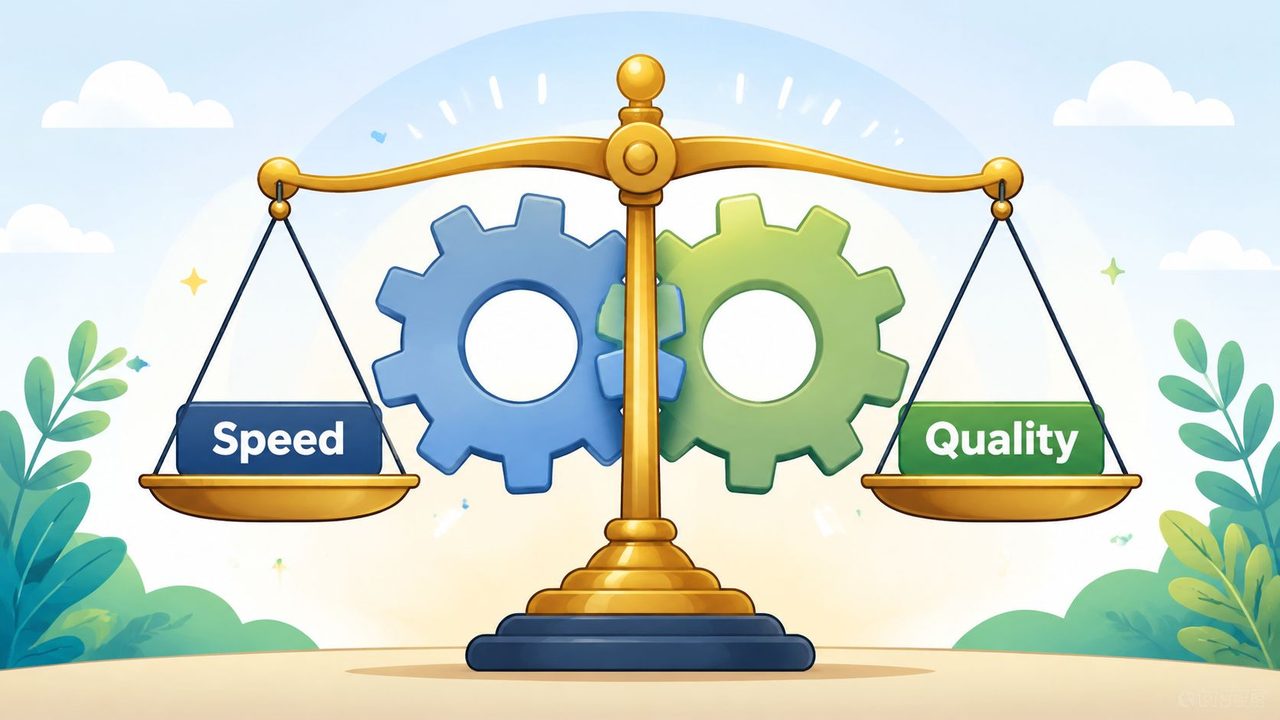
Most advice about customer support response gets one thing wrong. It treats speed and quality like rivals.
That's why teams swing between two bad habits. One group fires off shallow acknowledgments that calm the queue but create more back-and-forth later. The other group obsesses over the perfect reply and leaves customers waiting too long to feel heard. Neither approach holds up in a real support operation.
A better system starts with a different assumption. Fast and thoughtful responses can coexist if you design the work properly. That means clear triage, consistent response rules, practical writing standards, and tools that remove friction instead of adding noise. When a team knows which issues need immediate reassurance, which need a full first-contact resolution, and which need escalation, response quality stops depending on individual improvisation.
Table of Contents
- The Foundation of an Excellent Customer Support Response
- A Practical Workflow for Every Support Ticket
- Adapting Your Response to Common Scenarios
- Key Metrics for Support Performance and Quality
- Using Tools and Automation to Respond Faster
- Turning Support Responses into a Competitive Advantage
The Foundation of an Excellent Customer Support Response
Why generic advice breaks down in production
“Be empathetic” isn't wrong. It's incomplete.
Support teams don't fail because they've never heard the words empathy, clarity, or professionalism. They fail because those ideas aren't translated into operating rules. When ticket volume rises, agents need to know when a quick acknowledgment is enough, when a complete answer is required up front, and when the issue must move immediately to a specialist.
Industry guidance on customer service response road maps makes this gap obvious. The underserved part of the conversation is the speed-versus-quality tradeoff by issue severity, including classifying messages by urgency, legal risk, or customer value and matching them to response templates and escalation paths, as noted in this customer service response road map guidance.
Practical rule: Don't ask agents to “be fast” or “be thorough.” Tell them which ticket types need reassurance now, which need a complete answer now, and which need containment plus escalation.
The three inputs behind every strong reply
A strong customer support response comes from three inputs, not one.
Intentional tone means the message sounds in control. Not overly casual when money, access, or trust is involved. Not stiff when the customer just needs a clean answer. Tone should match the stakes.
Active empathy means acknowledging the actual disruption, not pasting a hollow apology. “I can see why this is frustrating” is weaker than “I understand you were charged twice and still can't access the account.”
Unambiguous clarity means the customer knows what happened, what happens next, and when to expect the next update. Most poor replies fail here. They sound polite but leave the customer guessing.
If your team struggles to write cleanly at speed, it helps to standardize response structure and reduce typing friction. Even basic writing workflow improvements, like the habits discussed in how to write faster and neater, can make replies easier to scan and easier to send without sounding canned.
A severity model that protects both speed and quality
Treating every ticket as equally urgent is one of the fastest ways to ruin both response time and resolution quality.
Use a simple severity model:
| Severity | Typical pattern | First reply standard | Next action |
|---|---|---|---|
| Critical | Account access, billing failure, security concern, public complaint | Acknowledge fast, confirm ownership, state immediate next step | Escalate and stay attached |
| High | Broken workflow, missing order, repeated failure | Send a focused reply with needed clarifying detail | Diagnose quickly, resolve or hand off |
| Normal | How-to question, settings help, policy clarification | Aim for first-contact resolution | Use knowledge base, templates, and clear instructions |
| Low | Feedback, feature request, minor non-blocking issue | Respond clearly and route appropriately | Log, tag, close loop |
This is how speed and quality stop competing. Critical issues need confidence and motion. Routine issues need completeness. Ambiguous issues need diagnosis before promises.
A Practical Workflow for Every Support Ticket
Triage the ticket before you write a word
New agents often open a ticket and start typing immediately. That feels productive. It usually creates rework.
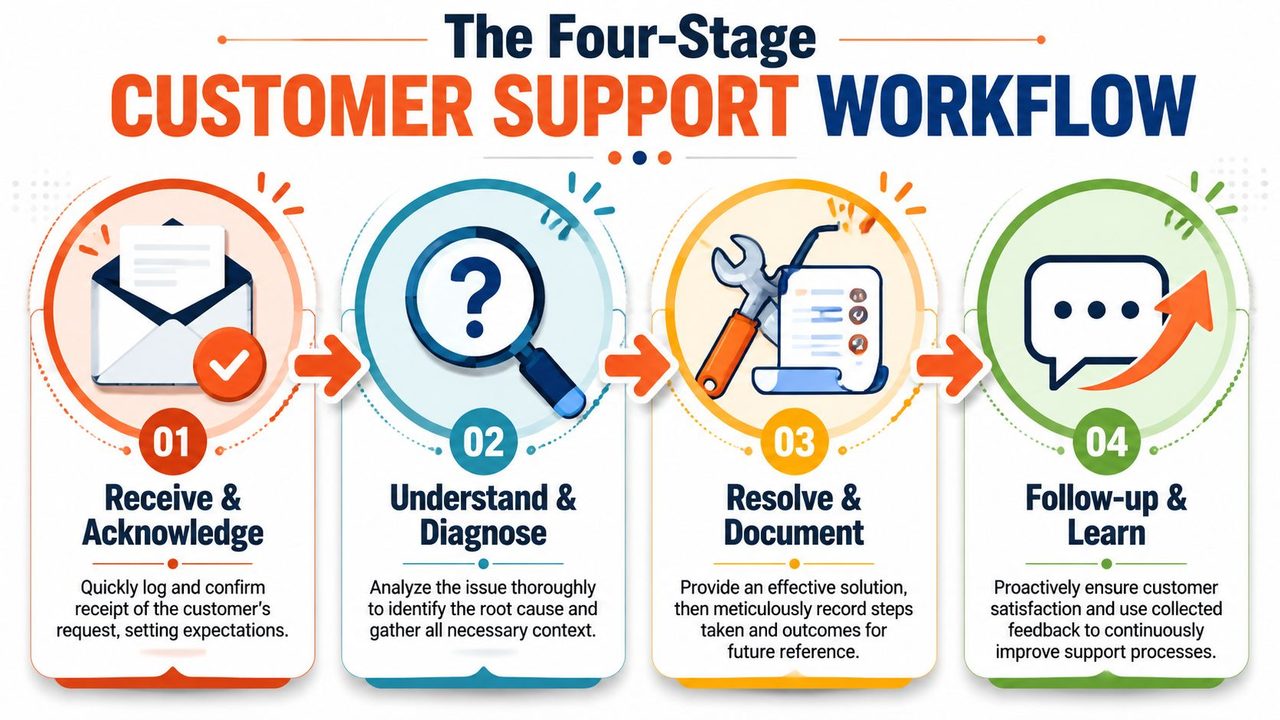
Triage comes first. In the first pass, answer four questions: What is the customer asking for? How urgent is it? Who owns it? What information is missing? If you can't answer those quickly, you're not ready to reply yet.
A practical triage pass should include:
- Issue type: Billing, technical, account access, shipping, policy, or feedback.
- Customer state: Calm, confused, frustrated, or escalated already.
- Business risk: Is there potential legal, reputational, or retention impact?
- Ownership: Can first-line support solve it, or does it need engineering, finance, or operations?
Teams that process high volumes often tighten this step by using queue rules, tags, and shared shortcuts. If your team also handles written work outside the help desk, workflow habits from voice dictation workflows for faster daily tasks can help reduce switching costs between investigation, note-taking, and reply drafting.
Diagnose the real problem
Customers rarely send neat problem statements. They send symptoms, frustration, and partial context.
A good diagnosis separates what happened from what the customer believes happened. If someone says, “Your app deleted my work,” the underlying problem might be syncing, permissions, an unsaved draft, or a misunderstanding about version history. Responding to the first interpretation without checking the underlying facts wastes time.
Use this sequence when the issue is unclear:
- Restate the issue in neutral language. “I understand the file is no longer visible after yesterday's update.”
- Check account and system context. Look at order history, device, plan, recent changes, and prior tickets.
- Ask only the minimum necessary questions. Don't send a ten-item questionnaire if two details will narrow the issue.
- Separate blockers from details. If the customer is locked out, restore access first. Fine-grained diagnosis can follow.
Customers forgive a short delay in resolution more easily than they forgive a reply that ignores the actual problem.
Reply in a structure customers can follow
The best support replies are easy to scan. Customers don't read support messages like essays. They look for orientation, action, and confidence.
Use a simple message structure:
- Opening acknowledgment: Confirm the issue in plain language.
- Decision or finding: State what you know now.
- Action steps: Give numbered steps if the customer needs to do something.
- Expectation setting: Explain what you will do next, and when.
- Closure cue: Invite the next reply only if needed.
A weak reply says, “Thanks for your patience, we're looking into it.”
A better reply says, “I've confirmed the charge and sent it to our billing team for review. You don't need to do anything else right now. I'll update you within business hours once they verify the transaction.”
That kind of structure does two things at once. It lowers customer anxiety and reduces unnecessary follow-ups.
Follow up until the issue is actually closed
A ticket isn't resolved because an agent sent a reply. It's resolved when the customer's problem is solved, the record is usable, and the next person can understand what happened.
That means documenting the cause, what was tried, what fixed it, and whether the issue exposed a product or process gap. The follow-up stage is where strong teams get compounding benefits. They don't just close tickets. They build reusable knowledge.
Here's the follow-up checklist I train new teams to use:
| Check | What good looks like |
|---|---|
| Resolution confirmed | The customer can proceed, not just “let us know if it works” |
| Internal notes complete | Root cause, actions taken, dependencies, and owner |
| Tags accurate | Future reporting and triage stay useful |
| Known issue surfaced | Product or ops teams get a clear signal |
| Template opportunity captured | Repeated issues become easier next time |
A support operation gets faster when it learns from repeated work. Without that loop, every shift starts from scratch.
Adapting Your Response to Common Scenarios
When the customer is angry
Angry customers don't need a lecture about process. They need signs of control.
Start by naming the disruption clearly. Don't mirror their intensity, and don't become defensive. If the customer says, “I've emailed three times and nobody has fixed this,” the useful response isn't “We apologize for the inconvenience.” It's: “I can see you've had to follow up multiple times about the same issue. I'm taking ownership of this thread now.”
That phrasing matters because it does three jobs. It acknowledges repetition, signals responsibility, and lowers the chance of another emotional spiral.
A practical response shape for frustrated customers:
- Acknowledge the impact: “You've been charged, and you still can't use the account.”
- Take ownership: “I'm reviewing this directly.”
- State the next move: “I've escalated the billing check and I'm verifying access separately.”
- Set a boundary if needed: “I'll update you once I have a confirmed answer, rather than sending partial guesses.”
When the issue is technical and unclear
Technical tickets often tempt agents into one of two mistakes. They either drown the customer in jargon or ask vague questions that don't move the case forward.
A better response gives the customer a path. For example:
“I can help with this. From your message, the issue appears after login and before the dashboard loads. Please send the browser you're using and whether this happens on another device. If you can, include the exact wording of any error message. I'll use that to narrow the cause before asking you to try broader troubleshooting.”
That works because it narrows the field without making the customer do your investigation for you.
When the problem is more complex, break your response into short chunks:
- What you understand so far.
- What you need next.
- What the customer can expect after they reply.
When the customer wants a refund
Refund conversations fail when agents cling too tightly to policy language. Customers usually aren't evaluating your legal drafting. They're deciding whether your company is treating them fairly.
If the refund is allowed, be direct. “I've submitted the refund request and sent the confirmation to your email.” Don't hide a yes behind procedural fog.
If the refund isn't allowed, clarity matters more than softness alone. A useful version sounds like this: “I reviewed the order and checked the billing terms attached to this purchase. This charge falls outside the refund window, so I can't reverse it from support. What I can do is help you cancel the next renewal and make sure there are no further charges.”
That reply won't delight everyone. It will, however, reduce escalation caused by ambiguity.
When you need to escalate
Escalation should feel like progress, not abandonment.
The customer shouldn't hear, “I've passed this to another team,” and then sit in silence. They should know who owns the next move, what is being checked, and whether they need to do anything else.
Use language like this:
- Ownership stays visible: “I've brought our engineering team into this thread and I'll keep the case with me.”
- Reason is specific: “This needs log review on the backend, which first-line support can't access.”
- Expectation is concrete: “You don't need to repeat the issue. I've included the steps, timestamps, and screenshots in the escalation notes.”
A good escalation removes effort from the customer. A bad one transfers effort back to them.
Key Metrics for Support Performance and Quality
Speed gets distorted fast when teams measure only the first visible timestamp. I have seen support queues with excellent first response time and weak customer outcomes because agents were trained, indirectly, to acknowledge fast and solve later. The fix is to measure the full operating system, not one number.
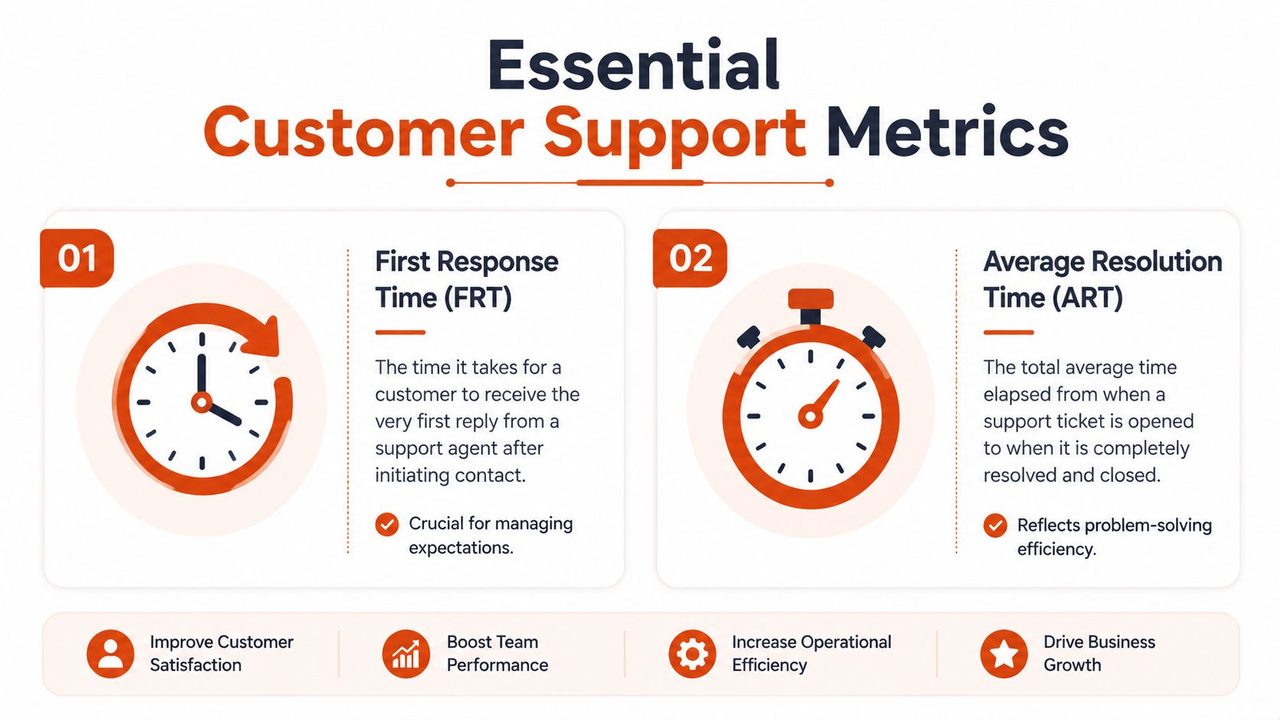
A useful scorecard tracks first response time (FRT), average resolution time (ART), first contact resolution (FCR), and CSAT on different review cycles. Practical guidance from Gorgias on customer support metrics recommends reviewing FRT, ticket volume, and backlog daily or weekly, while using CSAT, ART, and FCR monthly to reduce noise and spot trends. Gorgias also notes that response clocks should be measured in business hours, and that an autoresponder does not count as a true first response.
What to measure and why each metric matters
Each metric answers a different management question. Taken together, they show whether your workflow is producing replies that are both fast and useful.
| Metric | What it tells you | What it misses if used alone |
|---|---|---|
| FRT | How quickly customers get a human response | It does not show whether the reply moved the case forward |
| ART | How efficiently the team gets from intake to resolution | It can hide long silences or weak updates between touches |
| FCR | How often one well-handled interaction solves the issue | It can punish correct escalations if the team reads it without context |
| CSAT | How customers felt about the support experience | It can swing on small samples, channel mix, or issue type |
This is the part new managers often miss. These metrics should work as checks on each other.
If FRT improves while FCR drops, the team is probably sending quick acknowledgments without enough diagnostic work. If ART falls while CSAT softens, agents may be closing tickets before the customer feels the issue is actually settled. If CSAT is stable but backlog keeps growing, the current process may be protecting quality for the tickets that get handled while letting queue health deteriorate.
How to review metrics without training bad habits
Daily review is for queue control. Monthly review is for quality control.
Use the daily view to spot operational friction: aging tickets, handoff delays, category spikes, staffing mismatches, or one channel falling behind. That is where leads make routing decisions, rebalance coverage, and clear blockers before they turn into SLA misses.
Use the monthly view to inspect how the system is performing under normal volume. Review resolution quality, repeat contacts, escalation patterns, policy confusion, and documentation gaps. Pair the numbers with ticket reviews so coaching is based on actual cases, not a dashboard snapshot. For teams that handle long email threads, tools that reduce drafting time, such as speech to text in Gmail for support replies, can improve speed without pushing agents toward shallow responses.
A simple rhythm works well:
- Daily or weekly: FRT, open volume, backlog, aging tickets
- Monthly: ART, FCR, CSAT, repeat contact patterns, escalation quality
- Quarterly: Staffing model, tooling gaps, training needs, self-service opportunities
What strong performance looks like in practice
Strong performance is not a low FRT in isolation. Strong performance means a customer gets a fast first reply, a clear next step, and a resolution path that does not create extra work.
Targets should reflect channel, business hours, issue complexity, and staffing reality. A billing question in live chat should move faster than a technical case that needs logs from engineering. A small team should not copy an enterprise benchmark blindly. The better approach is to set service levels by ticket type, measure against those standards in business hours, and examine failure points in the workflow before blaming individual agents.
That is how speed and quality stop competing. The team responds quickly because the system supports quick, informed work, and quality holds because every metric checks a different failure mode.
Using Tools and Automation to Respond Faster
Start with tools that remove repetitive typing
Faster support usually comes from better operations, not more pressure on agents.
The first tools to add are the ones that cut repeat work inside the ticket. Snippets, text expanders, approved macros, saved views, and routing rules do that well. They reduce the time spent rebuilding the same reply structure, searching for the same policy, or clicking through the same queue filters. That gives agents more room to read carefully, verify details, and adjust the message to the customer in front of them.
Used poorly, these tools create stiff replies and lazy habits. Used well, they create a consistent draft that the agent finishes with context and judgment.
A good rule for new teams is simple. Automate the setup. Personalize the conclusion.
Use dictation to speed up personalized replies
Typing slows down strong agents more often than managers expect. The issue is not a lack of knowledge. The agent already knows the fix, the constraint, and the next step. The delay is getting that explanation onto the screen fast enough without dropping clarity.
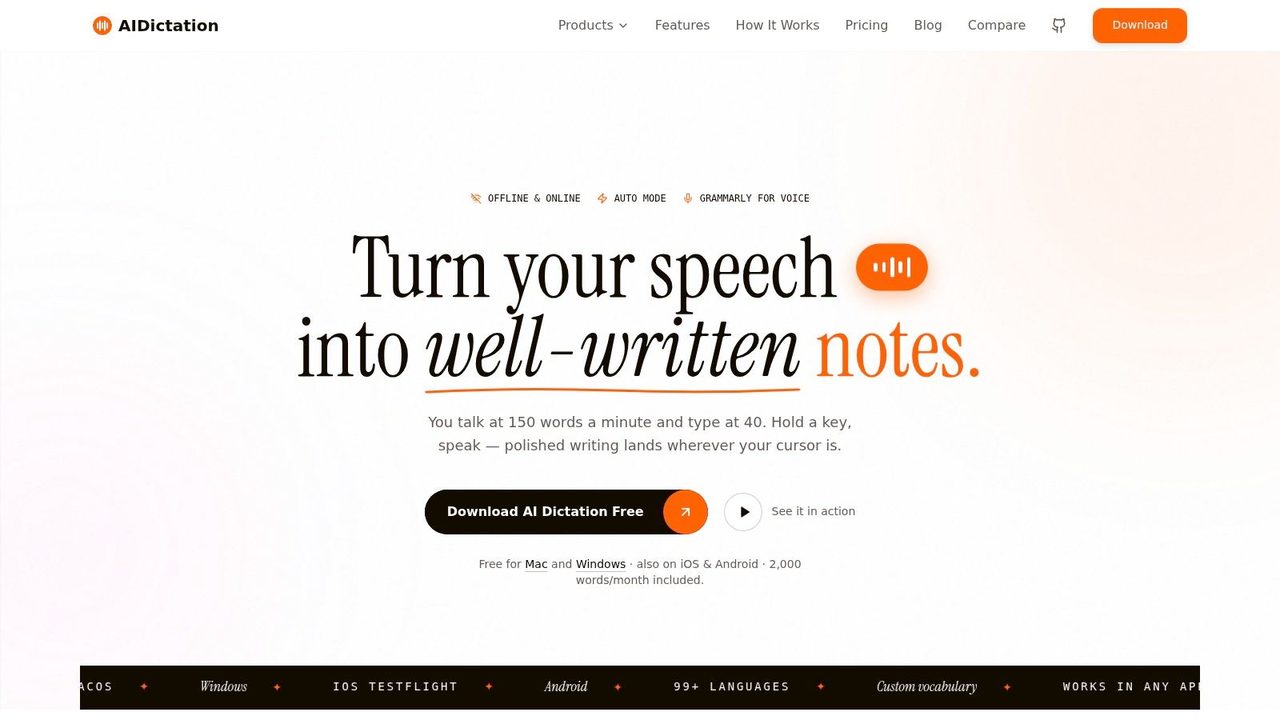
That is where dictation earns its place in the workflow. For longer email responses or technical explanations, speaking a structured answer can be faster than typing it from scratch and often sounds more natural. AIDictation is one example. It is a macOS voice-to-text app that turns spoken input into cleaned-up writing with grammar and formatting support. Teams that respond inside email can also borrow ideas from this guide to speech-to-text in Gmail for support replies.
The trade-off is straightforward. Dictation saves drafting time, but only if the agent speaks in a clear structure and reviews the result before sending. I coach teams to use a four-part pattern: acknowledgment, diagnosis, next step, expectation. That keeps the reply tight and prevents the common failure mode where a fast draft turns into a wandering answer.
Here's a useful walkthrough format for teams exploring that kind of setup:
Automate routing and preparation, not judgment
The strongest automation happens before an agent writes the reply.
Use it to tag issue type, sort urgency, pull order history, surface prior conversations, and suggest approved starting language. Those steps remove queue friction and reduce avoidable mistakes. The agent starts with context already assembled instead of spending the first few minutes hunting for it.
Keep the human review at the point where promises are made. A system can suggest a refund macro or flag an outage pattern. It should not decide whether the facts support that refund, whether the tone fits the situation, or whether the customer needs a different path because of account history.
This boundary matters in practice:
- Automate intake: classify, prioritize, and route tickets
- Automate context gathering: pull recent orders, plan details, and past contacts into view
- Automate drafting support: suggest templates or standard policy language
- Keep decisions human: verify facts, set expectations, and approve the final response
That is how speed and quality stop fighting each other at the tool level. The system handles retrieval, routing, and drafting support. The agent handles judgment, accountability, and the final message the customer will remember.
Turning Support Responses into a Competitive Advantage
A strong customer support response isn't a writing trick. It's the output of an operating system.
The pieces work together. Clear principles keep the message useful. Triage and diagnosis stop wasted effort. Structured replies reduce confusion. Follow-up turns isolated tickets into reusable knowledge. Metrics show whether the system is improving or just moving faster on paper. Tools remove typing and routing friction so agents can spend more time thinking.
Teams that get this right stop treating support like a queue to survive. They use it as a trust channel. Customers notice when replies are fast without being careless, and detailed without being slow. That combination is hard to fake because it depends on process, training, and discipline.
If you're leading a team, don't start by demanding faster replies. Start by designing better response rules. Once the work is sorted correctly, speed gets easier. Quality does too.
If your team spends too much time typing the same explanations, AIDictation is worth evaluating as part of the workflow. It turns spoken input into cleaned-up writing on macOS, which can help agents draft personalized support replies faster while keeping the final review in human hands.
Frequently Asked Questions
What does A Better Customer Support Response: A Practical Guide cover?
Most advice about customer support response gets one thing wrong. It treats speed and quality like rivals.
Who should read A Better Customer Support Response: A Practical Guide?
A Better Customer Support Response: A Practical Guide is most useful for readers who want clear, practical guidance and a faster path to the main takeaways without guessing what matters most.
What are the main takeaways from A Better Customer Support Response: A Practical Guide?
Key topics include Table of Contents, The Foundation of an Excellent Customer Support Response, Why generic advice breaks down in production.
Ready to try AI Dictation?
Experience fast voice-to-text on your device. Free to download.
Download Free