10 Process Improvement Techniques for 2026
Manual rework, slow approvals, and small errors have a way of spreading. A product manager dictates meeting notes, then cleans them by hand. A developer records a bug explanation, then rewrites half of it because technical terms came out wrong. A clinician speaks naturally, then loses time fixing formatting and tone before the note is ready to file. None of these problems look dramatic on their own. Together, they drain output and make a team feel slower than it should.
That's where process improvement techniques matter. Not as abstract management language, but as practical ways to reduce friction in work people do every day. If your team ships software, supports customers, writes documentation, or handles regulated records, your process is already shaping quality, speed, and morale. Improving it means deciding what should happen by default, what should be automated, what should be measured, and where people need to stay in control.
A voice-to-text product makes a useful example because it sits inside real workflows. Take AIDictation. A team might use it to turn spoken thoughts into product specs, code comments, support replies, or clinical notes. The output can move through local processing, cloud cleanup, formatting rules, and final review. That makes it a good stand-in for modern hybrid work: part human judgment, part software system, part operational design.
This guide keeps things practical. You'll get 10 proven process improvement techniques, what each one is good at, where it tends to fail, and how to apply it to a SaaS workflow instead of a factory floor.
Table of Contents
- 1. Lean Six Sigma
- 2. Kaizen
- 3. Business Process Management
- 4. Total Quality Management
- 5. Agile Process Improvement
- 6. Value Stream Mapping
- 7. Root Cause Analysis
- 8. Automation and Robotic Process Automation
- 9. Design Thinking and User-Centered Improvement
- 10. Knowledge Management and Documentation
- Process Improvement Techniques, 10-Point Comparison
- Start Your Improvement Journey Today
1. Lean Six Sigma
Lean Six Sigma is the technique I reach for when a workflow is both slow and inconsistent. Lean helps remove waste. Six Sigma helps reduce variation. Together, they force a team to answer two useful questions: which steps aren't helping, and where do errors keep entering the process?
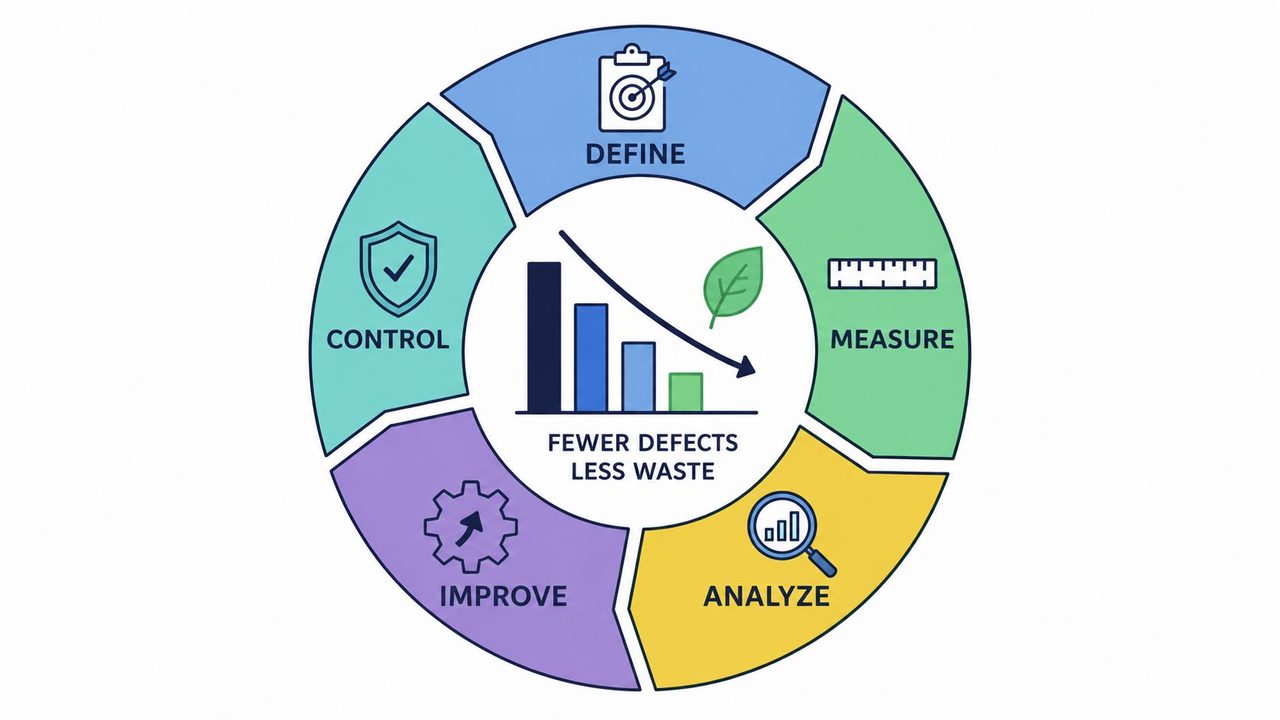
In formal Six Sigma terms, the method traces back to Bill Smith at Motorola in 1986, uses the DMAIC framework, and defines world-class quality as fewer than 3.4 defects per million opportunities. That standard came from manufacturing, but the logic translates well to software operations. In a voice-to-text product, a "defect" might be the wrong engine selected, poor formatting in the target app, or a cleanup pass that changes intended meaning.
Use DMAIC on a messy workflow
Start with one narrow use case. For AIDictation, that might be Cloud Mode cleanup for product specs. Define the problem clearly: users dictate fast, but editing still takes too long because the output needs restructuring before it's shareable.
Then measure only a few things that matter. Time-to-polished-output works better than vanity metrics. Count re-edits, hand corrections, and moments where people abandon dictation and switch back to typing.
- Define tightly: Pick one workflow, one team, and one quality standard.
- Measure reality: Use actual transcripts and edit histories, not opinions from a kickoff meeting.
- Analyze variation: Separate accent issues, background noise, terminology misses, and formatting misses.
- Improve selectively: Change one rule set, one model choice, or one prompt pattern at a time.
- Control the gain: Lock in the new default once the result is stable.
Practical rule: Lean Six Sigma works best when the process is repeated often enough to study. It struggles when every task is unique and nobody agrees on what "good" looks like.
The trade-off is speed. Teams that skip the measurement step move faster in week one, then argue for months because nobody can prove which fix helped.
2. Kaizen
Kaizen is less dramatic than a full redesign, and that's why it often sticks. Instead of betting everything on one large improvement project, you make frequent, small changes that people can absorb without slowing down their daily work.
This approach fits software products especially well because user friction usually shows up in tiny places. A dictation shortcut that isn't memorable. A custom dictionary flow that's too buried. A cleanup rule that behaves well in email but poorly in a code editor. Fixing those one at a time can change the whole experience.
Small changes compound fast
With AIDictation, a Kaizen habit could look like a short weekly review of failed outputs. Support, product, and engineering each bring examples. One week the team tightens app-specific formatting rules. The next week they improve default handling of self-corrections. Then they simplify the way users teach the system names or technical terms.
That kind of cadence matters because knowledge work has a different bottleneck than assembly work. One legal analysis notes that 78% of knowledge workers report manual administrative drag cuts into core output by 2 to 3 hours per day. In that environment, small workflow fixes aren't cosmetic. They reclaim attention.
A few habits make Kaizen practical:
- Collect front-line examples: Ask users to submit transcript failures, not abstract complaints.
- Keep the threshold low: A good improvement can be a renamed setting, not a platform rewrite.
- Review changes in context: Test in Notes, Slack, Gmail, and code editors instead of one demo environment.
- Celebrate solved annoyances: Teams repeat behavior they can see improving.
Small improvements are easier to trust. Trust matters because people won't adopt a process they think will be replaced next quarter.
What doesn't work is running Kaizen as a suggestion box with no owner. If no one triages, prioritizes, and closes the loop, employees stop contributing and the culture part disappears.
3. Business Process Management
Business Process Management, or BPM, is what you use when the problem isn't just one bad step. It's the whole flow. Work enters one system, passes through multiple decisions, gets touched by several people or tools, and too much of it depends on memory.
For a SaaS product, BPM gives you a way to document how work moves. That sounds basic, but optimization efforts often focus on fragments. Product tunes the interface. Engineering tunes model performance. Support writes macros. Nobody owns the full path from user input to final output.
Map the system before you optimize it
For AIDictation, I would map the workflow like this: speech capture, engine selection, transcript generation, cleanup pass, app-specific formatting, user review, export or paste, then feedback capture. Once you lay that out, bottlenecks usually become obvious. Maybe cloud cleanup is strong, but the handoff into the target app creates formatting inconsistencies. Maybe Local Mode is fast and private, but users don't know when to switch.
BPM is also where decision logic gets formalized. Auto Mode shouldn't feel magical only to the product team. The criteria for choosing on-device versus cloud should be visible enough that operations, compliance, and support can explain them.
A practical BPM review usually surfaces questions like these:
- Where does work wait: Not where does software compute, but where does a person pause.
- Who owns exceptions: If a clinical note needs extra review, who catches that and how.
- Which rules are implicit: If support agents all know a workaround but it isn't documented, the process is fragile.
- What should be system-driven: Engine routing, formatting defaults, and terminology injection often belong in the product.
The trade-off with BPM is overhead. If you turn every workflow into a diagramming exercise, people stop updating the maps. Keep it lean. Map only the processes that affect quality, speed, compliance, or customer frustration.
4. Total Quality Management
Total Quality Management works when quality isn't one department's job. That's the core idea. A team can't promise reliable output if product defines quality one way, engineering measures another way, and support cleans up the fallout after release.
In a voice-to-text product, TQM is useful because quality isn't limited to word accuracy. Users care whether the text matches intent, fits the destination, respects privacy expectations, and needs minimal post-editing. A transcript can be "accurate" and still be poor if it comes out in the wrong tone for an email or the wrong structure for a note.
Quality can't live in one team
AIDictation is a good case because different audiences mean different definitions of done. A product manager might want clean bullet points for a spec. A developer wants technical terms preserved. A healthcare professional needs a note that's ready for a compliant workflow and doesn't need risky manual cleanup in the wrong place.
TQM pushes teams to agree on shared standards before release. That usually means defining quality per context, training everyone on those standards, and reviewing failures across functions instead of tossing them over the wall.
Here's what tends to work:
- Define customer-visible quality: Phrase it in output terms users care about, not internal model terms.
- Build feedback loops across teams: Support tickets often reveal quality problems long before dashboards do.
- Use one quality language: Product, engineering, and operations should describe failures the same way.
- Treat prevention as quality work: Better defaults and clearer context rules beat more manual review.
A useful operational backdrop is that broader data-driven process work often improves cost and utilization when teams run it with discipline. One Six Sigma training provider reports 15 to 25% reductions in operational costs and 30 to 40% improvement in resource utilization for organizations implementing methodologies like DMAIC. The lesson isn't that every team will get the same outcome. It's that quality systems pay off when measurement, monitoring, and standardization are built in.
TQM fails when leadership talks about quality but rewards only speed. People always optimize for the score they think counts.
5. Agile Process Improvement
Agile process improvement is the right choice when the workflow changes often and the team can test improvements quickly. Instead of waiting for a perfect future-state design, you work in short cycles, gather feedback, and adjust before the process calcifies.
That matters in SaaS because user behavior shifts fast. The way people dictate a stakeholder update isn't the same as the way they dictate support replies or technical notes. If your team waits for a big annual process redesign, you're already behind the product's real use cases.
Ship changes in short cycles
In AIDictation, an Agile approach might mean running short iterations around one workflow at a time. One sprint improves technical-term recognition for developers. Another refines context-aware formatting for email apps. Another reduces cleanup mistakes in long-form meeting summaries. Each cycle ends with live examples, not slide decks.
This style also matches how collaborative teams already work. If your product team wants a tighter handoff between meeting capture, editing, and publishing, it's worth studying practical habits for improving team collaboration with clearer workflows.
The strength of Agile isn't speed by itself. It's the ability to learn before you've invested too much in the wrong process.
Use a few guardrails so Agile doesn't become random tweaking:
- Write process user stories: "As a clinician, I want dictated notes to land in the right structure with minimal cleanup."
- Demo with real outputs: Review transcripts from actual meetings, notes, and support queues.
- Retrospect on the process itself: Ask what slowed the improvement work, not just what slowed the product.
- Keep a definition of done: If a change isn't measurable in daily use, it isn't finished.
What doesn't work is calling something Agile while changes still require three committees and a quarterly launch train. Short cycles need actual decision authority.
6. Value Stream Mapping
Value Stream Mapping shows where time goes between start and finish. Not just work time. Waiting time, rework time, review time, and hidden queue time. That's why it's one of the most useful process improvement techniques for digital workflows that look fast on the surface but still feel slow to the user.
In a dictation workflow, software can process audio quickly while the person still experiences drag. They pause to choose a mode. They fix formatting after paste. They rerun cleanup because the first output was technically correct but not usable. VSM makes those delays visible.
A visual walkthrough helps before you map your own flow.
See waiting time, not just work time
For AIDictation, I'd map the path from spoken input to polished output in one lane, then add decision points under it. When does the app stay on-device? When does it switch to cloud? When does cleanup happen automatically, and when does the user intervene? That level of detail matters because hybrid AI workflows often fail in the handoffs, not the core model.
That problem is getting more important. One process-improvement analysis argues that 90% of coverage treats AI as a standalone replacement tool instead of addressing augmentative automation, where AI handles routine cleanup and humans keep editorial control. VSM is good at exposing exactly that boundary.
A strong value stream map usually reveals waste in places teams overlook:
- Mode confusion: Users spend time deciding instead of dictating.
- Redundant cleanup: The system applies formatting, then the user reformats in the destination app.
- Exception handling gaps: Certain accents, note types, or app contexts trigger manual recovery work.
- Invisible approvals: Regulated outputs may sit in review queues longer than expected.
VSM can become too elaborate if you try to model every edge case. Keep the first map honest and simple. The point is to expose delay and non-value-added work, not to create wall art.
7. Root Cause Analysis
Root Cause Analysis is what you use when the same problem keeps resurfacing under different labels. Users say the transcript is awkward. Support says the cleanup feature is inconsistent. Product says adoption is lower in one audience segment. Engineering says the model quality is acceptable. All of them may be describing the same underlying cause.
RCA forces the team to move past symptoms. In practice, that means using a method like the 5 Whys or a fishbone diagram and refusing to stop at the first plausible answer.
Fix the reason, not the symptom
Take a common SaaS example. Users say filler-word removal breaks the meaning of spoken notes. The superficial fix is to let them undo the cleanup. That's useful, but it doesn't explain why the issue occurs. Maybe the model confuses hesitation with emphasis. Maybe the context rules are too aggressive in a clinical template. Maybe users aren't aware of the mode they're in.
A solid RCA session for AIDictation might separate causes into categories such as audio conditions, app context, terminology, model behavior, and user expectations. That structure prevents teams from blaming "AI quality" for everything.
Try questions like these:
- Why did the error reach the user: What barrier should've caught it earlier.
- Why does it happen in this context: Email, documentation, and clinical notes fail differently.
- Why wasn't the default safe enough: Was the automation too aggressive for the use case.
- Why do users repeat the workaround: Repeated workarounds are process signals.
If the same issue comes back after two fixes, you probably solved a symptom twice.
RCA is slow compared with patching. That's the trade-off. But patch culture creates operational debt. Teams end up layering exceptions on top of exceptions, and eventually nobody can explain the workflow with confidence.
8. Automation and Robotic Process Automation
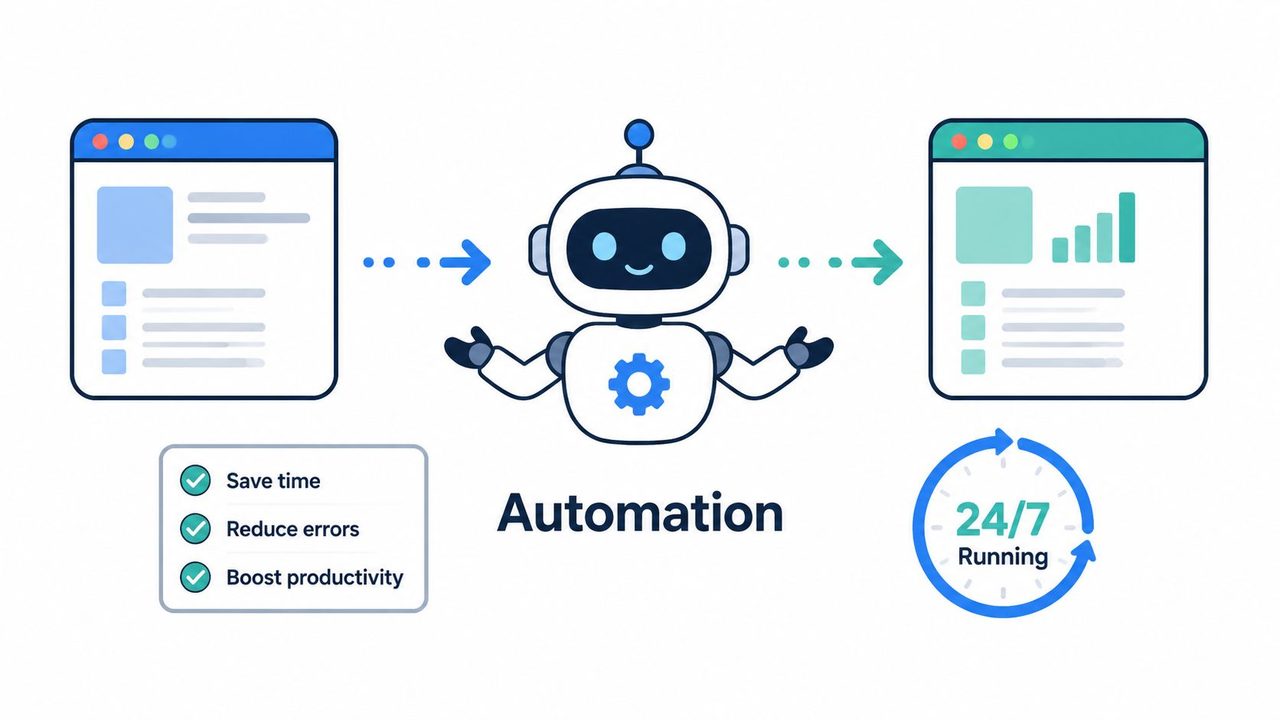
Automation earns its keep when it removes repetitive decisions without hiding important ones. That's the line. If you automate clerical work, people get time back. If you automate judgment calls that need context, you'll create faster mistakes.
This is especially relevant in hybrid human-AI workflows. Automation should handle routing, formatting, validation, and repetitive cleanup. People should still decide when nuance, compliance, or meaning needs review.
Automate rules, not judgment
AIDictation offers a useful model here. Auto Mode can choose between on-device and cloud processing. That kind of routing is exactly where automation shines, because it can apply consistent logic faster than a person. The broader market is moving in that direction too. One analytics adoption snapshot says AI analytics adoption is projected to rise from 31% in 2024 to 56% in 2026, with teams using AI for process optimization such as automated data collection, validation, and predictive modeling.
For day-to-day ops, good automation in a dictation workflow can include:
- Engine routing: Send work to the best mode based on privacy and output needs.
- Context formatting: Apply tone and structure rules based on the destination app.
- Terminology support: Insert custom dictionary terms automatically where context suggests them.
- Pre-delivery checks: Flag outputs that likely need human review before they're used.
If you're designing these flows in a documentation-heavy environment, it's worth studying examples of voice dictation workflows and adjacent patterns like building safe AI workflows in Obsidian.
Automation fails when teams confuse adoption with replacement. If users can't see what the system changed, or can't recover easily from a wrong automation, they stop trusting the workflow.
9. Design Thinking and User-Centered Improvement
Some process problems aren't really process problems. They're empathy problems. The team built a workflow that makes sense internally, but it doesn't match how users think, speak, or finish work.
That's where Design Thinking helps. It starts with user context instead of internal efficiency. For software teams, this matters because the same feature can feel elegant to one audience and unusable to another.
Start with the user's real constraint
With AIDictation, developers, clinicians, support teams, and product managers all want speed. But the friction isn't the same. Developers care whether technical language survives. Clinicians care whether the note structure and privacy expectations are respected. Support teams care whether repeated phrases can be produced cleanly without sounding robotic.
A user-centered improvement cycle would observe real sessions, define the core pain from the user's perspective, prototype a fix, and test it in the environment where the work happens. That might mean testing formatting changes inside Apple Mail, Slack, or a clinical note workflow instead of a generic demo field.
A few design habits improve the odds:
- Interview by segment: Don't blend feedback from users with different stakes.
- Prototype the smallest behavior change: A new rule, template, or review cue is often enough to test.
- Watch the last mile: Users judge the workflow by what happens after text appears.
- Design for confidence: Clear mode behavior and easy correction matter as much as raw speed.
One useful caution here comes from recent discussion around hybrid human-AI process design. Many teams still apply old manufacturing-style metrics to creative or cognitive work, even though those workflows need measures tied to polished output and editorial control rather than simple task completion. If you ignore that difference, you end up optimizing the wrong experience.
10. Knowledge Management and Documentation
A process isn't improved until someone else can repeat it without guessing. That's why knowledge management matters. It captures what works, where it works, and what people should do when conditions change.
This gets overlooked in fast-moving product teams because documentation feels secondary to shipping. In practice, undocumented process changes create recurring support load, inconsistent onboarding, and shadow workflows that only experienced employees know.
Make good process repeatable
For AIDictation, strong knowledge management would include playbooks for different use cases. Product managers need examples for spec drafting and meeting summaries. Developers need guidance on custom dictionaries for code terms. Healthcare users need careful instructions for note workflows, privacy-sensitive usage, and review expectations. Support teams need reusable patterns for email-heavy work.
Documentation should be searchable, practical, and tied to the actual product. A good internal or customer-facing knowledge base can include:
- Use-case guides: Show how to dictate specs, notes, or support replies from start to finish.
- Mode selection guidance: Explain when Local Mode is enough and when cloud cleanup adds value.
- Terminology standards: Document custom dictionary practices for names, acronyms, and technical terms.
- Failure recovery steps: Show exactly what to do when output needs correction.
When you're tightening this layer, it's useful to study how better documentation quality improves team output.
Knowledge management also helps solve a broader problem in modern process improvement. Purely cognitive workflows often struggle because teams don't document what "good" means in a reusable way. Once the best practices live in guides, templates, examples, and support macros, improvement becomes teachable instead of tribal.
Process Improvement Techniques, 10-Point Comparison
| Method | 🔄 Implementation complexity | ⚡ Resource requirements | 📊 Expected outcomes | Ideal use cases | ⭐ Key advantages / 💡 Tips |
|---|---|---|---|---|---|
| Lean Six Sigma | High, structured DMAIC, certification often required | High, statistical tools, data collection, trained practitioners | Significant defect reduction and measurable ROI | Critical accuracy improvements (healthcare, compliance) | Data-driven consistency; Tip: start with high‑impact processes and measure CTQ metrics |
| Kaizen (Continuous Improvement) | Low–Medium, cultural adoption and regular iterations | Low, employee time and engagement rather than heavy tooling | Slow, cumulative gains and sustained improvements | Ongoing UX refinements, incremental transcription tweaks | High employee buy‑in; Tip: hold weekly huddles and create suggestion systems |
| Business Process Management (BPM) | High, process modeling, governance and change management | High, BPM platforms, IT integration, analytics dashboards | Clear process visibility, automation potential, KPI tracking | Enterprise workflow optimization and integrations | Standardizes workflows; Tip: map end‑to‑end pipeline and define KPIs |
| Total Quality Management (TQM) | Very high, organization‑wide cultural change and long timeline | Very high, leadership commitment, training, continuous monitoring | Holistic quality improvements and higher customer satisfaction | Company‑wide quality initiatives, regulated industries | Long‑term competitive advantage; Tip: establish real‑time quality dashboards |
| Agile Process Improvement | Medium, iterative sprints and disciplined team practices | Medium, cross‑functional teams and lightweight tooling | Rapid iterations, faster feedback, early problem detection | Fast feature/algorithm iterations and user‑driven updates | Fast, adaptable improvements; Tip: use 2‑week sprints and automated tests |
| Value Stream Mapping (VSM) | Medium, detailed mapping and cross‑team workshops | Medium, facilitation time and stakeholder involvement | Identification of waste and clear cycle‑time reduction opportunities | End‑to‑end process diagnostics and turnaround time reduction | Visual clarity of flows; Tip: quantify cycle times and highlight decision points |
| Root Cause Analysis (RCA) | Medium, investigative discipline and facilitation skills | Low–Medium, time for analysis and evidence gathering | Permanent fixes that prevent recurrence of issues | Recurring errors, critical incident investigations | Prevents repeat problems; Tip: apply 5 Whys and fishbone diagrams |
| Automation & RPA | Medium–High, bot design, security and maintenance needs | Medium, RPA tools, configuration, monitoring, compliance controls | Large productivity gains and consistent rule‑based processing | Repetitive routing, formatting, QA checks, engine selection | Dramatic time savings; Tip: automate engine selection and ensure data security |
| Design Thinking / User‑Centered | Medium, user research, prototyping and testing cycles | Medium, access to users, prototyping resources | Solutions that align with real user needs and higher adoption | UX redesigns, feature ideation for distinct user segments | Solves real user problems; Tip: conduct interviews and prototype early |
| Knowledge Management & Documentation | Low–Medium, process for capture and governance | Medium, content creators, KM platform, upkeep | Faster onboarding, fewer repeated support requests, consistent practices | Documentation of best practices, training, FAQs for transcription scenarios | Preserves institutional knowledge; Tip: build searchable use‑case guides and track gaps |
Start Your Improvement Journey Today
The biggest mistake I see with process improvement techniques is overreach. Teams try to redesign everything at once, create a giant initiative, and stall before any change reaches the people doing the work. A better approach is narrower. Pick one workflow that hurts, one technique that fits it, and one metric that tells you whether the change helped.
If your dictation process is inconsistent, Lean Six Sigma gives you discipline. If your workflow is mostly functional but full of daily friction, Kaizen is often the fastest win. If nobody can explain how work moves from input to final output, BPM and Value Stream Mapping usually reveal more than another round of debate. If the same issues keep coming back under new names, Root Cause Analysis earns its place quickly.
The technique matters, but fit matters more. Agile process improvement works well in software teams that can test often and release often. TQM works when leadership is serious about shared standards across product, engineering, support, and operations. Automation and RPA help when the work is repetitive and rule-based, but they'll backfire if you use them to hide decisions users still need to understand. Design Thinking is the better choice when adoption is weak because the workflow doesn't reflect how people actually work. Knowledge management is what turns isolated improvement into a repeatable operating model.
The modern wrinkle is that many teams now run hybrid human-AI workflows. That's why old process advice can feel incomplete. In a tool like AIDictation, the job isn't only to reduce error. It's to route work intelligently, preserve privacy where needed, improve time-to-polished-output, and keep human editorial control where nuance matters. That combination changes how you define waste, quality, and throughput. It also changes what "done" looks like.
Start small and stay concrete. Choose a single use case such as drafting product specs, writing support replies, or producing clinical notes. Map the current flow. Mark where people wait, rework, or lose confidence. Decide which parts should be standardized, which should be automated, and which should stay human. Then test one improvement in daily use, not in a workshop.
Most teams don't need more theory. They need fewer ambiguous steps, better defaults, and clearer ownership. Process improvement techniques are useful because they give structure to that work. They help teams replace guesswork with observation, habit with design, and repeated cleanup with a better system.
Operational excellence doesn't arrive in one rollout. It builds through visible, deliberate improvements that people trust enough to keep using. Pick the bottleneck that's costing you the most momentum and fix that first. The rest gets easier once the team sees that improvement is possible, measurable, and worth the effort.
If your team spends too much time cleaning up dictated notes, rewriting rough transcripts, or switching between privacy and polish, AIDictation is worth a close look. It gives macOS teams a practical way to improve real workflows, with Auto Mode for smart engine selection, Local Mode for private on-device dictation, and Cloud Mode for cleaner formatting, filler-word removal, and ready-to-send writing.
Frequently Asked Questions
What does 10 Process Improvement Techniques for 2026 cover?
Manual rework, slow approvals, and small errors have a way of spreading. A product manager dictates meeting notes, then cleans them by hand.
Who should read 10 Process Improvement Techniques for 2026?
10 Process Improvement Techniques for 2026 is most useful for readers who want clear, practical guidance and a faster path to the main takeaways without guessing what matters most.
What are the main takeaways from 10 Process Improvement Techniques for 2026?
Key topics include Table of Contents, 1. Lean Six Sigma, Use DMAIC on a messy workflow.
Ready to try AI Dictation?
Experience fast voice-to-text on your device. Free to download.
Download FreeRelated Posts
8 Workflow Optimization Examples for 2026
Explore 8 role-specific workflow optimization examples for 2026. Learn to reclaim your time with practical guides for developers, clinicians, and managers.
10 Best Time Study Software Tools for 2026
Find the best time study software for manufacturing or healthcare. Our 2026 review covers 10 top tools, features, pricing, and use cases.