Meeting Minutes Writing Format: Templates and Examples
The most popular advice about taking minutes is also the easiest to misuse: capture everything. Typing every comment feels thorough, but it leaves readers searching through conversation to find what anyone agreed to do. A useful meeting minutes writing format starts with outcomes, then adds only the context needed to interpret them.
The right format also changes with the audience. A board needs procedural precision; a project team needs commitments it can act on. Neither needs a polished transcript disguised as minutes.
Table of Contents
- Minutes Record Decisions, Not Every Word Said
- Essential Sections to Include in Every Set of Minutes
- Matching Tone and Detail to Your Audience
- Three Sample Formats for Different Meetings
- How to Run the Workflow From Agenda to Approved Minutes
- Capturing Action Items and Dictating Drafts Faster
- Pick One Format and Test It at Your Next Meeting
Minutes Record Decisions, Not Every Word Said
First-time minute-takers often try to type everything that was said. That's the wrong target. The Robert's Rules reference guide states the governing distinction: minutes record “what was done,” rather than “what was said.”
That distinction keeps a participant's suggestion from becoming an apparent commitment. It also prevents a forcefully expressed opinion from looking like the organization's approved position.
Practical rule: Keep a line if it establishes a decision, vote, responsibility, deadline, or fact the official record must preserve.
Cut conversation, preserve authority
Usually, you can remove:
- Personal opinions: The recorder's assessment of whether a proposal was sensible or disappointing.
- Debate narratives: Repeated arguments that don't change the motion or explain its disposition.
- Conversational filler: Small talk, side comments, and exchanges unrelated to the business considered.
Say a committee spends most of a meeting arguing about a budget. The useful entry isn't a chronological account of the disagreement. It's the exact motion, the amendment, and the recorded voting result, with supporting documents identified where needed.
For a supplier-selection decision, preserve the applicable criterion and the documented reason for rejection, not participants' impressions of the salesperson. Procright's guidance on how to justify supplier eliminations is useful when you need to express that rationale without substituting opinion for evidence.
More detail is justified when a safety concern, formal objection, or legally significant wording must remain visible. Concision isn't permission to erase material facts.
The minute-taker's job is to organize the authoritative record, not reproduce the room's conversation.
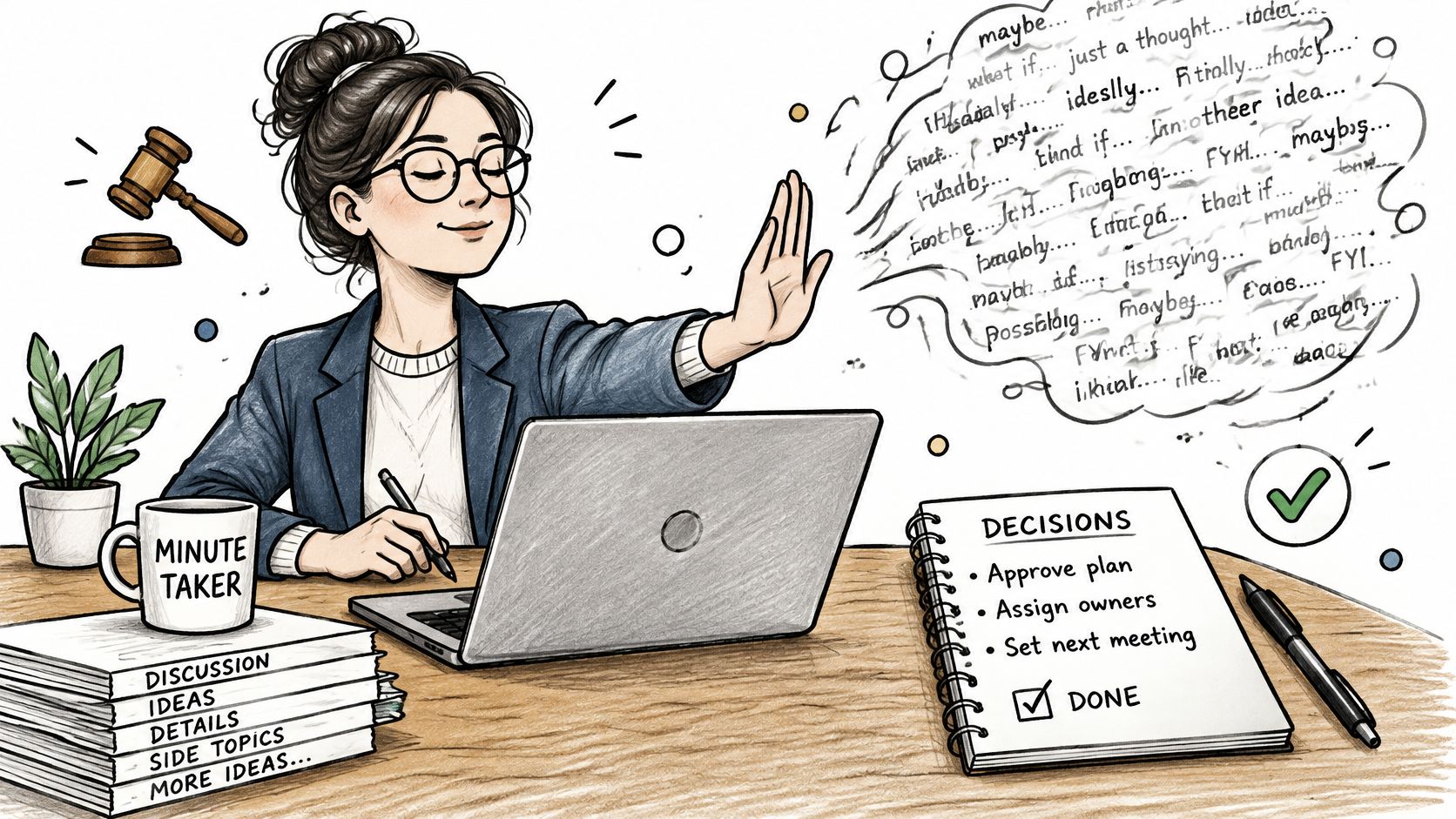
Write the outcome first. Then ask what someone would need to establish later, and retain the context necessary to establish it.
Essential Sections to Include in Every Set of Minutes
| Section | What to record | Writing note |
|---|---|---|
| Header | Body or team name, meeting type, date, start time, location, chair, recorder | Fill in before the meeting starts |
| Attendance and quorum | Present, absent and guests; quorum met yes or no | Mark absences separately from late arrivals |
| Previous minutes | Motion to approve, mover and outcome | Record any corrections before approval |
| Agenda items | Item title, outcome and a short summary where needed | Follow the agenda order exactly |
| Motions and votes | Exact motion wording, mover, amendments, result and vote count | Preserve adopted or rejected wording verbatim |
| Action items | Task, named owner, due date and status | Assign accountability to a person, not a team |
| Adjournment | Time ended and next meeting date | Note any items deferred to the next meeting |
Treat this as a base structure, not a substitute for the body's governing rules. The City of Madison's taking-minutes guidance identifies procedural entries including meeting details, approval of previous minutes, motions and their disposition, reports, notices, points of order, appeals, and adjournment.
The header tells a later reader which body acted and under what circumstances. Use the organization's full name, identify whether the meeting was regular or special, and distinguish the chair from the recorder. Don't leave a scheduled start time in place if the meeting began later.
Follow the meeting's procedural order
Separate members present, members absent, and guests. Record late arrivals or early departures when they affect participation or voting eligibility. Where quorum applies, explicitly state whether it was established rather than expecting readers to infer it from a list.
For previous minutes, record whether they were approved as presented or as corrected. Keep that entry separate from approval of the current draft, which happens later.
Under each agenda heading, place the outcome before any necessary explanation. A report received isn't automatically a recommendation adopted. Likewise, a deferred motion isn't a rejected motion. Use the procedural result that occurred.
Public bodies need an additional compliance check. San Francisco's checklist includes call-to-order time, attending members, roll-call votes, closed-session start and end times, and adjournment. Confirm the applicable local requirements before borrowing a general-purpose template.
- Preserve supporting material: Identify a report or attachment clearly enough that the approved version can be located.
- Show authentication: Leave space for the approval date and secretary's authentication where required.
- Keep future business distinct: Mark deferred items and the next meeting date without implying that a proposed agenda has been approved.
For less formal documentation, the Coachful guide to session documentation offers a useful comparison when separating context from follow-up. It doesn't replace governance requirements.
Copy the base structure into your document before the meeting. Populate known details, but leave decisions, actual attendance, and closing times blank until they occur.
Matching Tone and Detail to Your Audience
Choose the audience before choosing what to cut. The same discussion can require a formal voting record for a board and a compact implementation note for an executive sponsor.
| Audience | Detail level | Tone | Exact wording needed for |
|---|---|---|---|
| Board or public body | High on motions and votes | Formal and impersonal | Every motion, amendment and vote |
| Executive or client stakeholders | Low, decisions and risks only | Concise and direct | Approvals and commitments |
| Product or engineering review | Medium, decisions plus rationale | Neutral and technical | Requirements and acceptance criteria |
| Clinical or regulated team | High on safety concerns and sign-offs | Precise and factual | Safety concerns and formal objections |
| Internal project team | Low to medium, action-focused | Friendly and direct | Wording that changes scope |
These are editorial defaults, not universal legal requirements. Your organization's rules determine what must be preserved, especially for public proceedings, clinical records, and regulated decisions.
The University at Buffalo faculty-governance recording policy%20Policy%20on%20Recording%20Meetings.pdf) explicitly distinguishes recordings from minutes and treats recordings as drafting aids. That's a useful boundary: having more source material doesn't mean the final record should contain more conversation.
Which lines to cut
For executives, cut the sequence of competing proposals and retain the chosen direction, material risk, and commitment. For engineering reviewers, keep the reason an interface or acceptance criterion changed, but cut repeated explanations of an unchanged requirement.
For clinical teams, remove routine status commentary when it adds nothing to the record. Don't remove an unresolved safety concern merely because nobody reached a decision.
Weak: The team was worried about the timeline and the director pushed back.
Strong: The Engineering lead identified a dependency risk; the decision was deferred pending a revised delivery plan.
Use neutral third person. Roles often provide sufficient attribution, but retain names when accountability, voting, or procedure requires them. The same audience discipline applies to stakeholder communication: readers need enough context to act, not every exchange that preceded the outcome.
Corrections need a visible process:
- Identify the passage: Specify the disputed wording.
- Record the amendment: Add a dated correction under the applicable approval procedure.
- Preserve history: Keep the approval trail visible.
- Protect the original record: Never rewrite an approved decision without a visible note.
Three Sample Formats for Different Meetings
Choose the smallest layout that preserves the meeting's required evidence. The following skeletons are ready to copy; bracketed fields are prompts, not facts.
Formal minutes for boards and committees
Body: [Organization or committee]
Meeting type: [Regular or special]
Date, actual start time, location: [Details]
Chair and recorder: [Names]
Status: [Draft or approved; approval date]
Present: [Members]
Absent: [Members]
Guests: [Names and roles]
Quorum: [Established or not established]
Call to order: [Actual time]
Previous minutes: [Approval motion, corrections, disposition]
Agenda item: [Identifier and title]
Motion: [Exact wording]
Moved by: [Name]
Seconded by: [Name, if required]
Amendments: [Exact wording and disposition]
Vote: [Required count or roll-call record]
Result: [Carried, lost, withdrawn, or deferred]
Actions: [Task; owner; due date; status]
Adjournment and next meeting: [Details]
A hypothetical outcome might read: Motion carried as amended; the secretary will attach the approved contract schedule. The actual entry must also contain the motion and voting details required by the body's rules.
Use this format when procedural validity matters. Don't impose it on an informal sprint discussion unless the team needs that structure.
Brief minutes for weekly team syncs
Team, date, time, location: [Details]
Facilitator, recorder, attendees: [Names]
Status: [Draft or approved]
Decisions
- Outcome: [What was agreed and its scope]
Actions
- Task: [Verb-led deliverable]; Owner: [Name]; Due: [Date]; Status: [State]
Open questions
- Unresolved issue: [Question and what's needed to resolve it]
For example: Decided: release remains blocked until the accessibility review is complete.
Cut routine updates that already exist in the project tracker. Keep exceptions that change delivery, ownership, or scope. This layout is unsuitable when required motions and votes would disappear.
Action-oriented minutes for project reviews
Project, date, time, location: [Details]
Chair, recorder, attendees: [Names]
Status: [Draft or approved]
Decision summary: [Approved direction and relevant constraint]
| Item | Action | Owner | Due date | Status |
|---|---|---|---|---|
| [Agenda identifier] | Send the revised test plan for review | [Named person] | [Agreed date] | Open |
Dependencies: [What must happen first]
Acceptance condition: [How completion will be checked]
Deferred matters: [Outstanding decisions]
This format works when implementation matters more than a narrative summary. Don't let the register erase the decision that authorized the work. Keep meeting metadata and action-field names consistent across your chosen layouts.
How to Run the Workflow From Agenda to Approved Minutes
Minutes need a controlled path from preparation to approval. Otherwise, a carefully written document can circulate indefinitely without anyone knowing whether it's authoritative.
Use the workflow below to assign responsibility before the meeting starts.
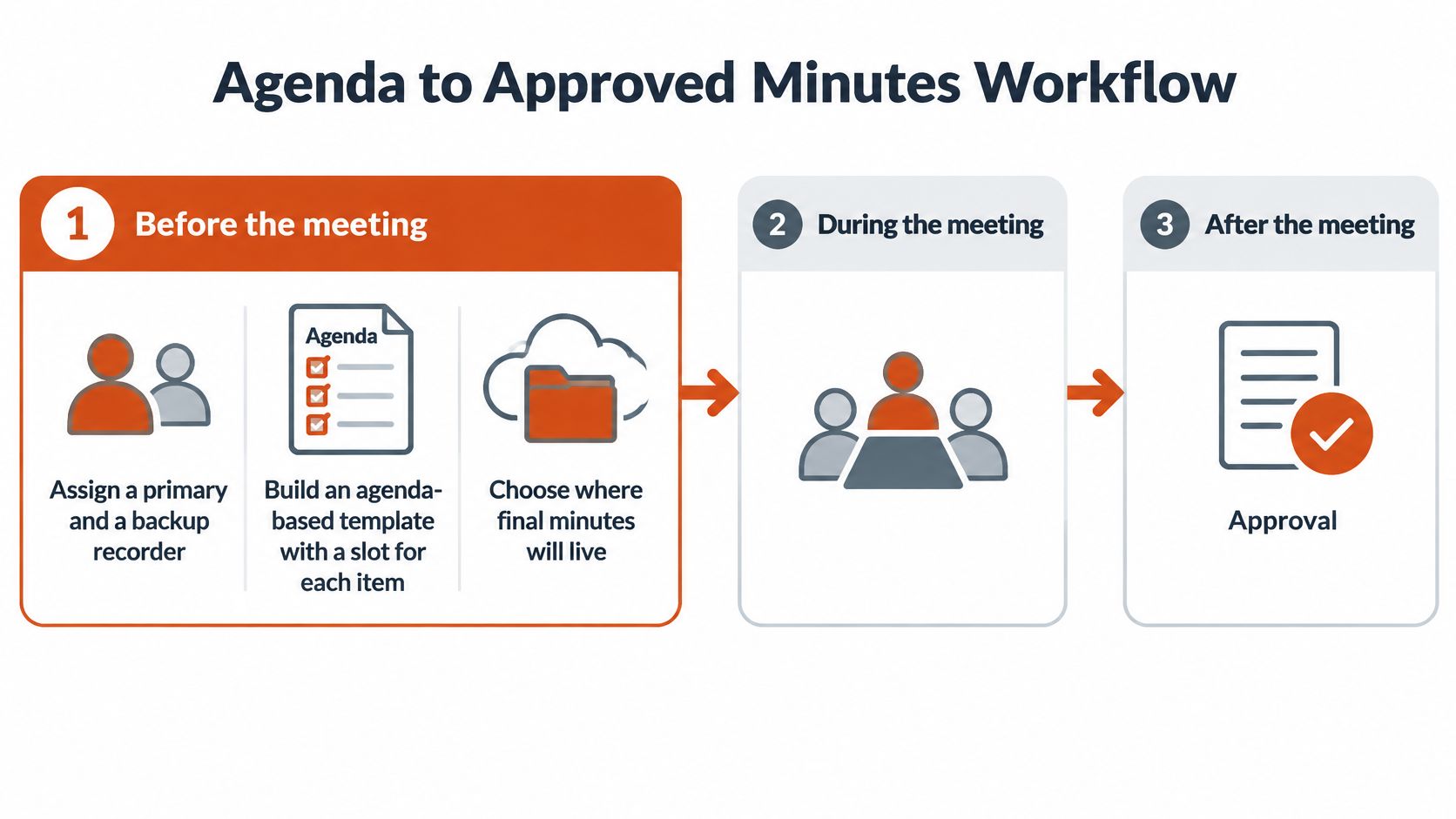
Before the meeting
- Assign the recorder and backup. Make the handover explicit if the primary recorder must participate in an agenda item or leave early.
- Prepare agenda-based fields. Put each item into the draft before the meeting. For planning prompts, the Corporate Challenge Events mid-year play kit can support agenda preparation.
- Choose the repository. Specify where approved minutes and referenced attachments will live, rather than leaving the final copy in someone's inbox.
- Agree the approval procedure. The HHS meeting-minutes practices guide recommends treating distributed drafts as approved after two days without objections where that rule is adopted, and publishing before the next meeting. Don't apply silence-as-approval unless your organization authorizes it.
During the meeting
- Establish the opening record. Capture actual attendance, call-to-order time, and quorum where relevant.
- Preserve formal wording. Ask the chair to confirm the motion's final text after amendments. Paraphrasing at this point can change the apparent scope of what was authorized.
- Capture commitments when agreed. Put the deliverable and responsible person into the relevant agenda entry before the conversation moves on.
A recording can help resolve uncertainty, but it doesn't determine which version of a proposal the group adopted. Understanding the difference between meeting transcription and summary helps keep source material separate from the approval record.
After the meeting
- Reconcile supporting documents. Check names, report titles, revised slides, and attachments against your notes. This often-skipped step prevents a superseded proposal from being attached as the approved version.
- Issue a clearly marked review draft. Ask reviewers to identify factual or procedural corrections, not rewrite the meeting to reflect what they now wish had happened.
- Approve, publish, and retain. Apply the agreed procedure, record approval status, and file the authenticated version with its supporting material.
For a visual companion to meeting-minute preparation, use this walkthrough.
A finished record has a disposition for each substantive item, traceable commitments, and an unmistakable approval state. A clean-looking draft without those controls is still unfinished.
Capturing Action Items and Dictating Drafts Faster
An action item should be checkable without asking what the writer meant. The OASIS best-practices guide for meeting minutes supports recording responsibilities and deadlines alongside agenda business, motions, votes, and announcements.
Use these fields to turn commitments into entries someone can maintain.
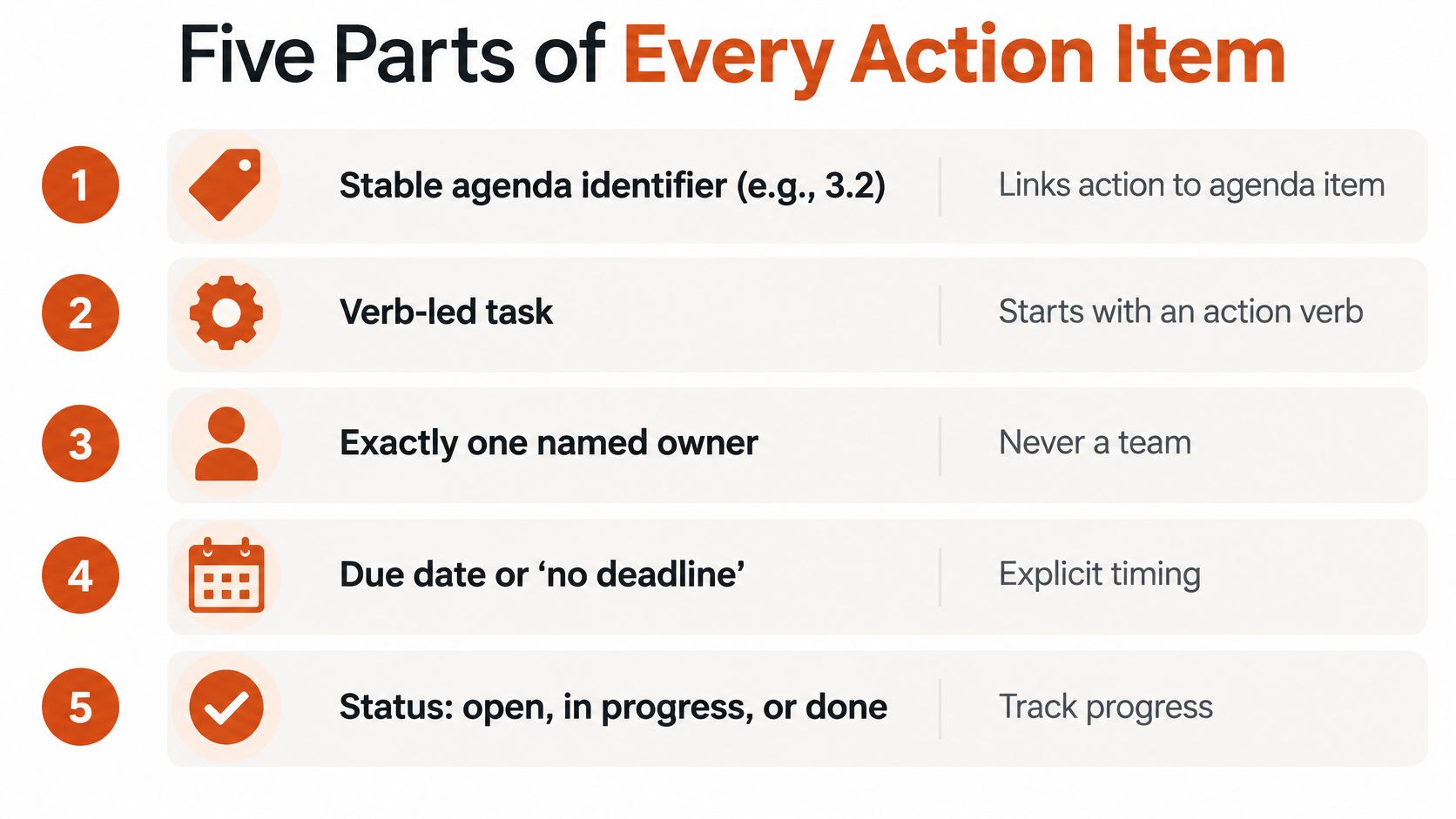
- Stable identifier: Link the action to its agenda topic.
- Verb-led task: Write “Send the revised specification,” not “Specification follow-up.”
- Accountable owner: Name the person responsible, even when others contribute.
- Explicit timing: Enter the agreed due date or “no deadline.”
- Status: Use a controlled vocabulary, such as open, blocked, completed, or deferred.
Before closing, have the facilitator read commitments back to their owners. Include dependencies and acceptance conditions when the deliverable would otherwise be ambiguous. For ongoing maintenance, use a consistent action-item tracking process rather than leaving tasks buried in successive documents.
Dictate the outcome, then verify it
Keep decisions, actions, discussion summaries, and information visibly distinct. A suggestion belongs under discussion until the group authorizes it.
AIDictation can capture live meeting notes with decisions, action items, and follow-up questions in a shared Google Doc, then expand sparse bullets into readable documentation for teammates to review and comment on. Dictate each item's outcome while the detail is fresh, but check names, technical terms, negations, and voting results before circulation.
Automation can accelerate drafting. The recorder still decides what belongs in the official record.
Recording needs a separate permission process. Reed Smith's legal guidance on AI-powered recording and transcription explains that consent rules differ by jurisdiction and that recordings and transcripts may constitute personal data.
As a conservative operating practice, give notice and obtain every attendee's consent before recording, while confirming applicable law and organizational policy. Explain the purpose, whether AI processing is involved, who can access the material, and how long it will be retained.
Provide a way to pause recording for sensitive matters and an accessible alternative for participants who need it. Don't assume that consent alone authorizes capturing confidential clinical or personnel information.
Pick One Format and Test It at Your Next Meeting
Choose the format by the meeting's obligations, not by how impressive the finished document looks. Use these as drafting targets, not measured averages or limits on required content.
| Format | Best for | Typical length | Core structure |
|---|---|---|---|
| Formal | Boards, committees and public bodies | Enough space for the required procedural record | Call to order, roll call, numbered motions, adjournment |
| Brief | Weekly team syncs and status meetings | A compact summary without routine updates | Attendees, decisions, actions, open questions |
| Action-oriented | Project reviews with many owners | A short summary plus a complete register | Decision summary plus action register with owner, due date and status |
Build the template in the tool your team already uses, such as Google Docs or Word. Keep the common fields, then remove sections that don't apply. An internal team may not approve previous minutes formally; a public body can't discard required entries to shorten the document.
Set the approval route and storage location before you test it. If you dictate the draft, compare the resulting text with the source notes before asking others to review it.
Apply a final quality test
- Decision fidelity: Does every recorded decision preserve the agreed scope, with exact wording where required?
- Action completeness: Does each commitment have a named owner and an agreed deadline, or an explicit statement that none was set?
- Procedural accuracy: Are attendance, amendments, and voting results correct?
- Clear classification: Could a reader mistake an unresolved suggestion for an approved decision?
- Visible approval: Does the page show whether it's a draft, and the approval date once finalized?
Compare the effort with your previous drafting process, but don't judge the format on speed alone. Notice whether reviewers can find their commitments and submit precise corrections without reconstructing the meeting.
This week, prepare the layout for your next meeting and agree a draft-circulation deadline with the chair. Send the draft by that deadline and collect objections in writing so corrections remain traceable.
AIDictation offers meeting recording and transcription, with a free trial that includes unlimited use of small voice models, custom prompt control, and email support from a person within 24 hours. Visit AIDictation to try drafting your next set of minutes by voice, then review the decisions, assignments, and procedural details before circulation.
Frequently Asked Questions
What does Meeting Minutes Writing Format: Templates and Examples cover?
The most popular advice about taking minutes is also the easiest to misuse: capture everything. Typing every comment feels thorough, but it leaves readers searching through conversation to find what anyone agreed to do.
Who should read Meeting Minutes Writing Format: Templates and Examples?
Meeting Minutes Writing Format: Templates and Examples is most useful for readers who want clear, practical guidance and a faster path to the main takeaways without guessing what matters most.
What are the main takeaways from Meeting Minutes Writing Format: Templates and Examples?
Key topics include Table of Contents, Minutes Record Decisions, Not Every Word Said, Cut conversation, preserve authority.
Ready to try AI Dictation?
Experience fast voice-to-text on your device. Free to download.
Download Free