Best AI Apps for iPhone: Top Picks for 2026
Your iPhone gets pulled into small, time-sensitive jobs all day. A product manager rewrites a launch update in the elevator. A developer checks an API explanation between meetings. A student records a lecture note and needs clean text before the next class. The question is not whether AI belongs on the phone. It is which app fits the job without adding friction.
That fit matters more on iPhone than on desktop. Some apps are better for fast drafting, some for source-backed research, some for meetings, and some for creative work. ChatGPT, for example, remains a strong general-purpose option for writing, brainstorming, and quick problem solving, especially if you already rely on ChatGPT for mobile work tasks. Perplexity is stronger when citations matter. Otter is more useful than a chatbot if the actual need is capturing what was said in a meeting.
This guide focuses on ten iPhone AI apps that hold up in real use, not just in App Store screenshots. Instead of treating them as one interchangeable category, it sorts them by primary use case, compares the features that affect day-to-day work, and points to the best fit for different personas such as product managers, developers, students, and solo creators.
Some trade-offs are simple. The app with the best writing output may not be the fastest at search. The one that saves the most time in meetings may be weak for editing or image creation. Picking well usually means choosing the tool that matches your recurring task, then building your workflow around that strength.
Table of Contents
- 1. ChatGPT
- 2. Microsoft Copilot
- 3. Google Gemini
- 4. Claude by Anthropic
- 5. Perplexity – AI Search & Chat
- 6. Poe by Quora
- 7. Arc Search
- 8. Otter – Voice Meeting Notes
- 9. Grammarly for iOS
- 10. Adobe Express
- Top 10 iPhone AI Apps, Feature Comparison
- Integrating AI into Your Daily iPhone Workflow
1. ChatGPT
For a single app offering broad utility, begin with ChatGPT. It handles the broadest mix of jobs on iPhone: brainstorming, rewriting, coding help, image work, quick research, and voice interaction. It commonly serves as the default general-purpose assistant.
That position isn't just anecdotal. A16z reports ChatGPT reached 900 million weekly active users after adding 500 million over the prior year. On iPhone, that scale matters because it usually means faster product iteration, broader user habits, and more third-party workflow assumptions around the app.
Where ChatGPT wins
The iOS app feels mature. Voice mode, file upload, image understanding, and account sync are all in one place, which means fewer app switches when you're working from your phone between meetings or while traveling.
What it's really good at is uneven work. If your day includes "summarize this PDF," "rewrite this note as an email," "brainstorm release names," and "debug this error," ChatGPT handles the variety better than most single-purpose tools. The practical use cases are broad enough that it helps to browse a few concrete ChatGPT workflow examples on AIDictation.
- Best for generalists: Product managers, founders, marketers, and students usually get value quickly.
- Best mobile strength: Voice plus multimodal input in one app.
- Main trade-off: Sensitive material may be better kept out of a cloud-first assistant.
Practical rule: Use ChatGPT when the task is still fuzzy. Once the task becomes clearly "research," "meeting notes," or "design asset creation," a more specialized app often does better.
2. Microsoft Copilot
Microsoft Copilot makes the most sense when your work already lives inside Outlook, Word, PowerPoint, and the rest of Microsoft 365. On iPhone, that ecosystem tie-in is the whole story. If your company runs on Microsoft, Copilot often feels less like "another AI app" and more like an extension of tools you already use.
Early in mobile AI, many people wanted a standalone chatbot. In practice, a lot of teams now want grounded answers with links, document-aware help, and a smoother handoff into existing office workflows. Copilot is strong there.
A look at the interface helps explain the appeal.
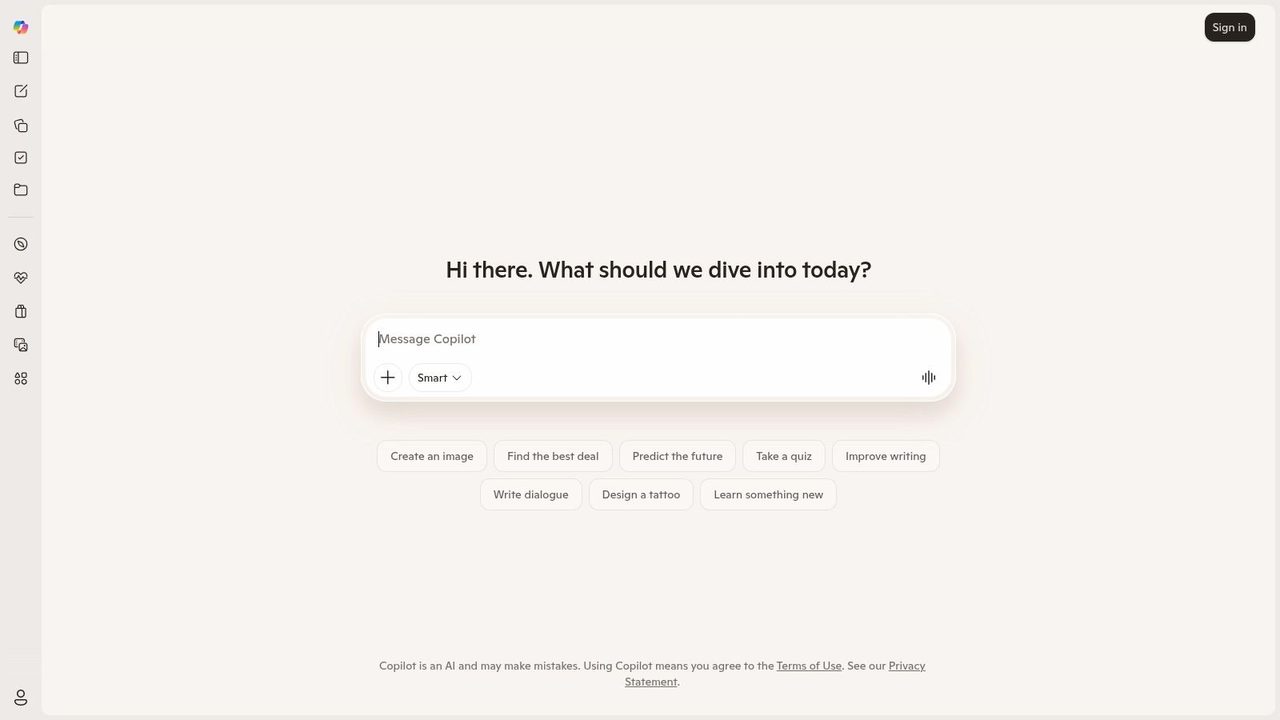
Best fit for Microsoft-heavy workflows
Copilot's best iPhone use cases are practical and boring in a good way. Draft an email reply from a meeting note. Summarize a long thread before boarding a flight. Turn scattered bullets into something presentation-ready. It tends to work best when the output needs to end up in Microsoft tools anyway.
The trade-off is equally clear. If you don't use Microsoft 365 much, Copilot loses a lot of its advantage. As a pure standalone assistant, it's good, but the reason to choose it is integration, not novelty.
Copilot is strongest when your company has already standardized on Microsoft. If not, its biggest differentiator disappears fast.
3. Google Gemini
If your digital life runs through Gmail, Google Drive, Google Docs, and Search, Google Gemini is the most natural fit. On iPhone, it's accessed through the Google app rather than a fully separate Gemini-first experience, which some users won't love, but the upside is tight alignment with Google's information stack.
That matters because the strongest Gemini sessions usually start from a search-style need. You want a quick answer, then a follow-up, then a cleaner summary, then maybe something you can reuse in a doc or email. Gemini is comfortable in that pattern.
Here's the visual style most iPhone users recognize.
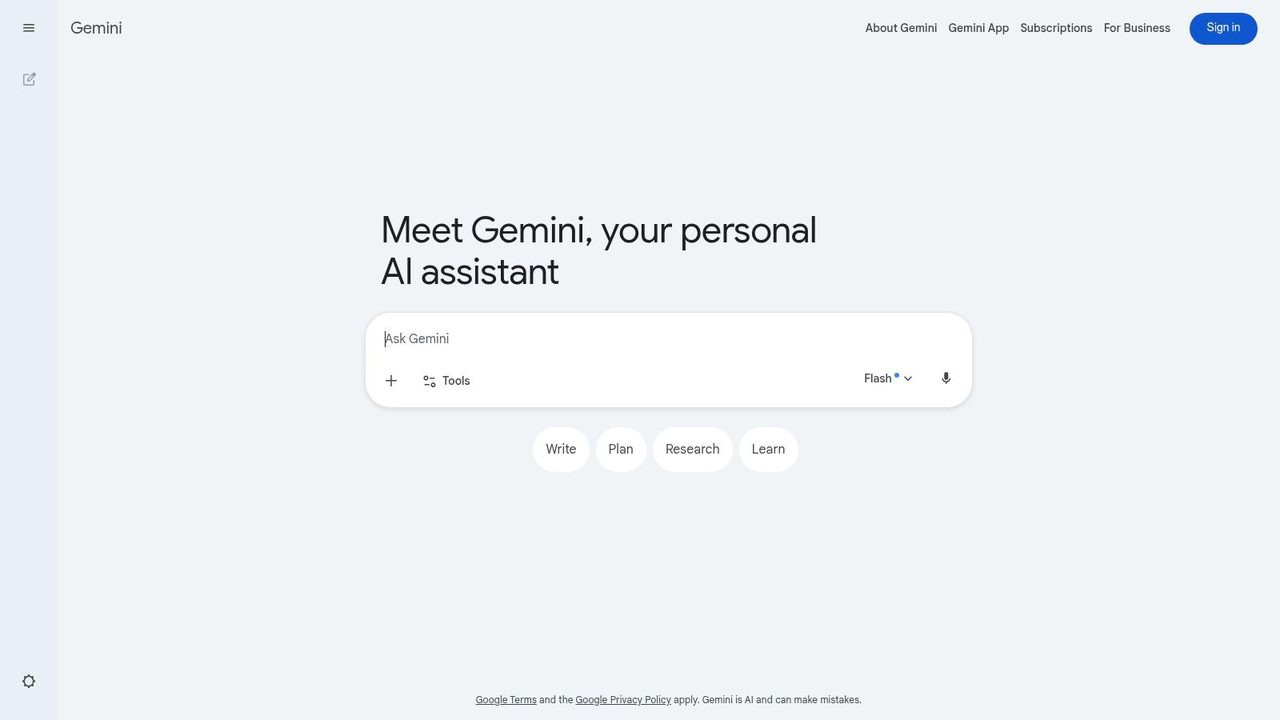
Where Gemini feels natural
Gemini is a strong pick for students, researchers, and knowledge workers who already trust Google as their first stop. The jump from search to conversational exploration feels smooth, especially for questions that need current web context rather than purely generative writing.
Its limitation on iPhone is product shape. Because the experience is delivered through the Google app, it can feel less focused than a dedicated AI app. And like most major assistants, the most capable experience often sits behind paid access.
- Best for Google users: Gmail, Drive, and Docs users will feel at home.
- Good at: Search-grounded answers and follow-up questioning.
- Less ideal for: People who want a single-purpose, fully self-contained AI workspace.
4. Claude by Anthropic
Claude is the app I'd hand to someone who says, "I don't need flash. I need clean thinking and better writing." On iPhone, Claude is especially useful for drafting, editing, outlining, and careful analysis. It usually produces calmer, more structured answers than apps that lean harder into speed or breadth.
That makes it a strong fit for policy work, product writing, academic drafts, long summaries, and anything where tone control matters. It's not the app I reach for first when I want broad app integrations. It is one of the first I'd open when wording really matters.
Best for careful drafting and editing
Claude tends to shine when your input is messy and your output needs to be usable. Drop in rough notes from a train ride, a paragraph that sounds too defensive, or a product update that needs clearer structure. Claude often improves the shape of the writing without overcomplicating it.
The downside is ecosystem gravity. Microsoft and Google have obvious advantages when your files and calendars already live with them. Claude feels more self-contained. For some users, that's a plus. For teams chasing automation across many tools, it can feel narrower.
If you mostly need "make this clearer, calmer, and more coherent," Claude is often a better fit than a more feature-heavy assistant.
5. Perplexity – AI Search & Chat
Perplexity is the app for people who don't want a polished answer without receipts. On iPhone, that distinction matters more than on desktop because mobile search is usually rushed. You're in a taxi, outside a client office, between classes, or halfway through a conversation. You need an answer fast, but you also need to see where it came from.
Perplexity is built around that job. It gives you concise responses, inline citations, and an easy path into the underlying sources.
Best when you need sources first
Perplexity is excellent for market scans, quick competitive checks, verifying definitions, and building a starting point for deeper research. It's one of the few AI apps for iPhone that consistently encourages source checking instead of hiding it behind a polished paragraph.
That focus also creates its limitation. If you want expansive creative writing, brand voice exploration, or long-form ideation, Perplexity isn't the first app I'd open. It's a research-forward tool, not the best all-purpose drafting partner.
- Best for analysts and students: Especially good when citation visibility matters.
- Mobile advantage: Fast drill-down from answer to source.
- Main weakness: Less satisfying for extended creative collaboration.
6. Poe by Quora
Poe is what I recommend to power users who keep asking, "Which model should I use for this?" Instead of forcing one answer, Poe gives you access to multiple models in one app and lets you compare outputs. That's useful on iPhone because model behavior differences become obvious when you're working quickly.
For casual users, that same flexibility can feel like clutter. But for people doing repeated prompting, testing workflows, or building reusable bots, Poe is one of the more interesting mobile AI setups available.
Best for model comparison
Poe works well for developers, prompt-heavy users, and anyone who likes to sanity-check one model against another before trusting the result. If you're drafting a tricky message, comparing a code explanation, or trying to see which model handles a niche task best, Poe saves time.
Its trade-off is decision overhead. If what you want is one dependable assistant with minimal setup, Poe can feel like too many options. It rewards curiosity and experimentation more than simplicity.
Some people want an AI assistant. Others want an AI control panel. Poe is much closer to the second category.
7. Arc Search
Arc Search is different from most apps on this list because it starts as a browser, not a chatbot. That sounds like a small distinction, but it changes the workflow. When you use its AI-driven browsing features, you're still close to the web itself, which makes verification easier and hallucination easier to spot.
That design is why Arc Search is so useful on iPhone. It cuts through clutter and assembles a cleaner overview without fully detaching you from the original pages.
Here's the visual style that makes it feel lighter than a conventional browser.
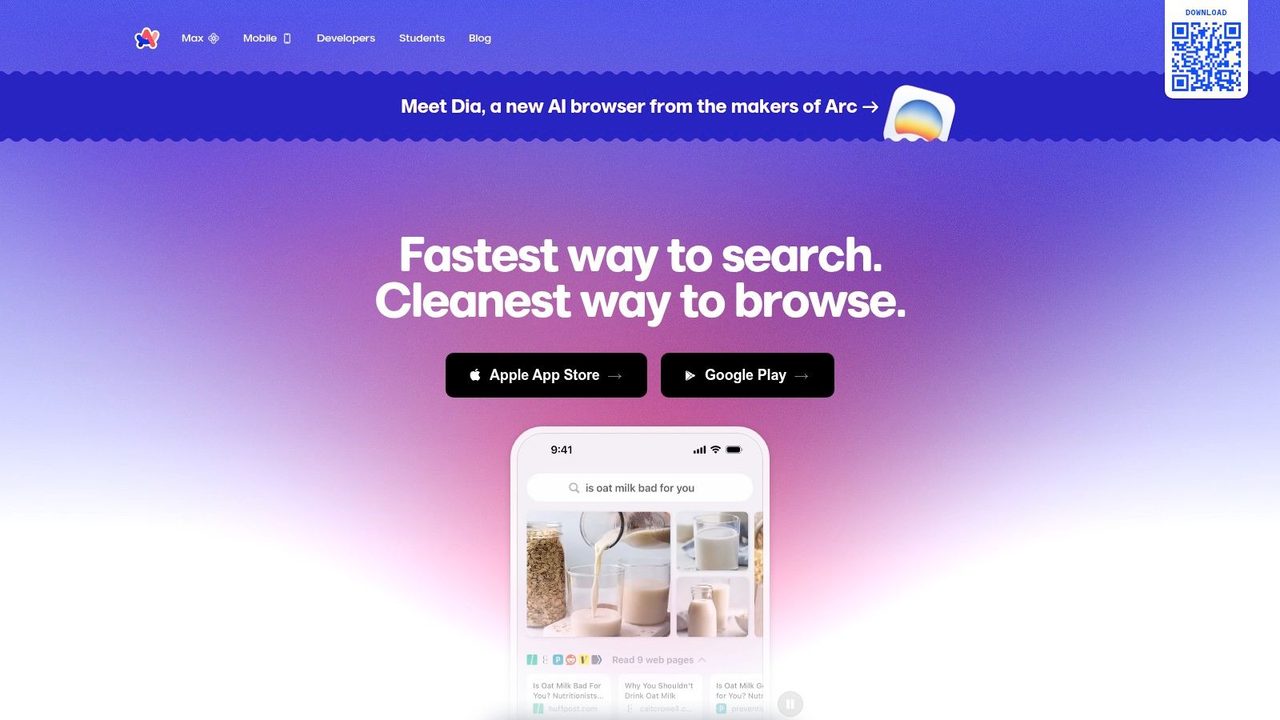
Best for quick browse-and-verify sessions
Arc Search is great for "give me the gist, then let me inspect the sources" moments. Travel planning, product comparisons, local research, and fast explainers all work well. It's especially effective for users who don't want a long chat thread. They want a compressed answer page and a route to verification.
It's also one of the more practical examples of in-flow mobile AI. That matters because people increasingly want AI built into how they already use iPhone apps, including share sheet and workflow automation patterns discussed in this Arc and iPhone workflow overview from AIDictation.
The limitation is obvious. Arc Search is not a full replacement for a conversational assistant. If you need iterative writing, coding help, or sustained back-and-forth reasoning, use something else.
8. Otter – Voice Meeting Notes
A familiar iPhone problem looks like this. The meeting ends, everyone drops, and you are left with a rough audio memory, a few incomplete notes, and no clean list of decisions. Otter earns its spot on this list because it handles that exact workflow well. It records, transcribes, makes conversations searchable, and pulls out summaries fast enough to be useful the same day.
For this guide's use-case approach, Otter sits in the capture-and-recall category. It is a better fit for people who need a reliable record of spoken discussion than for people who want a general chatbot. Product managers, researchers, journalists, founders, students, and client-facing teams usually get value quickly because their real problem is not idea generation. It is recovering what was said, by whom, and what needs follow-up.
Here's what the mobile note-taking workflow looks like.
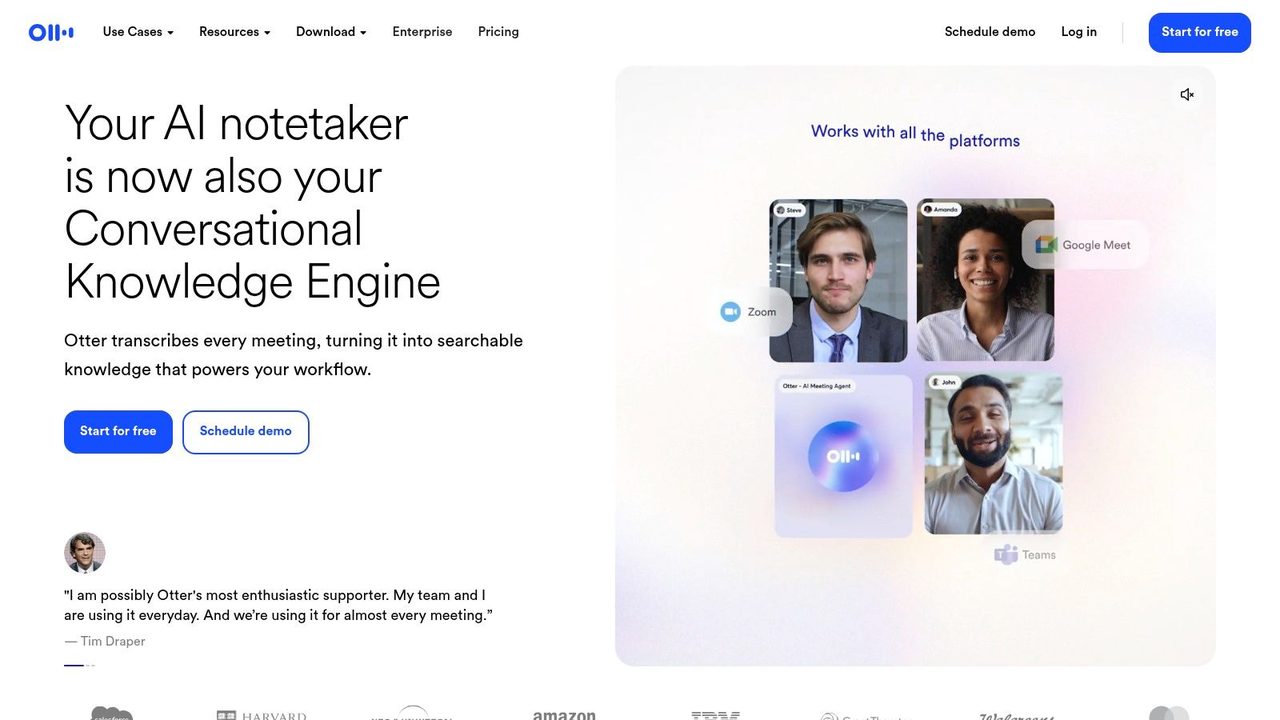
Best for meeting capture
Otter is strongest for lectures, internal meetings, interviews, and brainstorms that need to become usable notes instead of forgotten audio. On iPhone, that matters more than flashy prompting features. If your job involves turning conversation into tasks, recaps, or searchable reference material, Otter does that better than a generic assistant. It also pairs naturally with practical guidance on how to transcribe voice memos on iPhone with less cleanup.
The trade-off is governance. Otter's cloud-based workflow is convenient, but convenience is not the only buying criterion. Teams handling sensitive legal, medical, HR, or internal strategy discussions need to review retention settings, sharing controls, and approval policies before rolling it out widely. That is also why some buyers compare it against offline or accessibility-focused tools. Apple's App Store description for Seeing AI by Microsoft says it is a free app that narrates the world around you for the blind and low vision community, which highlights a different design priority from Otter's meeting-first approach.
If you are evaluating this category from the product side, it also helps to see how teams build AI voice note apps faster. That context makes Otter easier to judge for what it really is. A strong meeting capture app, not an all-purpose AI workspace.
9. Grammarly for iOS
Grammarly for iOS is less flashy than a chatbot, but it solves a daily problem better than most assistants do. It helps at the point of writing. That matters because a lot of mobile writing doesn't happen in a dedicated AI app. It happens in Mail, Messages, Slack, LinkedIn, Notion, and random text boxes spread across your day.
That system-wide angle is Grammarly's real advantage on iPhone. Instead of asking you to paste everything into a chat, it meets you where the text already lives.
Here's the keyboard-and-editor approach in action.
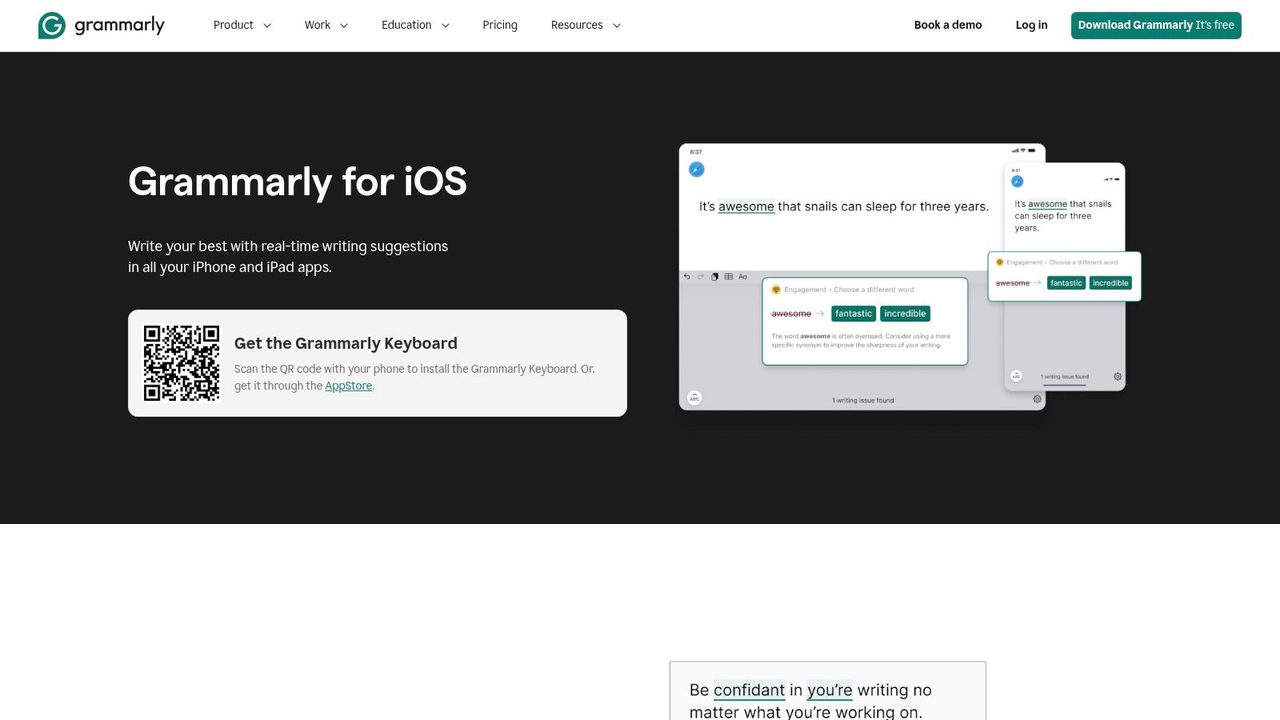
Best for system-wide writing help
Grammarly is ideal for people who send a lot of short-to-medium messages and want cleaner writing without changing habits. Customer support teams, marketers, account managers, and students usually get value fast. If your main problem is tone, clarity, or embarrassing typos on mobile, this is the right tool.
The main friction is keyboard permission. Some users are comfortable granting full access because the convenience is worth it. Others won't be. That decision matters more than feature checklists. If you're building or evaluating products in the voice and note space, it's also worth seeing how teams build AI voice note apps faster when they focus on the workflow, not just the model.
10. Adobe Express
Adobe Express is the best pick here for people who need visual output, not just text. Social posts, flyers, quick promos, thumbnails, simple brand assets, and lightweight campaign creative all fit well on iPhone inside Express. It's one of the few AI apps for iPhone that can take you from vague idea to usable mobile design without demanding desktop-level design skill.
That matters because AI in mobile apps is getting larger fast. Market.us projects the AI in mobile apps market will grow from USD 21.23 billion in 2024 to USD 354.09 billion by 2034, with iOS holding 52.1% share in 2024. For iPhone users, creative tools like Adobe Express sit right in that expanding zone of mobile-first AI work.
Here's the kind of mobile creative environment Adobe is aiming for.
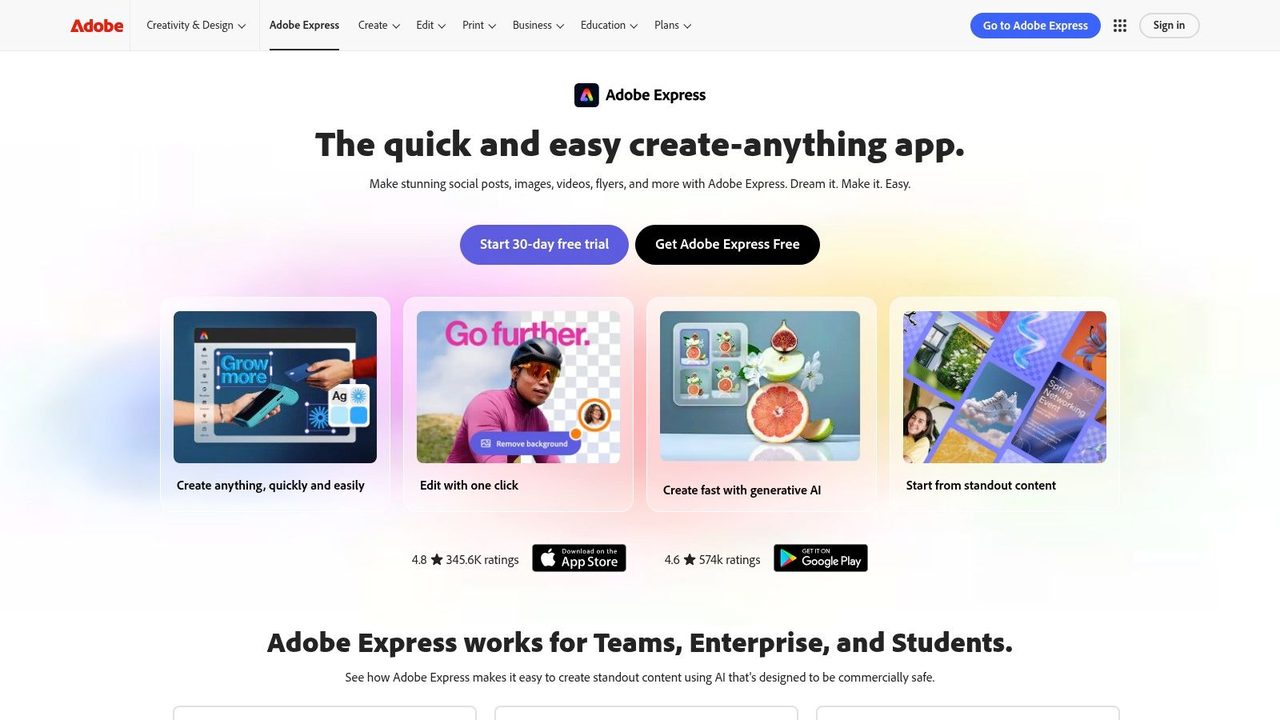
Best for fast mobile creative work
Adobe Express is strongest when speed matters more than pixel-perfect control. Generate a concept image, remove a background, apply branded templates, and get something publishable without opening a full desktop suite. For creators and marketers working from their phones, that's a meaningful capability.
The limit is depth. If you need advanced editing, heavy iteration, or fine-grained control, desktop Adobe tools still win. Express is for fast output, not full production.
Top 10 iPhone AI Apps, Feature Comparison
| App | Core Focus | Speech & Transcription Fit | UX Quality ★ | Price/Value 💰 | Target & Key USP ✨🏆 👥 |
|---|---|---|---|---|---|
| ChatGPT (OpenAI) | General-purpose chat, multimodal (chat/images/voice) | Good for voice conversations; not a dedicated transcription tool | ★★★★☆ | 💰 Freemium; Pro for higher usage | 👥 Writers, students, devs · ✨ Custom GPTs & multimodal · 🏆 Broad capabilities |
| Microsoft Copilot | AI assistant + deep Microsoft 365 integration | Voice-enabled answers; better for context than raw transcription | ★★★★☆ | 💰 Best value with M365; Pro features paid | 👥 Office users & teams · ✨ Source-cited answers · 🏆 Office workflow tie-ins |
| Google Gemini (via Google app) | Search-grounded conversational AI with image gen | Voice via Google app; strong web-context but not specialized STT | ★★★★☆ | 💰 Freemium; advanced features in paid tiers | 👥 Google ecosystem users · ✨ Search-backed responses · 🏆 Search integration |
| Claude (Anthropic) | Safety-focused, structured long-form help | Supports voice input; excels at careful editing vs bulk transcription | ★★★★☆ | 💰 Freemium/paid plans for larger context | 👥 Writers, editors, analysts · ✨ Cautious, well-structured outputs · 🏆 Editing & summarization |
| Perplexity – AI Search & Chat | Web-research engine with sourced answers | Good for research; inline citations, limited dedicated STT | ★★★★☆ | 💰 Freemium; Pro for deep research | 👥 Researchers, fact-checkers · ✨ Inline citations & links · 🏆 Fast sourced answers |
| Poe by Quora | Multi-model hub: many LLMs in one place | Dependent on selected model; flexible but not focused STT | ★★★★☆ | 💰 Subscription tiers vary by access | 👥 Power users & experimenters · ✨ One app for many models · 🏆 Model variety |
| Arc Search (The Browser Co.) | Privacy-minded browser with AI summaries | Not focused on speech; AI “Browse for Me” summaries with sources | ★★★★☆ | 💰 Free/paid tiers for desktop features | 👥 Privacy-conscious browsers · ✨ Clean, source-linked summaries · 🏆 Ad-light browsing |
| Otter – Voice Meeting Notes | Live meeting recording, speaker labels, summaries | Excellent transcription & meeting workflows, real-time STT | ★★★★★ | 💰 Free limited minutes; Pro for longer/teams | 👥 Teams, students, knowledge workers · ✨ Live transcripts & action items · 🏆 Best-in-class meeting transcription |
| Grammarly for iOS | Writing assistant (keyboard + editor) | Not focused on speech; polishes transcribed text well | ★★★★☆ | 💰 Freemium; Premium for advanced features | 👥 Professionals, students · ✨ System-wide grammar & tone fixes · 🏆 Polishing & clarity |
| Adobe Express (Firefly) | Mobile design + generative images/video | Not applicable to STT; focused on visual content creation | ★★★★☆ | 💰 Freemium; AI credits on lower tiers | 👥 Creators, marketers · ✨ Firefly image/text generative tools · 🏆 Fast mobile design assets |
Integrating AI into Your Daily iPhone Workflow
You are on your phone between meetings, Slack is moving, email needs a reply, and someone just sent a PDF you need summarized before the next call. That is usually the moment people expect one AI app to handle everything. On iPhone, that setup breaks down fast.
The better setup is role-based. Use one app for open-ended thinking, one for a specific bottleneck, and only add a third if it saves time every week. In practice, that means ChatGPT, Claude, Copilot, or Gemini as the general assistant, then a specialist like Perplexity for sourced answers, Otter for meeting capture, Grammarly for in-app writing, or Adobe Express for quick creative work.
The category table above matters because these apps are not competing on the same job. Perplexity is stronger than a general chatbot when the answer needs links you can verify. Otter beats every general assistant here for live note capture because it is built around transcripts, speakers, and follow-up actions. Grammarly is less impressive in a demo than ChatGPT, but more useful if your real work happens inside Mail, Docs, Slack, Notion, or a browser text field.
Persona fit is the fastest way to narrow the list.
- Product managers: ChatGPT for exploration, Claude for tighter specs and clearer long-form drafts, Otter for stakeholder calls.
- Developers: ChatGPT for code help, Poe for testing multiple models on the same prompt, Perplexity or Arc Search for quick source checks.
- Students: Gemini if coursework already lives in Google apps, Perplexity for research, Otter for lecture capture.
- Marketing teams: ChatGPT for ideation, Grammarly for day-to-day copy cleanup, Adobe Express for fast social and campaign assets.
- Microsoft-heavy teams: Copilot first. It fits best when documents, email, and collaboration already run through Microsoft's stack.
- Privacy-sensitive users: Check whether the app sends prompts, recordings, or files to the cloud, and whether you can control retention. The privacy gap between these apps is real.
A useful rule is to map apps to moments, not categories. Use ChatGPT while outlining a launch plan. Switch to Perplexity when you need citations. Use Otter in the meeting itself, then Grammarly after the transcript becomes an email or status update. That workflow is more reliable than trying to keep one assistant in every lane.
Keep the stack small.
Two or three apps is usually enough for serious daily use on iPhone. Pick one general assistant, one specialist tied to your main bottleneck, and test them against actual work for a week. Home screen space is limited, and the apps that stay are the ones that save taps, reduce rewriting, or help you finish a task before you get back to your laptop.
If you like the idea of AI helping with writing but want something built for clean dictation instead of chatbot back-and-forth, AIDictation is worth a look. It turns spoken input into polished text on macOS, switches between on-device and cloud modes automatically, and is especially useful for meetings, documentation, emails, and fast drafts when typing is the bottleneck.
Frequently Asked Questions
What does Best AI Apps for iPhone: Top Picks for 2026 cover?
Your iPhone gets pulled into small, time-sensitive jobs all day. A product manager rewrites a launch update in the elevator.
Who should read Best AI Apps for iPhone: Top Picks for 2026?
Best AI Apps for iPhone: Top Picks for 2026 is most useful for readers who want clear, practical guidance and a faster path to the main takeaways without guessing what matters most.
What are the main takeaways from Best AI Apps for iPhone: Top Picks for 2026?
Key topics include Table of Contents, 1. ChatGPT, Where ChatGPT wins.
Ready to try AI Dictation?
Experience fast voice-to-text on your device. Free to download.
Download FreeRelated Posts
Master Accessibility Shortcut iPhone: Tips & Tricks for 2026
Discover how to set up, customize, and use the accessibility shortcut iphone. Our 2026 guide covers triple-click, Back Tap, examples, and power-user tips.
Voice to Text Converters: Best Tools
Discover the best voice to text converters. Learn how they work, compare top tools, and find the perfect solution for your transcription needs.
Voice to Text Guide: Convert Speech into Text
Learn how voice to text technology works, compare top tools (AI Dictation, Google Docs, Dragon), and master real workflows that actually boost productivity.