Speech Recognition in AI Practical Guide for Developers
You’re likely already using speech recognition in ai, even if you don’t call it that.
A product manager dictates stakeholder updates while walking between meetings. A developer speaks rough notes for a pull request because typing breaks concentration. A clinician wants to finish documentation before the next patient instead of after dinner. In each case, the promise sounds simple. Speak naturally, get clean text, move on.
The frustration starts when reality intrudes. A hallway gets noisy. A surname isn’t common. The speaker pauses, restarts, or changes phrasing halfway through a sentence. A tool captures the words but misses the meaning. Or it transcribes accurately enough, yet leaves behind a mess of missing punctuation, strange capitalization, and awkward phrasing that still needs cleanup.
That’s why modern speech recognition matters. It isn’t just about turning audio into text. It’s about deciding which model should listen, how much context it needs, where processing should happen, and what trade-offs are acceptable for privacy, latency, and domain accuracy. Those choices shape whether a dictation tool feels usable in real work or merely impressive in a demo.
Table of Contents
- Introduction to speech recognition in AI
- History of speech recognition in AI
- Understanding speech recognition models in AI
- Evaluating speech recognition performance in AI
- Improving speech recognition robustness in AI
- Balancing on-device and cloud speech recognition in AI
- Integrating speech recognition in AI into applications
- Future of speech recognition in AI and recommendations
Introduction to speech recognition in AI
Speech recognition in ai is the process of converting spoken language into text with machine learning systems that can handle natural speech, not just fixed commands. That distinction matters. Older systems often worked best when users spoke slowly, clearly, and within a narrow script. Modern systems try to cope with everyday speech as people produce it.
Think of the task as two linked jobs. First, the system has to hear the sounds. Then it has to decide what those sounds probably mean in context. If someone says “write the summary for Monday’s review,” the model has to separate voice from background noise, identify words, and preserve enough structure for the sentence to be useful.
Why people get confused about it
Many teams mix up speech recognition, voice assistants, and language generation.
They overlap, but they aren’t the same thing:
- Speech recognition turns audio into text.
- Natural language processing works with the text after transcription.
- Voice assistants combine several systems, including speech recognition, intent handling, and response generation.
That confusion leads to bad product decisions. A team may think they need a bigger language model when the problem is poor audio segmentation. Or they may blame the recognizer for formatting issues that should be handled in a post-processing layer.
Practical rule: Treat transcription, cleanup, and downstream reasoning as separate stages, even when one product bundles them together.
What makes modern systems useful
Good speech recognition in ai has to work under pressure. People dictate while multitasking. They don’t always speak in full sentences. They restart thoughts. They use names, acronyms, and domain terms that a generic model may not expect.
That’s why deployment choices matter as much as model quality. A local engine may feel faster and protect sensitive audio because data stays on the device. A cloud system may do a better job with cleanup, formatting, or niche vocabulary because it has access to larger models and more context.
A useful way to frame the whole topic is this:
| Question | Why it matters |
|---|---|
| Can the model hear accurately? | Poor recognition ruins everything downstream. |
| Can it respond quickly enough? | Delay breaks live dictation flow. |
| Can it protect sensitive audio? | Privacy rules shape architecture choices. |
| Can it handle domain language? | Real work includes jargon, names, and abbreviations. |
Once you see those four questions, the rest of the field becomes easier to understand.
History of speech recognition in AI
Speech recognition didn’t begin with today’s neural networks. It started with much narrower systems that could recognize only a tiny set of spoken inputs. Bell Labs’ Audrey (1952) recognized just 10 digits according to ClearlyIP’s history of voice recognition technology. That sounds limited now, but it established the central challenge. Machines had to map variable human speech to discrete symbols.
The statistical turn
The major shift came later, when researchers moved from hand-built rules toward probability-based methods. The transition from rule-based to statistical models during the 1980s through 2000s was significant because Hidden Markov Models and n-gram language models let systems model likely phonemes and likely word sequences rather than rely on brittle handcrafted logic.
That change matters for a simple reason. Human speech is messy. We blend sounds together, speak at different speeds, and pronounce the same word differently depending on context. Statistical models gave systems a way to say, in effect, “given this noisy signal, which sequence is most likely?”
From small vocabularies to practical systems
As those methods improved, vocabulary size expanded and systems became less dependent on training for each individual speaker. By the early 1990s, commercial systems exceeded the average human vocabulary size, and CMU’s Sphinx-II (1992) became a milestone for speaker-independent, large-vocabulary continuous speech recognition.
That phrase can feel abstract, so here’s the plain-English version:
- Speaker-independent means the user doesn’t need to train the system first.
- Large-vocabulary means the system can handle far more than a narrow command list.
- Continuous speech means people can talk naturally instead of pausing between words.
The history of speech recognition is really the history of removing constraints from the user.
Deep learning changed the slope of progress
The next leap came in the 2010s. Deep learning models learned richer patterns from large datasets, and GPU compute made training practical at much larger scale. Google reported a 49% error-rate reduction in 2015 with LSTM-based models using CTC for voice search, as summarized in this overview of the future of speech.
Microsoft then reached human parity on the Switchboard conversational English benchmark in 2016–2017, achieving about 5.9% Word Error Rate, also covered in that same overview. On Switchboard, WER fell from about 20% in the 2000s to about 6% by 2016.
A later milestone widened practical use further. OpenAI’s Whisper (2022) was trained on 680,000 hours of multilingual data, which helped with accents, noisy audio, and many languages.
The big lesson from the history isn’t that one architecture won forever. It’s that each generation improved because it modeled uncertainty better, used more data, and reduced the burden on the person speaking.
Understanding speech recognition models in AI
When people ask how speech recognition in ai works, they often expect one model doing one job. In practice, the system may include several components that each solve a different part of the problem.
From sound to words
A simple mental model helps.
The acoustic side acts like a careful listener. It analyzes the audio signal and tries to detect speech patterns. The language side acts more like an editor. It checks which word sequences make sense together.
If the speaker says something unclear that sounds like two possible words, the language component helps choose the more plausible one. That’s why a recognizer may correctly transcribe a phrase that was acoustically fuzzy but contextually obvious.
Hybrid versus end-to-end
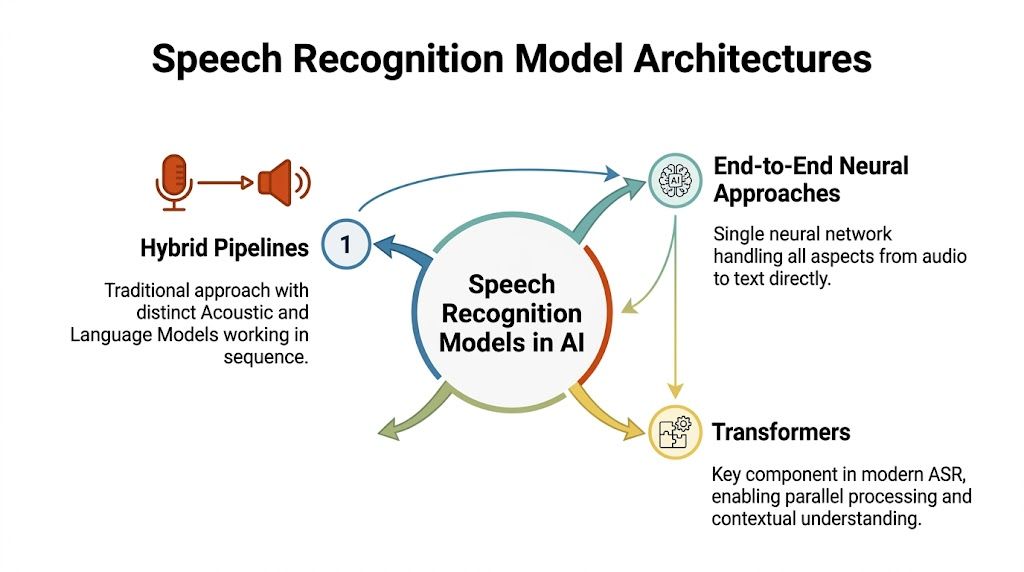
Older and many production-grade systems use hybrid pipelines. These separate the work into stages such as feature extraction, acoustic modeling, pronunciation mapping, and language modeling. Teams like them because the parts are interpretable and adjustable. If a domain has unusual vocabulary, engineers can often improve results by changing the dictionary or language model without rebuilding everything.
End-to-end models collapse more of that pipeline into a single neural system that learns the mapping from audio to text directly. This often simplifies training and deployment, though it can make debugging harder. When an end-to-end model fails on rare terms, teams may have fewer obvious levers to pull.
A practical comparison looks like this:
| Model style | Strength | Trade-off |
|---|---|---|
| Hybrid pipeline | Easier to tune specific components | More moving parts |
| End-to-end neural | Simpler overall learning path | Less transparent when errors happen |
| Transformer-based systems | Strong context handling | Compute and latency can become deployment constraints |
Transformers have become especially important because they capture context well. That helps with long phrases, ambiguous wording, and multilingual scenarios. If you want a grounded example of one modern family, this walkthrough of Whisper AI speech recognition is a useful reference point.
Don’t think of model choice as a leaderboard problem alone. It’s a systems problem involving context length, hardware limits, and how much control the team needs.
Another term that confuses readers is CTC, short for Connectionist Temporal Classification. You don’t need the math to grasp the idea. CTC helps a model align audio frames with text when timing isn’t neatly labeled. It gives the model a way to learn “these sounds, over this span, probably correspond to this word sequence.”
That’s one reason speech recognition in ai improved so much once deep learning matured. Models became better not just at hearing sounds, but at aligning uncertain sounds with probable text.
Evaluating speech recognition performance in AI
Teams often compare speech systems by asking, “Which one is most accurate?” That’s too narrow. Accuracy matters, but so do delay, formatting quality, and how the system behaves in live use.
What Word Error Rate actually measures
The most common metric is Word Error Rate, or WER. It counts how many words in a transcript were wrong. Errors usually fall into three buckets:
- Substitutions when the system picks the wrong word
- Deletions when it misses a word
- Insertions when it adds a word that wasn’t said
Those categories matter because they feel different to users. A deleted word in a medical instruction can remove meaning. An inserted filler may be harmless in meeting notes but annoying in a polished email draft.
Streaming systems add another complication. They must guess before the full sentence arrives. According to Voicewriter’s 2025 ASR benchmark discussion, real-time streaming ASR shows an accuracy penalty versus batch processing, with WER rising 6-7% when formatting such as punctuation and capitalization is required, but only 3% for raw transcription.
That’s a useful warning for teams building live dictation. If users expect instant polished text, the model has less context to work with.
Performance Metrics Comparison
| Metric | Definition | Importance |
|---|---|---|
| Word Error Rate | A measure of substitutions, deletions, and insertions against a reference transcript | Best for core transcription accuracy |
| Latency | How long the user waits before text appears | Critical for live dictation flow |
| Real-time factor | How quickly audio is processed relative to its duration | Helps assess production readiness |
| Formatting accuracy | How well punctuation, capitalization, and structure are restored | Matters when transcripts become ready-to-send writing |
What to watch in real products
A meeting transcription tool can tolerate a bit more delay if it returns clean paragraphs after the session. A dictation tool for live notes can’t. Users feel every pause.
That’s why benchmark numbers need context. A model that looks excellent in batch mode may frustrate users in streaming mode. A system with modest raw WER may still feel better if it handles punctuation and sentence boundaries cleanly.
If the product is interactive, measure what the user sees, not just what the benchmark reports.
When vendors share performance claims, ask three questions:
- Was the test streaming or batch?
- Was formatting included?
- Did the benchmark resemble your domain?
Those questions prevent a common mistake. Teams buy a model optimized for clean benchmark audio, then deploy it into noisy conversations, domain-specific terminology, and impatient workflows.
Improving speech recognition robustness in AI
A speech model can look strong in demos and still fail in ordinary work. Consistent performance distinguishes systems that work in quiet settings from those that operate effectively in everyday environments.”
Why robustness fails in practice
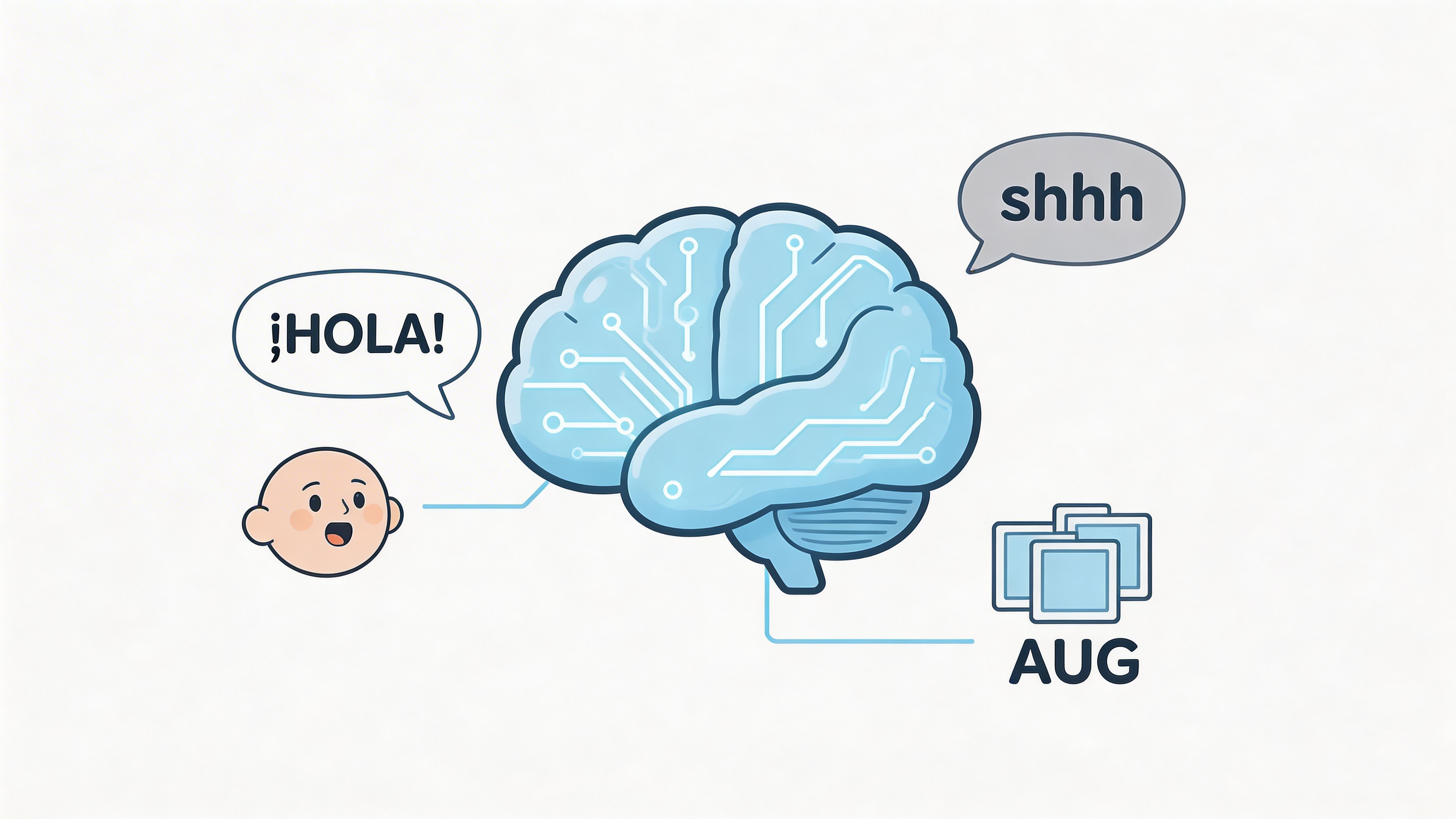
The usual culprits are familiar. Background noise. Distant microphones. Fast speakers. Restarts. Overlapping speech. Uncommon names. Regional or community dialects.
One of the most important gaps is dialect performance. Research highlighted by Georgia Tech on minority English dialects and ASR inaccuracy found that leading ASR models show significantly lower accuracy on minority dialects such as AAVE and Spanglish, with error rates twice as high as Standard American English benchmarks.
That’s not a small quality issue. It changes who can rely on the system without adapting their speech to satisfy the tool.
What teams can do about it
Speech recognition performance improves when teams stop treating all speech as interchangeable.
Some practical levers are straightforward:
- Collect representative audio: Training and evaluation data should reflect the accents, microphones, environments, and speaking styles your users bring.
- Add domain vocabulary: Product names, clinician terms, and acronyms need explicit support. A custom vocabulary workflow like the ideas discussed in custom voice commands and vocabulary is often more valuable than another round of generic tuning.
- Use audio pre-processing carefully: Noise reduction and voice activity detection can help, but aggressive filtering can also remove useful speech cues.
- Restore readability after transcription: Punctuation and cleanup layers make raw text usable, especially when speakers self-correct or ramble.
Here’s where teams often get tripped up. They assume one model should solve every problem in one pass. In practice, consistent performance usually comes from a stack. Audio handling, recognition, domain adaptation, and post-processing all contribute.
A short checklist helps:
| Failure mode | Better response |
|---|---|
| Rare names and jargon | Custom dictionary or domain adaptation |
| Noisy environment | Better microphone handling and noisy-data training |
| Dialect mismatch | More representative data and fairness-focused evaluation |
| Disfluent speech | Cleanup and formatting layers after recognition |
Systems become more fair and more useful when teams evaluate them on the people who will actually use them.
If you only test on standard, clean, slow speech, you aren’t measuring a system's ability to handle varied conditions. You’re measuring ideal conditions.
Balancing on-device and cloud speech recognition in AI
Architecture choices shape the user experience just as much as model quality does. The key decision isn’t “local or cloud” in the abstract. It’s what should happen where, and why.
When on-device makes more sense
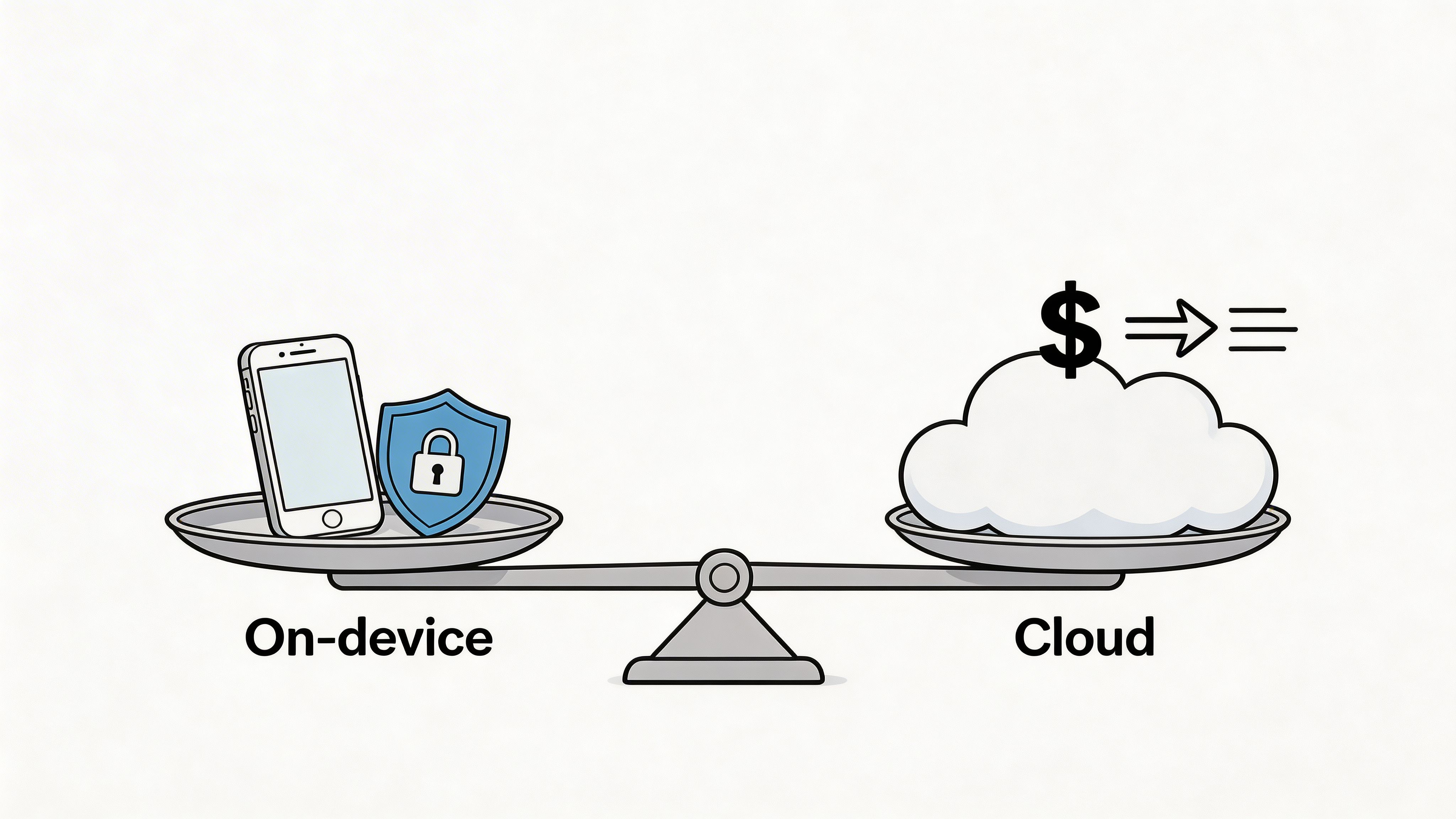
On-device speech recognition is strongest when privacy, responsiveness, and offline reliability matter most. If a clinician, executive, or student can’t depend on network access or doesn’t want audio leaving the machine, local inference becomes attractive.
It also feels immediate. There’s no round-trip to a remote service before words appear. That matters in dictation because hesitation breaks flow.
Low-resource research also points in this direction. Meta’s work on unsupervised speech recognition describes approaches such as wav2vec-U, and the verified data notes that Meta’s wav2vec-U and MIT’s PARP show how low-resource, unsupervised training can support accurate private on-device speech recognition for uncommon languages while reducing reliance on cloud services.
If offline use is central to your product thinking, this guide to offline voice to text is the sort of deployment lens worth applying early.
When cloud earns its place
Cloud recognition becomes compelling when the product benefits from larger models, richer cleanup, and flexible updates. A cloud stage can help with formatting, restructuring rough dictation into polished prose, and adapting behavior across many languages or contexts without shipping new local binaries.
The trade-offs are familiar:
- Privacy: Audio may leave the device unless you design around that.
- Latency: Network delay can be noticeable.
- Maintenance: Providers update models for you, which is convenient but less controllable.
- Coverage: Large services may offer broader language support and stronger contextual cleanup.
A balanced design often works best. Let a local engine handle immediate transcription, then use cloud processing selectively when the user wants refinement, cross-language support, or heavier formatting help.
This product demo illustrates the kind of hybrid experience teams often aim for.
A practical decision lens
Instead of debating architecture in general terms, score your use case against these questions:
| Decision factor | Lean on-device when | Lean cloud when |
|---|---|---|
| Privacy sensitivity | Audio contains sensitive information | Data handling rules permit remote processing |
| Connectivity | Users work offline or travel often | Reliable internet is assumed |
| Responsiveness | Text must appear immediately | Slight delay is acceptable |
| Language and formatting range | Scope is narrower and controlled | Requirements change often and are broad |
The strongest teams don’t romanticize either option. They use each where it solves a concrete product problem.
Integrating speech recognition in AI into applications
Integration work is where many good ideas become awkward user experiences. A solid recognizer won’t rescue a poor workflow. Teams need to decide when audio starts, when partial text appears, how corrections are handled, and what kind of output the user expects.
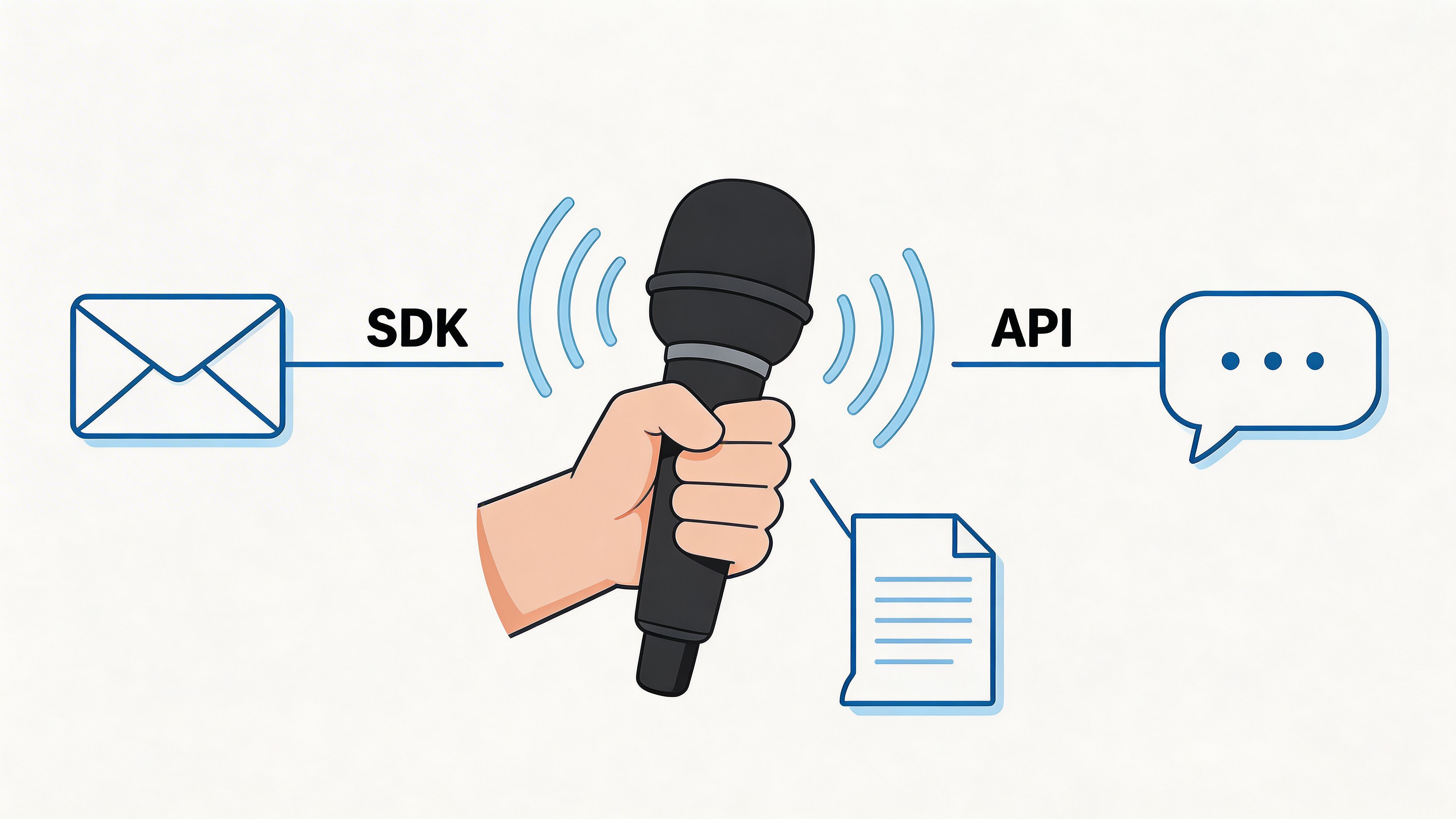
A practical integration flow
A useful application flow usually looks something like this:
- Capture audio well first. Microphone choice, gain control, and basic voice activity detection often matter more than teams expect.
- Return partial text fast. Users want reassurance that the system is listening.
- Finalize with cleanup. Sentence boundaries, punctuation, and light rewriting can make dictated text usable.
- Support correction loops. Let users fix names, terms, or formatting without fighting the system.
- Store preferences by context. Email, chat, documentation, and notes shouldn’t all be formatted the same way.
Those are product decisions as much as engineering ones.
Domain examples that change the design
A healthcare workflow has very different demands from developer documentation. In clinical settings, domain vocabulary is not optional. Verified data from the clinical speech recognition study in PMC shows that custom-trained medical language models achieved a 32% relative WER improvement, reducing error rates from 0.41 to 0.28 in clinical dictation scenarios.
That tells product teams something concrete. If users speak specialized terminology, generic speech recognition in ai won’t be enough. You need vocabulary support, domain-aware formatting, and a correction path that learns recurring terms.
A few examples make the contrast clear:
- Clinical notes: Accuracy for medical terms and structured output matter more than conversational polish.
- Meeting capture: Speaker turns, readability, and summaries become more important.
- Developer workflows: Code symbols, package names, and mixed natural language require custom phrase handling.
- Customer support replies: Fast cleanup into polished prose matters because the transcript becomes customer-facing text.
Good integration starts by deciding what the text is for, not just how to transcribe it.
Teams also underestimate feedback design. If the recognizer is uncertain, show it. If a custom term was applied, make that transparent. If cloud cleanup substantially rewrites rough dictation, users should understand that distinction.
That clarity builds trust. Without it, users can’t tell whether the system captured what they said or merely produced something plausible.
Future of speech recognition in AI and recommendations
Speech recognition in ai is moving toward systems that are more context-aware, more adaptable, and more tightly integrated with other language features. The practical question for teams isn’t whether the field will improve. It’s whether their product architecture can absorb those improvements without a rewrite.
Where the field is moving
Several directions stand out.
First, models are becoming better at handling messy, real conversational audio. That includes accents, interruptions, and less scripted forms of speech. Second, deployment is becoming more flexible. Teams increasingly want local privacy for capture and cloud intelligence for selective refinement. Third, low-resource language work is widening what speech systems can support when labeled data is scarce.
There’s also a product shift underway. Users no longer judge a recognizer only by raw transcription. They judge whether the result is ready to use. That puts more pressure on formatting, cleanup, domain adaptation, and fairness evaluation.
A projection from the verified data says that by 2030, 99% of transcription services will be automated, according to the future-speech overview. Since that is a projection, not a current fact, the better takeaway is strategic. Automation pressure will keep rising, and the products that win won’t just transcribe. They’ll fit into real workflows cleanly and responsibly.
Recommendations for teams building now
If you’re choosing or building a speech system, a few priorities are worth locking in early.
- Design for hybrid deployment: Keep room for both local inference and cloud enhancement so you can match privacy and capability to the task.
- Evaluate fairness explicitly: Test across dialects, accents, and speaking styles that reflect your user base.
- Treat domain vocabulary as a first-class feature: Names, acronyms, and jargon drive trust.
- Separate transcription from rewriting: Users need to know what was heard and what was polished.
- Measure live performance, not just benchmark scores: Responsiveness and formatting quality change how the product feels.
The broad trend is clear. Speech interfaces are becoming normal in knowledge work. The teams that benefit most will be the ones that treat speech recognition as product infrastructure, not as a novelty feature bolted onto the side.
If you want a practical macOS tool built around these trade-offs, AIDictation is worth a look. It combines on-device and cloud dictation, supports private offline use on Apple Silicon, and adds cleanup features such as formatting, filler removal, context-aware writing style, and custom vocabulary for names or technical terms.
Frequently Asked Questions
What does Speech Recognition in AI Practical Guide for Developers cover?
You’re likely already using speech recognition in ai, even if you don’t call it that. A product manager dictates stakeholder updates while walking between meetings.
Who should read Speech Recognition in AI Practical Guide for Developers?
Speech Recognition in AI Practical Guide for Developers is most useful for readers who want clear, practical guidance and a faster path to the main takeaways without guessing what matters most.
What are the main takeaways from Speech Recognition in AI Practical Guide for Developers?
Key topics include Table of Contents, Introduction to speech recognition in AI, Why people get confused about it.
Ready to try AI Dictation?
Experience fast voice-to-text on your device. Free to download.
Download Free