What Is Voice Writing: AI, Benefits, & Evolution
Most advice about what is voice writing starts in the wrong place. It tells you to think about courtrooms, stenomasks, and a highly trained specialist repeating every spoken word into a device. That definition is real, but for many individuals it’s also incomplete.
If you’re a product manager, developer, clinician, marketer, student, or anyone who spends hours turning thoughts into text, the more useful definition is simpler. Voice writing is the act of speaking a draft and letting software turn it into usable writing. In older systems, that meant verbatim legal transcription. In modern software, it can mean speaking naturally and getting back a cleaned-up email, note, summary, or document.
That shift matters because many people search for “voice writing” when they want a faster way to write. Yet 70% of professionals seek dictation for productivity, while 80% of top results focus only on the legal use case, according to this discussion of voice writing’s court-reporting roots and content gap. The advice they find does not match the problem they have.
Table of Contents
- What Most People Think Voice Writing Is
- Voice Writing Compared to Voice Typing and Transcription
- How Modern Voice Writing Technology Works
- Key Benefits and Practical Limitations
- Real-World Use Cases for Professionals
- Privacy and Security in the Age of AI Dictation
- Getting Started with Voice Writing in AIDictation
What Most People Think Voice Writing Is
Search for voice writing and you’ll usually see one picture: a court reporter speaking into a handheld mask while software converts their speech into the official record. That’s the legacy definition, and it has shaped the term for decades.
In that world, voice writing is a specialized profession. The goal isn’t to draft ideas faster or clean up a rough note. The goal is to create a precise, verbatim record of legal proceedings. Accuracy, procedure, and consistency matter more than conversational ease.
Why that definition is too narrow
The trouble starts when everyday professionals borrow the term. A developer searching for a better way to write documentation doesn’t need courtroom hardware. A doctor finishing clinical notes doesn’t need to learn oral shorthand. A product manager capturing meeting takeaways isn’t trying to produce a legal transcript.
They need something closer to this:
- Speak naturally: Talk the way you already explain ideas out loud.
- Get structured text back: Receive paragraphs, bullets, or a draft instead of a raw word dump.
- Do less cleanup: Let the software handle punctuation, filler removal, and formatting.
That’s where the modern meaning of voice writing becomes useful.
Practical rule: If the tool expects you to train like a court reporter, it’s probably legacy voice writing. If it helps you speak a draft and turns it into polished writing, it’s modern AI voice writing.
The newer meaning that fits knowledge work
For a modern knowledge worker, voice writing isn’t a niche craft. It’s a writing workflow.
You speak the first version of what you mean. The software captures the words, interprets intent, and shapes the result into something closer to finished writing. Instead of using your keyboard for every sentence, you use your voice for the messy first pass and let the system handle part of the edit.
That’s why the old advice feels off. It answers “what is voice writing” from a legal training perspective, while most readers are asking a productivity question. They want to know whether speaking can replace part of typing, whether the output will be good enough to send, and whether sensitive content stays private.
The modern answer is yes, sometimes, with the right expectations and the right tool.
Voice Writing Compared to Voice Typing and Transcription
A lot of confusion comes from three terms getting mixed together: voice writing, voice typing, and transcription. They sound similar, but they solve different problems.
Traditional voice writing sits at one end of the spectrum. It’s a professional method built for verbatim capture. According to Realtime Voice Training’s supply guidance, trained voice writers work at over 200 words per minute with 97.5% accuracy for court records and often need hardware such as an Intel i7 processor and at least 32GB of RAM to keep latency low in realtime workflows.
That’s very different from the standard tools used on a laptop or phone.
Three tools, three jobs
Basic voice typing is the simplest version. You click the microphone in your operating system or app, speak, and text appears. It’s useful for quick messages, but it often behaves like a literal keyboard replacement. It captures words, not finished writing.
Human transcription services work differently. You upload audio or video, and a person or team produces a transcript later. That’s useful when you already have a recording and want accuracy or review, not speed in the moment.
Modern AI voice writing sits between those two. It starts like dictation, but it adds cleanup, formatting, and contextual rewriting so your spoken draft becomes something closer to ready-to-use writing. If you want a deeper overview of where speech tools fit, this guide to AI transcription workflows is a helpful companion.
Voice writing vs voice typing vs transcription
| Feature | AI Voice Writing (e.g., AIDictation) | Basic Voice Typing (e.g., OS dictation) | Human Transcription Service |
|---|---|---|---|
| Primary goal | Turn speech into usable writing | Convert speech into raw text | Produce a reviewed transcript from recordings |
| Best for | Emails, notes, summaries, documentation | Short messages, simple entry | Interviews, meetings, archival audio |
| Input style | Natural speaking, rough drafts, self-corrections | Direct dictation, often sentence by sentence | Recorded audio after the fact |
| Output | Cleaned and formatted text | Literal text with limited cleanup | Transcript, usually verbatim or near-verbatim |
| Speed to first draft | Immediate | Immediate | Delayed |
| Handles context | Often yes, depending on tool | Usually limited | Human judgment can help |
| Privacy options | Can include local processing | Depends on platform | Audio is shared with a service provider |
| Training required | Low to moderate | Very low | None for the user |
A simple way to decide
Use voice typing when you want fast input and don’t mind editing.
Use transcription when the recording already exists and you need a documented record.
Use modern voice writing when your real problem is writing itself. You know what you want to say, but typing slows you down and cleanup takes too long.
A useful test is to ask what you need at the end. If you need a transcript, choose transcription. If you need a draft, choose voice writing.
How Modern Voice Writing Technology Works
Modern voice writing feels simple from the outside. You speak, then text appears. Under the hood, though, a few distinct systems are doing different jobs.
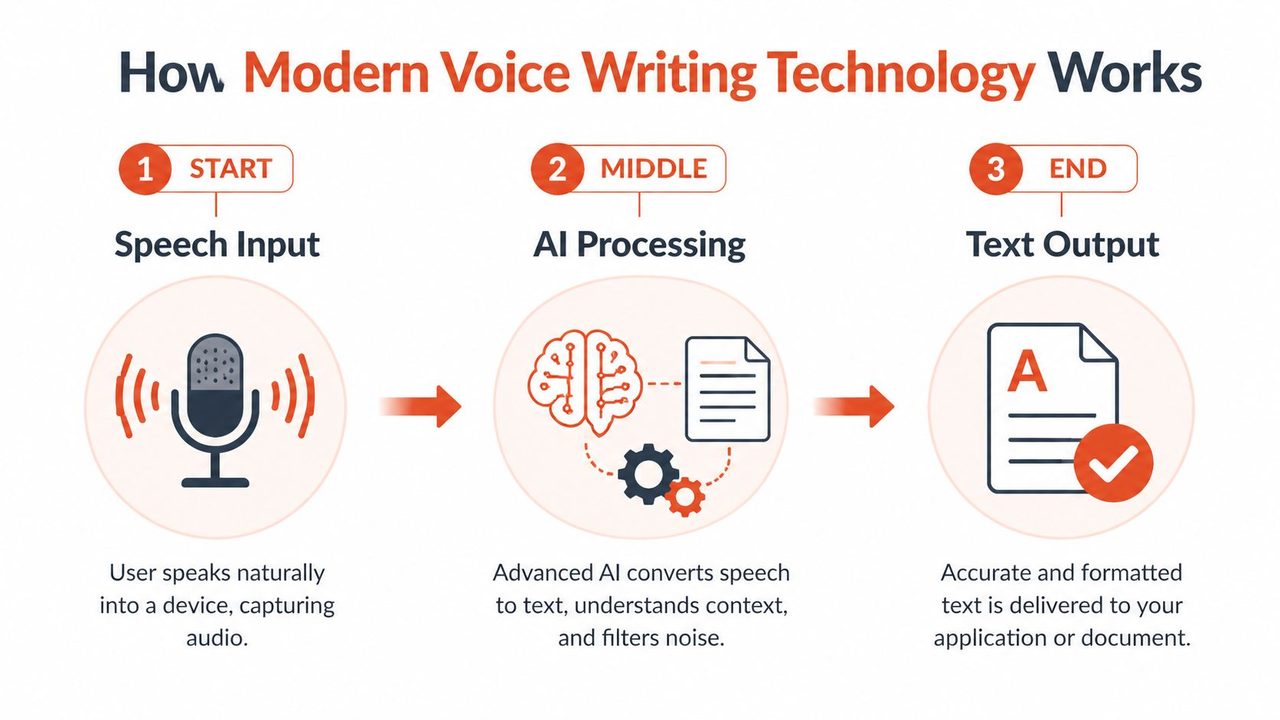
The easiest way to understand it is to think in three stages: capture, recognize, and clean up.
Stage one and stage two
First, the app captures your audio through your microphone. That part sounds trivial, but it matters. The software has to separate your speech from room noise, keyboard clicks, and the natural messiness of spoken language.
Next, a speech recognition engine transforms those vocalizations into written words. This component represents what many users identify as "speech to text." The system determines whether the speaker uttered "ship" or "chip," interprets whether a silence indicates a comma or a full stop, and executes commands to ensure a correction replaces the preceding phrase.
Some tools do this on remote servers. Others can do it on your device.
Cloud and local, explained simply
The difference between cloud and local processing is easier to grasp with a familiar analogy.
Cloud processing is like streaming a movie. The heavy lifting happens somewhere else, and your device receives the result. That can enable more advanced processing, but it means your data travels to an outside system.
Local processing is like downloading a movie and watching it on your laptop. The work happens on your machine. That usually gives you more privacy and can feel faster because there’s no network round trip.
If you want a clearer breakdown of the engine layer, this article on automatic speech recognition explains the core idea well.
Where the real improvement happens
Recognition alone doesn’t create good writing. It creates text. Modern voice writing adds another layer that behaves more like an editor.
Older voice writing systems used voice codes, which are predefined spoken shortcuts that map to specific phrases and reduce ambiguity. According to this explanation of voice codes in voice writing, these codes can reduce errors by 40% to 50%. Modern AI cleanup borrows the same principle. It learns likely intent from context, removes filler words like “um” with a 95% success rate, and can apply app-specific formatting. The same source notes that this kind of workflow can boost a support team’s throughput by 3x compared to typing.
What that means in practice
When modern voice writing works well, it doesn’t just hear your words. It interprets writing intent.
- Self-corrections get resolved: You can change direction mid-sentence without manually repairing every fragment.
- Filler gets removed: Spoken hesitation doesn’t have to survive into the final draft.
- Formatting adapts: An email can come out as short paragraphs, while notes may come out as bullets.
- Terminology improves: Custom dictionaries help the engine recognize names, product terms, and technical language.
That’s why modern voice writing feels different from basic dictation. One tool acts like a microphone attached to a keyboard. The other acts like a microphone plus a first-pass editor.
Key Benefits and Practical Limitations
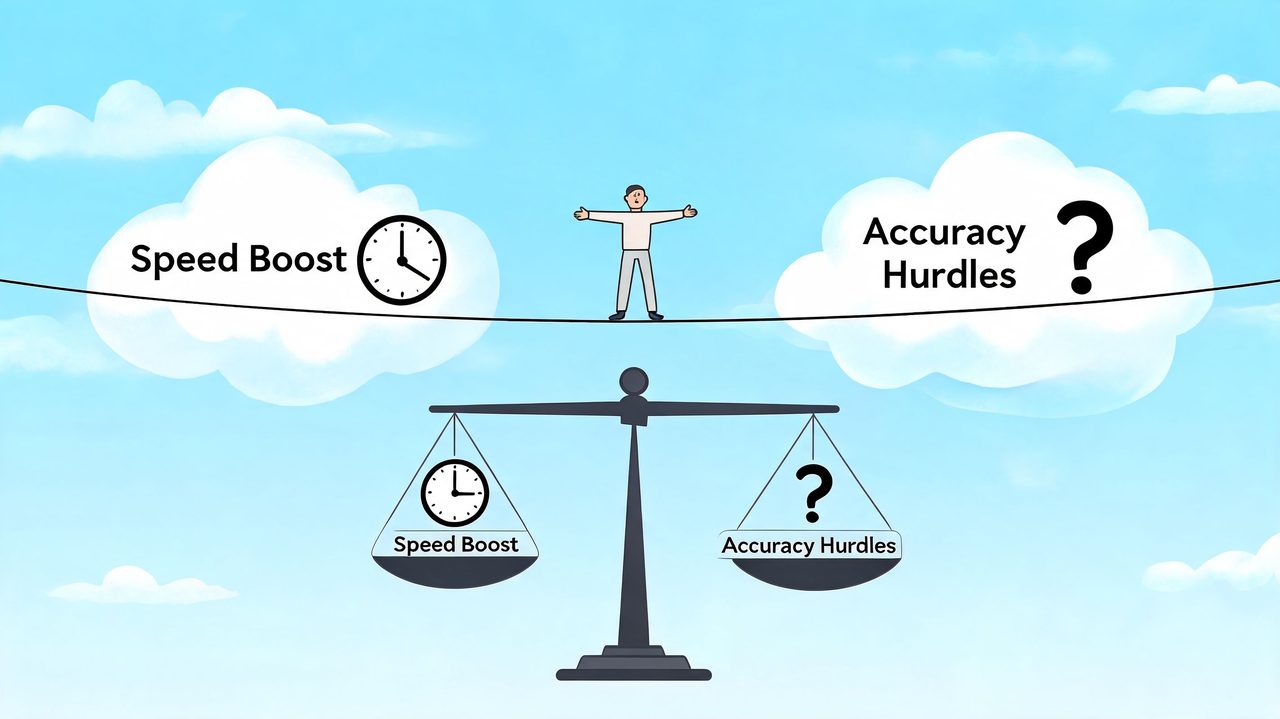
The biggest benefit of voice writing isn’t that it replaces typing everywhere. It’s that it helps you capture thinking at speaking speed.
A lot of good ideas arrive in rough form. They show up while you’re walking, reviewing a ticket, leaving a meeting, or trying to explain something to a colleague. Speaking is often the fastest way to catch that raw material before it disappears.
What voice writing does especially well
There’s also a quality advantage. Voice carries rhythm, emphasis, and intent that people often flatten when they type too early. In oral history work, 90% of users report a stronger emotional connection to events via voice versus text, according to this discussion of voice, memory, and oral history. For professionals, the lesson is practical. Speaking first can preserve nuance in your draft before software cleans it up.
Modern tools can also do substantial cleanup. The same source notes that some systems can remove 98% of filler words, which means a rough spoken draft can come out much cleaner than is commonly expected.
Common advantages include:
- Faster draft capture: You can explain an idea out loud before overthinking the wording.
- Better recall: Talking through steps often helps you remember details you’d skip while typing.
- Less blank-page friction: It’s easier to react verbally than to compose a perfect opening sentence.
- Accessibility: For some users, speaking is more comfortable than prolonged keyboard use.
Spoken drafts are often messy in a productive way. They contain the logic, examples, and tone you were going to type anyway.
Where voice writing still falls short
It’s not magic, and it’s not the right tool for every writing moment.
Voice writing can be awkward in shared spaces. It can also be slower than typing when you’re making tiny revisions, editing a dense spreadsheet, or writing code that requires precise symbols and layout. Even with strong cleanup, some tasks still demand manual control.
A few limitations matter in daily use:
- Microphone quality matters: A weak mic can create avoidable errors.
- Special terms need setup: Names, acronyms, and product language often improve after adding a custom dictionary.
- Editing still exists: Cleanup reduces effort, but it doesn’t eliminate review.
- Silence can be better: If you’re doing line-by-line refinement, the keyboard usually wins.
The sweet spot is clear. Use voice writing for first drafts, notes, updates, and explanation-heavy writing. Switch back to the keyboard for fine-grained edits.
Real-World Use Cases for Professionals
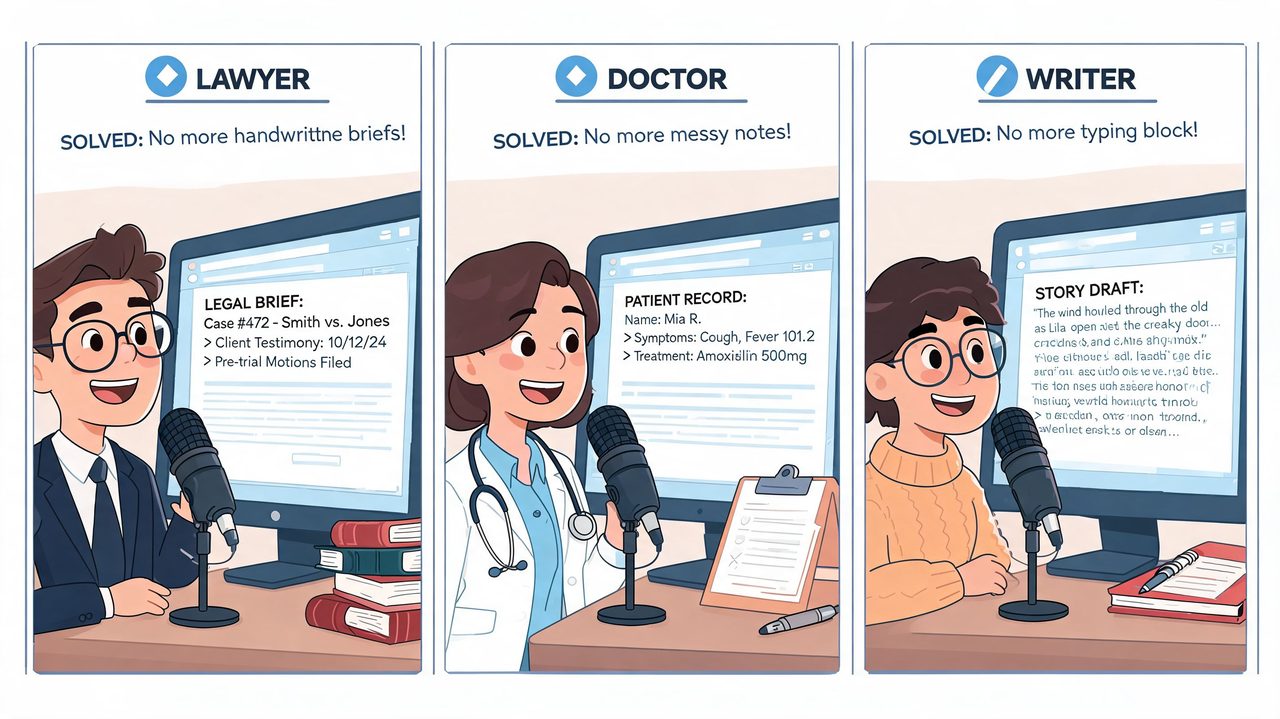
The old definition of voice writing points to court reporters repeating speech into a mask. For modern knowledge workers, the practical meaning is different. It is a way to turn spoken expertise into usable drafts, notes, and summaries without stopping to type every sentence.
A product manager is a good example. Right after a roadmap meeting, the hard part is rarely deciding what happened. The hard part is turning scattered discussion into a clear update that other teams can act on. Speaking a recap while the conversation is still fresh is often faster than rebuilding the logic from shorthand notes. The result is not a polished memo on the first pass. It is a structured draft with the decisions, risks, and next steps already on the page.
Developers use voice writing in a narrower, more practical way. They usually are not dictating code. They are explaining why a system changed, documenting edge cases, drafting ticket updates, or summarizing a pull request. In that setting, a custom dictionary does real work because package names, internal acronyms, and product terms are often the first things generic tools get wrong. Projections for the coming years suggest AI dictation tools will improve at handling context and specialized vocabulary, which matters more to technical teams than perfect prose on the first try.
Healthcare shows the same pattern under more pressure. A clinician may need to capture findings, an assessment, and a plan while the details are still current. If speaking gets the core content into draft form sooner, more attention stays on the patient and less gets pushed into after-hours documentation. Industry projections also suggest voice-to-text use in healthcare documentation is expected to rise as teams look for faster ways to produce structured notes while meeting privacy requirements.
High-volume communication roles benefit too.
A support lead can speak the substance of a reply, then clean it into a message that sounds specific rather than canned. A marketer can talk through campaign feedback, interview takeaways, or a creative brief and get a first draft that preserves the original phrasing and intent better than fragmented notes.
Common fits include:
- Clinical notes: Capture findings and plans while the encounter is still fresh.
- Support responses: Draft detailed replies quickly, then edit for tone and policy.
- Meeting summaries: Record decisions, open questions, and owners right after a call.
- Technical documentation: Explain system behavior verbally before refining the wording.
- Executive updates: Turn spoken status recaps into readable summaries for stakeholders.
The pattern is simple. Voice writing works best when the professional already understands the material and needs help transferring that knowledge into a document. That is why the modern version matters far beyond the legal niche. Tools like AIDictation are part of a newer category built for everyday professional writing, not just courtroom-style dictation.
Privacy and Security in the Age of AI Dictation
Privacy concerns around voice writing are reasonable. Spoken drafts can contain client details, internal strategy, patient information, or source code. Once a tool starts listening, the next question is obvious: where does that data go?
The basic tradeoff is straightforward. Cloud-first systems send audio or text to remote servers for processing. That can enable stronger cleanup and formatting, but it also introduces data handling risk because your content leaves your machine.
Local processing keeps recognition on your device. For sensitive work, that changes the risk profile in an important way. If the audio never leaves your computer, you remove an entire category of exposure tied to transmission and third-party storage.
What to check before using any tool
Don’t evaluate an AI dictation tool only on recognition quality. Check the security model.
Look for details such as:
- Local mode availability: Can you process speech on-device when privacy matters most?
- Encryption in transit: If cloud features are used, is data protected during transfer?
- Clear retention policy: Does the company explain what it stores and for how long?
- Compliance posture: If you work with regulated information, does the vendor explain relevant safeguards?
A simple way to think about it is this. If you wouldn’t paste the text into a random web form, don’t assume it’s safe to dictate it into a vague AI tool either.
A practical standard for professionals
For confidential work, local-first options are easier to justify. For less sensitive writing, cloud cleanup may be worth the trade. The key is choice.
You don’t need to reject AI dictation to take privacy seriously. You need a tool that lets you match the processing method to the content. A team drafting public blog ideas has one risk level. A clinician handling patient notes has another.
Getting Started with Voice Writing in AIDictation
The easiest way to learn voice writing is to use it on a real task, not a demo sentence. Start with something you already write every week: a meeting recap, a project update, a clinical note, or an email draft.
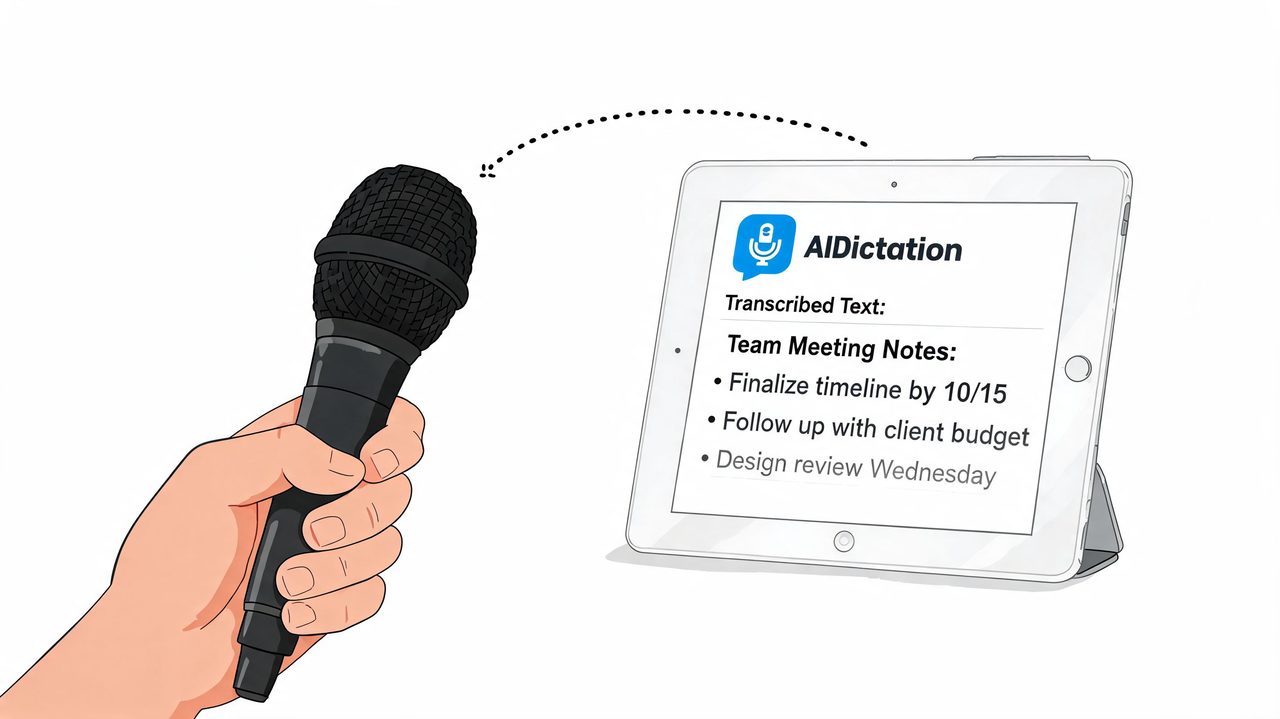
A practical setup on macOS is AIDictation, which turns speech into cleaned, ready-to-send text. It includes Auto Mode for switching between recognition engines, Local Mode for on-device dictation on Apple Silicon, Cloud Mode for AI cleanup and formatting, plus a custom dictionary for names and technical terms. If you want the basics first, this guide on getting started with voice dictation walks through the early setup.
A simple first workflow
Don’t begin with your hardest writing job. Pick a task where spoken explanation already feels natural.
Try this sequence:
- Choose one repeatable task: A daily standup summary or follow-up email works well.
- Speak in complete thoughts: Short pauses are fine. You don’t need to sound scripted.
- Review the cleaned draft: Check names, numbers, and any domain-specific terms.
- Save terms to the dictionary: This reduces repeat corrections later.
- Notice where voice helps most: Usually it’s first drafts, summaries, and explanation-heavy notes.
A lot of beginners make one mistake. They try to dictate as if they’re typing aloud, word by word. That usually feels stiff. You’ll get better results if you speak as if you’re explaining the content to a coworker.
When to use local mode and cloud mode
Use local mode when privacy matters most or when you want the speed of on-device processing.
Use cloud mode when the writing needs more cleanup, stronger formatting, or better handling of self-corrections. The most useful comparison is simple: local is for capture with privacy, cloud is for polish with extra processing.
This short video shows the workflow in action.
What good adoption looks like
You don’t need to switch your whole writing life to voice. Many won’t.
The practical goal is smaller. Move the parts of writing that are bottlenecked by typing into speech first. Keep the keyboard for precision edits. Over time, you’ll learn which tasks belong in each mode.
If you’ve been asking “what is voice writing,” the modern answer is clear: it’s not just a courtroom technique anymore. It’s a way to turn spoken thinking into usable writing, with privacy and polish choices that fit the job.
If you want to try that workflow on your Mac, AIDictation offers a free tier with 2,000 words per month and no account required, so you can test voice writing on real notes, emails, or documentation before deciding whether it fits your routine.
Frequently Asked Questions
What does What Is Voice Writing: AI, Benefits, & Evolution cover?
Most advice about what is voice writing starts in the wrong place. It tells you to think about courtrooms, stenomasks, and a highly trained specialist repeating every spoken word into a device.
Who should read What Is Voice Writing: AI, Benefits, & Evolution?
What Is Voice Writing: AI, Benefits, & Evolution is most useful for readers who want clear, practical guidance and a faster path to the main takeaways without guessing what matters most.
What are the main takeaways from What Is Voice Writing: AI, Benefits, & Evolution?
Key topics include Table of Contents, What Most People Think Voice Writing Is, Why that definition is too narrow.
Ready to try AI Dictation?
Experience fast voice-to-text on your device. Free to download.
Download FreeRelated Posts
Transcription Audio to Text: A Practical Workflow Guide
Learn transcription audio to text with a clean workflow covering tools, recording, cleanup, and accuracy tips that work on macOS and beyond.
Voice to Text on Mac: Built-in Dictation vs the Best Apps (2026)
How to use voice to text on a Mac or MacBook: turn on built-in dictation, see where it falls short, and compare the best Mac voice to text apps for 2026.
Voice Typer for Mac Guide to Smarter Dictation
Explore voice typer for Mac options, compare built-in and AI tools, improve accuracy and privacy, and choose the right dictation workflow.